
Community listing page, reviews may not be monitored by the author.
Immersive Day Counter

No reviews yet
Adds an on-screen day counter with announcements, sounds and advancements for days 1, 100, 1000 and 10000.

Community voices
Reviews
No reviews yet. Be the first to review this project!
Get it on
Available Platforms
About
Project Details
For authors
Embed Badge
If you're the author of this project, you can embed a live badge anywhere that supports HTML or Markdown. It updates automatically whenever ratings change.
Use HTML for any page that supports it, or Markdown for README files and Markdown-based descriptions.
Identifiers
Platform IDs
About
Description
Immersive Day Counter
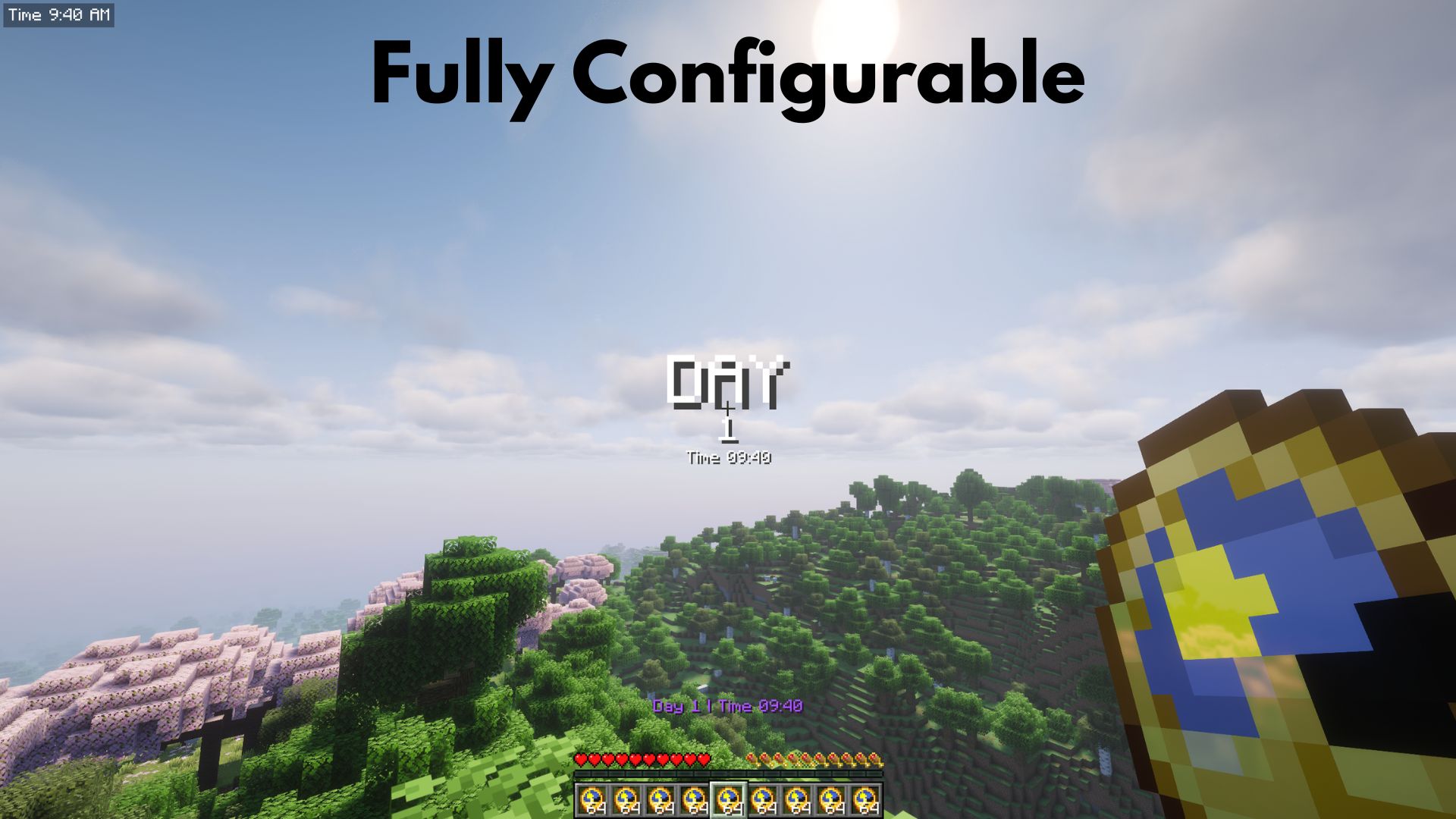
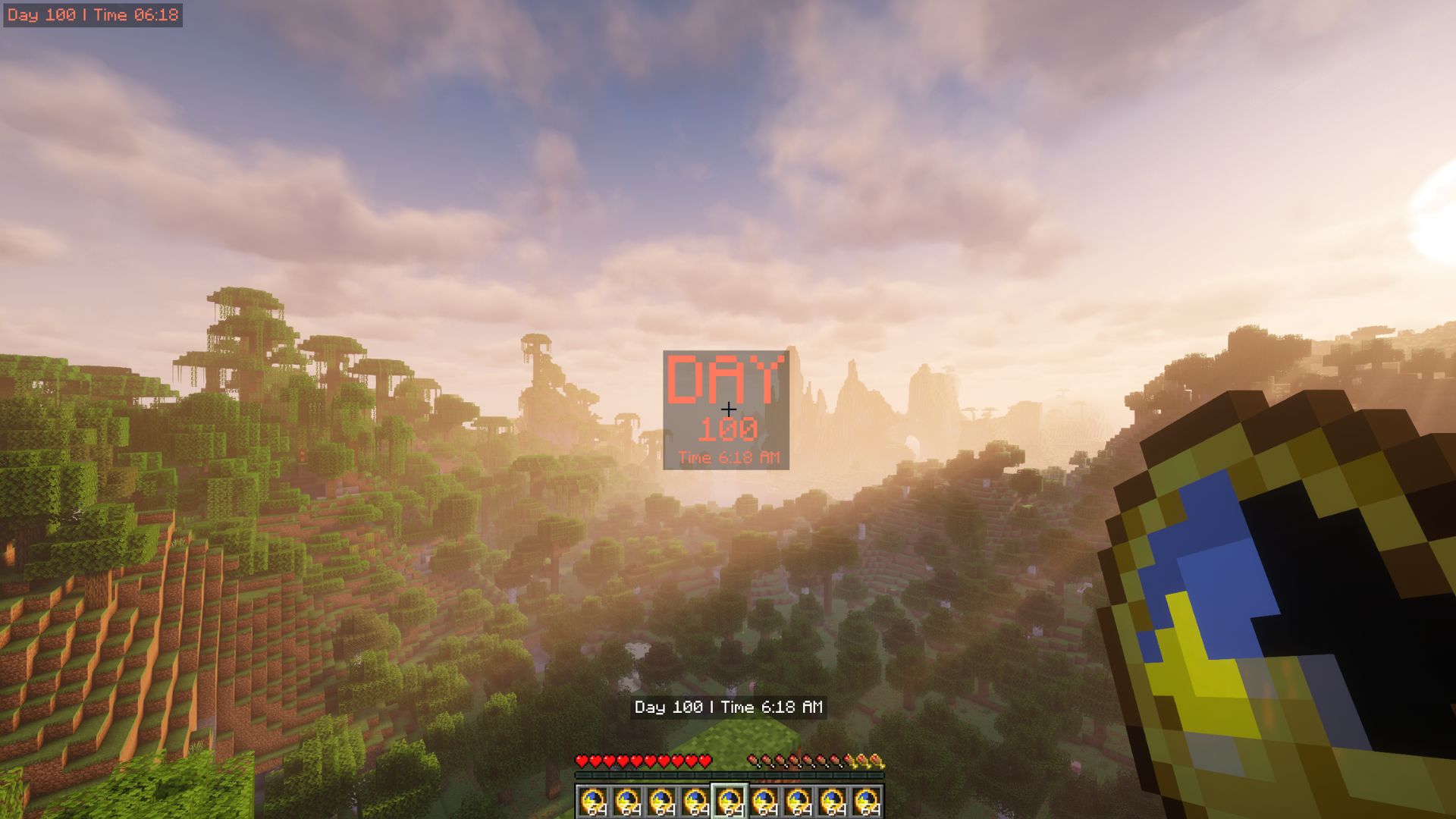
A lightweight mod that tracks the in-game day and announces every new day with a title, HUD display, sounds and milestone advancements, fully configurable.
🌐 Multilingual
| Language | Main | Variants |
|---|---|---|
| English | en_us |
None |
| Español | es_es |
es_mx es_ar |
| Deutsch | de_de |
de_at de_ch |
| Français | fr_fr |
None |
| Italiano | it_it |
None |
| Português | pt_pt |
pt_br |
| Русский | ru_ru |
None |
| 简体中文 | zh_cn |
None |
| 繁體中文 | zh_tw |
None |
| 日本語 | ja_jp |
None |
| 한국어 | ko_kr |
None |
⚡ Features
📆 Day tracking
The day is resolved live from the world clock, so nothing is stored and it always matches the world.
Note: this counter is not the same as F3. F3 shows the day starting at 0, while this mod counts the first day as Day 1. That means the mod is always F3's Day plus 1.
Version 1.21.11: on these versions the day comes straight from the world time, so /time set (day, noon, night, midnight) resets the counter to Day 1. To set the day, use /idc set day n. (OP needed)
🖥️ Display styles
Three independent styles, each fully configurable:
| Style | Where | Behaviour |
|---|---|---|
| Center Display | Middle of the screen | Permanent or timed. Large "DAY" title shown for a few seconds, then it fades out (can also show only the time) |
| Hotbar Display | Above the hotbar | Permanent or timed |
| Corner Display | A screen corner | Permanent or timed, with a configurable corner |
⏰ Day and time content
Each style can show the day, the time, or both via the content option (day / time / day_and_time). The clock uses a 24-hour or 12-hour (AM/PM) format.
🎨 Colors and special days
A text color per style, plus a special color on every 100th day (100, 200, 300, …, 1000, …). Each style can also show a translucent black background behind the text.
🏆 Advancements
Days 1, 100, 1000 and 10000 are granted as challenge advancements.
🔊 Sounds
A sound plays on each day change. It can be toggled off.
- Note-block pling (default)
- Creeper hiss
- Click
- Item pickup sound
- Experience orb
- Experience level-up
- Short bell
- Random (picks one of the other sounds at random each day)
⌨️ Command
| Command | Description |
|---|---|
/idc set day n |
OP only. Sets the world day to n (1 to 1,000,000). |
⚙️ Configuration
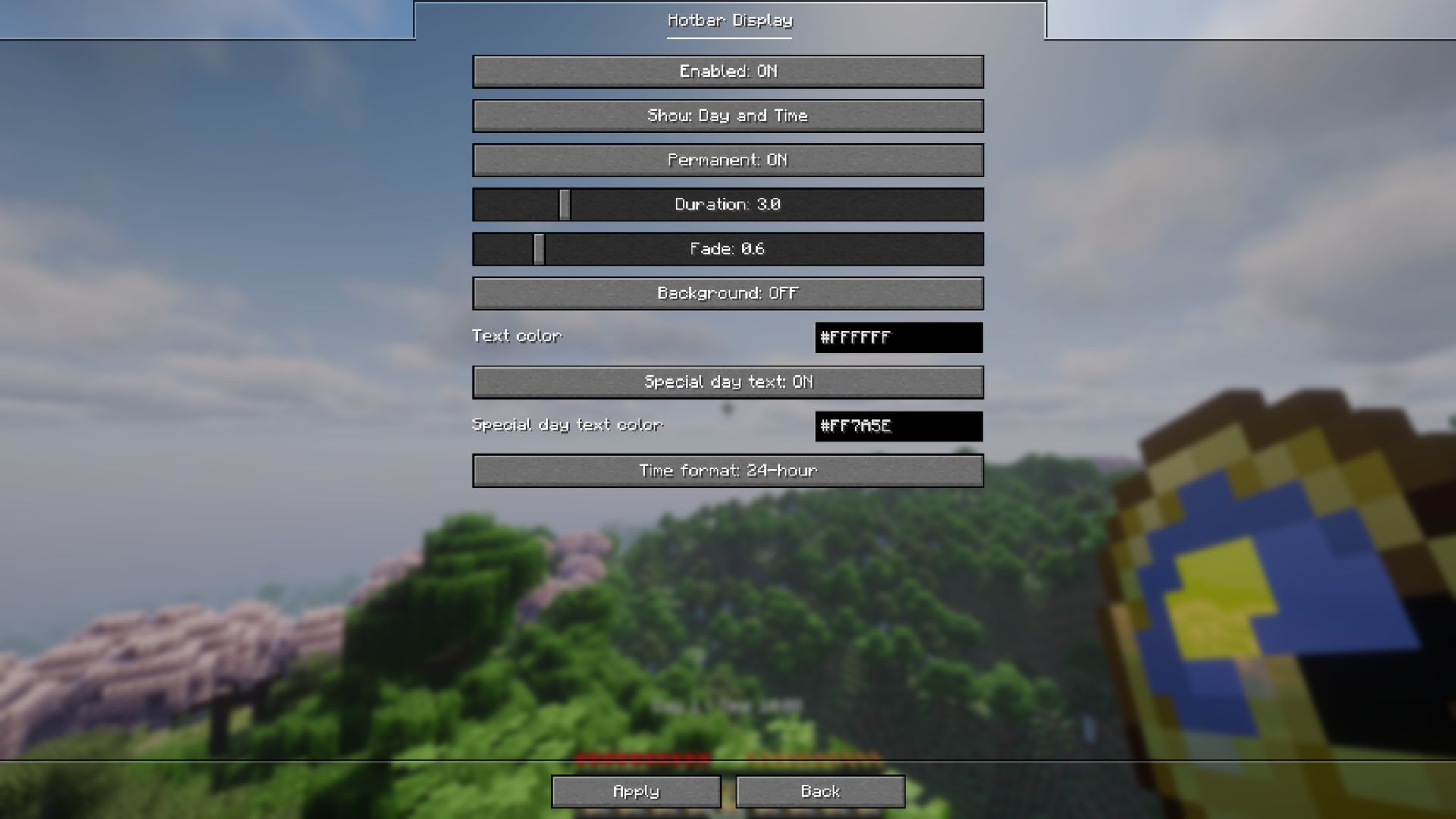
The easiest way is in game: open Mod Menu (Fabric) or the Config button in the mods list (NeoForge). The General screen has the sound settings, one button per display style, and a Reset to default action. No game restart needed.
If you prefer editing the file manually:
config/immersive-day-counter.json{
"sounds": { "enabled": true, "sound": "pling" },
"display": {
"center": { "enabled": true, "permanent": false, "durationSeconds": 3.0, "fadeSeconds": 0.6, "background": false, "textColor": "#FFFFFF", "specialDayText": true, "specialDayTextColor": "#FF7A5E", "content": "day", "dayTimeFormat": "24h" },
"hotbar": { "enabled": true, "permanent": true, "durationSeconds": 3.0, "fadeSeconds": 0.6, "background": false, "textColor": "#FFFFFF", "specialDayText": true, "specialDayTextColor": "#FF7A5E", "content": "day_and_time", "dayTimeFormat": "24h" },
"corner": { "enabled": false, "permanent": true, "durationSeconds": 3.0, "fadeSeconds": 0.6, "background": true, "position": "top_left", "textColor": "#FFFFFF", "specialDayText": true, "specialDayTextColor": "#FF7A5E", "content": "day", "dayTimeFormat": "24h" }
}
}| Option | Values | Default | Description |
|---|---|---|---|
sounds.enabled |
true / false |
true |
Daily sound on each day change. Milestones use the vanilla advancement sound regardless. |
sounds.sound |
click / experience / level_up / bell / pickup / pling / creeper / random |
pling |
Sound played when a new day starts. random picks one of the other sounds each day. |
enabled |
true / false |
center and hotbar true, corner false |
Show that style. |
permanent |
true / false |
hotbar and corner true |
Permanent instead of timed. |
durationSeconds |
0.5 to 15.0 | 3.0 |
How long a timed display stays. |
fadeSeconds |
0.0 to 5.0 | 0.6 |
Fade in and out duration. |
background |
true / false |
corner true |
Translucent black panel behind the text. |
textColor |
#RRGGBB |
#FFFFFF |
Text color. |
specialDayText |
true / false |
true |
Use the special color on every 100th day. |
specialDayTextColor |
#RRGGBB |
#FF7A5E |
Special day color. |
content |
day / time / day_and_time |
center/corner day, hotbar day_and_time |
What each style shows: only the day, only the time, or both. |
dayTimeFormat |
24h / 12h |
24h |
Time format (24-hour, or 12-hour with AM/PM). |
corner.position |
top_left / top_right / bottom_right / bottom_left |
top_left |
Corner used by the Corner Display. |
📦 Requirements
Fabric
- Fabric API
- Mod Menu (optional)
- (26.x) Java 25 or newer
NeoForge
- (26.x) Java 25 or newer
💬 Suggestions & Issues
If you have an idea, a suggestion, or found a bug, feel free to leave a comment on the CurseForge page or open an issue on the GitHub repository.
❓ FAQ
Can I use this mod in a public modpack?
Yes! You're free to include it in any public or private modpack, no permission needed.
📜 License
This project is licensed under the MIT License.
Screenshots
Gallery
-
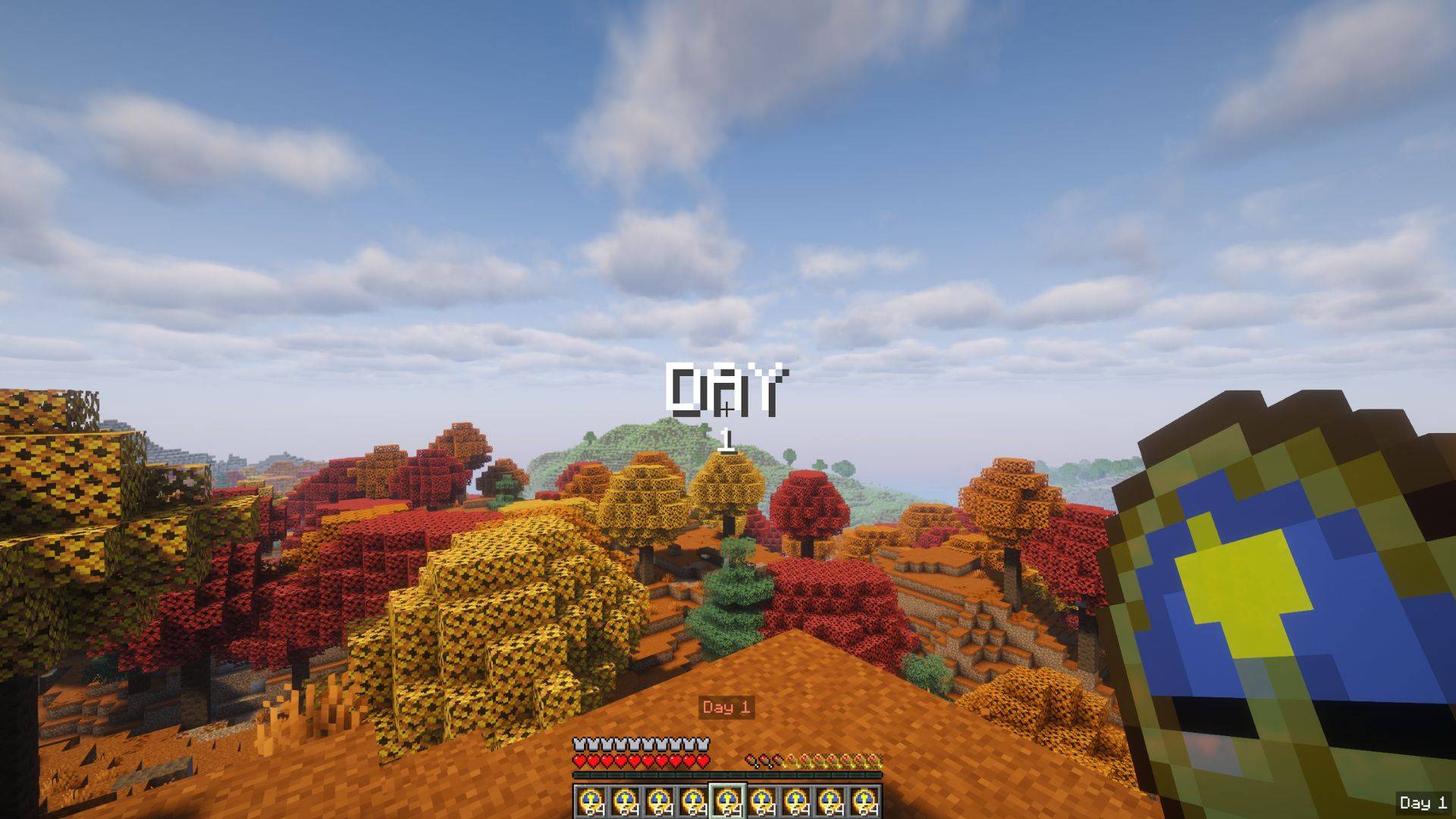 In-Game Example
 -
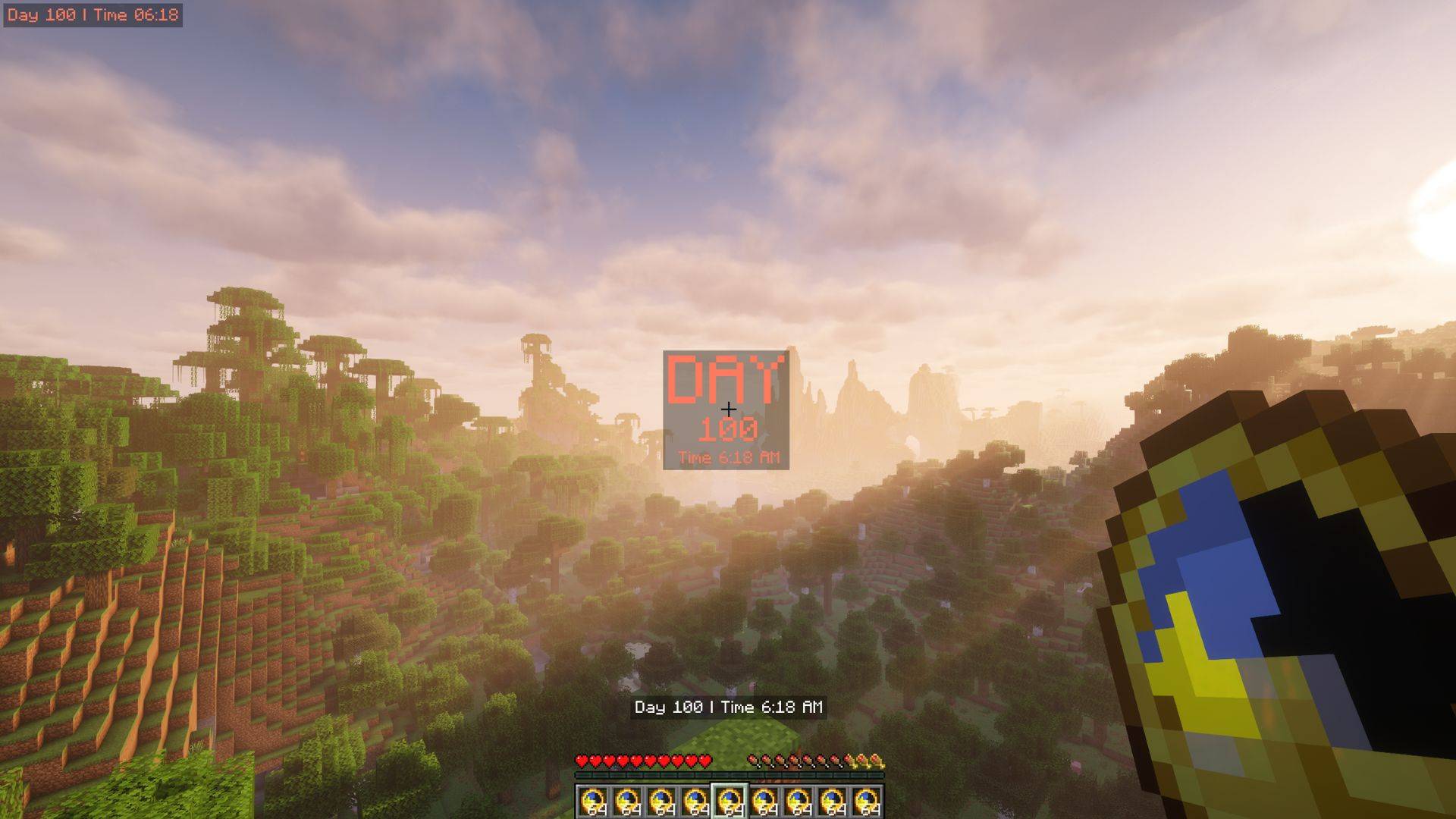 In-Game Example
 -
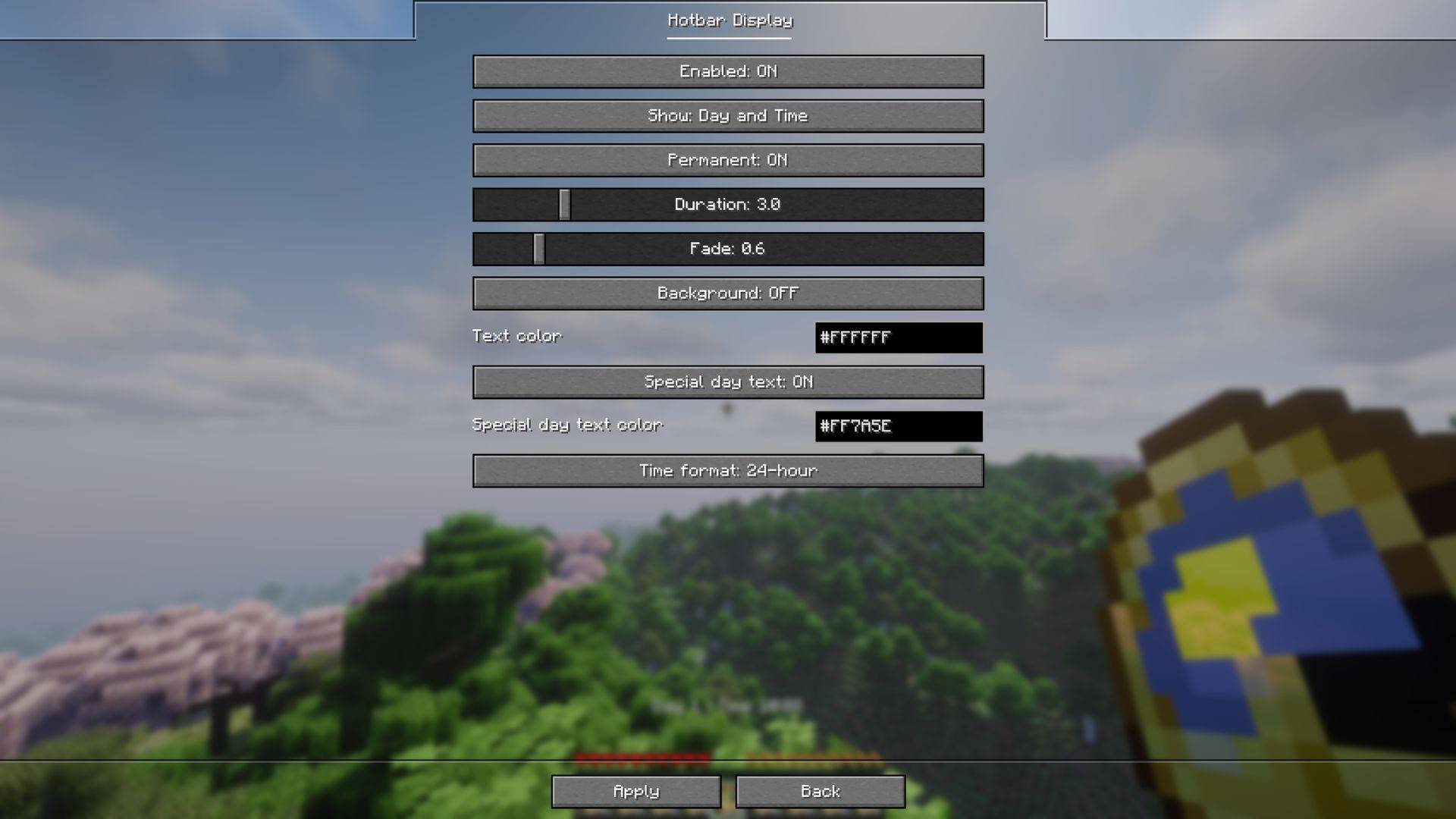 Config Screen (Hotbar)
 -
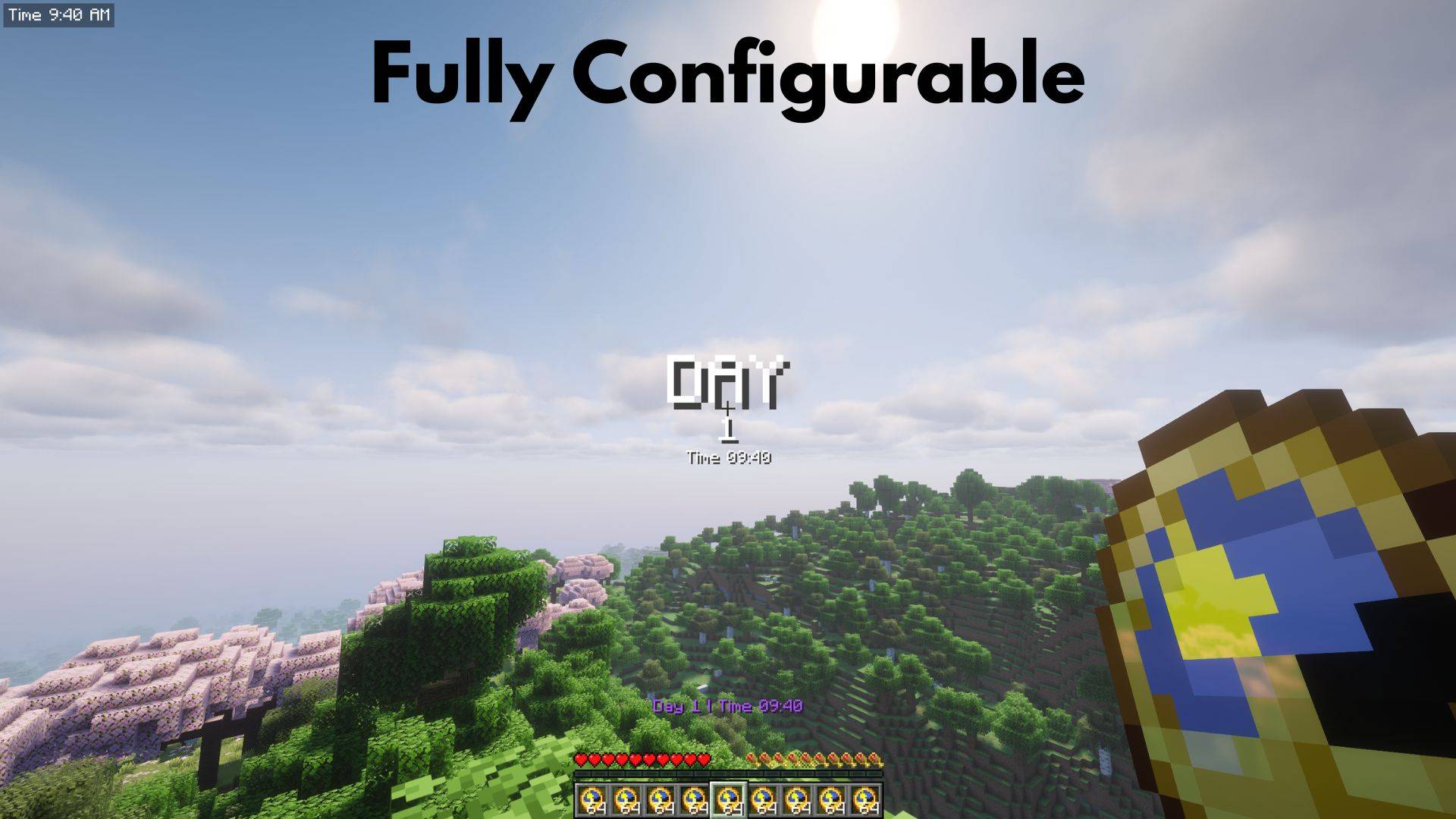 In-Game Example
Versions
Files
Relations
Project Relations
More like this
Similar Mods
Suggestions use data such as tags, dependencies, dependents, descriptions, titles, and more to rank how much they overlap with this mod.
On ModDex
Community snapshot
By the numbers
Statistics

Get it on
Available Platforms
On ModDex
Community snapshot
By the numbers