
Community listing page, reviews here may not be monitored by the author.
Incognito Chat


No reviews yet
Incognito Chat is a client-side Minecraft mod that adds private encrypted chat, custom groups, and secure communication between players.
Community voices
Reviews
No reviews yet. Be the first to review this project!
Get it on
Available Platforms
Compatibility
Supported Environments
Runs entirely on the client. Works on vanilla servers.
About
Project Details
For authors
Embed Badge
If you're the author of this project, you can embed a live badge anywhere that supports HTML or Markdown. It updates automatically whenever ratings change.
Use HTML for any page that supports it, or Markdown for README files and Markdown-based descriptions.
Identifiers
Platform IDs
About
Description
Incognito Chat (Forge Mod)
Incognito Chat is a client-side Minecraft Forge mod that adds secure encrypted communication between players.
It allows you to create private groups, use unique encryption keys, and chat safely with your friends without outsiders being able to read your messages.
Features
- Private encrypted chat between players
- 3 independent group slots
- Unique encryption key for each group
- Fast group switching
- Player invitation system
- Custom text color settings
- Customizable menu keybind
- Fully client-side mod (no server required)
How It Works
Each group uses its own encryption key defined by the player.
Only players who share the same key and are in the same group can read and send encrypted messages within that group.
Usage
After installing the mod:
- Launch Minecraft (Forge)
- Join a world or server
- Open the ESC menu
You will see new controls:
Group Switching (#1 / #2 / #3)
Quickly switch between available chat groups.
Enable / Disable Encryption
Toggle message encryption on or off.
Incognito Settings
Main configuration menu of the mod.
Inside the settings menu you can:
- switch between groups
- change your encryption key
- invite players
- change your text color
Hotkey
By default, Incognito Settings is opened with:
N
You can change it in:
Controls → Keybinds → Open Incognito Settings
Incognito Chat
Private encrypted communication for Minecraft.
Incognito Chat is a client-side Minecraft mod that adds private encrypted communication between players. Create your own groups, use unique encryption codes, and securely chat with your friends directly in-game.
Features
- Private encrypted chat
- 3 separate group slots
- Unique encryption code for each group
- Fast group switching
- Player invitation system
- Custom text colors
- Customizable menu keybind
- Client-side mod
How It Works
Each group uses its own encryption code that you choose.
Players with the same code and selected group can read encrypted messages.
Usage
After installing the mod:
- Join any world or server
- Open the ESC menu
You will see new buttons:
#1, #2, #3
Quickly switch between groups.
Enable/Disable Encrypting
Enable or disable encryption.
Incognito Settings
Main settings menu of the mod.
Inside the settings menu you can:
- switch between groups;
- change your encryption code;
- invite players;
- change your text color.
Hotkey
By default, Incognito Settings can be opened with the N key.
You can change the keybind here:
Controls → Multiplayer → Open Incognito Settings
Screenshots
Gallery
-
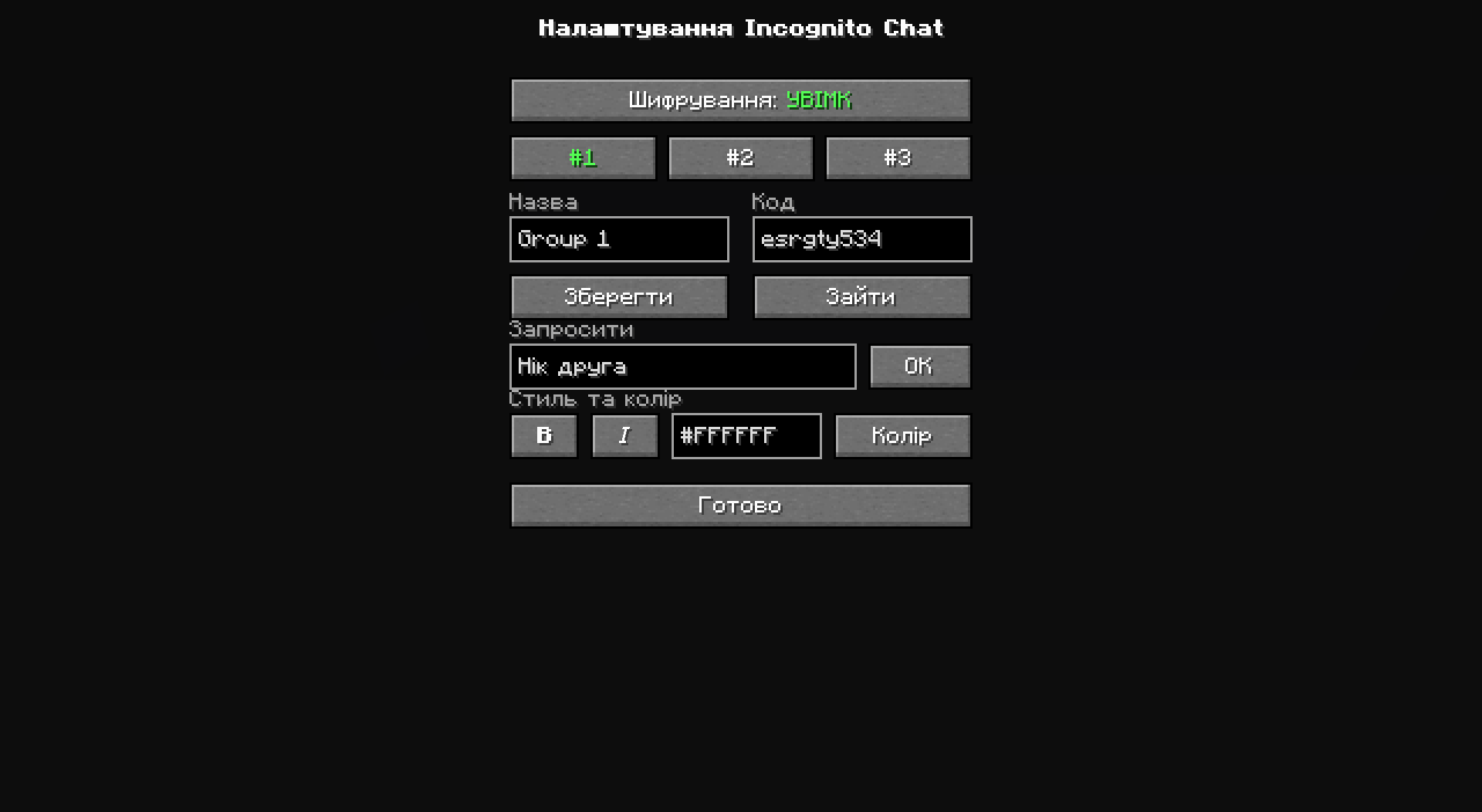 Incognito Chat Settings Switch between groups, change your encryption code, manage groups, invite players, and customize your chat appearance.
 -
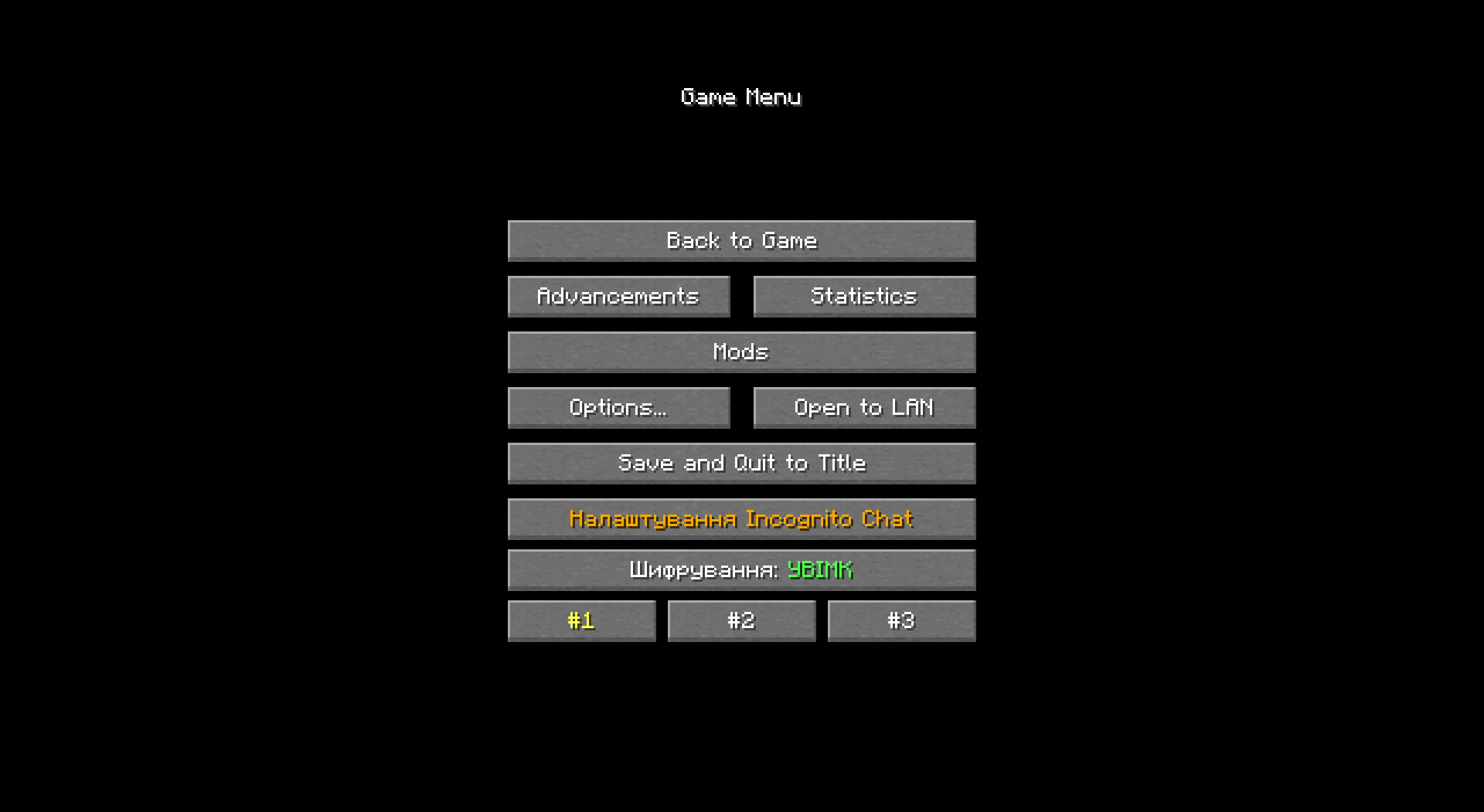 Incognito Chat Menu Access encrypted chat settings, switch between groups, and manage your private communication directly from the in-game menu.
-
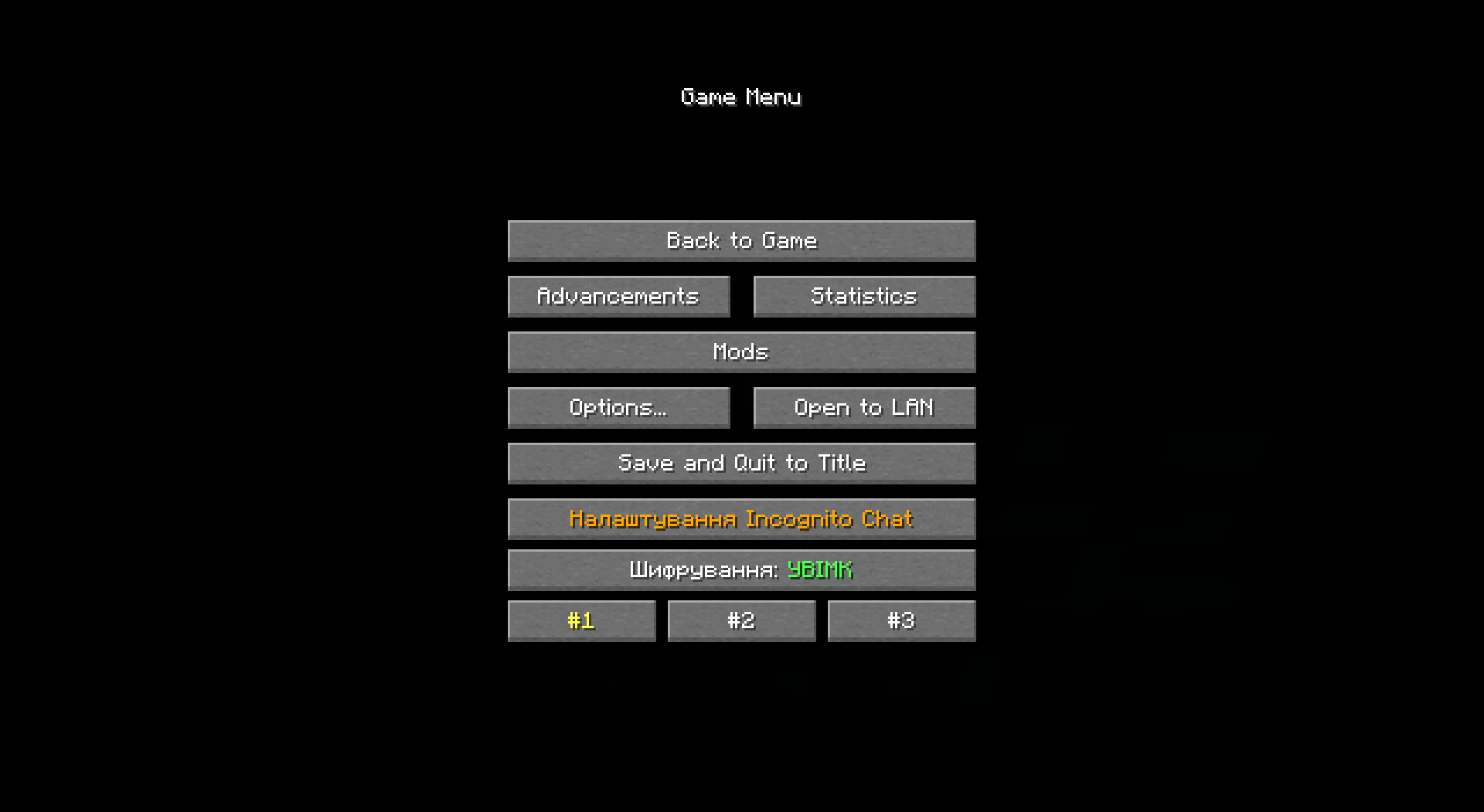 Incognito Chat Menu Access encrypted chat settings, switch between groups, and manage your private communication directly from the in-game menu.
 -
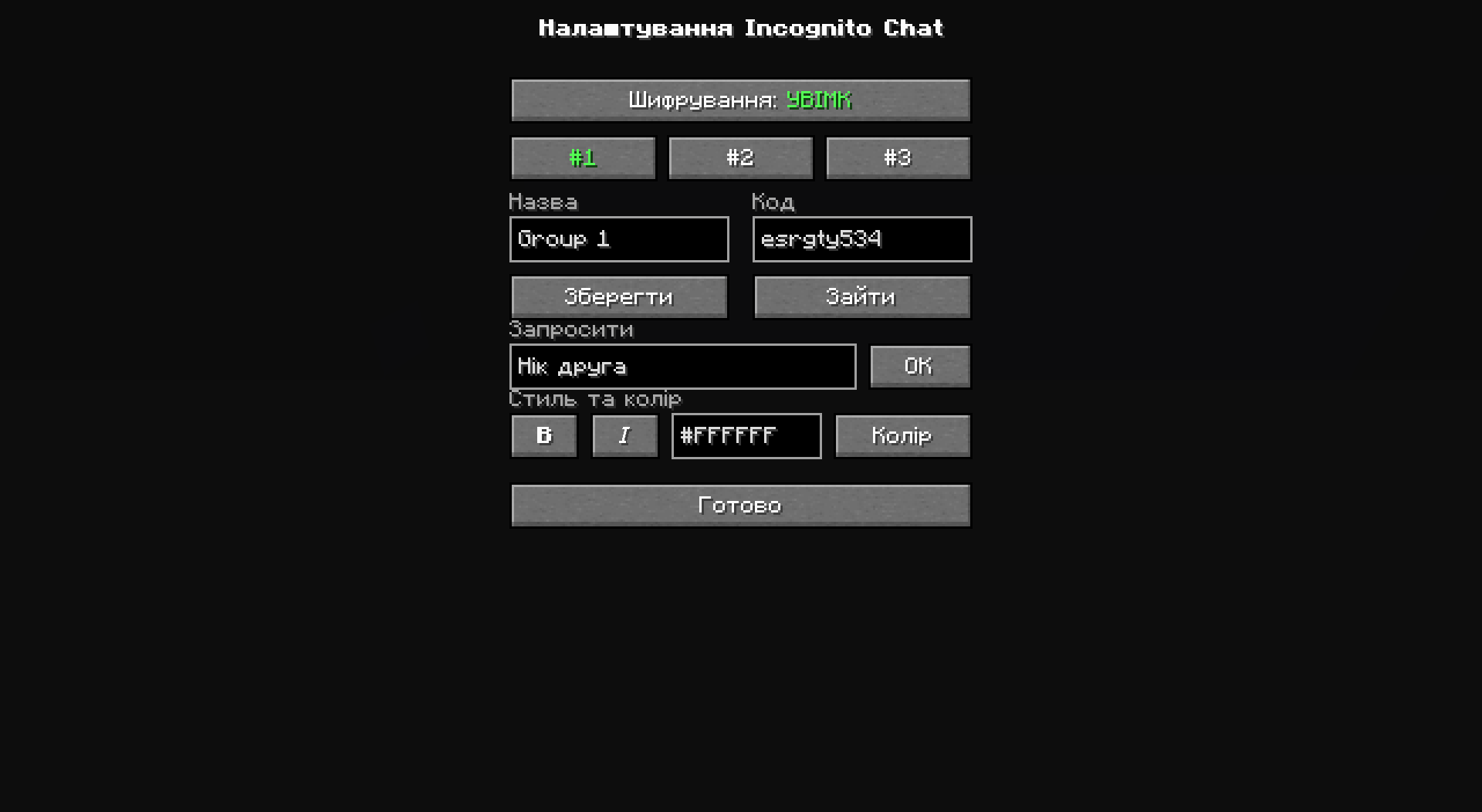 Incognito Chat Settings Switch between groups, change your encryption code, manage groups, invite players, and customize your chat appearance.
Versions
Files
Relations
Project Relations
More like this
Similar Mods
Suggestions use data such as tags, dependencies, dependents, descriptions, titles, and more to rank how much they overlap with this mod.
On ModDex
Community snapshot
By the numbers
Statistics
Want to reach Minecraft players?
We're looking for a server hosting partner to feature here and other parts of the site. Interested? Send us a message!
Get in touchGet it on
Available Platforms
On ModDex
Community snapshot
By the numbers