Community listing page, reviews here may not be monitored by the author.
Infinite Enchanter

No reviews yet
A menu that allows you to enchant your weapons, tools, and armor, regardless of the game mode or your experience level.
Community voices
Reviews
No reviews yet. Be the first to review this project!
Get it on
Available Platforms
About
Project Details
For authors
Embed Badge
If you're the author of this project, you can embed a live badge anywhere that supports HTML or Markdown. It updates automatically whenever ratings change.
Use HTML for any page that supports it, or Markdown for README files and Markdown-based descriptions.
Identifiers
Platform IDs
Resources
External Links
About
Description
The infinite enchantment menu revolutionizes in-game enchanting; simply by pressing the "O" key on your keyboard, you can access an enchantment menu that is completely free of limits.
--How does it work?--
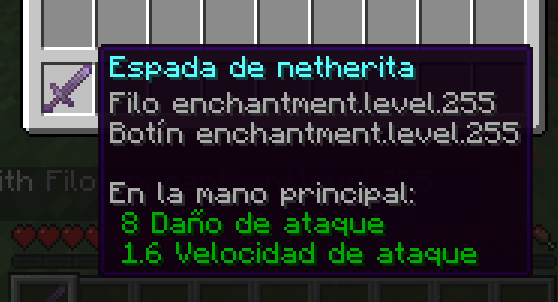
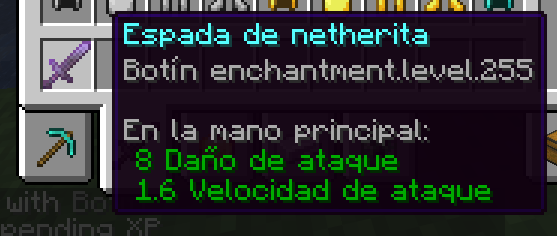
The menu allows you to bypass standard enchantment limits; specifically, it lets you enchant items (whether swords, tools, or armor) up to level 255.
It works by saving you the hassle of manually typing the `/give` command with the enchantment subcommand.
--Properties--
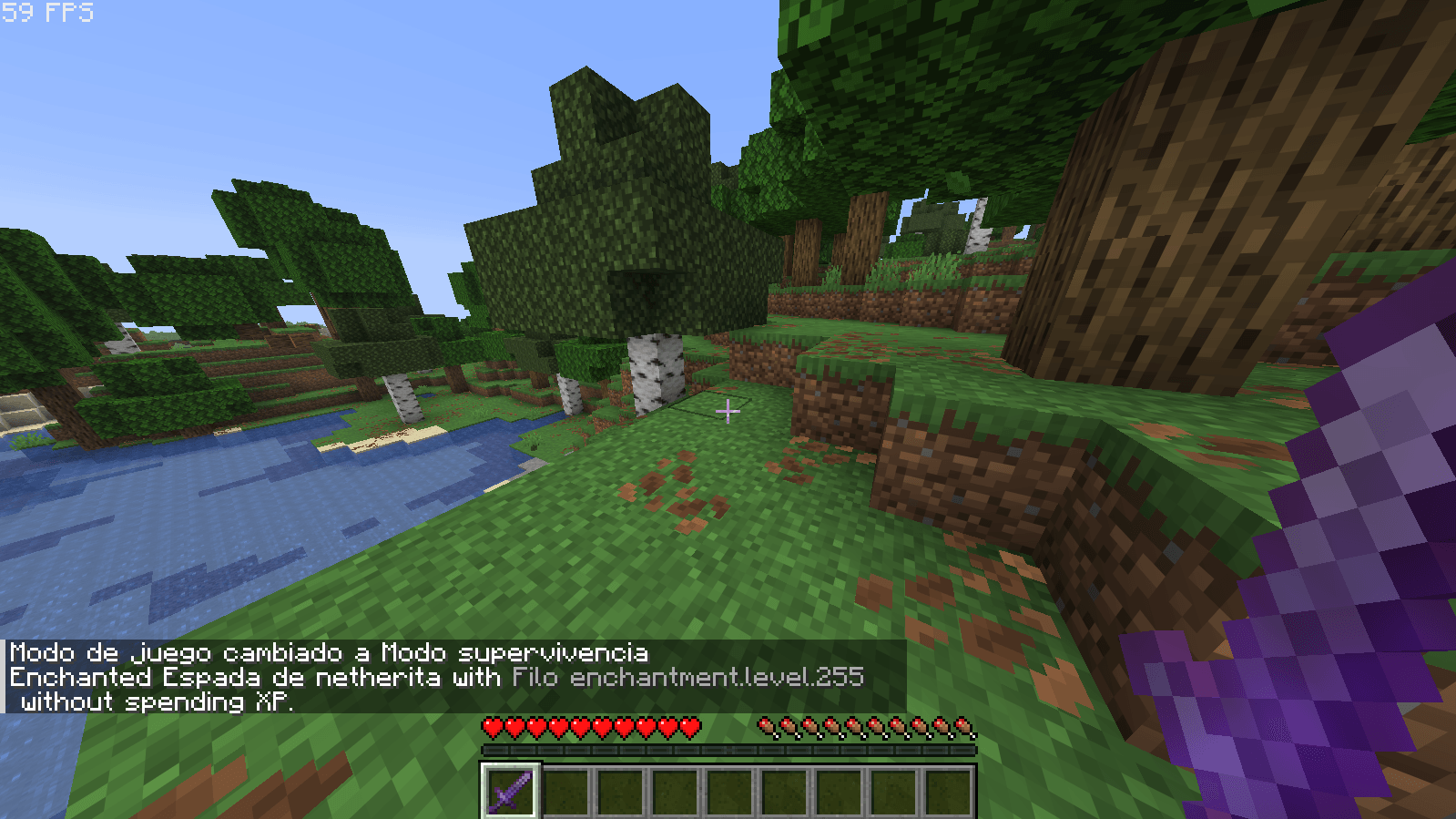
The menu allows you to enchant items without needing experience levels or orbs; simply open the menu, select the desired level, and then choose the enchantment.
--Instructions on how to use this mod--
1. Generate your Minecraft world as you normally do.
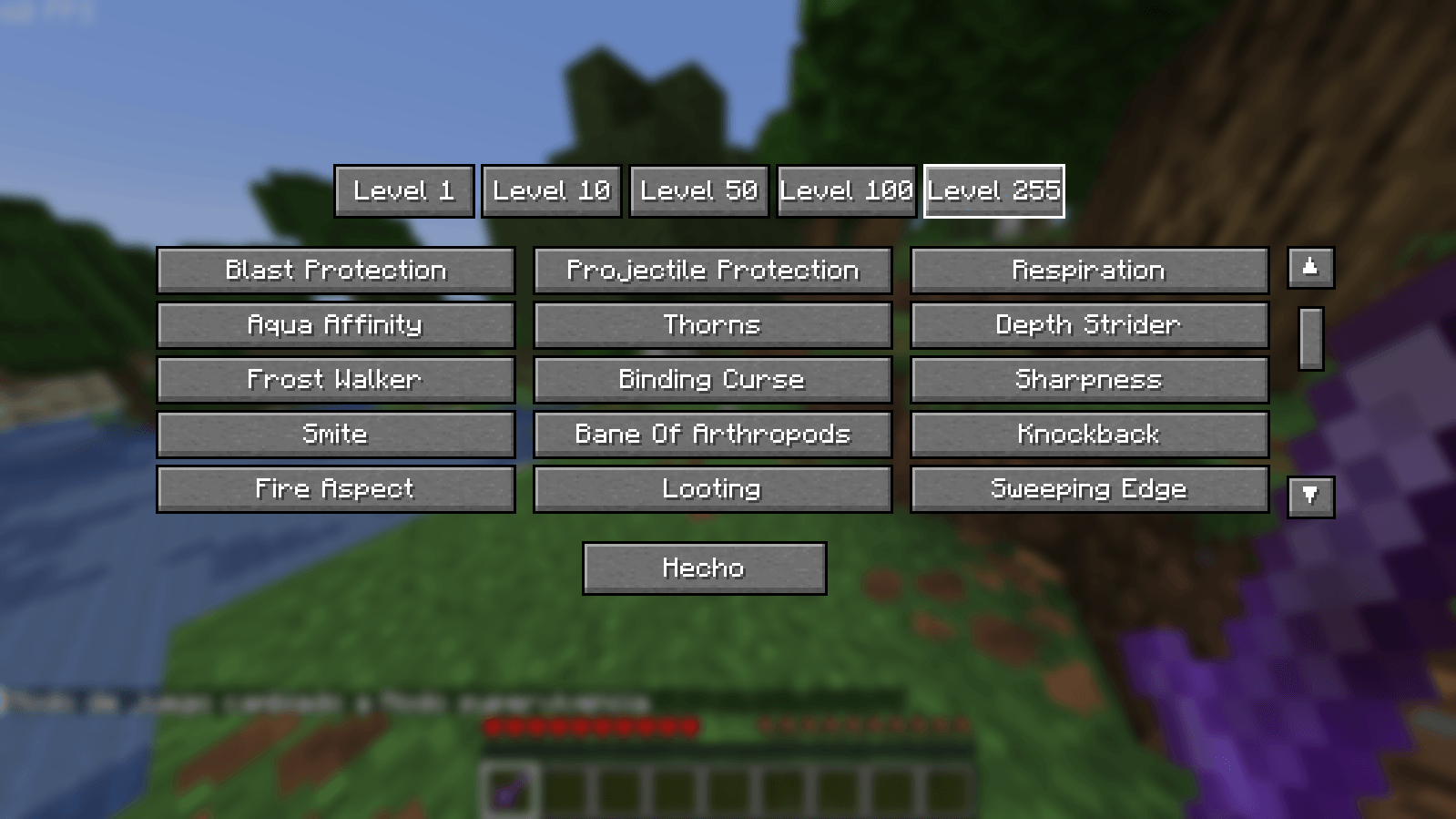
2. When you enter the world, press the "O" key on your keyboard, and a menu will open.
3. The menu contains the full list of updated vanilla Minecraft 26.1 enchantments; you can scroll up and down to see what lies beyond the initial view (using the arrows on the right).
4. Pay close attention, because if you do this wrong, you'll get the wrong enchantment: first, select the levels shown above the menu, then select the enchantment to apply it to the item in your hand.
!!! - In any case, if the procedure were carried out in reverse, a minor enchantment could be applied.
(If you attempt to apply an enchantment that is incompatible with a specific weapon, tool, or piece of armor, the enchantment will not be applied, and a message will appear in the chat indicating that the enchantment is incompatible with that item (for example, Loyalty on a sword or Protection on an axe).
5. Enjoy!!
Support: If you need help with this mod, I want to clarify that Spanish is my native language; you can also leave comments on the mod's page itself, and I will read them one by one.
Screenshots
Gallery
-
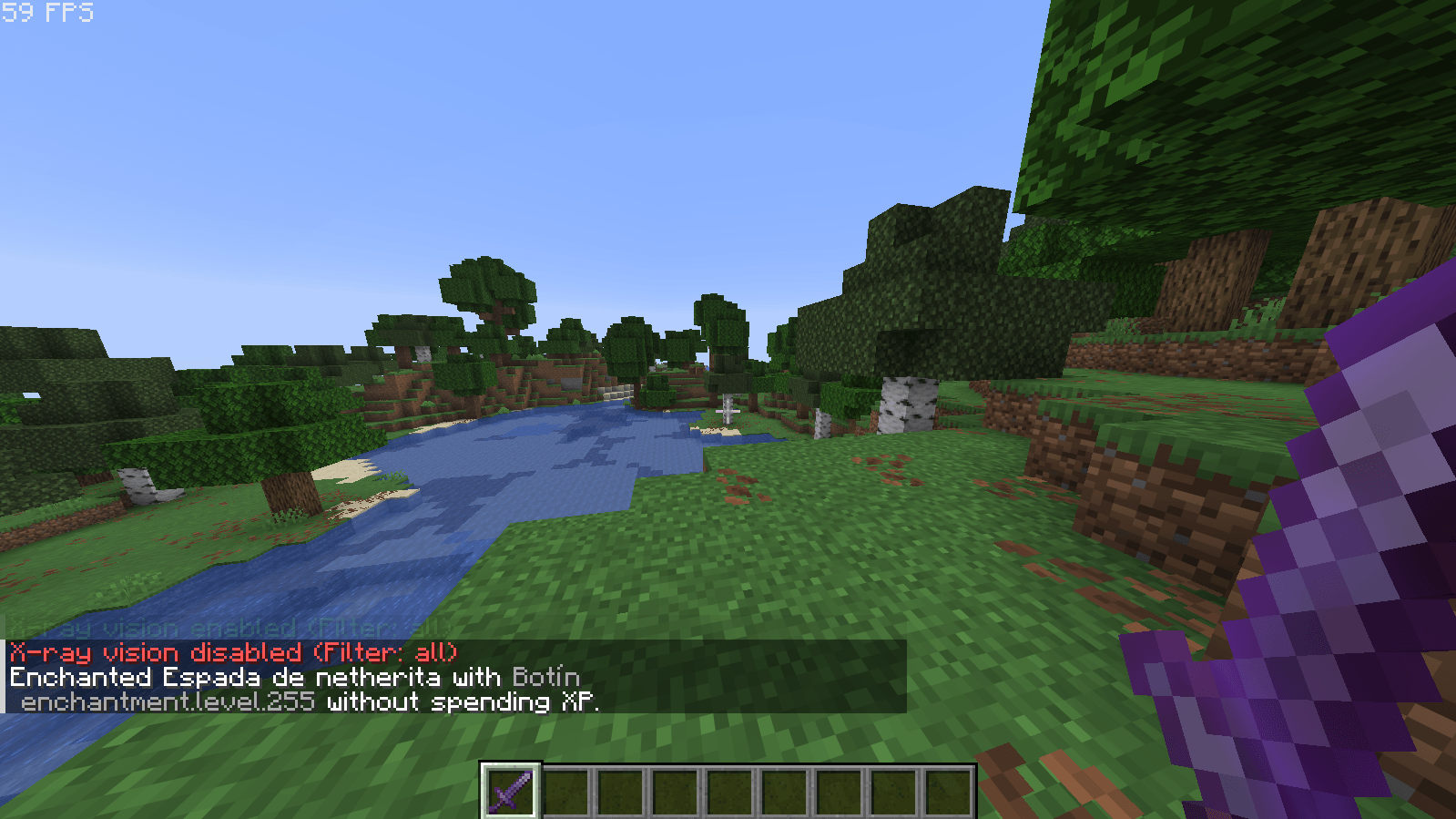 Screenshot 2026-07-16 203608.png Screenshot 2026-07-16 203608.png
 -
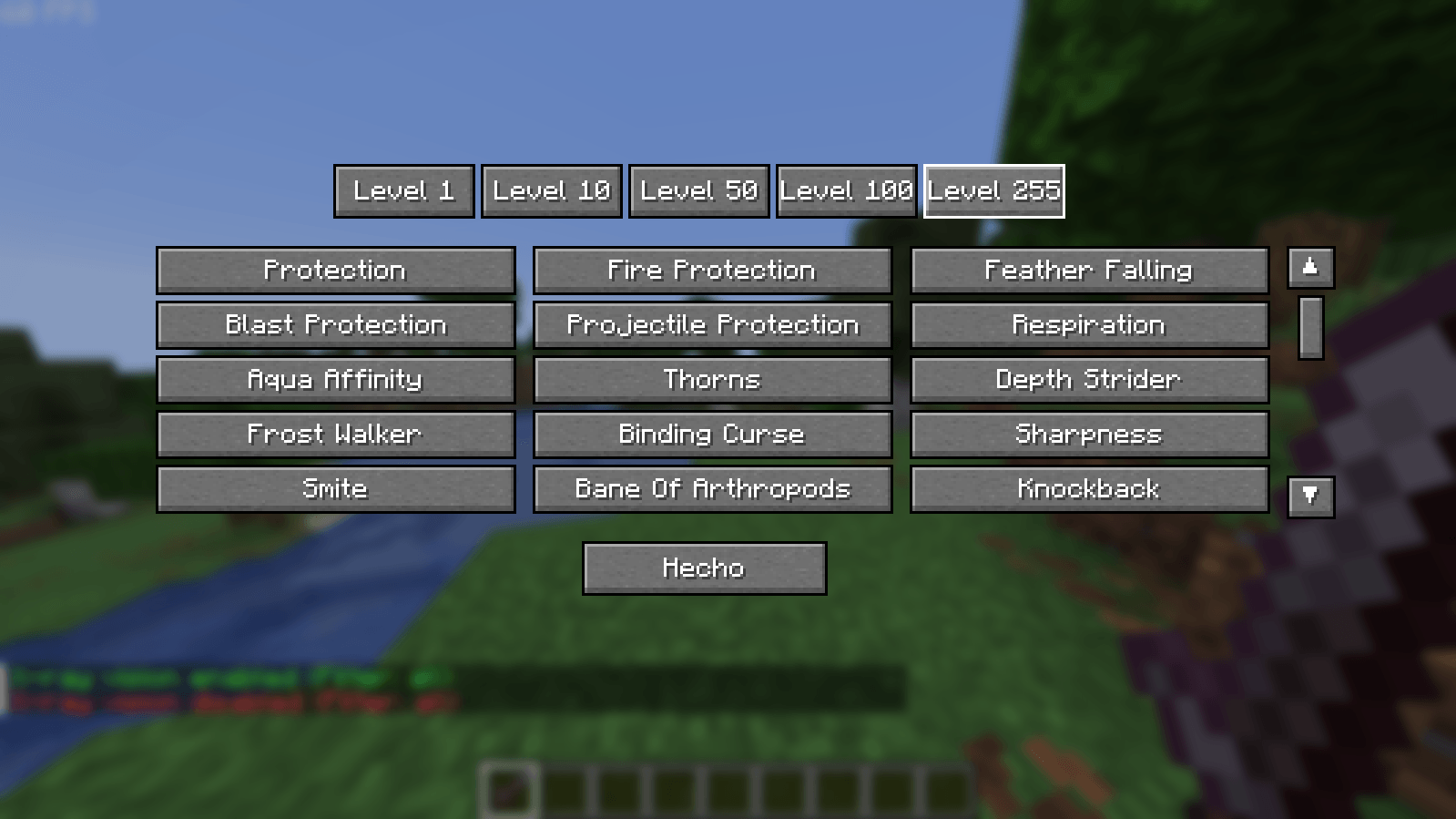 Screenshot 2026-07-16 203551.png Screenshot 2026-07-16 203551.png
 -
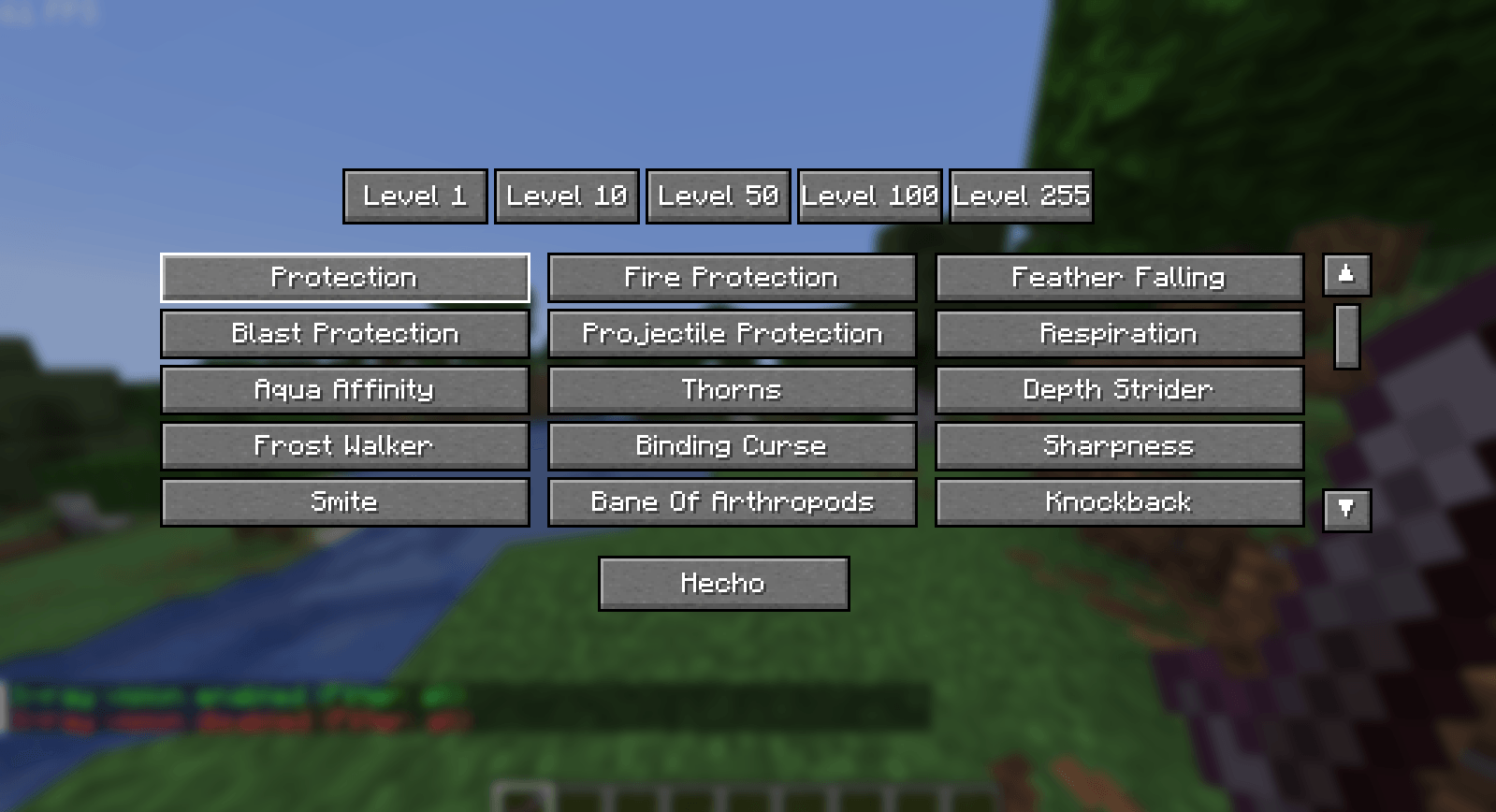 Screenshot 2026-07-16 203538.png Screenshot 2026-07-16 203538.png
 -
 Screenshot 2026-07-16 203718.png Screenshot 2026-07-16 203718.png
 -
 Screenshot 2026-07-16 203707.png Screenshot 2026-07-16 203707.png
 -
 Screenshot 2026-07-16 203656.png Screenshot 2026-07-16 203656.png
 -
 Screenshot 2026-07-16 203623.png Screenshot 2026-07-16 203623.png
Versions
Files
Relations
Project Relations
More like this
Similar Mods
Suggestions use data such as tags, dependencies, dependents, descriptions, titles, and more to rank how much they overlap with this mod.
On ModDex
Community snapshot
By the numbers
Statistics
Want to reach Minecraft players?
We're looking for a server hosting partner to feature here and other parts of the site. Interested? Send us a message!
Get in touchGet it on
Available Platforms
On ModDex
Community snapshot
By the numbers
Statistics
Resources