Community listing page, reviews here may not be monitored by the author.
Info in slot


No reviews yet
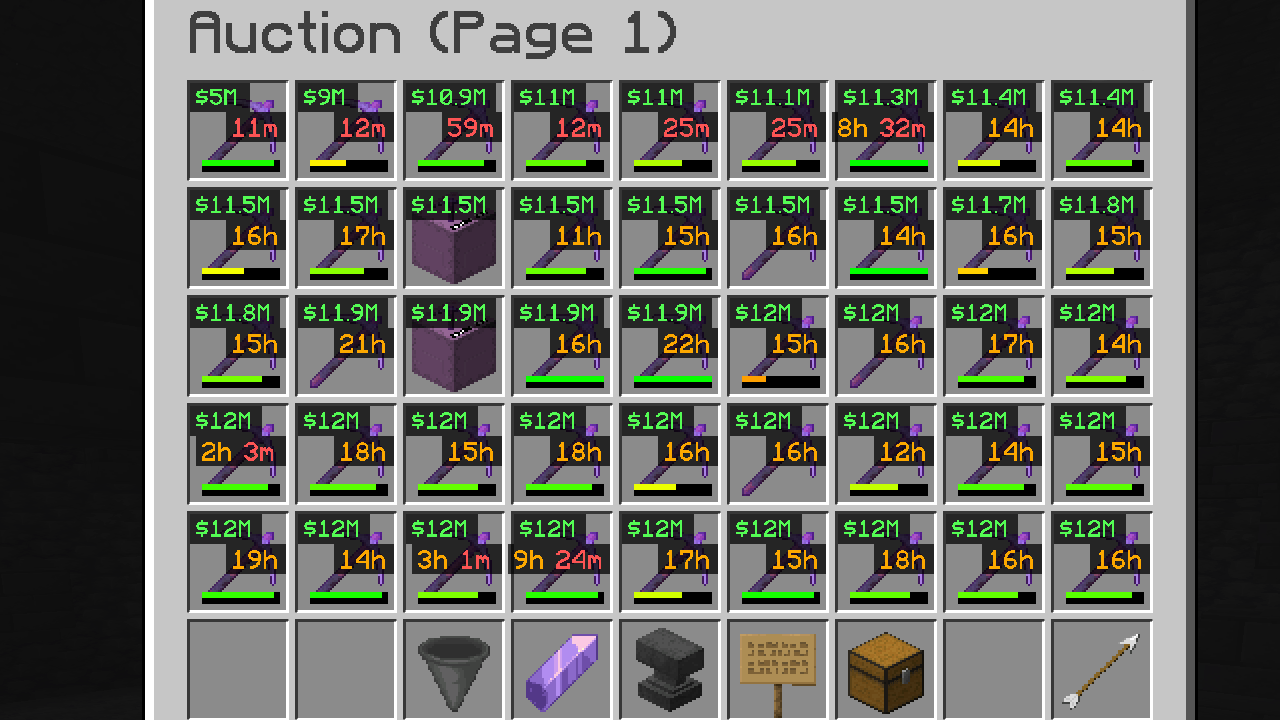
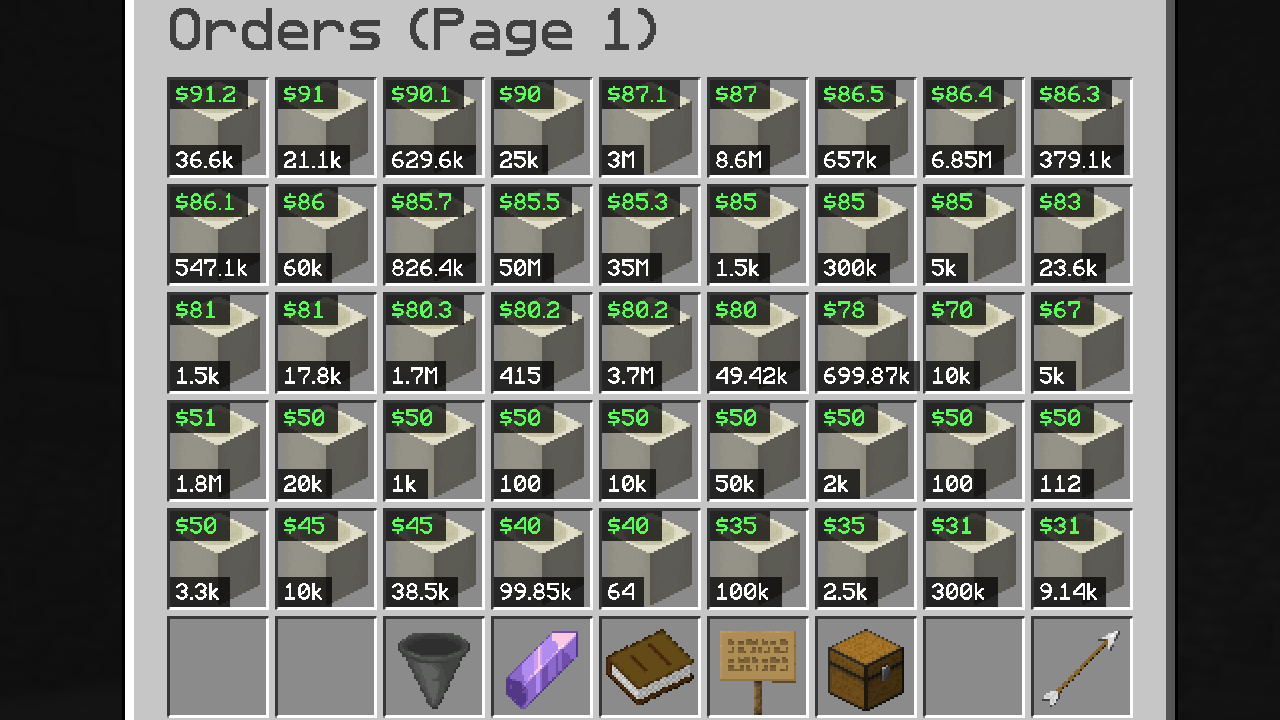
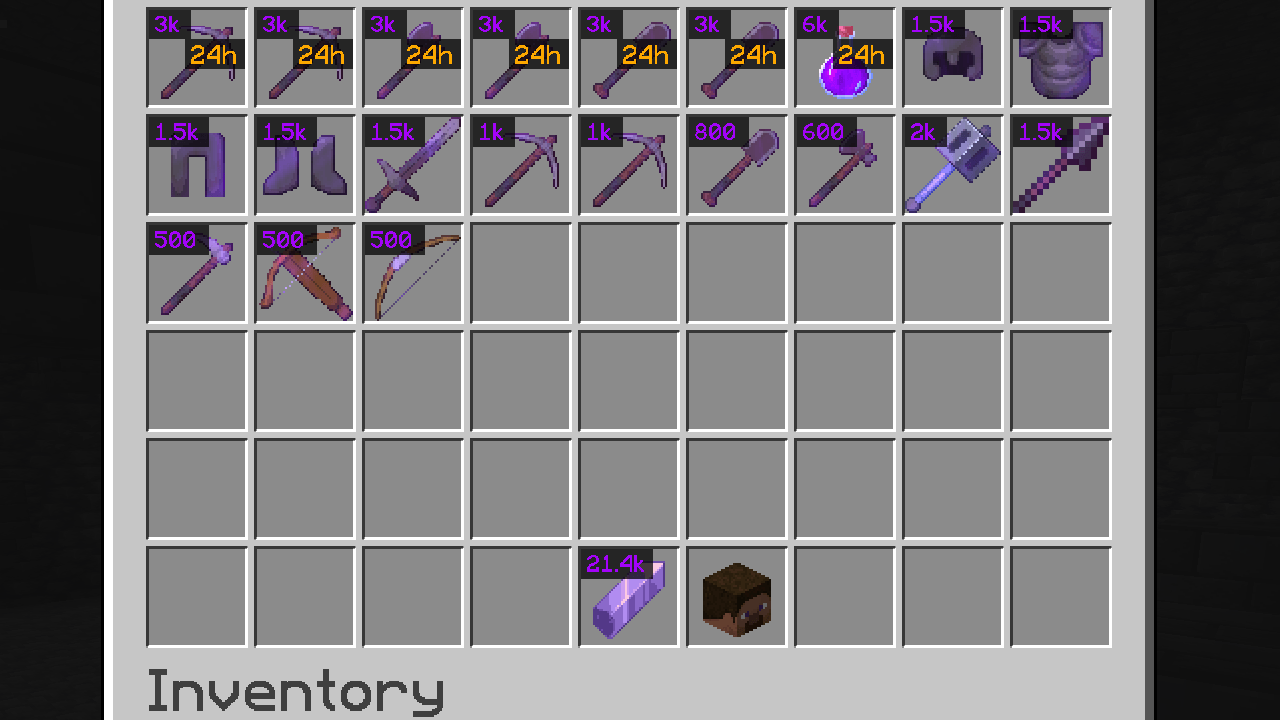
This mod extracts information from the Tooltip sent by the DonutSMP server without the need to hover mouse over it, then uses that information to display a list of stats onto the inventory hotbar Slot
Community voices
Reviews
No reviews yet. Be the first to review this project!
Get it on
Available Platforms
Compatibility
Supported Environments
Runs entirely on the client. Works on vanilla servers.
About
Project Details
For authors
Embed Badge
If you're the author of this project, you can embed a live badge anywhere that supports HTML or Markdown. It updates automatically whenever ratings change.
Use HTML for any page that supports it, or Markdown for README files and Markdown-based descriptions.
Identifiers
Platform IDs
About
Description
Mod was inspired by Map in Slot mod & DonutSMP Server
This mod extracts information from the Tooltip without the need to hover mouse over it, then it displays those stats inside the inventory hotbar Slot (many configuration options)
1.2.0 Release
- Self Destruct or Expire Timer
- Auction or Order Item Price
- Order Delivered Count (for personal orders)
- Order Count available to be Delivered (for other player orders) information is obtain by taking the order request count and subtracting it by the already delivered count for example 25/100 Delievered would Display as 75
Configuration Options: Ability to change
- Color
- Bold Font
- Text Size (Small, Medium, (Large for Timer only))
- Toggle Background (dark gray square behind text)
- Position (Top, Middle, Bottom) for all 4 Categories Timer Display Auciton Price Order Price Order Display
also includes Color Seperator option for Expiration Timer 2+Days, Day, Hours, Minutes Magenta, Aqua, Gold, Red
all can be changed either thru (Mod Menu) or thru Commands for those who arent using Mod Menu or just want to quickly type it out /slotinfo
Control Keybinds
- Toggle Mod on & Off (unbound)
- Cycle Timer Size (unbound) when keybind pressed cycles Expire Timer character size beween Small, Medium, Large
- Toggle Hours only (h) converts times like 2d 20h to 68h
1.3.0 Update
- Buy & Sell display
- Chance Display w Fraction Mode
- Shards Currency Display (for DonutSMP)
- Coins Currency Display (Hypixel Compatible)
- Gems Currency Display
- Rubies Currency Display
- Main Config Clean with Universal Toggles
- changed command tree start to /infoinslot
- Toggleable Stats Display in Inventory/Hotbar/Container
New Keybinds
- Toggle All backgrounds
- Toggle Fraction Mode (chance display) 5% or 1/20
1.4.0 Update
- Added Display Outlines for All Displays (better clean alternative against backgrounds)
Added Rainyday.gg Server Support displaying Information such as
- Cloud Coins as Currency
- Special Items Display Detecting [Special] from Item name then by Default Displaying "SP" in Gold change config (rainyday category) if you want it to say "Special"
- Scale Levels displays in the Center
- Scale Type 2 Letter Abbreviation Example Dungeoneer +75 = Du+75 (default off)
- Scale Type Abbreviation letters color change
- added a json file to store Scale names and Max Level Values and color (future proof if server changes! Easily changeable for players) (file generates if 1.4.0+ mod was loaded)
located in: AppData\Roaming\.minecraft\config\infoinslot_scales.json
- Display Timer was turned off by Default (turn on using /infoinslot) or mod menu config
- Fixed Display in Inventory when outside container not showing info in slot
- Fix Hotbar Display not showing info in slot
Mod was inspired by Map in Slot mod & DonutSMP Server (Drill Timer)
This mod extracts information from the Tooltip without the need to hover mouse over it, then it displays those stats inside the inventory hotbar Slot (many configuration options)
1.2.0 Release
- Self Destruct or Expire Timer
- Auction or Order Item Price
- Order Delivered Count (for personal orders)
- Order Count available to be Delivered (for other player orders) information is obtain by taking the order request count and subtracting it by the already delivered count for example 25/100 Delievered would Display as 75
Configuration Options: Ability to change
- Color
- Bold Font
- Text Size (Small, Medium, (Large for Timer only))
- Toggle Background (dark gray square behind text)
- Position (Top, Middle, Bottom) for all 4 Categories Timer Display Auciton Price Order Price Order Display
also includes Color Seperator option for Expiration Timer 2+Days, Day, Hours, Minutes Magenta, Aqua, Gold, Red
all can be changed either thru (Mod Menu) or thru Commands for those who arent using Mod Menu or just want to quickly type it out /slotinfo
Control Keybinds
- Toggle Mod on & Off (unbound)
- Cycle Timer Size (unbound) when keybind pressed cycles Expire Timer character size beween Small, Medium, Large
- Toggle Hours only (h) converts times like 2d 20h to 68h
1.3.0 Update
- Buy & Sell display
- Chance Display w Fraction Mode
- Shards Currency Display (for DonutSMP)
- Coins Currency Display (Hypixel Compatible)
- Gems Currency Display
- Rubies Currency Display
- Main Config Clean with Universal Toggles
- changed command tree start to /infoinslot
- Toggleable Stats Display in Inventory/Hotbar/Container
New Keybinds
- Toggle All backgrounds
- Toggle Fraction Mode (chance display) 5% or 1/20
1.4.0 Update
- Added Display Outlines for All Displays (better clean alternative against backgrounds) Added Rainyday.gg Server Support displaying Information such as
- Cloud Coins as Currency
- Special Items Display Detecting [Special] from Item name then by Default Displaying "SP" in Gold change config (rainyday category) if you want it to say "Special"
- Scale Levels displays in the Center
- Scale Type 2 Letter Abbreviation Example Dungeoneer +75 = Du+75 (default off)
- Scale Type Abbreviation letters color change
- added a json file to store Scale names and Max Level Values and color (future proof if server changes! Easily changeable for players) (file generates if 1.4.0+ mod was loaded) located in: AppData\Roaming.minecraft\config\infoinslot_scales.json
- Display Timer was turned off by Default (turn on using /infoinslot) or mod menu config
- Fixed Display in Inventory when outside container not showing info in slot
- Fix Hotbar Display not showing info in slot
Screenshots
Gallery
-
 drill auction.png drill auction.png
 -
 bone auction.png bone auction.png
 -
 shardshop.png shardshop.png
 -
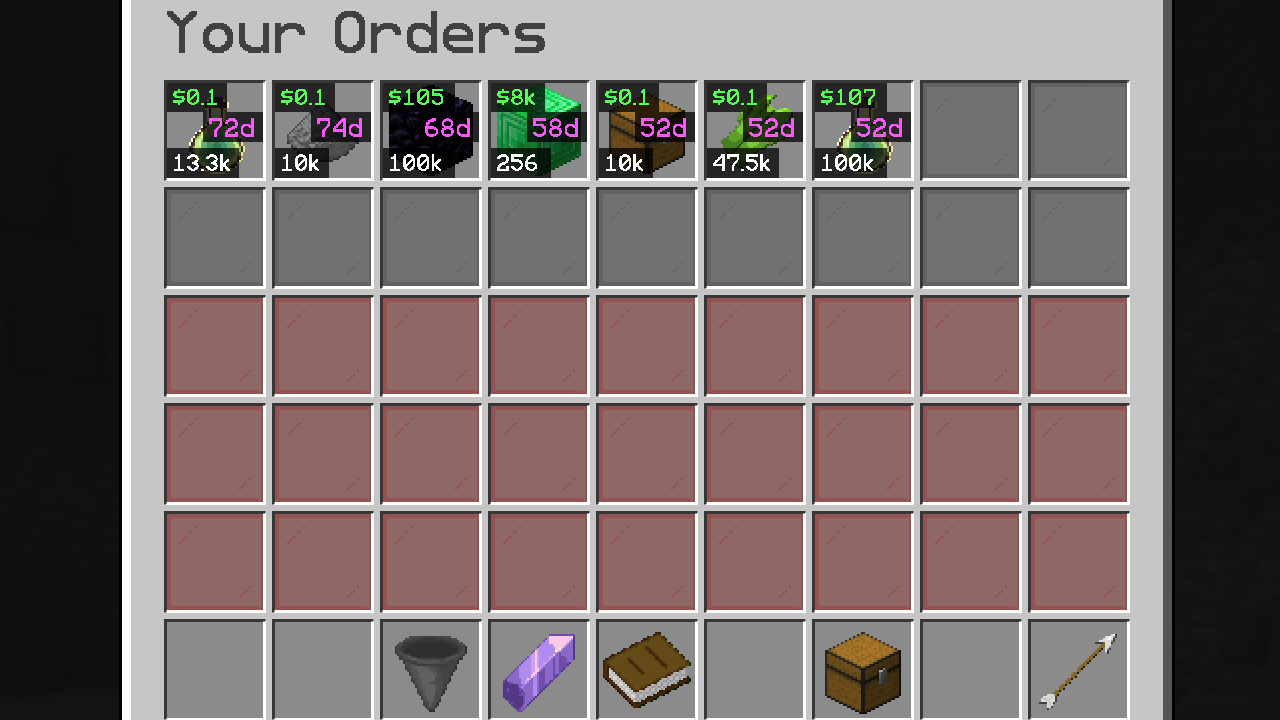 my orders.png my orders.png
 -
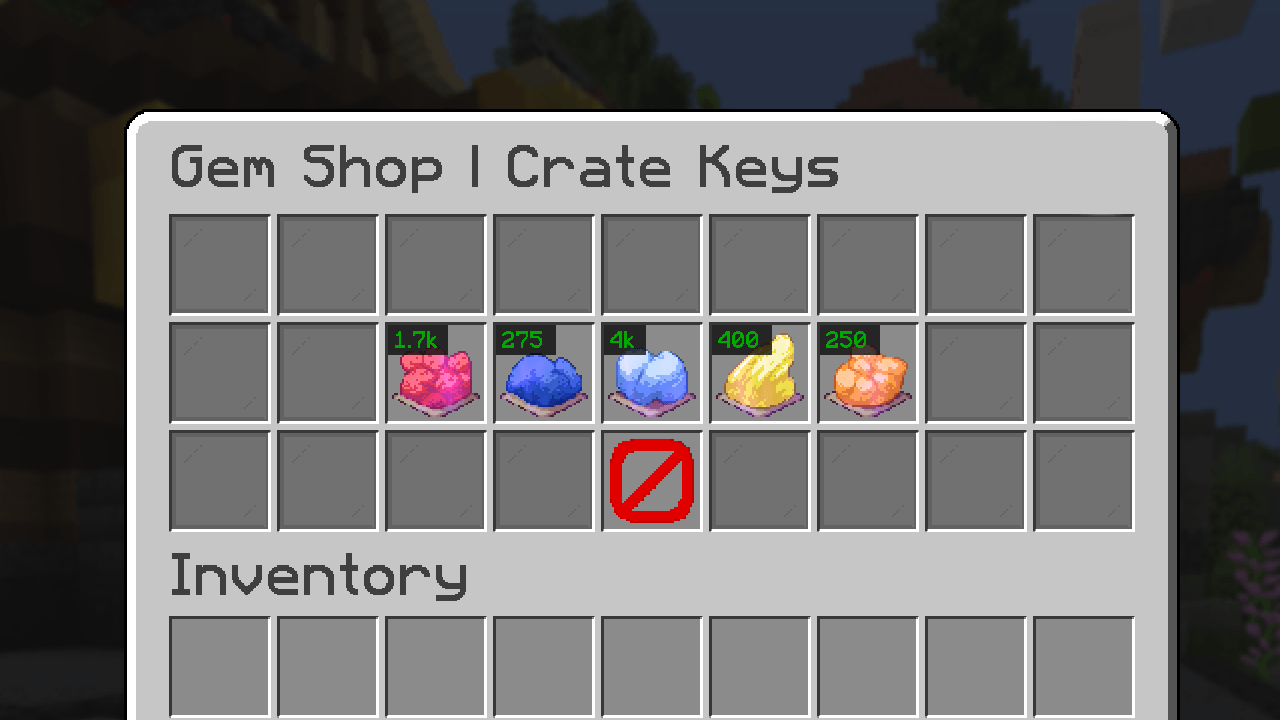 lifesteal.net gemshop.png lifesteal.net gemshop.png
 -
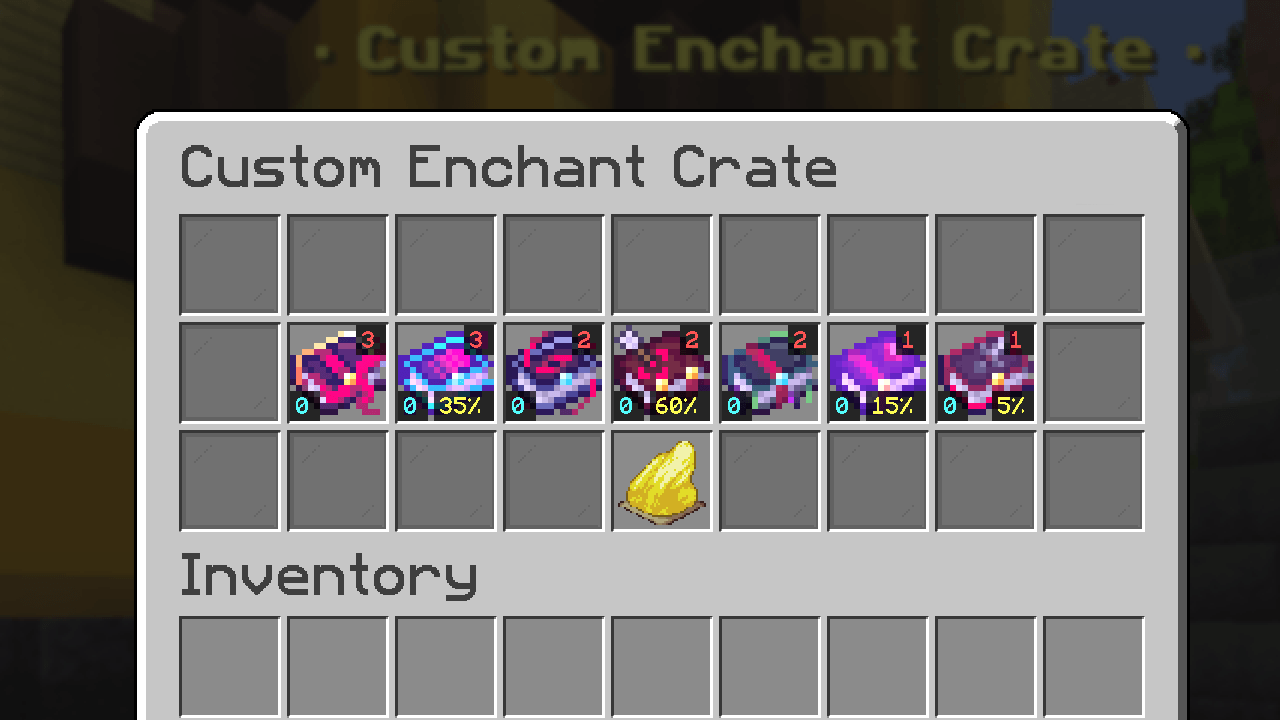 lifesteal.net ebook crate.png lifesteal.net ebook crate.png
 -
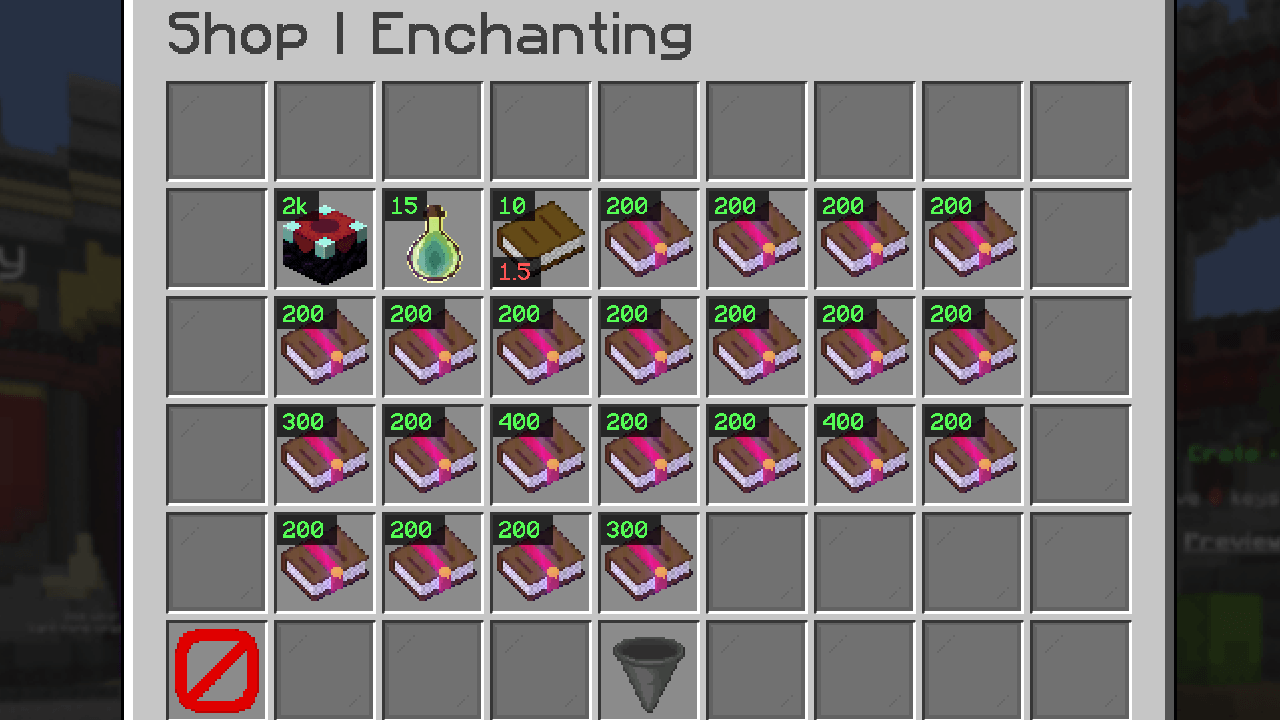 xp shop.png xp shop.png
 -
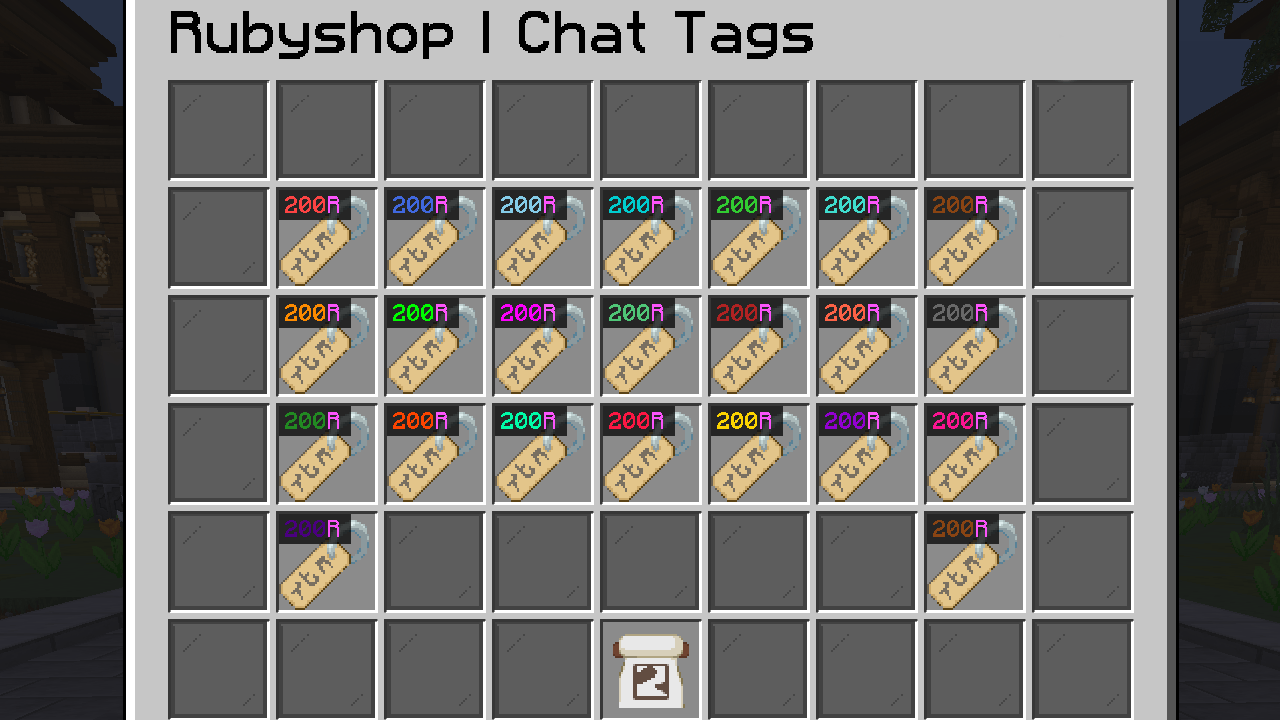 rubies shop.png rubies shop.png
 -
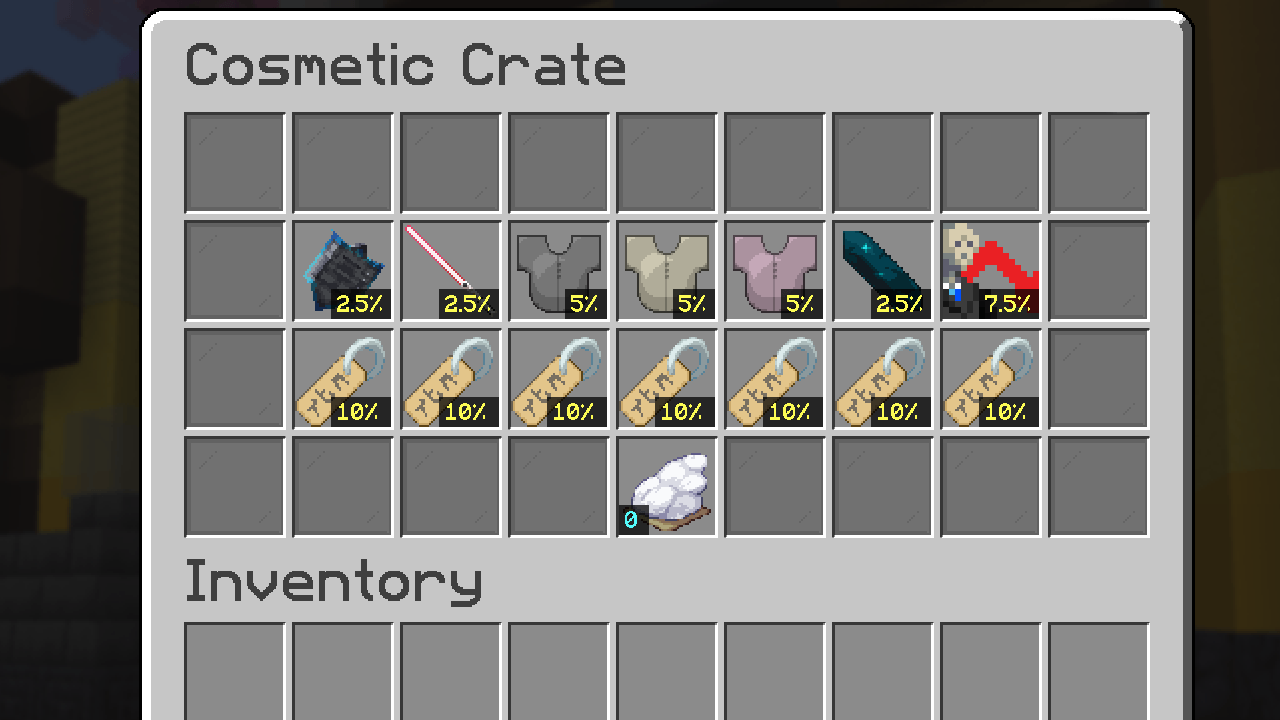 cosmetic crate chance.png cosmetic crate chance.png
 -
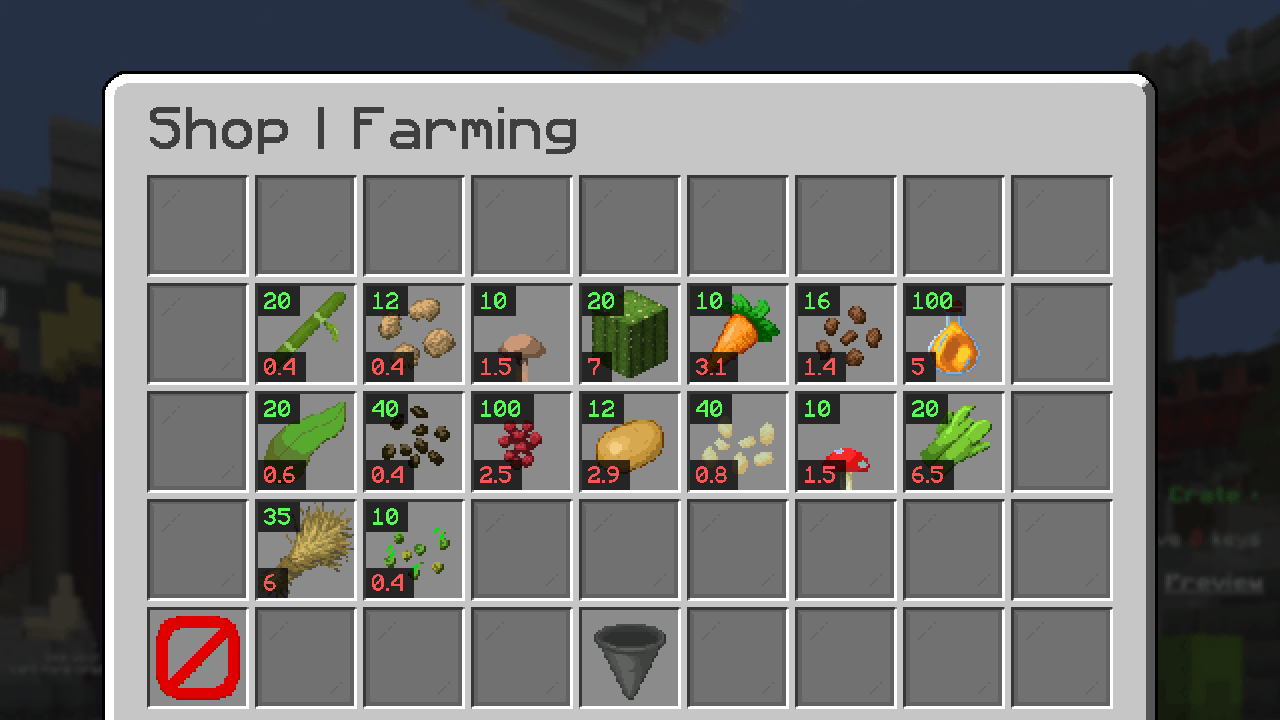 farming shop.png farming shop.png
 -
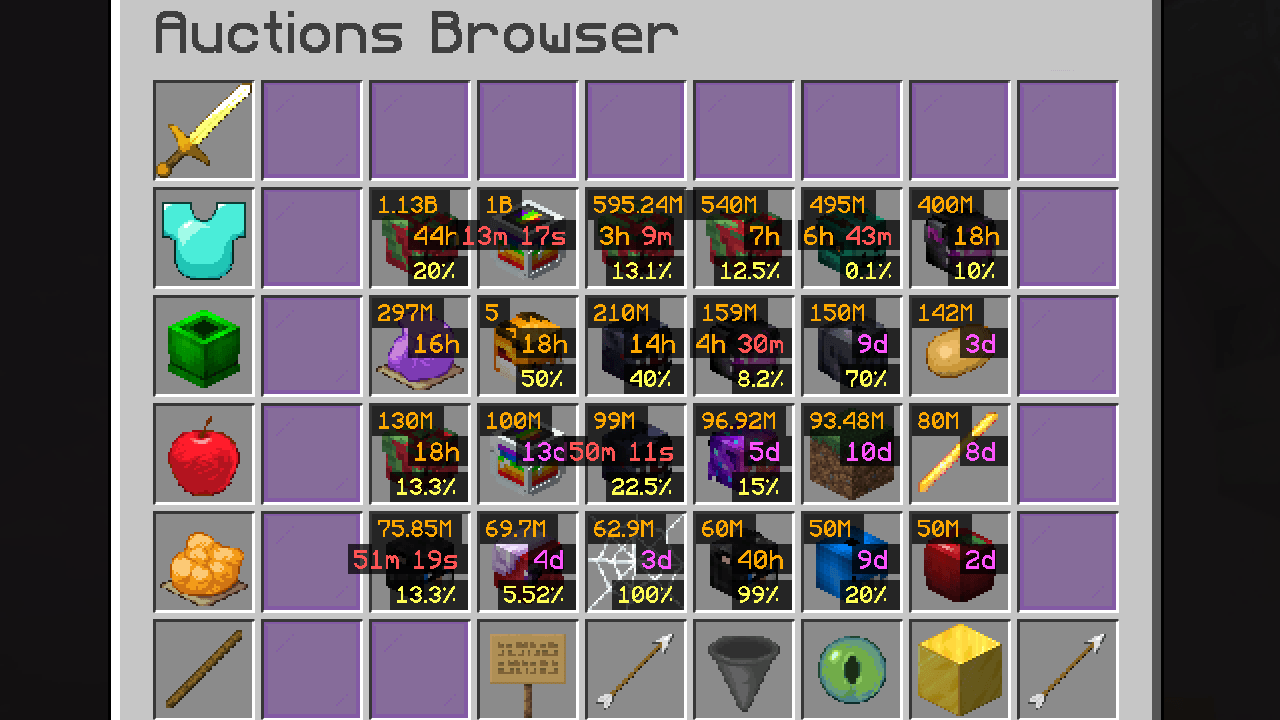 hypixel skyblock auction.png hypixel skyblock auction.png
 -
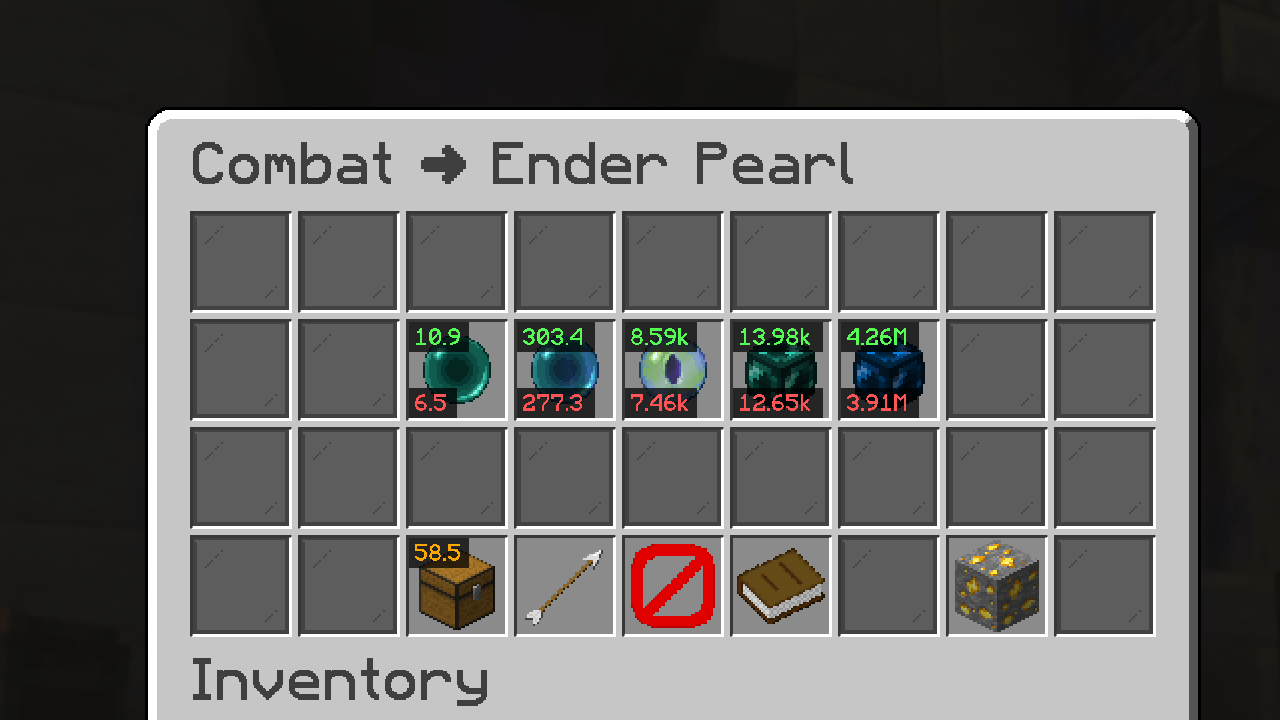 hypixel skyblock bazaar.png hypixel skyblock bazaar.png
 -
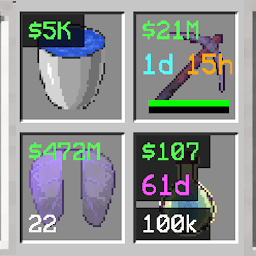 infoinslot5.png infoinslot5.png
 -
 128 pixels icon infoinslot.png 128 pixels icon infoinslot.png
 -
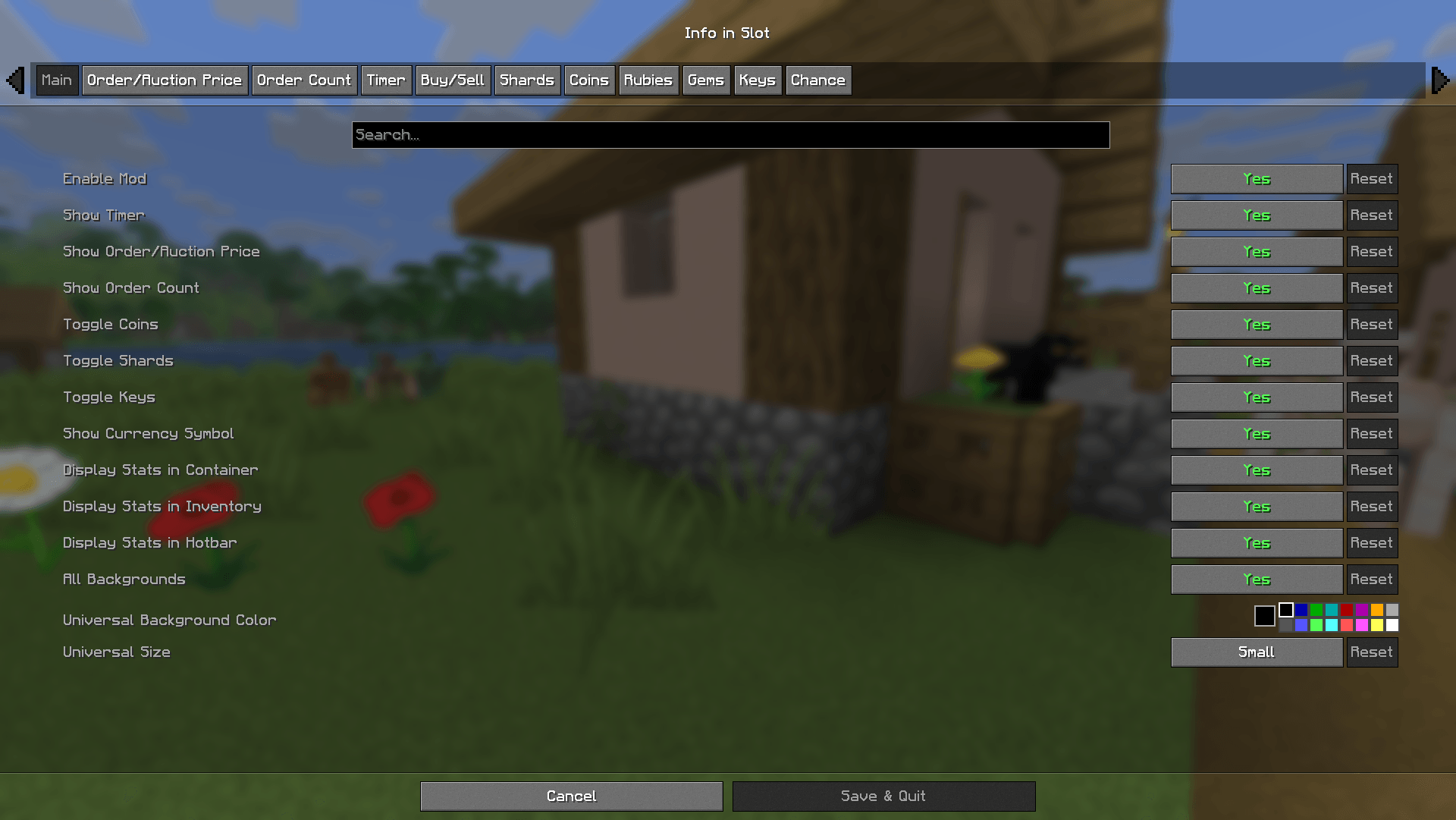 2026-06-12_21.01.15.png 2026-06-12_21.01.15.png
 -
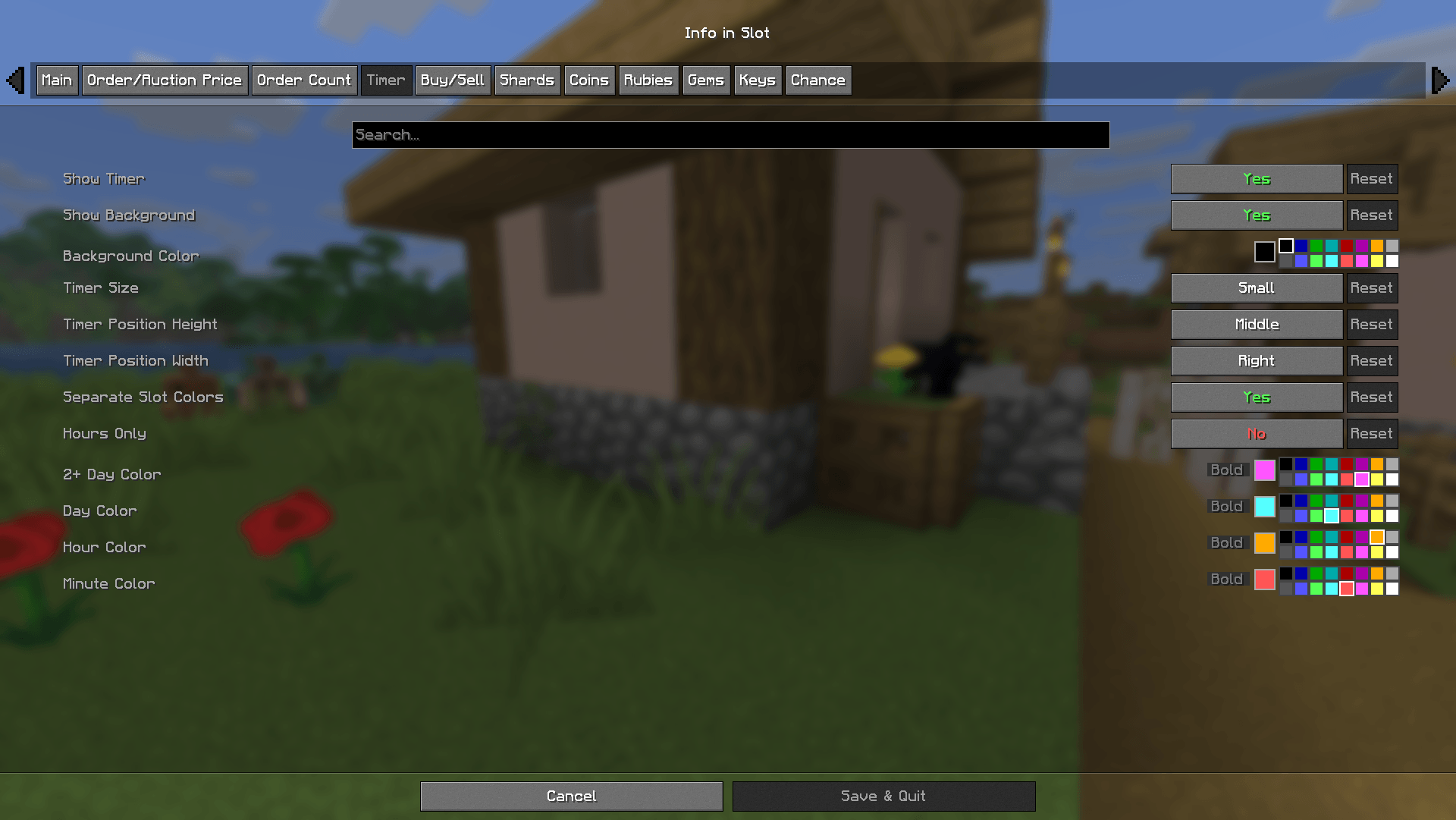 2026-06-12_21.01.19.png 2026-06-12_21.01.19.png
 -
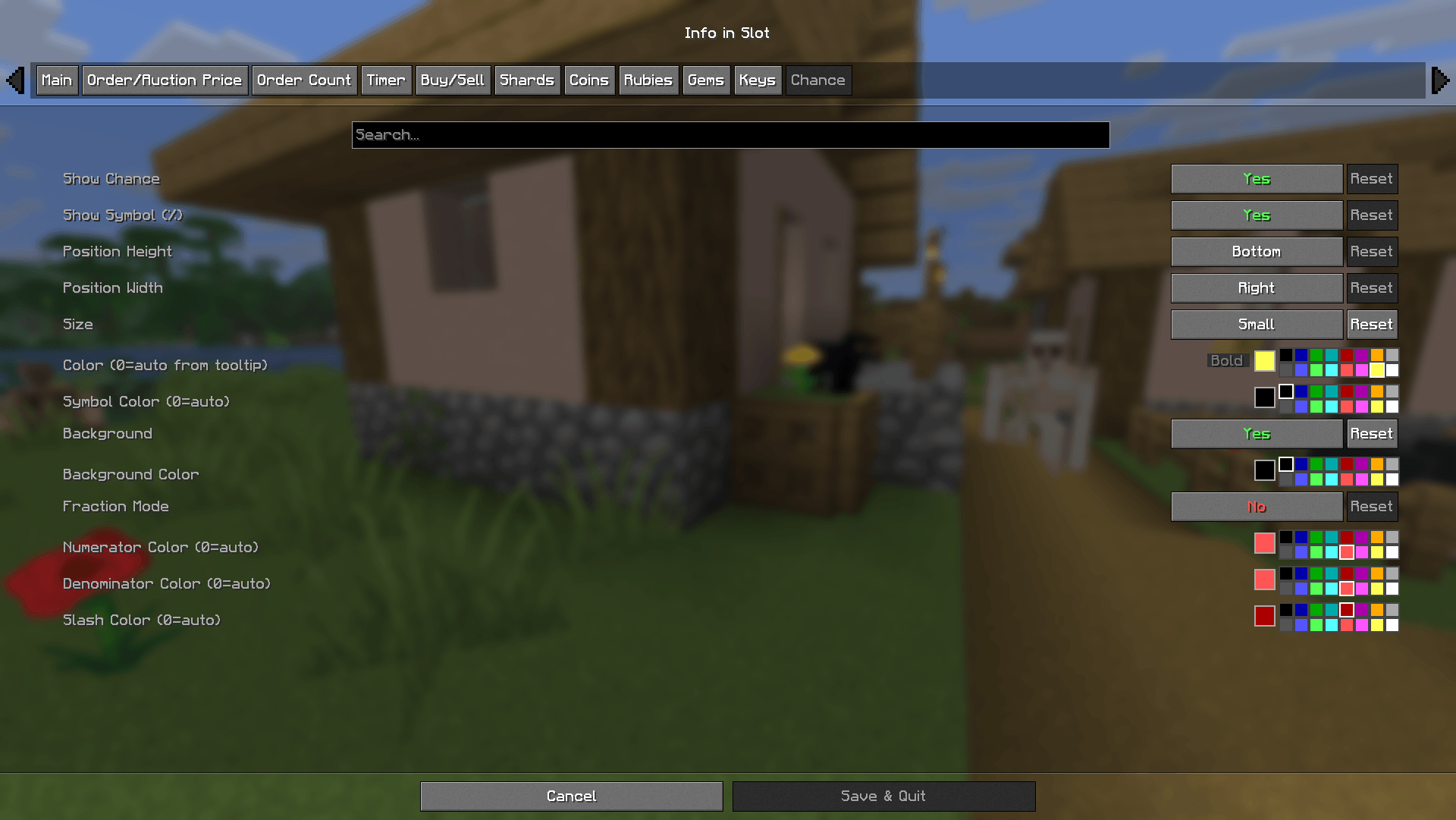 2026-06-12_21.01.25.png 2026-06-12_21.01.25.png
-
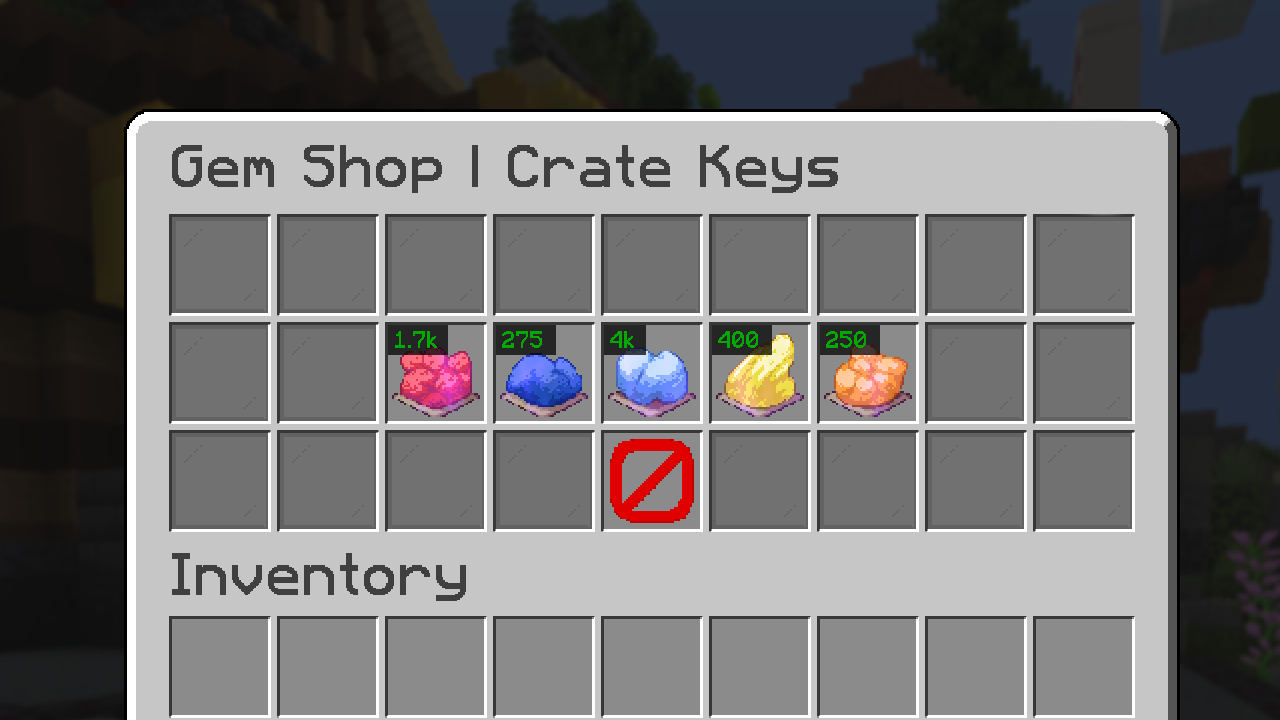 Gem Currency
 -
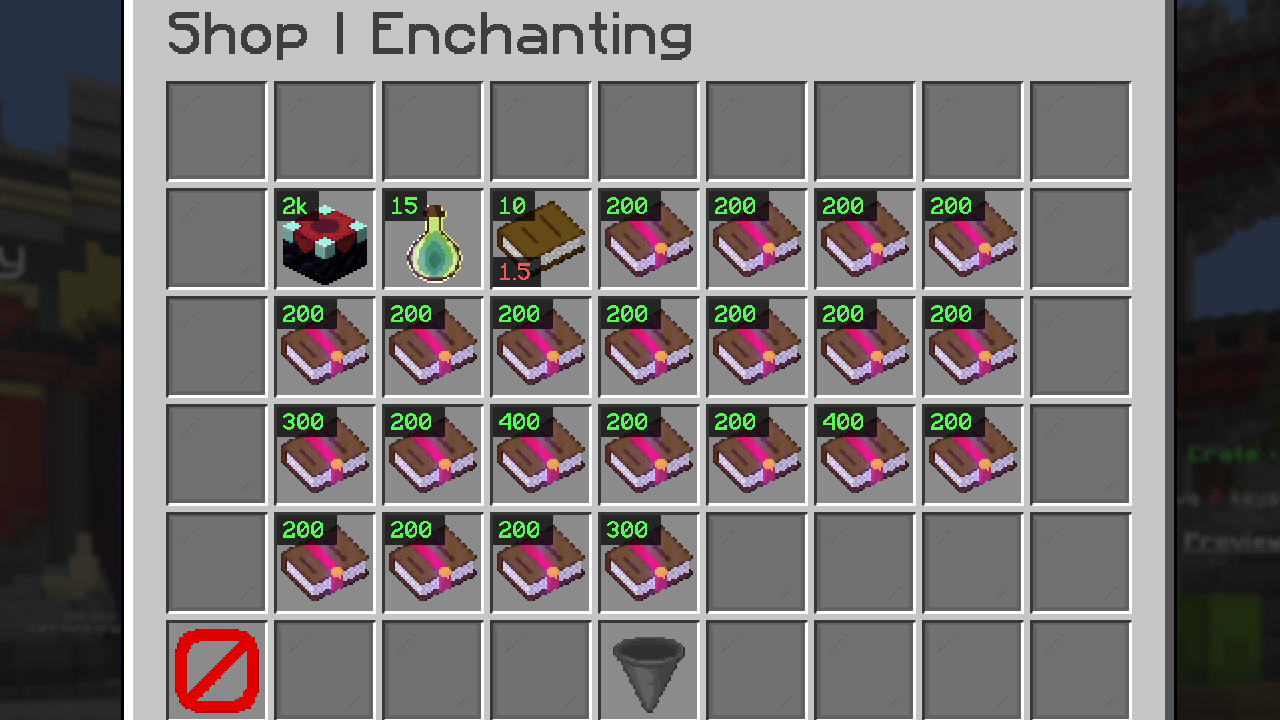 xp shop
 -
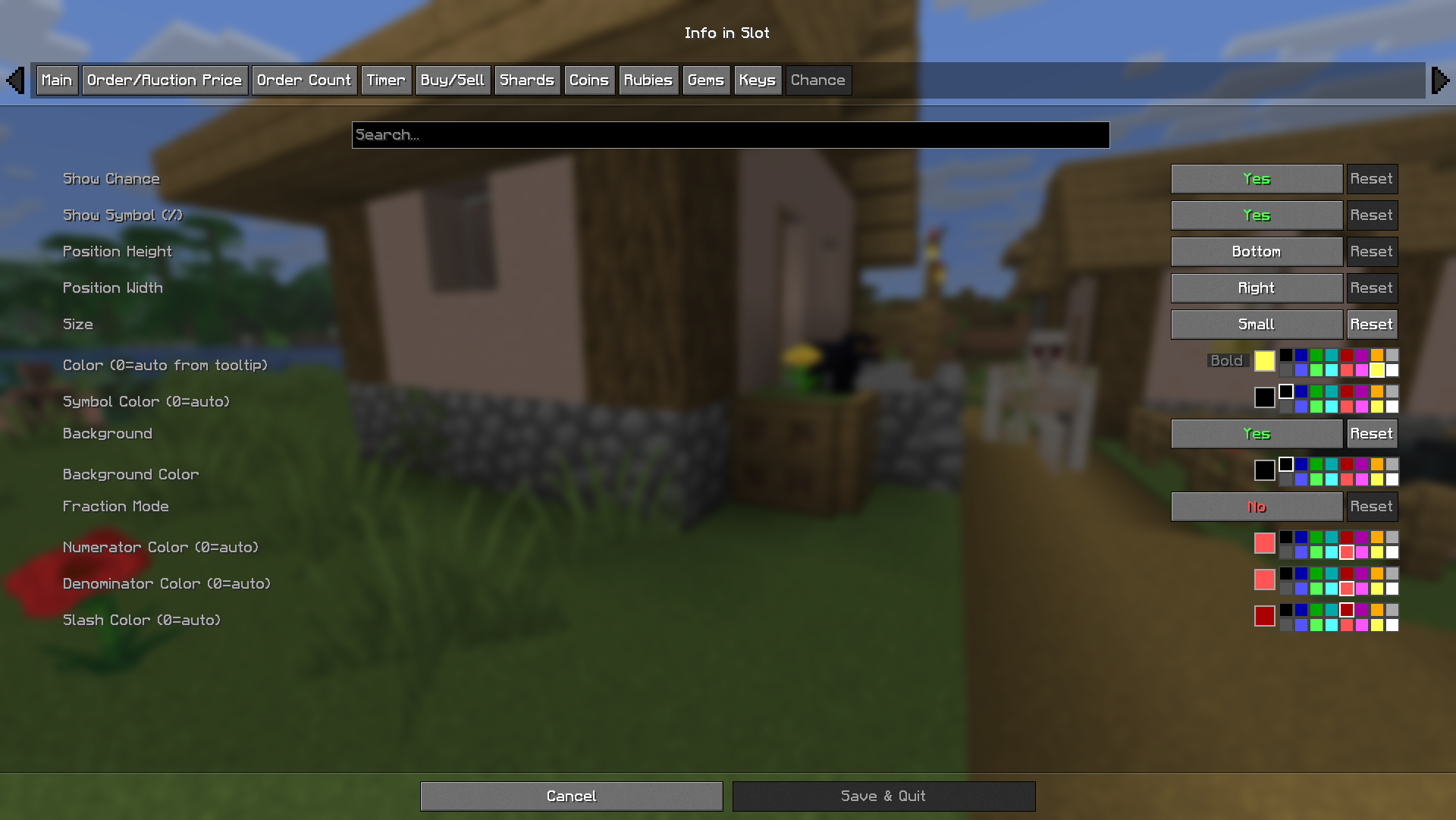 Chance Config
 -
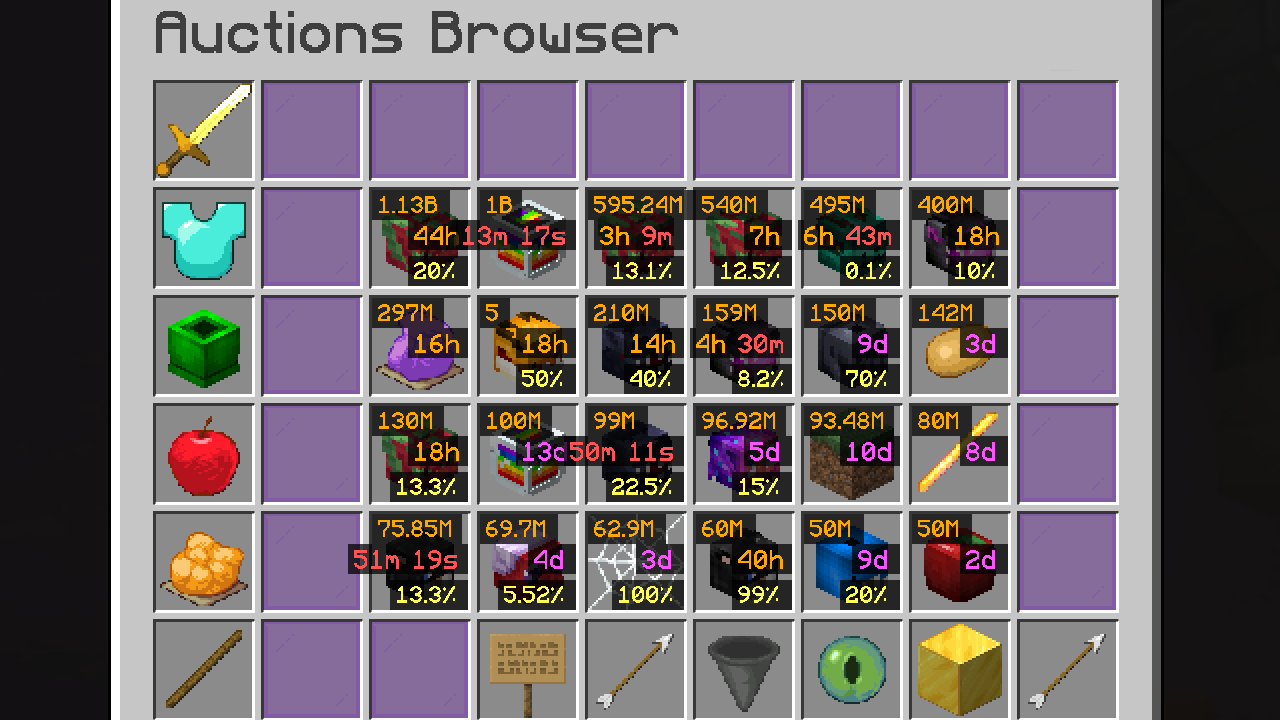
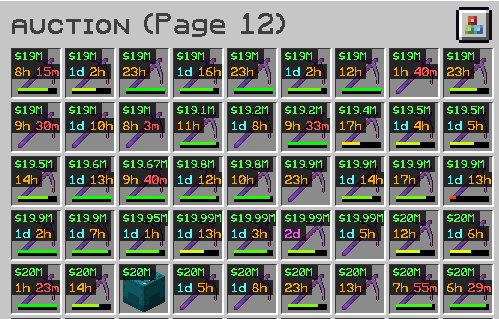 the original dream come true motivation for mod creation i was sick of scrolling thru and looking for best drill price per time
 -
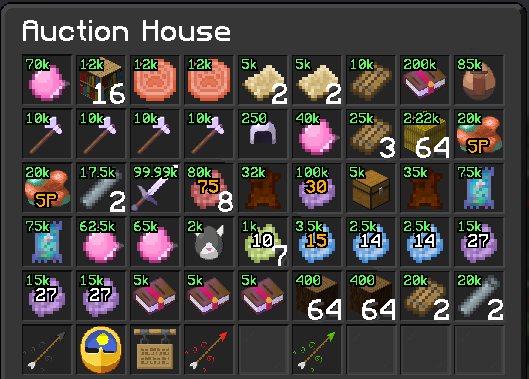 Rainyday.gg Auction house
 -
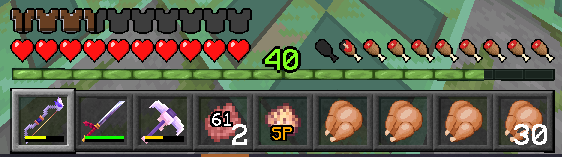 Hotbar Display this was a pain to implement and its still trippy
 -
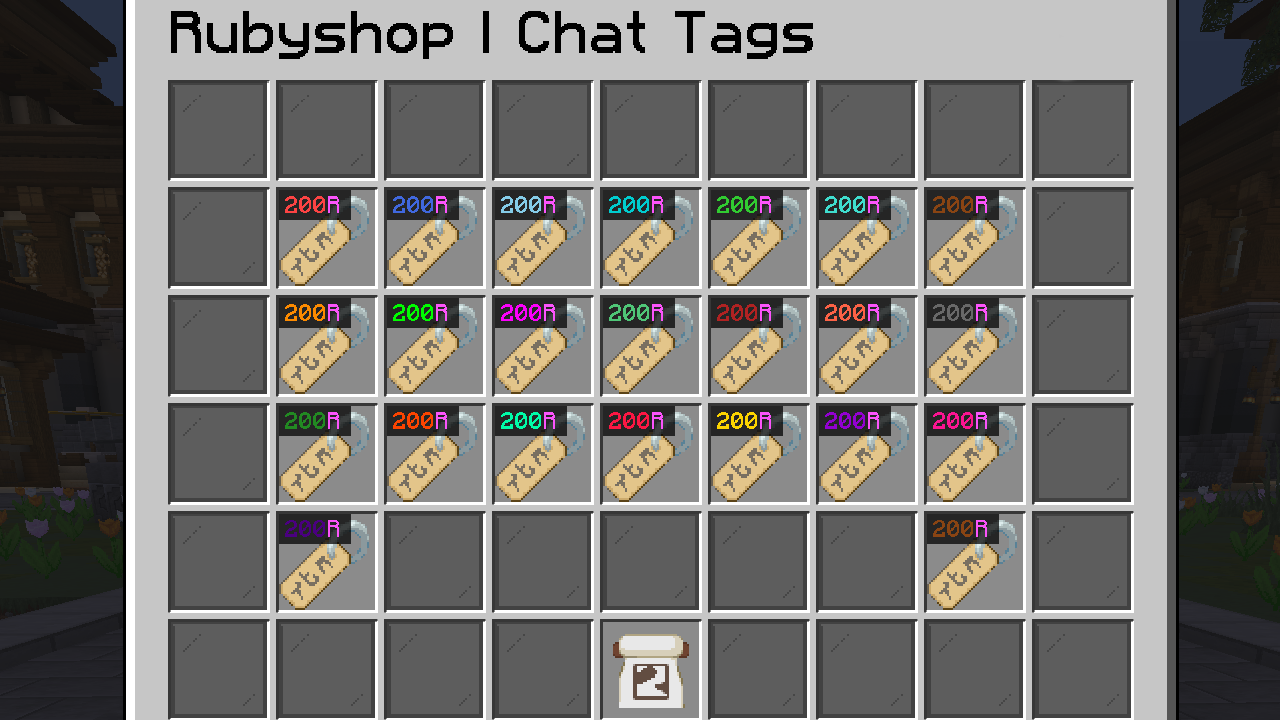 Rubie Currency toggleable symbol and detects colors
 -
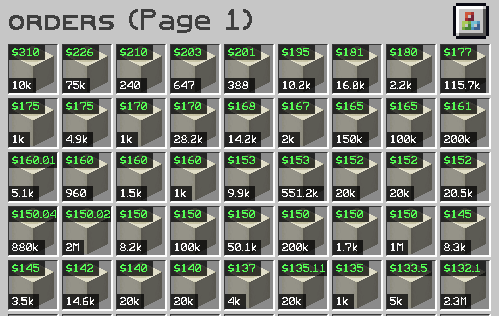 what a beautiful sight despite the nerf update on june 2nd this is a W
 -
 Hypixel Skyblock Auction
 -
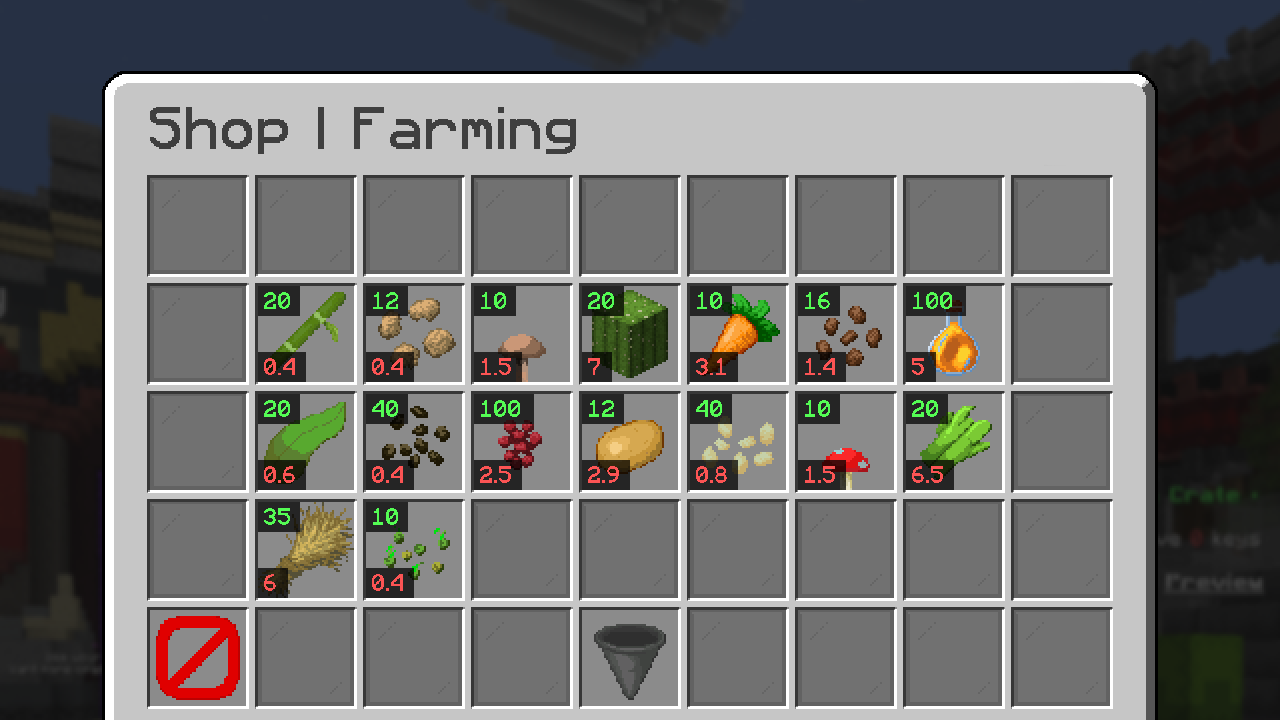 buy and sell
 -
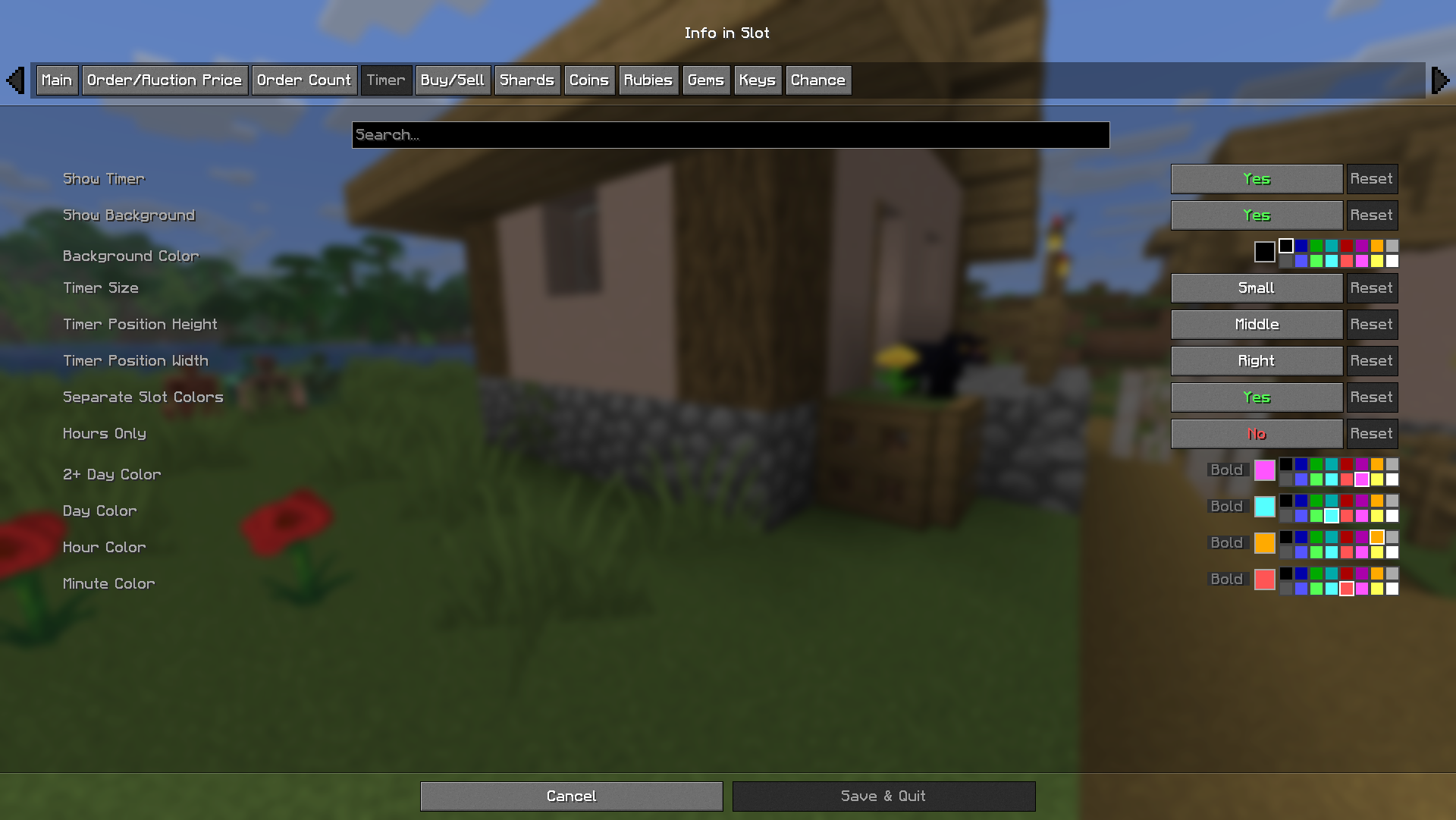 Timer Config
 -
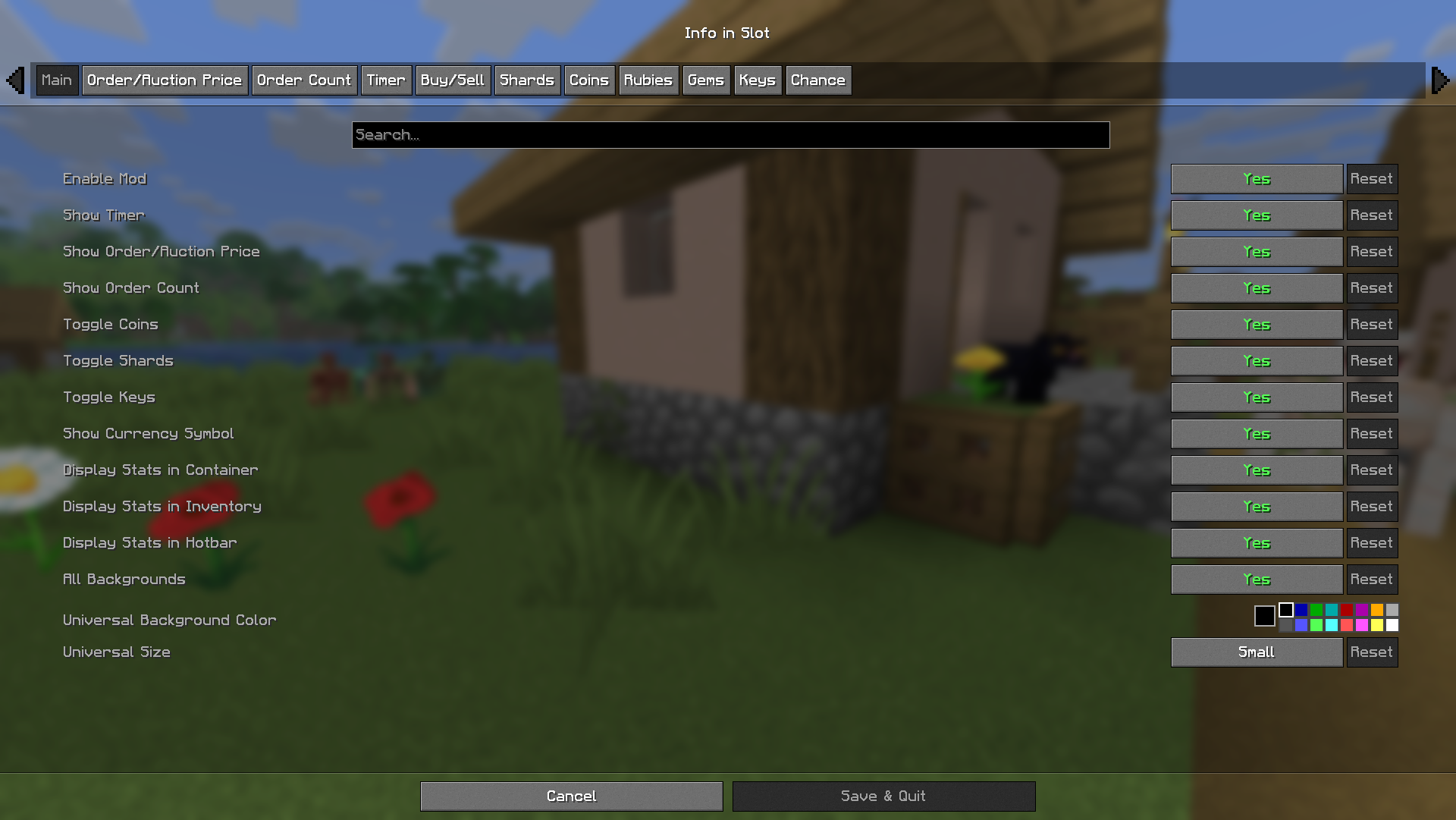 Main Config
 -
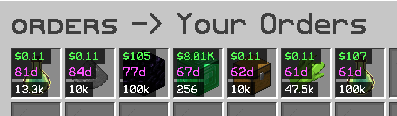 displays total order filled separately vs order space left
 -
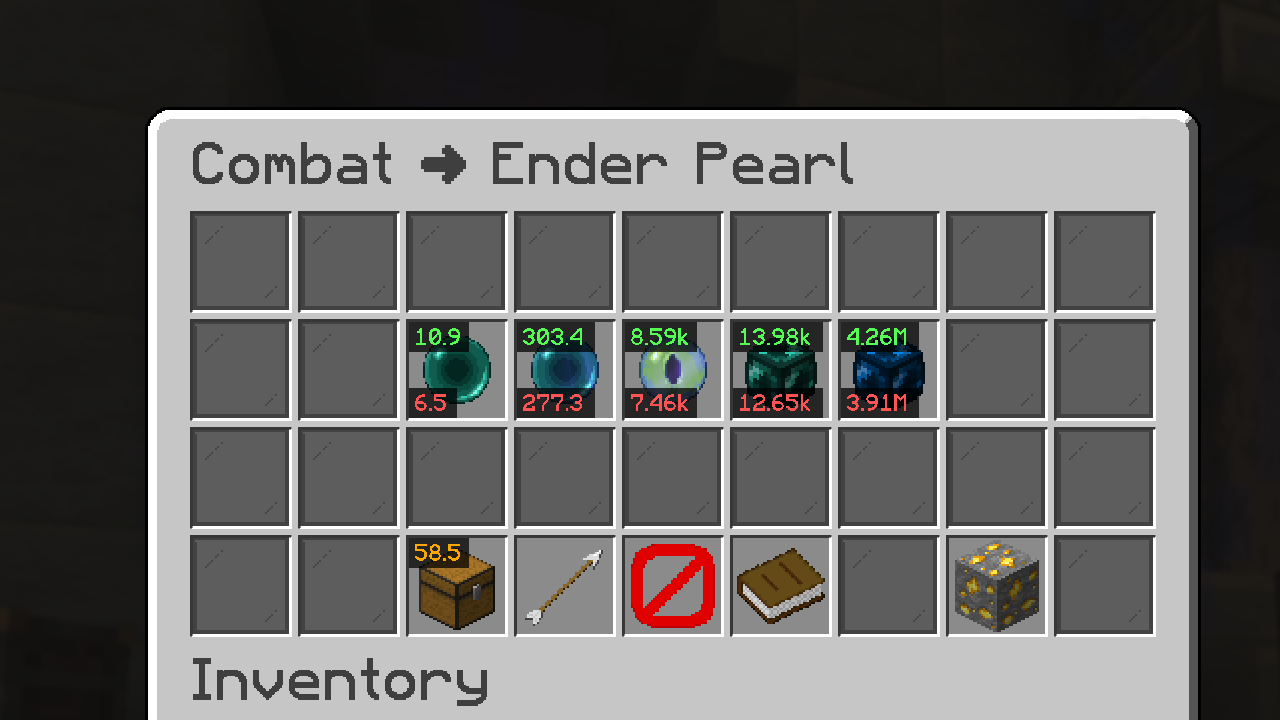 Hypixel Skyblock Bazaar
 -
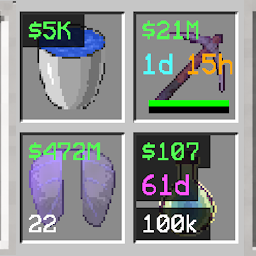 no background option
 -
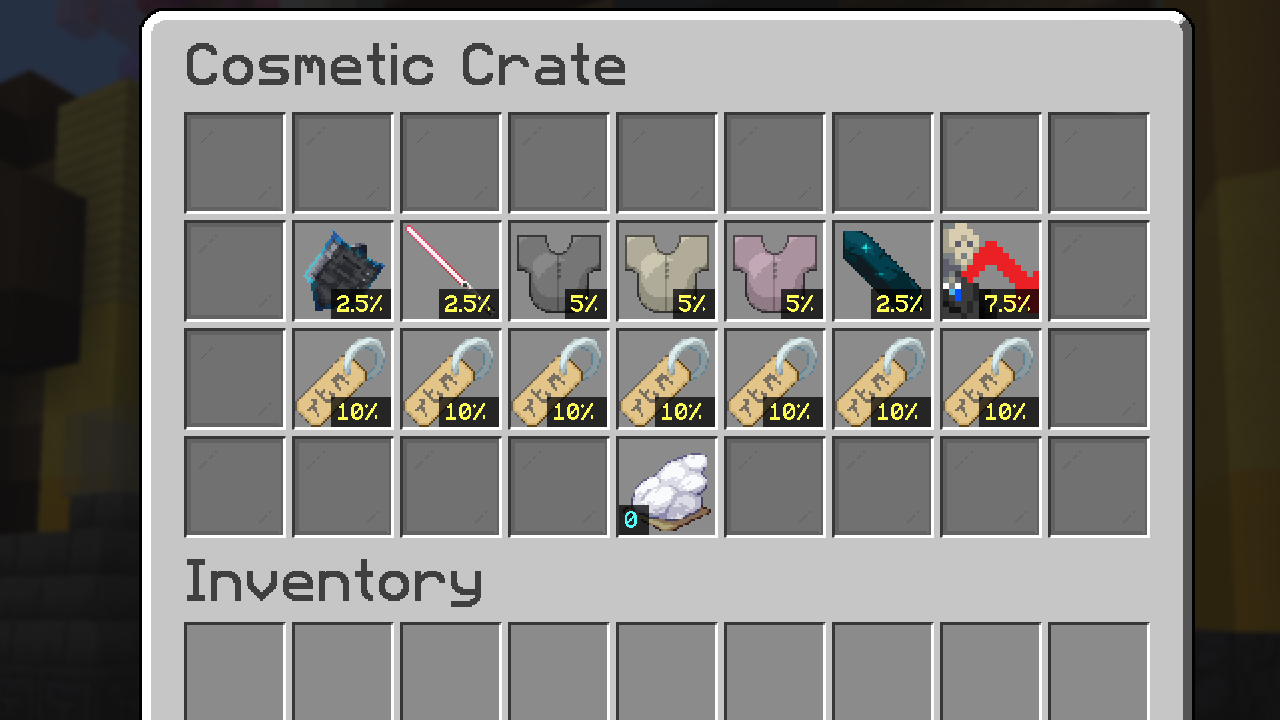 detects chance display may detect chance for unwanted items such as book descriptions or items like on hypixel skyblock but oh well...
 -
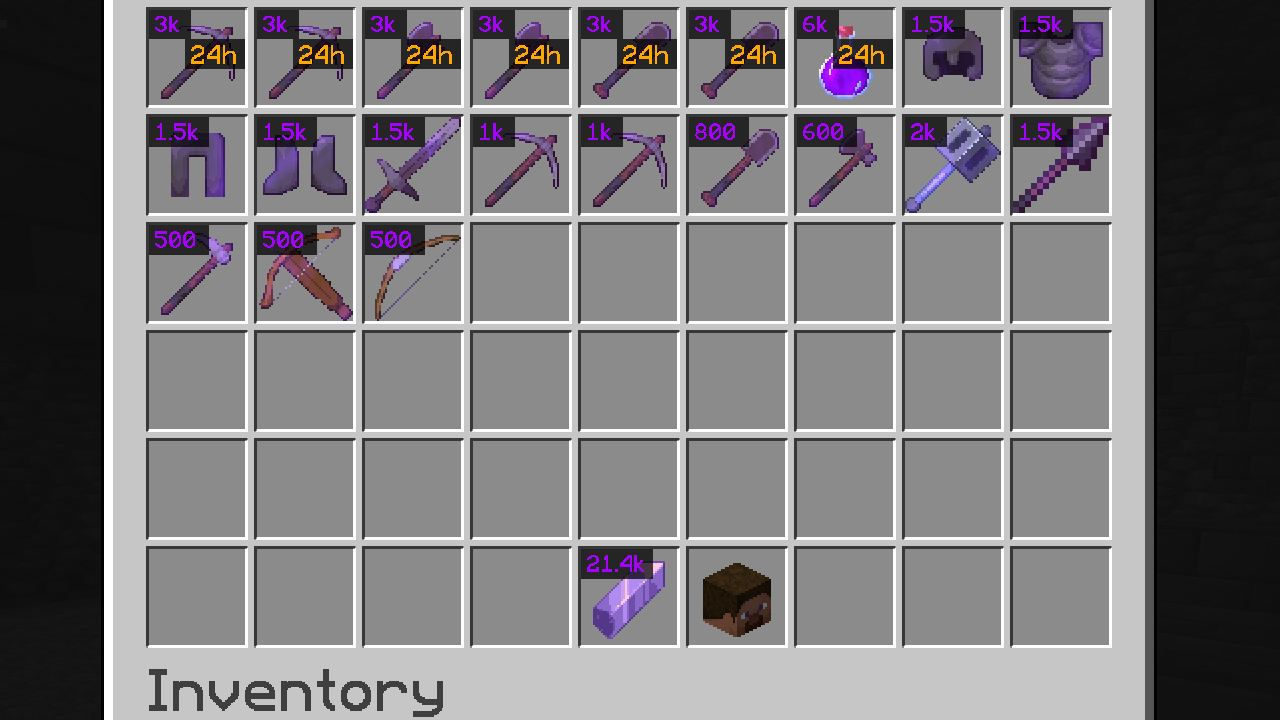 shardshop
 -
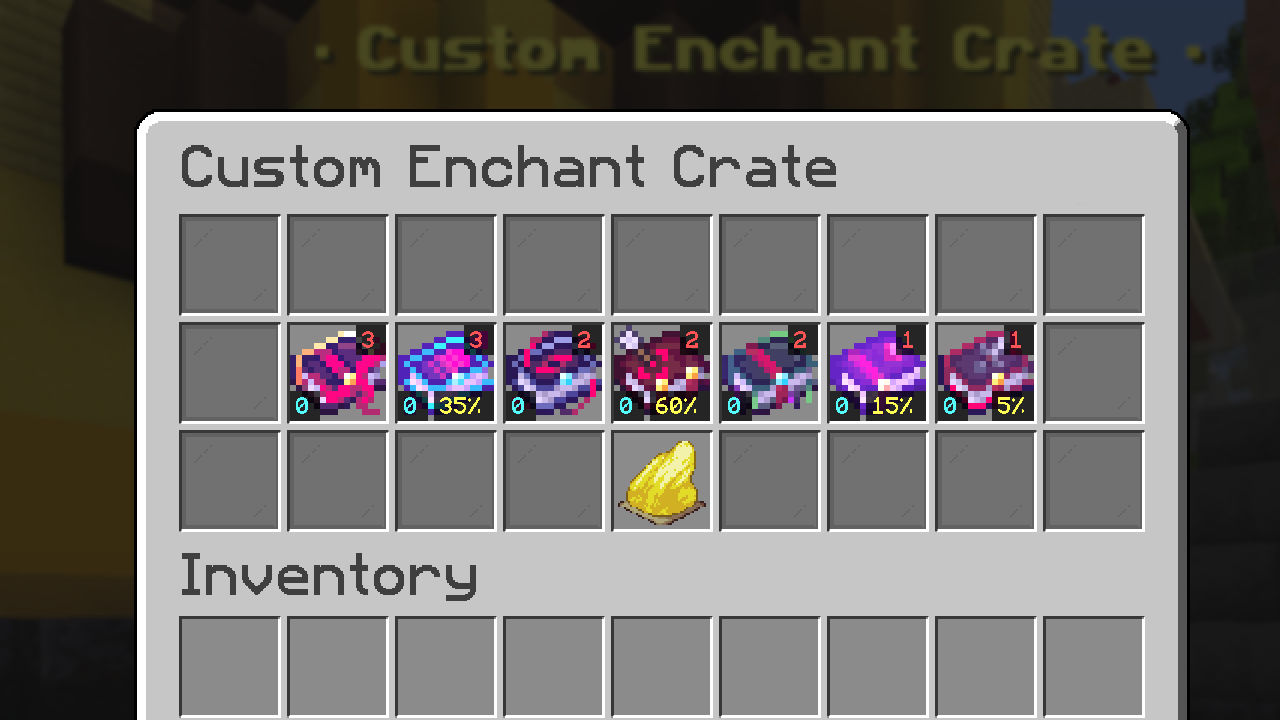 Lifesteal Crate Key counter & Key Cost
 -
 Logo
Logo -
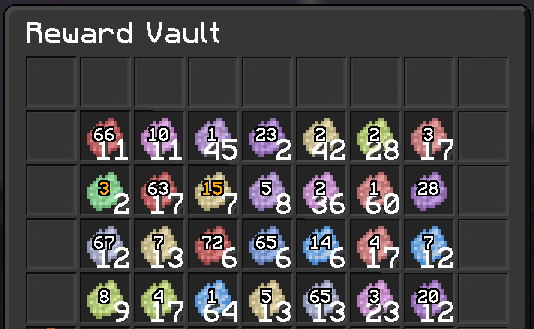 Rainyday.gg /rv Reward Vault
Versions
Files
Relations
Project Relations
More like this
Similar Mods
Suggestions use data such as tags, dependencies, dependents, descriptions, titles, and more to rank how much they overlap with this mod.
On ModDex
Community snapshot
By the numbers
Statistics
Want to reach Minecraft players?
We're looking for a server hosting partner to feature here and other parts of the site. Interested? Send us a message!
Get in touchGet it on
Available Platforms
On ModDex
Community snapshot
By the numbers