
Community listing page, reviews here may not be monitored by the author.
Seigniorage


No reviews yet
Create your own coins and bills to build player-driven economies.
Community voices
Reviews
No reviews yet. Be the first to review this project!
Get it on
Available Platforms
Compatibility
Supported Environments
Must be installed on both the client and the server.
About
Project Details
For authors
Embed Badge
If you're the author of this project, you can embed a live badge anywhere that supports HTML or Markdown. It updates automatically whenever ratings change.
Use HTML for any page that supports it, or Markdown for README files and Markdown-based descriptions.
Identifiers
Platform IDs
Resources
External Links
About
Description
Create your own currencies, design denominations, mint coins and print bills, then use them in player-driven trade systems.
Summary
Seigniorage gives servers the tools for all players to run custom economies built on player determined value.
Features
- Create custom currencies with unique name, 3-letter code, unit name, and 4x4 symbol.
- Design denomination sets as coins and bills with customizable appearance.
- Create issuance orders from the Currency Desk and process them into real money items.
- Use Wallets, Safes, and Netherite Safes to store and transport physical money.
- Handle player transactions through Voucher + Cash Register payment flows.
- Track economy data such as total issued and decommissioned value.
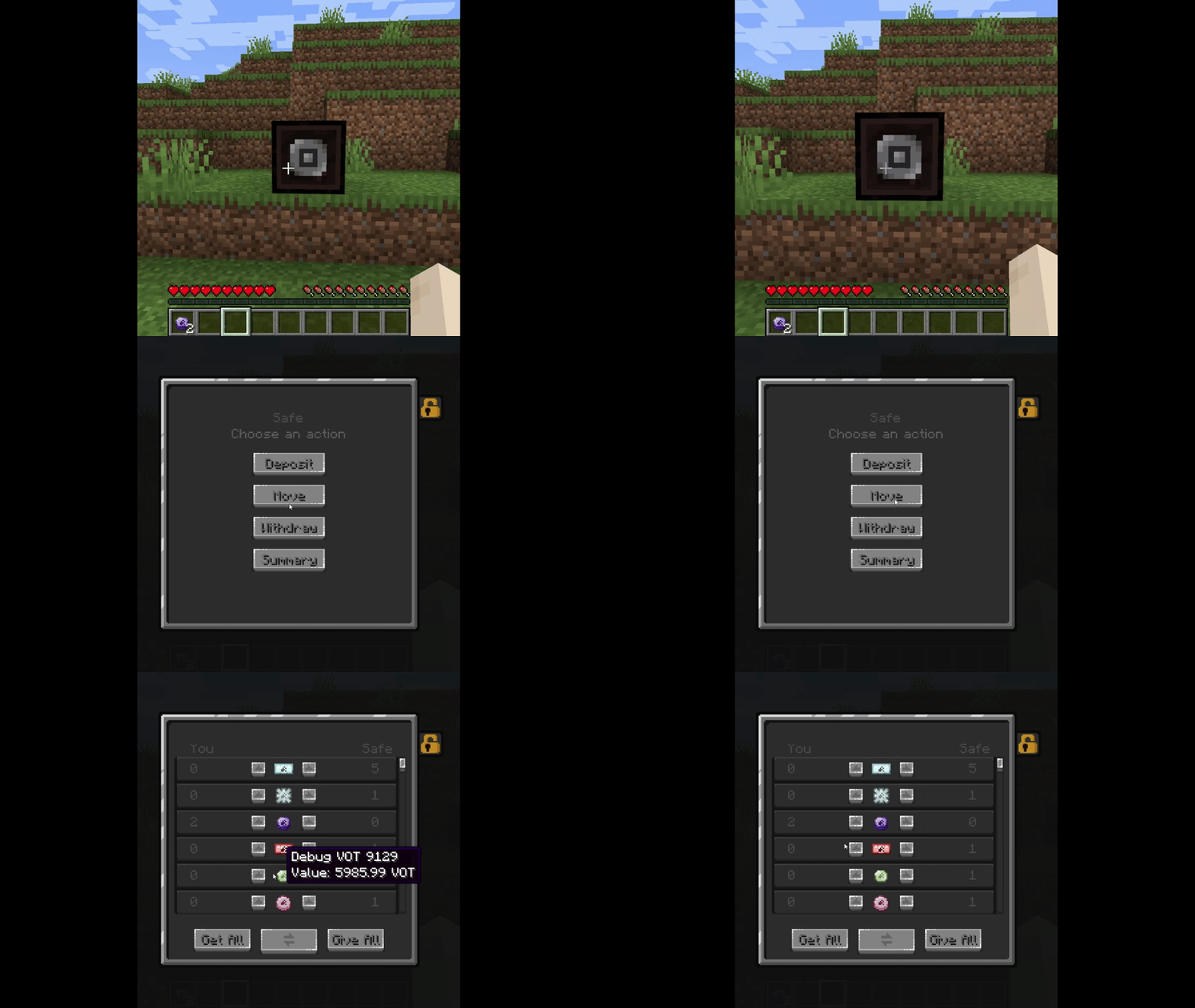
How To Create A Currency
- Place and open a Currency Desk.
- Create a new currency by filling:
- Name
- Code (3 letters, e.g. USD)
- Unit name
- 4x4 symbol
How To Create Coins And Bills
- In Currency Desk → Denominations, click Create Denomination
- Fill name, value and personalize the palette, then click Create
- Go to Currency Desk → Denominations and click Create Issuance Orders.
- Fill denomination(s) amount and number of copies.
- Make sure you have enough materials for each copy.
- Process orders in a Coin Minter for coins and Bill Printer for bills,
- Collect your issued money and circulate it in trade.
How To Use Voucher Payments (Cash Register)
- Create a Voucher Book and right-click to open the voucher writer.
- Fill at least Amount and Currency Code, then confirm to create a Voucher.
- Be sure to lock your Cash Register (merchant side).
- Hold an unpaid voucher you issued and right-click the locked register to set payment mode.
- The customer validates payment options (exact/lower/upper).
- If exact exists: customer pays directly. Otherwise: customer offers lower/upper and merchant accepts.
- On execution, money moves from customer to register (with change when required), and the voucher is marked as paid.
Why Use Seigniorage?
If you want official server currencies, faction currencies, roleplay economies, and player-created currencies, Seigniorage is the mod for you.
Planned Content
- More utility commands for servers (e.g. give players issued coins/bills)
- Player-managed banks
- Bank accounts
- Digital balances
- Credit lines
- Credit and debit cards
- ATMs
- POS machines
Acknowledgements
Special thanks to glionox on itch.io for public assets used and adapted in parts of this mod.
any feedback in the comments is welcome.
Create your own currencies, design denominations, mint coins and print bills, then use them in player-driven trade systems.
Summary
Seigniorage gives servers the tools for all players to run custom economies built on player determined value.
Features
- Create custom currencies with unique name, 3-letter code, unit name, and 4x4 symbol.
- Design denomination sets as coins and bills with customizable appearance.
- Create issuance orders from the Currency Desk and process them into real money items.
- Use Wallets, Safes, and Netherite Safes to store and transport physical money.
- Handle player transactions through Voucher + Cash Register payment flows.
- Track economy data such as total issued and decommissioned value.
How To Create A Currency
- Place and open a Currency Desk.
- Create a new currency by filling:
- Name
- Code (3 letters, e.g. USD)
- Unit name
- 4x4 symbol
How To Create Coins And Bills
- In Currency Desk → Denominations, click Create Denomination
- Fill name, value and personalize the palette, then click Create
- Go to Currency Desk → Denominations and click Create Issuance Orders.
- Fill denomination(s) amount and number of copies.
- Make sure you have enough materials for each copy.
- Process orders in a Coin Minter for coins and Bill Printer for bills,
- Collect your issued money and circulate it in trade.
How To Use Voucher Payments (Cash Register)
- Create a Voucher Book and right-click to open the voucher writer.
- Fill at least Amount and Currency Code, then confirm to create a Voucher.
- Be sure to lock your Cash Register (merchant side).
- Hold an unpaid voucher you issued and right-click the locked register to set payment mode.
- The customer validates payment options (exact/lower/upper).
- If exact exists: customer pays directly. Otherwise: customer offers lower/upper and merchant accepts.
- On execution, money moves from customer to register (with change when required), and the voucher is marked as paid.
Why Use Seigniorage?
If you want official server currencies, faction currencies, roleplay economies, and player-created currencies, Seigniorage is the mod for you.
Planned Content
- More utility commands for servers (e.g. give players issued coins/bills)
- Player-managed banks
- Bank accounts
- Digital balances
- Credit lines
- Credit and debit cards
- ATMs
- POS machines
Acknowledgements
Special thanks to glionox on itch.io for public assets used and adapted in parts of this mod.
any feedback in the comments is welcome.
Screenshots
Gallery
-
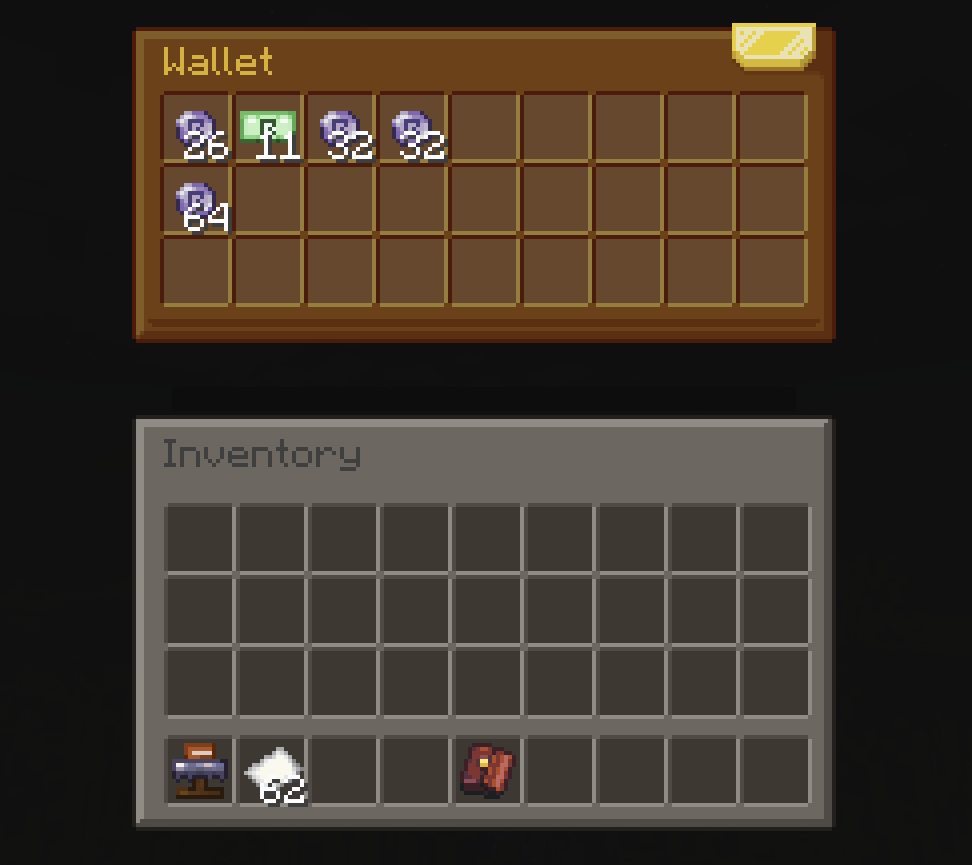 imagen_2026-04-01_213817431.png Using a Wallet
 -
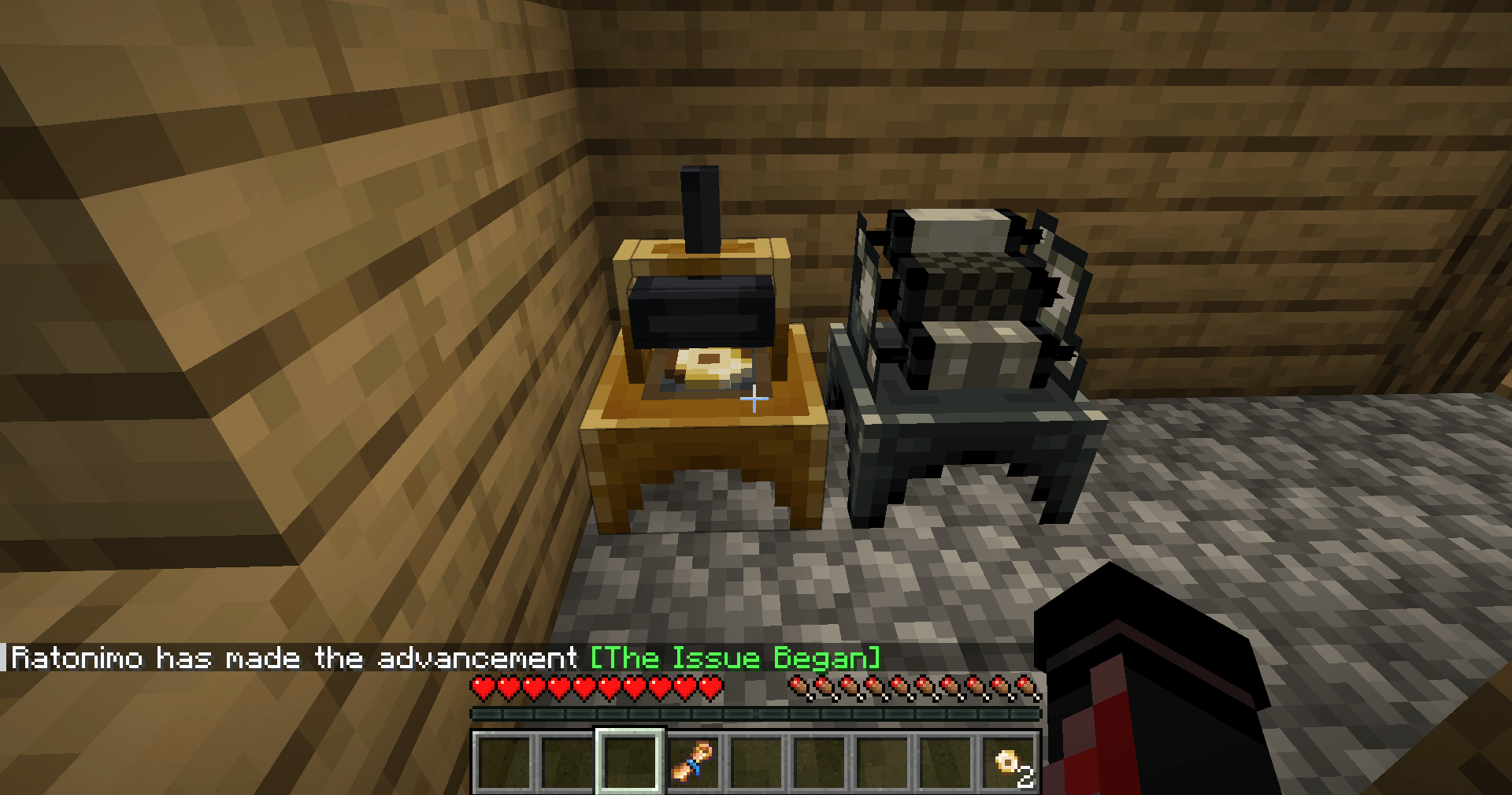 2026-03-31_11.45.04.png Coin Minter and Bill Printer
 -
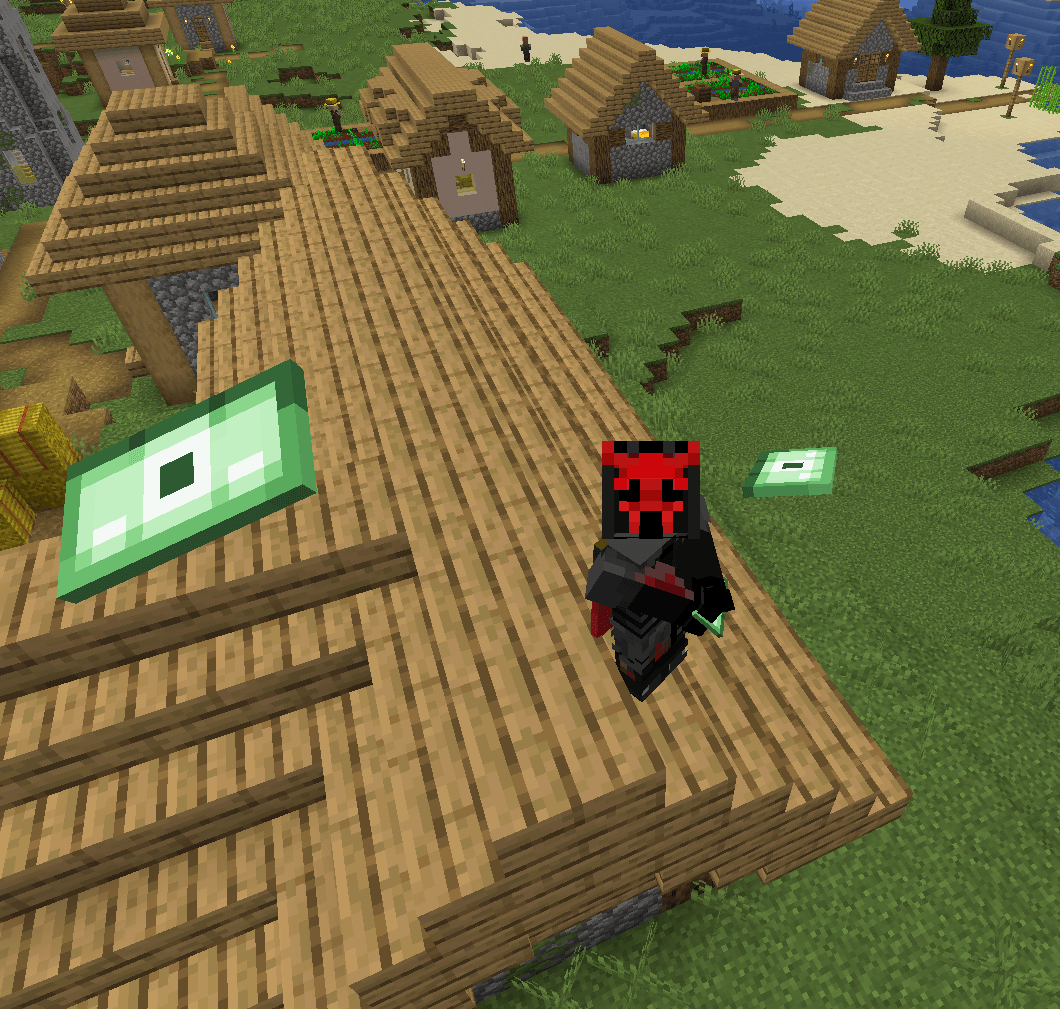 imagen_2026-03-31_141831726.png Having fun with bills
 -
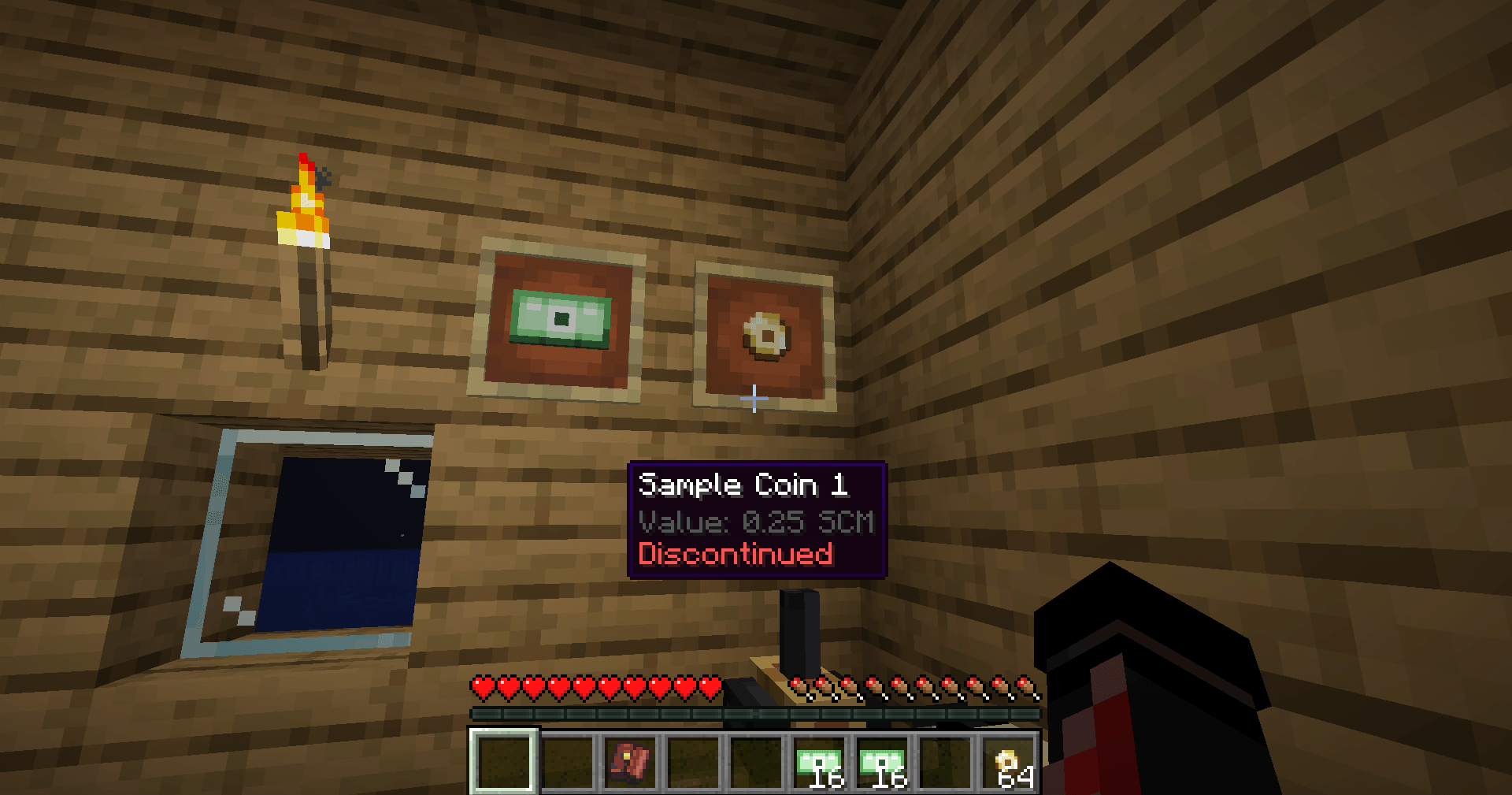 2026-03-31_11.53.40.png Showing a Coin
 -
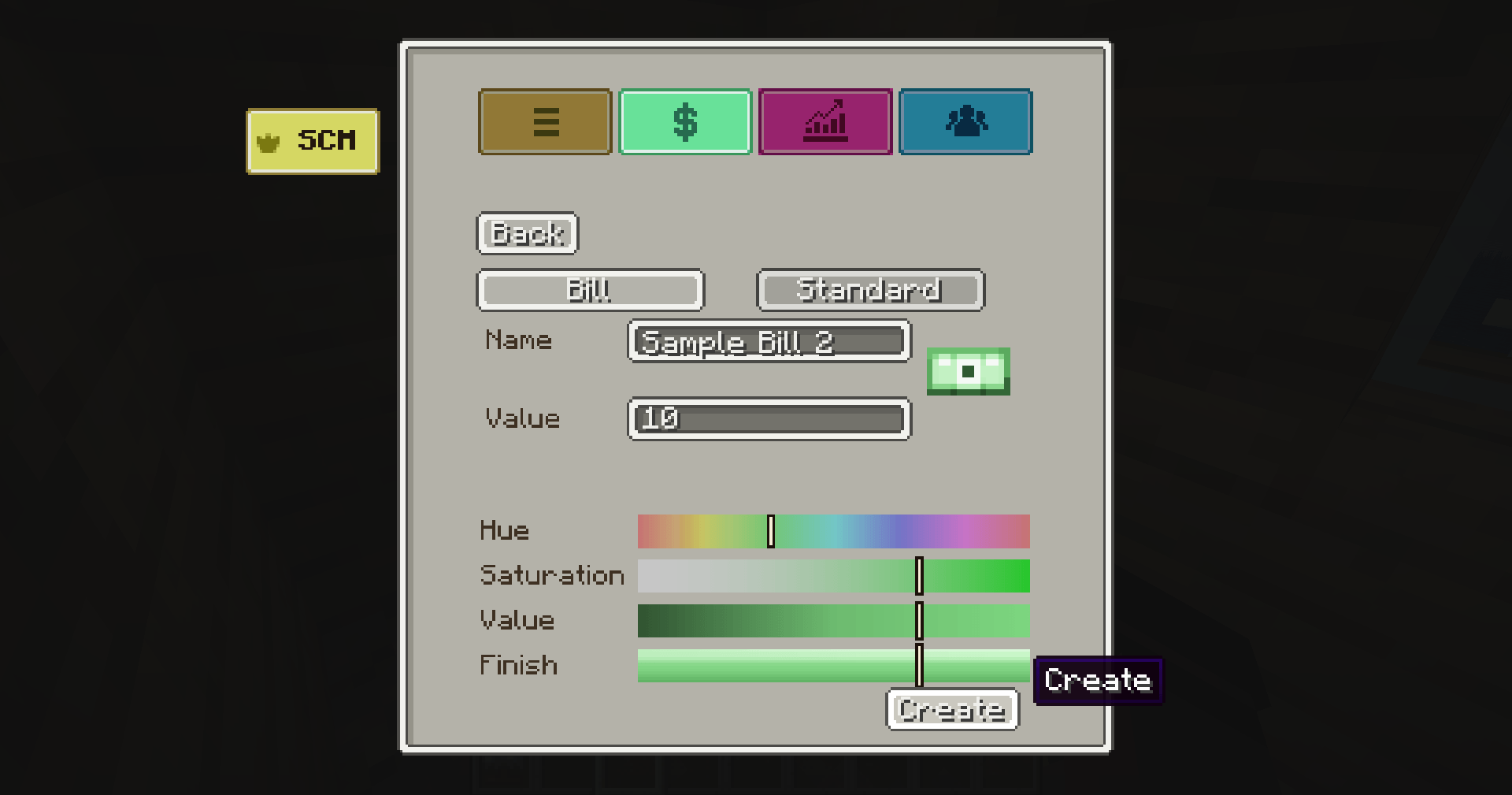 2026-03-31_11.43.14.png Creating a denomination
 -
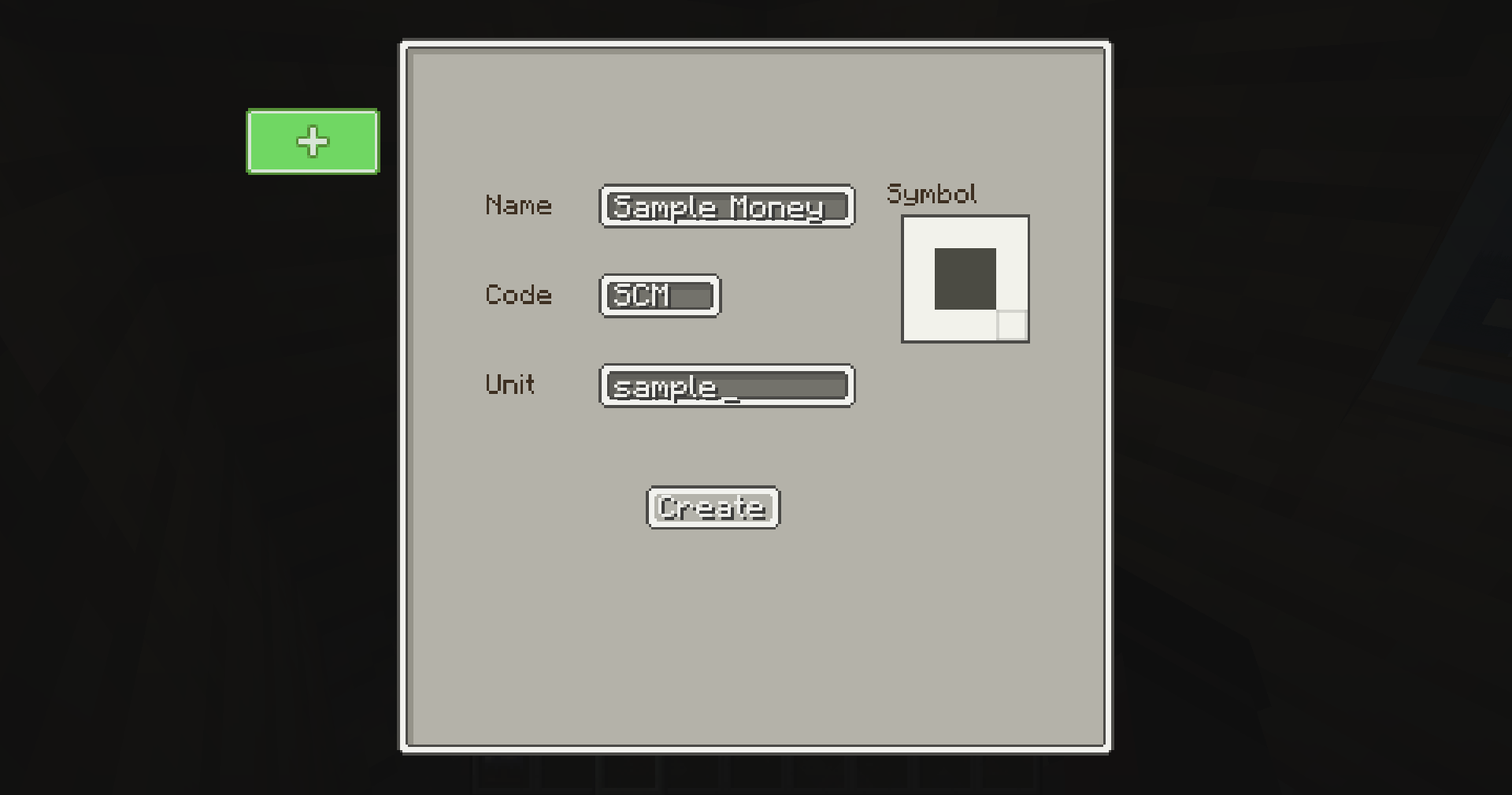 2026-03-31_11.41.43.png Creating a currency
-
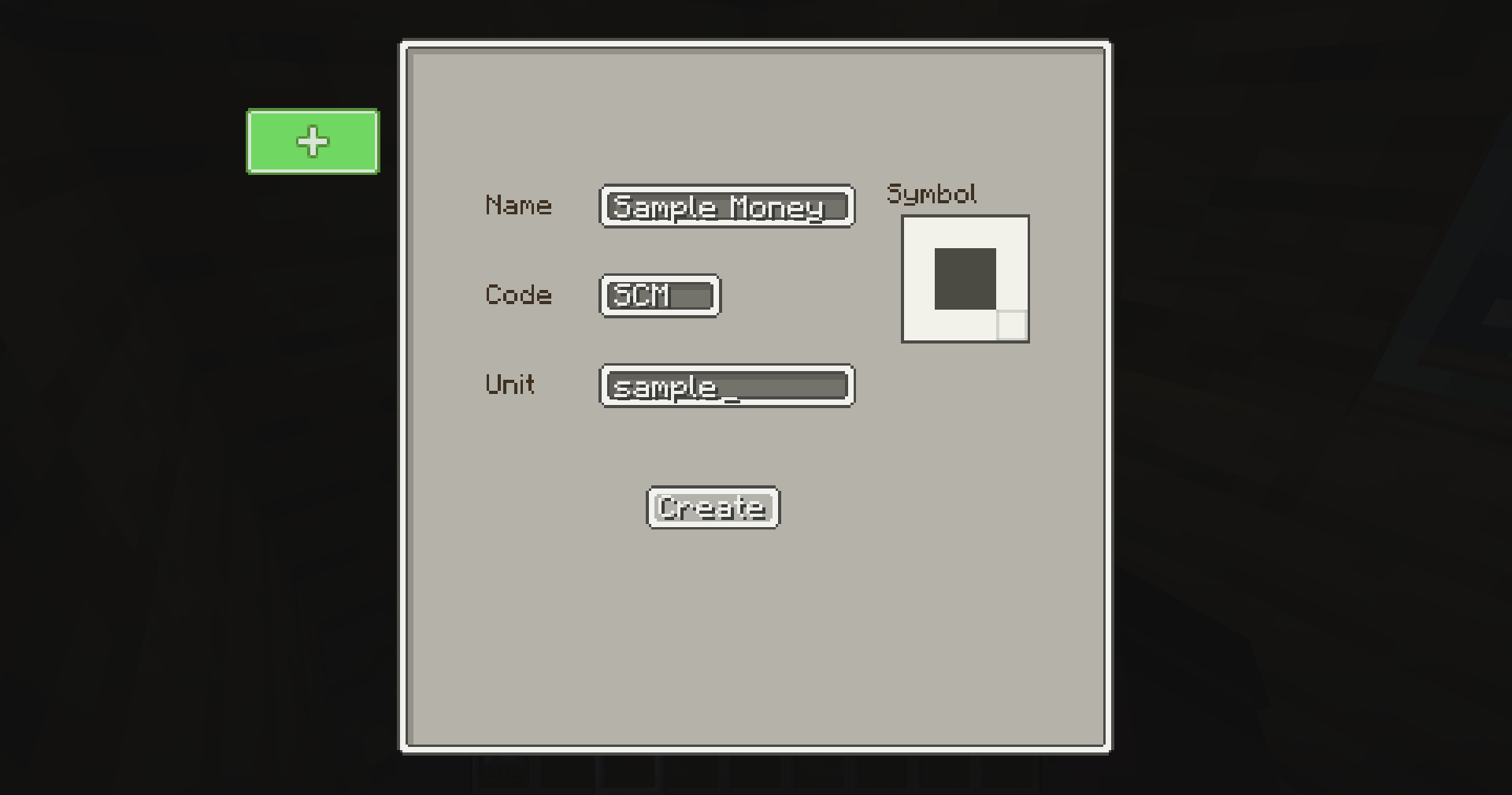 Creating a currency Creating a currency in the Currency Desk
 -
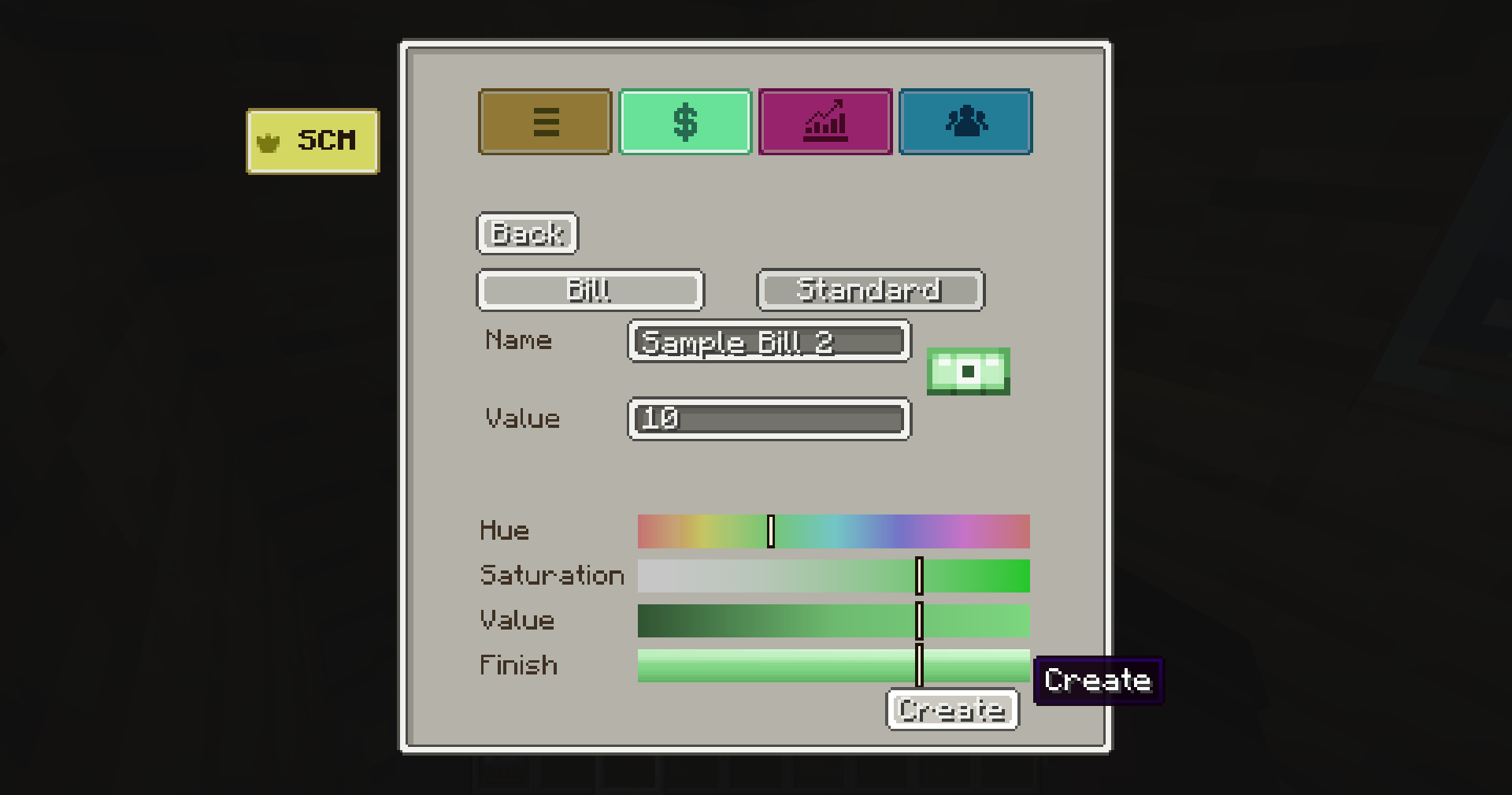 Creating a Denomination Creating a Denomination in the Currency Desk
 -
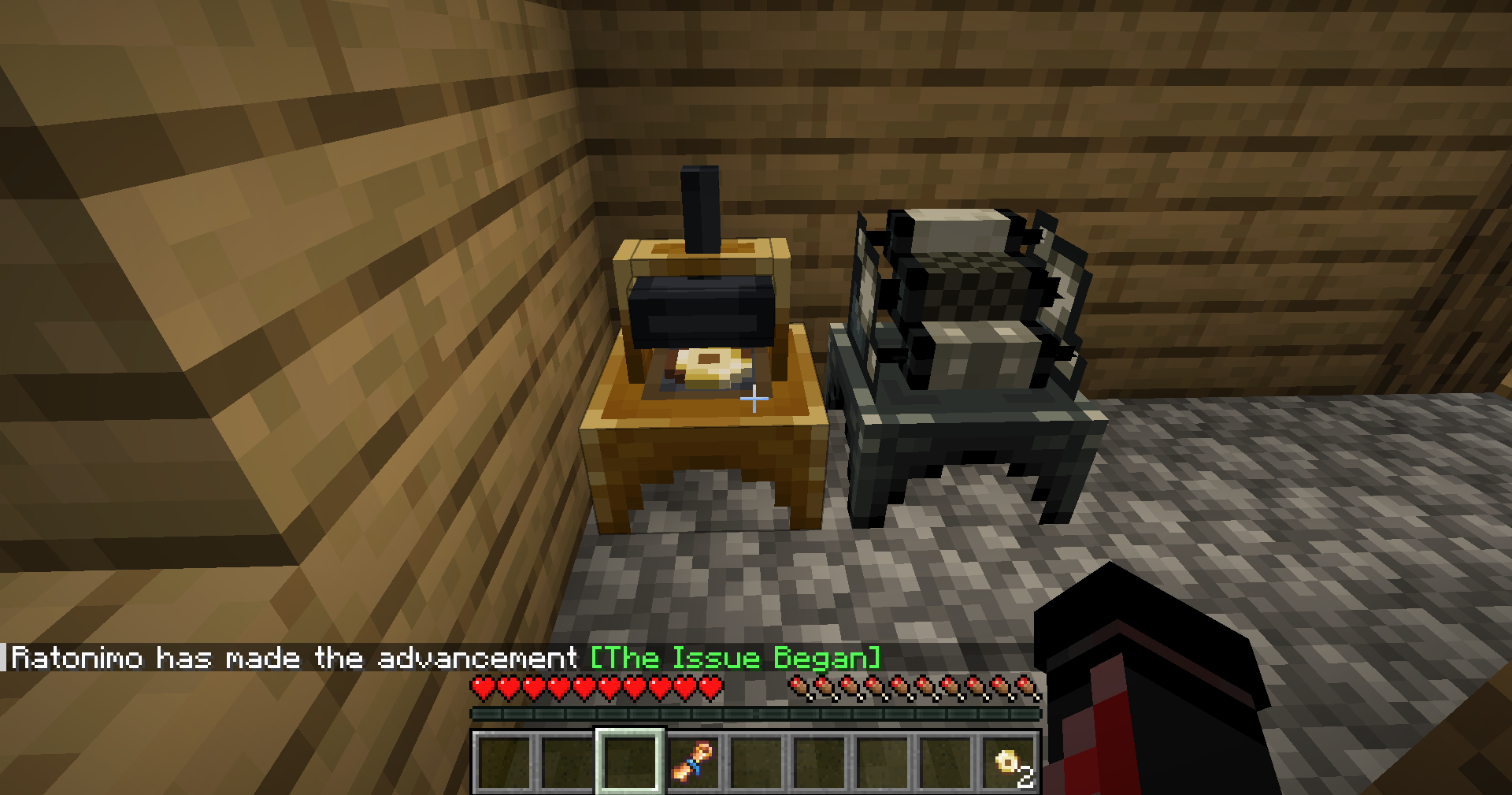 Issuing Denominations After getting a Issuance Order you can place them inside Coin Minters and Bill Printers respectively to issue your coins and bills.
 -
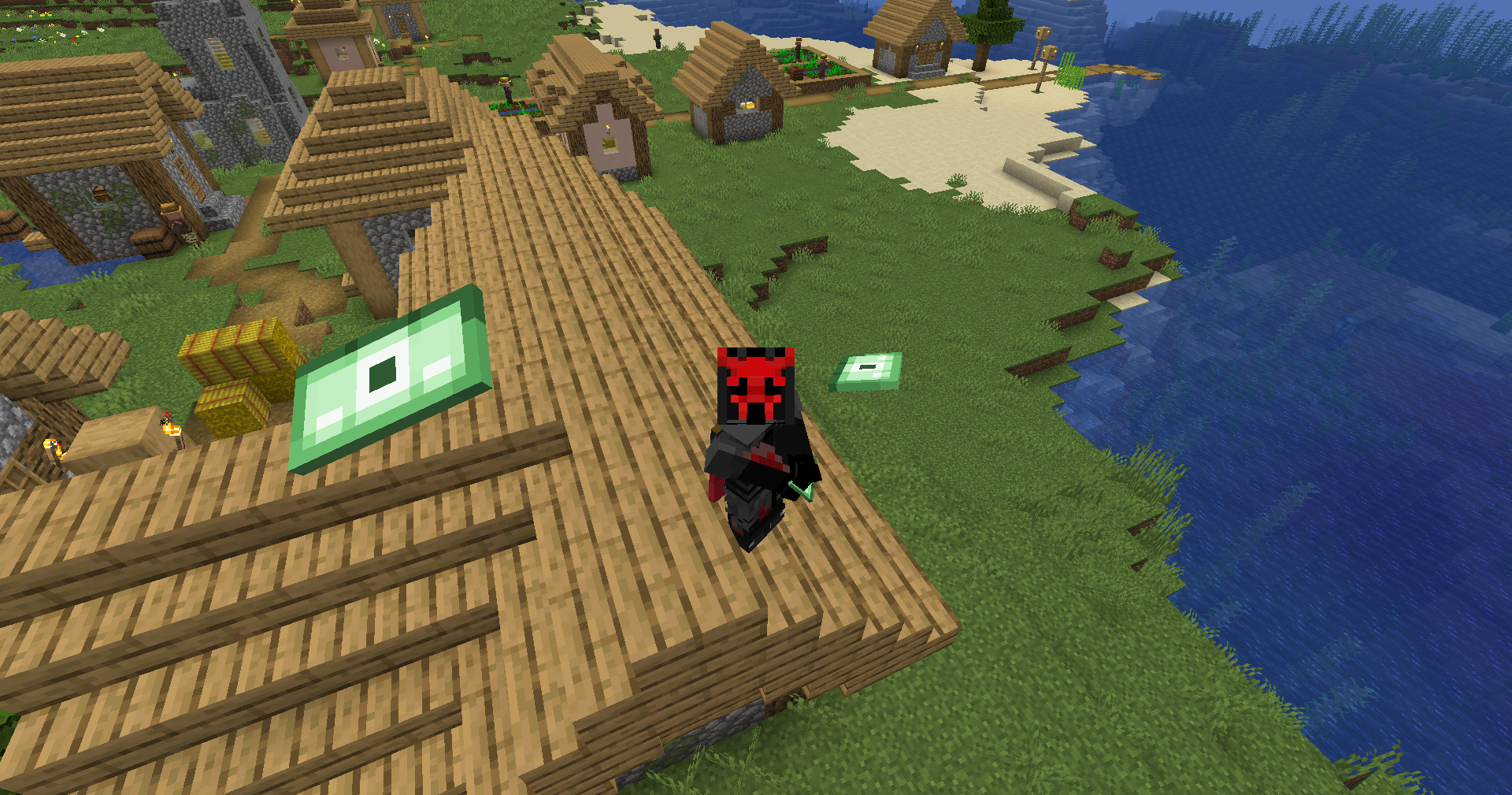 Having fun with bills You can have fun tossing bills and coins.
 -
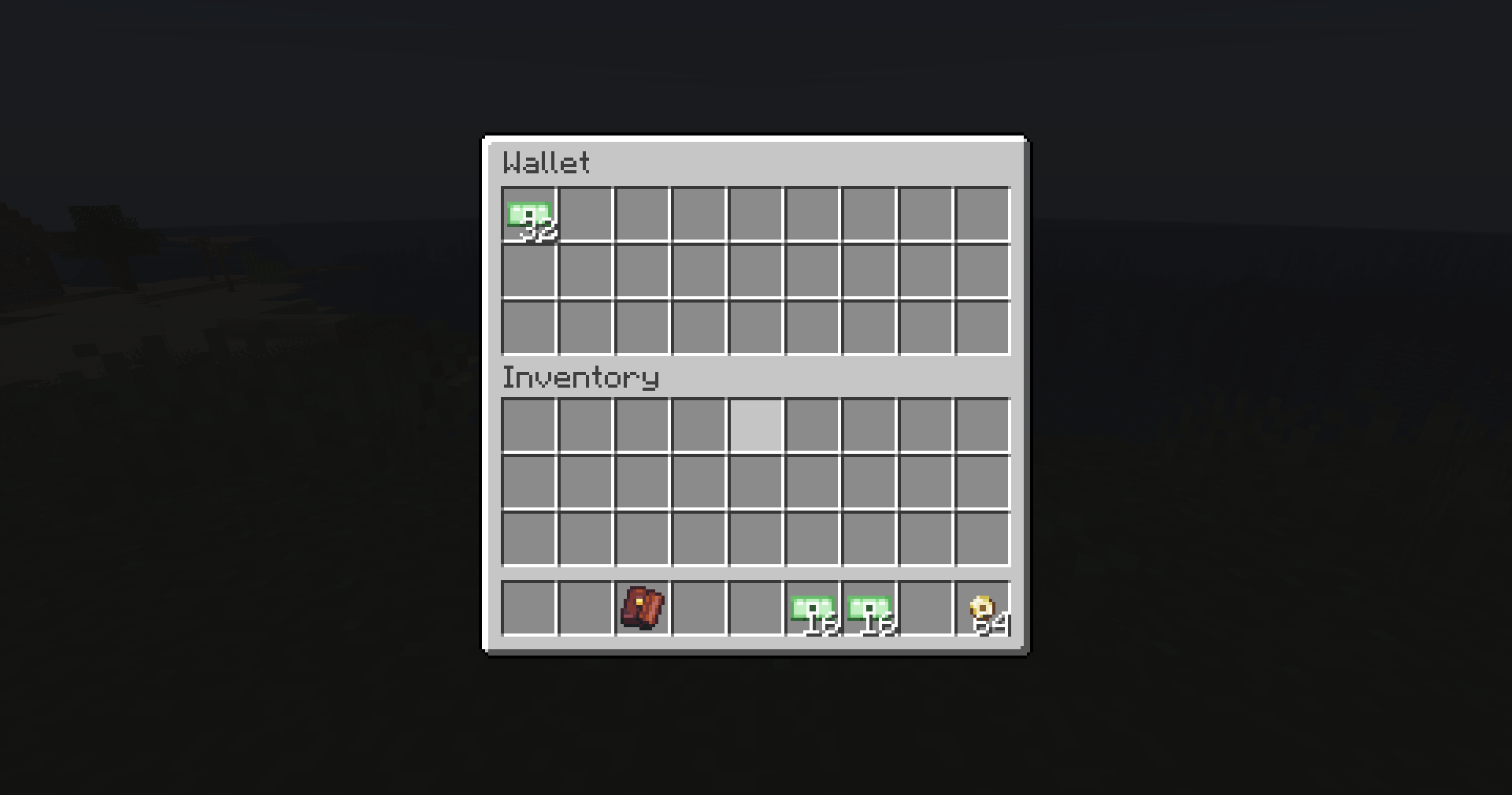 Storing your money in a wallet You can craft a wallet to store coins and bills.
 -
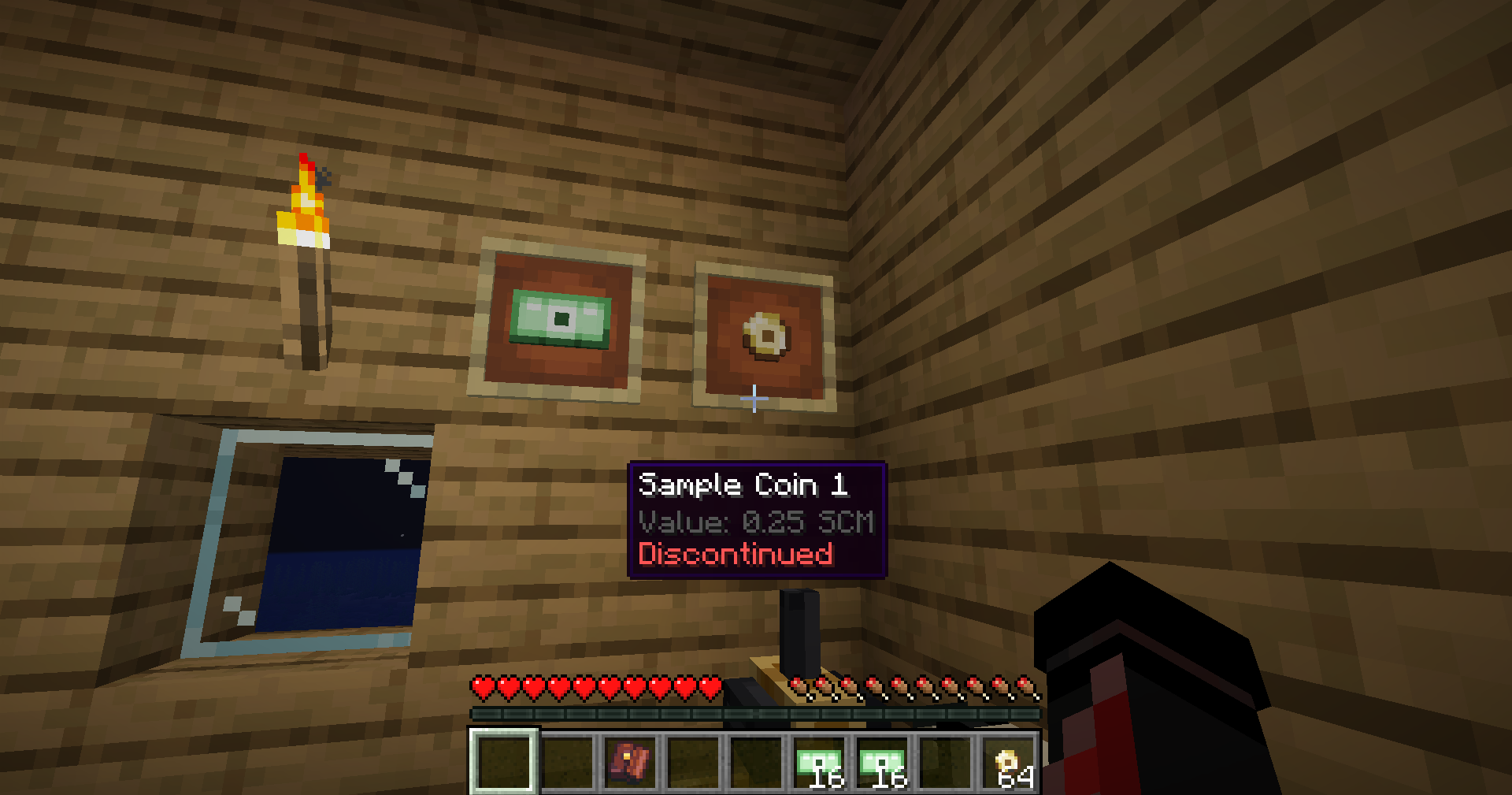 Show your collection You can showcase your collection using item frames.
Versions
Files
Relations
Project Relations
More like this
Similar Mods
Suggestions use data such as tags, dependencies, dependents, descriptions, titles, and more to rank how much they overlap with this mod.
- Broglis Bugs
- CobbledGacha v.3 [Cobblemon 1.7] [Fabric/NeoForge 1.21.1]
- Wandering Orc
- Immersive Travel Overhaul
- Hamtastic Hamsters!
- THE Doctor Who Client Mod
- Ρersonality
- XP Expansion
- Friday the 13th: Jason Voorhees
- SkyStrike
- Explosive Block [Cracker's Wither Storm Mod and Enderite Mod]
- DragN's LO: Pets!
On ModDex
Community snapshot
By the numbers
Statistics
Want to reach Minecraft players?
We're looking for a server hosting partner to feature here and other parts of the site. Interested? Send us a message!
Get in touchGet it on
Available Platforms
On ModDex
Community snapshot
By the numbers
Statistics
Resources