Community listing page, reviews here may not be monitored by the author.
Ingame Biome Map Exporter

No reviews yet
Export the biome map of your world!
Does not follow a specific thematic focus apart from vanilla Minecraft.
Used for mods with little to no gameplay elements.
Features structures of no particular theme, or meant as background decoration.
Includes mods that provide maps, minimaps, and informational tools for navigation.
Adds new ores or other raw resources.
Includes quality of life improvements and small tweaks to enhance and customize gameplay.
Forge is a popular mod loader for versions 1.1+ of Minecraft.
Community voices
Reviews
Filters
Click once to include, again to exclude, again to clear
No reviews yet. Be the first to review this project!
Get it on
Available Platforms
About
Project Details
For authors
Embed Badge
If you're the author of this project, you can embed a live badge anywhere that supports HTML or Markdown. It updates automatically whenever ratings change.
Use HTML for any page that supports it, or Markdown for README files and Markdown-based descriptions.
Identifiers
Platform IDs
Resources
External Links
About
Description
Abstract
Maybe you tried biome finder to find how biomes is generated. But after installing a lot of mods, do you know how the world changed?
Let's try this mod!
Commands
Exporting Biome Map
You can export the biome map in-game by using this command:
/exportbiomemap radius scale [structure [player]]
<radius> - the radius of the exported map.
<scale> - the scale of the map.
<structure> - if true, export structures in the map; if false, only export biome.
<player> - the player who stands at the center of the exported map. If absent, export from the spawn point. And after the exporting, this player will receive the successful information.
For example, <player> stands at (1000, 64, -2000). And <scale>=4 means one pixel of the exported map stands for a 4 times 4 area in your world. If <radius> = 4000 at the same time, the exported map will be 2001 times 2001 pixels, which indicates the biomes from (-3000, 64, -6000) to (5000. 64. 2000).
Exporting Resources
Do you want to know the best y coordinate for mining ore blocks? Try this command.
You can export the resources in-game by using this command:
/exportresource block [chunk [minHeightInclusive maxHeightExclusive [multiProcessor]]]
<block> - the resource block to export.
<chunk> - how many chunks will be sampled, the larger, the better but slower. default 1024.
<minHeightInclusive> and <maxHeightExclusive> - the min y and max y. default -63 and 64.
<multiProcessor> - how many threads will run together, each threads will sample <chunk> chunks. default 1.
Config
You can edit config file to define color rgba for biomes added by other mods, which is located at 'config/IBMConfig.json'.
Misc
New feature! You can export structures after v3.0.0 in your biome map. See gallery for more information.
New feature! You can export resources data (like JER in 1.12.2).
Screenshots
Gallery
-
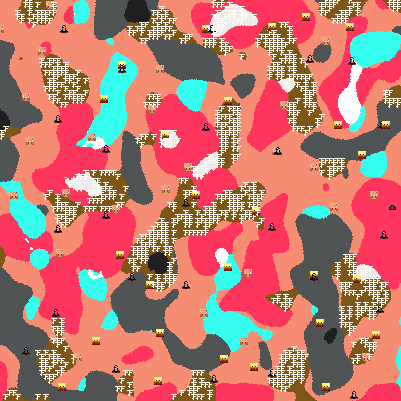 Biome Map with Structure in the Nether
 -
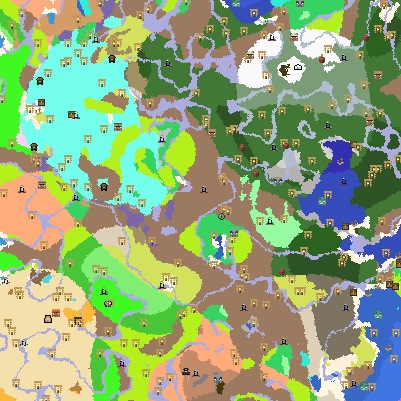 Biome Map with Structures
 -
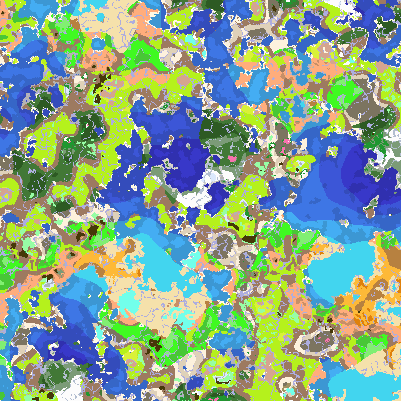 Vanilla Biome Map A biome map for seed 164311266871034.
 -
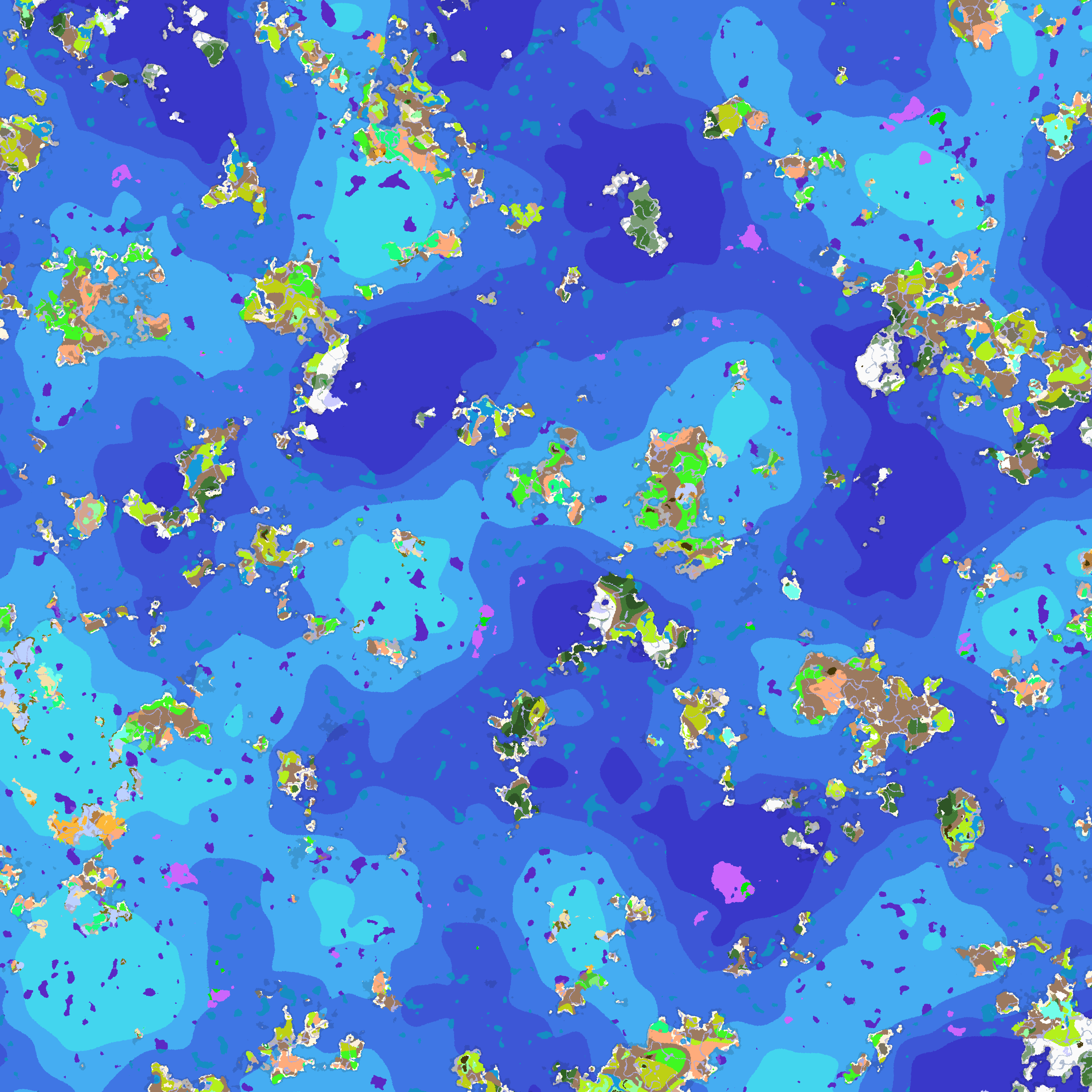 Biome Map for Ocean Word Mod https://www.curseforge.com/minecraft/mc-mods/ocean-world There is actually endless ocean.
Versions
Files
Relations
Project Relations
More like this
Similar Mods
Suggestions use data such as tags, dependencies, dependents, descriptions, titles, and more to rank how much they overlap with this mod.
On ModDex
Community snapshot
By the numbers
Statistics
Want to reach Minecraft players?
We're looking for a server hosting partner to feature here and other parts of the site. Interested? Send us a message!
Get in touchGet it on
Available Platforms
On ModDex
Community snapshot
By the numbers
Statistics
Resources