
Community listing page, reviews here may not be monitored by the author.
InGame Info Reborn


No reviews yet
In-game HUDs and GUIs done with structure — reactive, declarative, composable, and built to handle the rest.

Community voices
Reviews
No reviews yet. Be the first to review this project!
Get it on
Available Platforms
Compatibility
Supported Environments
Must be installed on both the client and the server.
About
Project Details
For authors
Embed Badge
If you're the author of this project, you can embed a live badge anywhere that supports HTML or Markdown. It updates automatically whenever ratings change.
Use HTML for any page that supports it, or Markdown for README files and Markdown-based descriptions.
Identifiers
Platform IDs
About
Description
InGame Info Reborn
"In-game HUDs and GUIs done with structure — reactive, declarative, composable, and built to handle the rest."


This is a Work-In-Progress spiritual successor of InGame-Info-XML, not a fork. If you like this project, don't forget to give it a star⭐!
Suggestions/PRs are welcome
Overview
This is a library mod that helps you to create in-game overlaid (or focused) GUI with ease.
(Nothing will pop up with the default configuration!)
Architectural Modules Chart
| Module | Role | Status |
|---|---|---|
| MVVM Base | Separates logic (ViewModel) from rendering (View) | ✅ Done |
| XAML-Style DSL For View | Declarative XAML-style layout to build static UI trees | ✅ Done |
| Reactive Binding | View reacts to changes in ViewModel automatically | ✅ Done |
| Compose (Injected via Slot) | Immediate-mode UI embedded in ViewModel | ⚠️ Partially |
| Snapshot Diffing | Virtual tree diffing for Compose-based UI | ✅ Done |
| Shared Context | Shared runtime context between ViewModel and Compose blocks | ✅ Done |
| DOM-Like Event System | Input propagation and event capturing/bubbling | ✅ Done |
| Interactable Control | Captures input, intercepts propagation (works with Event System) | ✅ Done |
| Fixed / Render Update | Dual update loop for logic vs render | ✅ Done |
| Annotation Driven Auto-Interpolation | Utility for smooth interpolation during render updates | ✅ Done |
| Render Op Queue | Abstract draw commands for controls | ✅ Done |
| UI Decoration | Draw custom visuals on existing controls | ✅ Mostly Done |
| Transition API | Externally trigger view transitions | 🚧 Planned |
| Theme Manager | Global theme system (colors, font scale, etc) | ✅ Mostly Done |
| Modal Layer | Stack-based modal / dialog system | 🚧 Planned |
Example
<VerticalGroup>
    <Text uid = "fps">
    ...
</Group>
// snippet from View and ViewModel classes
@Reactive(targetUid = "fps", property = "text", initiativeSync = true)
public ReactiveObject<String> fpsText = new ReactiveObject<>(){};
EventCenter.gameFpsEvent.addListener((fps) ->
{
fpsText.set("FPS: " + fps);
});// registration entry point
@SubscribeEvent
public static void onIgiRuntimeEntryPoint(IgiRuntimeEntryPointEvent event)
{
event.runtime.initPhase
.registerMvvm("example", ExampleViewModel.class)
.openGuiOnStartup("example");
}Wiki
Implementation Todo List / Overview
Currently working on the architecture.
Not adding controls or QoL updates.
My Detailed Todo List:
Implementation Overview:
- Add framebuffer to the GUI rendering life cycle (✔)
- Introduce a custom GUI container (✔)
- Maintain a list of GUI containers so that GUIs can stack together (✔)
- A GUI container can be ingame-overlaid/focused (runtime switchable) (✔)
- Introduce feature-rich GUI layout
- Pivot (✔)
- Alignment (✔)
- Padding (✔)
- Horizontal Group (stack elements horizontally) (✔)
- Vertical Group (stack elements vertically) (✔)
- Sized Group (✔)
- Nesting Groups (group in group) (✔)
- Adaptive Group (fit elements into it adaptively)
- Foldout Group
- Draggable Group
- Add controls like text, button, input field, etc.
- Text (✔)
- Sliding Text (✔)
- Anim Text (✔)
- Button (✔)
- Checkbox
- Input Field
- Image (✔)
- Url Image (✔)
- GIF
- Slide Bar
- Progress Bar (✔)
- Item (✔)
- Add CrT/Zenscript support (✔)
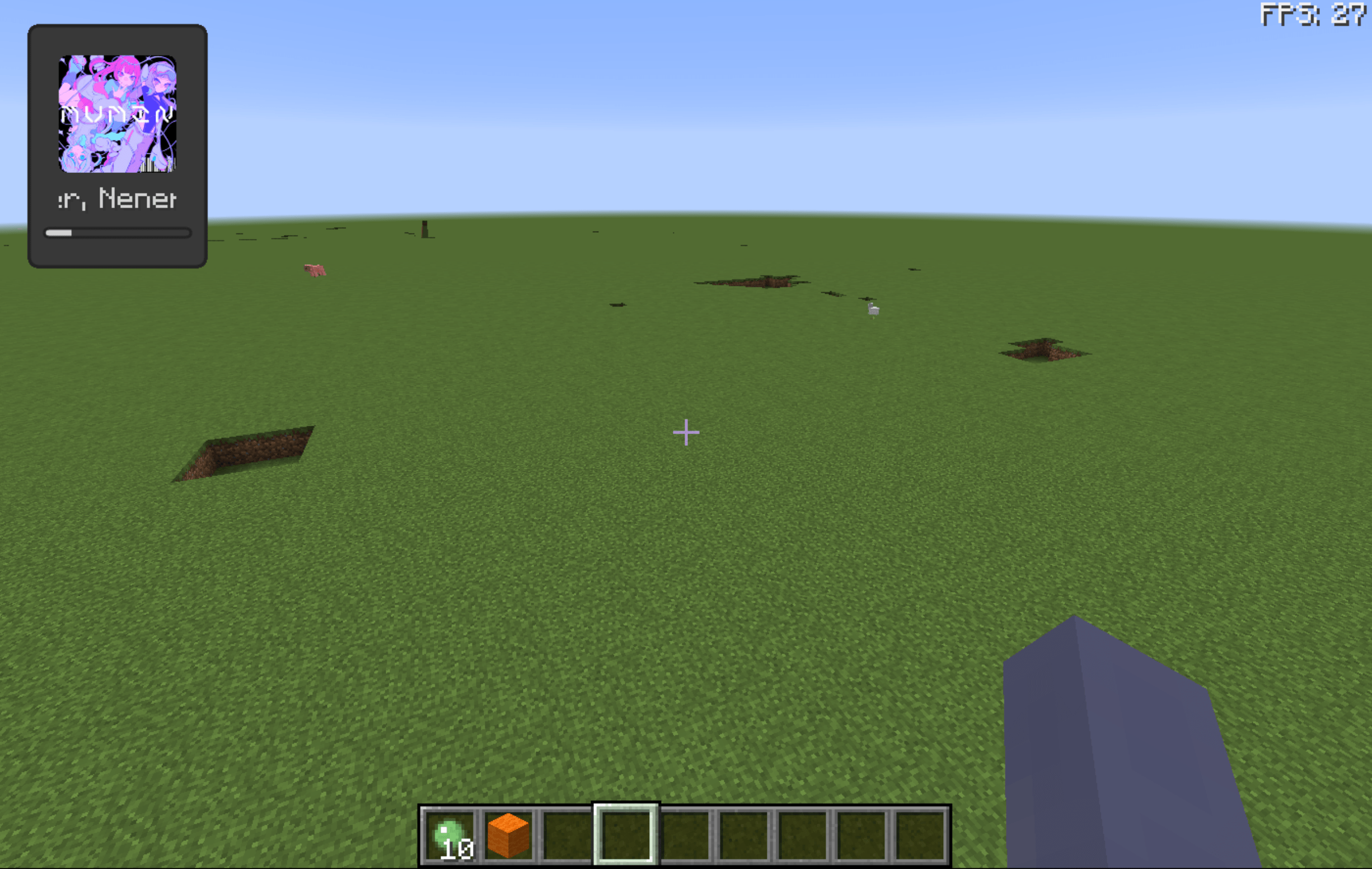
- Ingame spotify support (go to wiki for details) (✔)
Latest Build
In case you want to use the latest action build
- Go to GitHub Actions
- Click on the latest workflow
- Scroll down to the bottom and download the
Artifacts - Unzip and
ingameinfo-[version].jaris the mod file
Credits
- Created using GregTechCEu's Buildscripts
- Inspired by InGame-Info-XML
- Bundled Configurate licensed under Apache-2.0
InGame Info Reborn
"In-game HUDs and GUIs done with structure — reactive, declarative, composable, and built to handle the rest."

This is a Work-In-Progress spiritual successor of InGame-Info-XML, not a fork. If you like this project, don't forget to give it a star⭐!
Suggestions/PRs are welcome
Overview
This is a library mod that helps you to create in-game overlaid (or focused) GUI with ease.
(Nothing will pop up with the default configuration!)
Architectural Modules Chart
Click to Expand
| Module | Role | Status |
|---|---|---|
| MVVM Base | Separates logic (ViewModel) from rendering (View) | ✅ Done |
| XAML-Style DSL For View | Declarative XAML-style layout to build static UI trees | ✅ Done |
| Reactive Binding | View reacts to changes in ViewModel automatically | ✅ Done |
| Compose (Injected via Slot) | Immediate-mode UI embedded in ViewModel | ⚠️ Partially |
| Snapshot Diffing | Virtual tree diffing for Compose-based UI | ✅ Done |
| Shared Context | Shared runtime context between ViewModel and Compose blocks | ✅ Done |
| DOM-Like Event System | Input propagation and event capturing/bubbling | ✅ Done |
| Interactable Control | Captures input, intercepts propagation (works with Event System) | ✅ Done |
| Fixed / Render Update | Dual update loop for logic vs render | ✅ Done |
| Annotation Driven Auto-Interpolation | Utility for smooth interpolation during render updates | ✅ Done |
| Render Op Queue | Abstract draw commands for controls | ✅ Done |
| UI Decoration | Draw custom visuals on existing controls | ✅ Mostly Done |
| Transition API | Externally trigger view transitions | 🚧 Planned |
| Theme Manager | Global theme system (colors, font scale, etc) | ✅ Mostly Done |
| Modal Layer | Stack-based modal / dialog system | 🚧 Planned |
Example
<VerticalGroup>
<Text uid = "fps">
...
</Group>
// snippet from View and ViewModel classes
@Reactive(targetUid = "fps", property = "text", initiativeSync = true)
public ReactiveObject<String> fpsText = new ReactiveObject<>(){};

EventCenter.gameFpsEvent.addListener((fps) ->
{
    fpsText.set("FPS: " + fps);
});
// registration entry point
@SubscribeEvent
public static void onIgiRuntimeEntryPoint(IgiRuntimeEntryPointEvent event)
{
    event.runtime.initPhase
            .registerMvvm("example", ExampleViewModel.class)
            .openGuiOnStartup("example");
}
Wiki
Implementation Todo List / Overview
Click to Expand
Currently working on the architecture.
Not adding controls or QoL updates.
My Detailed Todo List:
Implementation Overview:
- Add framebuffer to the GUI rendering life cycle (✔)
- Introduce a custom GUI container (✔)
- Maintain a list of GUI containers so that GUIs can stack together (✔)
- A GUI container can be ingame-overlaid/focused (runtime switchable) (✔)
- Introduce feature-rich GUI layout
- Pivot (✔)
- Alignment (✔)
- Padding (✔)
- Horizontal Group (stack elements horizontally) (✔)
- Vertical Group (stack elements vertically) (✔)
- Sized Group (✔)
- Nesting Groups (group in group) (✔)
- Adaptive Group (fit elements into it adaptively)
- Foldout Group
- Draggable Group
- Add controls like text, button, input field, etc.
- Text (✔)
- Sliding Text (✔)
- Anim Text (✔)
- Button (✔)
- Checkbox
- Input Field
- Image (✔)
- Url Image (✔)
- GIF
- Slide Bar
- Progress Bar (✔)
- Item (✔)
- Add CrT/Zenscript support (✔)
- Ingame spotify support (go to wiki for details) (✔)
Latest Build
In case you want to use the latest action build
- Go to GitHub Actions
- Click on the latest workflow
- Scroll down to the bottom and download the
Artifacts - Unzip and
ingameinfo-[version].jaris the mod file
Credits
- Created using GregTechCEu's Buildscripts
- Inspired by InGame-Info-XML
- Bundled Configurate licensed under Apache-2.0
Screenshots
Gallery
-
 400982032-4324f4e5-481a-4a72-8658-6b65f876809c-min.png 400982032-4324f4e5-481a-4a72-8658-6b65f876809c-min.png
Versions
Files
Relations
Project Relations
More like this
Similar Mods
Suggestions use data such as tags, dependencies, dependents, descriptions, titles, and more to rank how much they overlap with this mod.
- SpongeForge Refitted
- GroovyScript
- NeverEnoughAnimation
- FluxLoading
- InGame Info XML
- InGame Info XML - Serene Seasons
- InGame Info XML Addon - Blood Magic
- InGame Info XML Addon - Thaumcraft
- InGame Info XML Addon - RFTools Dimensions
- InGame Info XML Addon - Deep Resonance
- InGame Info XML CanoeEdition
- InGame Info JSON
On ModDex
Community snapshot
By the numbers
Statistics
 (opens in a new tab)
Get it on
Available Platforms
On ModDex
Community snapshot
By the numbers