
Community listing page, reviews here may not be monitored by the author.
InGame Modrinth

No reviews yet
Browse and install Modrinth content directly inside Minecraft
Community voices
Reviews
No reviews yet. Be the first to review this project!
Get it on
Available Platforms
Compatibility
Supported Environments
Runs entirely on the client. Works on vanilla servers.
About
Project Details
For authors
Embed Badge
If you're the author of this project, you can embed a live badge anywhere that supports HTML or Markdown. It updates automatically whenever ratings change.
Use HTML for any page that supports it, or Markdown for README files and Markdown-based descriptions.
Identifiers
Platform IDs
Resources
External Links
About
Description
InGame Modrinth adds a Modrinth browser directly into Minecraft.
Features:
- Browse Modrinth content in-game
- Search and view project details, icons, authors, and downloads
- Install content directly from inside Minecraft
- Detect already installed projects
- Open project pages and show installed files in Explorer
- Access from the main menu and pause menu
Notes:
- Restart Minecraft after installing new mods
- Version support may expand over time
Screenshots
Gallery
-
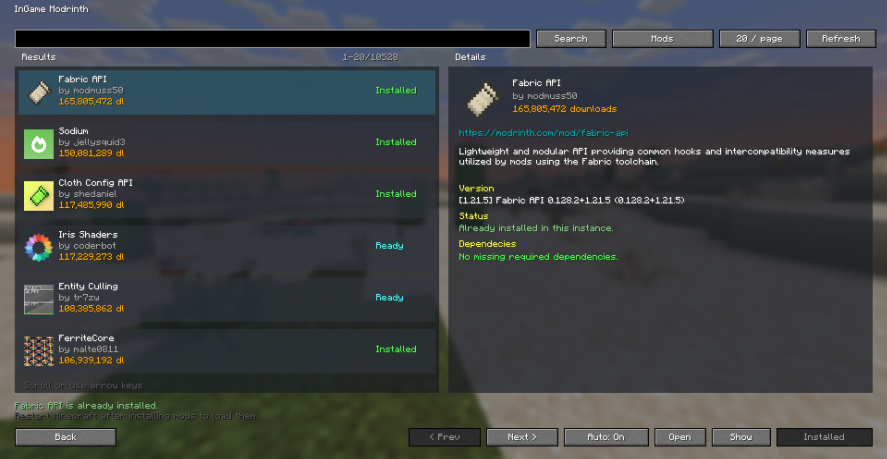 Main Menu here you can download content of modrinth very easily!
 -
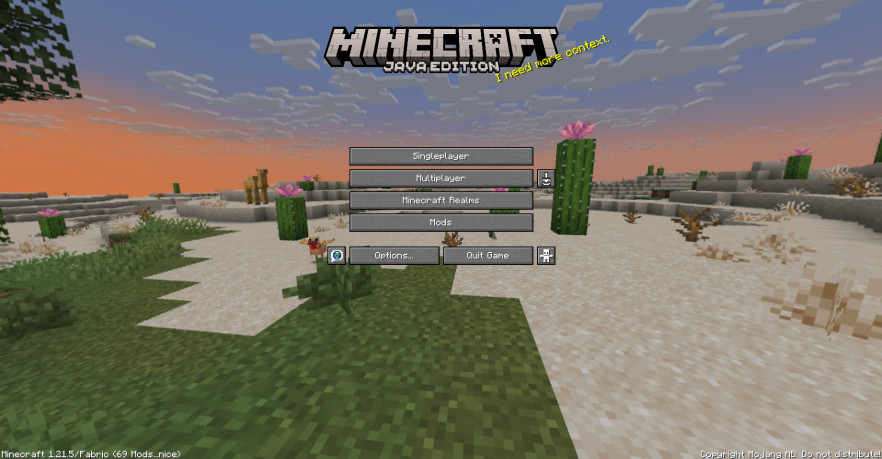 Title Screen Button This is the button which can lead you to the main menu of mod
Versions
Files
Relations
Project Relations
More like this
Similar Mods
Suggestions use data such as tags, dependencies, dependents, descriptions, titles, and more to rank how much they overlap with this mod.
- Easy Install
- Modrinth Direct
- In RealTime
- Plugin Portal
- InGame Info XML
- InGame Info XML - Serene Seasons
- InGame Info XML Addon - Blood Magic
- InGame Info XML Addon - Thaumcraft
- InGame Mod Configs
- InGame Info XML Addon - RFTools Dimensions
- InGame Info XML Addon - Deep Resonance
- Ingame Biome Map Exporter
On ModDex
Community snapshot
By the numbers
Statistics

Want to reach Minecraft players?
We're looking for a server hosting partner to feature here and other parts of the site. Interested? Send us a message!
Get in touchGet it on
Available Platforms
On ModDex
Community snapshot
By the numbers
Statistics
Resources