Community listing page, reviews here may not be monitored by the author.
Inspect Animations


No reviews yet
Inspect your items with cool animations!
Community voices
Reviews
No reviews yet. Be the first to review this project!
Get it on
Available Platforms
Compatibility
Supported Environments
Required on the client. Installing it on the server adds functionality.
About
Project Details
For authors
Embed Badge
If you're the author of this project, you can embed a live badge anywhere that supports HTML or Markdown. It updates automatically whenever ratings change.
Use HTML for any page that supports it, or Markdown for README files and Markdown-based descriptions.
Identifiers
Platform IDs
About
Description
Inspect Animations
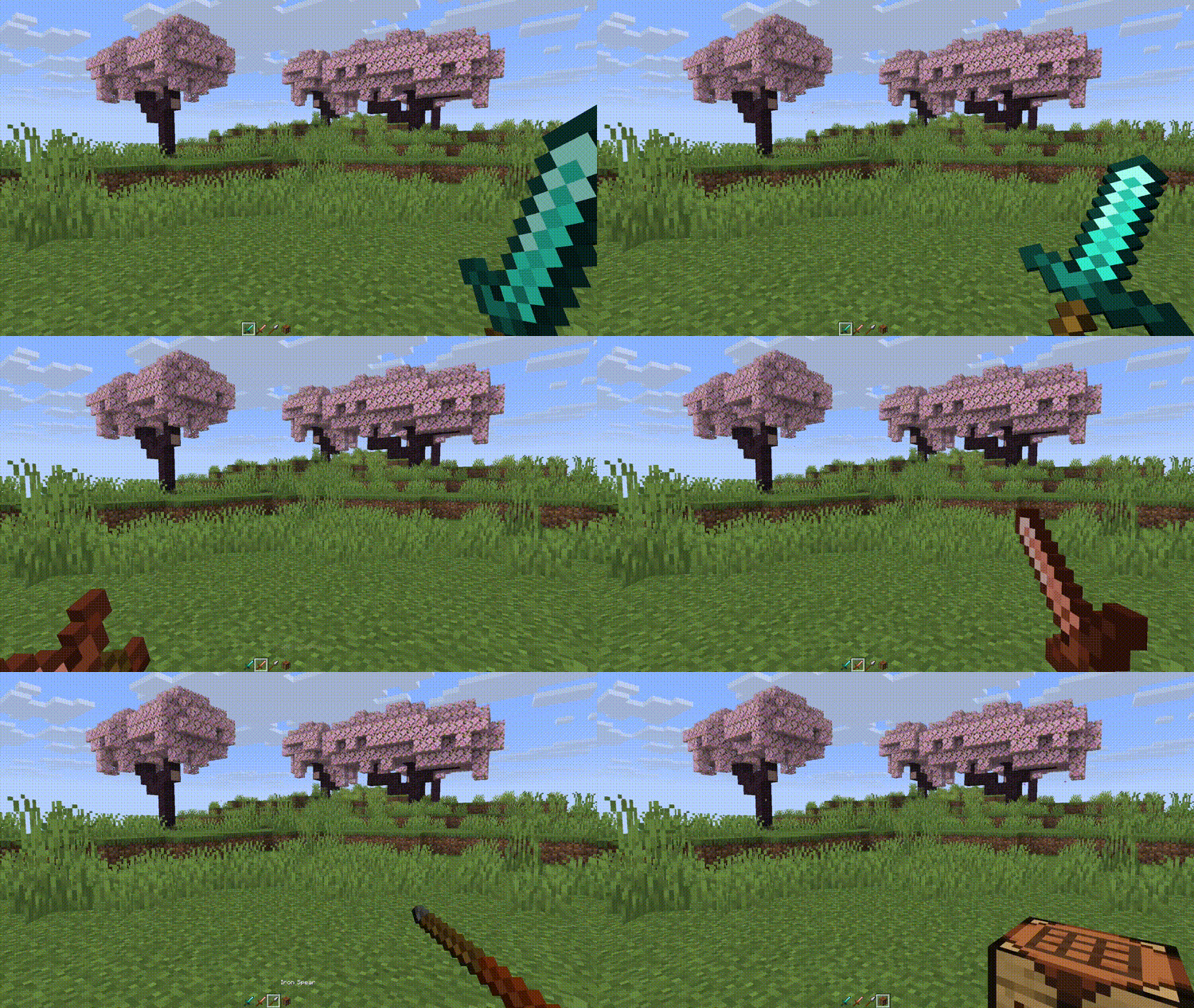
Inspect Animations adds new animations for items, inspired by the inspect feature from counterstrike.
Animations
| Animation | |
|---|---|
| Turn | Classic counterstrike inspect animation. |
| Toss | Toss the item up in the air and catch it. |
| Flourish | Twirl the item back and forth like flourishing a sword. |
| Flip | Flip the item around in your hand. |
Keybinds
Press [R] to play the selected animation.
Hold [SHIFT] and press [R] to cycle through the available animations.
Multiplayer
Use the gamerule inspect_radius to change the distance from which other players will receive animation packets.
Use the gamerule send_inspections to enable/disable sending animations to players. When setting from false to true, players already in the server will need to re-join to apply changes.
Configuration
Bind the config key to configure the mod:
- Animations can be removed from the cycling option
- Animation duration can be changed
- Some animations can have their number of loops changed
There are a few experimental options:
- Select specific animations for items and item tags
- Select a specific animation for all blocks
- Maximum Delta: Try changing this value if the animation does not play smoothly or skips during lag spikes
Issues
You can submit issues on Github or Codeberg
Translation
Most of my downloads come from countries where English is not the primary language! If you want to help translate any of my mods to your language, you can go to https://translate.soundsofthesun.net/projects and sign in with github to contribute!

Translation Credits:
| Language | Contributor |
|---|---|
| Turkish | yigitgulyurt |
More translation history can be found on the i18n branch of the source repository.
Inspect Animations
Inspect Animations adds new animations for items, inspired by the inspect feature from counterstrike.
Animations
| Animation | |
|---|---|
| Turn | Classic counterstrike inspect animation. |
| Toss | Toss the item up in the air and catch it. |
| Flourish | Twirl the item back and forth like flourishing a sword. |
| Flip | Flip the item around in your hand. |
Keybinds
Press [R] to play the selected animation.
Hold [SHIFT] and press [R] to cycle through the available animations.
Multiplayer
Use the gamerule inspect_radius to change the distance from which other players will receive animation packets.
Use the gamerule send_inspections to enable/disable sending animations to players. When setting from false to true, players already in the server will need to re-join to apply changes.
Configuration
Bind the config key to configure the mod:
- Animations can be removed from the cycling option
- Animation duration can be changed
- Some animations can have their number of loops changed
There are a few experimental options:
- Select specific animations for items and item tags
- Select a specific animation for all blocks
- Maximum Delta: Try changing this value if the animation does not play smoothly or skips during lag spikes
Issues
You can submit issues on Github or Codeberg
Translation
Most of my downloads come from countries where English is not the primary language! If you want to help translate any of my mods to your language, you can go to https://translate.soundsofthesun.net/projects and sign in with github to contribute!

Translation Credits:
| Language | Contributor |
|---|---|
| Turkish | yigitgulyurt |
More translation history can be found on the i18n branch of the source repository.
Screenshots
Gallery
-
Demo
Versions
Files
Relations
Project Relations
More like this
Similar Mods
Suggestions use data such as tags, dependencies, dependents, descriptions, titles, and more to rank how much they overlap with this mod.
On ModDex
Community snapshot
By the numbers
Statistics
Want to reach Minecraft players?
We're looking for a server hosting partner to feature here and other parts of the site. Interested? Send us a message!
Get in touchGet it on
Available Platforms
On ModDex
Community snapshot
By the numbers