Community listing page, reviews may not be monitored by the author.
Instance Pack Manager

No reviews yet
Automatically loads and enables every data pack and resource pack in the instance's datapacks/ and resourcepacks/ folders, in every world.

Community voices
Reviews
No reviews yet. Be the first to review this project!
Get it on
Available Platforms
About
Project Details
For authors
Embed Badge
If you're the author of this project, you can embed a live badge anywhere that supports HTML or Markdown. It updates automatically whenever ratings change.
Use HTML for any page that supports it, or Markdown for README files and Markdown-based descriptions.
Identifiers
Platform IDs
Resources
External Links
About
Description
Description
Instance Pack Manager loads the packs that are already in your instance and turns them on. You don't have to copy data packs into each world, and you don't have to enable resource packs by hand.
It was made for the Tales of Fantasia modpack but works in any NeoForge 1.21.1 instance.
What it does
- Data packs in
datapacks/(at the instance root) are enabled in every world: new ones and existing saves. - Resource packs in
resourcepacks/are enabled from the main menu onward. - Both
.zipfiles and unzipped pack folders are supported.
Why it works well with the CurseForge app
The CurseForge app installs Data Packs projects into datapacks/ and Resource Packs projects into resourcepacks/. This mod reads exactly those folders.
A modpack can therefore list its packs in its manifest, like any other project, instead of shipping the files itself. Every pack still comes from its author's own page.
Packs are sorted by content, not by folder
A pack is loaded as a resource pack if it contains assets/, and as a data pack if it contains data/. A pack with both is loaded as both, whichever folder it sits in.
This matters because the app places a mixed pack wherever its category says. Without this rule, half of the pack would never load.
Choose what each pack does (2.0.0)
Open Mods → Instance Pack Manager → Config. The screen has two tabs, Resource Packs and Data Packs. Each pack has an Enabled / Disabled button and a lock:
| Unlocked | Locked | |
|---|---|---|
| Enabled | On by default: turned on once, players can remove it | Forced: always on, cannot be unticked |
| Disabled | Off by default: listed, players can add it | Blocked: never loaded, hidden from the pack screen |
- Settings are saved in
config/tofneo_packs.json. Ship that file with your modpack. - A pack that is not in the file is forced, exactly like 1.0.0.
- Resource pack changes apply as soon as you click Done. Data pack changes apply the next time a world loads.
- "On by default" and "Off by default" are applied once per installation, then the player's choice is kept. The record is in
local/tofneo_packs/seen.txt: do not ship it. If you change a pack's mode in an update, the new default is applied once.
Things to know
- Load order is kept: packs already listed in
options.txtstay in that order, and new packs are added on top. - Packs show the ToF Neo tag in the pack list.
- The log shows what was loaded, for example:
[Instance Pack Manager] data packs: 2 forced, 0 on by default, 0 off by default, 0 blocked, 0 without a data/ folder - No mixins: it only uses NeoForge's pack finder event and Minecraft's own folder scanner.
- The mod ships no packs of its own.
Screenshots
Gallery
-
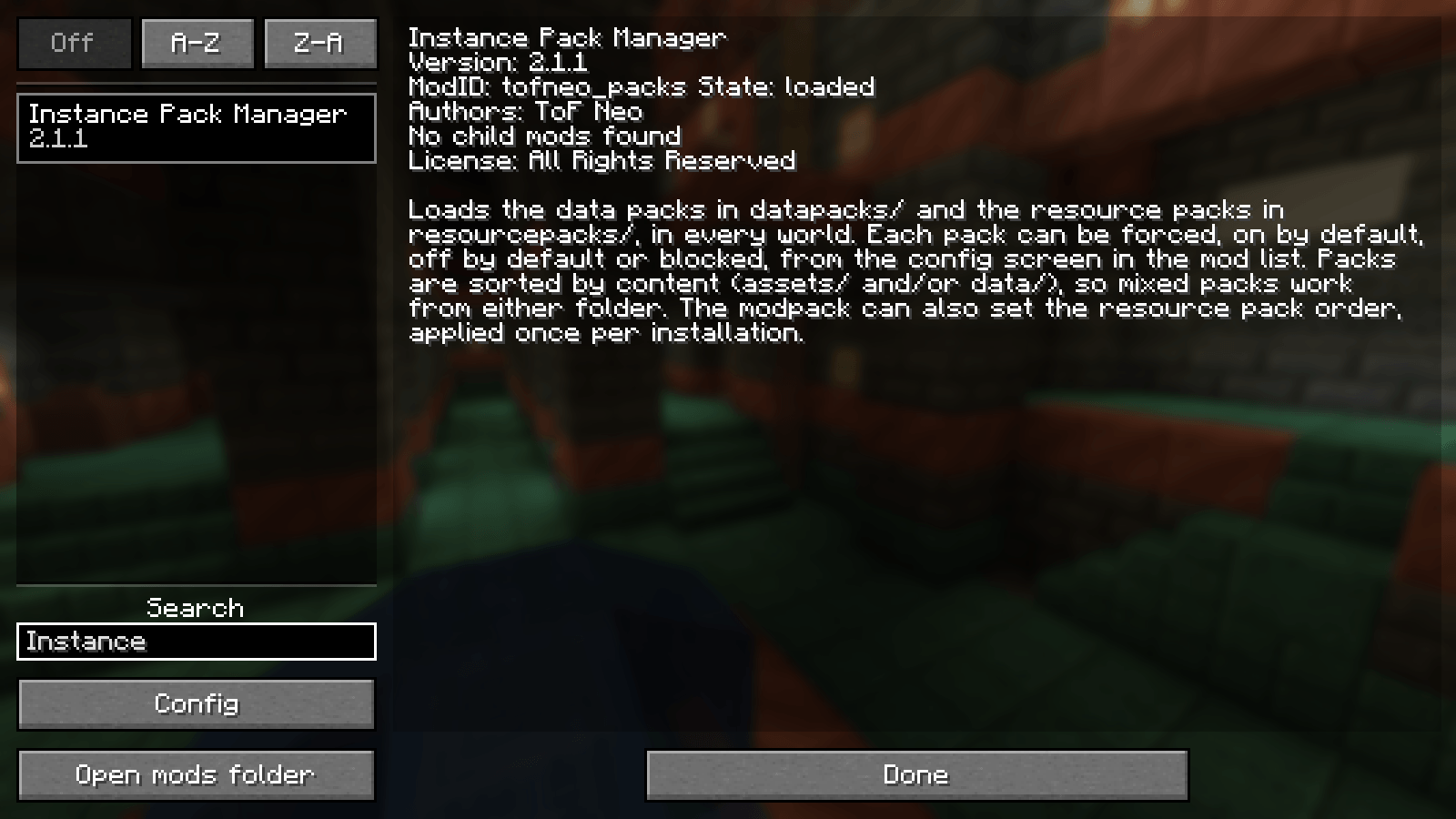 01-mod-list.png 01-mod-list.png
-
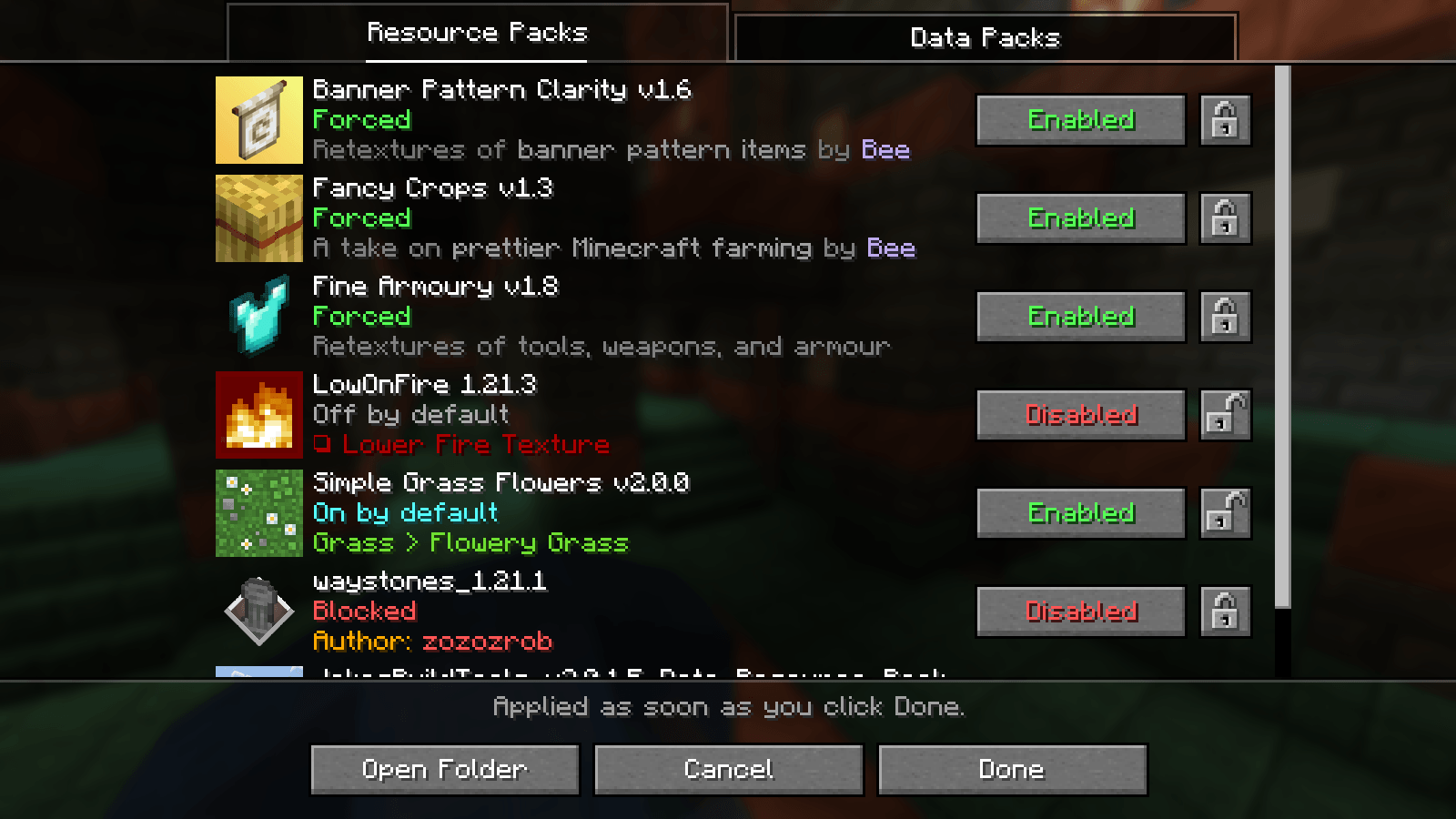 02-config-resource-packs.png 02-config-resource-packs.png
-
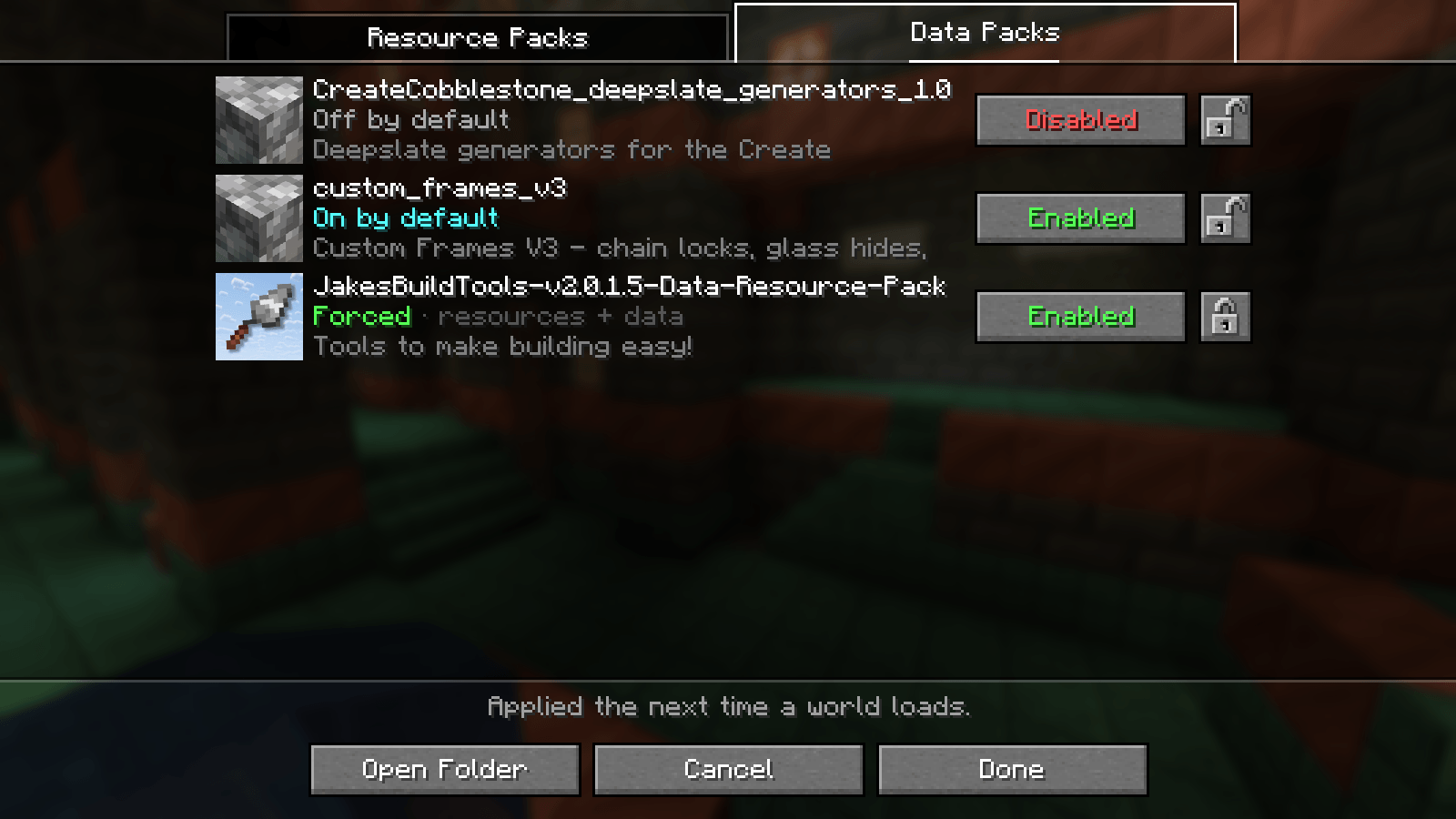 03-config-data-packs.png 03-config-data-packs.png
-
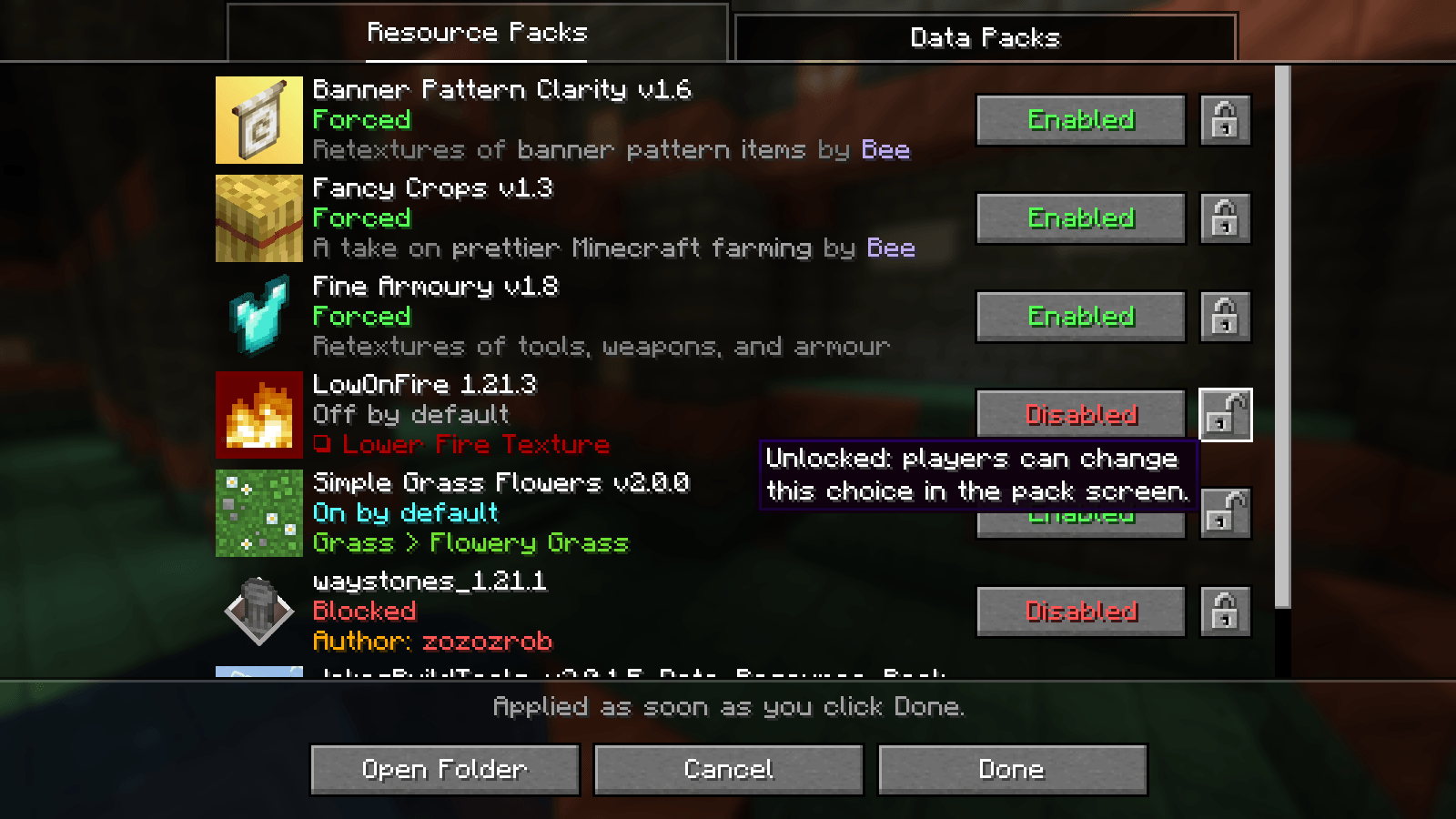 04-lock-tooltip.png 04-lock-tooltip.png
-
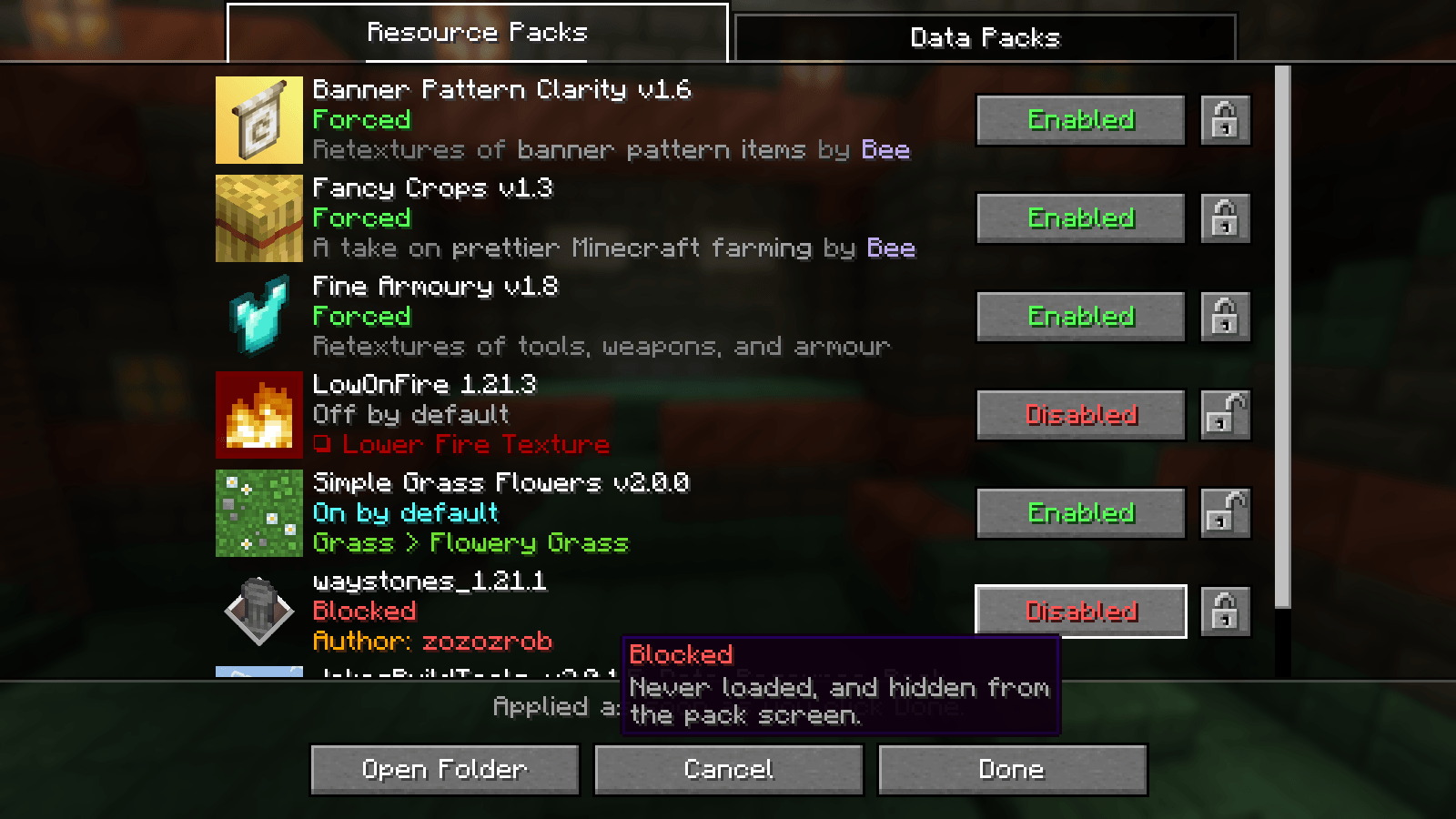 05-mode-tooltip.png 05-mode-tooltip.png
-
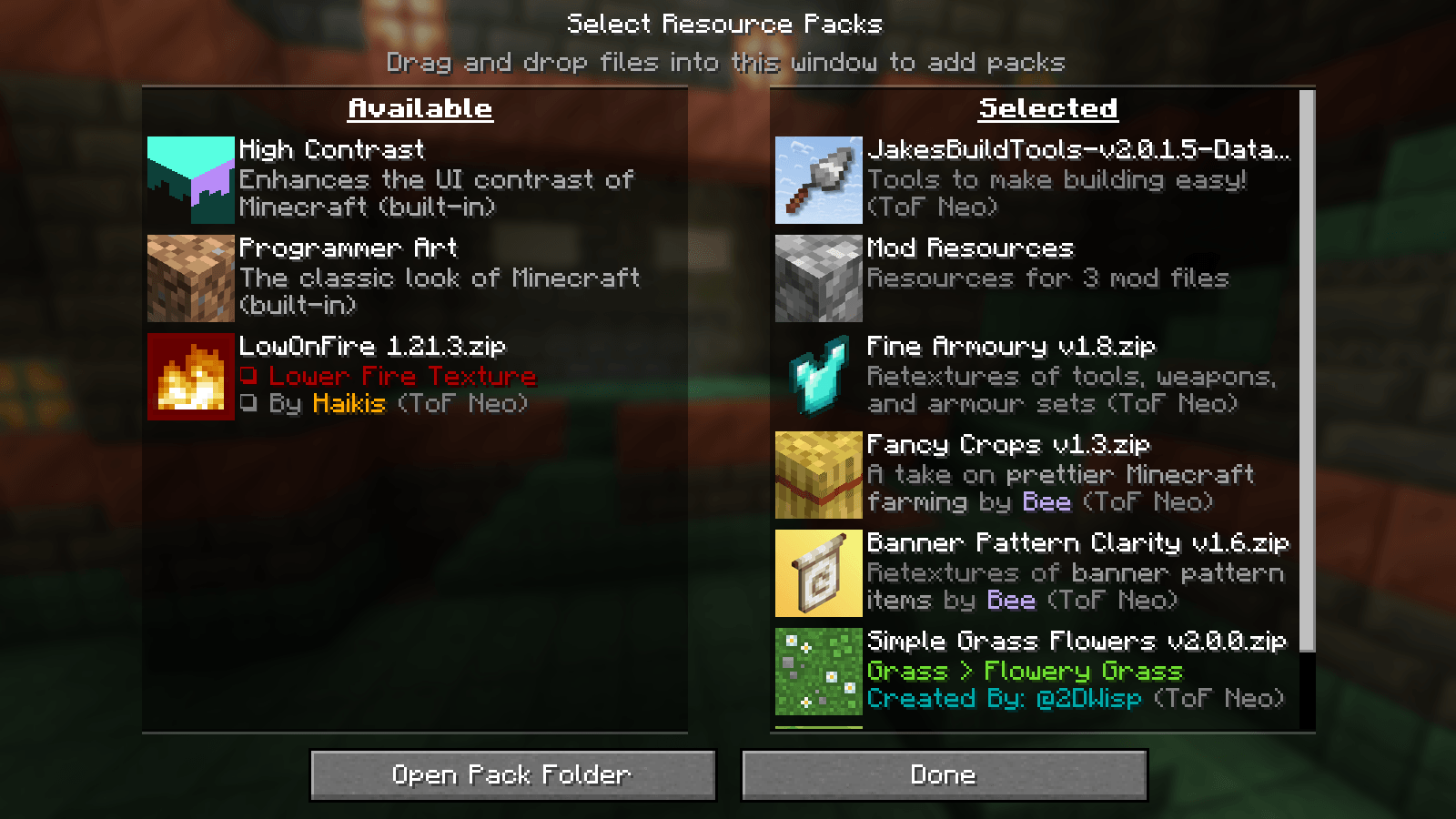 06-resource-pack-screen.png 06-resource-pack-screen.png
Versions
Files
Relations
Project Relations
More like this
Similar Mods
Suggestions use data such as tags, dependencies, dependents, descriptions, titles, and more to rank how much they overlap with this mod.
On ModDex
Community snapshot
By the numbers
Statistics

Get it on
Available Platforms
On ModDex
Community snapshot
By the numbers
Statistics
Resources