Community listing page, reviews here may not be monitored by the author.
IntelliSorter

No reviews yet
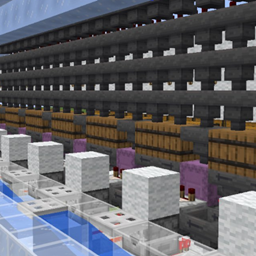
Automatically assigns items to categories, and sorts them into chest labeled with that category within an 8 block radius. Also allows for custom categories.
Community voices
Reviews
No reviews yet. Be the first to review this project!
Get it on
Available Platforms
About
Project Details
For authors
Embed Badge
If you're the author of this project, you can embed a live badge anywhere that supports HTML or Markdown. It updates automatically whenever ratings change.
Use HTML for any page that supports it, or Markdown for README files and Markdown-based descriptions.
Identifiers
Platform IDs
Resources
External Links
About
Description
IntelliSorter (Minecraft 1.21.1 / NeoForge)
Version 1.0.0 · NeoForge 21.1.248+ · Source: https://github.com/nrkorte/IntelliSorter
IntelliSorter is a lightweight inventory management mod for Minecraft. It lets you instantly transfer items from your inventory into nearby categorized chests with a single keypress or button click.
✨ Features
One-Click Sorting: Scans chests within an 8-block radius and transfers your unlocked items into whichever nearby chest is tagged with the matching category.
In-Game Chest Tagging: A dropdown appears next to any chest's interface, letting you assign it a category right from the GUI.
Category Management: Press K to open the Category Management screen, where you can view all categories, add your own, or delete ones you don't need.
Custom Item Sorting: Every item starts in a default category based on what it is, but categories are fully customizable. Click a category to open a two-column view, the left column shows items already in that category, the right shows uncategorized items. Click an item in either column to move it to the other. Both columns are searchable. Your changes persist across worlds.
Dimension-Aware: Chests in the Overworld, Nether, and End are tracked separately, so two chests that happen to share the same coordinates in different dimensions never mix up their labels.
Slot Locking: Hold Left Alt and click any main inventory slot to lock/unlock it. Locked slots are never touched by sorting.
Broad Storage Compatibility: Works with vanilla chests and barrels, plus most modded storage blocks, since it uses Minecraft's standard item-transfer system rather than requiring per-mod support.
⌨️ Controls & Keybinds
R (rebindable): Sort your inventory into nearby tagged chests.
K (rebindable): Open the Category Management screen.
⇄ Button: Top-right of the player inventory screen — does the same thing as R, for mouse users.
Left Alt + Left Click (rebindable): Lock/unlock an inventory slot.
📂 Default Categories
Alchemy, Amethyst, Andesite, Armor, Blocks, Books, Cobblestone, Copper, Coral, Create, Decoration, Deepslate, Diorite, Farming, Food, Granite, Grass, Gravel, Misc, Nether, Ores, Rare, Raw Materials, Redstone, Sand, Spawn Eggs, Stone, Stone Brick, Technical, Tools, Utility, Weapons, Wood
Items that don't match a category fall back to Misc — you can always move them into a real category yourself using the Category Management screen.
🌐 Installation
Singleplayer / LAN: Drop the .jar into your mods folder — that's it.
Dedicated Server / Multiplayer: Install on both the server and every client (the mod adds a keybind and syncs chest labels over the network, so both sides need it).
🔗 Source code & issue tracker: https://github.com/nrkorte/IntelliSorter
Screenshots
Gallery
Versions
Files
Relations
Project Relations
More like this
Similar Mods
Suggestions use data such as tags, dependencies, dependents, descriptions, titles, and more to rank how much they overlap with this mod.
On ModDex
Community snapshot
By the numbers
Statistics
Want to reach Minecraft players?
We're looking for a server hosting partner to feature here and other parts of the site. Interested? Send us a message!
Get in touchGet it on
Available Platforms
On ModDex
Community snapshot
By the numbers
Statistics
Resources