Community listing page, reviews here may not be monitored by the author.
InteractBox

No reviews yet
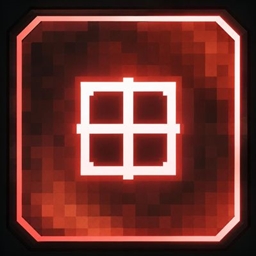
TargetBox adds a clean interactive crosshair box that appears when you're looking at entities, Block Entities, and interactive blocks. Simple, lightweight, and easy to use.
Community voices
Reviews
No reviews yet. Be the first to review this project!
Get it on
Available Platforms
About
Project Details
For authors
Embed Badge
If you're the author of this project, you can embed a live badge anywhere that supports HTML or Markdown. It updates automatically whenever ratings change.
Use HTML for any page that supports it, or Markdown for README files and Markdown-based descriptions.
Identifiers
Platform IDs
Resources
External Links
About
Description
🎯 Interact Box
Interact Box is a lightweight client-side utility mod that adds a clean box around your crosshair whenever you are looking at an entity or an interactable block.
The box makes it easier to see when you're targeting something you can interact with, while keeping the vanilla Minecraft crosshair visible.
✨ Features
-
🎯 Clean interaction box around the crosshair
-
👤 Works with entities
-
🧱 Works with interactive blocks
-
🎨 16 Minecraft bed colors
-
📍 Move the box pixel by pixel
-
⌨️ Press R to toggle the box
-
⚡ Lightweight and simple
-
💻 Client-side
🎮 Commands
Toggle
Turn the box on:
/interactcrosshair turn on
Turn the box off:
/interactcrosshair turn off
You can also press R to toggle it.
🎨 Change Color
Change the box color:
/interactcrosshair color <color>
Available colors:
white • orange • magenta • light_blue • yellow • lime • pink • gray • light_gray • cyan • purple • blue • brown • green • red • black
Example:
/interactcrosshair color red
📍 Change Position
Move the box horizontally:
/interactcrosshair position x 1
Moves the box 1 pixel to the right.
/interactcrosshair position x -1
Moves the box 1 pixel to the left.
Move the box vertically:
/interactcrosshair position y 1
Moves the box 1 pixel up.
/interactcrosshair position y -1
Moves the box 1 pixel down.
You can also use larger values:
/interactcrosshair position x 5
Moves the box 5 pixels to the right.
🔄 Reset Position
Reset the box to its default position:
/interactcrosshair position reset
⚙️ Default Position
By default, the Interact Box is positioned 1 pixel to the right and 1 pixel above the center of the vanilla crosshair.
🪶 Lightweight
Interact Box is designed to be simple, lightweight, and easy to configure. It adds a useful visual indicator without changing the normal Minecraft gameplay.
Screenshots
Gallery
Versions
Files
Relations
Project Relations
More like this
Similar Mods
Suggestions use data such as tags, dependencies, dependents, descriptions, titles, and more to rank how much they overlap with this mod.
On ModDex
Community snapshot
By the numbers
Statistics
Want to reach Minecraft players?
We're looking for a server hosting partner to feature here and other parts of the site. Interested? Send us a message!
Get in touchGet it on
Available Platforms
On ModDex
Community snapshot
By the numbers
Statistics
Resources