
Community listing page, reviews here may not be monitored by the author.
Intesa Effect Manager

No reviews yet
Manage Minecraft status effects through an easy graphical interface without using commands.
Community voices
Reviews
No reviews yet. Be the first to review this project!
Get it on
Available Platforms
About
Project Details
For authors
Embed Badge
If you're the author of this project, you can embed a live badge anywhere that supports HTML or Markdown. It updates automatically whenever ratings change.
Use HTML for any page that supports it, or Markdown for README files and Markdown-based descriptions.
Identifiers
Platform IDs
Resources
External Links
About
Description
Intesa Effect Manager
Intesa Effect Manager is a Minecraft Forge mod that provides a clear and convenient in-game interface for managing player status effects.
Search for effects, adjust their levels, choose timed or infinite duration, use ready-made presets, create your own presets, and safely remove only the effects managed by this mod.
Main Features
- Searchable list of Minecraft status effects
- Familiar vanilla-style effect icons
- Adjustable effect levels
- Timed duration or Infinity mode
- Apply multiple effects together
- Remove individual managed effects
- Clear all effects managed by Intesa Effect Manager
- Built-in presets for common play styles
- Create and manage custom presets
- Responsive interface for different screen sizes
- Improved support for Minecraft GUI Scale Auto
- English and Thai localization
- Server-authoritative validation and configuration
Effects Manager
The Effects screen provides direct control over available Minecraft status effects.
For each effect, you can configure:
- Effect level
- Timed duration in seconds
- Infinity mode
- Whether the effect should be applied
- Individual removal when the effect is already managed by the mod
The search field can be used to quickly find a specific effect.
Press Apply to apply the selected configuration to your player.
Safe Effect Management
Intesa Effect Manager keeps track of the effects it applies.
This allows the mod to manage its own effects without interfering with unrelated effects.
- Remove removes one selected managed effect.
- Clear removes all effects managed by Intesa Effect Manager.
- Effects received from commands are left untouched.
- Effects received from potions are left untouched.
- Effects received from beacons are left untouched.
- Effects applied by other mods are left untouched.
This makes the mod safer to use alongside other gameplay systems and mods.
Built-in Presets
The mod includes ready-to-use presets designed for common activities and play styles.
Available built-in presets include:
- God Mode — High survivability, mobility, combat power, and environmental protection
- Master Miner — Faster mining and improved underground exploration
- Mariner — Improved underwater breathing, visibility, and movement
- Explorer — Improved travel, jumping, visibility, and fall protection
- Warrior — Improved combat power, durability, and recovery
- Builder — Improved building speed, mobility, visibility, and fall protection
- Nether Traveler — Protection and visibility for safer Nether exploration
- Night Hunter — Improved nighttime visibility, movement, and exploration
Selecting Load to Effects loads the preset into the Effects editor.
Loading a preset does not apply it immediately. You can review or adjust the effects before pressing Apply.
My Presets
Create and manage your own reusable effect combinations with My Presets.
Available actions include:
- Save Current as Preset
- Update Existing
- Save as New
- Rename
- Duplicate
- Delete
- Load to Effects
Custom presets are stored locally in:
config/intesa_effect_manager/my_presets.json
My Presets belong to the current Minecraft installation or CurseForge profile.
They are not automatically synchronized between:
- Different Minecraft installations
- Different CurseForge profiles
- Different computers
- Different players
Loading a custom preset prepares the Effects editor but does not apply the effects immediately.
Effects After Death
For newly generated server configurations, effects managed by Intesa Effect Manager are restored automatically after the player dies and respawns.
The default setting is:
```toml keepManagedEffectsAfterDeath = true
Screenshots
Gallery
-
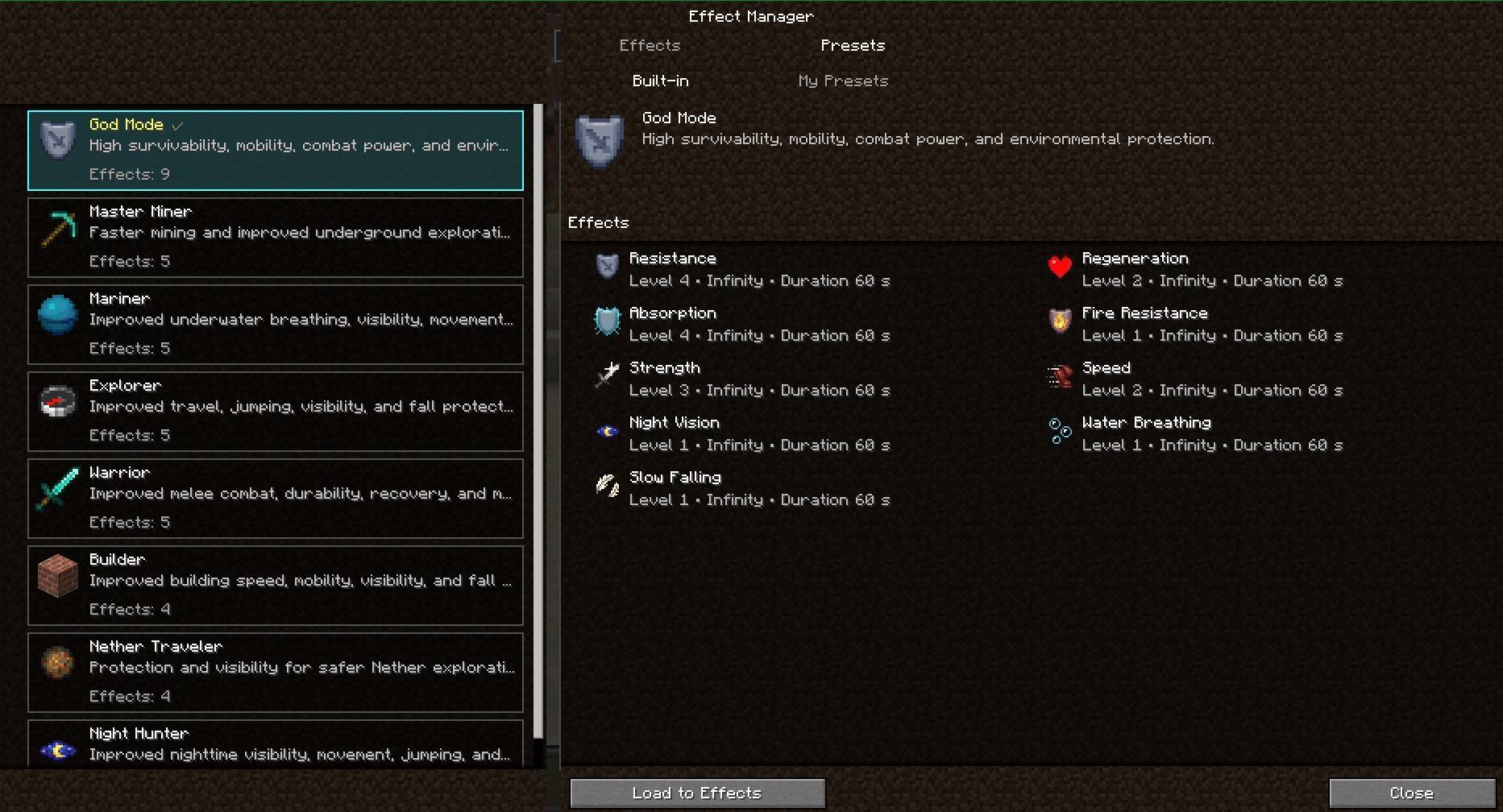 Built-in Presets Choose a built-in preset, review its effects, and load it into the Effects editor.
 -
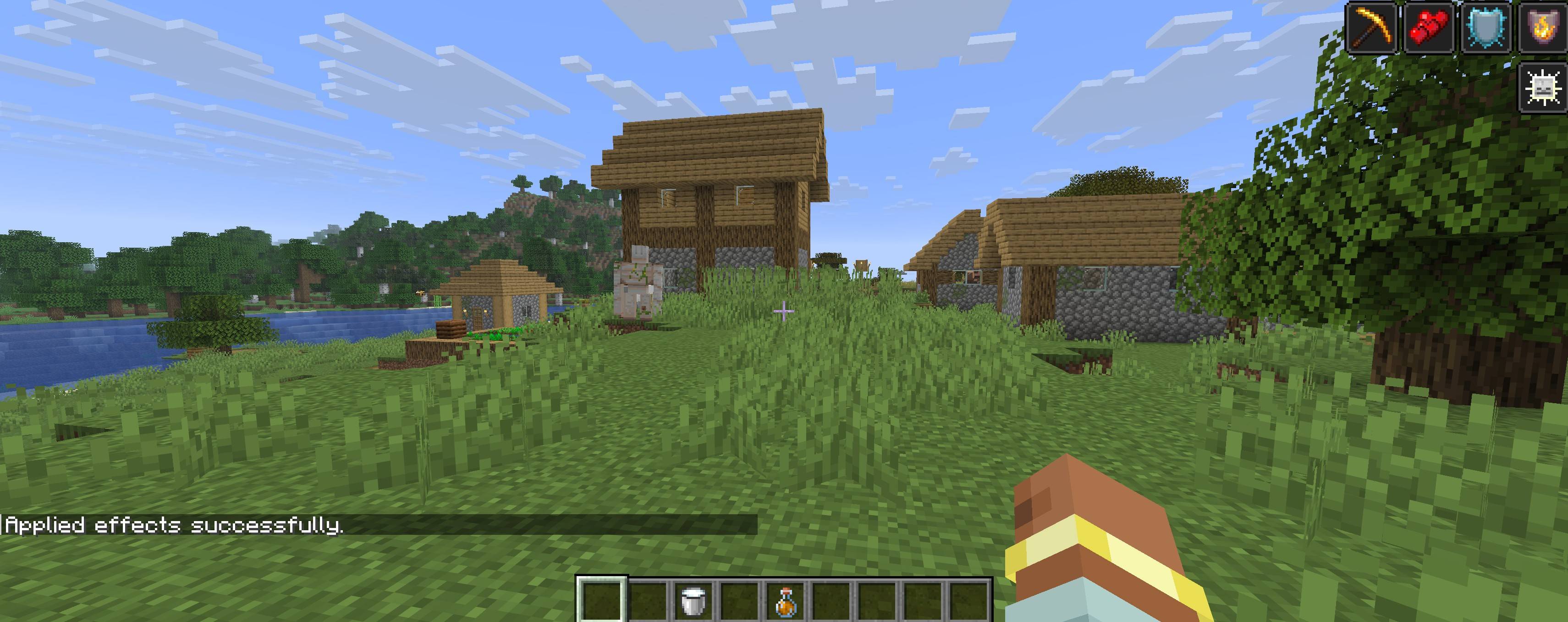 Multiple Effects Applied Multiple managed effects active at the same time with server-side validation.
 -
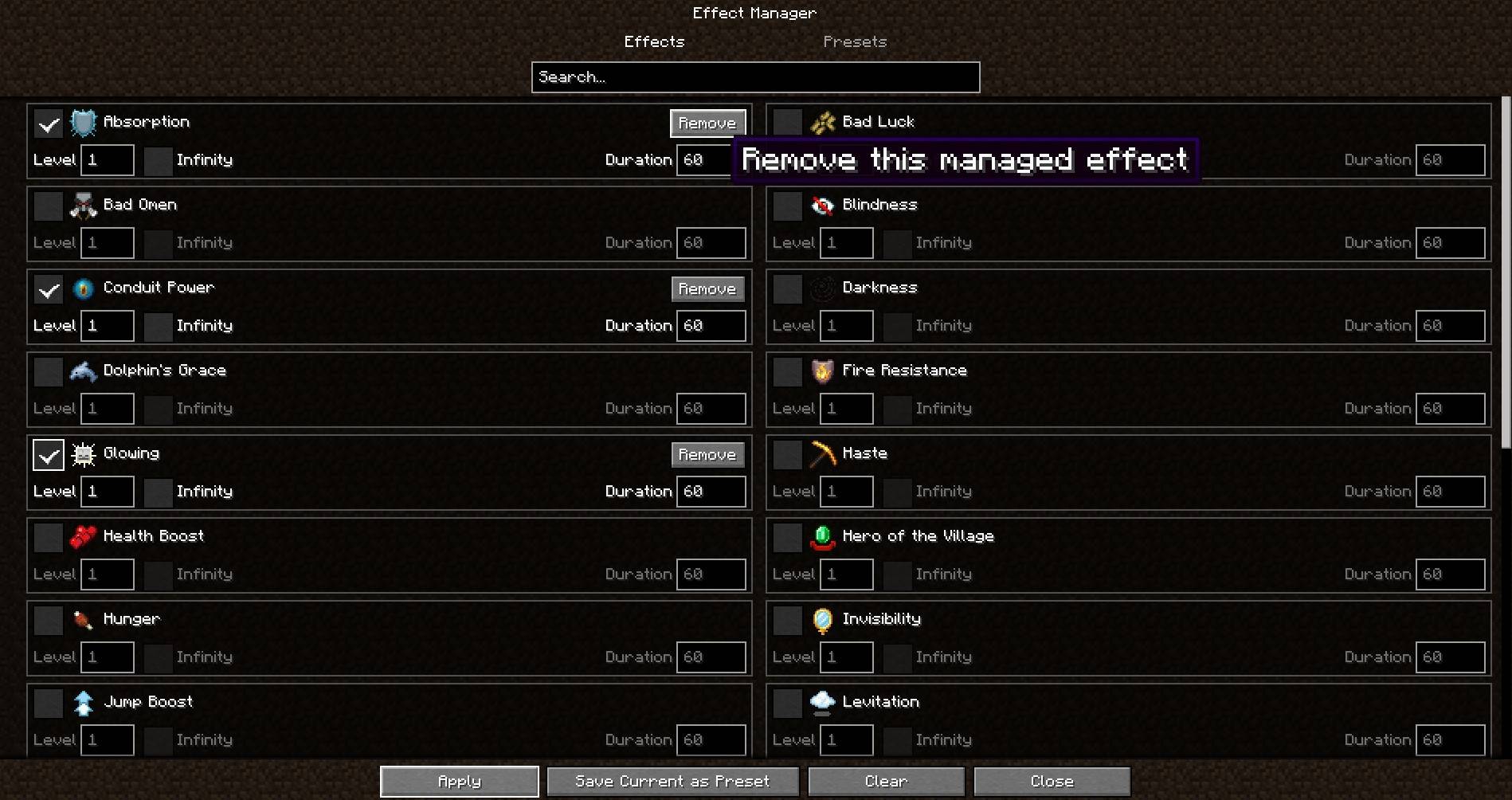 Individual Managed-Effect Removal Remove one effect managed by Intesa Effect Manager without clearing the rest.
 -
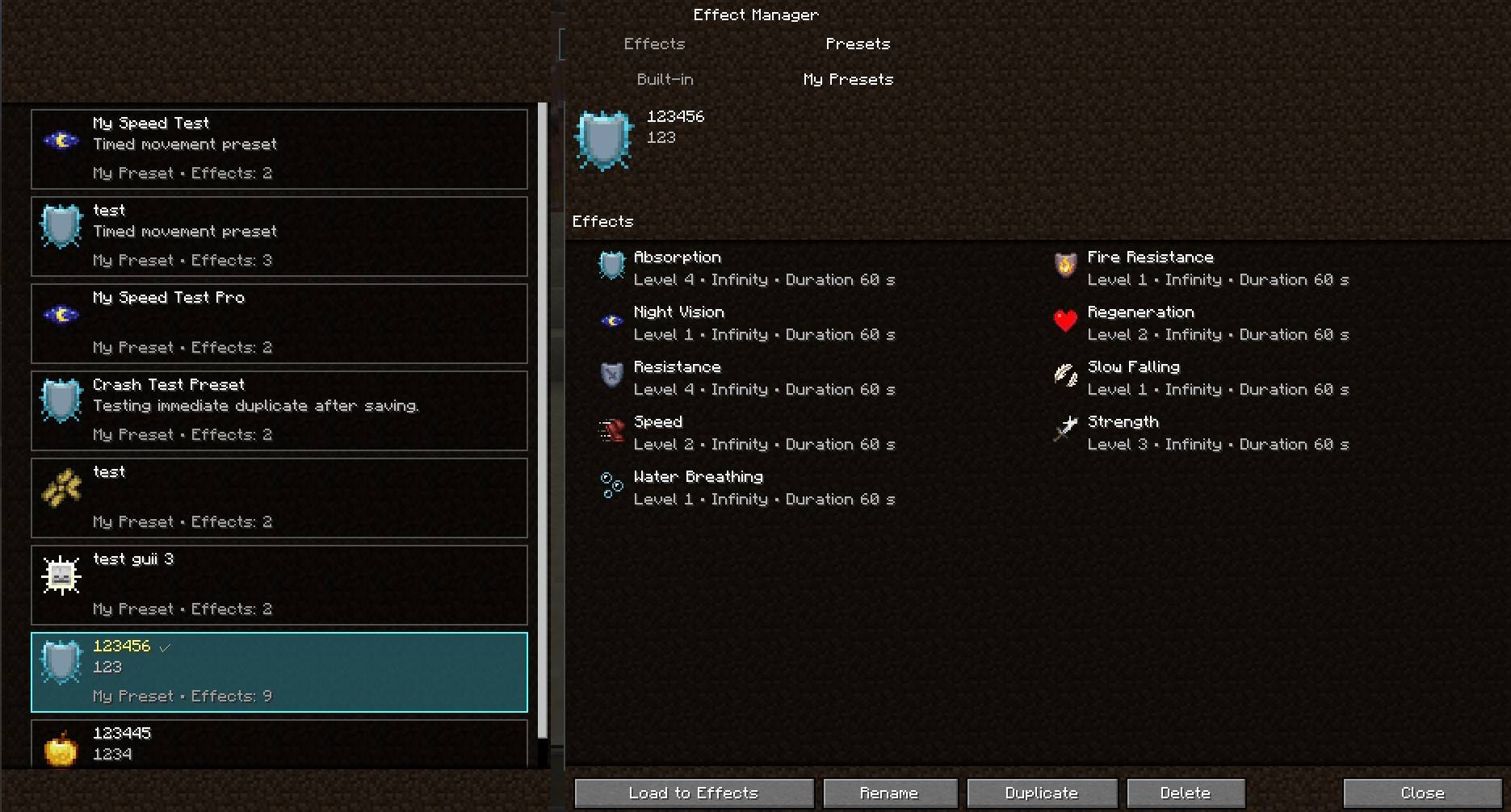 My Presets Create, rename, duplicate, delete, and reload custom local presets.
 -
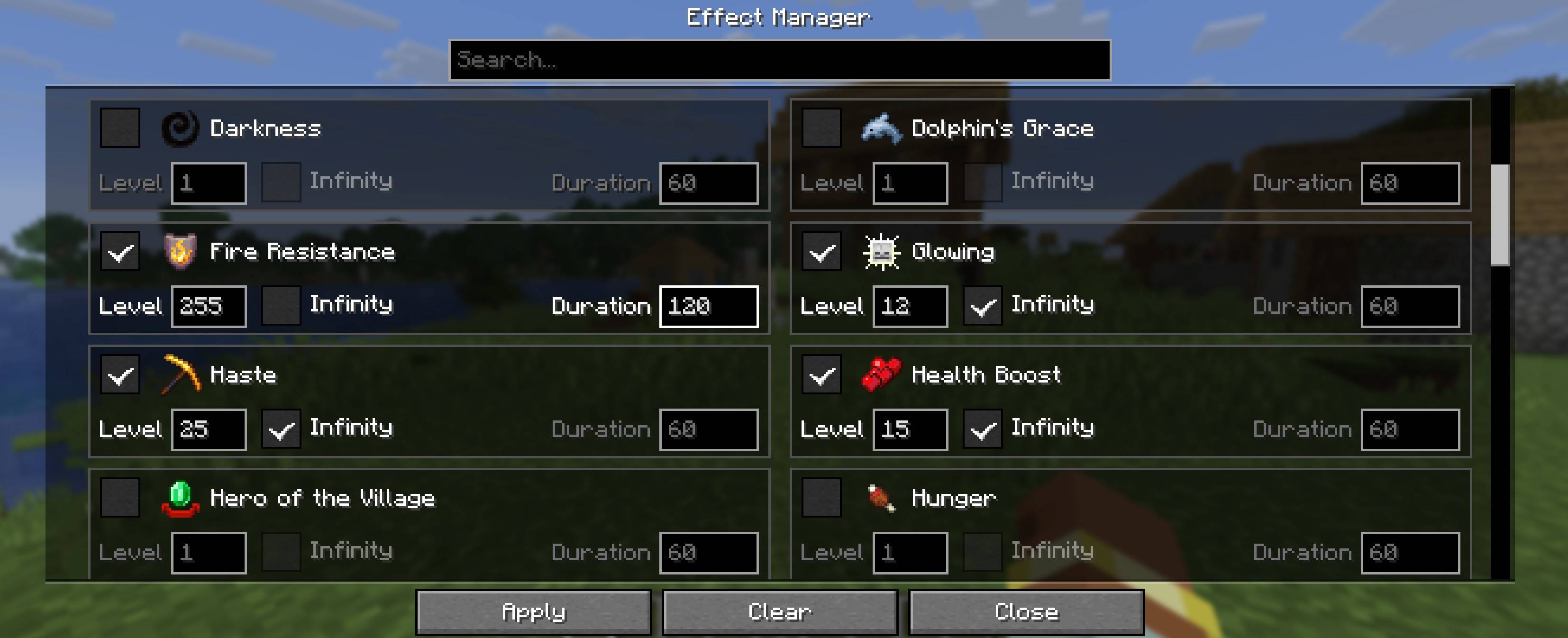 Effect Manager Interface Select multiple status effects, set levels, choose timed or Infinity mode, and apply them instantly.
 -
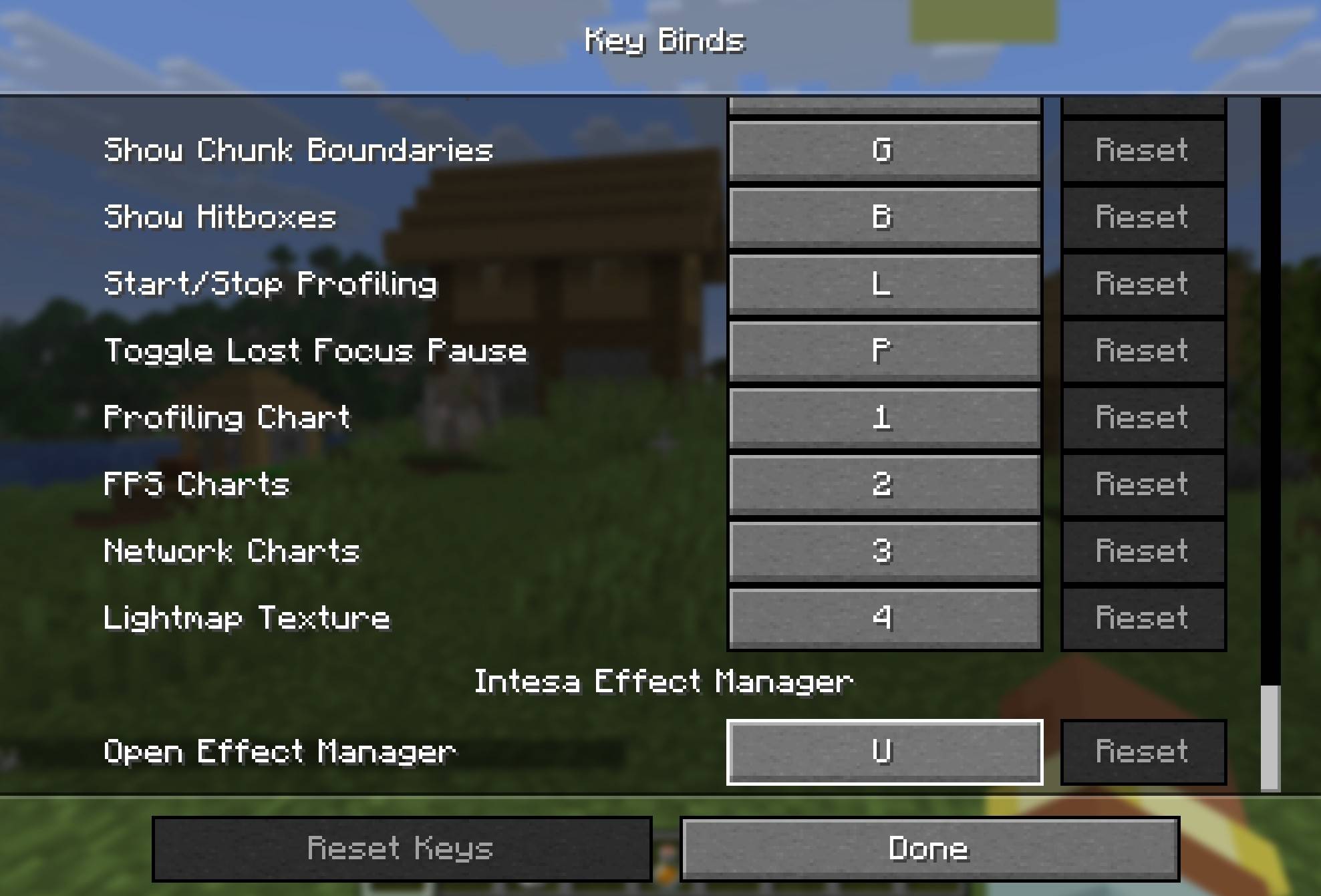 Configurable Key Binding Open the Effect Manager with the default U key or change it in Minecraft controls.
 -
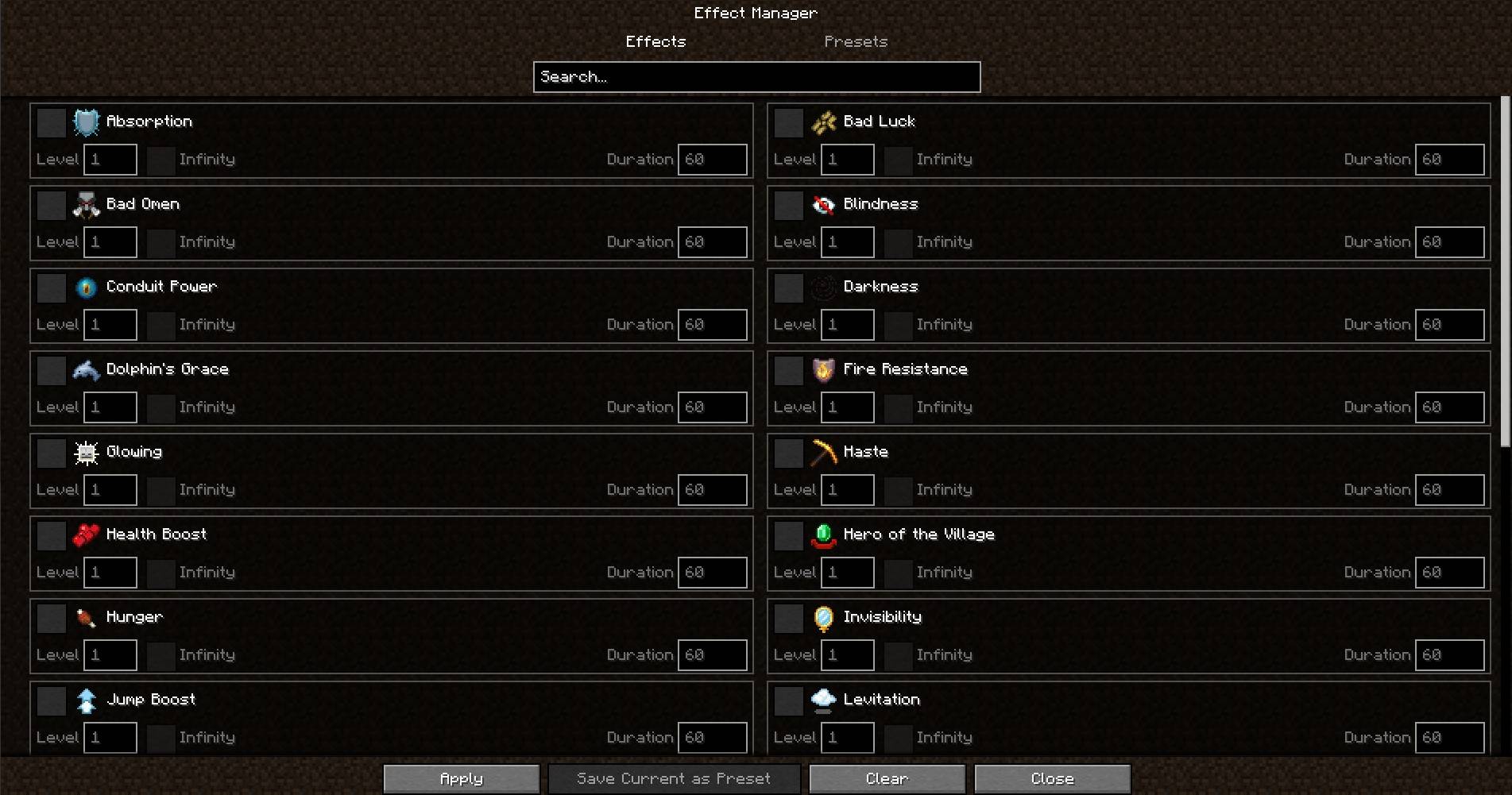 Searchable Effect Manager Search effects, set levels, choose timed or infinite duration, and apply multiple effects together.
Versions
Files
Relations
Project Relations
More like this
Similar Mods
Suggestions use data such as tags, dependencies, dependents, descriptions, titles, and more to rank how much they overlap with this mod.
On ModDex
Community snapshot
By the numbers
Statistics
Want to reach Minecraft players?
We're looking for a server hosting partner to feature here and other parts of the site. Interested? Send us a message!
Get in touchGet it on
Available Platforms
On ModDex
Community snapshot
By the numbers
Statistics
Resources