
Community listing page, reviews here may not be monitored by the author.
Inv Tweaker


No reviews yet
Inventory sorting and grouping mod, also has auto fill for the hotbar
Does not follow a specific thematic focus apart from vanilla Minecraft.
Used for mods with little to no gameplay elements.
Includes quality of life improvements and small tweaks to enhance and customize gameplay.
Features systems for better item storage and organization.
Enhances game performance and optimizes resource usage.
Fabric is a mod loader for versions 1.14+ of Minecraft, particularly popular for client side and optimization mods.
Community voices
Reviews
Filters
Click once to include, again to exclude, again to clear
No reviews yet. Be the first to review this project!
Get it on
Available Platforms
Compatibility
Supported Environments
Runs entirely on the client. Works on vanilla servers.
About
Project Details
For authors
Embed Badge
If you're the author of this project, you can embed a live badge anywhere that supports HTML or Markdown. It updates automatically whenever ratings change.
Use HTML for any page that supports it, or Markdown for README files and Markdown-based descriptions.
Identifiers
Platform IDs
Resources
External Links
About
Description
An inventory sorting mod trying to be a homage to the old original "Inventory Tweaks" mod.
The difference to some of the other sorting mods, this one does not only sort alphabetically, but also has the ability to sort in horizontal and vertical groups, making chests etc. look less cluttered and more tidy. This is what Inventory Tweaks did in the past and i haven't found a modern and updated sorting mod, that did exactly that, only alphabetical sorting.
Another feature is the automatic refilling of the hotbar. Inventory Tweaks had a feature, where when you finished a stack of food or a stack of blocks, it would take another stack from your inventory and put it in the last used slot slot in your hotbar, so that you can continue building, eating etc. without having to open your inventory or pressing middle mouse button. Really just quality of life things that bother me lol.
How to use:
Simply use the buttons next to the inventory, or use the key binds as explained below. The arrows simply mean which way it's sorted, so the arrow pointing right means it's row grouped and the arrow pointing down means it's column grouped.
To sort the player inventory simply press R. To sort chests etc. press T. To cycle between compact sorting (alphabetical), Row Grouping and Column Grouping, simply press Z, or rebind the keys. Hotbar auto refill can be enabled, or disabled, by pressing H.
The horizontal and vertical sorting works best when chests aren't too full with many different item types, otherwise it starts putting stuff where it doesn't seem logical. I'm trying to improve that. Compact sorting works quite well in all cases.
Works both in singleplayer and multiplayer. Also supports other mods, like Reinforced Chests.
Requires the Fabric API mod.
License & Use
May not be altered, changed or redistributed without permission. Using and sharing it in mod packs is allowed.
An inventory sorting mod trying to be a homage to the old original "Inventory Tweaks" mod.
The difference to some of the other sorting mods, this one does not only sort alphabetically, but also has the ability to sort in horizontal and vertical groups, making chests etc. look less cluttered and more tidy. This is what Inventory Tweaks did in the past and i haven't found a modern and updated sorting mod, that did exactly that, only alphabetical sorting.
Another feature is the automatic refilling of the hotbar. Inventory Tweaks had a feature, where when you finished a stack of food or a stack of blocks, it would take another stack from your inventory and put it in the last used slot slot in your hotbar, so that you can continue building, eating etc. without having to open your inventory or pressing middle mouse button. Really just quality of life things that bother me lol.
How to use:
Simply use the buttons next to the inventory, or use the key binds as explained below. The arrows simply mean which way it's sorted, so the arrow pointing right means it's row grouped and the arrow pointing down means it's column grouped.
To sort the player inventory simply press R. To sort chests etc. press T. To cycle between compact sorting (alphabetical), Row Grouping and Column Grouping, simply press Z, or rebind the keys. Hotbar auto refill can be enabled, or disabled, by pressing H.
The horizontal and vertical sorting works best when chests aren't too full with many different item types, otherwise it starts putting stuff where it doesn't seem logical. I'm trying to improve that. Compact sorting works quite well in all cases.
Works both in singleplayer and multiplayer. Also supports other mods, like Reinforced Chests.
Requires the Fabric API mod.
License & Use
May not be altered, changed or redistributed without permission. Using and sharing it in mod packs is allowed.
Screenshots
Gallery
-
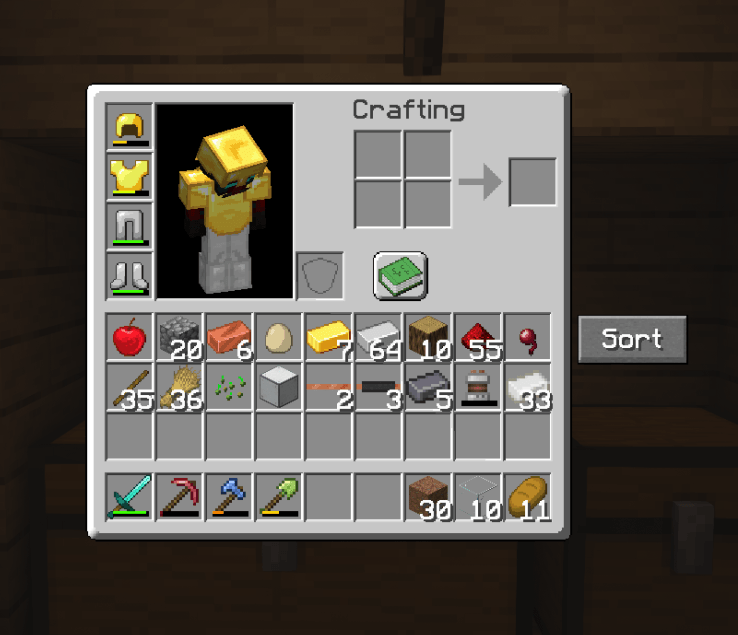 Inventory UI Inventory UI
 -
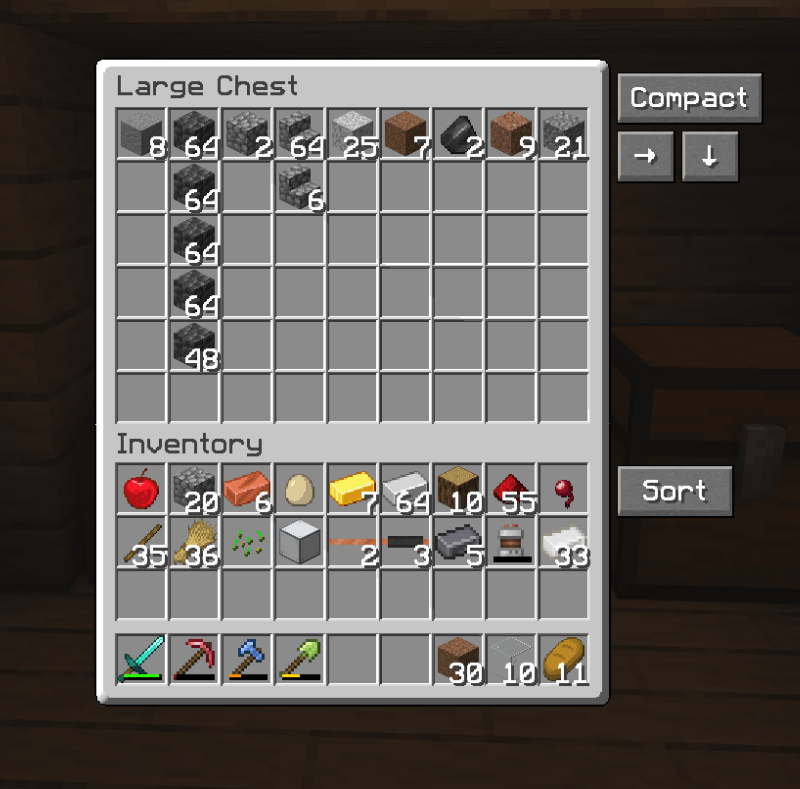 Chest UI Chest UI
 -
 Column Grouping Column Grouping, sorts in vertical columns
 -
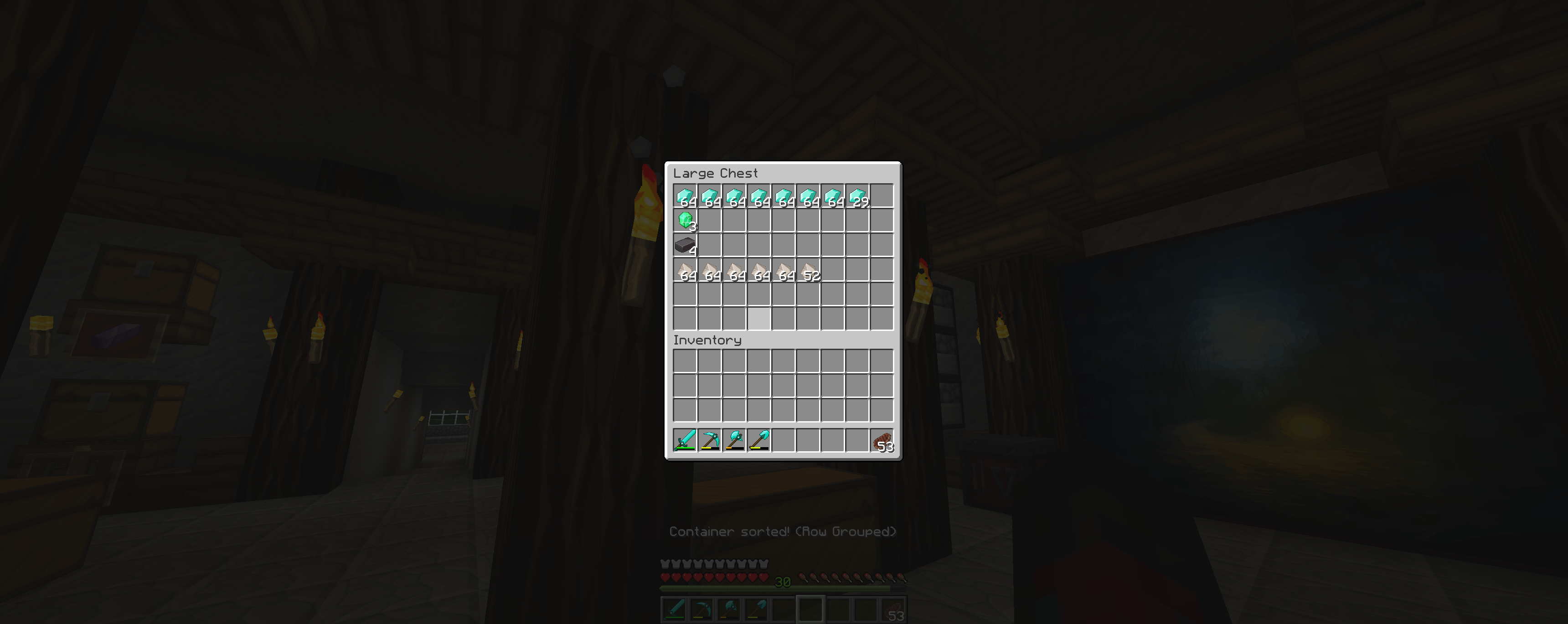 Row Grouping Row Grouping, sorts in rows
 -
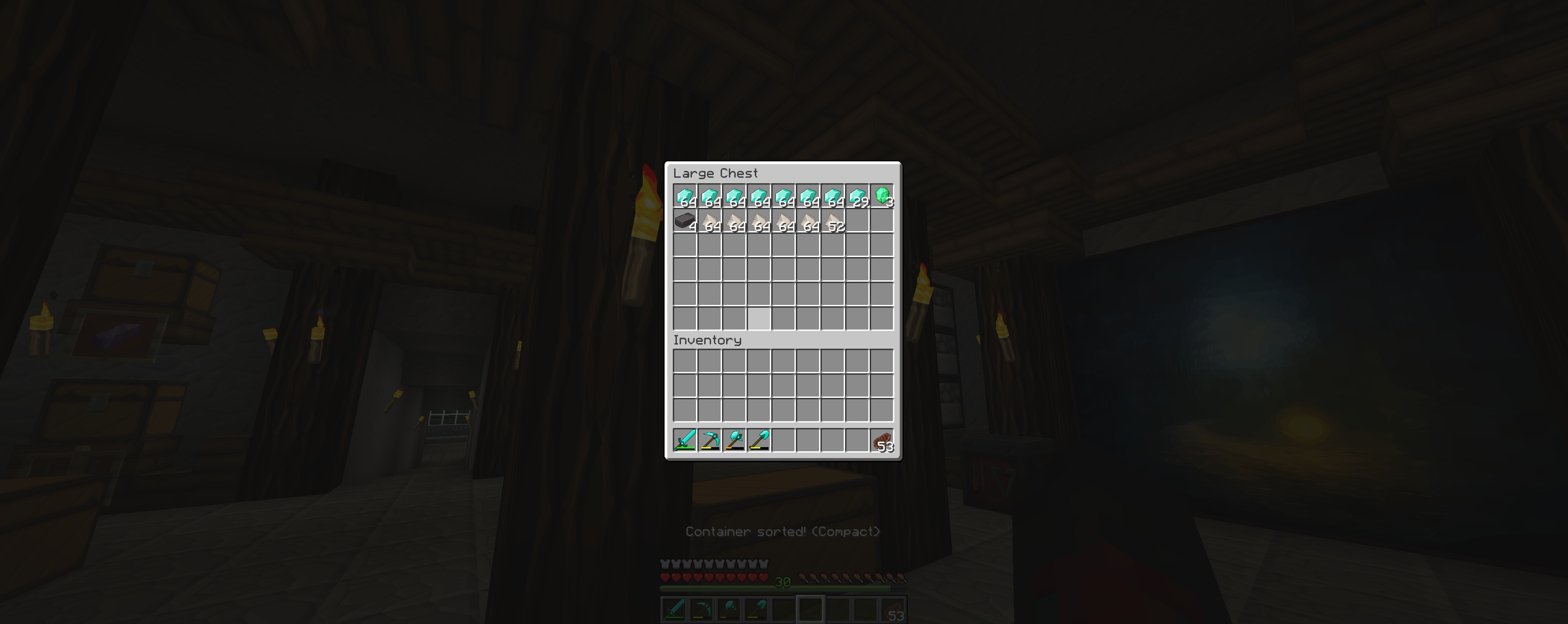 Compact Compact sorting (alphabetical)
-
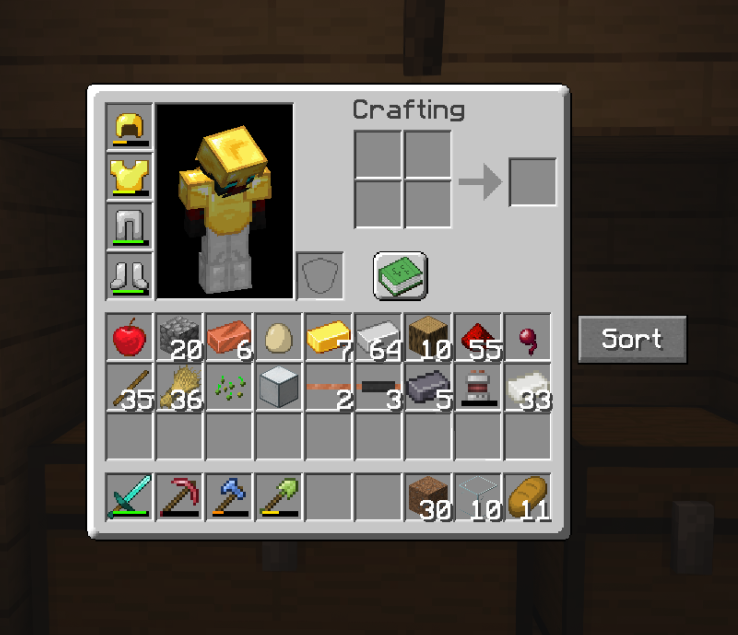 UI Inventory
 -
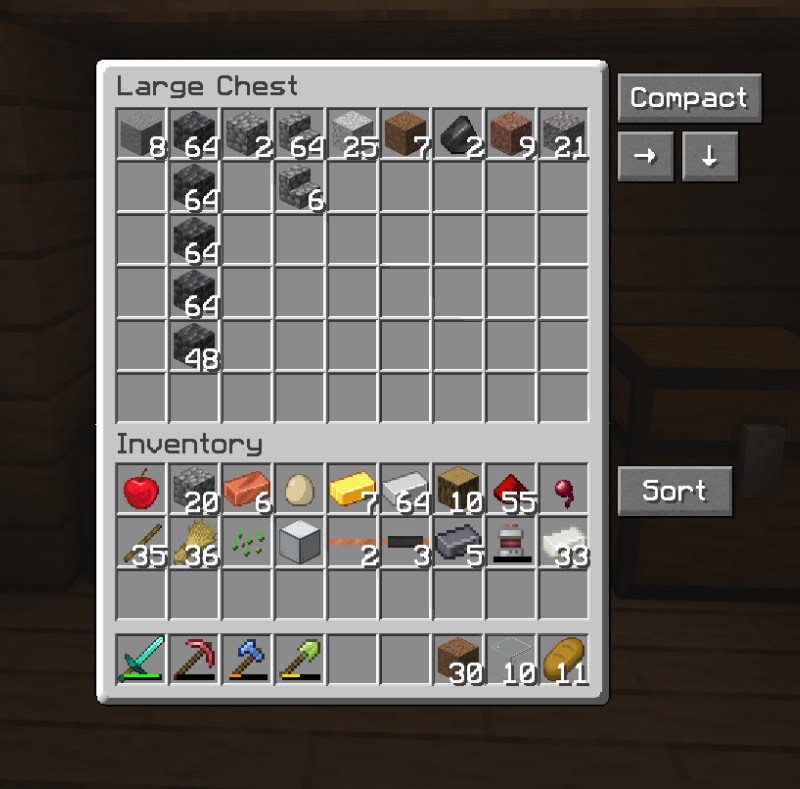 UI Chest
 -
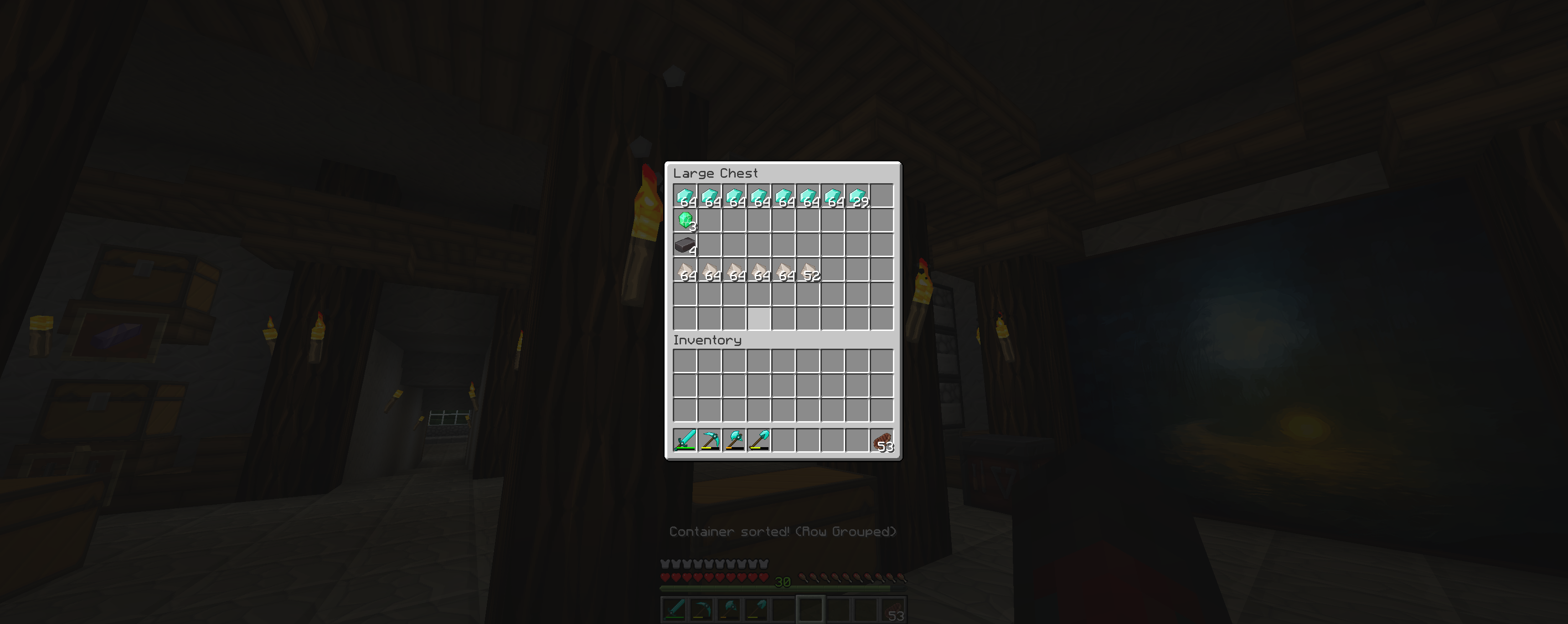 Row Grouping
 -
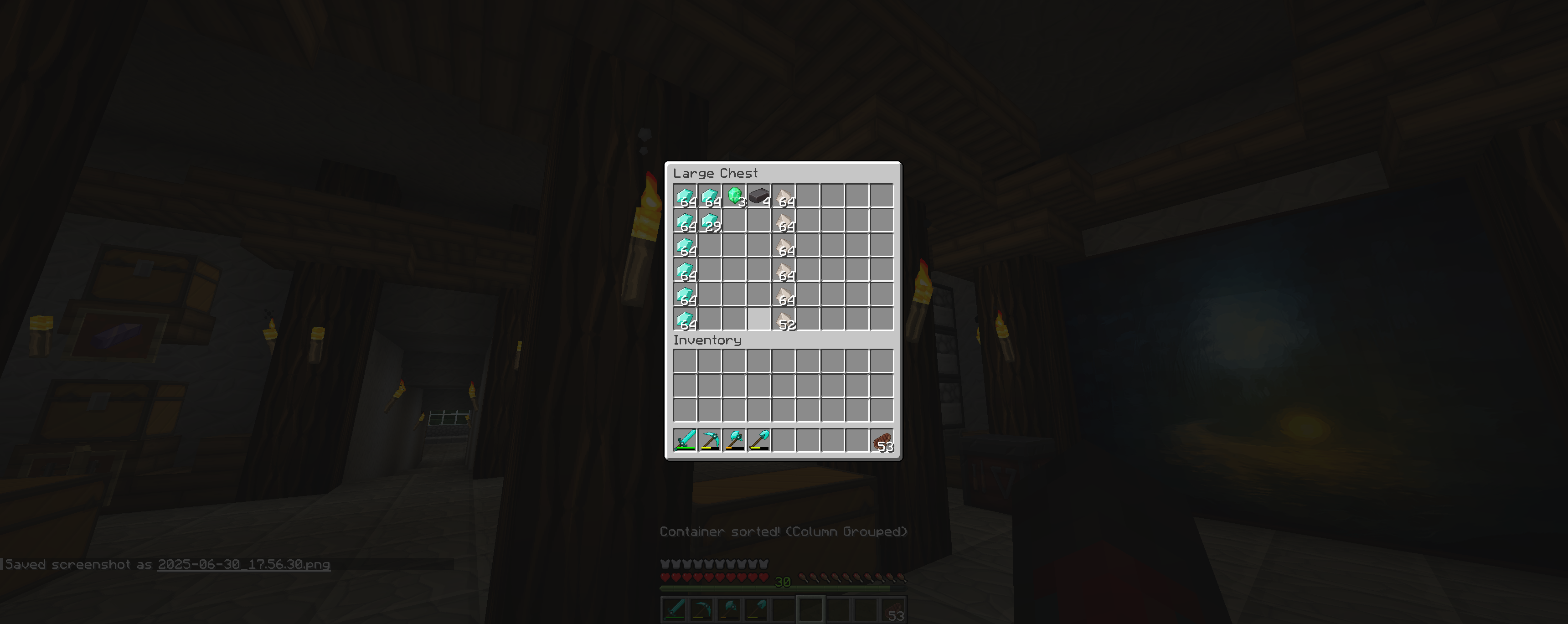 Column Grouping
 -
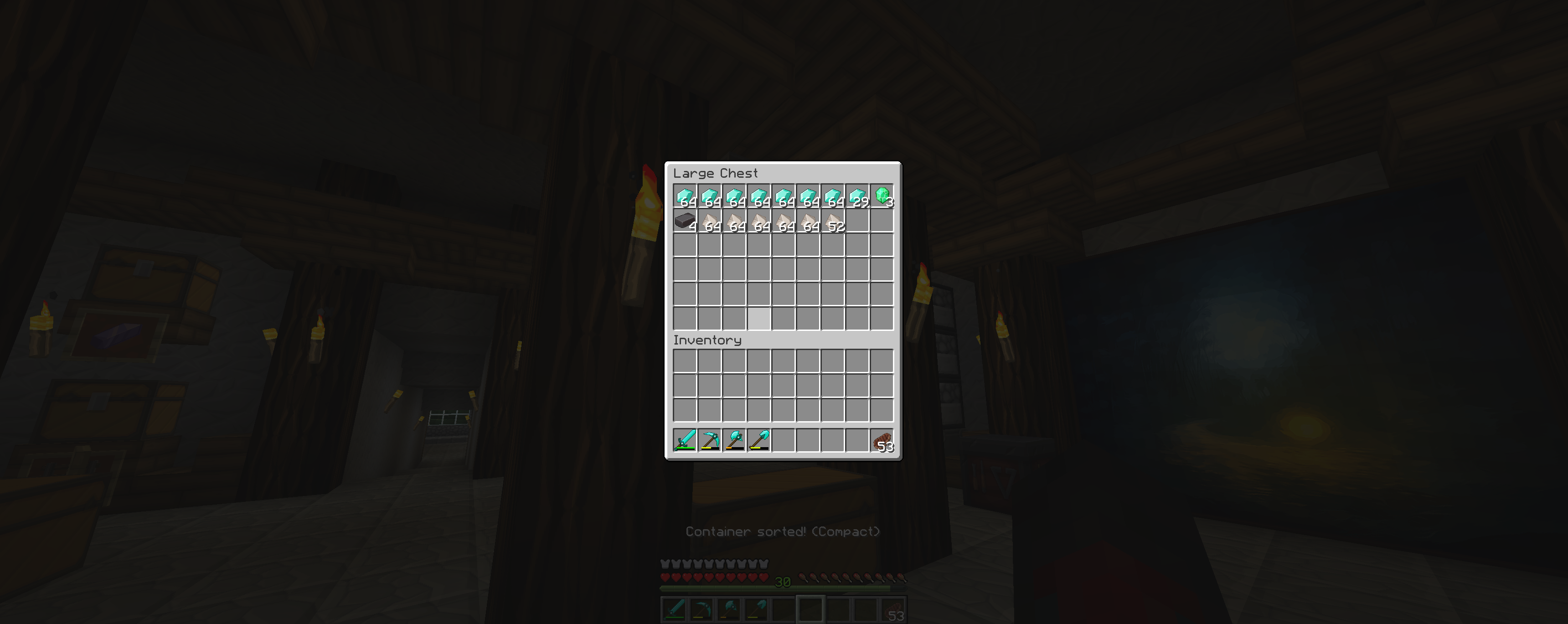 Compact Sorting
Versions
Files
Relations
Project Relations
More like this
Similar Mods
Suggestions use data such as tags, dependencies, dependents, descriptions, titles, and more to rank how much they overlap with this mod.
On ModDex
Community snapshot
By the numbers
Statistics
Want to reach Minecraft players?
We're looking for a server hosting partner to feature here and other parts of the site. Interested? Send us a message!
Get in touchGet it on
Available Platforms
On ModDex
Community snapshot
By the numbers
Statistics
Resources