Community listing page, reviews here may not be monitored by the author.
InventoryFlow

No reviews yet
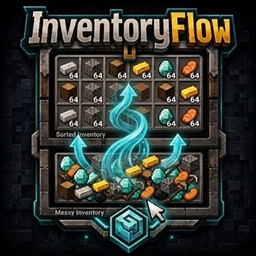
InventoryFlow improves Minecraft inventory management with fast item transfers, mouse drag actions, scroll-based transfers, stack controls, and one-click inventory sorting.
Community voices
Reviews
No reviews yet. Be the first to review this project!
Get it on
Available Platforms
About
Project Details
For authors
Embed Badge
If you're the author of this project, you can embed a live badge anywhere that supports HTML or Markdown. It updates automatically whenever ratings change.
Use HTML for any page that supports it, or Markdown for README files and Markdown-based descriptions.
Identifiers
Platform IDs
About
Description
InventoryFlow
InventoryFlow is a lightweight client-side inventory management mod for Minecraft. It adds fast item movement, mouse wheel transfers, drag controls, hotbar management, automatic tool replacement, and quick inventory sorting while keeping vanilla inventory behavior familiar.
No server-side installation is required.
Features
Inventory Sorting
Sort supported storage inventories with the C button.
Sort the player inventory with the I button.
Supported storage inventories include Chests, Barrels, Shulker Boxes, Hoppers, Dispensers, and Droppers.
Player inventory sorting affects the main inventory only.
The hotbar is kept separate and is never rearranged automatically.
Matching stacks are combined whenever possible before sorting.
Items are then arranged into a clean and consistent order.
Automatic Tool Replacement and Stack Restocking
InventoryFlow automatically replaces supported items in the selected hotbar slot.
Tools and other durability-based items: When the held item breaks or reaches the configured durability threshold, InventoryFlow searches the player inventory for a suitable replacement. It prefers the same item and material—for example, an iron pickaxe for another iron pickaxe. If none is available, it can choose a suitable item of the same type made from a different material.
Stackable items: When a stack such as logs or cobblestone runs out, InventoryFlow refills the selected hotbar slot from another stack of the same item with the same item data. If several matching stacks are available, it chooses the largest one.
Stack restocking is enabled by default and can be changed with the stackRestock setting.
Click Controls
Ctrl + Left Click moves 1 item from the selected stack to the opposite inventory area.
Ctrl + Shift + Left Click moves all matching stacks of the selected item to the opposite inventory area.
Alt + Left Click on an item in a supported storage inventory moves the selected stack directly to the hotbar.
Alt + Left Click on an item in the main player inventory moves the selected stack directly to the hotbar.
Alt + Left Click on a hotbar item moves the selected stack from the hotbar to the main player inventory.
When a supported storage inventory is open, Shift + Left Click on a hotbar item transfers it directly to the storage inventory.
Normal Left Click, Right Click, and other vanilla inventory interactions keep their normal behavior unless another InventoryFlow feature is active.
Drag Controls
Left Drag with an empty cursor picks up items from hovered slots one slot at a time.
Left Drag while carrying an item merges the carried item into compatible hovered stacks one slot at a time.
Shift + Left Drag quickly transfers hovered stacks to the opposite inventory area.
Shift + Right Drag distributes carried items one by one across hovered slots.
Ctrl + Left Drag moves 1 item from each hovered stack to the opposite inventory area.
Ctrl + Right Drag moves 1 item from each hovered stack to the opposite inventory area.
Right Drag without Shift keeps the normal vanilla behavior.
Mouse Wheel Controls
Mouse Wheel transfers items between supported storage inventories and the player inventory.
By default, each scroll step transfers 1 item.
Shift + Mouse Wheel transfers a full stack.
Ctrl + Mouse Wheel transfers all matching stacks of the hovered item.
Scroll direction can be reversed through the client configuration file.
Configuration
InventoryFlow automatically creates the following client configuration file after the game is launched:
config/inventoryflow-client.toml
To reverse the mouse wheel transfer direction, change:
invertScrollDirection = false
to:
invertScrollDirection = true
The automatic replacement system also uses its configured durability threshold to determine when the currently held item should be replaced.
Why InventoryFlow?
InventoryFlow reduces repetitive inventory actions and makes moving items between inventories faster.
It provides direct hotbar transfers with Alt + Left Click and makes it easy to move items between supported storage inventories, the main inventory, and the hotbar.
Automatic tool replacement helps keep gameplay uninterrupted by replacing broken or low-durability items from the player's inventory.
The replacement system prioritizes the same item and material whenever possible. If an identical replacement is not available, another item of the same type made from a different material can be selected.
InventoryFlow also provides quick and simple inventory sorting while keeping common vanilla inventory controls familiar.
Bulk transfer actions require deliberate key combinations to help prevent accidental moves.
The hotbar is never automatically sorted, so your active tools, blocks, and frequently used items stay exactly where you placed them.
InventoryFlow runs entirely on the client side.
No server-side installation is required.
Screenshots
Gallery
Versions
Files
Relations
Project Relations
More like this
Similar Mods
Suggestions use data such as tags, dependencies, dependents, descriptions, titles, and more to rank how much they overlap with this mod.
On ModDex
Community snapshot
By the numbers
Statistics
Want to reach Minecraft players?
We're looking for a server hosting partner to feature here and other parts of the site. Interested? Send us a message!
Get in touchGet it on
Available Platforms
On ModDex
Community snapshot
By the numbers