Community listing page, reviews here may not be monitored by the author.
InvPulse


No reviews yet
InvPulse is a lightweight client-side inventory assistant mod for Minecraft that helps you stay organized without breaking immersion or changing gameplay balance.
Community voices
Reviews
No reviews yet. Be the first to review this project!
Get it on
Available Platforms
Compatibility
Supported Environments
Runs entirely on the client. Works on vanilla servers.
About
Project Details
For authors
Embed Badge
If you're the author of this project, you can embed a live badge anywhere that supports HTML or Markdown. It updates automatically whenever ratings change.
Use HTML for any page that supports it, or Markdown for README files and Markdown-based descriptions.
Identifiers
Platform IDs
Resources
External Links
About
Description
InvPulse is a lightweight, client-side utility designed to streamline inventory management through visual intelligence. Instead of changing how you play, it enhances your awareness of what you’re carrying, helping you keep your pockets clean and your stacks full without the mental clutter.
Key Features:
- Smart Stack Highlighting: Ever wonder where your space went? InvPulse highlights duplicate items across different slots that could be merged into a single stack but aren't.
- One-Click Auto-Sorting: Instantly organize your player inventory and all containers (Chests, Barrels, Shulker Boxes, etc.) with a single button or keypress.
- Low Stock Warnings: Perfect for builders and explorers. The mod monitors your "essential" blocks (configurable) and gives you a subtle visual warning when you're about to run out.
- Junk Detection: Automatically marks "trash" items (like poisonous potatoes or rotten flesh), so you know exactly what to toss to make room for loot.
- Seamless Vanilla Aesthetic: No bulky overlays. Every highlight and icon is designed to look like a natural extension of the default Minecraft UI.
Why InvPulse?
Managing a messy inventory is the most time-consuming part of Minecraft. InvPulse eliminates the "inventory stare" by telling you exactly what needs your attention. It’s the perfect middle ground between a completely manual inventory and "cheaty" automation mods—giving you the information you need to stay organized effortlessly.
Configuration & Usage
Everything is fully customizable to fit your playstyle. Toggle specific highlights and set your own "low stock" thresholds.
Open Settings: Press the P key (default).
Compatibility: Works on Forge and is strictly client-side.
InvPulse is a lightweight, client-side utility designed to streamline inventory management through visual intelligence. Instead of changing how you play, it enhances your awareness of what you’re carrying, helping you keep your pockets clean and your stacks full without the mental clutter.
Key Features:
- Smart Stack Highlighting: Ever wonder where your space went? InvPulse highlights duplicate items across different slots that could be merged into a single stack but aren't.
- One-Click Auto-Sorting: Instantly organize your player inventory and all containers (Chests, Barrels, Shulker Boxes, etc.) with a single button or keypress.
- Low Stock Warnings: Perfect for builders and explorers. The mod monitors your "essential" blocks (configurable) and gives you a subtle visual warning when you're about to run out.
- Junk Detection: Automatically marks "trash" items (like poisonous potatoes or rotten flesh), so you know exactly what to toss to make room for loot.
- Seamless Vanilla Aesthetic: No bulky overlays. Every highlight and icon is designed to look like a natural extension of the default Minecraft UI.
Why InvPulse?
Managing a messy inventory is the most time-consuming part of Minecraft. InvPulse eliminates the "inventory stare" by telling you exactly what needs your attention. It’s the perfect middle ground between a completely manual inventory and "cheaty" automation mods—giving you the information you need to stay organized effortlessly.
Configuration & Usage
Everything is fully customizable to fit your playstyle. Toggle specific highlights and set your own "low stock" thresholds.
Open Settings: Press the P key (default).
Compatibility: Works on Forge and is strictly client-side.
Screenshots
Gallery
-
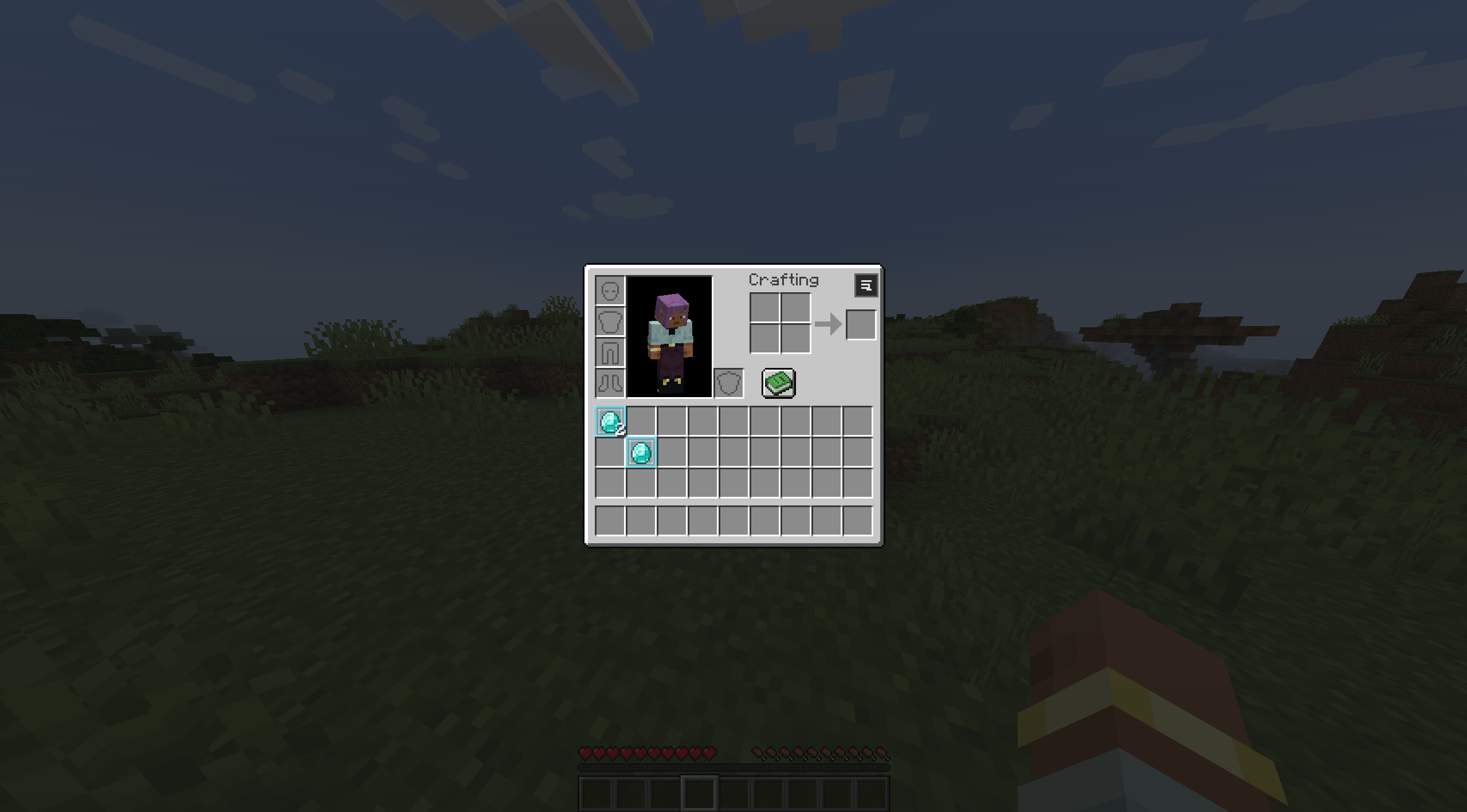 Duplicate item highlighting
 -
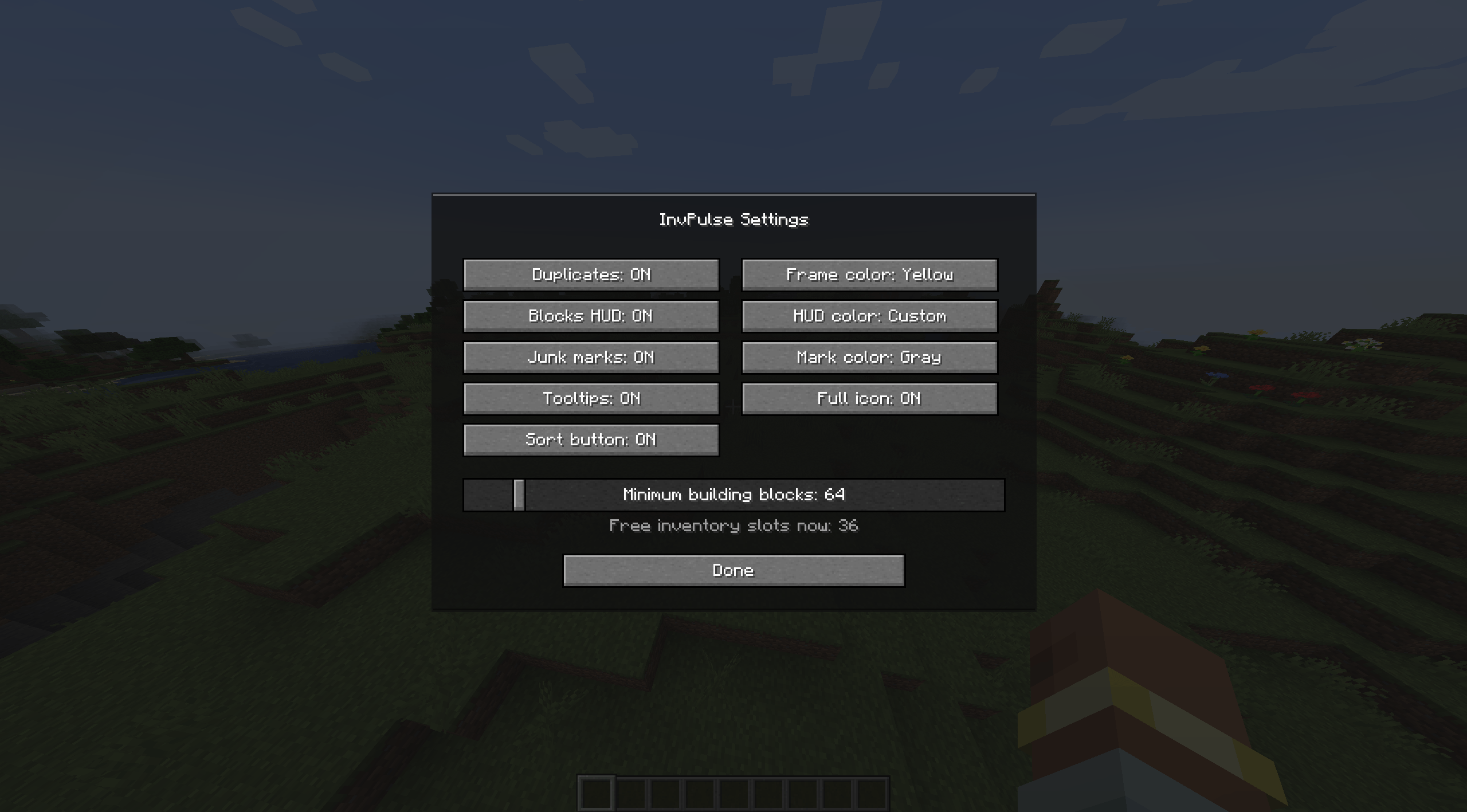 InvPulse Settings GUI
-
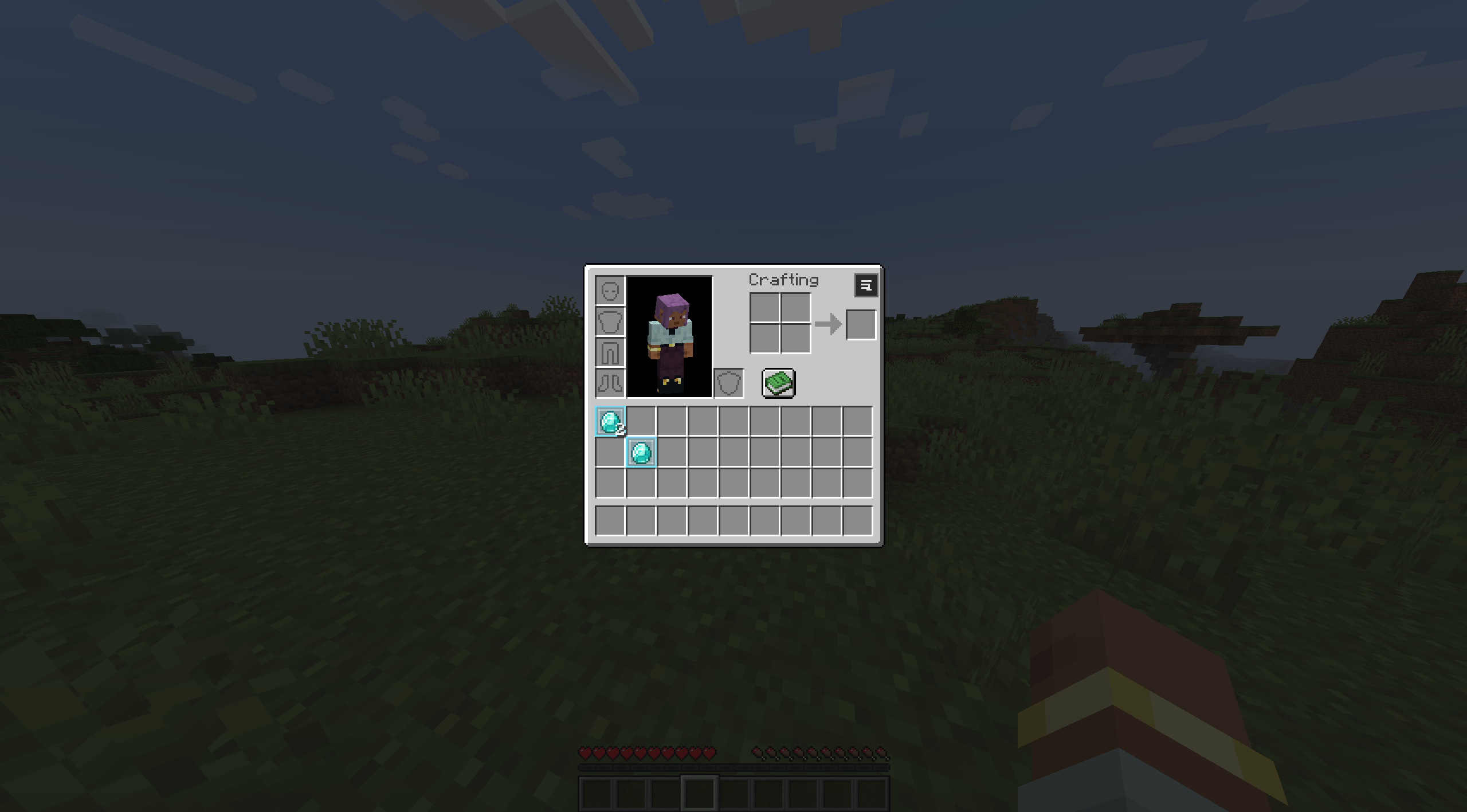 Duplicate item highlighting
 -
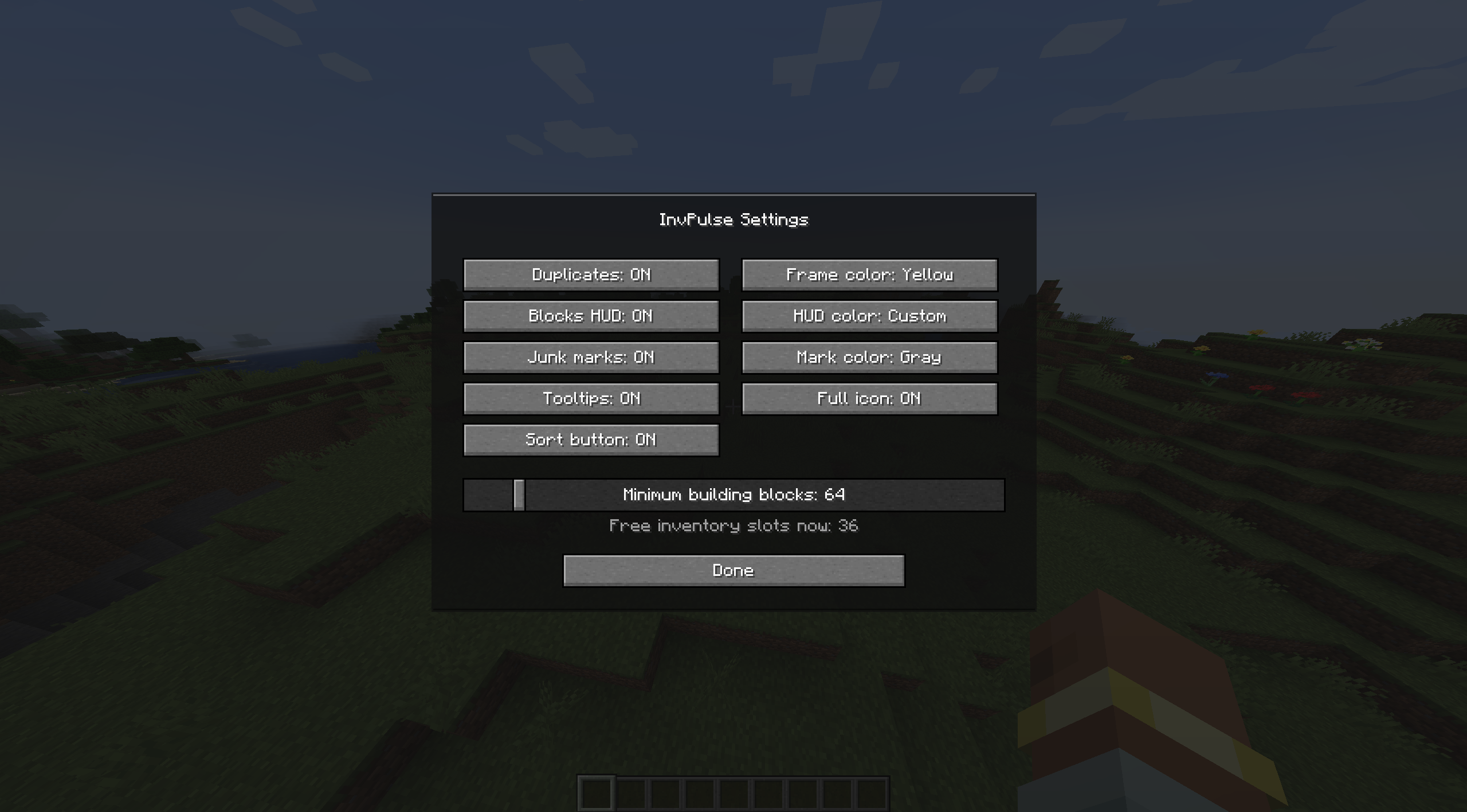 InvPulse Settings GUI
Versions
Files
Relations
Project Relations
More like this
Similar Mods
Suggestions use data such as tags, dependencies, dependents, descriptions, titles, and more to rank how much they overlap with this mod.
On ModDex
Community snapshot
By the numbers
Statistics
Want to reach Minecraft players?
We're looking for a server hosting partner to feature here and other parts of the site. Interested? Send us a message!
Get in touchGet it on
Available Platforms
On ModDex
Community snapshot
By the numbers
Statistics
Resources