Community listing page, reviews here may not be monitored by the author.
Isle of Berk Addons


No reviews yet
Unofficial Additions and QOL Tweaks for Isle of Berk
Community voices
Reviews
No reviews yet. Be the first to review this project!
Get it on
Available Platforms
Compatibility
Supported Environments
Must be installed on both the client and the server.
About
Project Details
For authors
Embed Badge
If you're the author of this project, you can embed a live badge anywhere that supports HTML or Markdown. It updates automatically whenever ratings change.
Use HTML for any page that supports it, or Markdown for README files and Markdown-based descriptions.
Identifiers
Platform IDs
About
Description

Isle of Berk Addons is a collection of small additions to and QOL tweaks for the Isle of Berk mod. 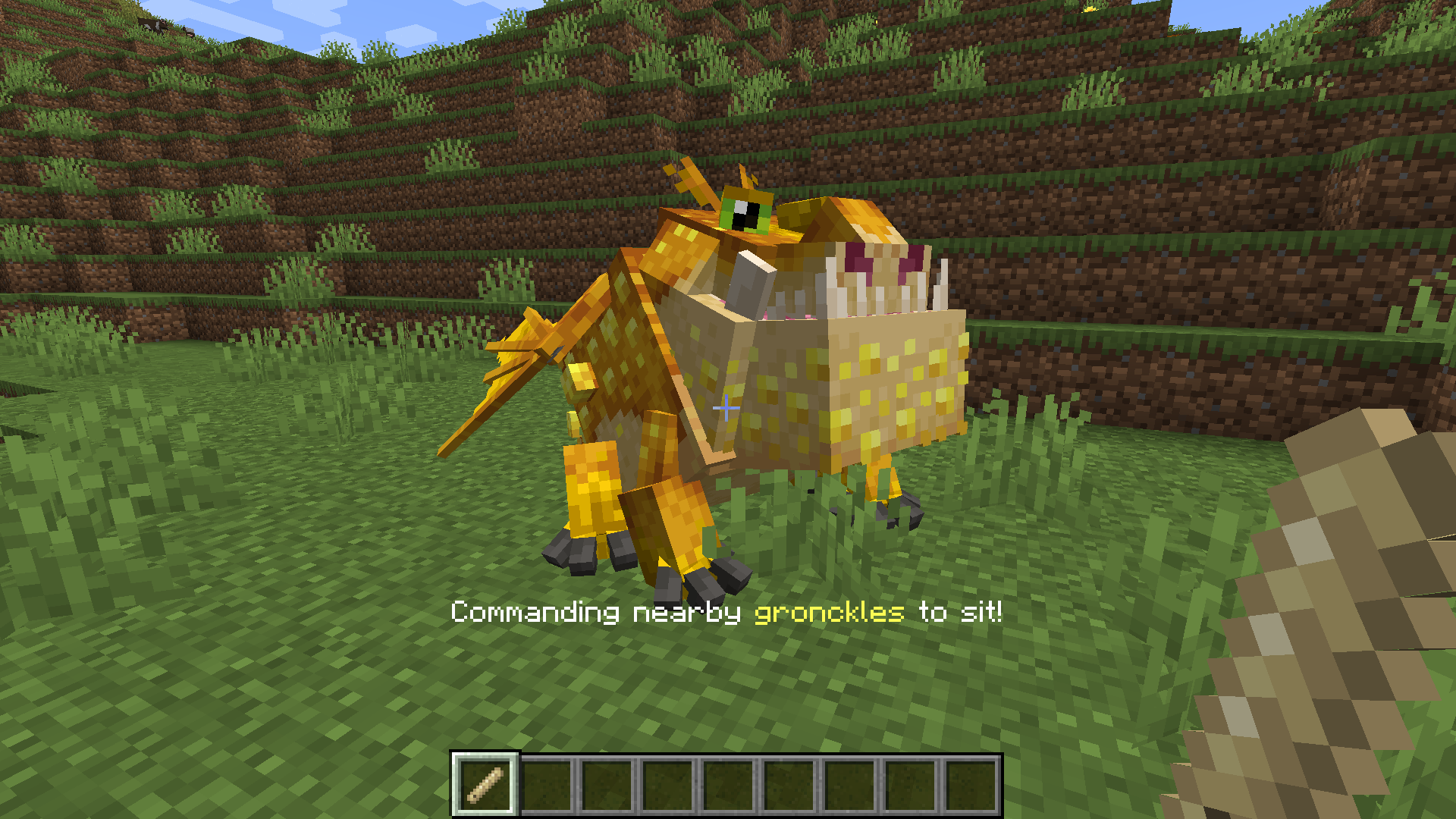
Dragon Whistle
Are you tired of chasing down rambunctious dragons who stay just out of reach of your commands? Chase no longer! The IoBA dragon whistle can issue commands from a distance, allowing you to direct your dragons from a distance. Dragons can be told to sit, follow, or wander using the whistle. Whistle commands can also be directed only at a specific species of dragon, and the whistle's range can be customized via the IoBA config. Selected command, species, and range are visible in the whistle's tooltip (and appear onscreen above the hotbar when first selected).
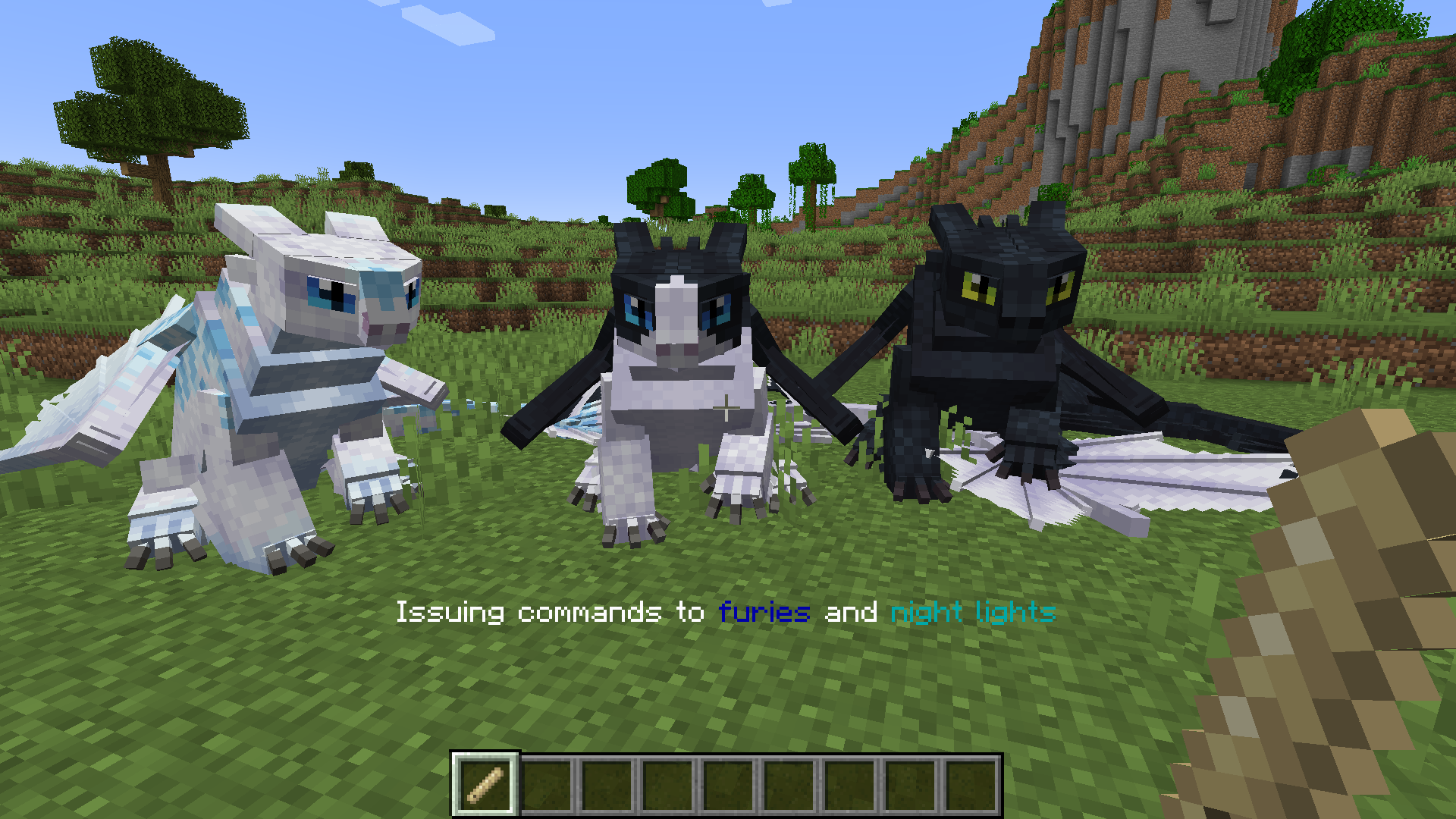
Right clicking the whistle will issue its current command. Left clicking it on a block will cycle its command between sit, stay, and follow. Sneak right clicking on a block next to a dragon will cycle between all dragons or that particular dragon's species-- and, in the case of night furies, light furies, and night lights, a third option which allows you to command all three related species.
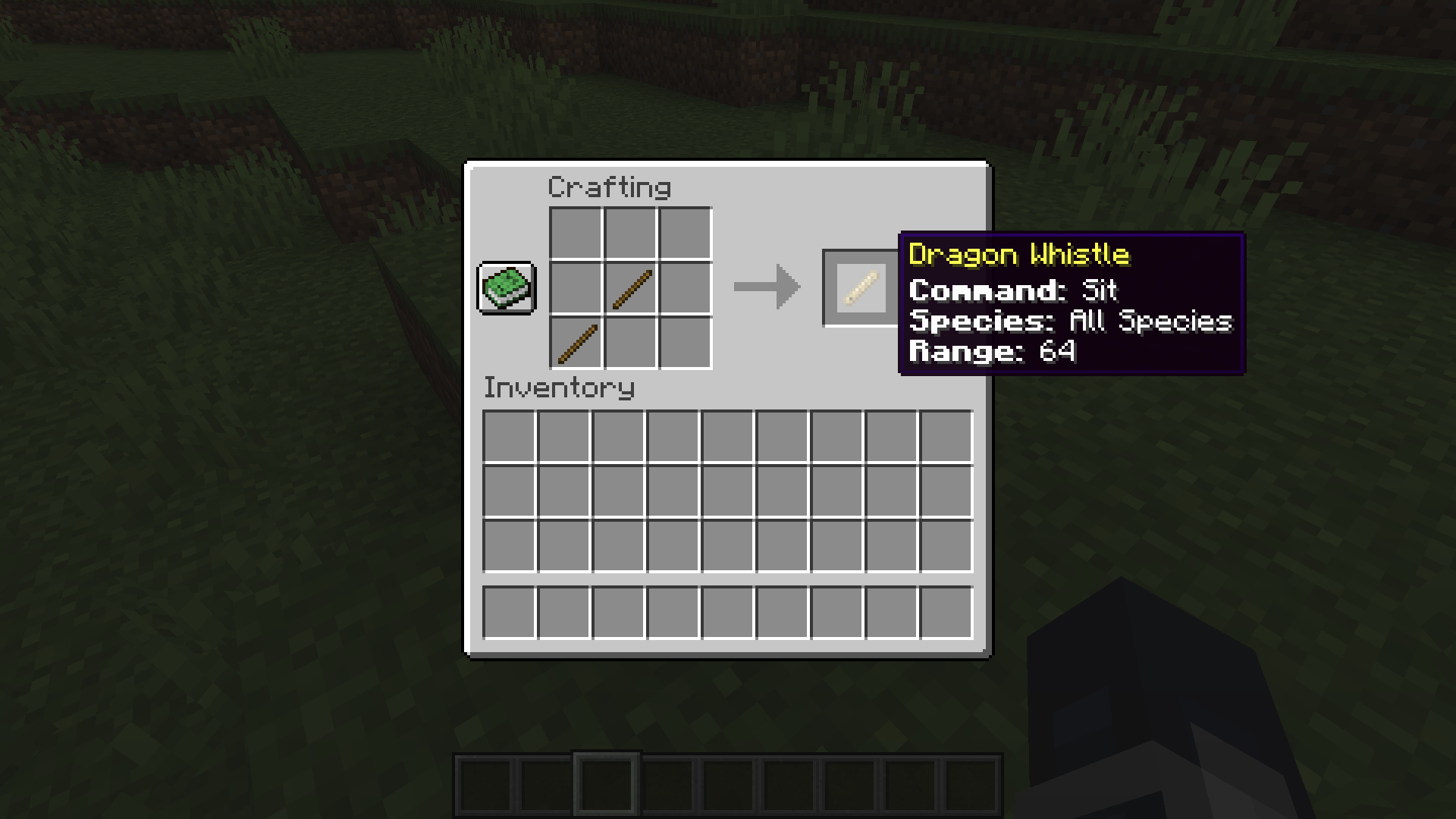 By default, the dragon whistle is crafted using two sticks placed diagonally.
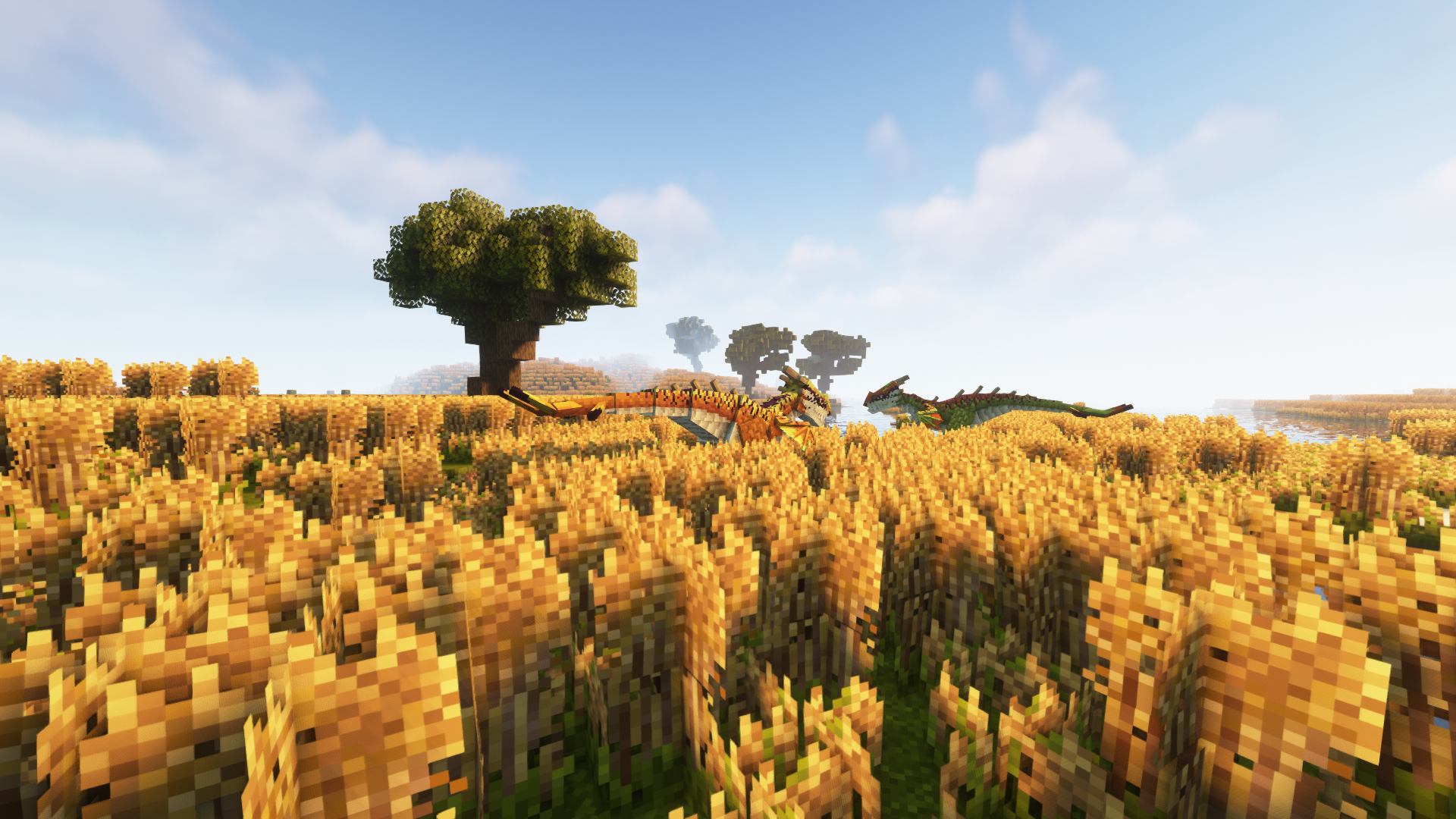
Advanced Spawn Management (Supports Modded Biomes)
At this time, a bug in Isle of Berk prevents dragons from spawning in (most) modded biomes, even when those biomes are added to the spawn list. To compensate for this, I've temporarily added an advanced spawn config (iobaddons-spawns.json) to the mod. These spawns are disabled by default to prevent them from overlapping with IoB's default spawns, and their config file will not appear until they have been toggled on via the main mod config. Turning on the IoBA spawn system will allow you to use the json based system to add new spawns for dragons, including spawns for modded biomes (using their biome id). It is recommended but not required that you remove all spawns from the default IoB config if you enable the IoBA spawn system, as the default spawns are a 1:1 mirror of the defaults set by IoB, which may cause dragons to spawn with too high a frequency.
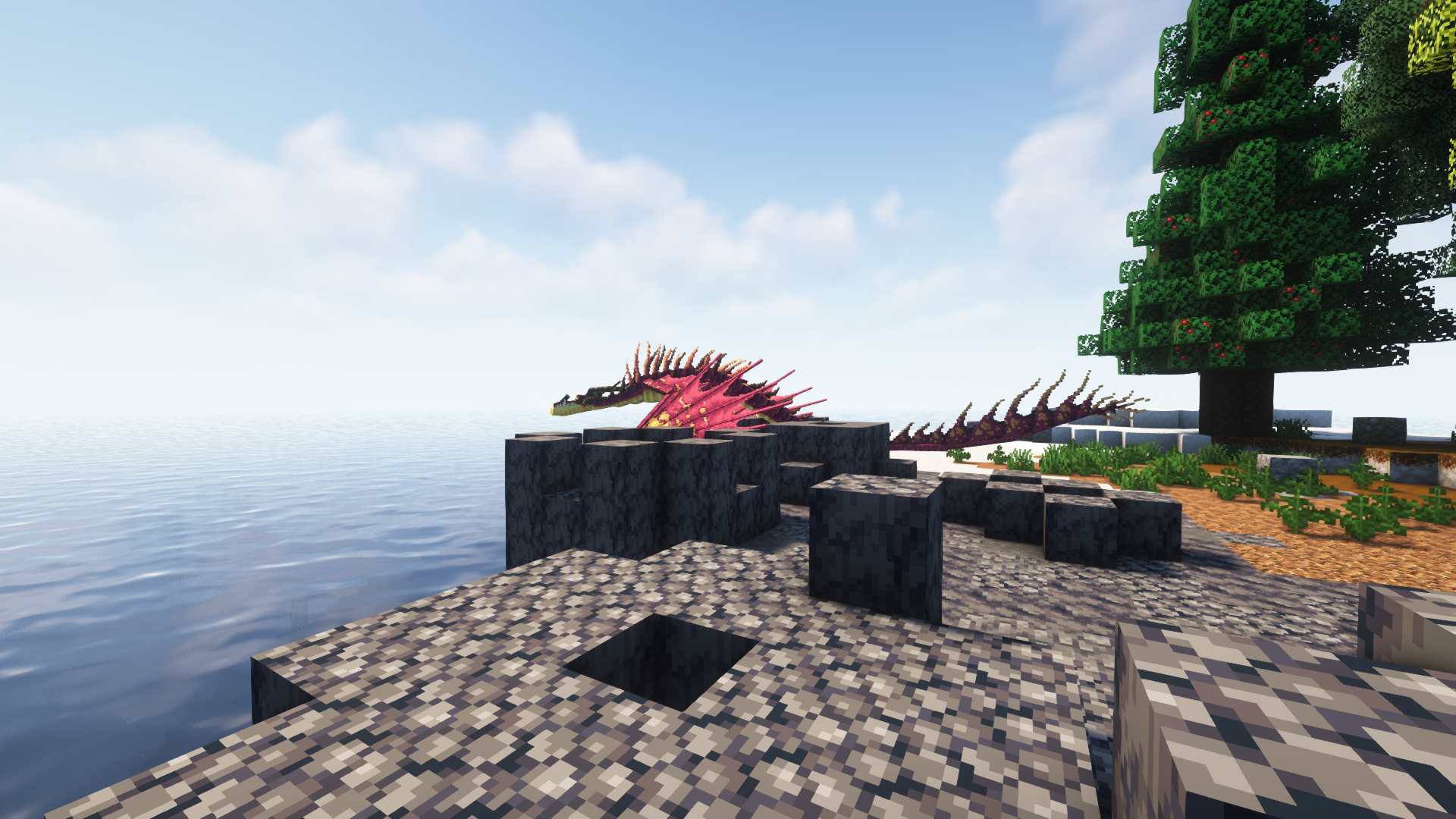
This feature may eventually be removed if IoB includes built-in support for modded biomes.

Disclaimer
Isle of Berk Addons is independently created and isn't affiliated with the Isle of Berk team. To the best extent of my knowledge, it complies with the "custom assets" clause in IoB's permissions. At this time, IoBA does not add any dragons of its own, so all dragons influenced by this mod belong to IoB. IoBA is also not affiliated with Dreamworks animation or the official How to Train Your Dragon franchise.
Promotional Screenshots taken using Oh the Biomes You'll Go and Complementary Shaders. Featured dragons are, of course, from Isle of Berk.
 Isle of Berk Addons is a collection of small additions to and QOL tweaks for the Isle of Berk mod.
Dragon Whistle
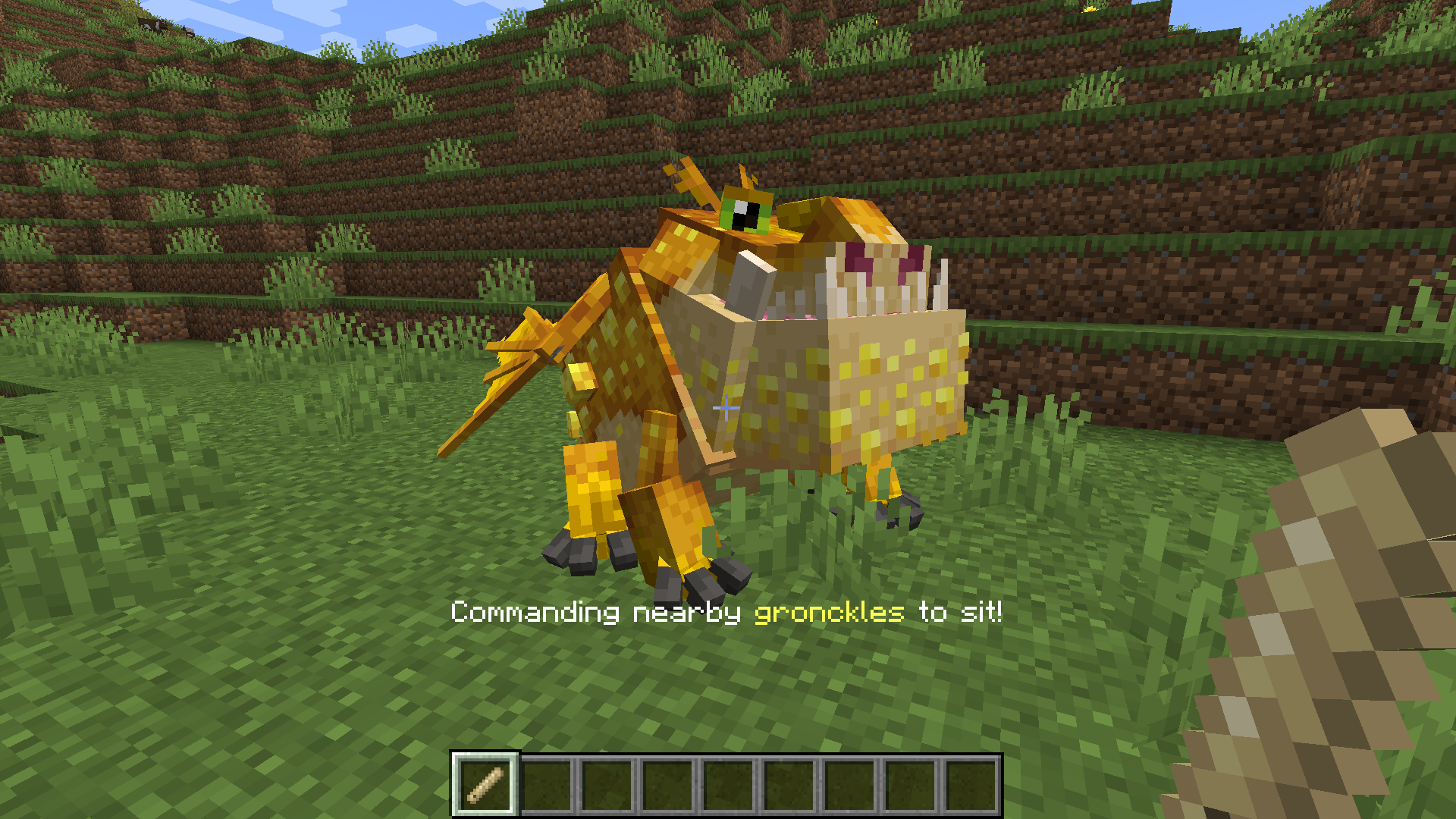 Are you tired of chasing down rambunctious dragons who stay just out of reach of your commands? Chase no longer! The IoBA dragon whistle can issue commands from a distance, allowing you to direct your dragons from a distance. Dragons can be told to sit, follow, or wander using the whistle. Whistle commands can also be directed only at a specific species of dragon or individual named dragon, and the whistle's range can be customized via the IoBA config. Selected command, species, and range are visible in the whistle's tooltip (and appear onscreen above the hotbar when first selected).
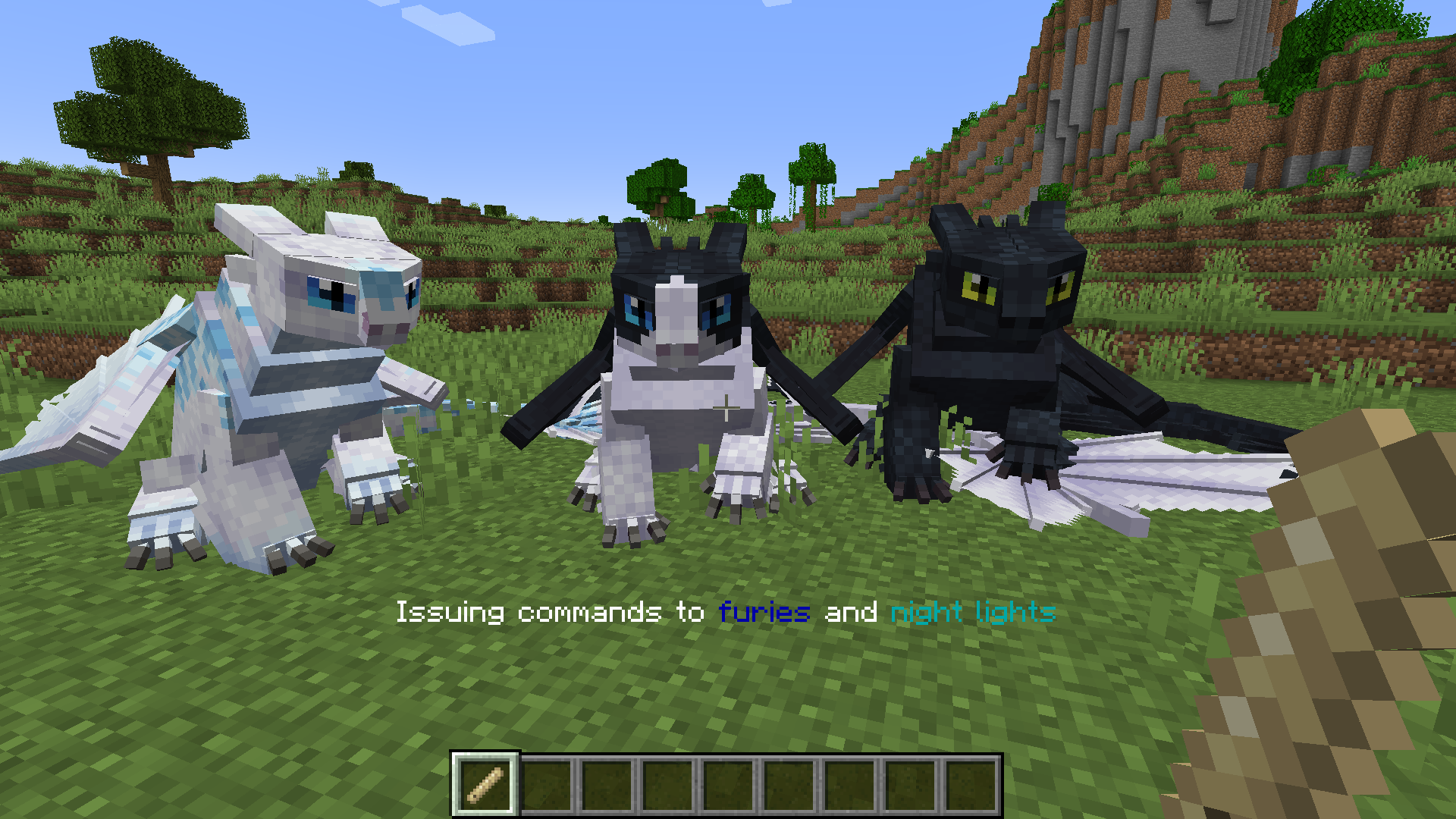 Right clicking the whistle will issue its current command. Left clicking it on a block will cycle its command between sit, stay, and follow. Sneak right clicking on a block next to a dragon will cycle between all dragons, one specific named dragon, or that particular dragon's species-- and, in the case of night furies, light furies, and night lights, a fourth option which allows you to command all three related species.
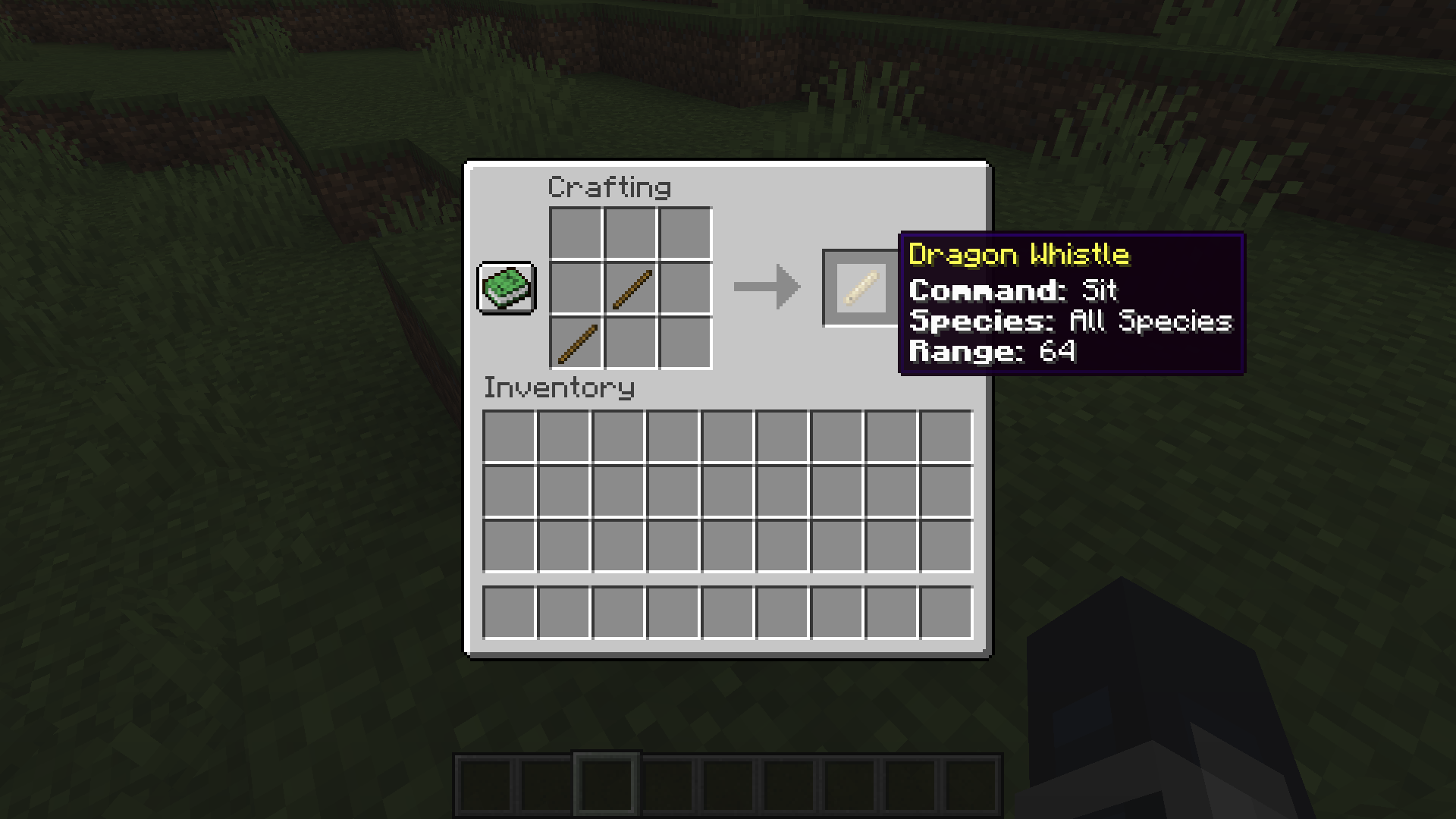 By default, the dragon whistle is crafted using two sticks placed diagonally.
Dragon Cage
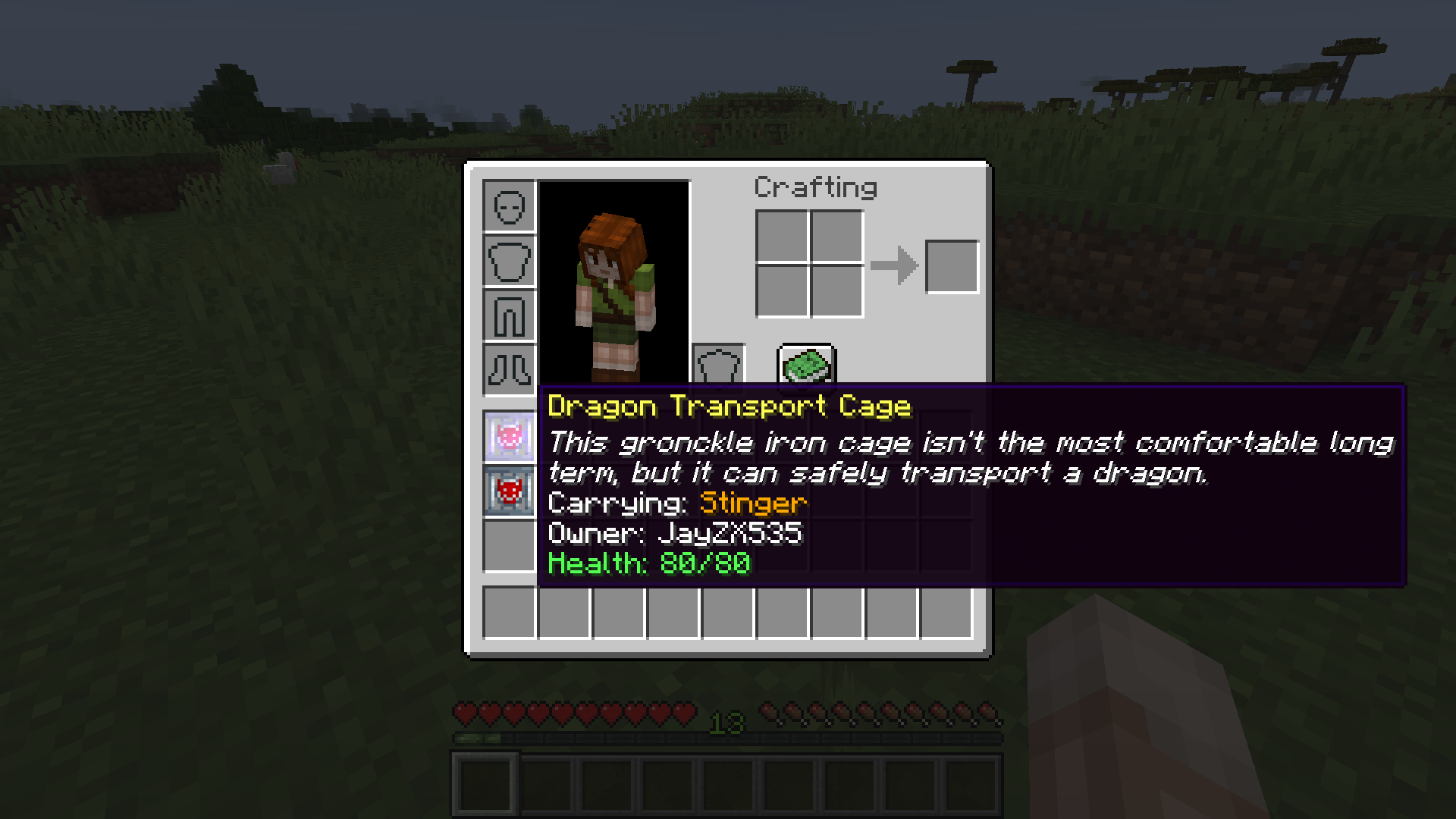
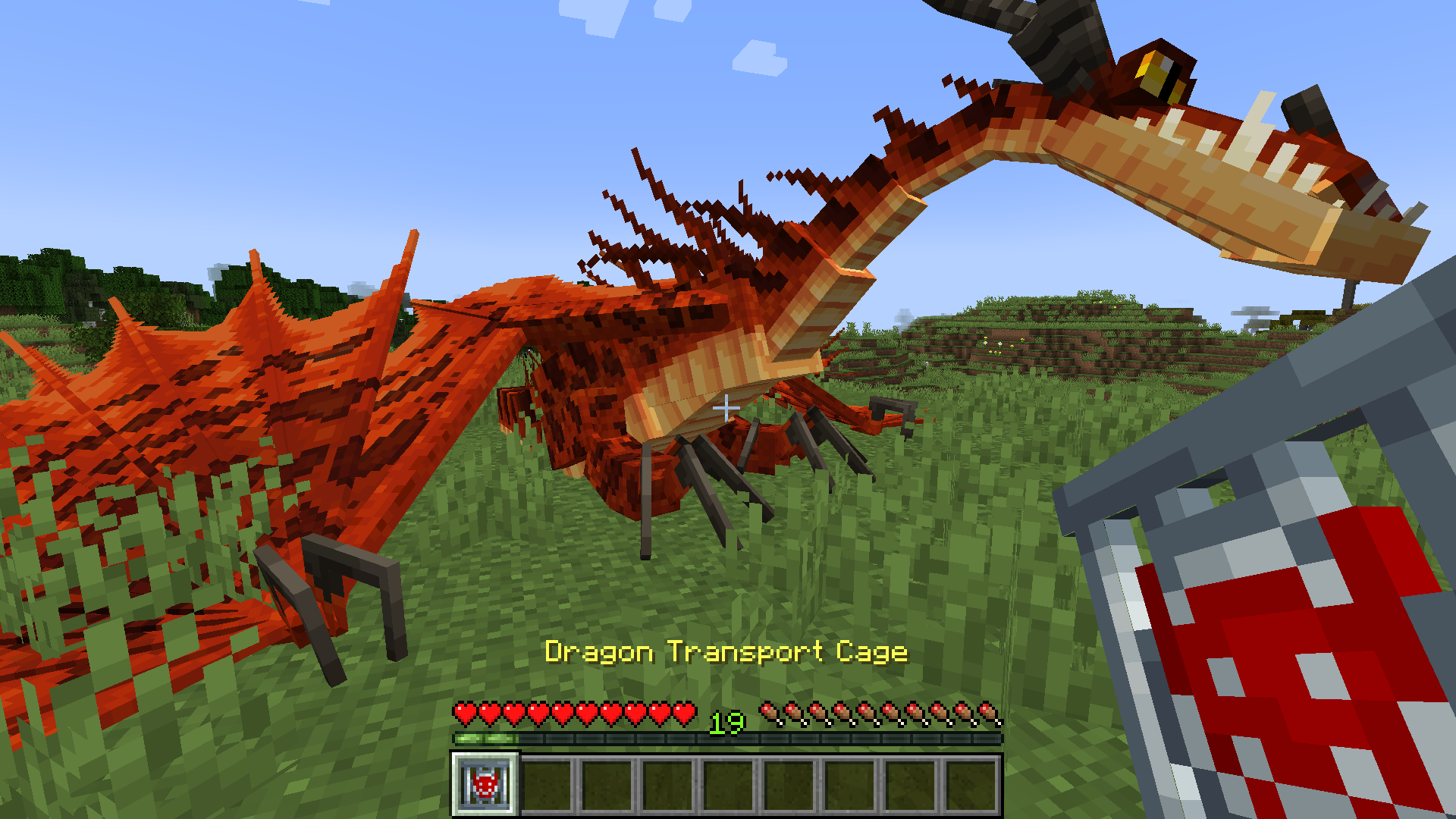 Do you struggle to transport rowdy dragons long distances on follow mode? Now, you can carry them in your inventory! The IoBA dragon transport cage can be used to pick up a dragon in item form for easier transportation. By default, tamed dragons can be picked up by their owners, and creative mode players can pick up any dragon. These settings can be further customized via the IoBA config. The species, owner, and current health of a caged dragon are visible in the cage's tooltip.
 To pick up a dragon in a dragon transport cage, right click the ground near the dragon with an empty cage. To release a dragon from a transport cage, right click the ground with the full cage. By default, dragons can only be released by their owner, and dragons with items in their inventory cannot be caged.
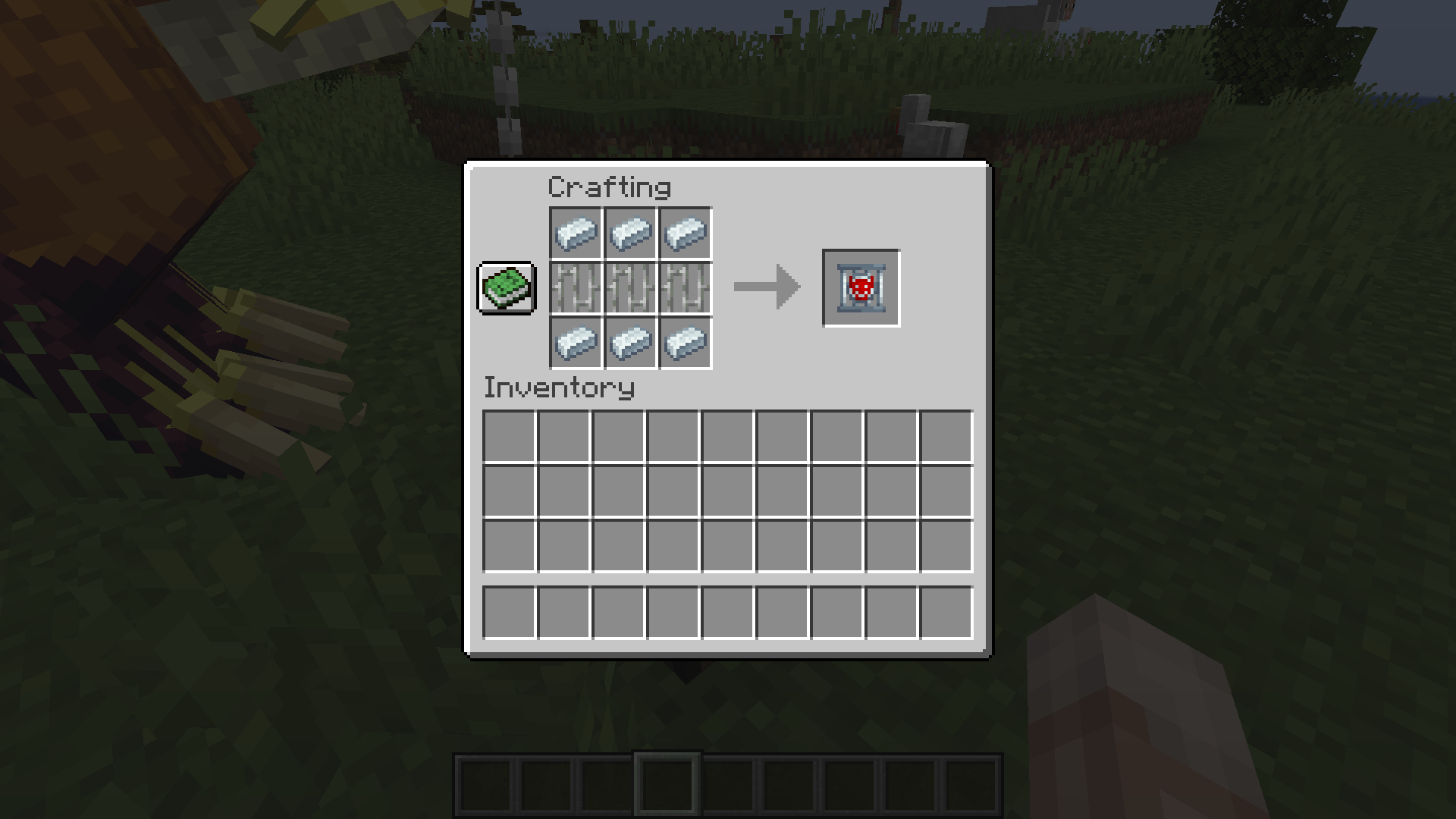 By default, the dragon transport cage is crafted by placing 3 iron bars in a row between two rows of 3 gronckle iron ingots.
Advanced Spawn Management (Supports Modded Biomes)
 At this time, a bug in Isle of Berk prevents dragons from spawning in (most) modded biomes, even when those biomes are added to the spawn list. To compensate for this, I've temporarily added an advanced spawn config (
iobaddons-spawns.json) to the mod. These spawns are disabled by default to prevent them from overlapping with IoB's default spawns, and their config file will not appear until they have been toggled on via the main mod config. Turning on the IoBA spawn system will allow you to use the json based system to add new spawns for dragons, including spawns for modded biomes (using their biome id). It is recommended but not required that you remove all spawns from the default IoB config if you enable the IoBA spawn system, as the default spawns are a 1:1 mirror of the defaults set by IoB, which may cause dragons to spawn with too high a frequency.
Play Isle of Berk + IoB Addons with your friends
Want to form your very own team of dragon riders? Recruit your friends to join in the fun! I use Shockbyte for all my YouTube server hosting needs, and with the code LAUNCH, you can get 25% off your first month of service with them. What's more, by using the affiliate link below, you can support me too and help ensure that I'm able to keep modding.

Disclaimer
Isle of Berk Addons is independently created and isn't affiliated with the Isle of Berk team. To the best extent of my knowledge, it complies with the "custom assets" clause in IoB's permissions. At this time, IoBA does not add any dragons of its own, so all dragons influenced by this mod belong to IoB. IoBA is also not affiliated with Dreamworks animation or the official How to Train Your Dragon franchise.
Promotional Screenshots taken using Oh the Biomes You'll Go and Complementary Shaders. Featured dragons are, of course, from Isle of Berk.
Screenshots
Gallery
-
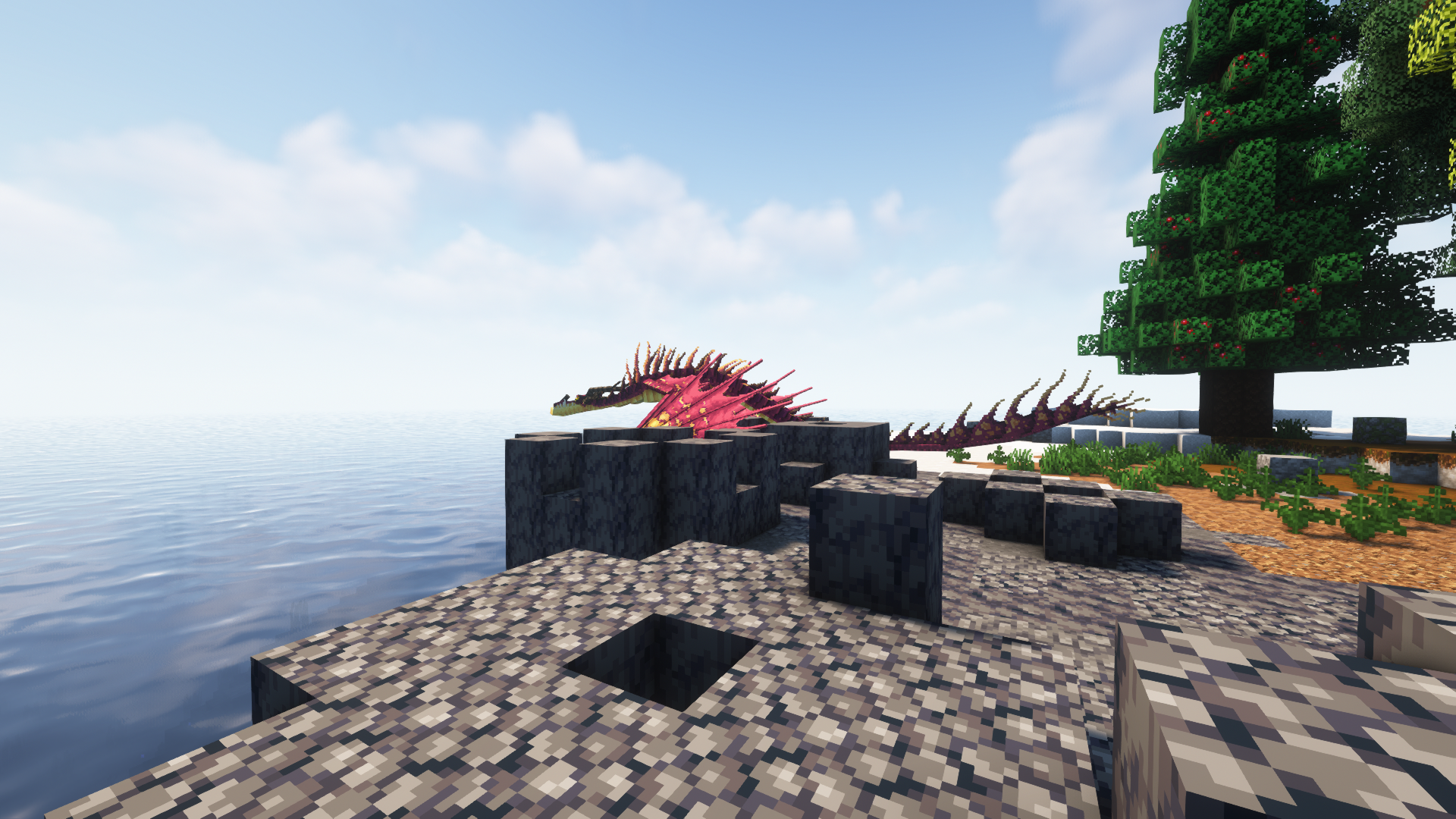
Improved Spawn Flexibility: Barrera Monstrous Nightmare A monstrous nightmare prowls a basalt barrera (from Oh the Biomes You'll Go) at the edge of the sea-- just one of many locations they can now be made to spawn.
-
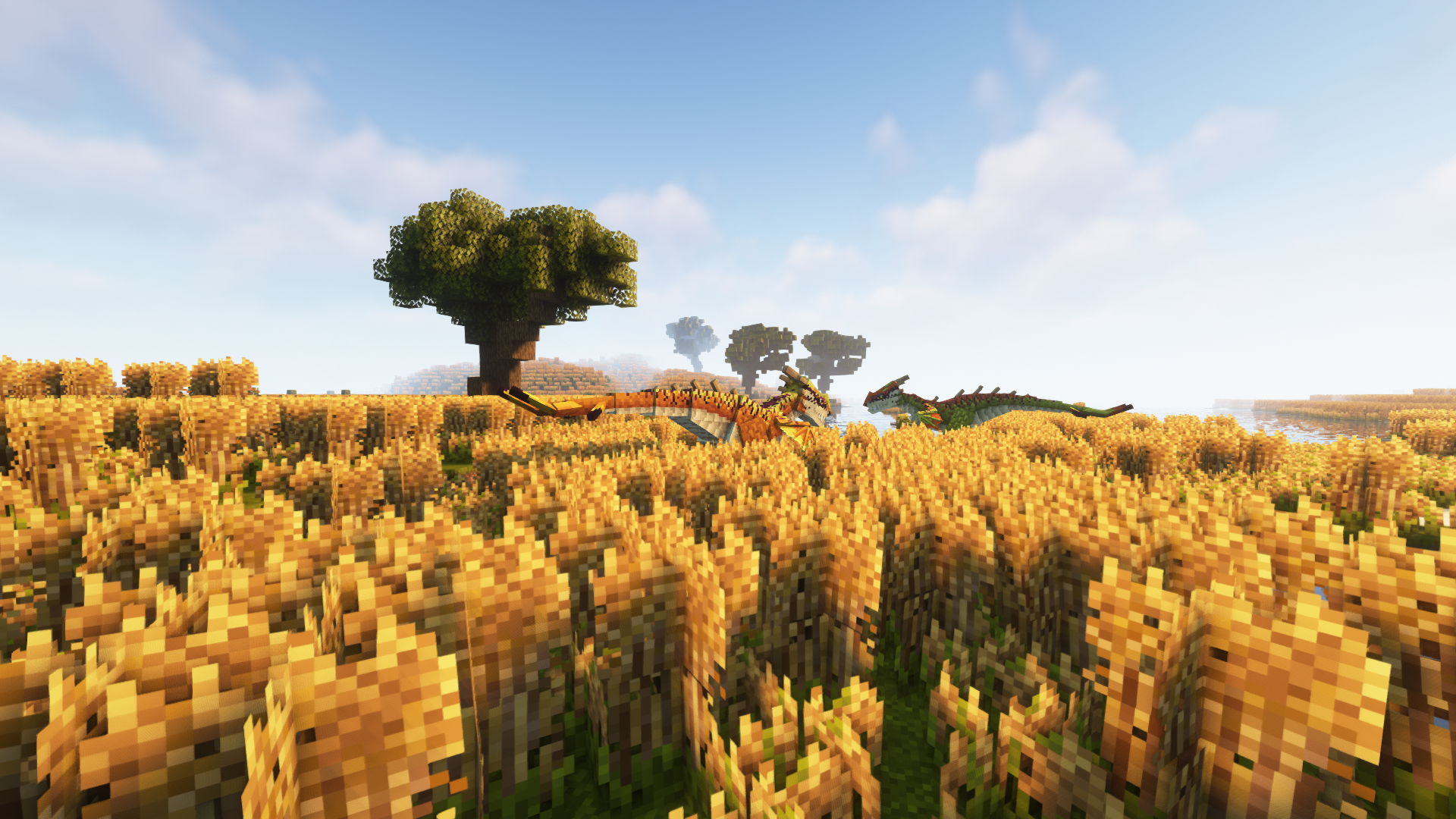
Improved Spawn Flexibility: Stingers on the Prairie A pair of stingers stalks the prairie (from Oh the Biomes You'll Go) in the light of the sinking sun-- just one of many locations they can now be made to spawn.
-
Dragon Whistle: Crafting & Tooltip Info By default, the dragon whistle is crafted using two sticks placed diagonally, and displays info about its current command, species, and range in its tooltip.
-
Dragon Whistle: Fury Family Commands In addition to issuing commands only to a particular species, the whistle also has a category for all three members of the fury family- night furies, light furies, and night lights.
-
Dragon Whistle: Gronckle Sit Command The dragon whistle is used to issue the sit command to a nearby gronckle.
-
Isle of Berk Addons Banner The banner for Isle of Berk Addons
-
Isle of Berk Addons Banner The banner for Isle of Berk Addons
-
Dragon Whistle: Gronckle Sit Command The dragon whistle is used to issue the sit command to a nearby gronckle.
-
Dragon Whistle: Fury Family Commands In addition to issuing commands only to a particular species, the whistle also has a category for all three members of the fury family- night furies, light furies, and night lights.
-
Dragon Whistle: Crafting & Tooltip Info By default, the dragon whistle is crafted using two sticks placed diagonally, and displays info about its current command, species, and range in its tooltip.
-
Dragon Transport Cage: Cage Dragon The dragon transport cage can be used to pick up a dragon as an item, allowing them to be carried in a player's inventory.
-
Dragon Transport Cage: Caged Dragon Info If a cage is currently carrying a dragon, it will display the dragon's species, owner, and health in the tooltip.
-
Dragon Transport Cage: Crafting By default, the dragon transport cage is crafted by placing 3 iron bars in a row between two rows of 3 gronckle iron ingots.
-
Improved Spawn Flexibility: Stingers on the Prairie A pair of stingers stalks the prairie (from Oh the Biomes You'll Go) in the light of the sinking sun-- just one of many locations they can now be made to spawn.
-
Improved Spawn Flexibility: Barrera Monstrous Nightmare A monstrous nightmare prowls a basalt barrera (from Oh the Biomes You'll Go) at the edge of the sea-- just one of many locations they can now be made to spawn.
Versions
Files
Relations
Project Relations
More like this
Similar Mods
Suggestions use data such as tags, dependencies, dependents, descriptions, titles, and more to rank how much they overlap with this mod.
- Isle of Berk Variant Loader
- Archipelago Additions - How to Train your Dragon [HTTYD]
- Dragonfire (AA Expansion)
- Dragon Wars Variants
- Celestial furies Variants (isle of berk)
- Leafs Variants - An Isle Of Berk Addon
- Dragons of the Cosmos (Isle of Berk Addon)
- Nests Of The Archipelago!
- Riders of the archipelago
- Book of dragons (IOB)
- Infernos - HTTYD
- Dragon Compass
On ModDex
Community snapshot
By the numbers
Statistics
Want to reach Minecraft players?
We're looking for a server hosting partner to feature here and other parts of the site. Interested? Send us a message!
Get in touchGet it on
Available Platforms
On ModDex
Community snapshot
By the numbers