Community listing page, reviews may not be monitored by the author.
Isometric Renders - Forked


No reviews yet
A NeoForge port of Isometric Renders that allows the export of rendered blocks, items, entities and selected areas.

Community voices
Reviews
No reviews yet. Be the first to review this project!
Get it on
Available Platforms
Compatibility
Supported Environments
Runs entirely on the client. Works on vanilla servers.
About
Project Details
For authors
Embed Badge
If you're the author of this project, you can embed a live badge anywhere that supports HTML or Markdown. It updates automatically whenever ratings change.
Use HTML for any page that supports it, or Markdown for README files and Markdown-based descriptions.
Identifiers
Platform IDs
About
Description
Isometric Renders - Forked
A NeoForge 1.21.1 fork/port of the original Isometric Renders mod for Fabric.
Isometric Renders - Forked lets you export high-resolution isometric PNG renders of Minecraft items, tooltips, blocks, entities, and selected areas.
Note: This fork does not include every feature from the original Fabric mod. Batch rendering, item atlases, animation export, and the original owo-ui interface are not included.
Features
- Render held or specified items
- Render item tooltips
- Render targeted or specified blocks
- Render block entities with NBT support
- Render targeted or specified entities
- Render entities with NBT support
- Select and render world areas or structures
- Export renders as PNG files
- Adjust scale, rotation, slant, offsets, entity angles, and export resolution from the preview GUI
Usage
All commands are client-side and begin with:
/isorender
Examples:
/isorender item/isorender item minecraft:diamond/isorender tooltip/isorender tooltip minecraft:diamond/isorender block/isorender block minecraft:oak_log[axis=y]/isorender entity/isorender entity minecraft:zombie/isorender area/isorender area 0 64 0 8 72 8
Area Selection
The default area selection keybind is: C
Press once to select the first corner. Press again to select the second corner.
Sneak/Shift while pressing the selection key to clear the current selection.
Exporting
After opening the render preview GUI, use the **Export** button to save a PNG.
Exports are written under the Minecraft game directory:
renders/
Attribution
This project is a fork/port of the original Isometric Renders mod by glisco.
Original project:
https://github.com/glisco03/isometric-renders
Port/fork modifications by OldManYounger.
This project is not affiliated with or endorsed by the original author unless otherwise stated.
License
This project is licensed under the MIT License.
The original Isometric Renders project is also licensed under the MIT License. The original copyright and license notice are preserved in accordance with the MIT License.
Isometric Renders - Forked
A NeoForge 1.21.1 fork/port of the original Isometric Renders mod for Fabric.
Isometric Renders - Forked lets you export high-resolution isometric PNG renders of Minecraft items, tooltips, blocks, entities, and selected areas.
Note: This fork does not yet include every feature from the original Fabric mod. Batch rendering, item atlases, animation export, and the original owo-ui interface are not currently included. Tweaks to rendering also need to be made to remove odd shadows and issues with tile entities.
Features
- Render held or specified items
- Render item tooltips
- Render targeted or specified blocks
- Render block entities with NBT support
- Render targeted or specified entities
- Render entities with NBT support
- Select and render world areas or structures
- Export renders as PNG files
- Adjust scale, rotation, slant, offsets, entity angles, and export resolution from the preview GUI
Usage
All commands are client-side and begin with:
/isorender
Examples:
Spoiler
- /isorender item
- /isorender item minecraft:diamond
- /isorender tooltip
- /isorender tooltip minecraft:diamond
- /isorender block
- /isorender block minecraft:oak_log[axis=y]
- /isorender entity
- /isorender entity minecraft:zombie
- /isorender area
- /isorender area 0 64 0 8 72 8
Area Selection
The default area selection keybind is: C
Press once to select the first corner. Press again to select the second corner.
Sneak/Shift while pressing the selection key to clear the current selection.
Exporting
After opening the render preview GUI, use the Export button to save a PNG.
Exports are written under the Minecraft game directory:
renders/
Attribution
This project is a fork/port of the original Isometric Renders mod by glisco.
Original project: https://github.com/glisco03/isometric-renders
Port/fork modifications by OldManYounger.
This project is not affiliated with or endorsed by the original author unless otherwise stated.
License
This project is licensed under the MIT License.
The original Isometric Renders project is also licensed under the MIT License. The original copyright and license notice are preserved in accordance with the MIT License.
Screenshots
Gallery
-
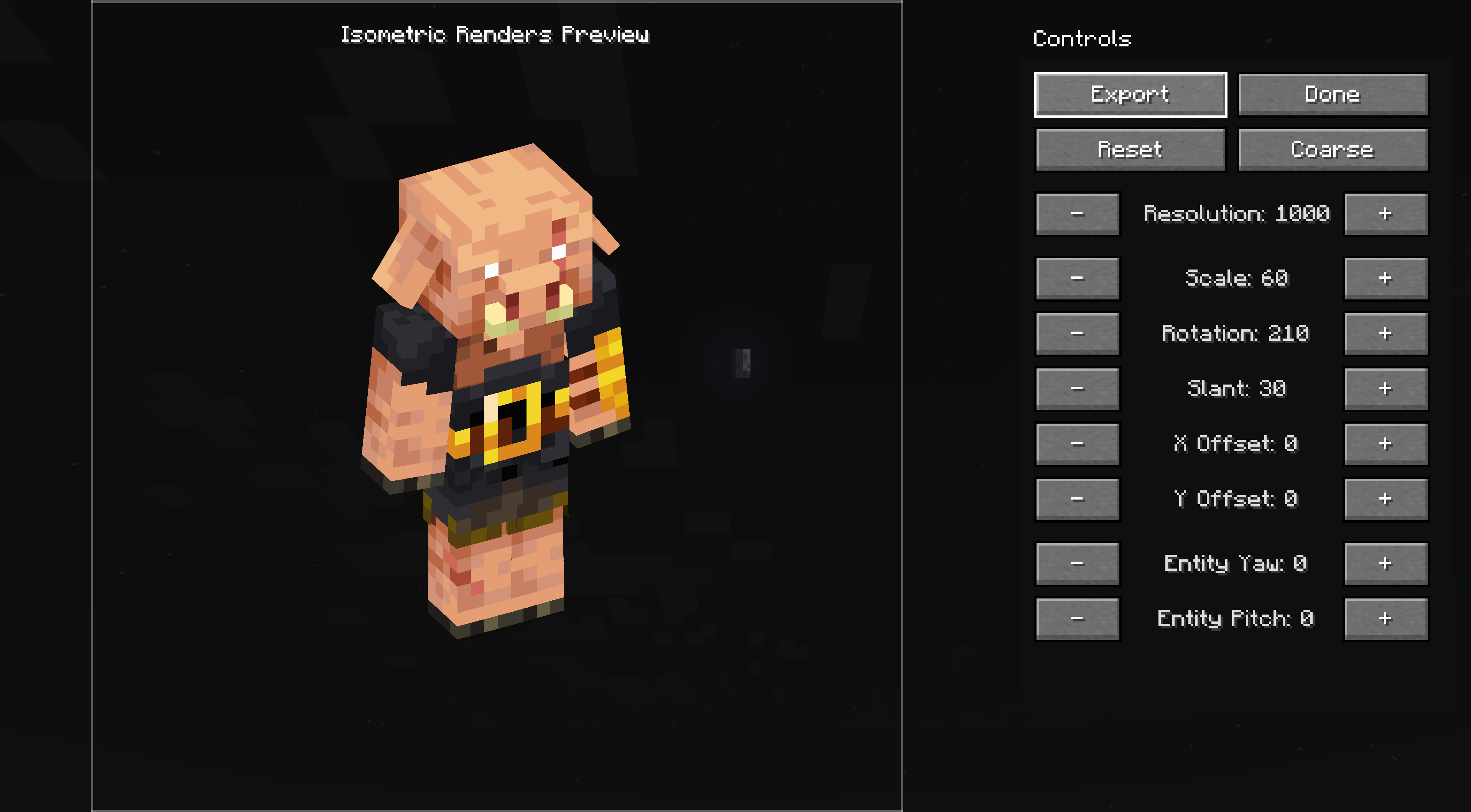 isometric_renders_forked_1.png isometric_renders_forked_1.png
 -
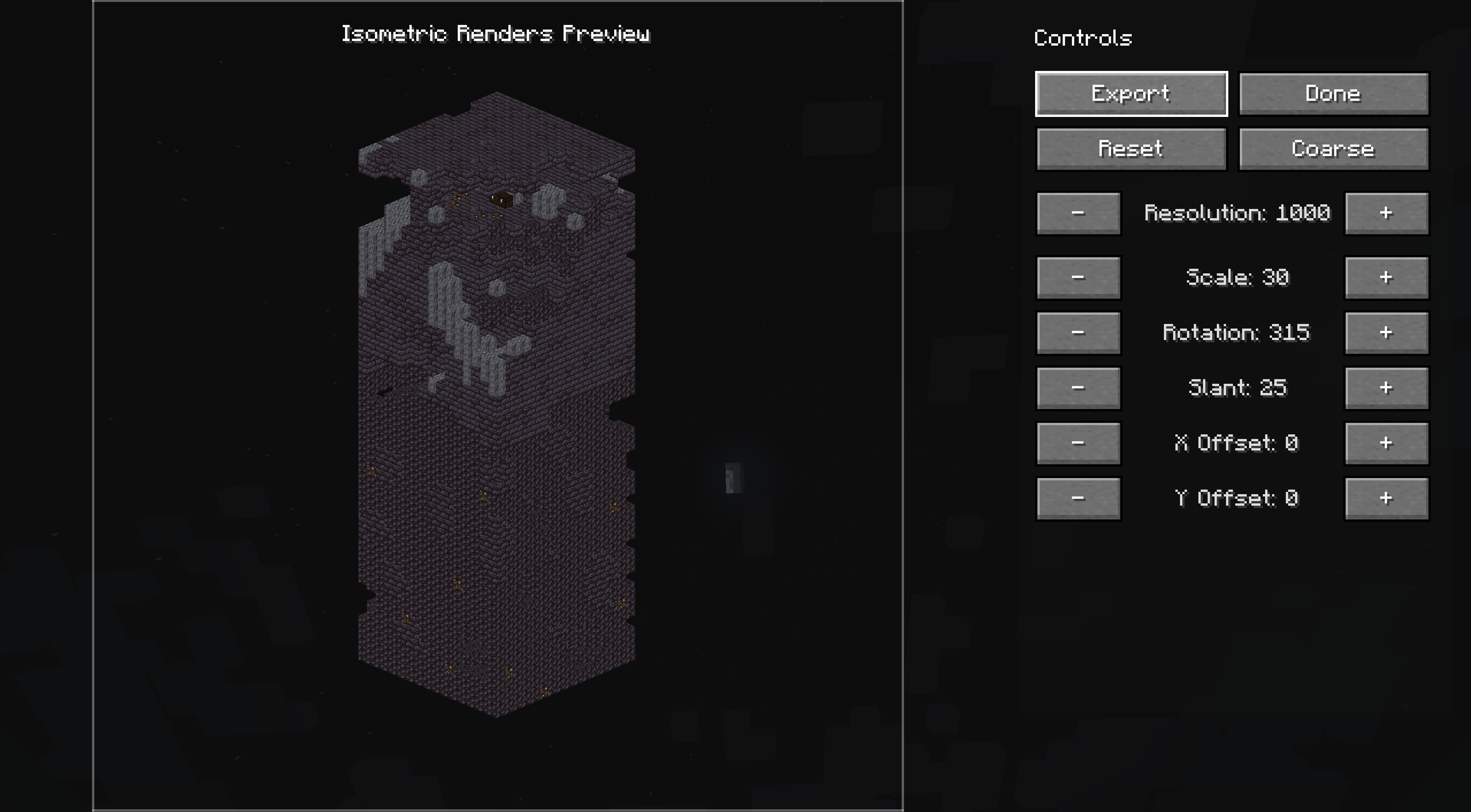 isometric_renders_forked_2.png isometric_renders_forked_2.png
 -
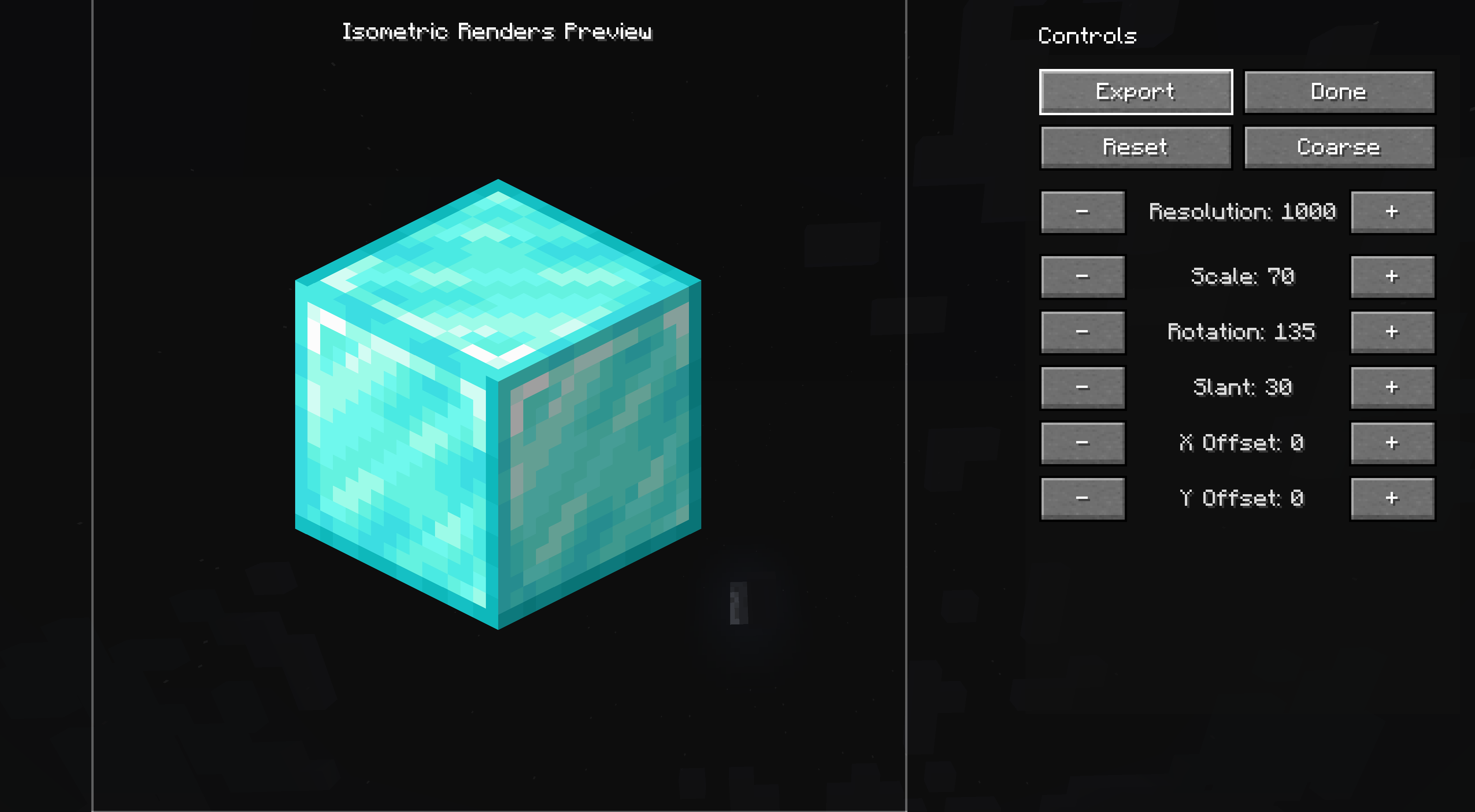 isometric_renders_forked_3.png isometric_renders_forked_3.png
-
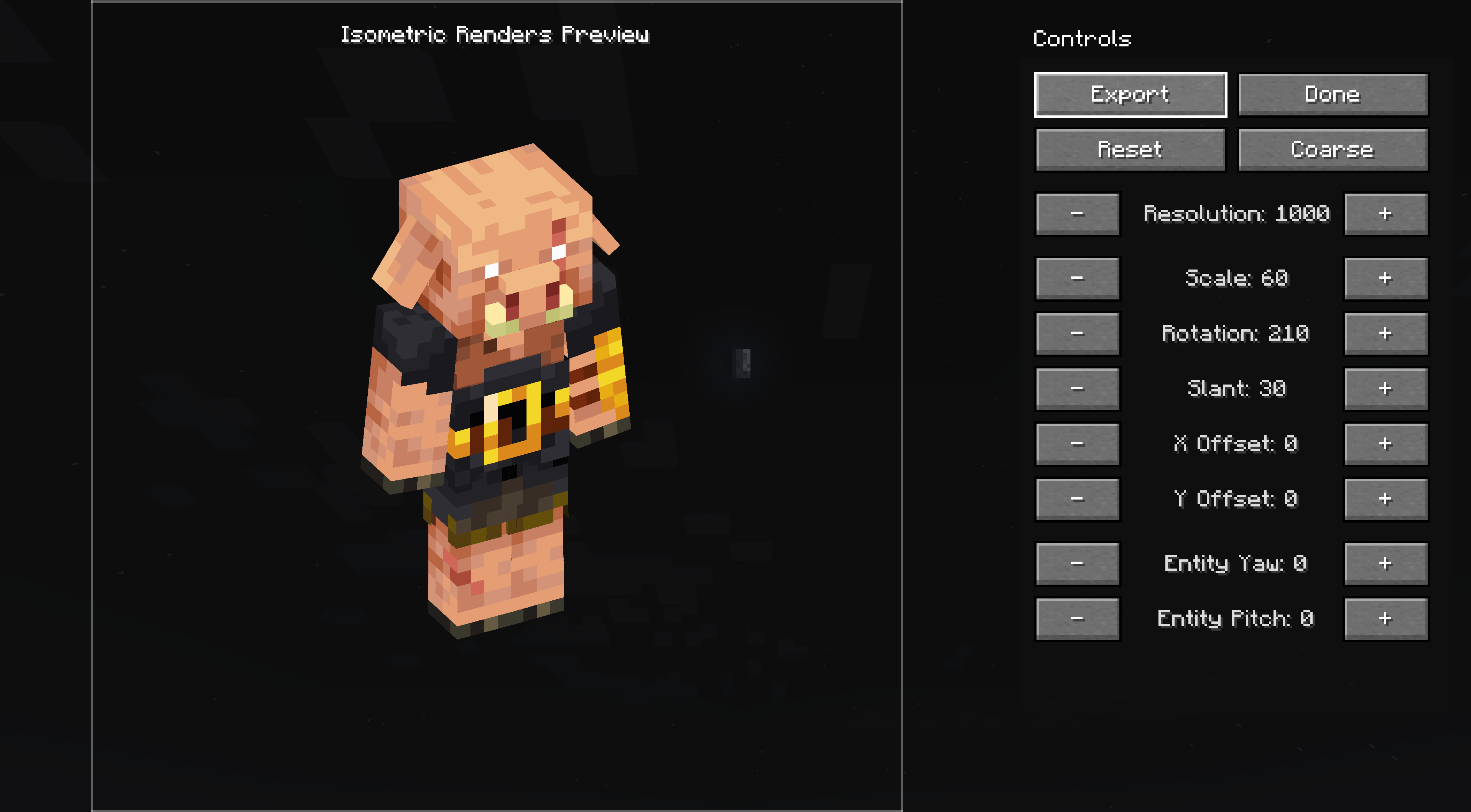 Entity Render
 -
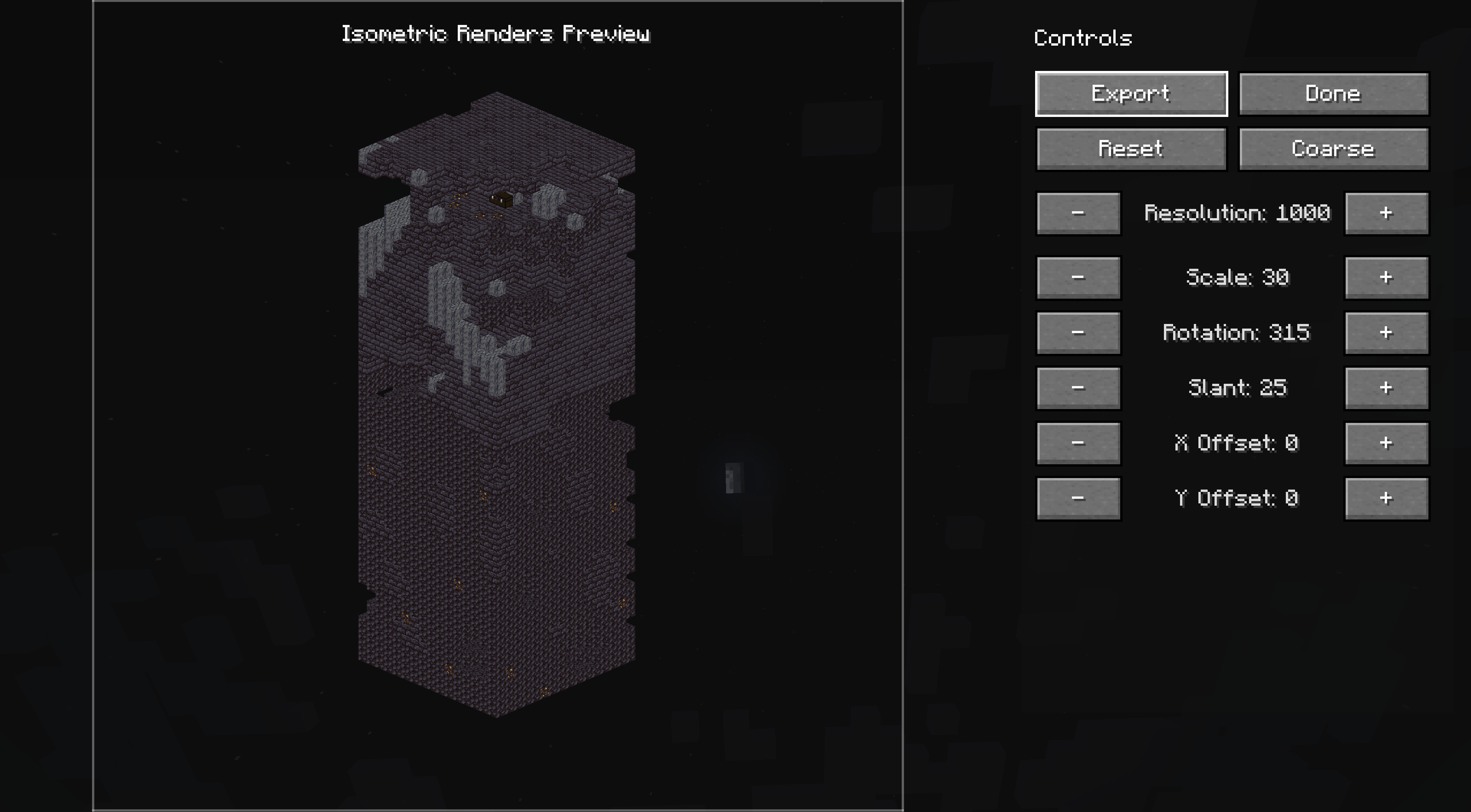 Area Render
 -
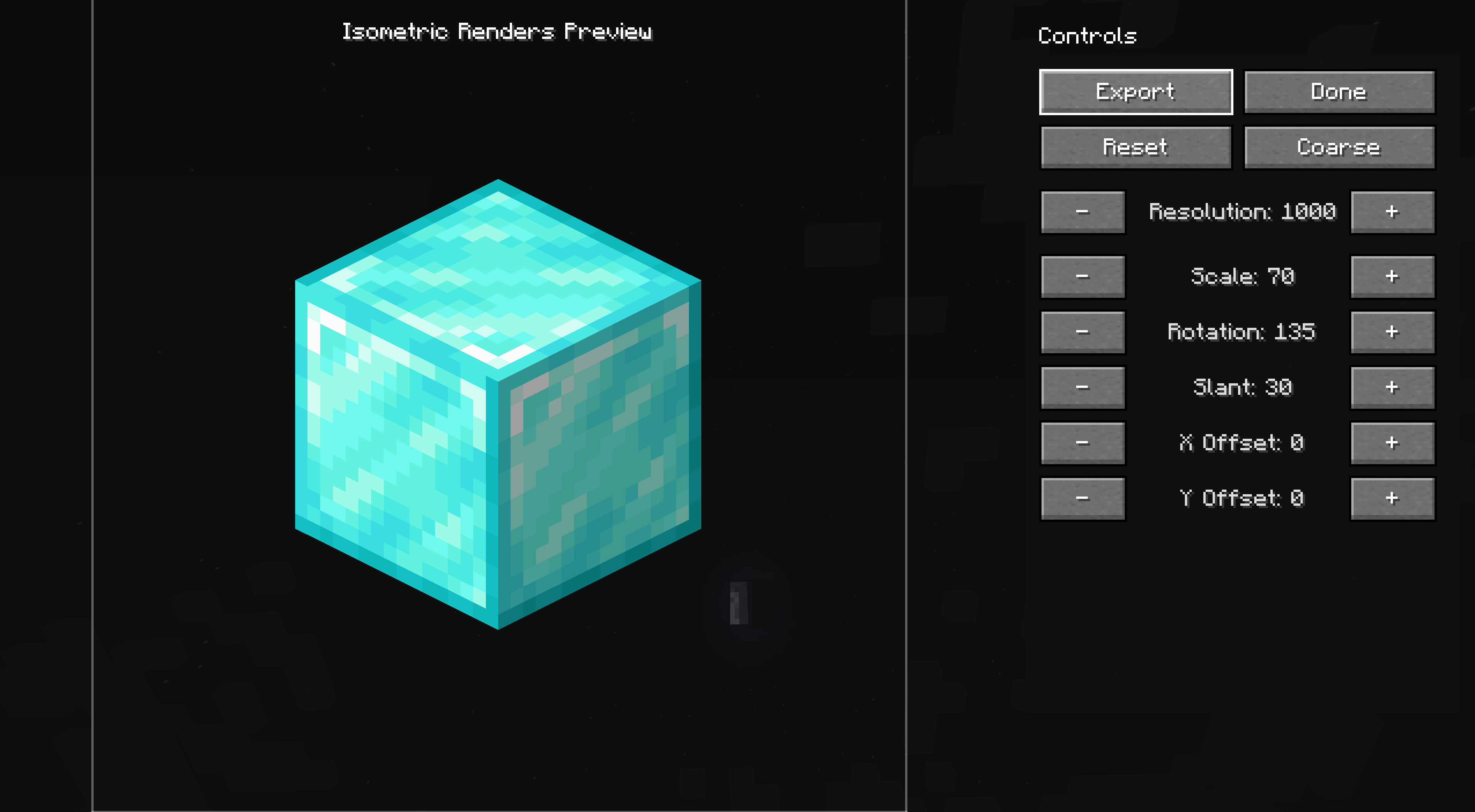 Block Render
Versions
Files
Relations
Project Relations
More like this
Similar Mods
Suggestions use data such as tags, dependencies, dependents, descriptions, titles, and more to rank how much they overlap with this mod.
On ModDex
Community snapshot
By the numbers
Statistics
 (opens in a new tab)
Get it on
Available Platforms
On ModDex
Community snapshot
By the numbers