
Community listing page, reviews here may not be monitored by the author.
Item Counter - Bedwars Resource HUD


No reviews yet
Track your Bedwars resources live with a clean HUD -- no need to open inventory.
Community voices
Reviews
No reviews yet. Be the first to review this project!
Get it on
Available Platforms
Compatibility
Supported Environments
Runs entirely on the client. Works on vanilla servers.
About
Project Details
For authors
Embed Badge
If you're the author of this project, you can embed a live badge anywhere that supports HTML or Markdown. It updates automatically whenever ratings change.
Use HTML for any page that supports it, or Markdown for README files and Markdown-based descriptions.
Identifiers
Platform IDs
Resources
External Links
About
Description
Overview
ItemCounter is a lightweight Forge client-side mod designed for Minecraft 1.8.9 BedWars and rush gameplay. It displays a real-time HUD that tracks selected resources directly on screen, removing the need to open your inventory during fights.
It focuses on clarity, speed, and competitive usability.
Core Features
Live Resource Tracking
Tracks items directly from your full inventory (not just hotbar)
Custom Resource HUD (up to 4 slots)
Choose Iron, Gold, Diamond, Emerald, Wool, or any other item. Items can also be customized from the config file for advanced users, while keeping a simple in-game GUI for easy setup.
Optional Wool Counter
Enable or disable wool tracking from the GUI. Displays total wool using the texture of the most common color.
HUD Customization
- Drag and drop HUD positioning anywhere on screen
- Resizable interface with smooth scaling
- Grid snap alignment with visual guidelines
- Icon-first / Amount-first layout modes
- Icon First: clean traditional layout
- Amount First: right-aligned competitive layout
Smart Fill System:
- Up Mode → items collapse upward when empty
- Down Mode → items collapse downward for bottom-aligned HUD
Advanced HUD Editor
- Drag HUD freely on screen
- Resize using bottom-right handle
- Precise scale control via input field (0.5x – 3.0x)
- Snap alignment to edges and screen center
- Visual alignment guides for precise placement
Configuration
All settings are saved automatically:
- Selected items (up to 4 slots)
- HUD position and scale
- Layout mode (icon/amount)
- Fill direction
- Enabled/disabled state
Commands
/itemcounter, or/ic
Opens the in-game configuration menu.
Designed For
- BedWars / Rush gamemodes
- Competitive PvP players
- Minimal UI gameplay setups
- Fast decision-making situations
Technical Info
- Minecraft 1.8.9
- Forge client-side mod
- Lightweight and performance-friendly
- No server requirements
Final Note
ItemCounter removes inventory distraction and provides instant resource awareness through a clean, competitive HUD designed for fast-paced gameplay.
Overview
ItemCounter is a lightweight Forge client-side mod designed for Minecraft 1.8.9 BedWars and rush gameplay. It displays a real-time HUD that tracks selected resources directly on screen, removing the need to open your inventory during fights.
It focuses on clarity, speed, and competitive usability.
Core Features
Live Resource Tracking
Tracks items directly from your full inventory (not just hotbar)
Custom Resource HUD (up to 4 slots)
Choose Iron, Gold, Diamond, Emerald, Wool, or any other item. Items can also be customized from the config file for advanced users, while keeping a simple in-game GUI for easy setup.
Optional Wool Counter
Enable or disable wool tracking from the GUI. Displays total wool using the texture of the most common color.
HUD Customization
- Drag and drop HUD positioning anywhere on screen
- Resizable interface with smooth scaling
- Grid snap alignment with visual guidelines
- Icon-first / Amount-first layout modes
- Icon First: clean traditional layout
- Amount First: right-aligned competitive layout
Smart Fill System:
- Up Mode → items collapse upward when empty
- Down Mode → items collapse downward for bottom-aligned HUD
Advanced HUD Editor
- Drag HUD freely on screen
- Resize using bottom-right handle
- Precise scale control via input field (0.5x – 3.0x)
- Snap alignment to edges and screen center
- Visual alignment guides for precise placement
Configuration
All settings are saved automatically:
- Selected items (up to 4 slots)
- HUD position and scale
- Layout mode (icon/amount)
- Fill direction
- Enabled/disabled state
Commands
/itemcounter, or/ic
Opens the in-game configuration menu.
Designed For
- BedWars / Rush gamemodes
- Competitive PvP players
- Minimal UI gameplay setups
- Fast decision-making situations
Technical Info
- Minecraft 1.8.9
- Forge client-side mod
- Lightweight and performance-friendly
- No server requirements
Final Note
ItemCounter removes inventory distraction and provides instant resource awareness through a clean, competitive HUD designed for fast-paced gameplay.
Screenshots
Gallery
-
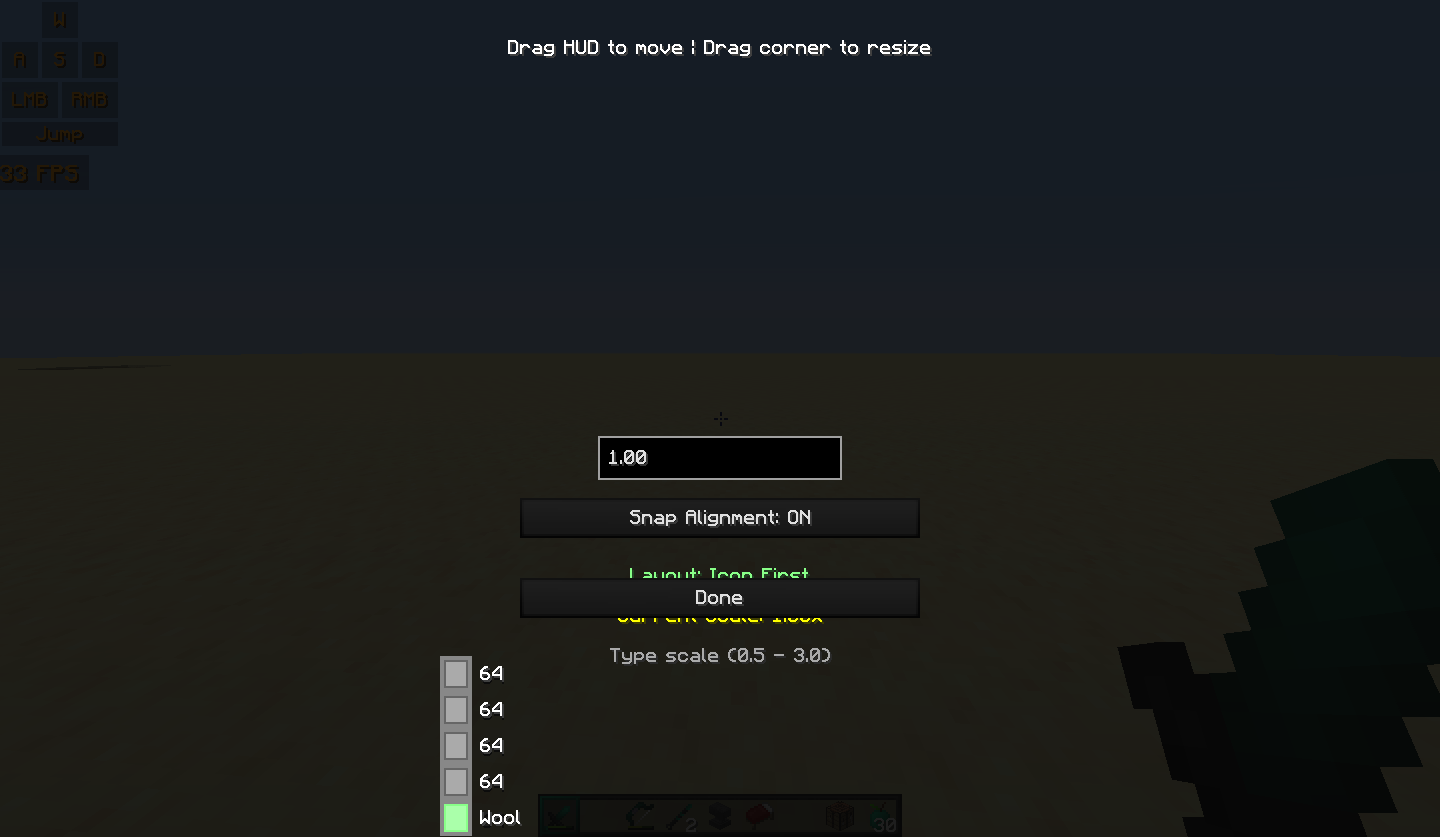 HUD editor — drag to move, resize, and snap alignment with visual guides
 -
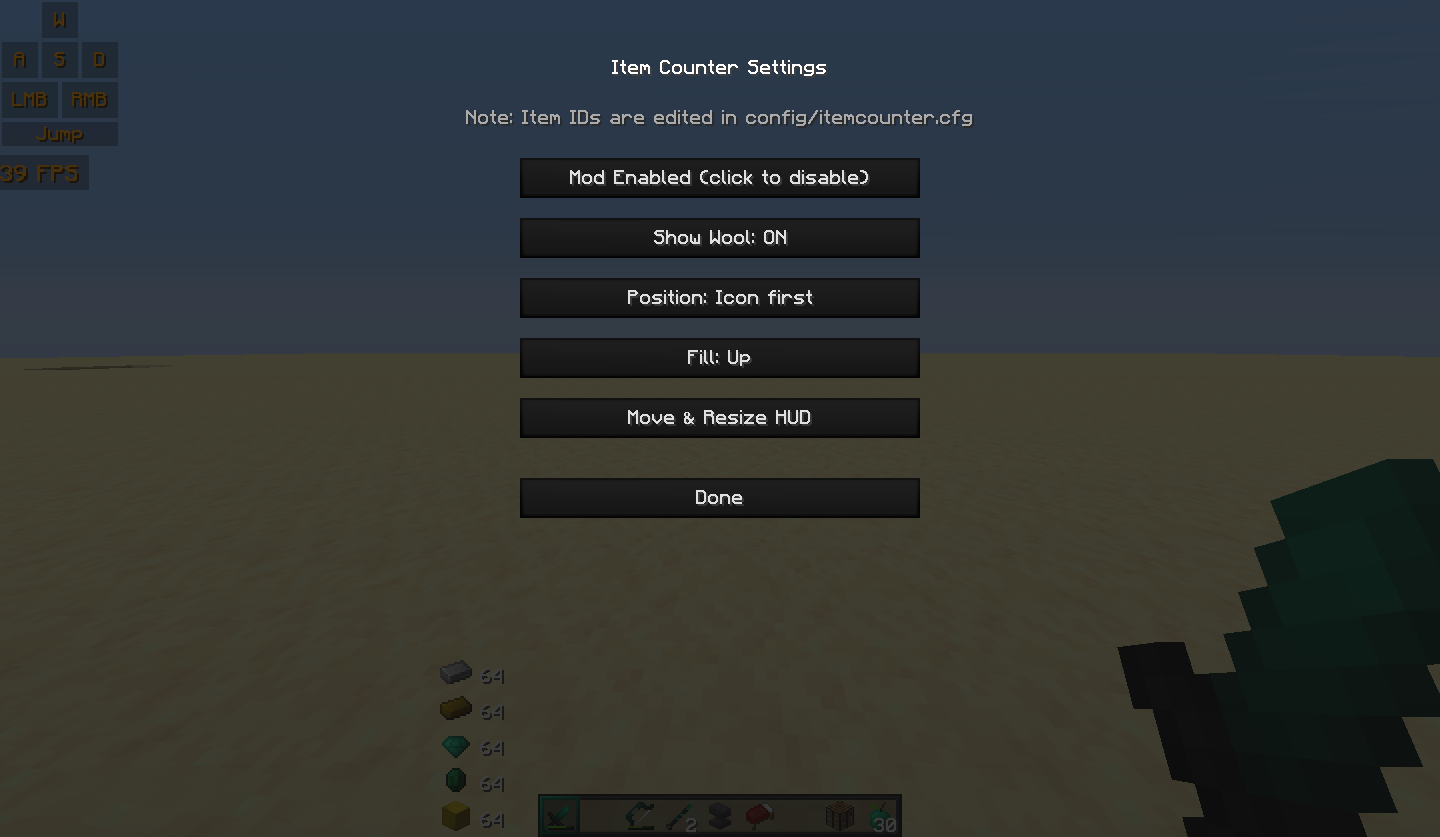 Main configuration GUI — toggle features, adjust layout mode, and manage HUD settings
 -
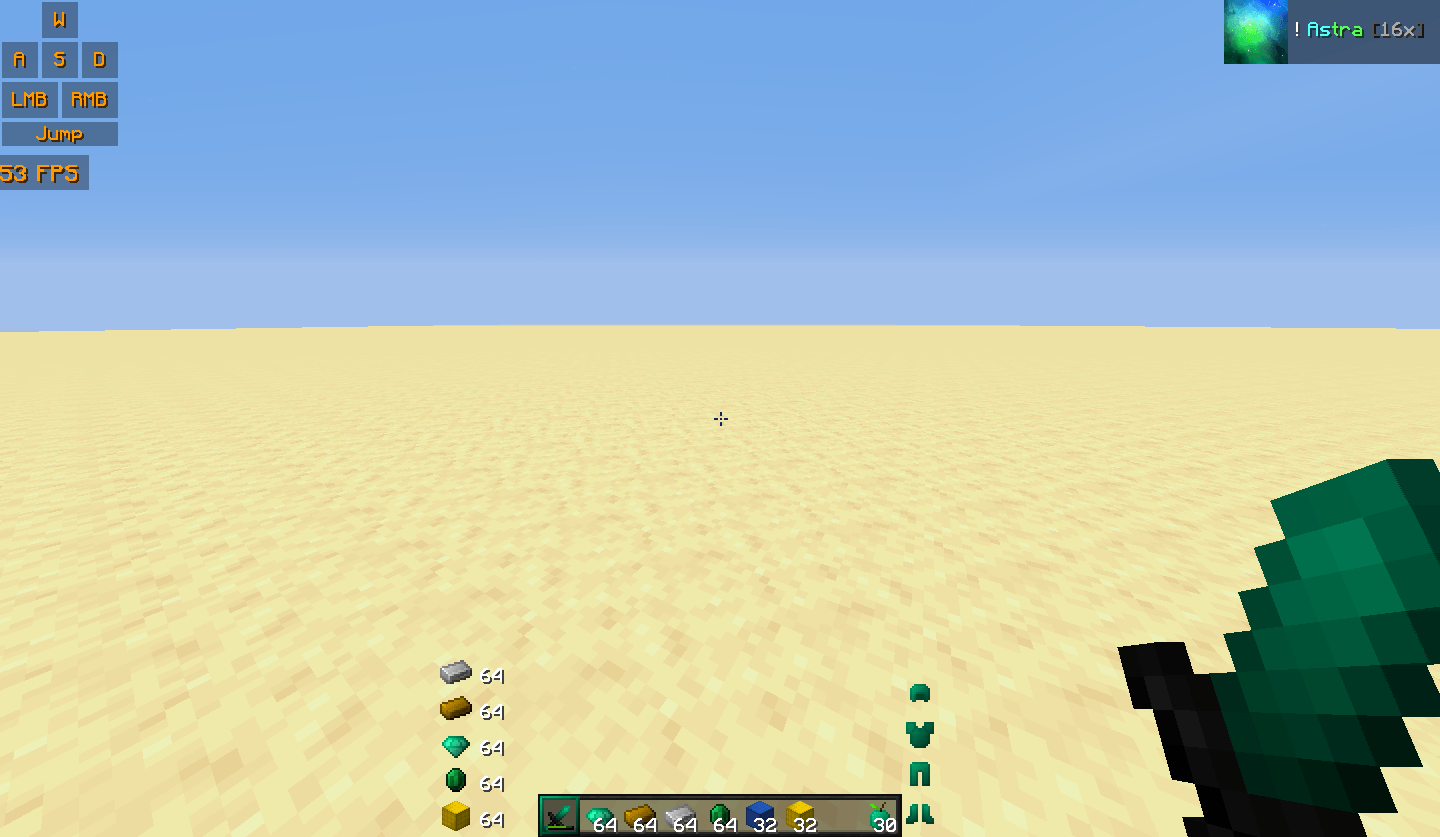 hud display
-
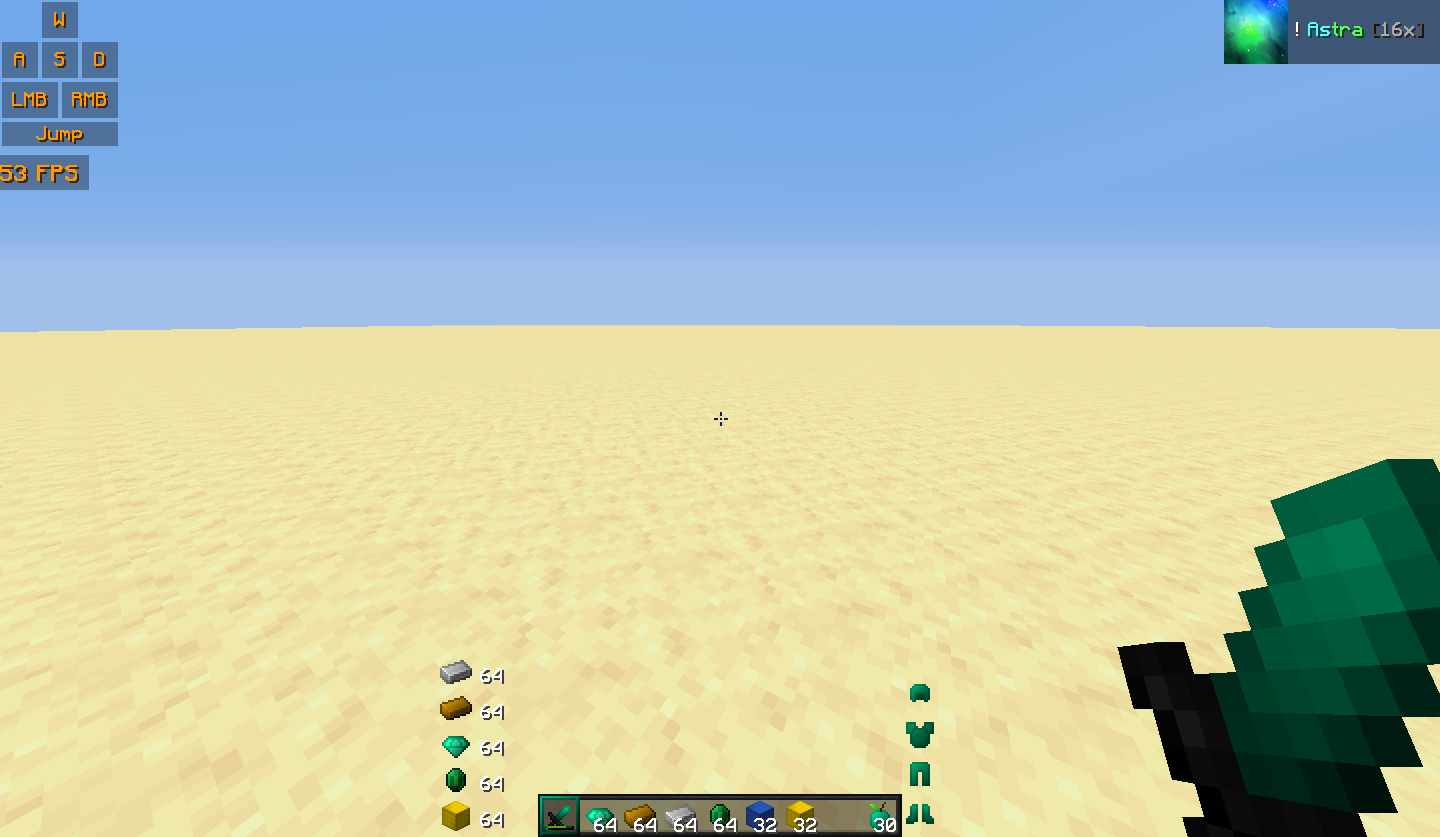
-
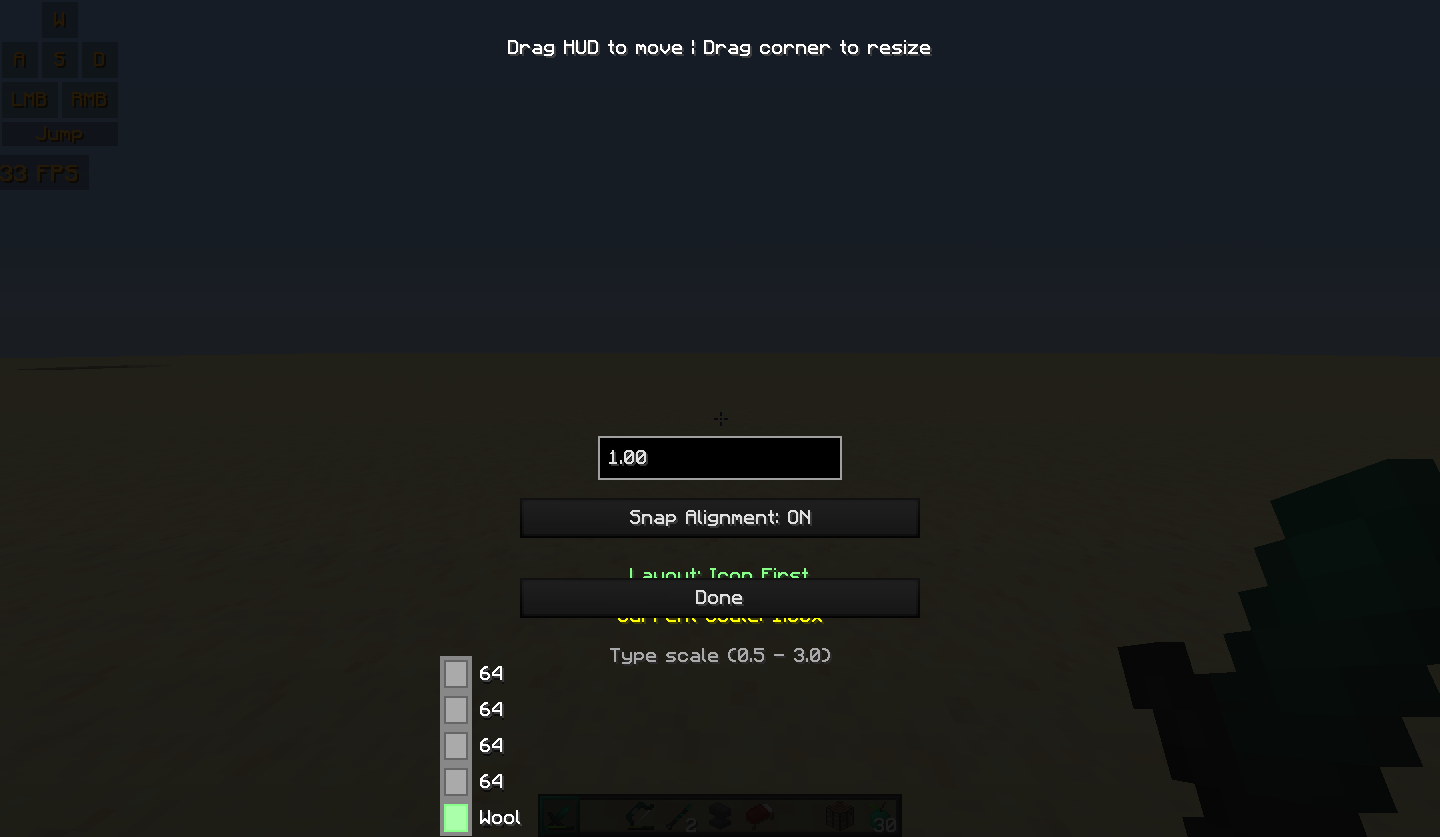 HUD editor — drag to move, resize, and snap alignment
 -
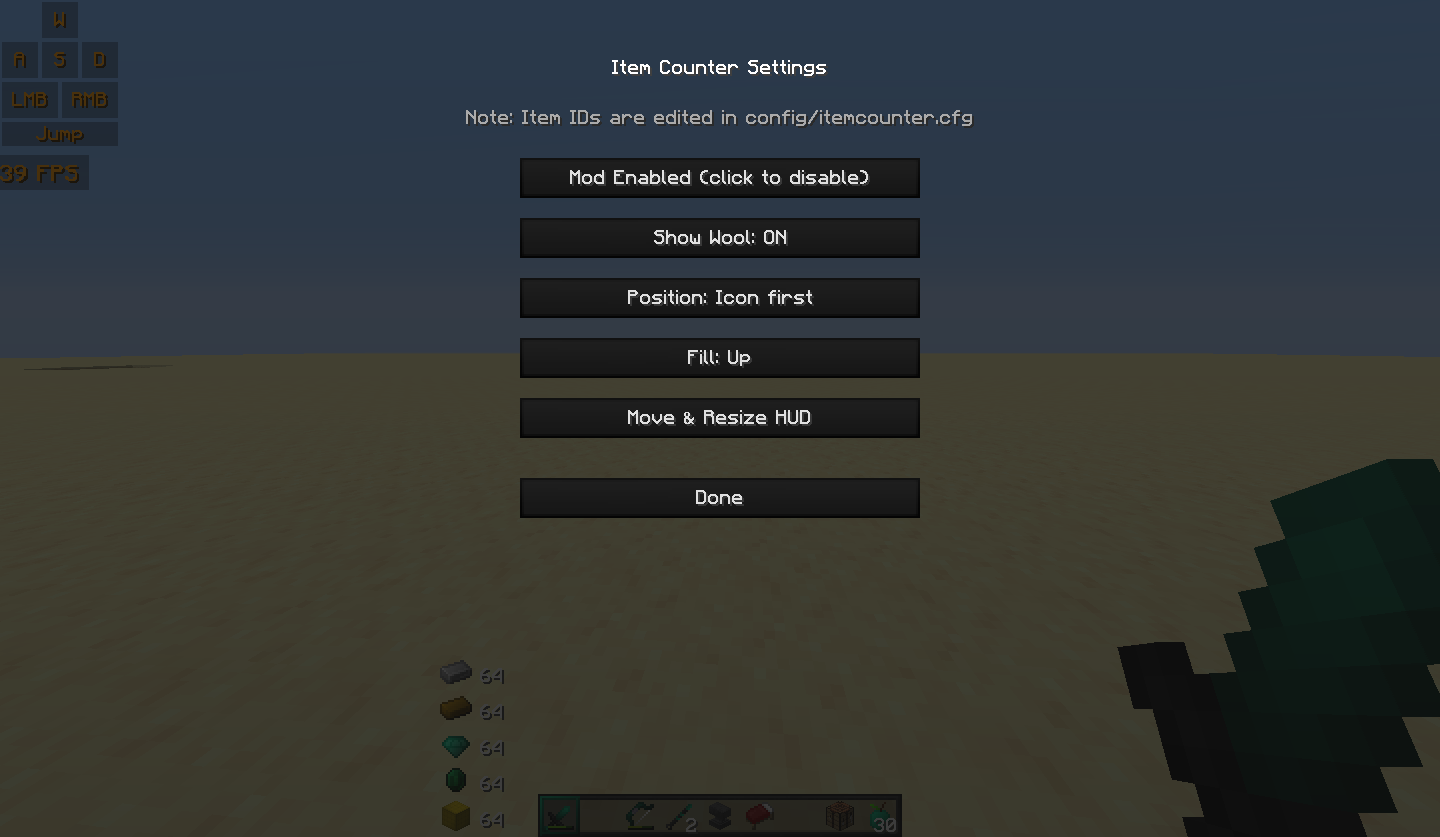 Main configuration GUI — toggle features, adjust layout mode, an
Versions
Files
Relations
Project Relations
More like this
Similar Mods
Suggestions use data such as tags, dependencies, dependents, descriptions, titles, and more to rank how much they overlap with this mod.
On ModDex
Community snapshot
By the numbers
Statistics
Want to reach Minecraft players?
We're looking for a server hosting partner to feature here and other parts of the site. Interested? Send us a message!
Get in touchGet it on
Available Platforms
On ModDex
Community snapshot
By the numbers
Statistics
Resources