
Community listing page, reviews may not be monitored by the author.
Item Pickup

No reviews yet
Pick up only what you want: look at an item, click, done – no more inventories full of junk. Switch between vanilla and manual pickup with one key, with a highlighted target and its name below the crosshair.

Community voices
Reviews
No reviews yet. Be the first to review this project!
Get it on
Available Platforms
About
Project Details
For authors
Embed Badge
If you're the author of this project, you can embed a live badge anywhere that supports HTML or Markdown. It updates automatically whenever ratings change.
Use HTML for any page that supports it, or Markdown for README files and Markdown-based descriptions.
Identifiers
Platform IDs
About
Description
⚠️ Disclaimer: This project is AI-generated. The code, this description and the icon of this mod were created with generative AI (Claude by Anthropic), directed by me. While I am a professional software developer, I am not a Java developer, so I use generative AI to build mods that my friends and I want to play with, and I like to share the ones that work well with everyone. I understand if you do not want to support the use of generative AI, which is why I put this disclaimer here. If you run into any problems, please report them on GitHub.
Item Pickup
Choose how you pick up items lying on the ground: automatically like in vanilla, or only the ones you actually want.
Features
- Vanilla mode – unchanged Minecraft: everything near you is picked up automatically.
- Manual mode – walking over items does nothing. Look at an item and press the pick up key (right-click by default) to pick it up. Holding the key sweeps up a whole pile of drops.
- The targeted item is outlined and its name and count are shown below the crosshair.
- Items can be picked up within 2 blocks around you by default; solid blocks and entities in between hide them, grass and flowers do not.
- Clicking an item does not also use the item in your hand, so you do not place a block on the floor by accident.
- Toggle key (
Kby default) switches between both modes while playing.
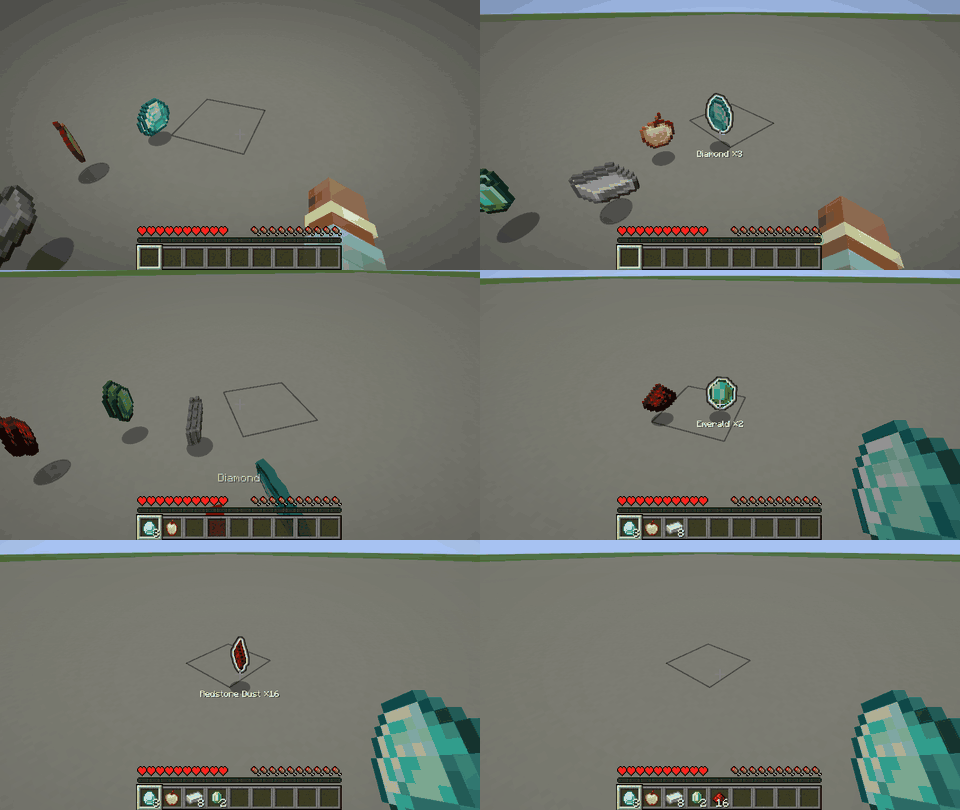
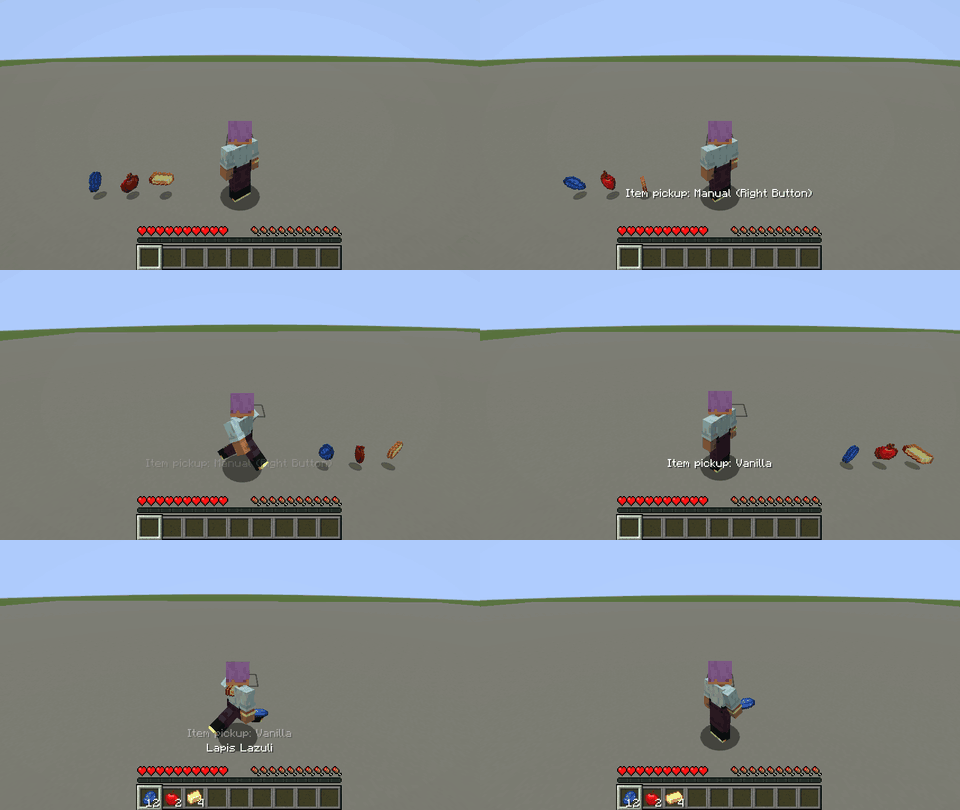
Both keys can be changed in Options → Controls → Key Binds → Gameplay.
Installation
Install the mod on the client to use manual mode and on the server (or in singleplayer, which runs both), since the server decides what a player picks up. Either side alone is harmless: a client with the mod on a server without it stays in vanilla mode, and players without the mod can join a server with it. On Fabric, Fabric API is required.
Configuration
config/itempickup.properties is created on first start and reloaded automatically when it changes. It can also be edited in game: on NeoForge in Mods → Item Pickup → Config, on Fabric through Mod Menu. Invalid values are marked red and cannot be saved, and every value can be reset to its default.
The mode at start, the pickup range (decided by the server in multiplayer), the outline and the name display can be configured.
Versions
Available for Fabric and NeoForge on Minecraft 1.21 – 26.3. Download the file that matches your loader and Minecraft version.
Links
Screenshots
Gallery
-
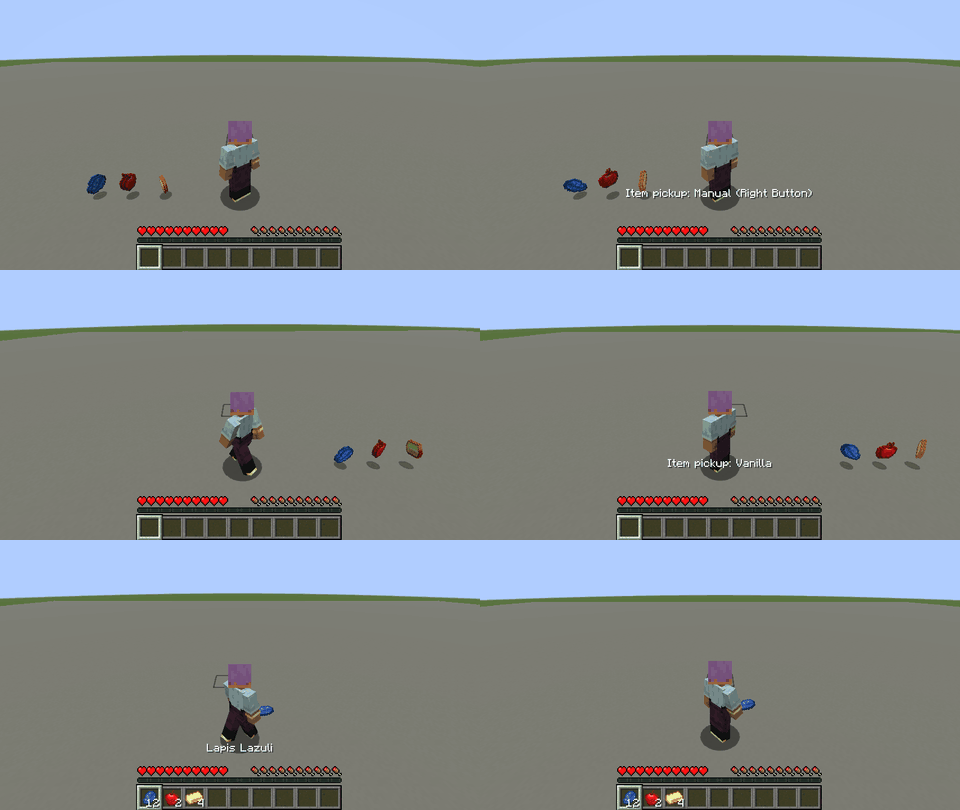 Switch pickup modes You will not automatically pick up in the new "manual mode" anymore
-
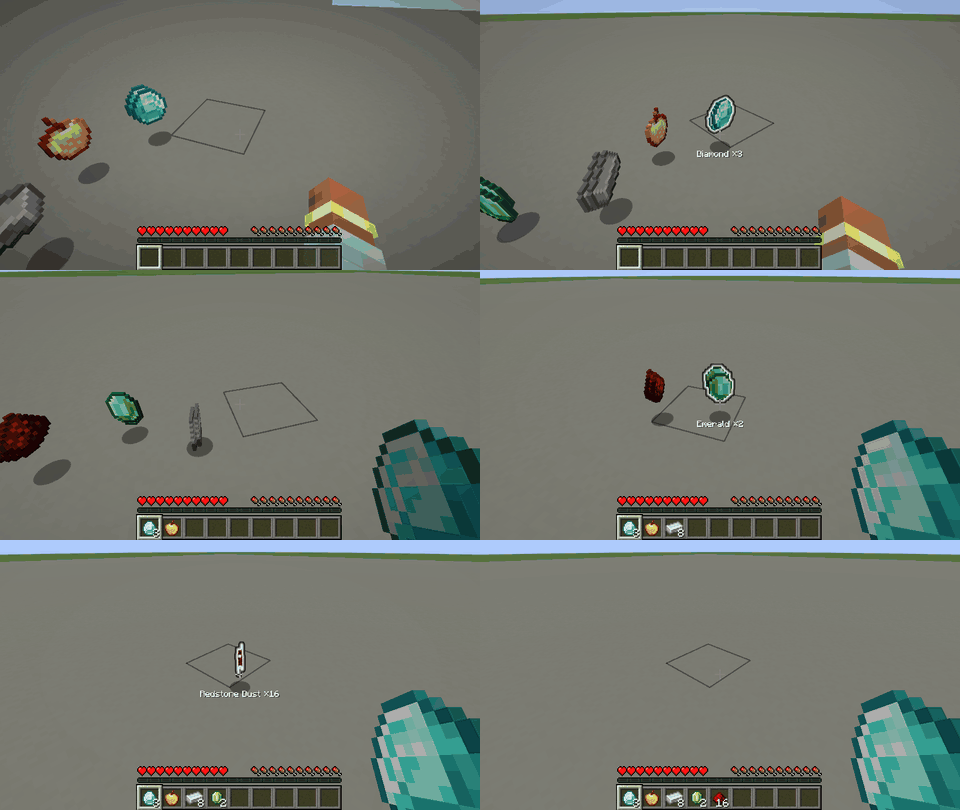 Manual pickup mode Hovering over items shows what they are and what you will pick up. Right click picks up the highlighted item.
Versions
Files
Relations
Project Relations
More like this
Similar Mods
Suggestions use data such as tags, dependencies, dependents, descriptions, titles, and more to rank how much they overlap with this mod.
On ModDex
Community snapshot
By the numbers
Statistics

Get it on
Available Platforms
On ModDex
Community snapshot
By the numbers