
Community listing page, reviews here may not be monitored by the author.
ItemBeacon


No reviews yet
Highlights dropped items with customizable beacon beams and lightweight particles. Fully client-side with rarity, type, count, and item filters.
Community voices
Reviews
No reviews yet. Be the first to review this project!
Get it on
Available Platforms
Compatibility
Supported Environments
Runs entirely on the client. Works on vanilla servers.
About
Project Details
For authors
Embed Badge
If you're the author of this project, you can embed a live badge anywhere that supports HTML or Markdown. It updates automatically whenever ratings change.
Use HTML for any page that supports it, or Markdown for README files and Markdown-based descriptions.
Identifiers
Platform IDs
Resources
External Links
About
Description
ItemBeacon
Highlights dropped items with customizable beacon beams and lightweight particles.
Features
- Client-side dropped item highlighting
- Rarity, type, count, and item filters
- Customizable beacon beam colors and particles
- Lightweight rendering with configurable display options
Configure the beacon and filtering behavior from the mod settings.
ItemBeacon
ItemBeacon makes dropped items easy to find by rendering customizable beacon beams and lightweight particles above them.
Features
- Completely client-side
no server installation or custom network packets required
- Depth-aware rendering
beacon beams stay hidden behind walls instead of acting like X-ray
- Flexible filters
show beacons by rarity, item category, stack count, or a custom item list
- Custom colors
configure colors for each rarity or individual registered items
- Customizable beams
adjust length, inner and outer thickness, opacity, and smooth tip fading
- Two particle styles
rising and wisp particles with adjustable amount, speed, size, and color
- Built-in texture editor
create, import, export, rename, and manage custom beam and particle masks
- Performance controls
configurable render distance, tracked-item limit, particle limit, and frustum culling
Configuration
Press B by default to open the ItemBeacon settings screen.
The settings screen is provided by Simple GUI API and includes dedicated tabs for general settings, display conditions, beacon layers, particles, textures, and individual items.
Requirements
- Simple GUI API 1.5.2 or newer
- A supported Fabric, Forge, or NeoForge client
ItemBeacon and Simple GUI API only need to be installed on the client. They are not required on the server.
Screenshots
Gallery
-
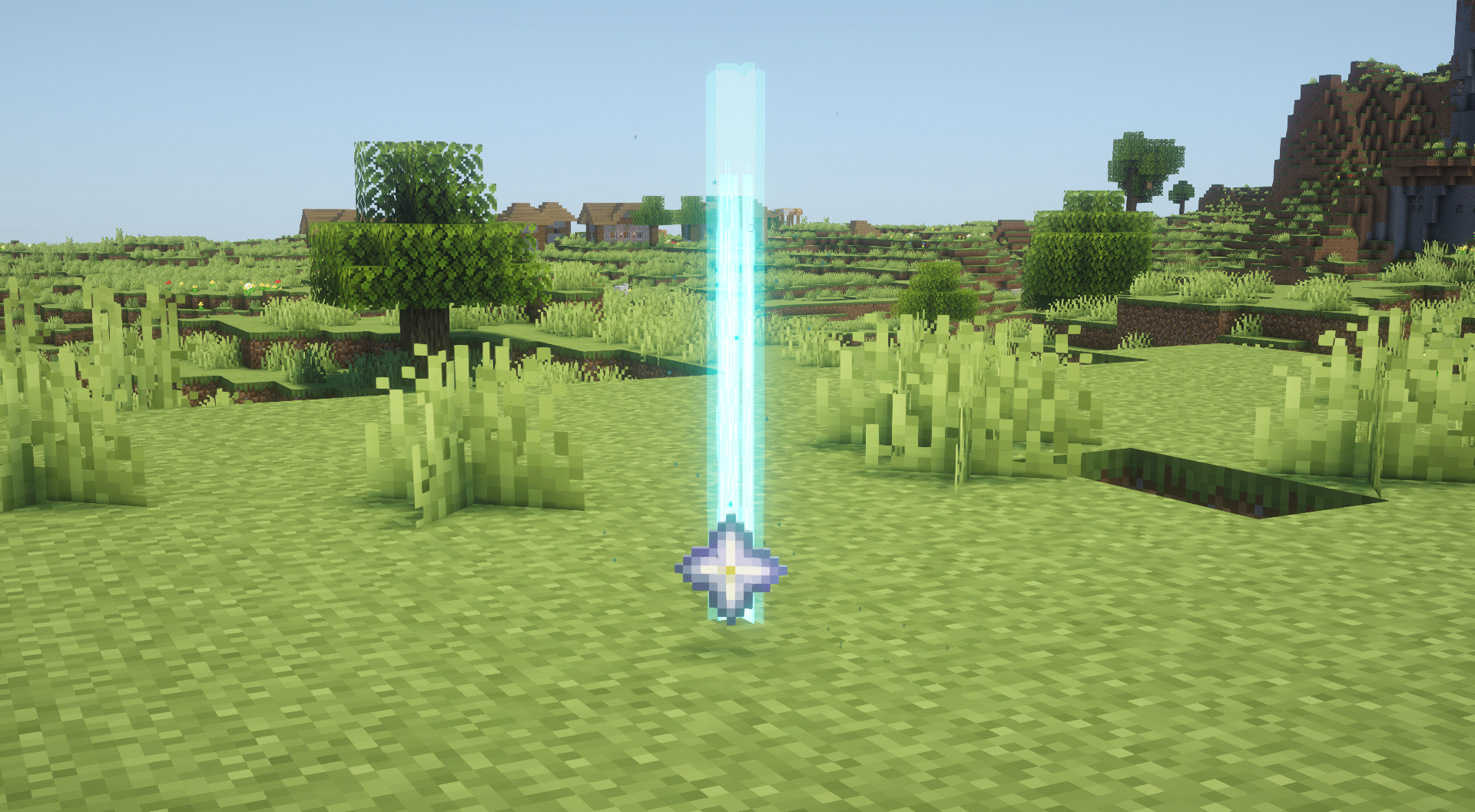 ItemBeacon
Versions
Files
Relations
Project Relations
More like this
Similar Mods
Suggestions use data such as tags, dependencies, dependents, descriptions, titles, and more to rank how much they overlap with this mod.
On ModDex
Community snapshot
By the numbers
Statistics
Want to reach Minecraft players?
We're looking for a server hosting partner to feature here and other parts of the site. Interested? Send us a message!
Get in touchGet it on
Available Platforms
On ModDex
Community snapshot
By the numbers
Statistics
Resources