
Community listing page, reviews here may not be monitored by the author.
JEI QuickCraft


No reviews yet
Craft JEI recipes instantly from your inventory
Community voices
Reviews
No reviews yet. Be the first to review this project!
Get it on
Available Platforms
Compatibility
Supported Environments
Must be installed on both the client and the server.
About
Project Details
For authors
Embed Badge
If you're the author of this project, you can embed a live badge anywhere that supports HTML or Markdown. It updates automatically whenever ratings change.
Use HTML for any page that supports it, or Markdown for README files and Markdown-based descriptions.
Identifiers
Platform IDs
Resources
External Links
About
Description
JEI QuickCraft
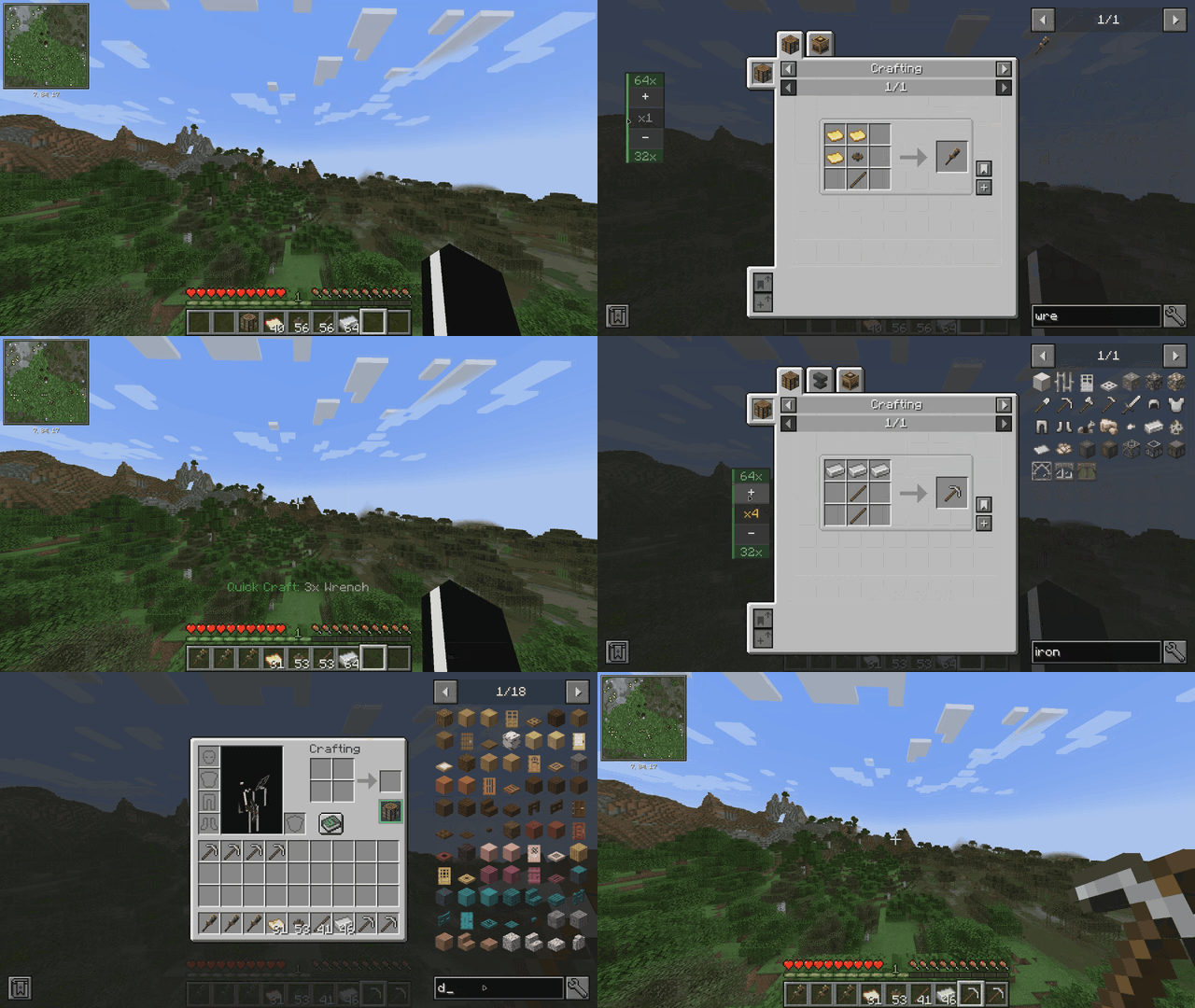


JEI QuickCraft is a utility addon for Just Enough Items that allows you to craft items directly from the JEI interface, eliminating the need to place and open a Crafting Table block.
How to Use
-
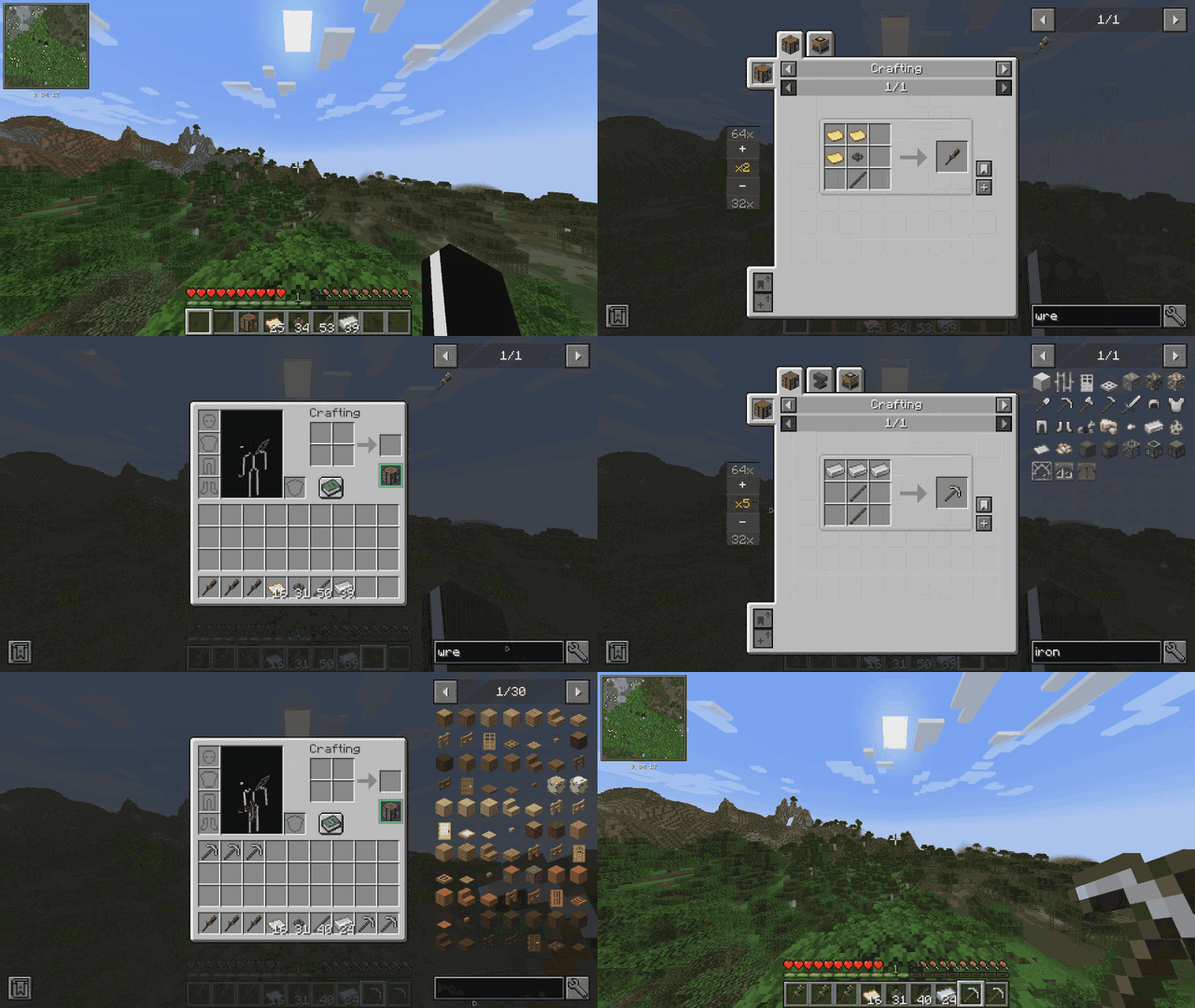
The CT Slot: Open your inventory (E). You will find a new dedicated slot labeled "CT" to the right of your character's crafting output.
-
Equip: Place a Crafting Table into this slot. When filled, the slot displays a green border indicating the mod is active.
-
Quick Craft: Browse any recipe in JEI and click the [+] Quick Craft button.
-
If you have the required materials: A 3x3 grid animation will play, and the crafted item will be added to your inventory.
-
If you are missing materials: A tooltip will appear listing the specific items and quantities needed.
-
- Quantity widget: Select amount of something you want to craft, if you don't like the position of it just right-click it and drag where you want it to be.
Features
-
Crafting Animation: A 3x3 grid appears on screen where ingredients pop in, glow, and the result moves to your hotbar.
-
Missing Item Detection: Detailed tooltips show exactly what is missing from your inventory.
-
Stack-Aware Logic: Correctly calculates if a single stack can satisfy multiple recipe requirements.
-
Inventory Integration: The Crafting Table remains in its dedicated slot and is not consumed during crafting.
Requirements
For Minecraft 1.20.1 (Forge)
• Forge: 47.2.0 or newer
• JEI: 15.20.0 or newer
For Minecraft 1.21.1 (NeoForge)
• NeoForge: 21.1.0 or newer
• JEI: 19.0.0 or newer
For Minecraft 1.21.1 (Fabric)
• Fabric Loader: 0.16.0 or newer
• Fabric API (required)
• JEI: 19.0.0. or newer
• Java 21
JEI QuickCraft
JEI QuickCraft is a utility addon for Just Enough Items that allows you to craft items directly from the JEI interface, eliminating the need to place and open a Crafting Table block. How to Use
The CT Slot: Open your inventory (E). You will find a new dedicated slot labeled "CT" to the right of your character's crafting output.

Equip: Place a Crafting Table into this slot. When filled, the slot displays a green border indicating the mod is active.

Quick Craft: Browse any recipe in JEI and click the [+] Quick Craft button.

    If you have the required materials: A 3x3 grid animation will play, and the crafted item will be added to your inventory.

    If you are missing materials: A tooltip will appear listing the specific items and quantities needed.
Quantity widget: Select amount of something you want to craft, if you don't like the position of it just right-click it and drag where you want it to be.
Features
Crafting Animation: A 3x3 grid appears on screen where ingredients pop in, glow, and the result moves to your hotbar.

Missing Item Detection: Detailed tooltips show exactly what is missing from your inventory.

Stack-Aware Logic: Correctly calculates if a single stack can satisfy multiple recipe requirements.

Inventory Integration: The Crafting Table remains in its dedicated slot and is not consumed during crafting.
Requirements
For Minecraft 1.20.1 (Forge) • Forge: 47.2.0 or newer • JEI: 15.20.0 or newer
For Minecraft 1.21.1 (NeoForge) • NeoForge: 21.1.0 or newer • JEI: 19.0.0 or newer
For Minecraft 1.21.1 (Fabric) • Fabric Loader: 0.16.0 or newer • Fabric API (required) • JEI: 19.0.0. or newer • Java 21
Screenshots
Gallery
-
 Showcase
Versions
Files
Relations
Project Relations
More like this
Similar Mods
Suggestions use data such as tags, dependencies, dependents, descriptions, titles, and more to rank how much they overlap with this mod.
On ModDex
Community snapshot
By the numbers
Statistics
Want to reach Minecraft players?
We're looking for a server hosting partner to feature here and other parts of the site. Interested? Send us a message!
Get in touchGet it on
Available Platforms
On ModDex
Community snapshot
By the numbers
Statistics
Resources