
Community listing page, reviews here may not be monitored by the author.
JK's BedWars ToolPack

No reviews yet
Makes it easy to create your own bedwars!
Community voices
Reviews
No reviews yet. Be the first to review this project!
Get it on
Available Platforms
Compatibility
Supported Environments
Runs entirely on the server. Also works in singleplayer.
The author has not specified where this runs.
Varies by version.
About
Project Details
For authors
Embed Badge
If you're the author of this project, you can embed a live badge anywhere that supports HTML or Markdown. It updates automatically whenever ratings change.
Use HTML for any page that supports it, or Markdown for README files and Markdown-based descriptions.
Identifiers
Platform IDs
Resources
External Links
About
Description
Info
BedWars is a classic Minecraft game. Players aim to protect their beds and survive to the end. If their beds are destroyed, they cannot respawn.
This datapack delivers feature-rich BedWars gameplay. Server admins can start the game simply by providing maps and placing items as per in-game instructions.
How to Install
- Open the world's
datapacksfolder, place this.zipinside. - For singleplayer: Enter the world now (re‑enter if already loaded). For servers: Start the server now (restart if already running).
- Type
/reloador/function #loadto open the menu. - Note: This datapack only support the overworld dimension.
About Compatibility
- Definition: The update log is marked "compatible", the current world save has installed and run an older version of the datapack, and a new version of the datapack is to be installed.
- Operation: Enter the game, reselect the language, then run:
/function jkbw:compatibility.
Feature List
- Support Simplified Chinese and English.
- Support max 8 teams & 64 players.
- Place items using spawn eggs.
- All non-durable items have a maximum stack size of 64.
- There is a Test Mode, available for solo play and free shopping.
- Additional features are listed separately below.
Admin Board
Map Related
| Option | Description | Notes |
|---|---|---|
| Clean | Clean up the blocks from players. | Refer to the "How2use" in the datapack for blocks that will be cleaned. |
| Convert | Convert clean-blocks to others. | Recommended to click before running the map for the first time. |
| Rotate | Automatically rotates maps after each game ends. | Requires multi-maps first, configured in the "Control Panel". |
"Control Panel"
| Option | Description |
|---|---|
| Container Chunk | You can adjust shop prices, enable Rotating Items & change max tier of Team Upgrades here. |
| Map Rotation | Input map list manually and enable the switch to activate. |
| Set Period | Settings of game phase timers. |
| Others | Controls whether corresponding items appear or display differently in the shop. |
Player Settings
Around the Global Point, admins can block these settings by placing blocks.
| Settings | Optional Values | Notes |
|---|---|---|
| Bed Type | Default / Covered / Cake | Covered means some blocks cover the bed. |
| Resource Speed | 0.5 ~ 2.0 | The num means ratio, this setting is useless in URF. |
| Attack Speed | 1.8- / 1.9+ | The num is the version of Minecraft, corresponding to the attack mechanism. |
| Team Count | 2 ~ 8 | The max num cannot exceed the limit of the current map. |
| Team Distribute | Random / Manual | The Manual has no team size balance. |
| Set Time | Morning / Noon / Night / Midnight | You can select day or night, and day-night cycle. |
| Resource Mode | (See below) | \ |
| Experimental Mode | (See below) | \ |
Game Types
Resource Mode
| Type | Description |
|---|---|
| Classic / Xp | Players have full Leather set, carrying Wooden Sword & Compass on spawn. They can store their private items, buying rotating items & team benefits via shops. |
| URF (Ultra Rapid Fire) | Players carry nothing on spawn, only lose half levels after death. They can buy team chests but no team benefits via shops, all weapons & armor have durability. As the game progresses, players will gradually improve their Max Health, and will unlock Wither Bow in the final game stage. |
About shop buying, the classic uses items, while others use experience levels.
Experimental Mode
| Type | Description |
|---|---|
| Disabled | \ |
| Blitz | All Resource Points are at max level, Obsidian/Ender Chest cannot be bought, Ender Pearl has lower price, has auto-bridging. |
| No Jumps | Players cannot jump, but can step up 3 blocks. |
| Lilliput | Set players' Scale to 1/2. |
| Beds of Fortune | Shops and Resource Points are banned. For every 5 seconds, players will get random shop loots freely (team updates not included). |
| Patpat | Set both players' Entity & Block Interaction Range to 32. |
| Color Blind | All players have the same white name tags, armor, and blocks. |
| Armed | All bows are replaced with guns. |
| Zero Friction | All players have no friction. |
Websites
Screenshots
Gallery
-
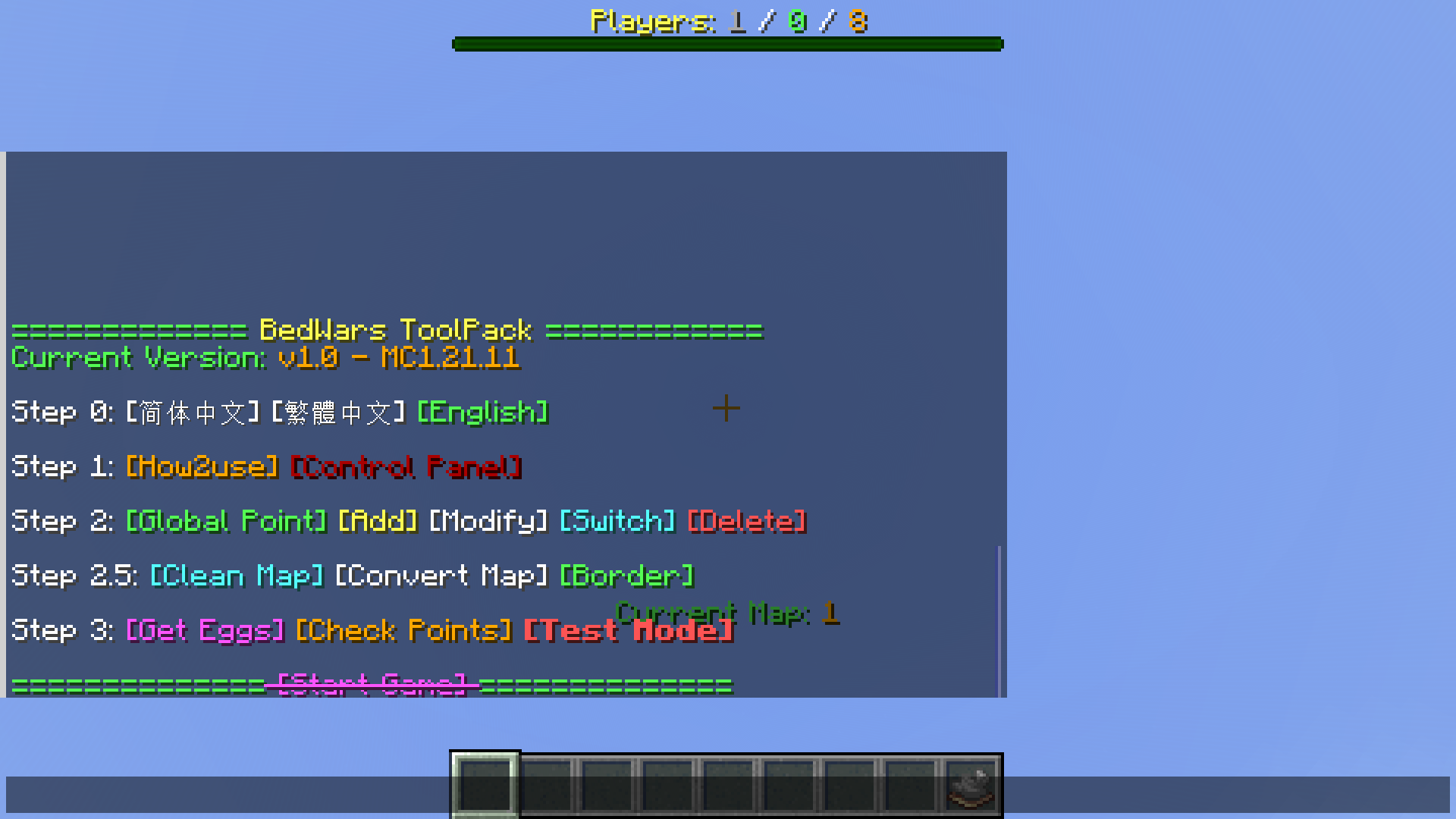 Admin Board
 -
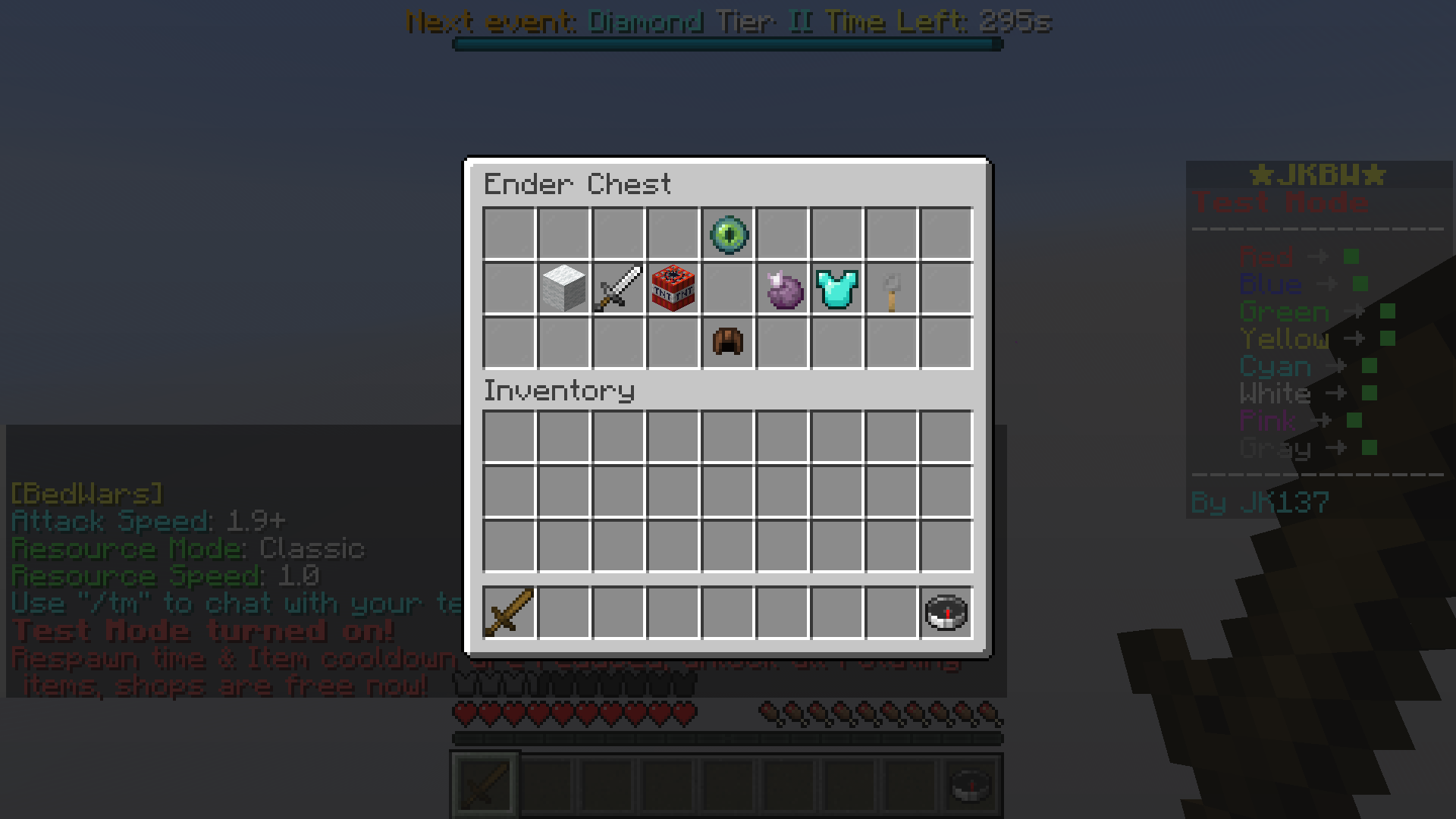 During playing Displays the shop & others.
 -
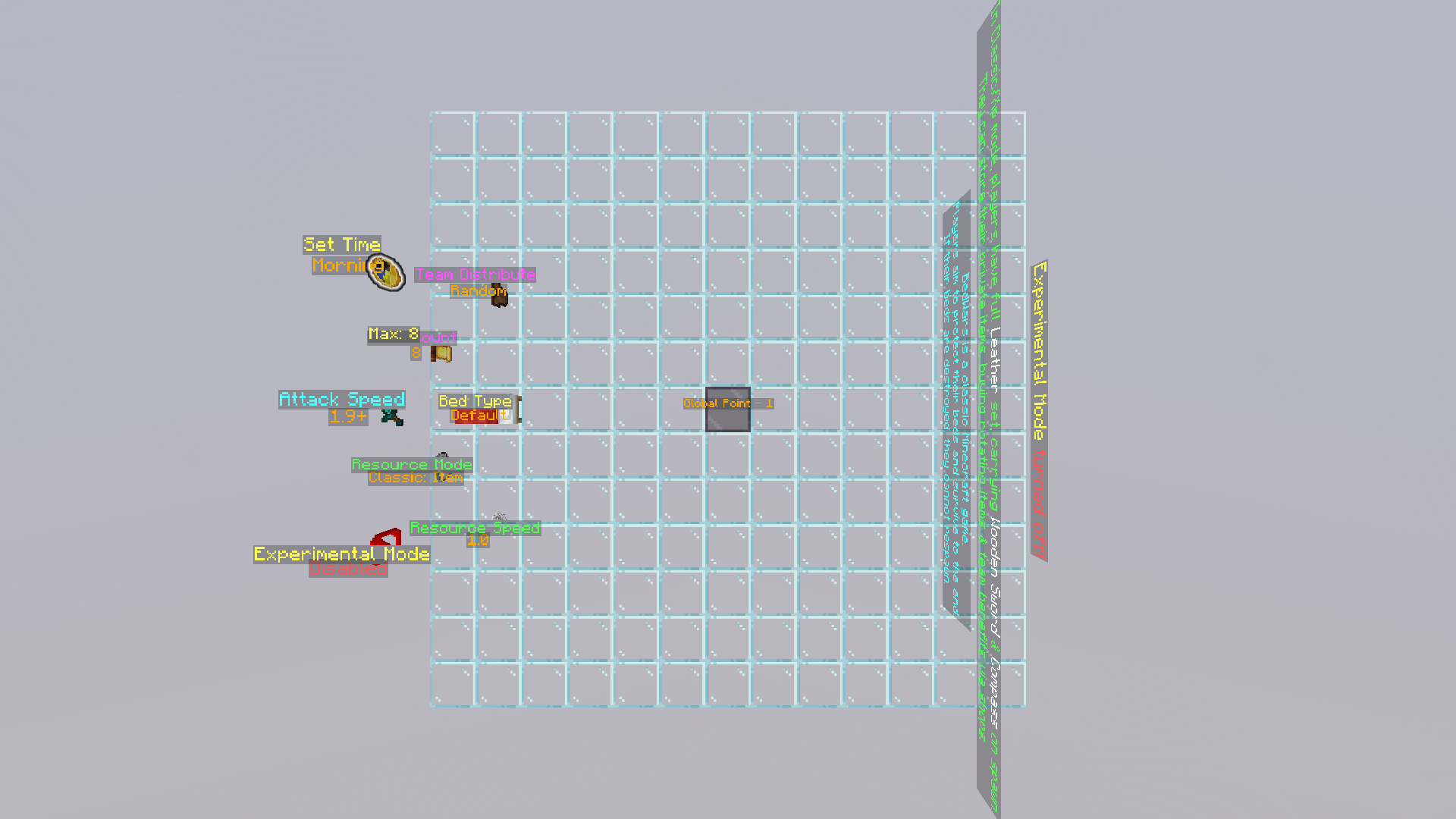 Around Global Point
Versions
Files
Relations
Project Relations
More like this
Similar Mods
Suggestions use data such as tags, dependencies, dependents, descriptions, titles, and more to rank how much they overlap with this mod.
On ModDex
Community snapshot
By the numbers
Statistics

Want to reach Minecraft players?
We're looking for a server hosting partner to feature here and other parts of the site. Interested? Send us a message!
Get in touchGet it on
Available Platforms
On ModDex
Community snapshot
By the numbers
Statistics
Resources