
Community listing page, reviews may not be monitored by the author.


Community voices
Reviews
No reviews yet. Be the first to review this project!
Get it on
Available Platforms
About
Project Details
For authors
Embed Badge
If you're the author of this project, you can embed a live badge anywhere that supports HTML or Markdown. It updates automatically whenever ratings change.
Use HTML for any page that supports it, or Markdown for README files and Markdown-based descriptions.
Identifiers
Platform IDs
Resources
External Links
About
Description
A Minecraft mod that allows you to add text to the player interface using JSON files.
This mod is currently in beta; please report any bugs.
The json file is in .minecraft/config/hud.json
The more lines you add, the higher the likelihood of an FPS drop.
Wiki under construction.
Currently available placeholders:
$player_name$
$player_world$
$player_health$
$player_xp$
$player_level$
$player_food$
$pos_x$
$pos_y$
$pos_z$
$score_<scoreboard_name>$
Updated how colors are rendered, adding more variety by using & prefixes.
For example:
Food: &c$player_food$
Added new item symbols using $item:<item>$.
Example:
$item:golden_apple$ Health: $player_health$

The scoreboard must be displayed somewhere for the client to receive it; example command:
/scoreboard objectives setdisplay (belowname, sidebar, list, sidebar.team_aqua, etc.) <scoreboard>
Example:
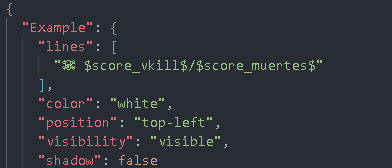
"Example": {
"lines": [
"Player: $player_name$",
"Health: $player_health$",
"Food: $player_food$"
],
"color": "yellow / white / red / black / gray / orange / green / blue / purple / pink",
"position": "top-left / top-right / left / right / bottom-left / bottom-right / bottom / top",
"visibility": "visible / hidden",
"shadow": true / false
}
When Shadow = true
When Shadow = false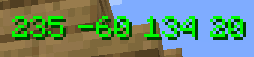
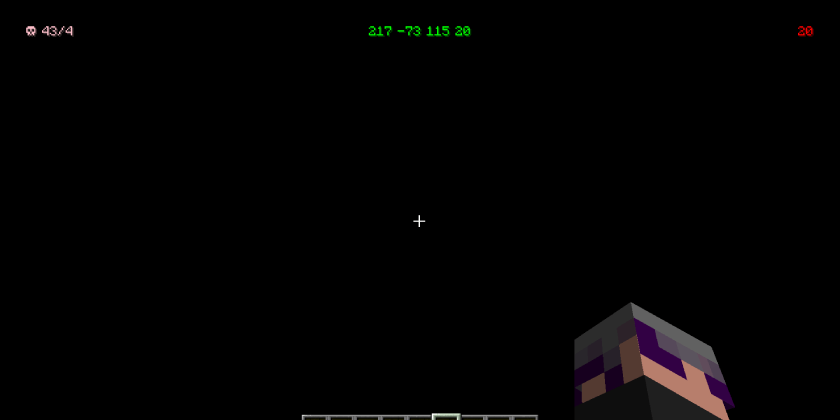
Screenshots
Gallery
Versions
Files
Relations
Project Relations
More like this
Similar Mods
Suggestions use data such as tags, dependencies, dependents, descriptions, titles, and more to rank how much they overlap with this mod.
On ModDex
Community snapshot
By the numbers
Statistics

Get it on
Available Platforms
On ModDex
Community snapshot
By the numbers
Statistics
Resources