Community listing page, reviews here may not be monitored by the author.
Jukebox Plus

No reviews yet
Turn any jukebox into your personal, unlimited disc collection with private headphone or classic room playback
Community voices
Reviews
No reviews yet. Be the first to review this project!
Get it on
Available Platforms
About
Project Details
For authors
Embed Badge
If you're the author of this project, you can embed a live badge anywhere that supports HTML or Markdown. It updates automatically whenever ratings change.
Use HTML for any page that supports it, or Markdown for README files and Markdown-based descriptions.
Identifiers
Platform IDs
Resources
External Links
About
Description
JukeboxPlus
Ta collection de musique, dans n'importe quel jukebox.
JukeboxPlus transforme le jukebox vanilla en lecteur de musique personnel. Plus besoin d'un bloc dédié à chaque disque : ta collection te suit partout, accessible depuis n'importe quel jukebox du monde.
Fonctionnalités
Une collection sans limite Stocke autant de disques que tu veux. L'insertion se fait comme avec un jukebox vanilla — glisse un disque dedans — sauf qu'il rejoint ta collection personnelle au lieu de rester coincé dans le bloc. Recherche, réordonne, renomme et duplique tes disques directement depuis l'interface.
Deux façons d'écouter
- 🎧 Casque — musique privée, entendue uniquement par toi, sans limite de distance. Se débloque une seule fois contre un bloc d'émeraude.
- 🔊 Salon — diffusion positionnelle classique autour du jukebox, audible par tous les joueurs à proximité. Gratuit, activé par défaut.
Contrôle total Lecture, pause, stop, piste suivante/précédente, lecture aléatoire. Le tout accessible depuis l'interface du jukebox, avec la piste en cours toujours visible.
Panneau à distance Une fois le mode Casque débloqué, un petit panneau flottant et déplaçable donne accès aux commandes de lecture sans avoir à retourner devant un jukebox — pratique en pleine exploration ou en pleine construction. S'affiche et se cache avec une touche dédiée (personnalisable dans les options).
Pensé pour le multijoueur Deux joueurs sur deux jukebox différents restent complètement indépendants, exactement comme en vanilla. Sur un même jukebox, la diffusion la plus récente prend la main pour éviter que deux musiques se superposent. Se déconnecter arrête proprement la lecture, et ta collection est toujours là à ton retour — même après une mort.
Comment démarrer
- Ramasse ou fabrique quelques disques de musique.
- Clique-droit sur n'importe quel jukebox avec un disque en main pour l'ajouter à ta collection, ou main vide pour ouvrir l'interface.
- Choisis ton mode d'écoute (Salon par défaut, Casque si tu as débloqué le mode).
- Profite.
Prérequis
- Minecraft 1.21.1
- NeoForge 21.1.172 ou supérieur
Note
Le mode Casque nécessite le mod installé côté client et côté serveur
=======================================================================
JukeboxPlus
Your entire music collection, in any jukebox.
JukeboxPlus turns the vanilla jukebox into a personal music player. No more one disc per block — your collection follows you, accessible from any jukebox in the world.
Features
An unlimited collection Store as many discs as you want. Insertion works just like a vanilla jukebox — drop a disc in — except it joins your personal collection instead of staying stuck in the block. Search, reorder, rename and duplicate your discs right from the interface.
Two ways to listen
- 🎧 Headphones — private music, heard only by you, no distance limit. Unlocks once for a block of emerald.
- 🔊 Room — classic positional playback around the jukebox, audible to any nearby player. Free, and on by default.
Full playback control Play, pause, stop, next/previous track, shuffle. All available from the jukebox interface, with the current track always visible.
Remote control panel Once Headphones mode is unlocked, a small draggable floating panel gives you playback controls without walking back to a jukebox — handy while exploring or building. Show or hide it with a dedicated key (rebindable in the controls menu).
Built for multiplayer Two players on two different jukeboxes stay fully independent, exactly like vanilla. On the same jukebox, the most recent broadcast takes over so two tracks never overlap. Disconnecting always stops playback cleanly, and your collection is still there when you come back — even after dying.
Getting started
- Pick up or craft a few music discs.
- Right-click any jukebox with a disc in hand to add it to your collection, or empty-handed to open the interface.
- Choose your listening mode (Room by default, Headphones once unlocked).
- Enjoy.
Requirements
- Minecraft 1.21.1
- NeoForge 21.1.172 or higher
Note
Headphones mode requires the mod on both client and server
Screenshots
Gallery
-
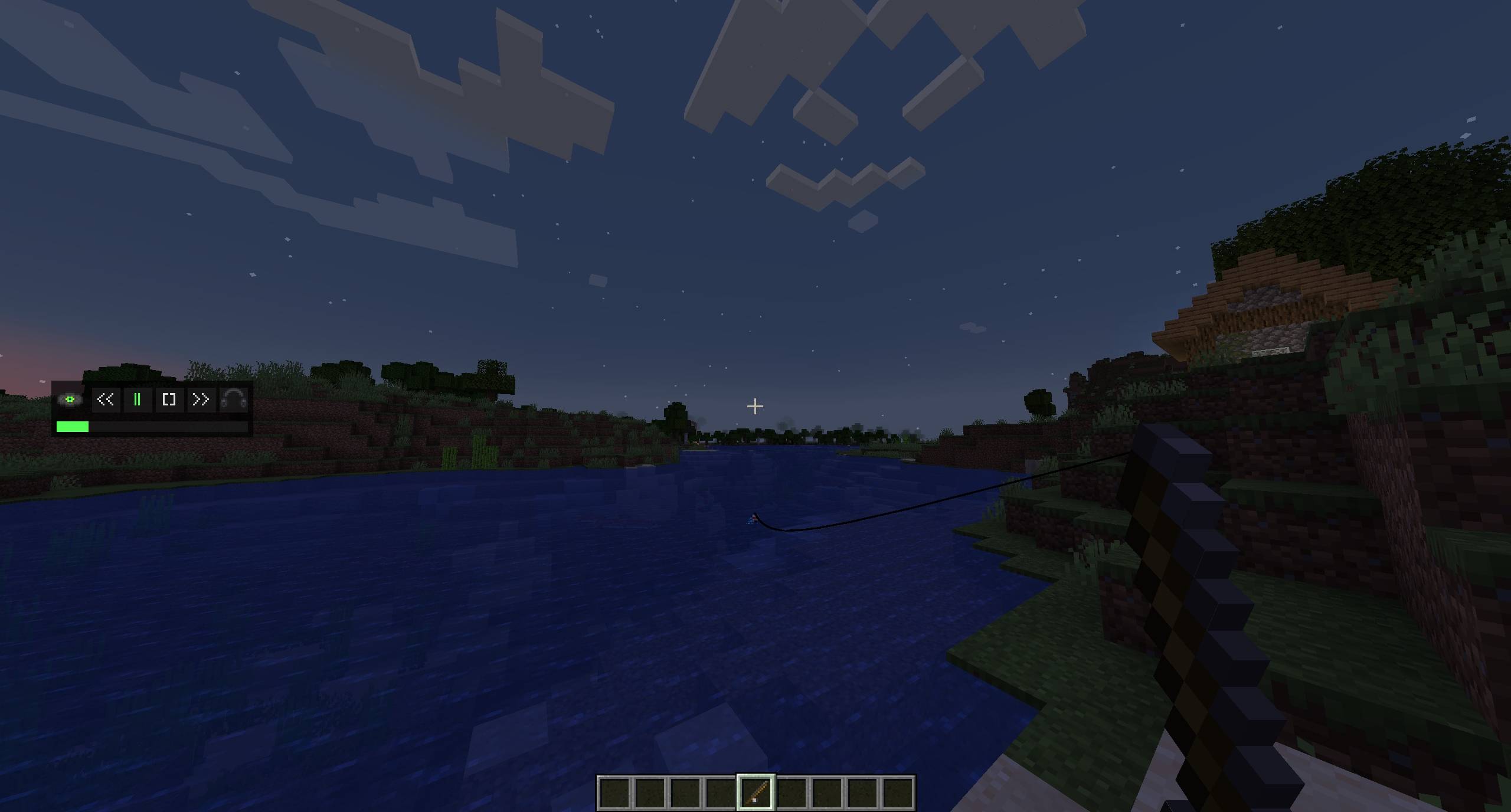 image-attachment_4d1ddf0e-546d-4b94-8e48-7433f4efbac8.jpg Headphone GUI can move freely !
 -
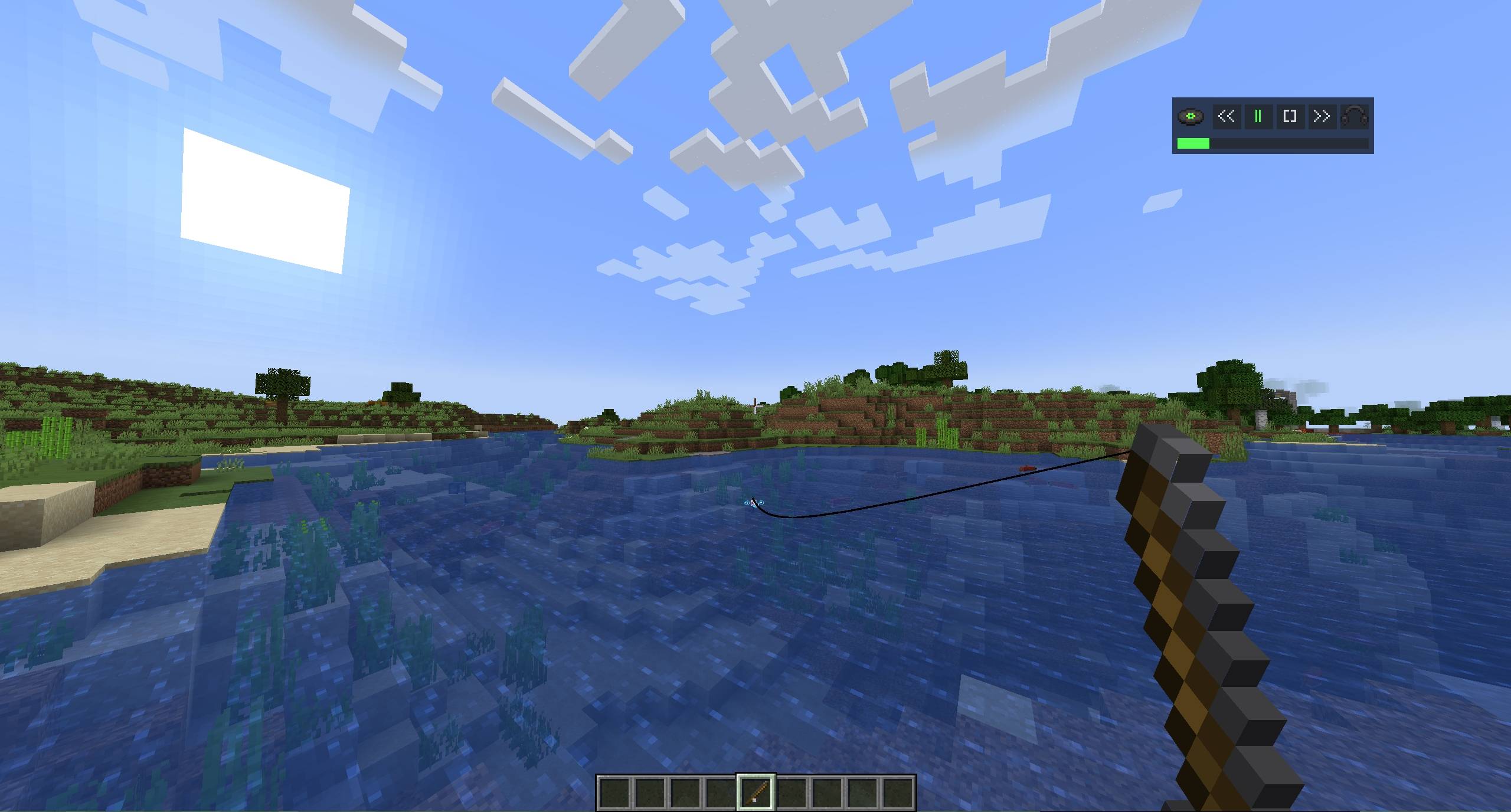 image-attachment_e20bde46-f448-479e-a3e2-bca2f50bbcb6.jpg Push K to use Headphone mode
 -
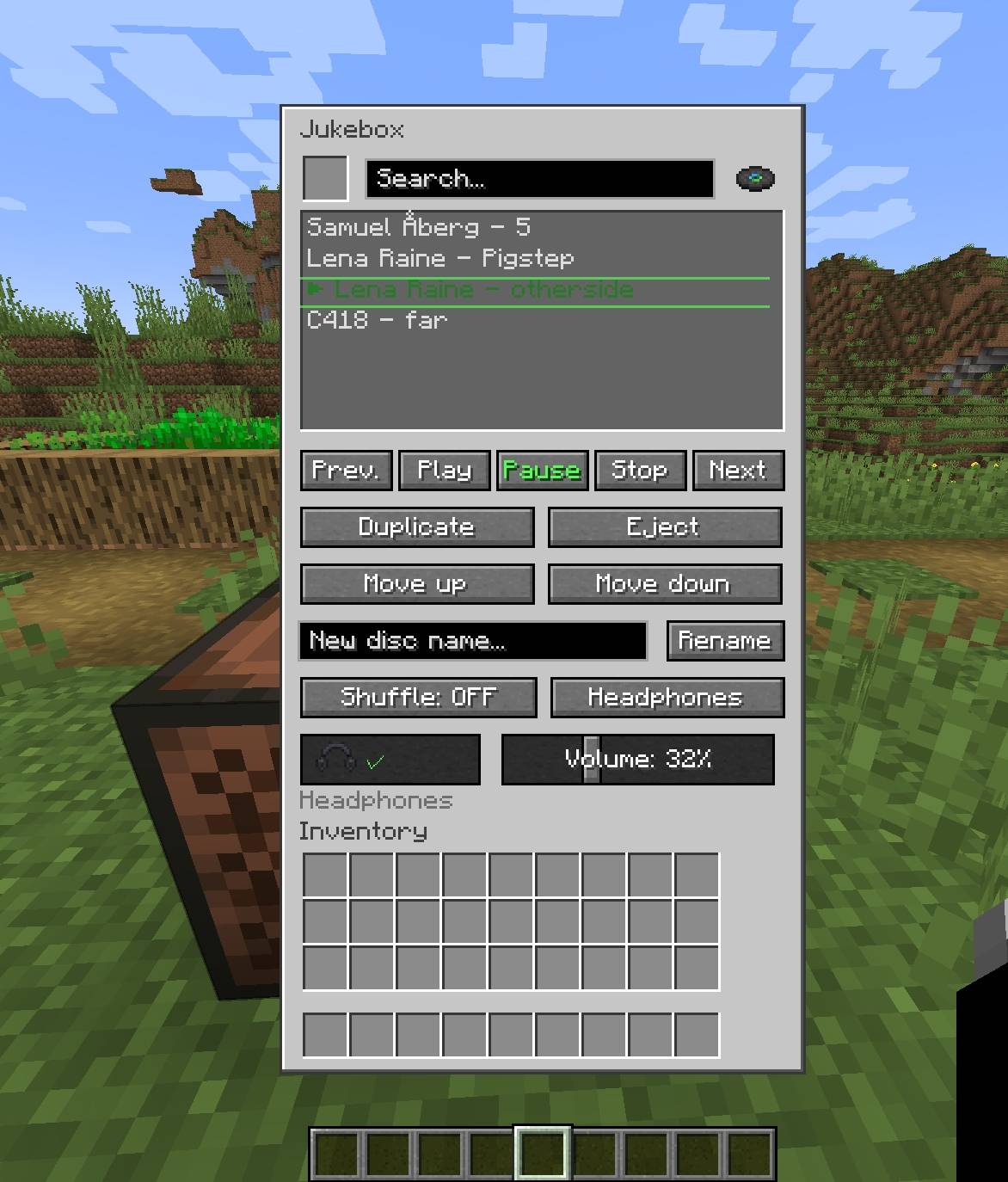 image-attachment_68f39323-61ba-472f-9963-44259ae01b2e.jpg Jukebox got GUI Now !!!
Versions
Files
Relations
Project Relations
More like this
Similar Mods
Suggestions use data such as tags, dependencies, dependents, descriptions, titles, and more to rank how much they overlap with this mod.
On ModDex
Community snapshot
By the numbers
Statistics
Want to reach Minecraft players?
We're looking for a server hosting partner to feature here and other parts of the site. Interested? Send us a message!
Get in touchGet it on
Available Platforms
On ModDex
Community snapshot
By the numbers
Statistics
Resources