
Community listing page, reviews here may not be monitored by the author.
Keybind Atlas


No reviews yet
Keybind overlay for modpacks that shows what every key does at a glance.
Community voices
Reviews
No reviews yet. Be the first to review this project!
Get it on
Available Platforms
Compatibility
Supported Environments
Runs entirely on the client. Works on vanilla servers.
About
Project Details
For authors
Embed Badge
If you're the author of this project, you can embed a live badge anywhere that supports HTML or Markdown. It updates automatically whenever ratings change.
Use HTML for any page that supports it, or Markdown for README files and Markdown-based descriptions.
Identifiers
Platform IDs
Resources
External Links
About
Description
Keybind Atlas
Keybind Atlas is a client-side visual keybinding overlay that shows players what every key does, across vanilla and modded content.


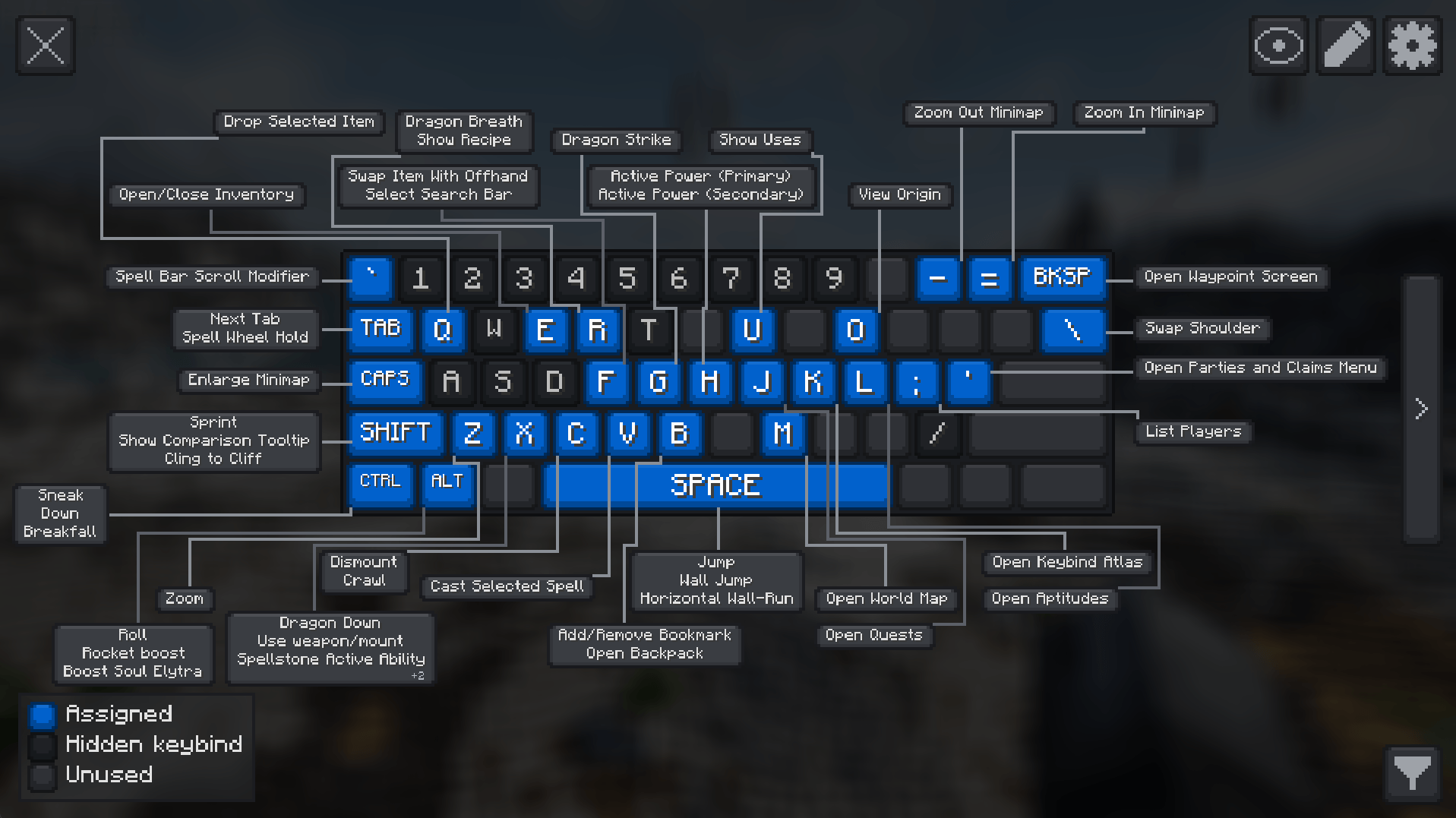
How? When players open the atlas(default key K), it reads their current keybinding state and renders a live visual map of their keyboard and mouse. Each key is color-coded based on whether it's assigned, unused, or hidden, and hovering over a key shows an info box with the action name and source mod. Players can also enter edit mode to manage bindings directly from the overlay.
Why? Modpack controls get crowded fast. Instead of digging through long controls menus, players can open a readable map and understand where bindings come from at a glance, and easily edit them.
Features
Live Visual Overview
Keybind Atlas reads the current keybinding state from vanilla Minecraft and installed mods, then renders a live map of the player's keyboard and mouse. If a player changes a binding or adds a mod, the atlas updates dynamically.
Keys are visually separated by state:
- Assigned for keys with active bindings
- Unused for free keys
- Hidden for bindings the player chooses to keep out of the overview
Hovering a key shows the action name and source mod.
In-Overlay Editing
Players can manage bindings directly from the overlay:
- Remove or rebind an assigned key
- Browse unassigned bindings grouped by mod
- Assign actions to new keys
- Undo changes, discard them, or apply them when ready
Filtering and Customization
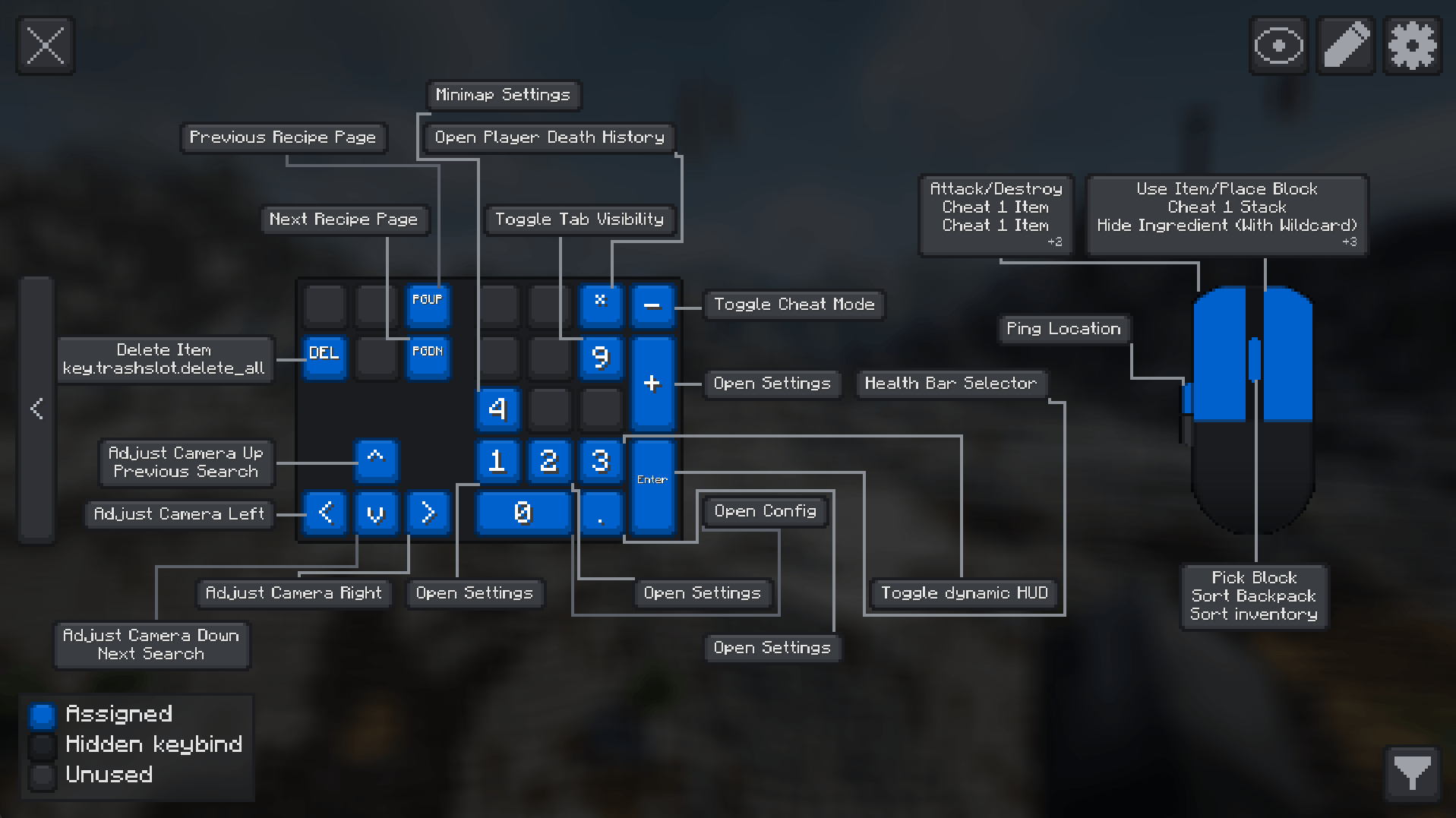
Players can filter visible bindings by mod or by specific actions to reduce noise and focus on the controls that matter. The atlas also supports custom color-coded categories for organizing assigned bindings, including creating, editing, and deleting categories directly in the overlay. Keyboard layout selection, function and extra key toggles, animation controls, hidden-binding controls, scale adjustments, persisted mod and binding filters, and panel styling options are also available.
Why should I add this to my modpack?
If your pack depends on many key-driven features, vehicles, abilities, gadgets, magic systems, or utility menus, this mod gives players a much better first impression of the control setup and helps new players learn the controls faster. Players can reassign controls as they see fit in the same screen.
I recommend using this mod along with Default Options mod to ship a custom keybinding setup with your modpack.
Other Info
- Side: Client-side only, no server installation is required.
- Default open key:
K - Supported keyboard layouts: US QWERTY, UK QWERTY, Brazilian ABNT2, French AZERTY, Belgian AZERTY, German QWERTZ, Swiss QWERTZ, Spanish QWERTY, Italian QWERTY, and Nordic QWERTY
- Mouse support: Integrated mouse visualization is included alongside the keyboard overlay.
- Supported localizations: English (US), English (UK), Portuguese (Brazil), French, German, Spanish, Italian, Dutch (Belgium), Danish, Swedish, Norwegian Bokmal, Finnish, Russian, and Simplified Chinese
Showcase Videos
Thank you to all the content creators who have showcased the mod! If you have a video featuring Keybind Atlas that you'd like to share, please let me know.
Kreksu
EnderVerse
Keybind Atlas
Keybind Atlas is a client-side visual keybinding overlay that shows players what every key does, across vanilla and modded content.
How? When players open the atlas(default key K), it reads their current keybinding state and renders a live visual map of their keyboard and mouse. Each key is color-coded based on whether it's assigned, unused, or hidden, and hovering over a key shows an info box with the action name and source mod. Players can also enter edit mode to manage bindings directly from the overlay.
Why? Modpack controls get crowded fast. Instead of digging through long controls menus, players can open a readable map and understand where bindings come from at a glance, and easily edit them.
Features
Live Visual Overview
Keybind Atlas reads the current keybinding state from vanilla Minecraft and installed mods, then renders a live map of the player's keyboard and mouse. If a player changes a binding or adds a mod, the atlas updates dynamically.
Keys are visually separated by state:
- Assigned for keys with active bindings
- Unused for free keys
- Hidden for bindings the player chooses to keep out of the overview
Hovering a key shows the action name and source mod.
In-Overlay Editing
Players can manage bindings directly from the overlay:
- Remove or rebind an assigned key
- Browse unassigned bindings grouped by mod
- Assign actions to new keys
- Undo changes, discard them, or apply them when ready
Filtering and Customization
Players can filter visible bindings by mod or by specific actions to reduce noise and focus on the controls that matter. The atlas also supports custom color-coded categories for organizing assigned bindings, including creating, editing, and deleting categories directly in the overlay. Keyboard layout selection, function and extra key toggles, animation controls, hidden-binding controls, scale adjustments, persisted mod and binding filters, and panel styling options are also available.
Why should I add this to my modpack?
If your pack depends on many key-driven features, vehicles, abilities, gadgets, magic systems, or utility menus, this mod gives players a much better first impression of the control setup and helps new players learn the controls faster. Players can reassign controls as they see fit in the same screen.
I recommend using this mod along with Default Options mod to ship a custom keybinding setup with your modpack.
Other Info
- Side: Client-side only, no server installation is required.
- Default open key:
K - Supported keyboard layouts: US QWERTY, UK QWERTY, Brazilian ABNT2, French AZERTY, Belgian AZERTY, German QWERTZ, Swiss QWERTZ, Spanish QWERTY, Italian QWERTY, and Nordic QWERTY
- Mouse support: Integrated mouse visualization is included alongside the keyboard overlay.
- Supported localizations: English (US), English (UK), Portuguese (Brazil), French, German, Spanish, Italian, Dutch (Belgium), Danish, Swedish, Norwegian Bokmal, Finnish, Russian, and Simplified Chinese
Showcase Videos
Thank you to all the content creators who have showcased the mod! If you have a video featuring Keybind Atlas that you'd like to share, please let me know.
Kreksu
EnderVerse
Screenshots
Gallery
-
 main-ui.png main-ui.png
 -
 extra-keys.png extra-keys.png
 -
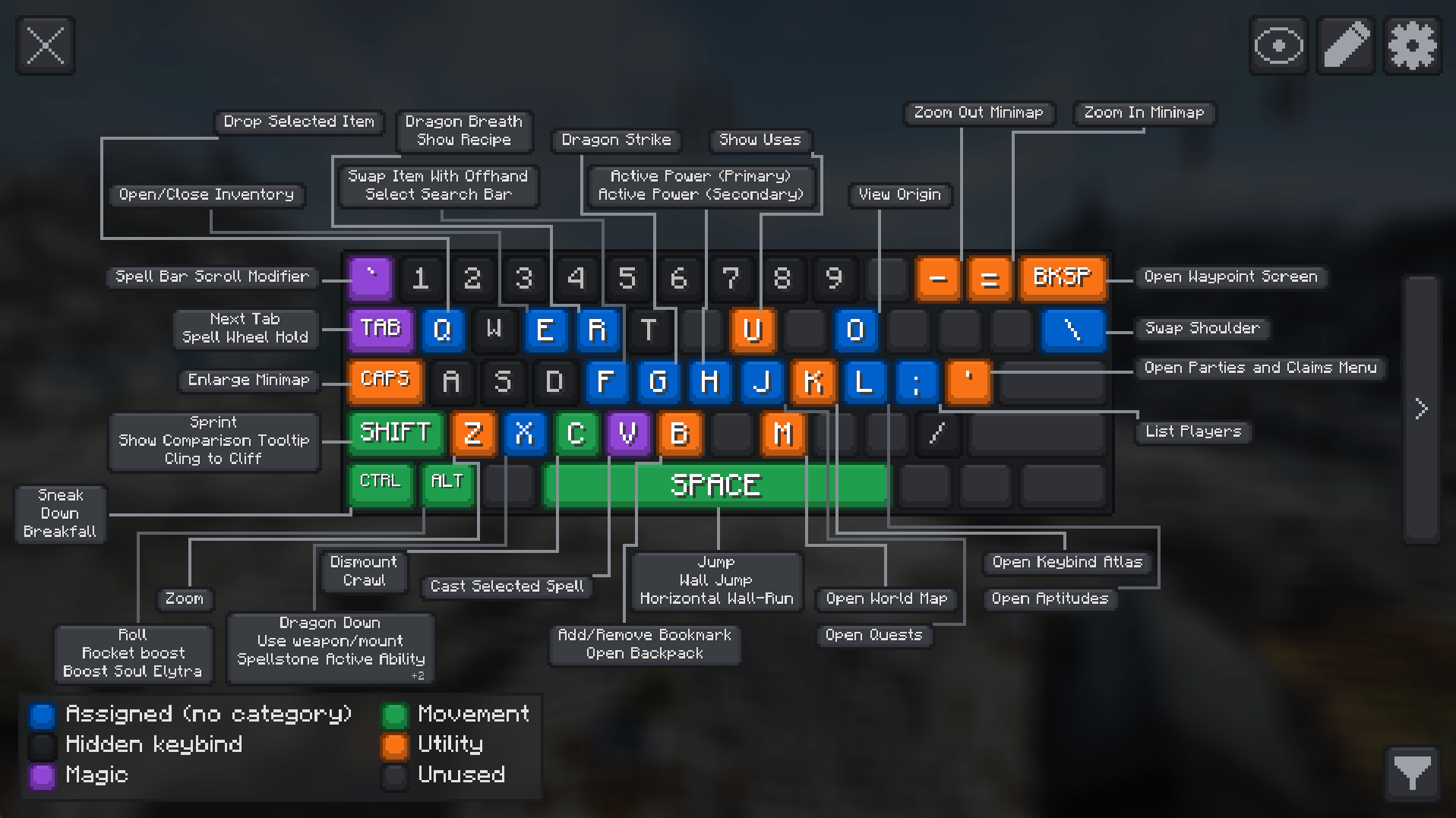 categories.png categories.png
 -
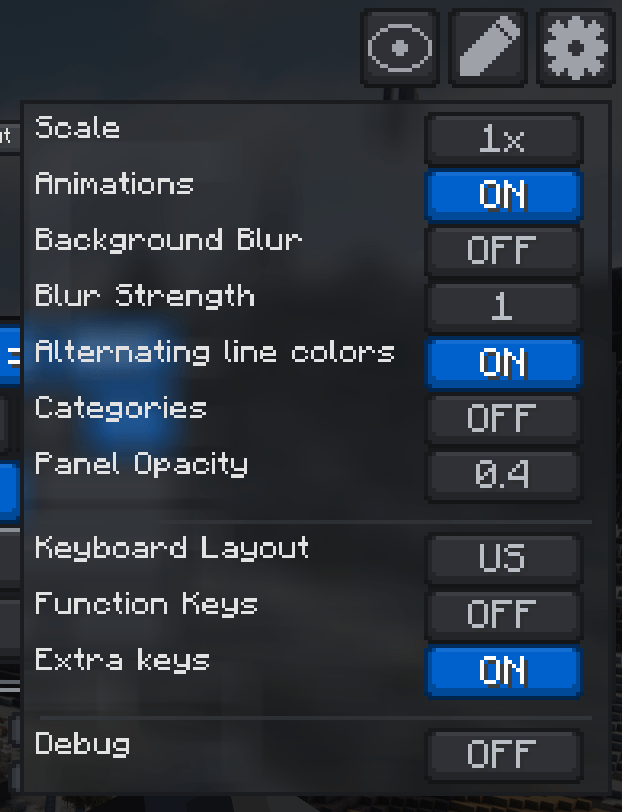 settings.png settings.png
-
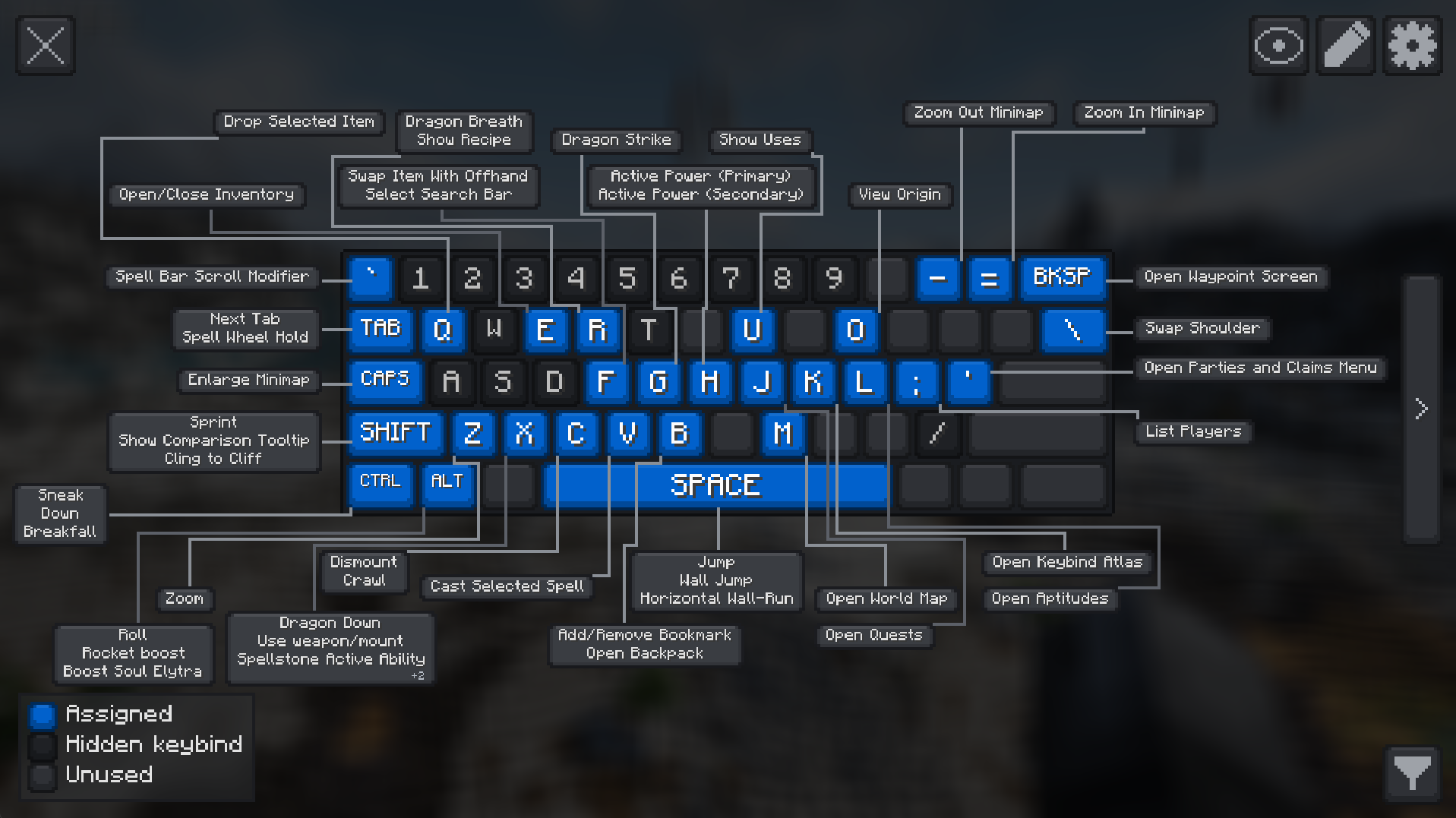 Main UI
 -
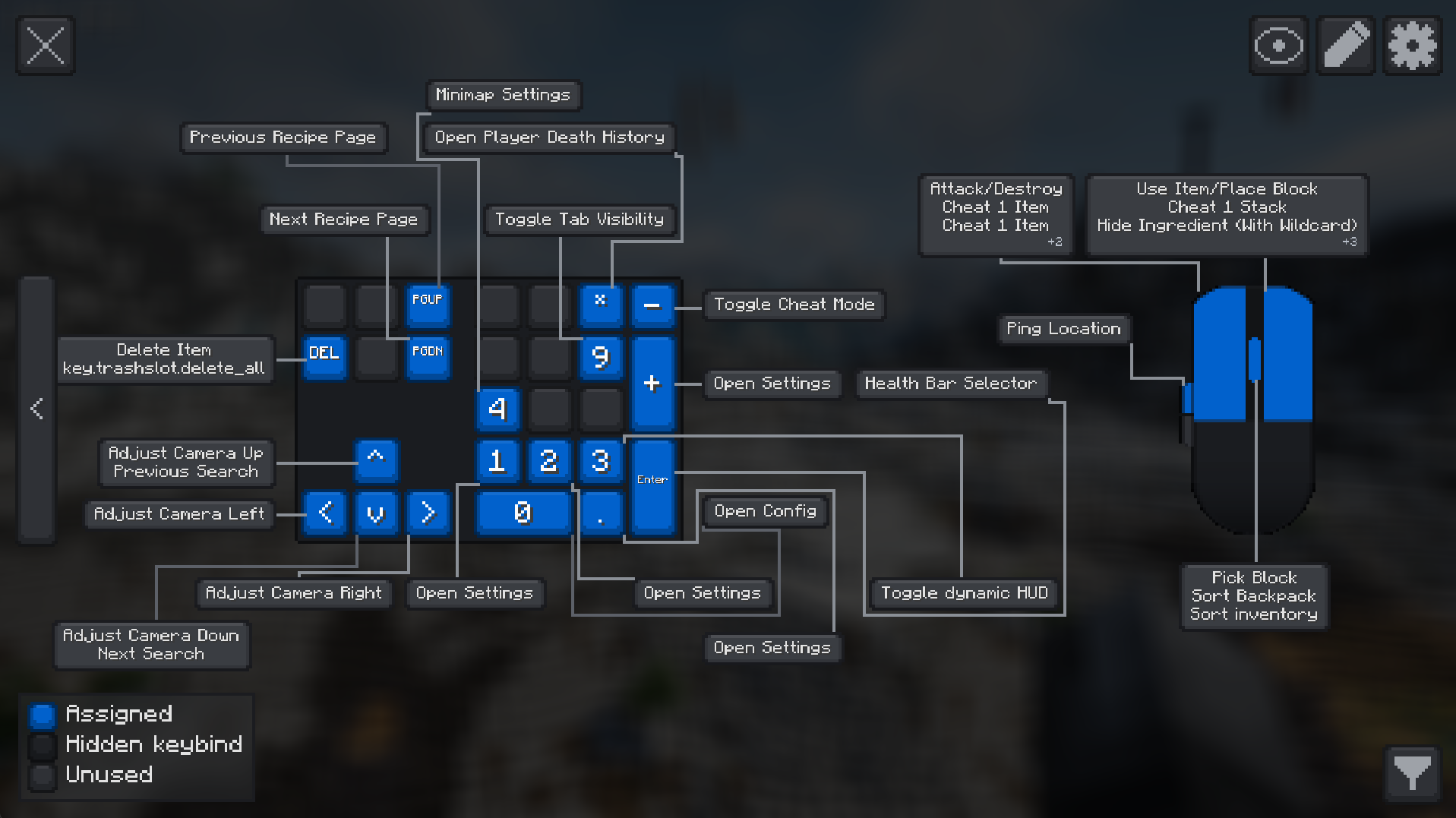 Extra keys
 -
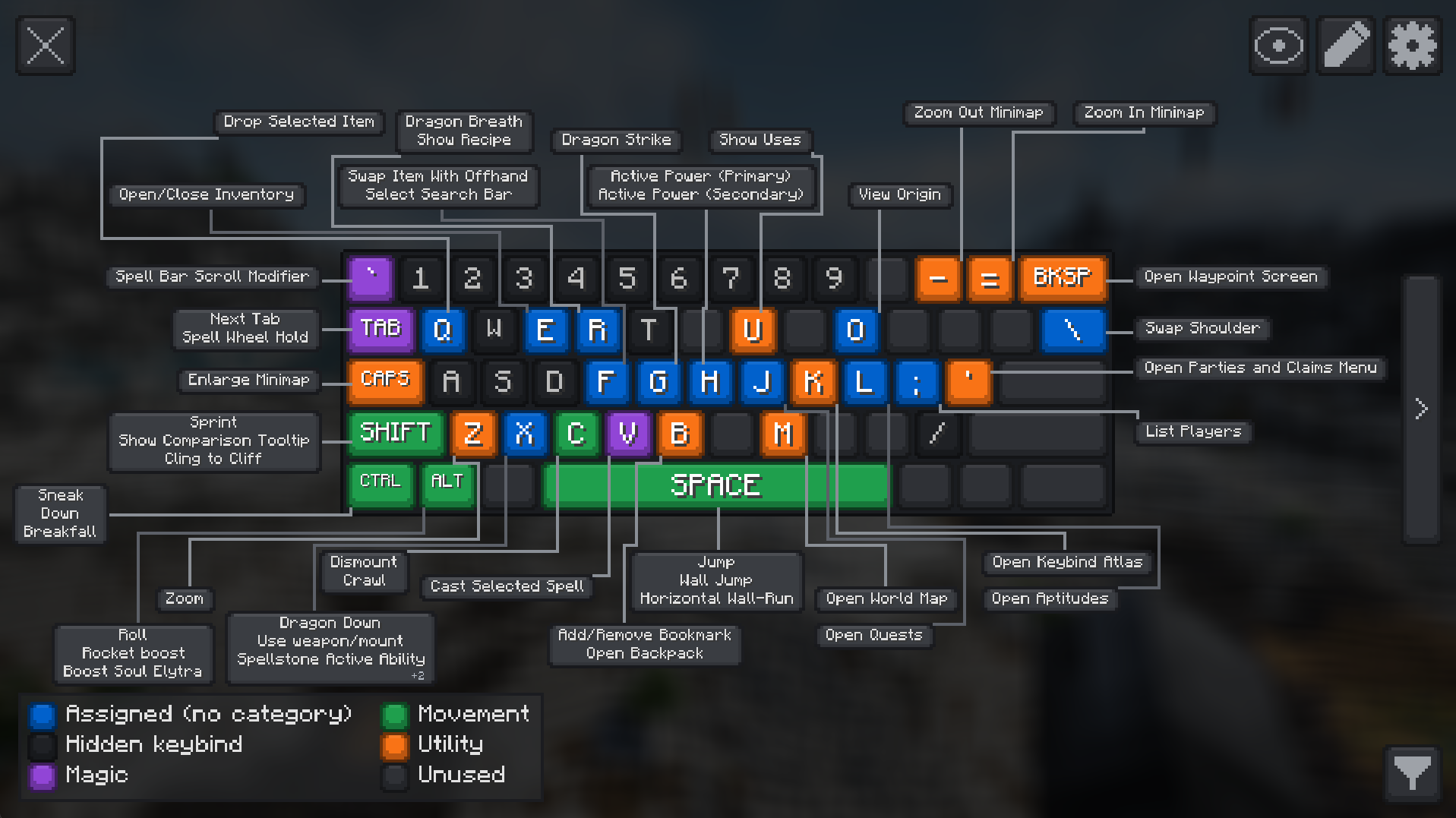 Color Categories
 -
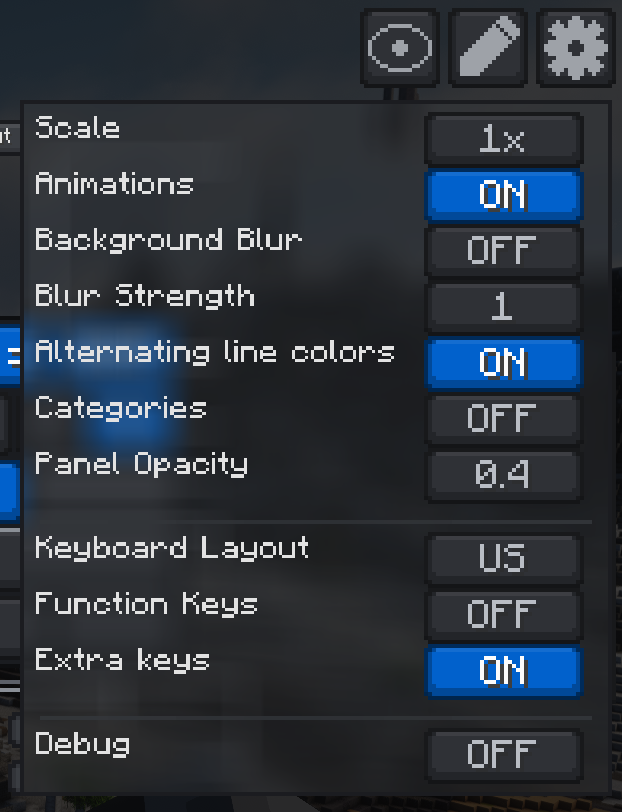 Settings
Versions
Files
Relations
Project Relations
More like this
Similar Mods
Suggestions use data such as tags, dependencies, dependents, descriptions, titles, and more to rank how much they overlap with this mod.
On ModDex
Community snapshot
By the numbers
Statistics
Want to reach Minecraft players?
We're looking for a server hosting partner to feature here and other parts of the site. Interested? Send us a message!
Get in touchGet it on
Available Platforms
On ModDex
Community snapshot
By the numbers
Statistics
Resources