
Community listing page, reviews here may not be monitored by the author.
Keybind Configs

No reviews yet
Switch between different keybind configs seamlessly and easily.
Community voices
Reviews
No reviews yet. Be the first to review this project!
Get it on
Available Platforms
About
Project Details
For authors
Embed Badge
If you're the author of this project, you can embed a live badge anywhere that supports HTML or Markdown. It updates automatically whenever ratings change.
Use HTML for any page that supports it, or Markdown for README files and Markdown-based descriptions.
Identifiers
Platform IDs
Resources
External Links
About
Description
Keybind Configs
Also known as Keybind Profiles
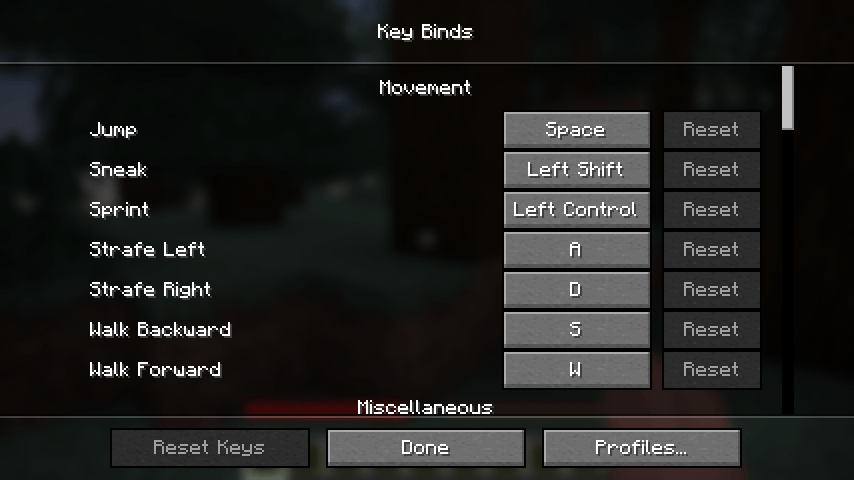
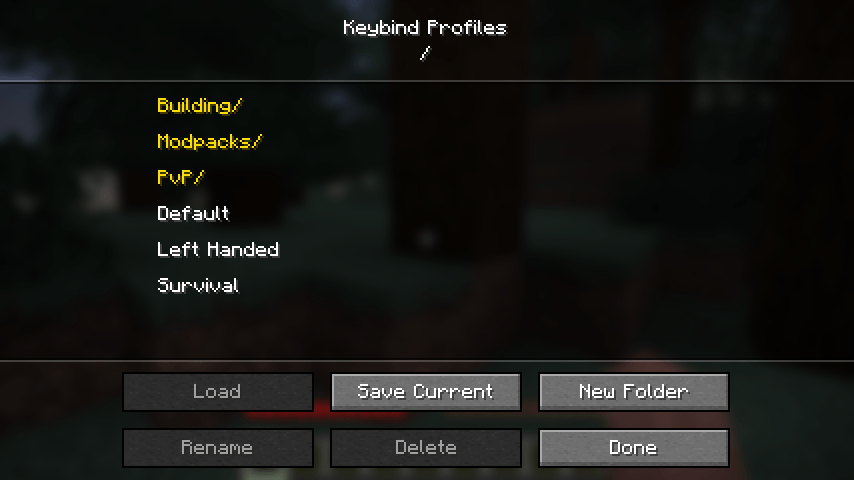
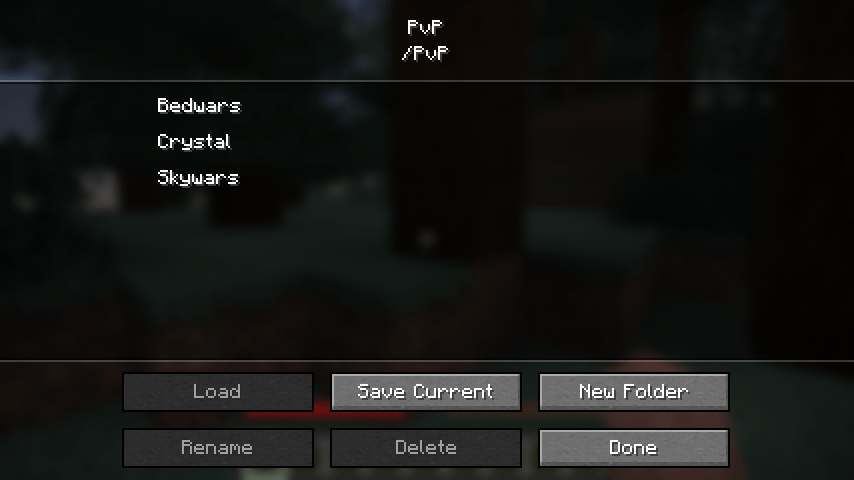
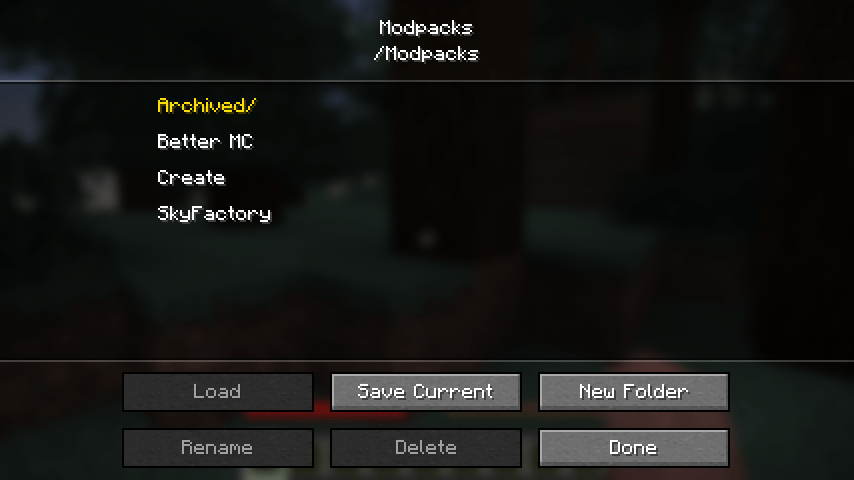
Save your controls as named profiles and switch between them in a couple of clicks. Handy if you bounce between modpacks that all want the same keys, if you keep separate binds for PvP and building, or if more than one person plays on the same account.
What it does
- Save your current keybinds as a named profile
- Load any profile back whenever you want
- Sort profiles into folders, each with its own screen, nested as deep as you like
- Rename and delete profiles and folders without leaving the game
Where to find it
Options, then Controls, then Key Binds. There is a Profiles button in the row along the bottom.
Good to know
Profiles are ordinary json files kept in config/keybind-profiles, and folders are ordinary
folders. You can back them up, edit them by hand, or send one to a friend.
Any key a profile does not mention is left alone, so loading an old profile will not unbind a mod you installed after saving it.
Client side only. Nothing to install on the server, and it works fine on any server you join.
Requirements
- Minecraft 26.2
- Fabric Loader 0.19.3 or newer
- Fabric API is not required
Screenshots
Gallery
-
 2026-08-17_13.45.29.png 2026-08-17_13.45.29.png
 -
 2026-08-17_13.45.38.png 2026-08-17_13.45.38.png
 -
 2026-08-17_13.45.48.png 2026-08-17_13.45.48.png
 -
 2026-08-17_13.45.58.png 2026-08-17_13.45.58.png
 -
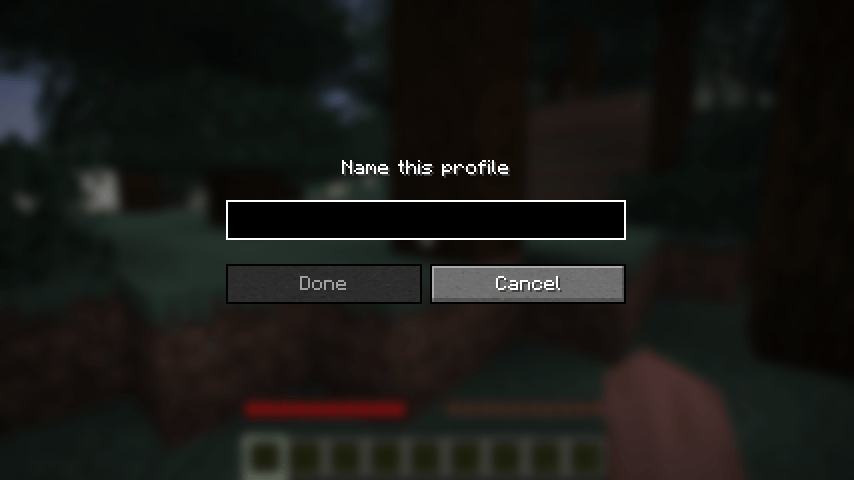 2026-08-17_13.46.10.png 2026-08-17_13.46.10.png
 -
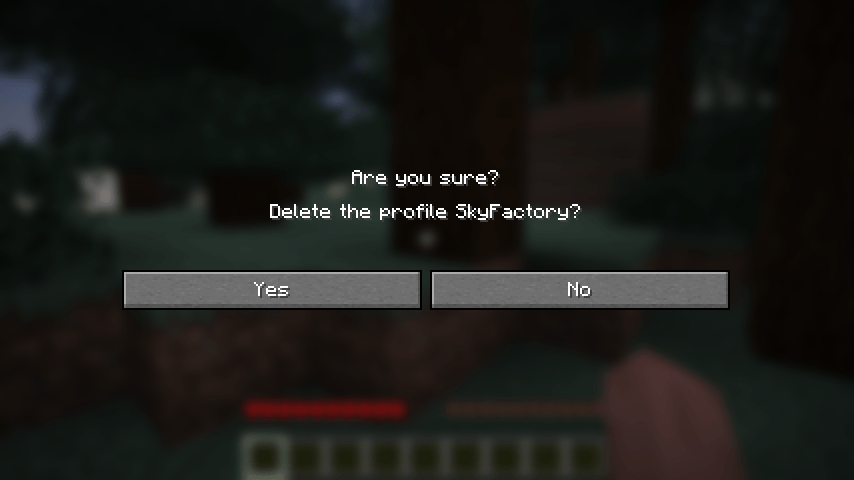 2026-08-17_13.46.18.png 2026-08-17_13.46.18.png
 -
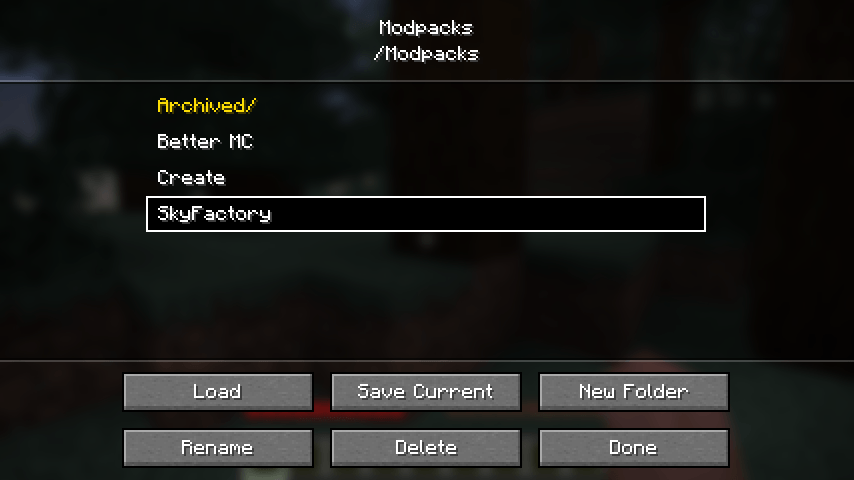 2026-08-17_13.46.24.png 2026-08-17_13.46.24.png
Versions
Files
Relations
Project Relations
More like this
Similar Mods
Suggestions use data such as tags, dependencies, dependents, descriptions, titles, and more to rank how much they overlap with this mod.
On ModDex
Community snapshot
By the numbers
Statistics
Want to reach Minecraft players?
We're looking for a server hosting partner to feature here and other parts of the site. Interested? Send us a message!
Get in touchGet it on
Available Platforms
On ModDex
Community snapshot
By the numbers
Statistics
Resources