
Community listing page, reviews here may not be monitored by the author.
Kill Effects

No reviews yet
Adds client sided kill effects and custom critical hit particles
Community voices
Reviews
No reviews yet. Be the first to review this project!
Get it on
Available Platforms
Compatibility
Supported Environments
Runs entirely on the client. Works on vanilla servers.
About
Project Details
For authors
Embed Badge
If you're the author of this project, you can embed a live badge anywhere that supports HTML or Markdown. It updates automatically whenever ratings change.
Use HTML for any page that supports it, or Markdown for README files and Markdown-based descriptions.
Identifiers
Platform IDs
Resources
External Links
About
Description
KillFX
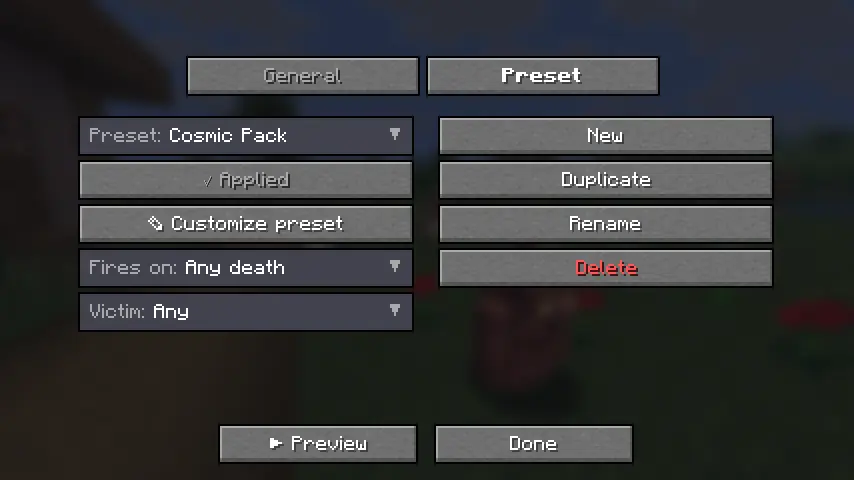
Fully client-side, ridiculously customizable kill effects for Minecraft.
Trigger real lightning, 3D skin-matched ghosts, custom PNG particles, fireworks, shockwaves, and more the instant something dies — plus fully customizable critical hit particles and hit sounds.
No server install. No packets. Works on any server.
Fabric • 1.21.4 • 1.21.10 • 1.21.11 • Java 21
What is KillFX?
KillFX is a fully client-side cosmetic mod that plays visual effects whenever an entity dies.
Everything is rendered locally on your client:
- No server installation required
- No packets sent
- No gameplay changes
- Safe to use on any multiplayer server
Rather than being a single effect, KillFX is a complete customization toolkit with editable presets, entity filters, custom particles, and sound effects.
Kill Effects
Create anything from simple kill flashes to over-the-top cinematic effects.
Included Effects
-
Real Lightning
- Spawns a client-side
minecraft:lightning_bolt - Uses vanilla lightning visuals and thunder
- No damage or fire
-
3D Ghosts
- Creates a translucent, skin-matched ghost of the victim
- Floats upward and fades away
-
Custom PNG Particles
- Import your own PNG images
- Render them as custom billboard particles
-
Additional Effects
- Fireworks
- Particle bursts
- Shockwaves
- Floating text
- And more
- Spawns a client-side
Advanced Customization
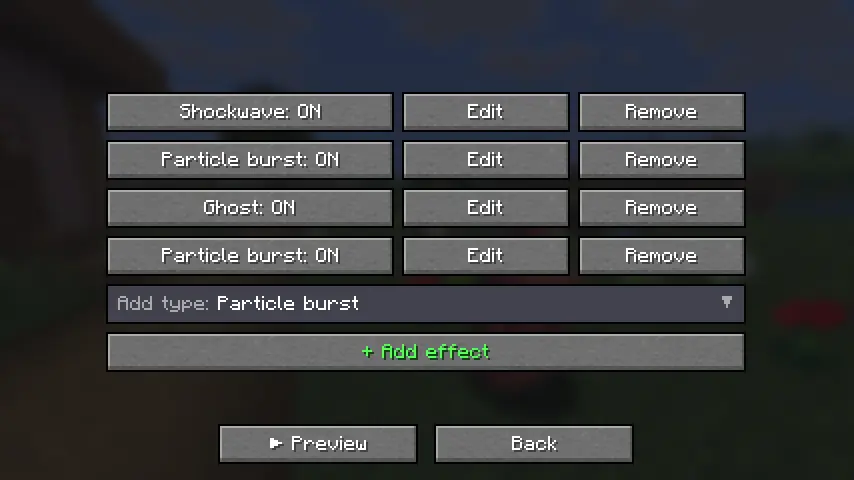
Every effect supports:
- Full RGB color control
- Size scaling
- Particle count
- Lifetime
- Motion settings
- Gravity
- Glow effects
- Trails
- Additive blending
Presets
Includes built-in presets such as:
- PvP
- Cosmic
- Fire
- Lightning
- Minimal
Or create your own from scratch.
Filters
Only trigger effects when:
- Players die
- Mobs die
- Specific entities die
- Custom conditions are met
Critical Hits
Replace Minecraft's vanilla crit particle with your own custom design.
Custom PNG Crit Particles
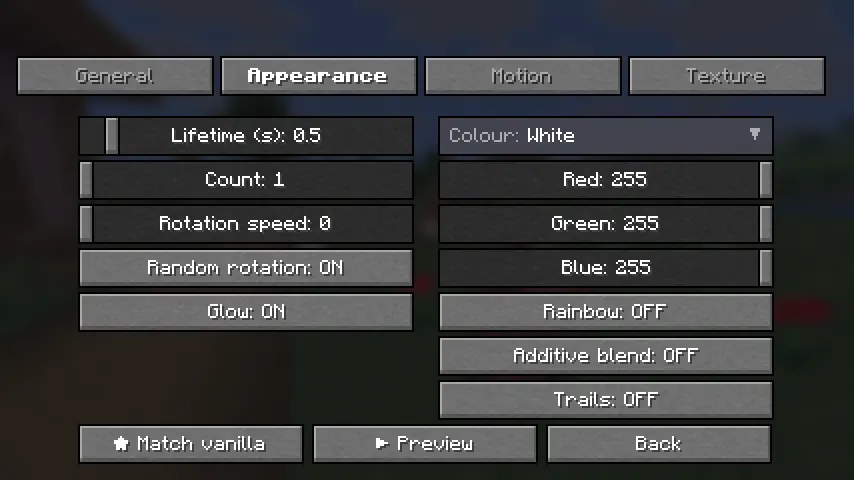
Import any PNG and customize:
- Size
- Opacity
- Particle count
- Rotation
- RGB colors
- Rainbow mode
- Additive blending
- Trails
- Gravity
- Spread
Includes a one-click "Match Vanilla" option.
Configuration Tabs
- Setup
- Appearance
- Motion
- Texture
Hit Sounds
Play a custom sound whenever you land a hit.
Features
- Choose from built-in sounds
- Import your own
.oggfiles - Volume control
- Pitch control
- Crit-only playback
- ▶ Sound preview button
Vanilla Sound Override
Mute Minecraft's default hit and crit sounds so your custom sound completely replaces them.
Share Your Setup
Export and import your entire configuration.
Includes:
- Global settings
- All presets
- Effect configurations
- Crit particle settings
- Sound settings
Configurations can be copied directly to the clipboard or saved to a file for easy sharing.
Quality & Compatibility
Built for Multiple Versions
Supports:
- Minecraft 1.21.4
- Minecraft 1.21.10
- Minecraft 1.21.11
All versions are built from a single source using proper production mappings.
Modern Codebase
- Java 21
- Fabric
- Mixins
- Tested before release
Easy Configuration
Access settings through:
- A dedicated keybind
- Mod Menu integration
Installation
Requirements
- Fabric Loader 0.16+
- Fabric API
Steps
- Install Fabric Loader and Fabric API for your Minecraft version.
- Download the matching
killfx-<version>+<mc>.jarfrom the latest release. - Place the file inside your
mods/folder. - Launch Minecraft.
Optional
Install Mod Menu for quick access from the Mods screen, or assign the KillFX keybind in Controls.
Create anything from subtle PvP effects to complete visual chaos — all client-side, all customizable, and compatible with any server.
Screenshots
Gallery
-
-
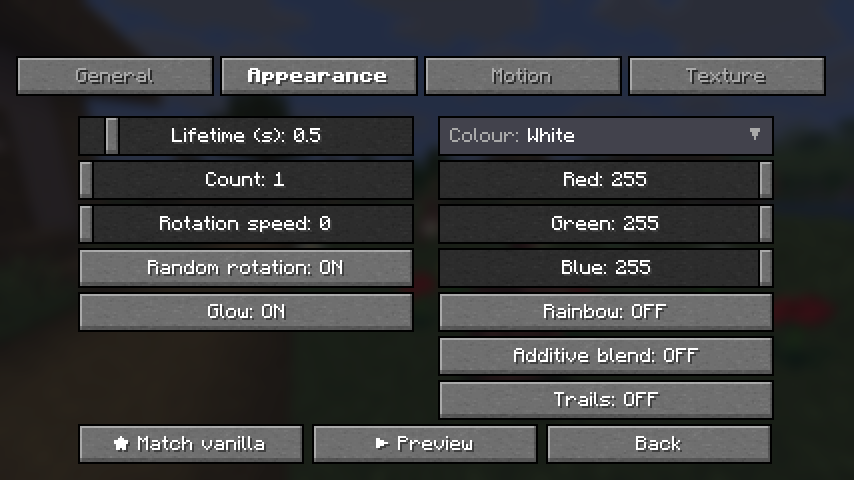
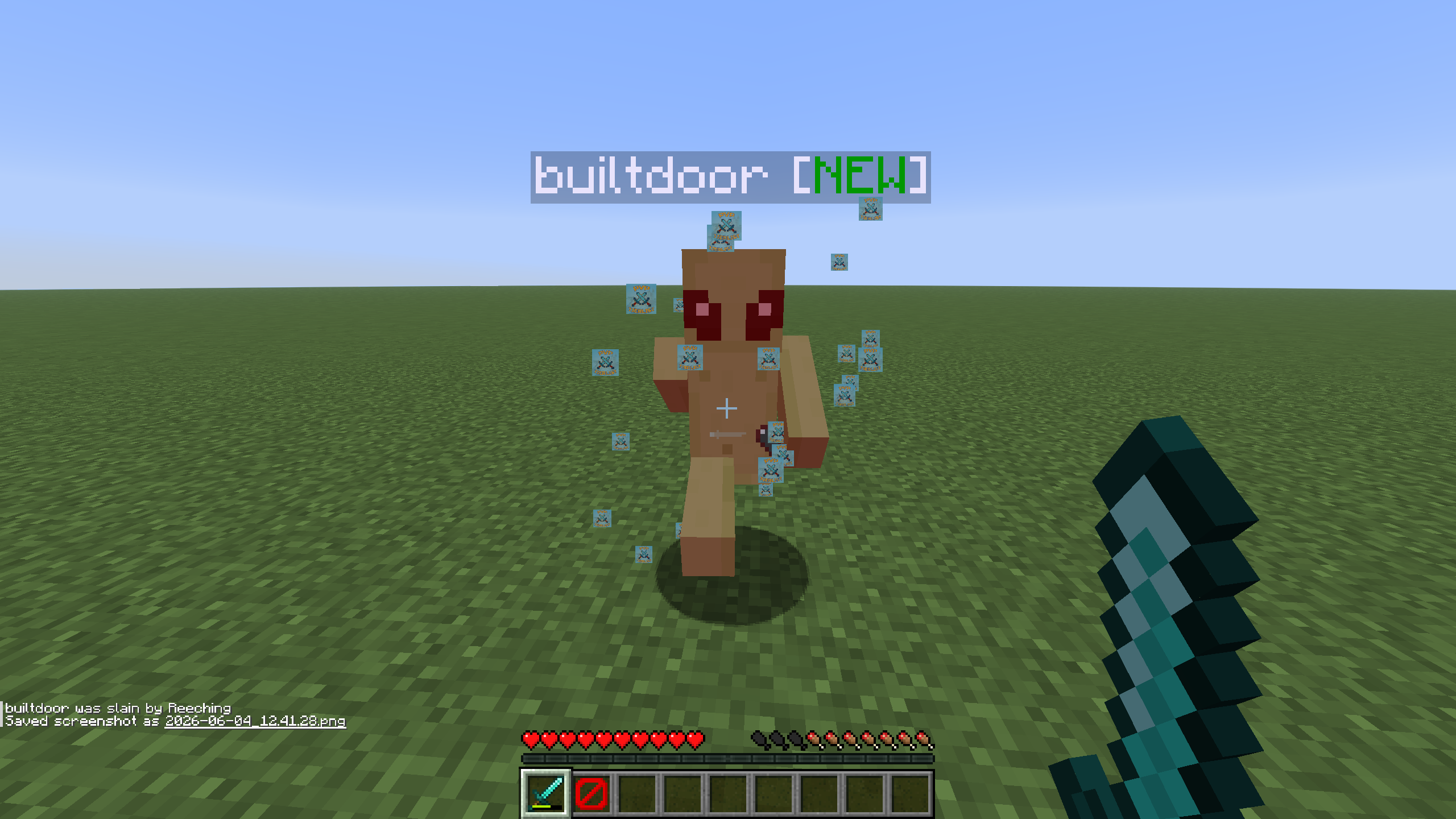 Custom crit particles
 -
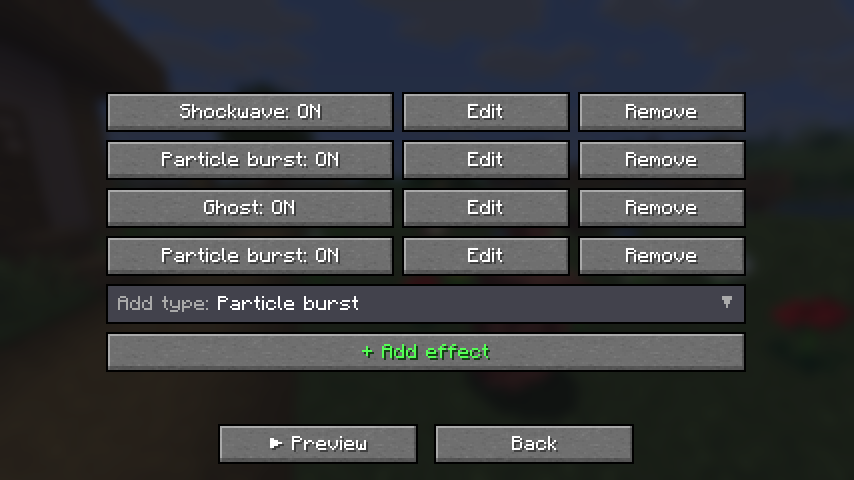
-
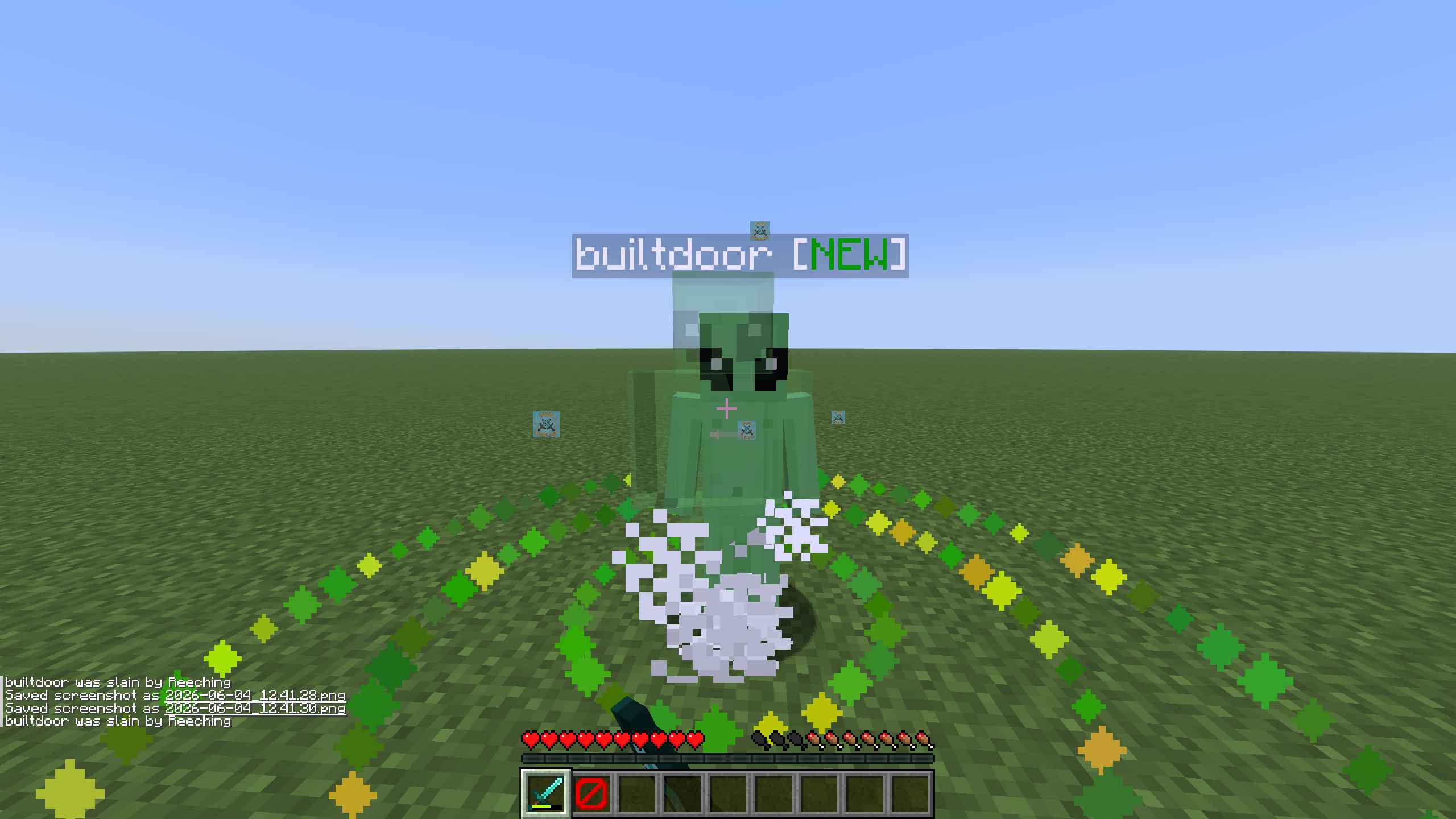 ghost kill effect and shockwave
 -
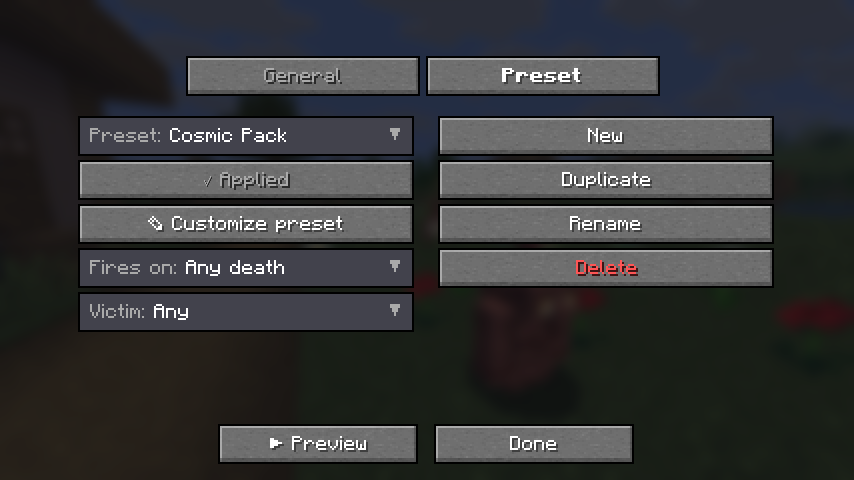
Versions
Files
Relations
Project Relations
More like this
Similar Mods
Suggestions use data such as tags, dependencies, dependents, descriptions, titles, and more to rank how much they overlap with this mod.
On ModDex
Community snapshot
By the numbers
Statistics

Want to reach Minecraft players?
We're looking for a server hosting partner to feature here and other parts of the site. Interested? Send us a message!
Get in touchGet it on
Available Platforms
On ModDex
Community snapshot
By the numbers
Statistics
Resources