
Community listing page, reviews here may not be monitored by the author.
KPK


No reviews yet
Fully functional PDA featuring an interactive 3D model, personal profiles, a contact list, and an advanced chat system (PMs & groups). Ideal for RolePlay.
Community voices
Reviews
No reviews yet. Be the first to review this project!
Get it on
Available Platforms
Compatibility
Supported Environments
Must be installed on both the client and the server.
About
Project Details
For authors
Embed Badge
If you're the author of this project, you can embed a live badge anywhere that supports HTML or Markdown. It updates automatically whenever ratings change.
Use HTML for any page that supports it, or Markdown for README files and Markdown-based descriptions.
Identifiers
Platform IDs
Resources
External Links
About
Description
EN
A fully functional PDA with an interactive 3D interface, a personal profile system, and an advanced chat. The mod is designed for deep immersion and is perfect for RolePlay projects, thematic modpacks (e.g., S.T.A.L.K.E.R. style), and hardcore servers.
Features
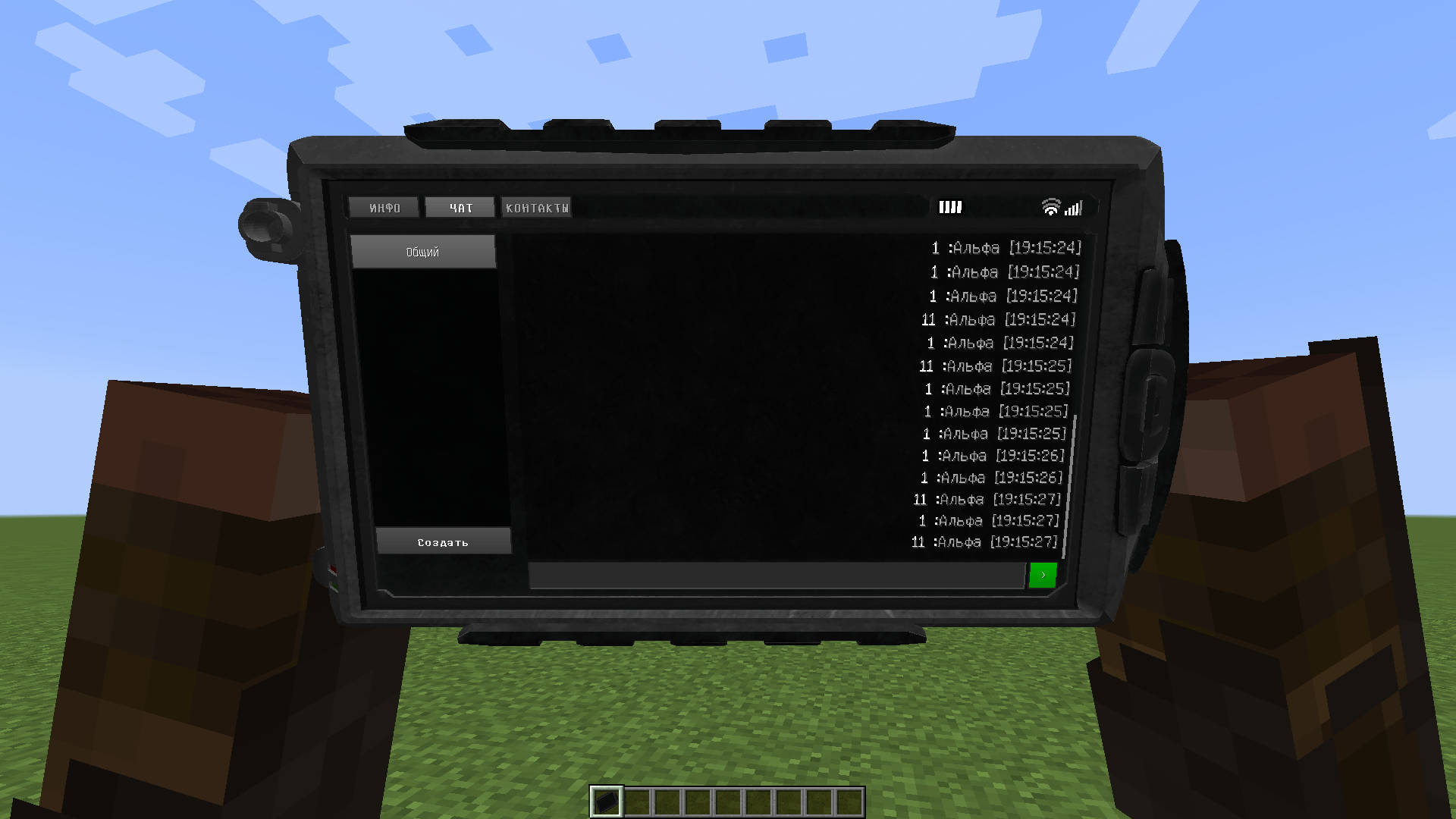
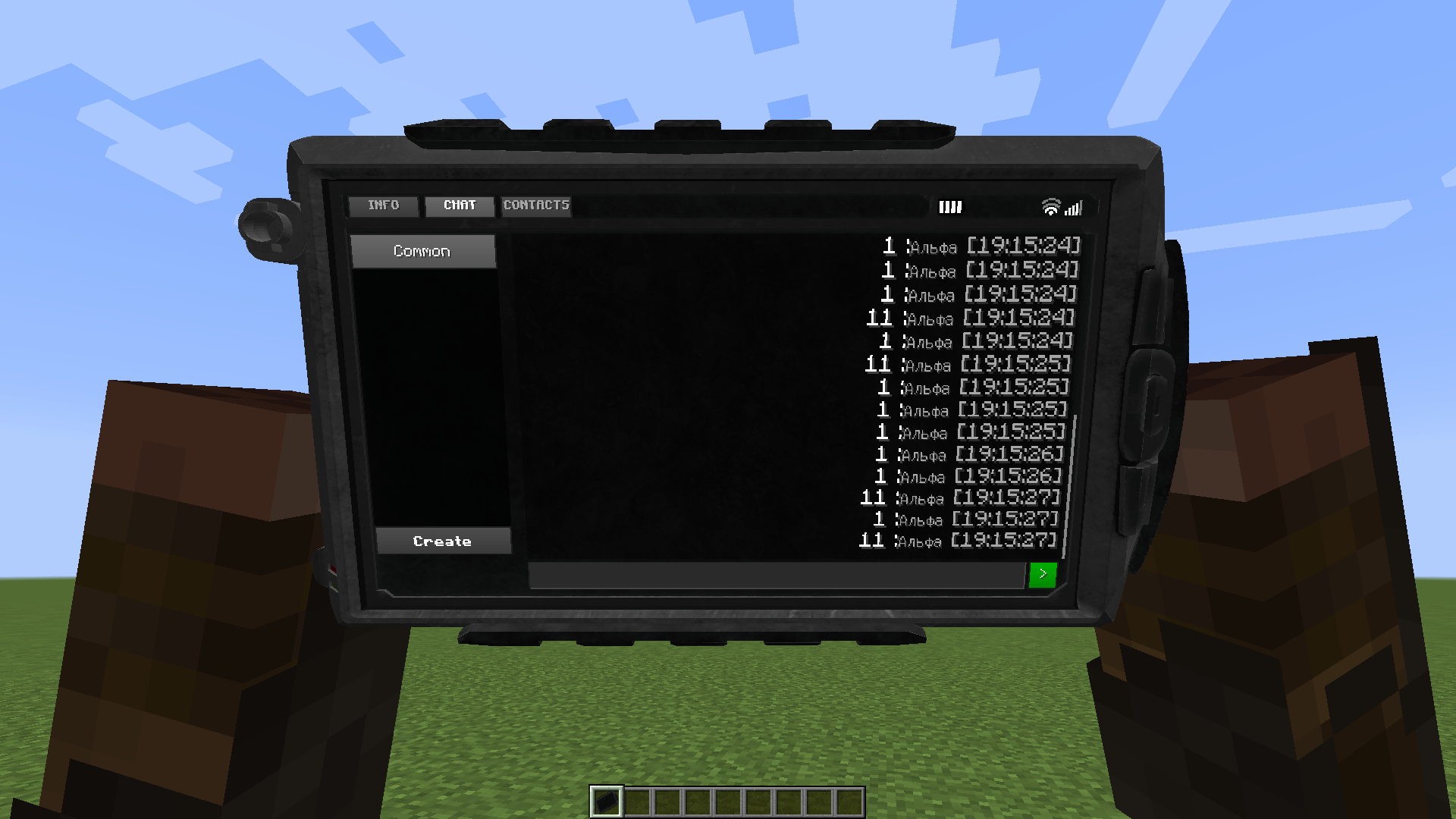
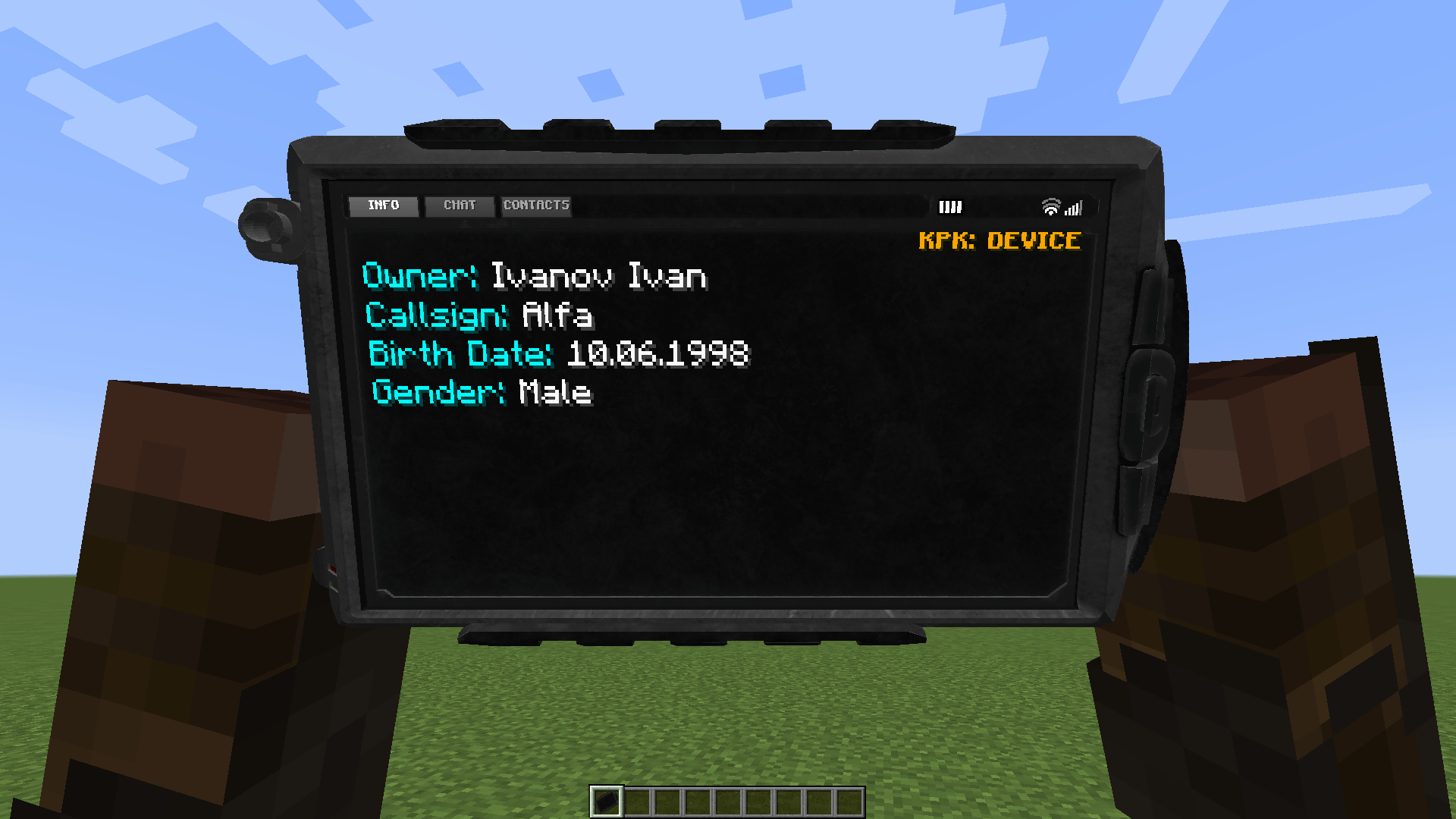
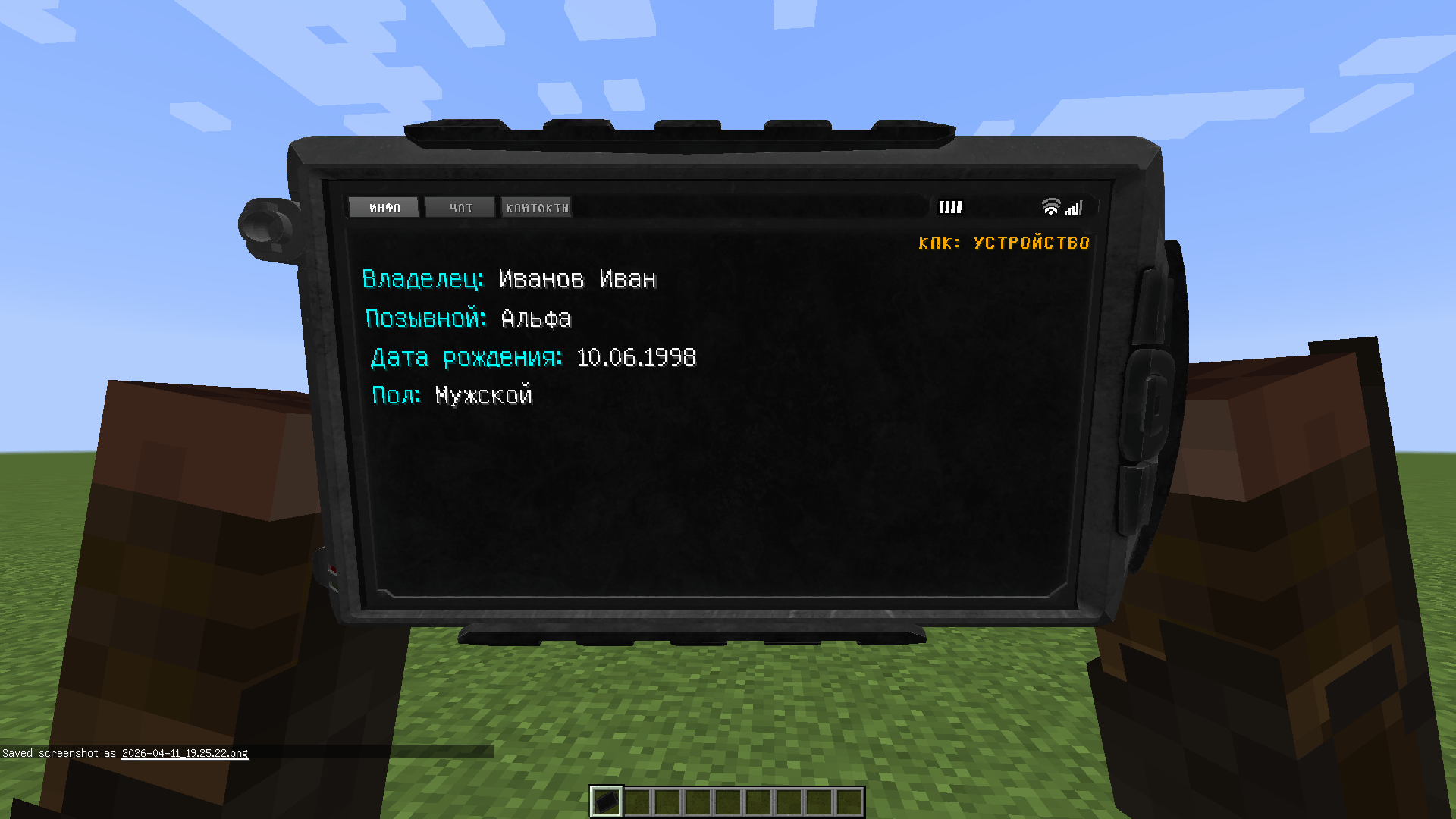
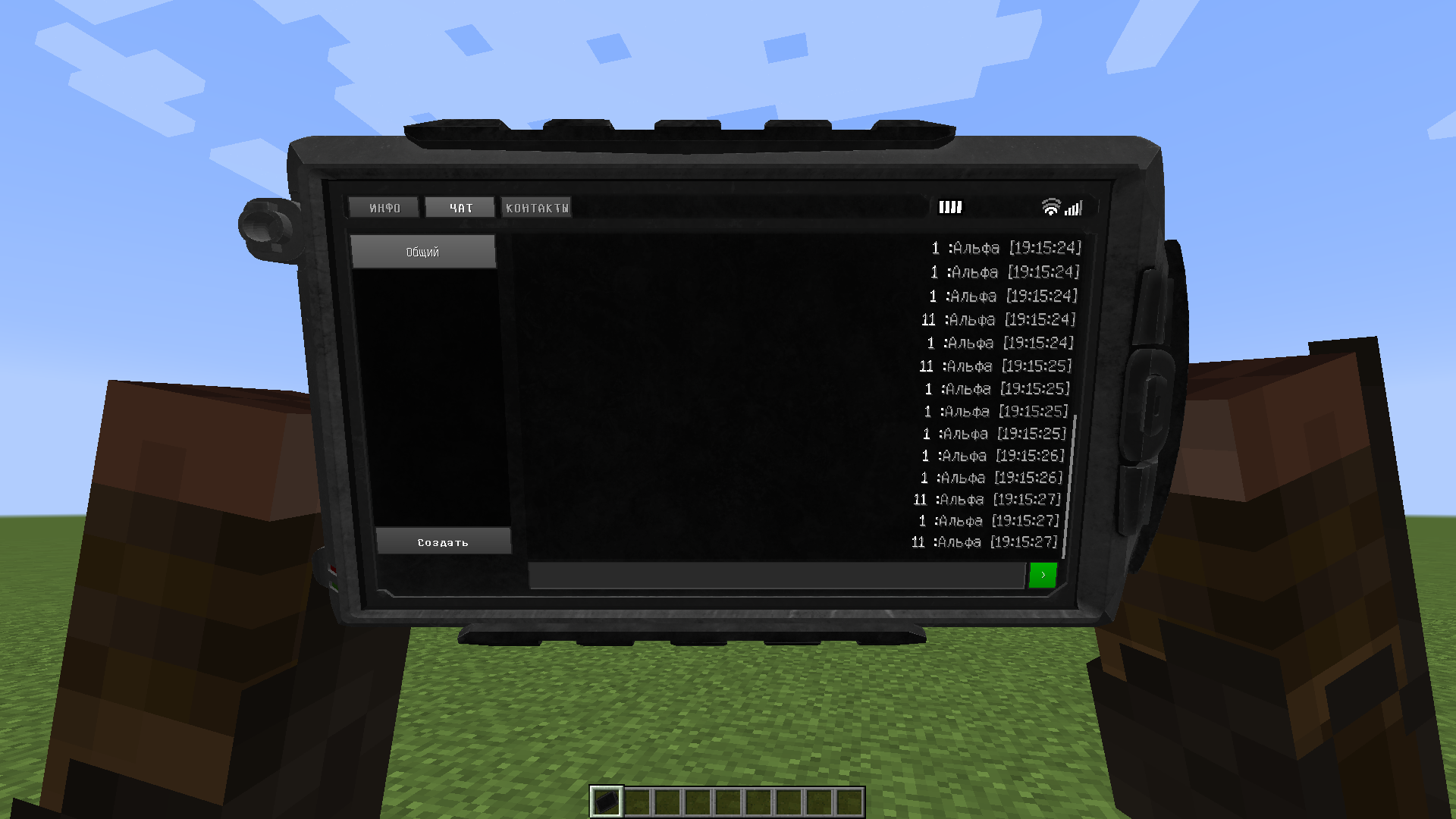
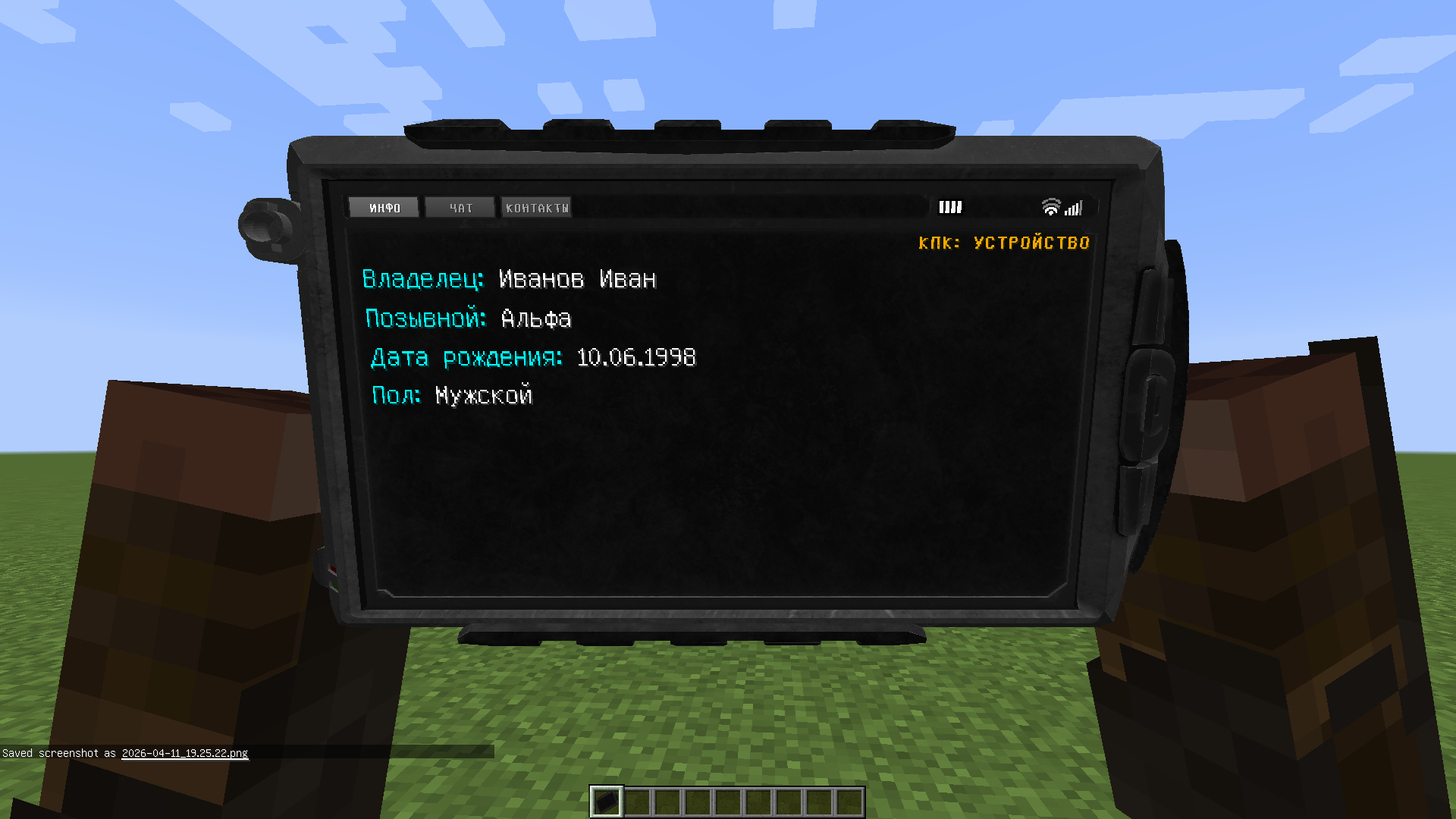
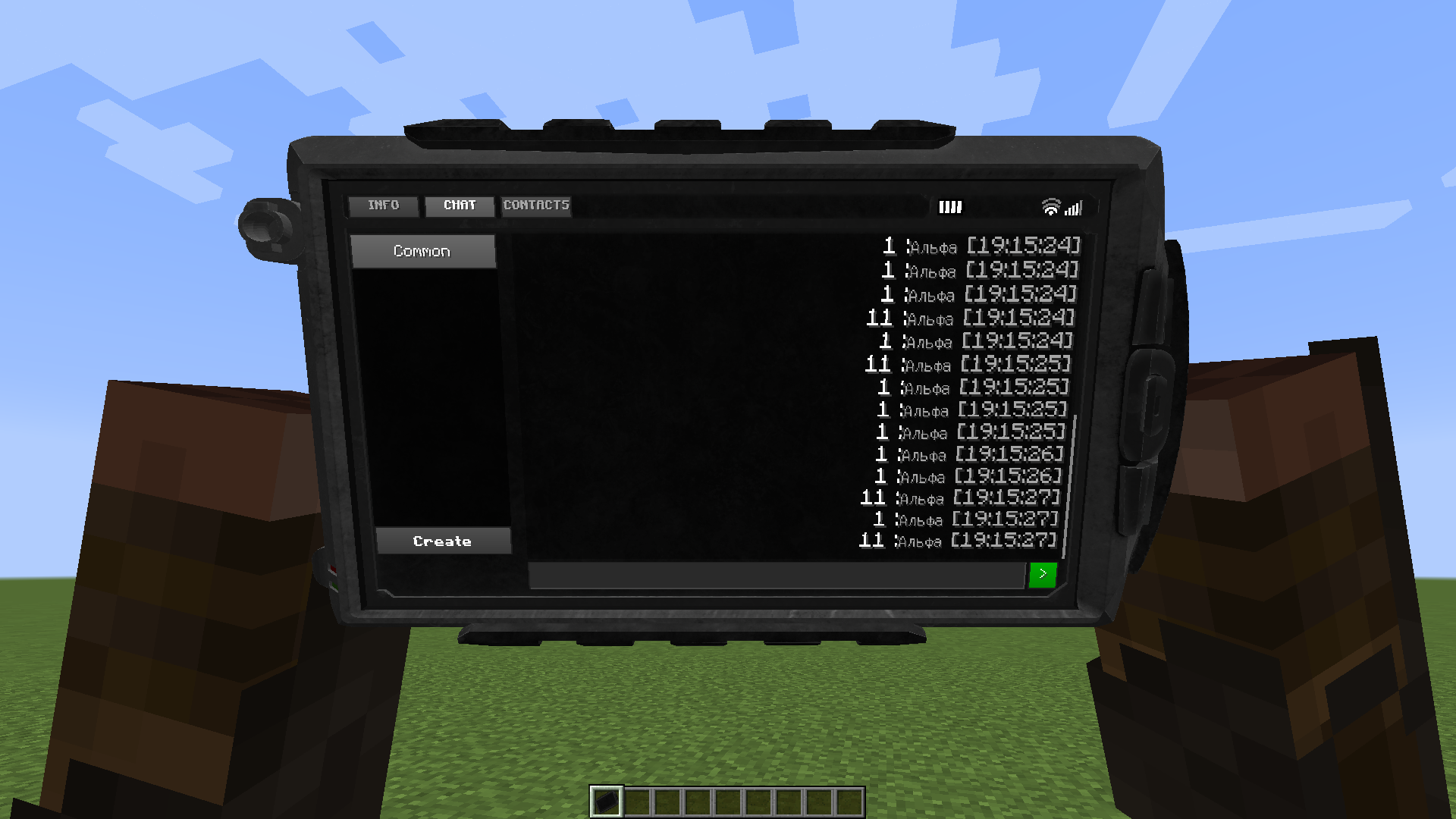
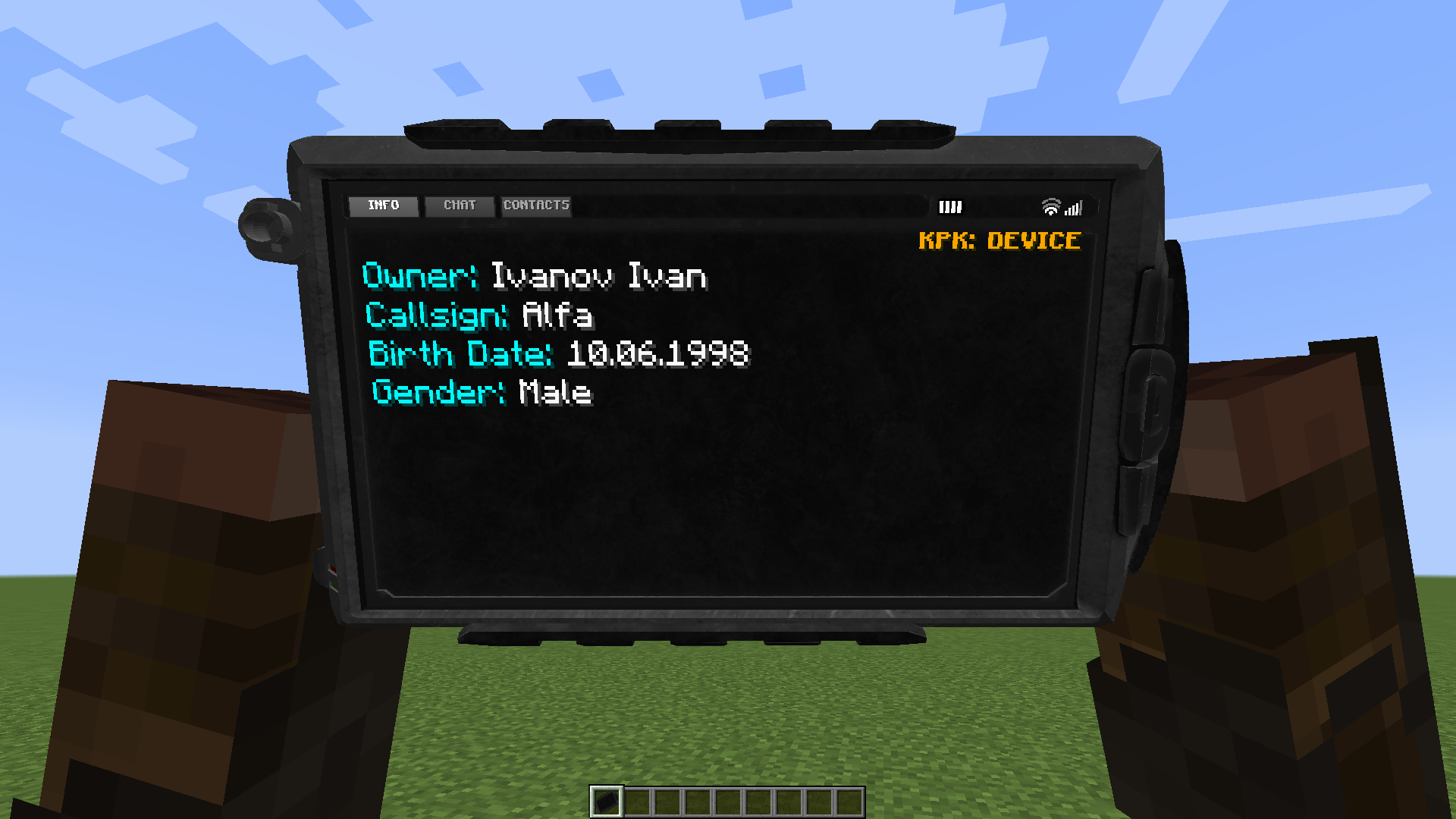
- Interactive 3D model: The PDA interface is displayed directly on the screen of the device in your hands.
- Profile system: Each player sets up their personal data (Last Name, First Name, Callsign, Date of Birth, and Gender).
- Chat system:
- Global server channel.
- Private messages (PMs) between players.
- Private group channels via invitations.
- Contact list: Add friends by their unique callsign for quick access.
How to use?
- To get started, you need to initialize your profile using the
/kpk setcommand. After successful registration, the device will appear in your inventory. - Hold the PDA in your active hand and press Shift + Right-Click (RMB) to turn it on or off.
- While the device is turned on, press Right-Click (RMB) to start interacting with the interface directly on the PDA screen.
Commands
/kpk set <Last_Name> <First_Name> <Callsign> <Date_of_Birth> <Gender>— initial data setup (example:/kpk set Smith John Alpha 11.09.1989 m)./kpk check— check your current profile data./kpk get <player>— view detailed information about another player (if their PDA is set up)./kpk listcontacts— display your contact list in the chat./kpk accept <ID>//kpk decline <ID>— accept or decline an invitation to a private group chat.
RU
Полноценный, функциональный КПК с интерактивным 3D-интерфейсом, системой личных профилей и продвинутым чатом. Мод создан для глубокого погружения и идеально подойдет для RolePlay проектов, тематических сборок (например, в стиле Сталкера) и хардкорных серверов.
Функционал:
- Интерактивная 3D-модель: Интерфейс КПК отображается прямо на экране устройства у вас в руках.
- Система профилей: Каждый игрок настраивает свои личные данные (Фамилия, Имя, Позывной, Дата рождения и Пол).
- Система чатов:
- Общий серверный канал.
- Личные сообщения (ЛС) между игроками.
- Закрытые групповые каналы (ЗК) по приглашениям.
- Список контактов: Добавляйте друзей по их уникальному позывному для быстрого доступа.
Как использовать?
- Для начала работы необходимо инициализировать свой профиль командой
/kpk set. После успешной регистрации устройство появится у вас в инвентаре. - Возьмите КПК в активную руку и нажмите Shift + ПКМ, чтобы включить или выключить его.
- При включенном устройстве нажмите ПКМ, чтобы начать взаимодействие с интерфейсом прямо на экране КПК.
Команды:
/kpk set <Фамилия> <Имя> <Позывной> <Дата_рождения> <Пол>— первичная настройка данных (пример:/kpk set Иванов Иван Альфа 11.09.1989 м)./kpk check— проверить свои текущие данные профиля./kpk get <игрок>— посмотреть детальную информацию о другом игроке (если у него настроен КПК)./kpk listcontacts— вывести ваш список контактов в чат./kpk accept <ID>//kpk decline <ID>— принять или отклонить приглашение в приватный групповой чат.
EN
A fully functional PDA with an interactive 3D interface, a personal profile system, and an advanced chat. The mod is designed for deep immersion and is perfect for RolePlay projects, thematic modpacks (e.g., S.T.A.L.K.E.R. style), and hardcore servers.
Features
- Interactive 3D model: The PDA interface is displayed directly on the screen of the device in your hands.
- Profile system: Each player sets up their personal data (Last Name, First Name, Callsign, Date of Birth, and Gender).
- Chat system:
- Global server channel.
- Private messages (PMs) between players.
- Private group channels via invitations.
- Contact list: Add friends by their unique callsign for quick access.
How to use?
- To get started, you need to initialize your profile using the
/kpk setcommand. After successful registration, the device will appear in your inventory. - Hold the PDA in your active hand and press Shift + Right-Click (RMB) to turn it on or off.
- While the device is turned on, press Right-Click (RMB) to start interacting with the interface directly on the PDA screen.
Commands
/kpk set <Last_Name> <First_Name> <Callsign> <Date_of_Birth> <Gender>— initial data setup (example:/kpk set Smith John Alpha 11.09.1989 m)./kpk check— check your current profile data./kpk get <player>— view detailed information about another player (if their PDA is set up)./kpk listcontacts— display your contact list in the chat./kpk accept <ID>//kpk decline <ID>— accept or decline an invitation to a private group chat.
RU
Полноценный, функциональный КПК с интерактивным 3D-интерфейсом, системой личных профилей и продвинутым чатом. Мод создан для глубокого погружения и идеально подойдет для RolePlay проектов, тематических сборок (например, в стиле Сталкера) и хардкорных серверов.
Функционал:
- Интерактивная 3D-модель: Интерфейс КПК отображается прямо на экране устройства у вас в руках.
- Система профилей: Каждый игрок настраивает свои личные данные (Фамилия, Имя, Позывной, Дата рождения и Пол).
- Система чатов:
- Общий серверный канал.
- Личные сообщения (ЛС) между игроками.
- Закрытые групповые каналы (ЗК) по приглашениям.
- Список контактов: Добавляйте друзей по их уникальному позывному для быстрого доступа.
Как использовать?
- Для начала работы необходимо инициализировать свой профиль командой
/kpk set. После успешной регистрации устройство появится у вас в инвентаре. - Возьмите КПК в активную руку и нажмите Shift + ПКМ, чтобы включить или выключить его.
- При включенном устройстве нажмите ПКМ, чтобы начать взаимодействие с интерфейсом прямо на экране КПК.
команды:
/kpk set <Фамилия> <Имя> <Позывной> <Дата_рождения> <Пол>— первичная настройка данных (пример:/kpk set Иванов Иван Альфа 11.09.1989 м)./kpk check— проверить свои текущие данные профиля./kpk get <игрок>— посмотреть детальную информацию о другом игроке (если у него настроен КПК)./kpk listcontacts— вывести ваш список контактов в чат./kpk accept <ID>//kpk decline <ID>— принять или отклонить приглашение в приватный групповой чат.
Screenshots
Gallery
-
 2026-04-11_19.29.30.png 2026-04-11_19.29.30.png
 -
 2026-04-11_19.29.07.png 2026-04-11_19.29.07.png
 -
 2026-04-11_19.27.35.png 2026-04-11_19.27.35.png
 -
 2026-04-11_19.25.41.png 2026-04-11_19.25.41.png
Versions
Files
Relations
Project Relations
More like this
Similar Mods
Suggestions use data such as tags, dependencies, dependents, descriptions, titles, and more to rank how much they overlap with this mod.
On ModDex
Community snapshot
By the numbers
Statistics
Want to reach Minecraft players?
We're looking for a server hosting partner to feature here and other parts of the site. Interested? Send us a message!
Get in touchGet it on
Available Platforms
On ModDex
Community snapshot
By the numbers
Statistics
Resources