
Community listing page, reviews here may not be monitored by the author.
Krysol Inventory

No reviews yet
Save custom inventory layouts with XP, switch kits in one click, and recover your last death items anytime with a sleek animated GUI.
Community voices
Reviews
No reviews yet. Be the first to review this project!
Get it on
Available Platforms
About
Project Details
For authors
Embed Badge
If you're the author of this project, you can embed a live badge anywhere that supports HTML or Markdown. It updates automatically whenever ratings change.
Use HTML for any page that supports it, or Markdown for README files and Markdown-based descriptions.
Identifiers
Platform IDs
Resources
External Links
About
Description
# 👑 Krysol Inventory
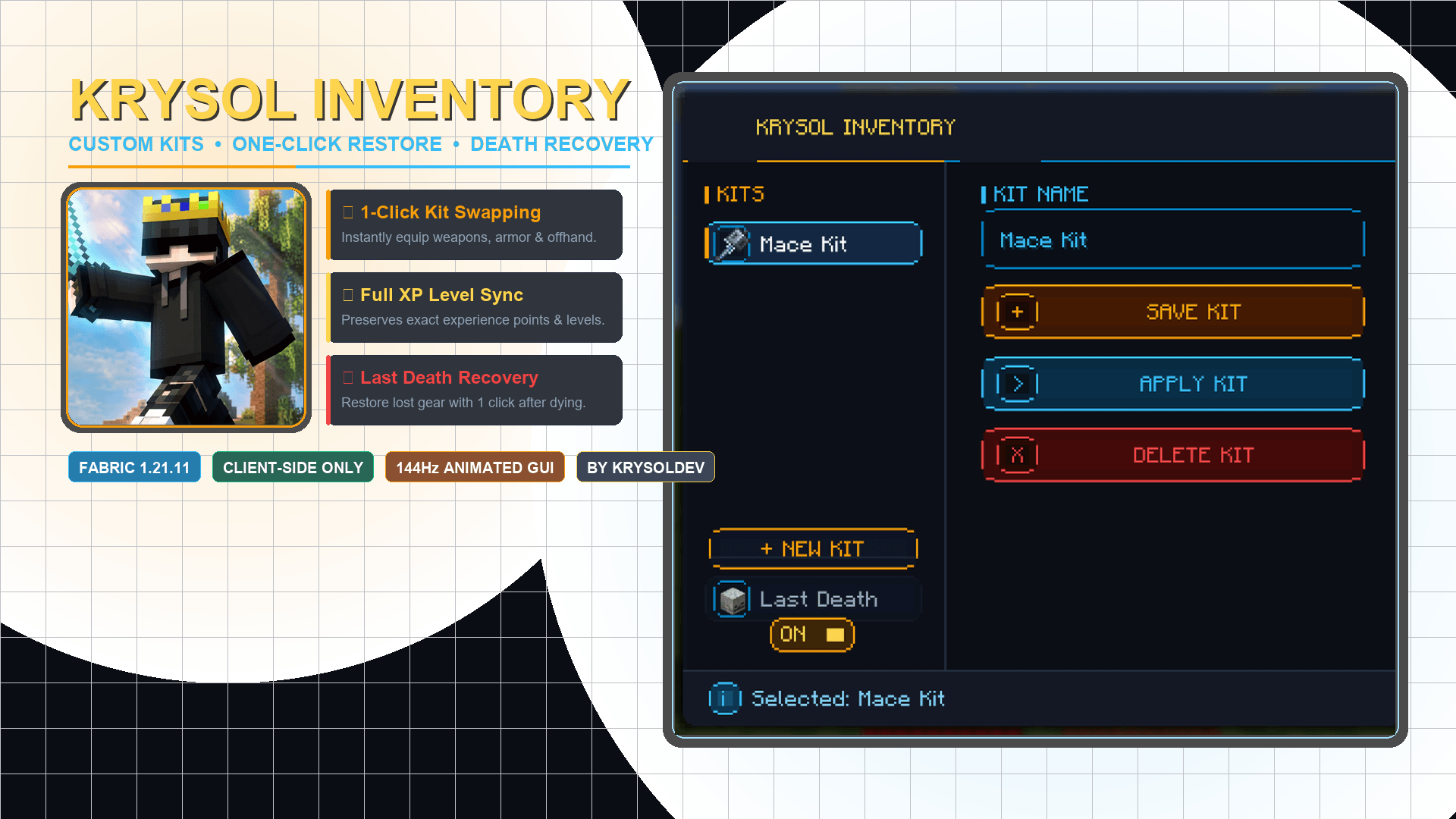
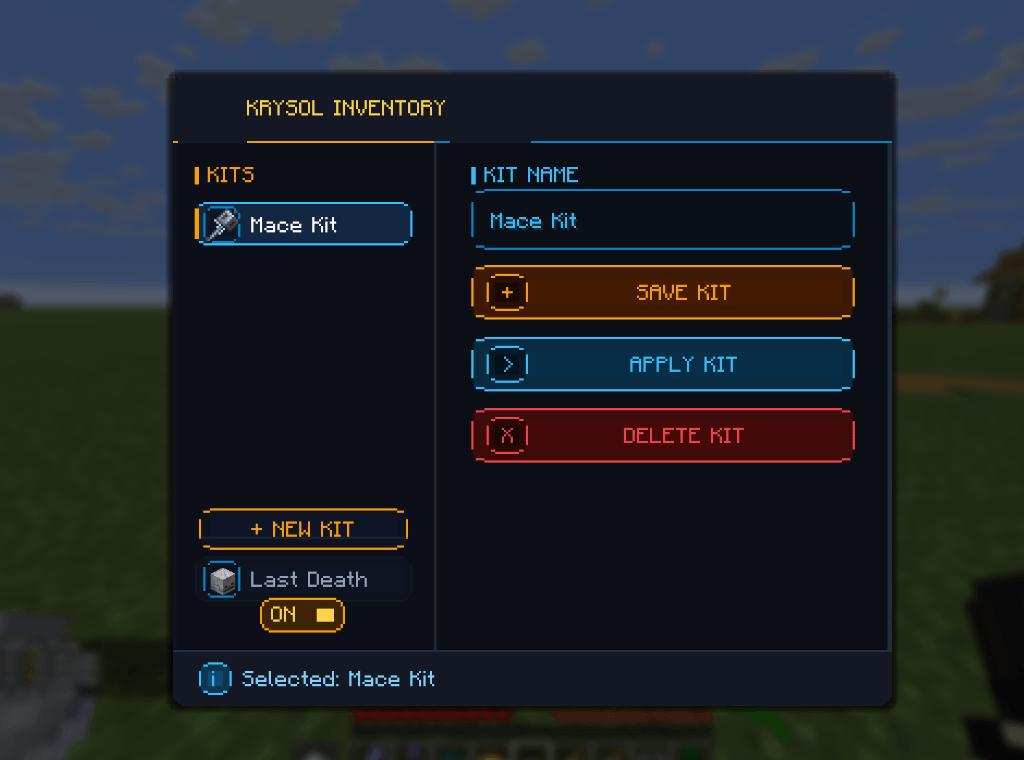
**Krysol Inventory** is a clean, modern, and animated Fabric mod for Minecraft that lets you **save complete inventory layouts**, **swap kits with a single click**, and **recover your exact items from your last death** anytime!
Featuring a stealth obsidian, royal gold, and diamond cyan aesthetic with ultra-smooth 144Hz+ animations.
---
## ✨ Features
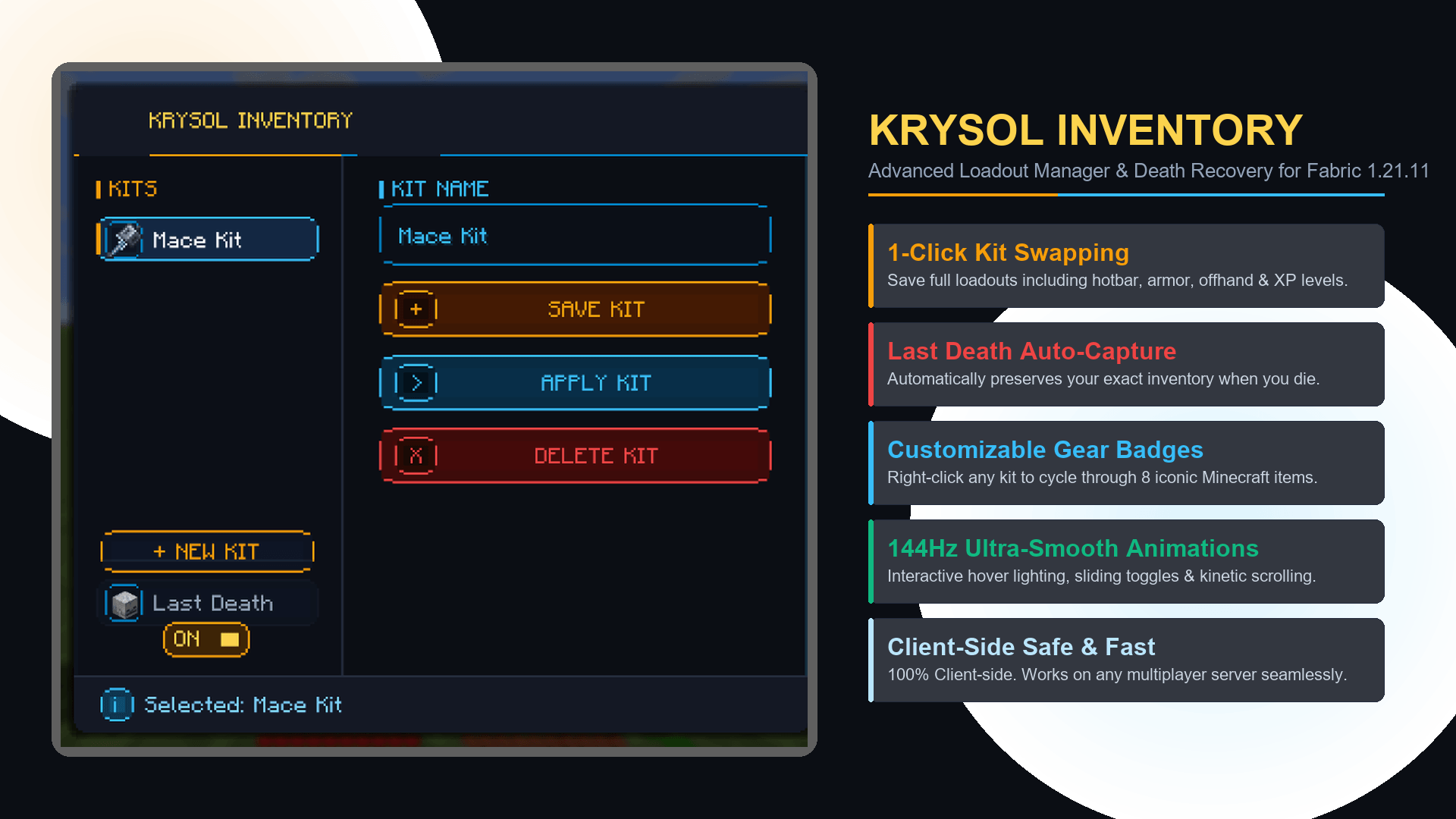
- **⚡ Instant Kit Saving & Loading**: Save your active inventory (including hotbar, armor slots, and offhand) along with your exact XP levels & points.
- **💀 Last Death Recovery**: Automatically captures your loadout when you die so you can restore your lost gear with one click.
- **🎨 Custom Kit Icons**: Right-click any kit row to cycle through iconic gear badges (*Swords, Mace, End Crystal, Golden Apple, Bow, Shield, TNT Cart*).
- **🎬 Butter-Smooth Animations**:
- Window entrance slide-up and fade-in
- Dynamic button hover lighting and arrow motion
- Tactile physical click-punch feedback
- Fluid sliding toggle switch with real-time color transitions
- Kinetic inertia scrolling for your kit list
- Real-time breathing pulse glow on active kit selections
- **🔒 Safe & Non-Destructive**: All layouts are saved locally as clean JSON files inside your `.minecraft/config/` folder.
---
## 🎮 Controls & How to Use
| Action | Control |
| :--- | :--- |
| **Open GUI** | Press **`O`** *(Configurable in Controls)* |
| **Save Kit** | Type a name into the text box and click **`SAVE KIT`** (or press **Enter**) |
| **Apply Kit** | Select a kit and click **`APPLY KIT`** (or double-click the kit row) |
| **Cycle Icon** | **Right-Click** any kit row to change its icon |
| **Delete Kit** | Select a kit and click **`DELETE KIT`** *(click twice to confirm)* |
| **Toggle Last Death** | Click the **ON/OFF** switch on the sidebar |
---
## ⚙️ Requirements & Compatibility
- **Loader**: Fabric Loader (0.19.2 or newer)
- **API**: Fabric API
- **Minecraft Version**: 1.21.11
- **Side**: **Client-side only** (can connect to any server)
---
## 👨💻 Credits & License
- **Author**: **KrysolDev**
- **License**: MIT
Screenshots
Gallery
-
 2_official_promo_banner.png 2_official_promo_banner.png
 -
 1_ingame_gui_showcase.png 1_ingame_gui_showcase.png
 -
 3_features_showcase.png 3_features_showcase.png
Versions
Files
Relations
Project Relations
More like this
Similar Mods
Suggestions use data such as tags, dependencies, dependents, descriptions, titles, and more to rank how much they overlap with this mod.
On ModDex
Community snapshot
By the numbers
Statistics
Want to reach Minecraft players?
We're looking for a server hosting partner to feature here and other parts of the site. Interested? Send us a message!
Get in touchGet it on
Available Platforms
On ModDex
Community snapshot
By the numbers
Statistics
Resources