Community listing page, reviews here may not be monitored by the author.
KubeJS GUI Overhauled


A GUI addon for KubeJS to create custom recipes.
Community voices
Reviews
No reviews yet. Be the first to review this project!
Get it on
Available Platforms
Compatibility
Supported Environments
Runs entirely on the client. Works on vanilla servers.
Must be installed on both the client and the server.
Varies by version.
About
Project Details
For authors
Embed Badge
If you're the author of this project, you can embed a live badge anywhere that supports HTML or Markdown. It updates automatically whenever ratings change.
Use HTML for any page that supports it, or Markdown for README files and Markdown-based descriptions.
Identifiers
Platform IDs
About
Description
Overview
REQUIRES KUBEJS
TL:DR : Open a chest with a block of bedrock in your hand to start the GUI
The new overhaul of the KubeJS GUI addon is out now. Yes its fully functional and rather than having me manually hardcode all the different scripting scenarios to use in the mod to make recipes, I now present the template system, where everyone can share and download them (The repo is up, nothing useful on it yet, will be in the near future). You either make your own script from scratch or grab one from the wiki; make your canvas with your item slots and input parameters; substitute the inputs and outputs with your canvas elements and save the template. As easy as that you have a reusable template. This can be used to do anything from recipes with item IDs and integers for inputs all the way to tags and modifying them.
The goal is to have the community make and share templates, templates are stored as a .kubeguitemplate file (literally just a formatted text file) and contains meta data and canvas data so the template self assembles when you want to make a script with it.
For now I am still busy with testing the whole thing, so community sharing might not be available for a few days. So I'll update the description when it goes live, for now you can make and save your own templates (literrally just copy paste from the KubeJS wiki tutorials).
This is more of a tool than a mod to have fun with, though you could very well have fun with it, making funny items etc.
I will be more thorough with this description in the near future, I am pretty busy, but for now check out the gallery on a quick glance of what there is.
PS; I will be bringing it to 1.20.1 no clue how long its gonna take
also if you make a script wrong and it spits an error on game load, just delete the script in your instance folder, usually in "your instance"/kubejs
**I am not affiliated in any way, shape or form with the developers of KubeJS or the authors of any of its addons**
Overview
REQUIRES KUBEJS
TL:DR : Open a chest with a block of bedrock in your hand to start the GUI
The new overhaul of the KubeJS GUI mod is out now. Yes its fully functional and rather than having me manually hardcode all the different scripting scenarios to use in the mod to make recipes, I now present the template system, where everyone can share and download them (The repo is up, nothing useful on it yet, will be in the near future). You either make your own script from scratch or grab one from the wiki; make your canvas with your item slots and input parameters; substitute the inputs and outputs with your canvas elements and save the template. As easy as that you have a reusable template. This can be used to do anything from recipes with item IDs and integers for inputs all the way to tags and modifying them.
The goal is to have the community make and share templates, templates are stored as a .kubeguitemplate file (literally just a formatted text file) and contains meta data and canvas data so the template self assembles when you want to make a script with it.
For now I am still busy with testing the whole thing, so community sharing might not be available for a few days. So I'll update the description when it goes live, for now you can make and save your own templates (literrally just copy paste from the KubeJS wiki tutorials).
This is more of a tool than a mod to have fun with, though you could very well have fun with it, making funny items etc.
I will be more thorough with this description in the near future, I am pretty busy, but for now check out the gallery on a quick glance of what there is.
PS; I will be bringing it to 1.20.1 no clue how long its gonna take also if you make a script wrong and it spits an error on game load, just delete the script in your instance folder, usually in AppData/Roaming/ModrinthApp/profiles/"your instance"/kubejs
I am not affiliated in any way, shape or form with the developers of KubeJS or the authors of any of its addons
Screenshots
Gallery
-
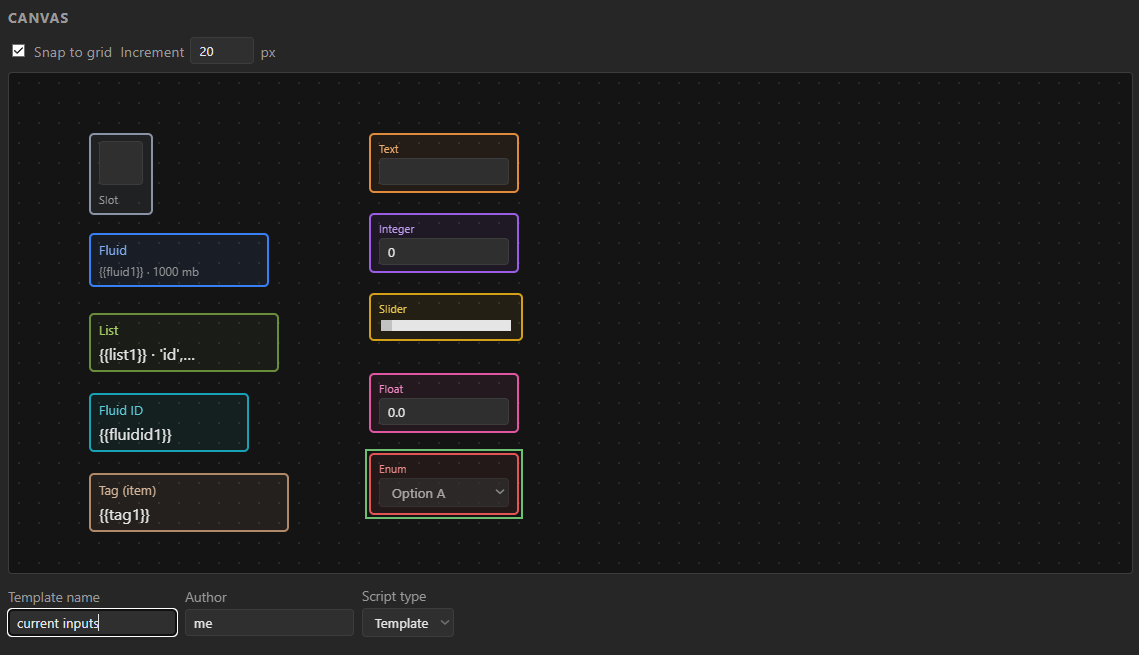 Some of the inputs you can use in any way your script allows image_2026-06-20_012511047.png
 -
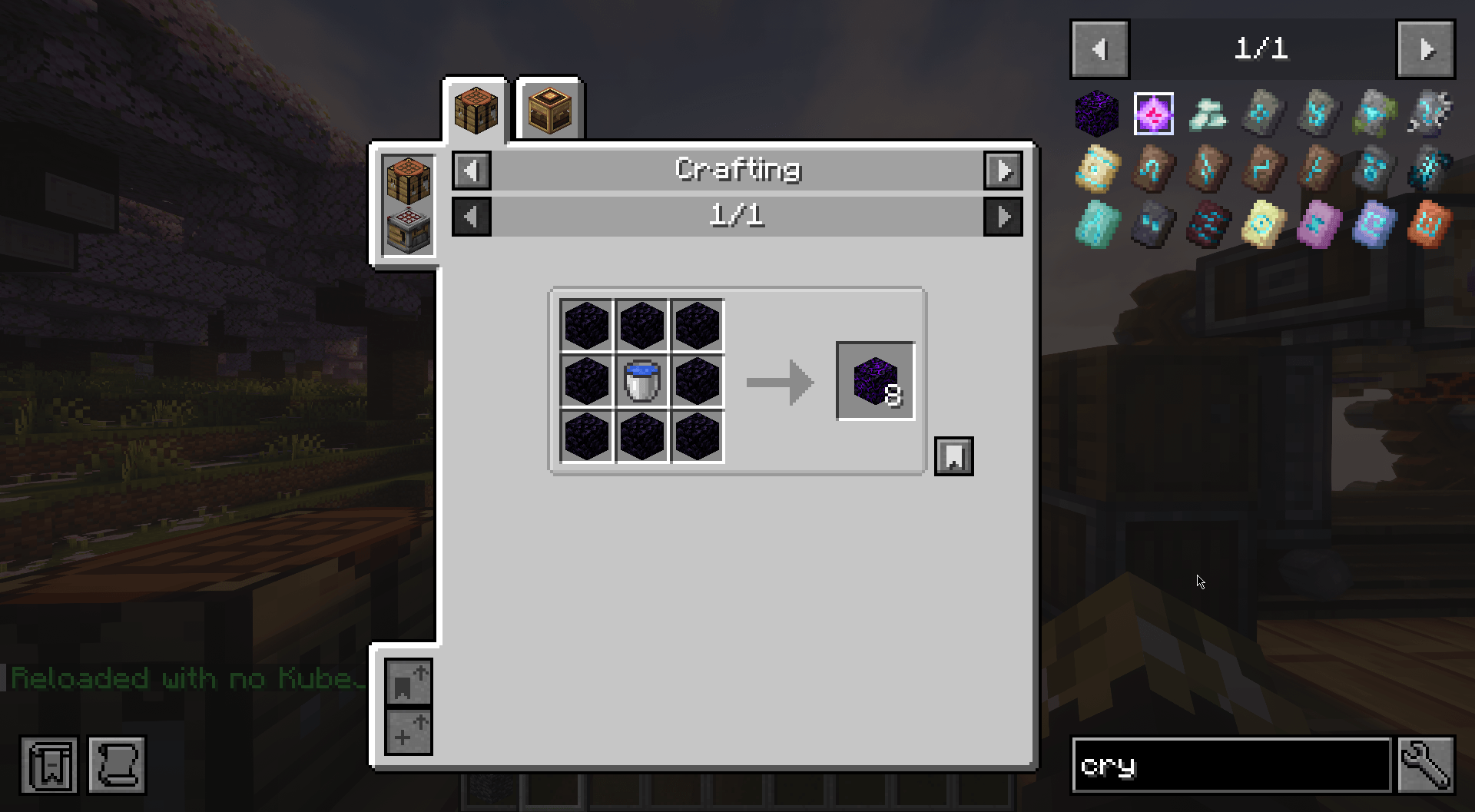 Step 5: Enjoy the new recipe/script Thats the basics of making a template and using the template to make a script. There is so much you can do with the custom scripting. I'll add more tutorials, but in the meanwhile, I'm sure you can figure a lot of the other tools out.
 -
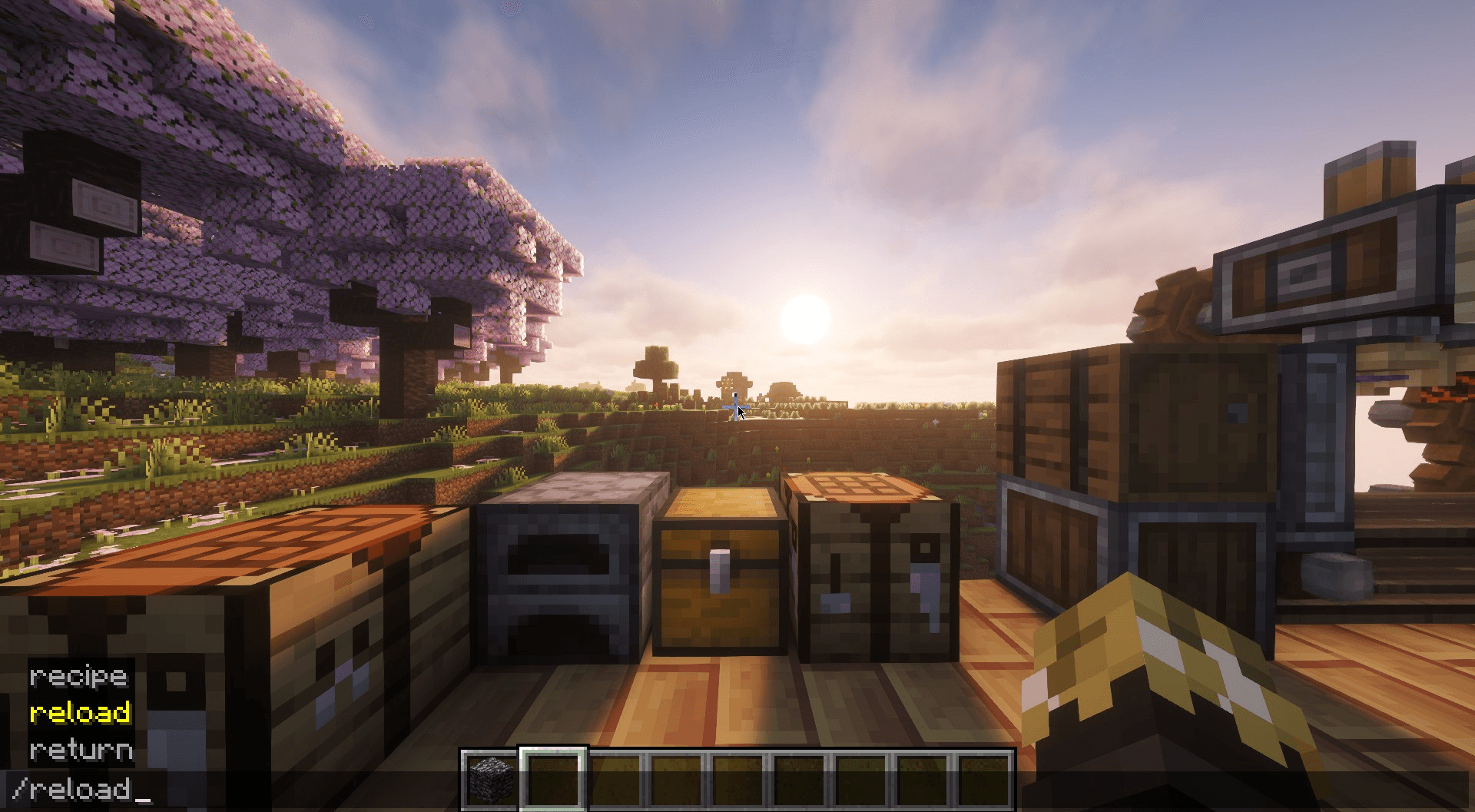 Step 4: Reload the scripts Run the /reload command. (startup scripts require game restart, like registering custom items)
 -
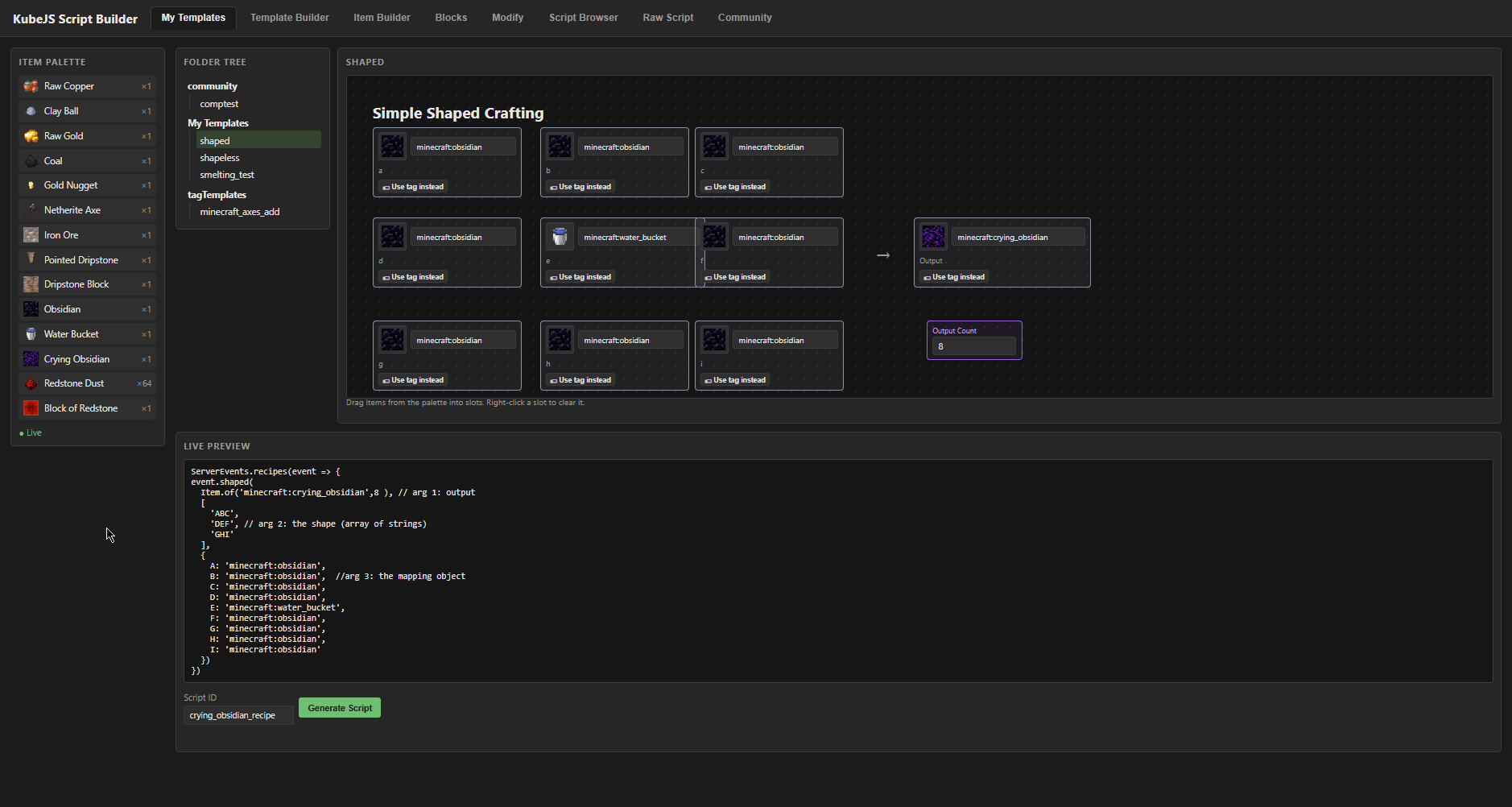 Step 3: Go to My Templates Add your inputs to the script. Preview how the script will look with the live preview. Name it, and save.
 -
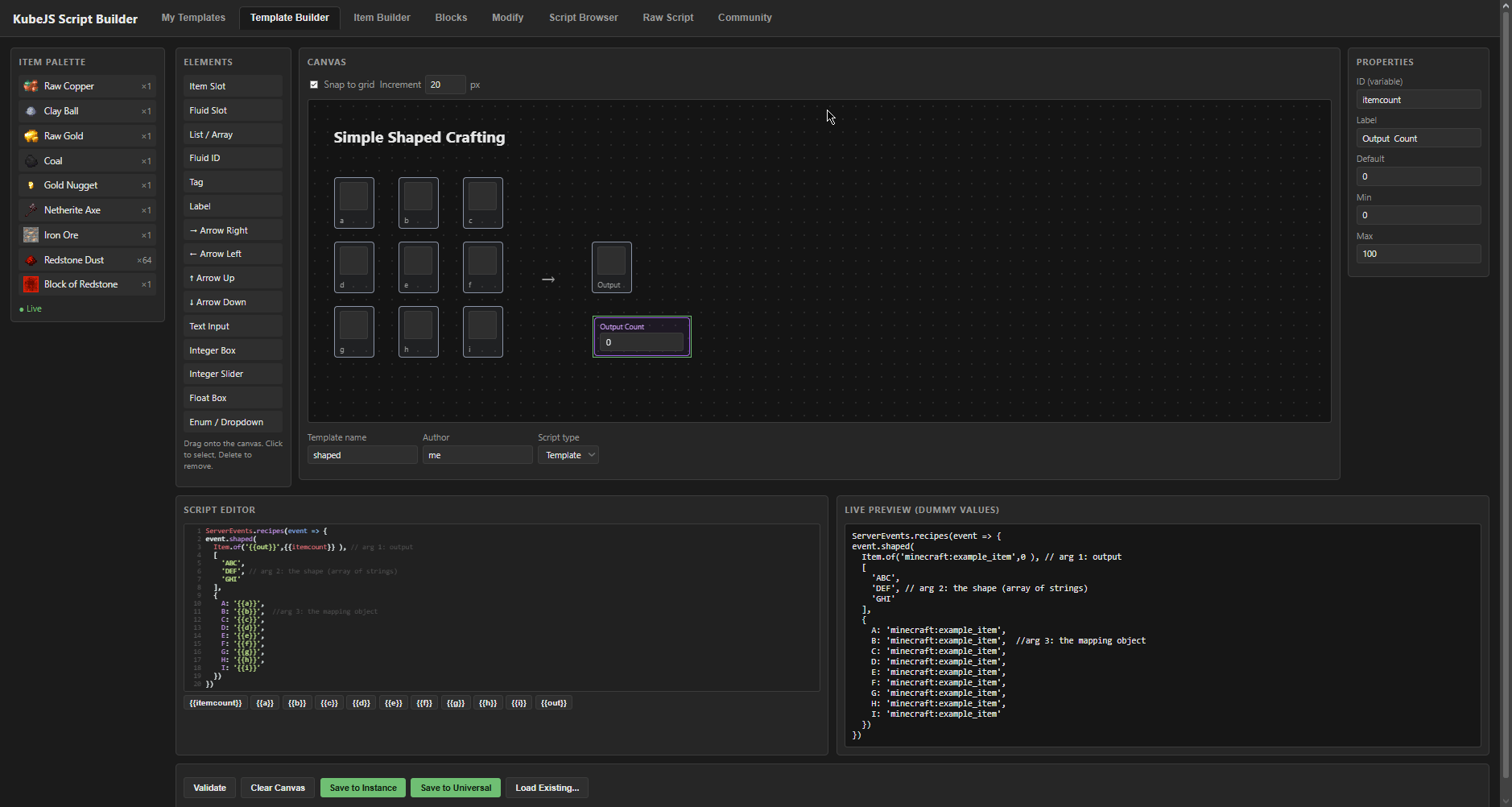 Step 2: Open web page to make a template In a nutshell, the items in that chest are on the left, then you have your canvas and its elements to the left of it. Copy script from wiki, replace values in script with those under the editor by clicking them, then name it and save.
 -
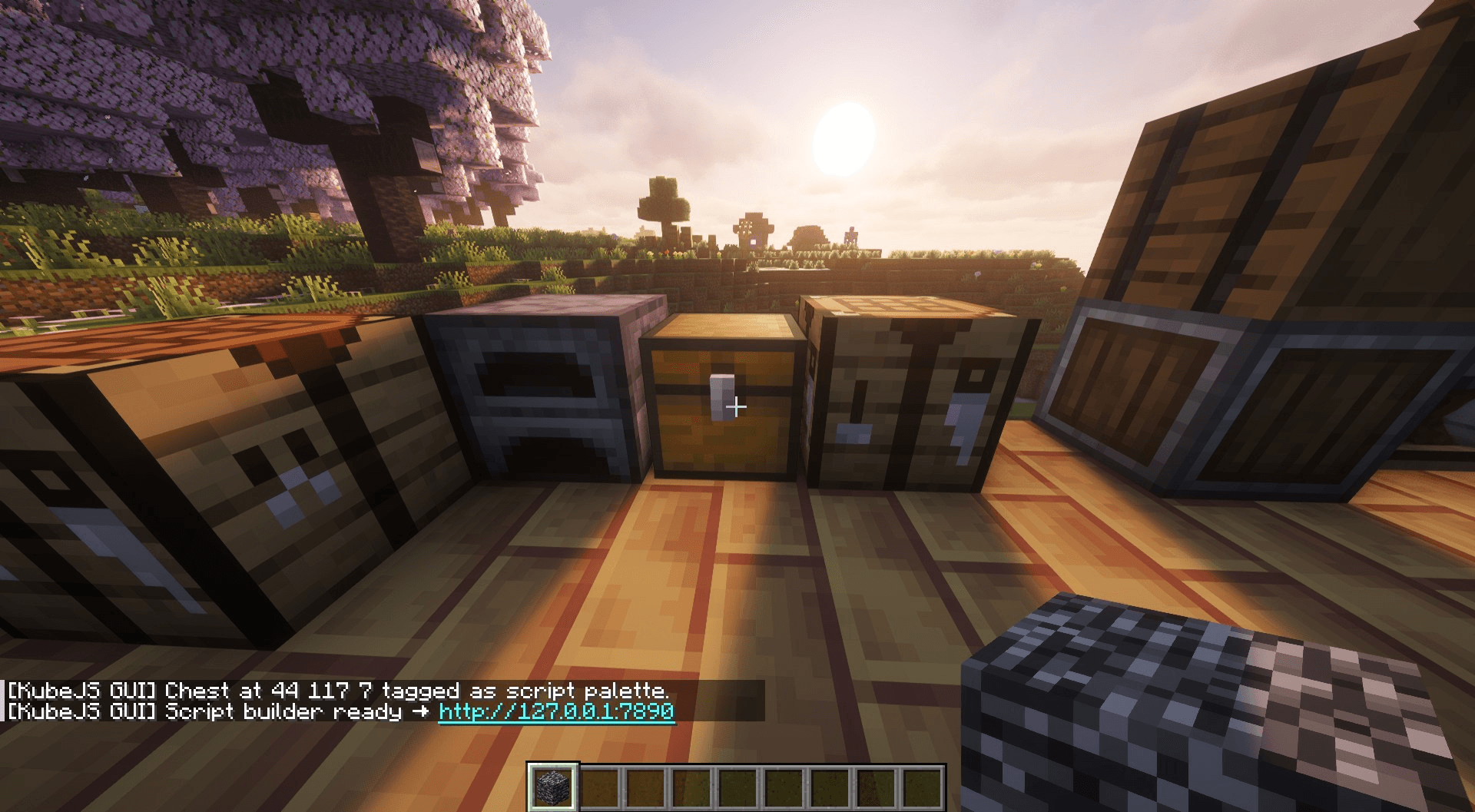 Step 1: Click a chest with bedrock to link it After clicking a chest with bedrock (will change later, its just because its a creative only item) it links to the internal web page, you can click the blue link. Its a safe link, its local host. Or just type it in manually.
-
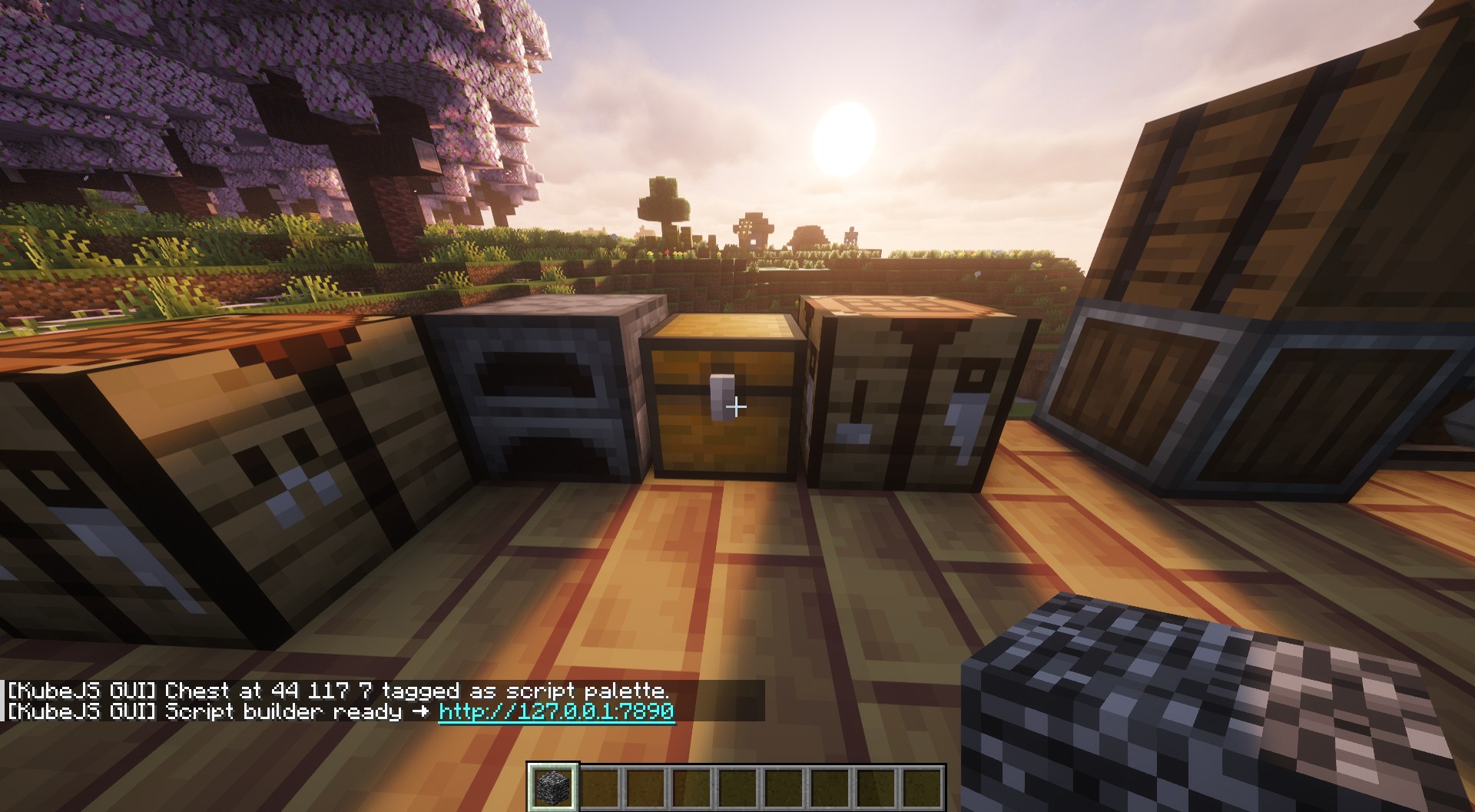 Step 1: Click a chest with bedrock to link it After clicking a chest with bedrock (will change later, its just because its a creative only item) it links to the internal web page, you can click the blue link. Its a safe link, its local host. Or just type it in manually.
 -
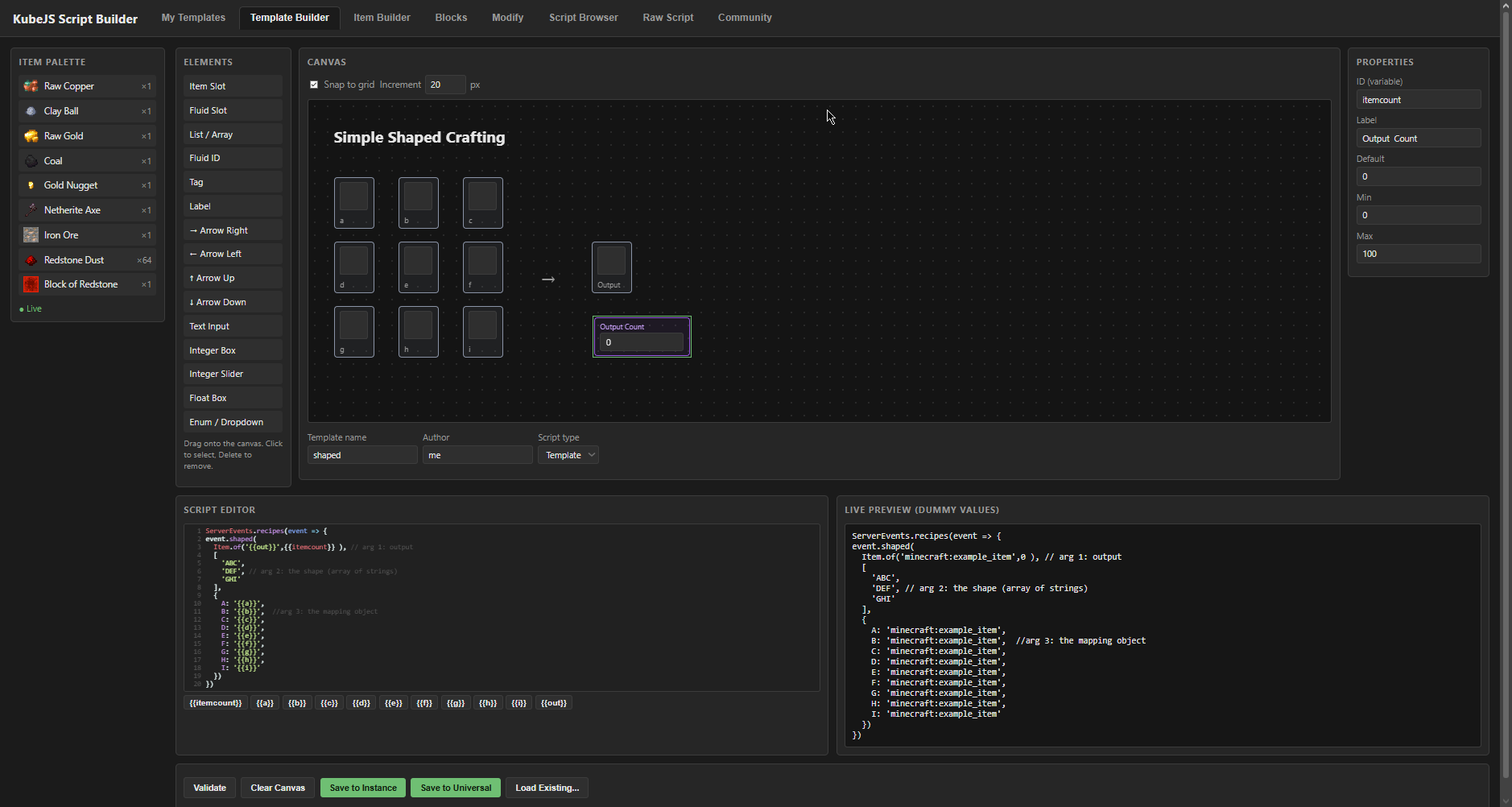 Step 2: Open web page to make a template In a nutshell, the items in that chest are on the left, then you have your canvas and its elements to the left of it. Copy script from wiki, replace values in script with those under the editor by clicking them, then name it and save.
 -
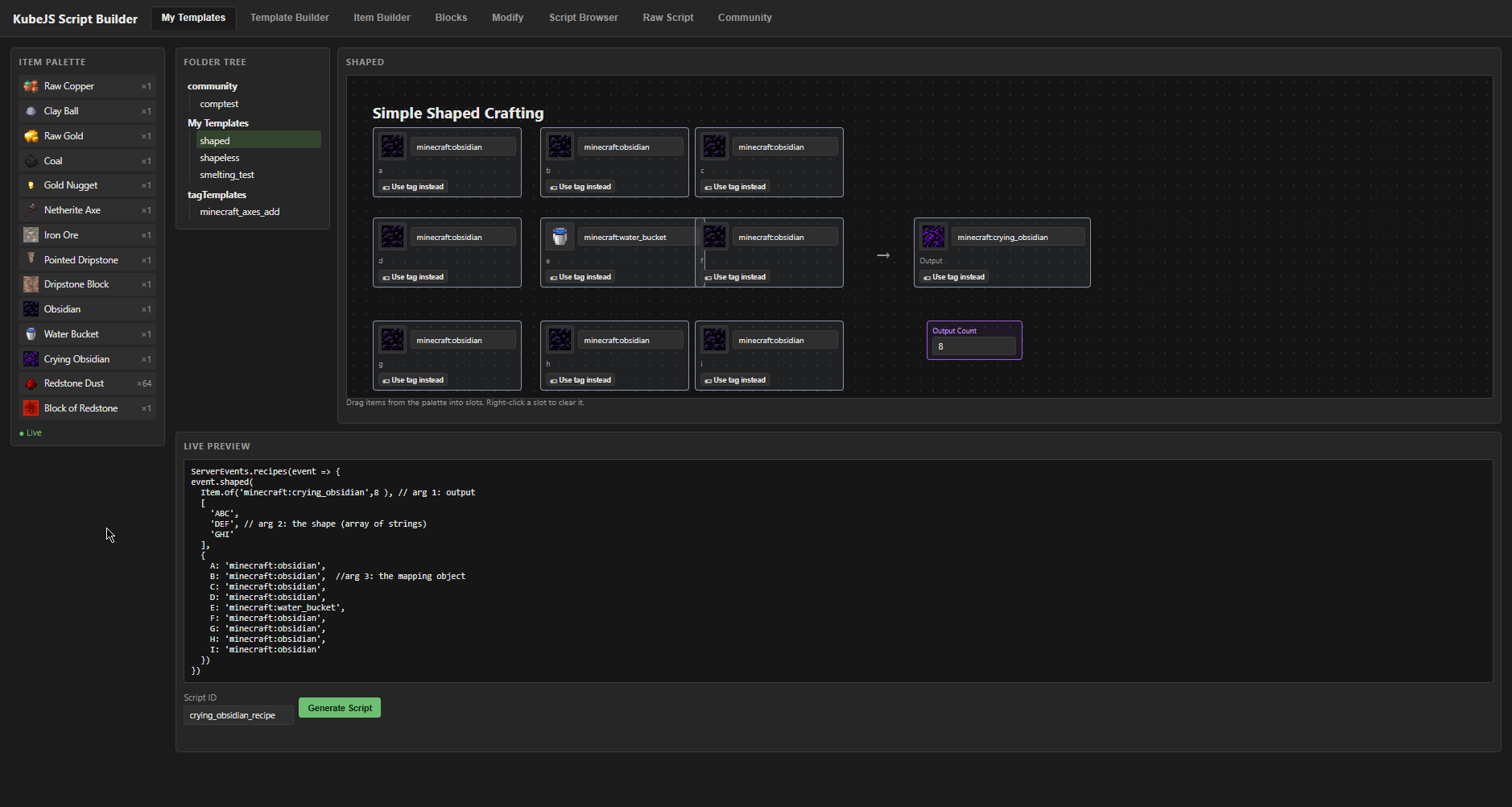 Step 3: Go to My Templates Add your inputs to the script. Preview how the script will look with the live preview. Name it, and save.
 -
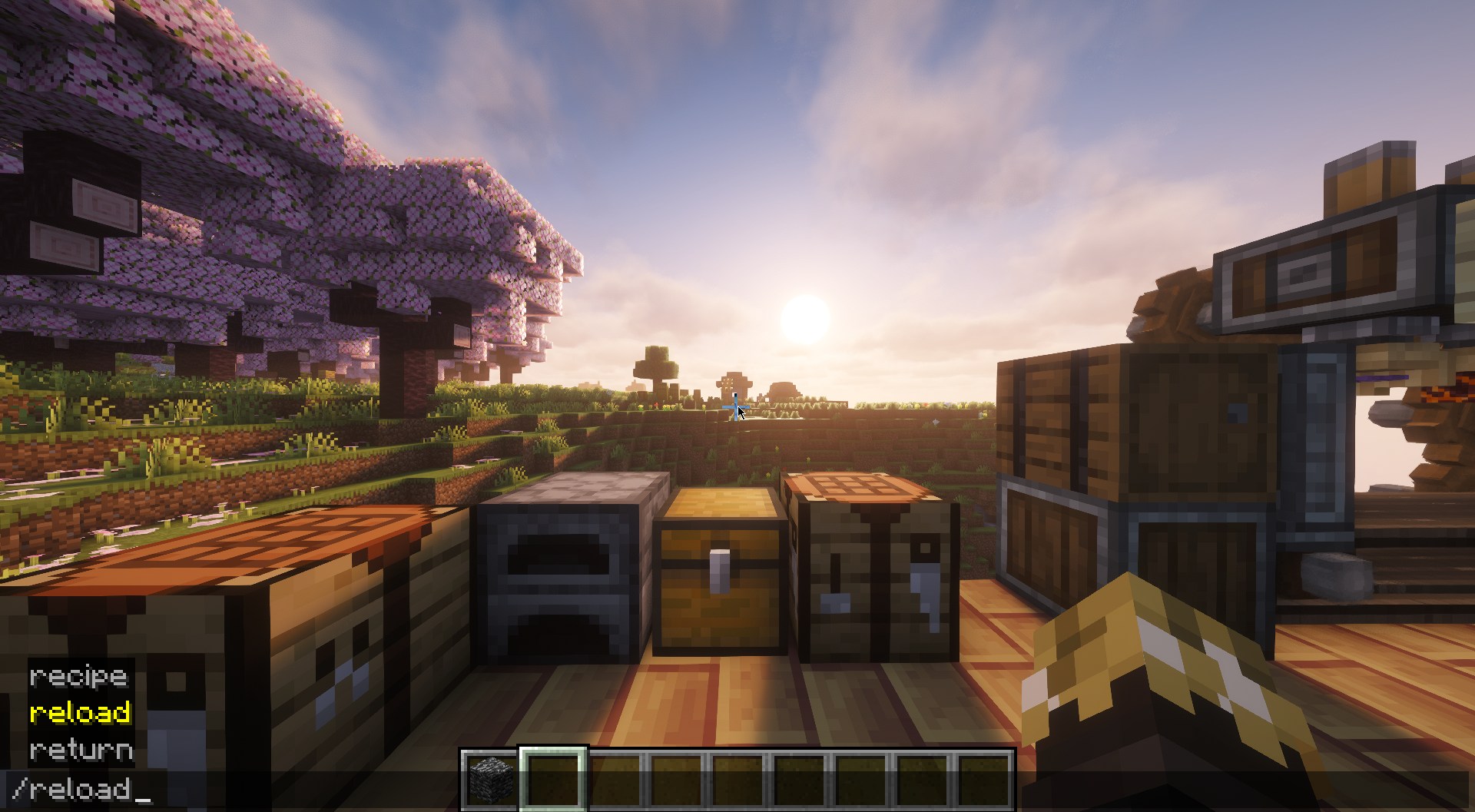 Step 4: Reload the scripts Run the /reload command. (startup scripts require game restart, like registering custom items)
 -
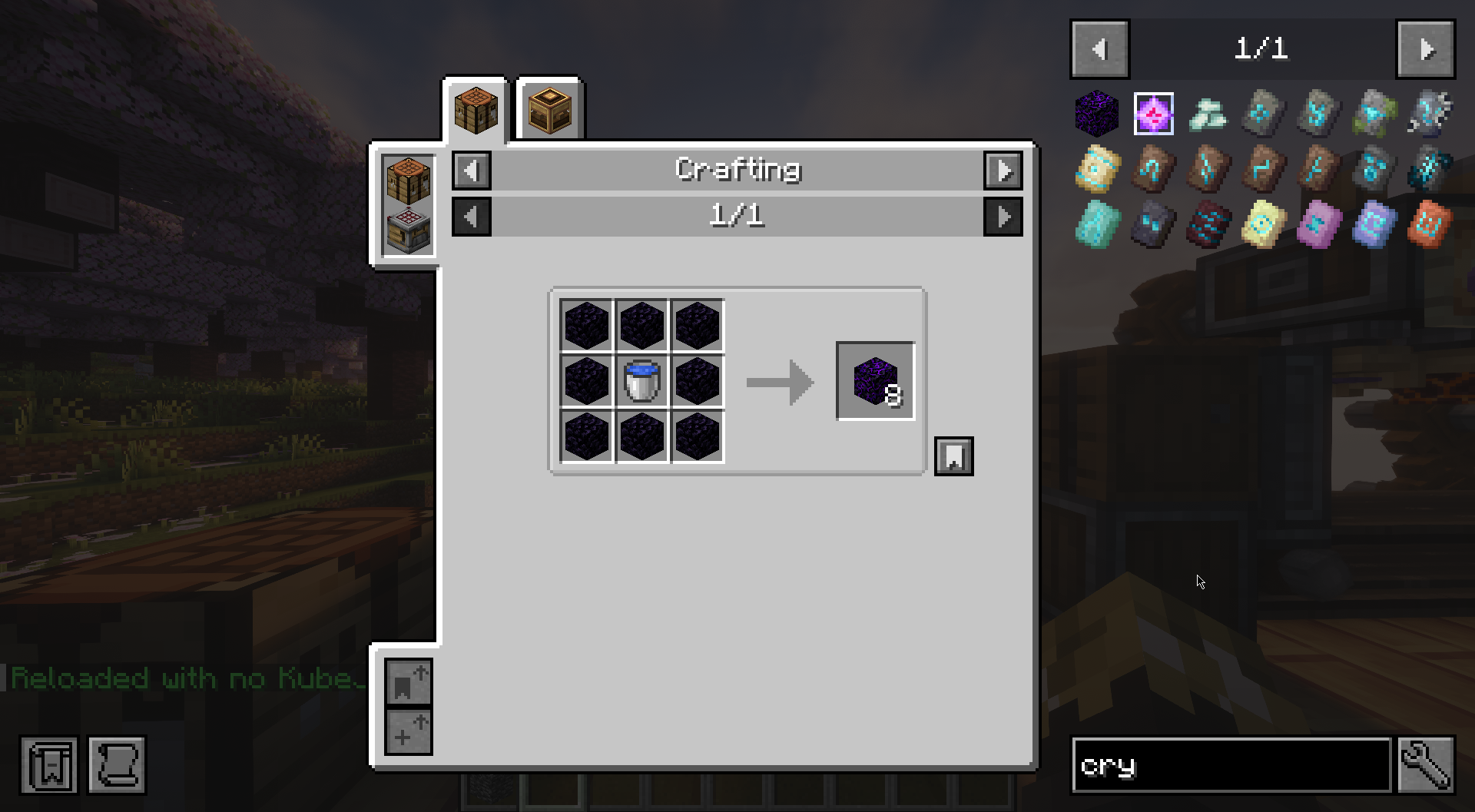 Step 5: Enjoy the new recipe/script Thats the basics of making a template and using the template to make a script. There is so much you can do with the custom scripting. I'll add more tutorials, but in the meanwhile, I'm sure you can figure a lot of the other tools out.
 -
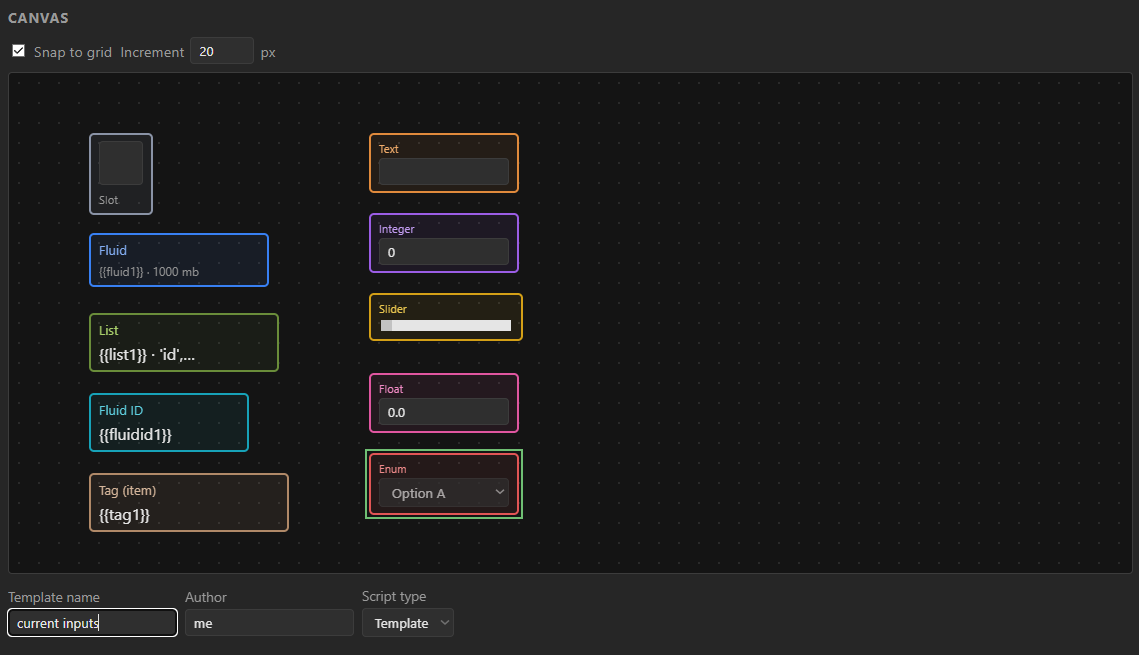 Some of the inputs you can use in any way your script allows
Versions
Files
Relations
Project Relations
More like this
Similar Mods
Suggestions use data such as tags, dependencies, dependents, descriptions, titles, and more to rank how much they overlap with this mod.
On ModDex
Community snapshot
By the numbers
Statistics
Want to reach Minecraft players?
We're looking for a server hosting partner to feature here and other parts of the site. Interested? Send us a message!
Get in touchGet it on
Available Platforms
On ModDex
Community snapshot
By the numbers