
Community listing page, reviews here may not be monitored by the author.
Lani Client


No reviews yet
Lani Client is a lightweight Fabric mod that brings together performance improvements, customization, and quality-of-life features to enhance the vanilla Minecraft experience.
Community voices
Reviews
No reviews yet. Be the first to review this project!
Get it on
Available Platforms
Compatibility
Supported Environments
Runs entirely on the client. Works on vanilla servers.
About
Project Details
For authors
Embed Badge
If you're the author of this project, you can embed a live badge anywhere that supports HTML or Markdown. It updates automatically whenever ratings change.
Use HTML for any page that supports it, or Markdown for README files and Markdown-based descriptions.
Identifiers
Platform IDs
Resources
External Links
About
Description
Lani Client
Lani Client is a lightweight, all-in-one utility mod built for Fabric. It aims to provide essential PvP features, visual enhancements, and quality-of-life improvements without the bloat of heavy modpacks. Whether you are playing survival or competitive multiplayer, Lani Client has everything you need.
Features
PvP & Utilities
- PvP Mode: One-click optimization to disable camera shaking (distortion/FOV effects) for a stable combat experience.
- Keystrokes & Armor Status: Fully customizable HUD to see your movement keys, mouse clicks, and armor durability at a glance.
- Toggle Sprint: Never hold your sprint key again.
- CPS Counter: Live Left-Click and Right-Click tracking.
Visuals & Camera
- 360° Freelook: Look around your character smoothly without changing your movement direction (Orbit camera)(Doesn't work on servers without opt-in).
- Zoom: Smooth, OptiFine-style zooming to see far distances.
- Fullbright: See perfectly in the darkest caves without torches.
- Xray: Find ores easily (Doesn't work on servers without opt-in).
Customization & QoL
- HUD Editor: A modern drag-and-drop system to position your HUD elements anywhere on the screen!
- Theme Colors: Choose between 7 different UI colors (Aqua, Red, Green, Yellow, White, Gold, Light Purple) to match your style.
- Performance Mode: Instantly applies optimized graphical settings for a quick FPS boost. Reverts back to your original settings when disabled.
- Clean Main Menu: A redesigned, sleek main menu with easy access to all Lani Settings.
How to Use
Press Right Shift in-game to open the ClickGUI, where you can toggle all modules. You can also access the Lani Settings directly from the Main Menu to change HUD positions, theme colors, and zoom multipliers.
Thanks for your supports.
Lani Client
Lani Client is a lightweight, all-in-one utility mod built for Fabric. It aims to provide essential PvP features, visual enhancements, and quality-of-life improvements without the bloat of heavy modpacks. Whether you are playing survival or competitive multiplayer, Lani Client has everything you need.
Features
PvP & Utilities
- PvP Mode: One-click optimization to disable camera shaking (distortion/FOV effects) for a stable combat experience.
- Keystrokes & Armor Status: Fully customizable HUD to see your movement keys, mouse clicks, and armor durability at a glance.
- Toggle Sprint: Never hold your sprint key again.
- CPS Counter: Live Left-Click and Right-Click tracking.
Visuals & Camera
- 360° Freelook: Look around your character smoothly without changing your movement direction (Orbit camera)(Doesn't work on servers without opt-in).
- Zoom: Smooth, OptiFine-style zooming to see far distances.
- Fullbright: See perfectly in the darkest caves without torches.
- Xray: Find ores easily (Doesn't work on servers without opt-in).
Customization & QoL
- HUD Editor: A modern drag-and-drop system to position your HUD elements anywhere on the screen!
- Theme Colors: Choose between 7 different UI colors (Aqua, Red, Green, Yellow, White, Gold, Light Purple) to match your style.
- Performance Mode: Instantly applies optimized graphical settings for a quick FPS boost. Reverts back to your original settings when disabled.
- Clean Main Menu: A redesigned, sleek main menu with easy access to all Lani Settings.
How to Use
Press Right Shift in-game to open the ClickGUI, where you can toggle all modules. You can also access the Lani Settings directly from the Main Menu to change HUD positions, theme colors, and zoom multipliers.
Thanks for your supports.
Screenshots
Gallery
-
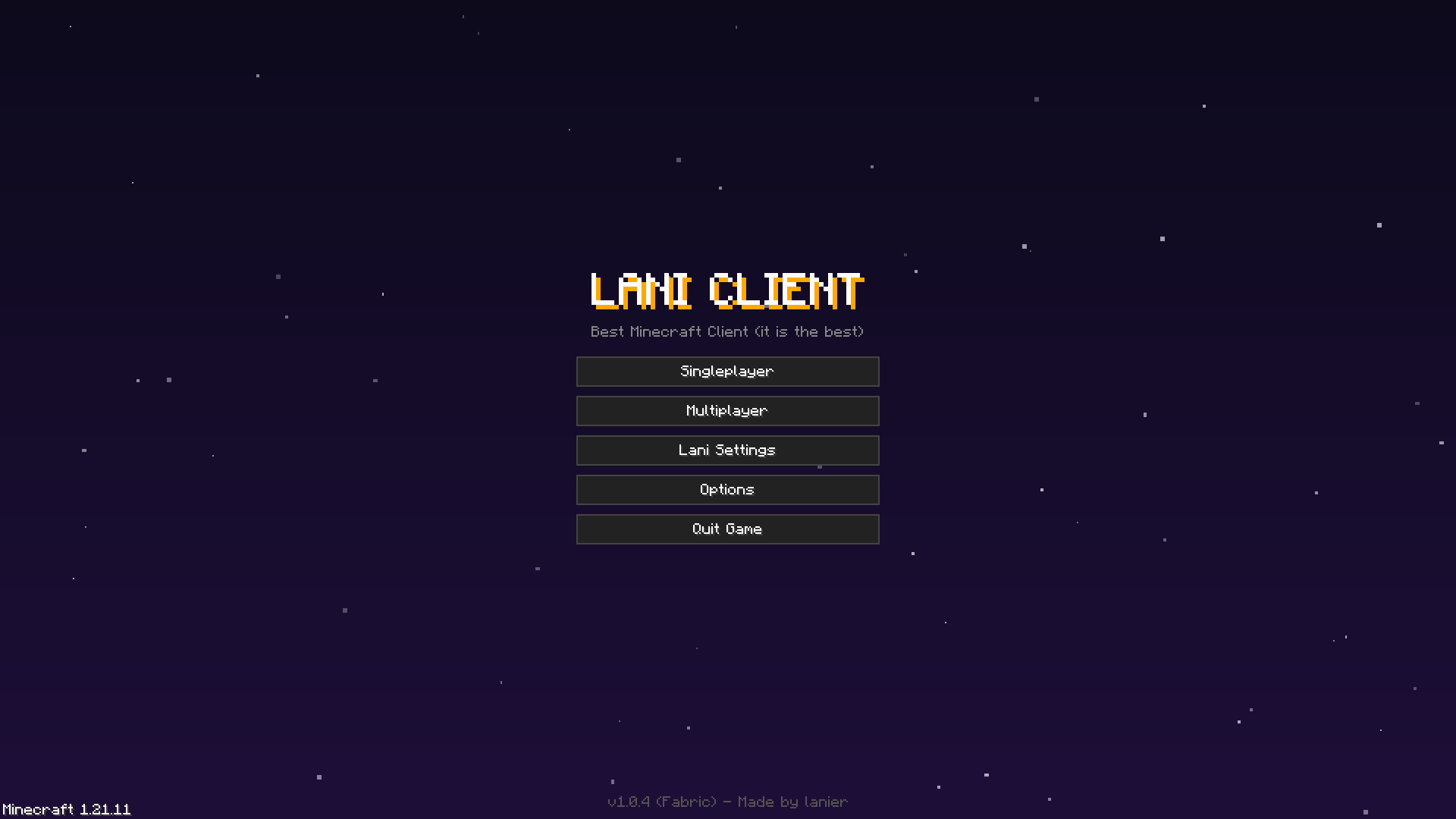 Main Menu.png Main Menu.png
 -
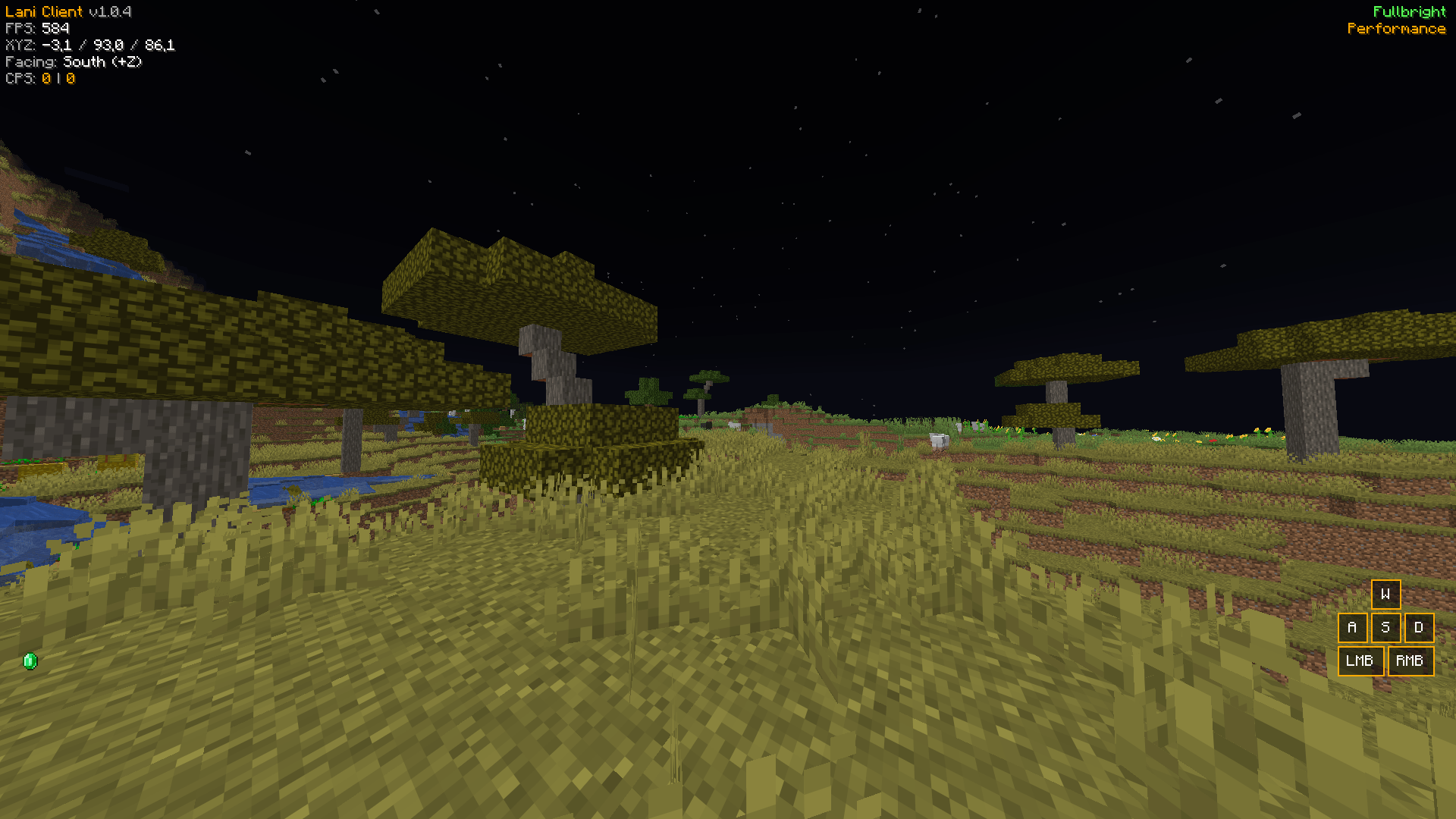 Fullbright.png Fullbright.png
 -
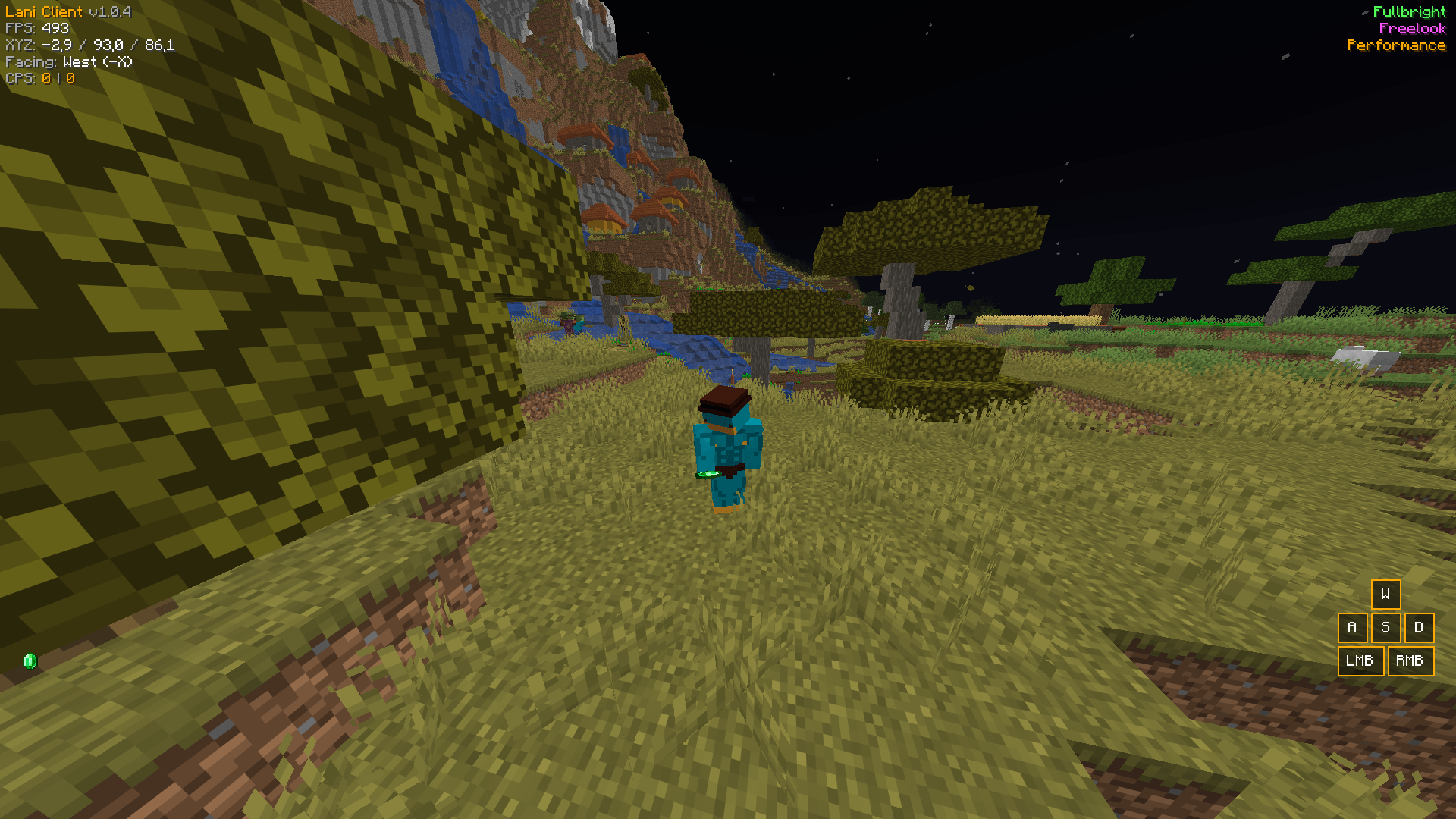 Freelook.png Freelook.png
 -
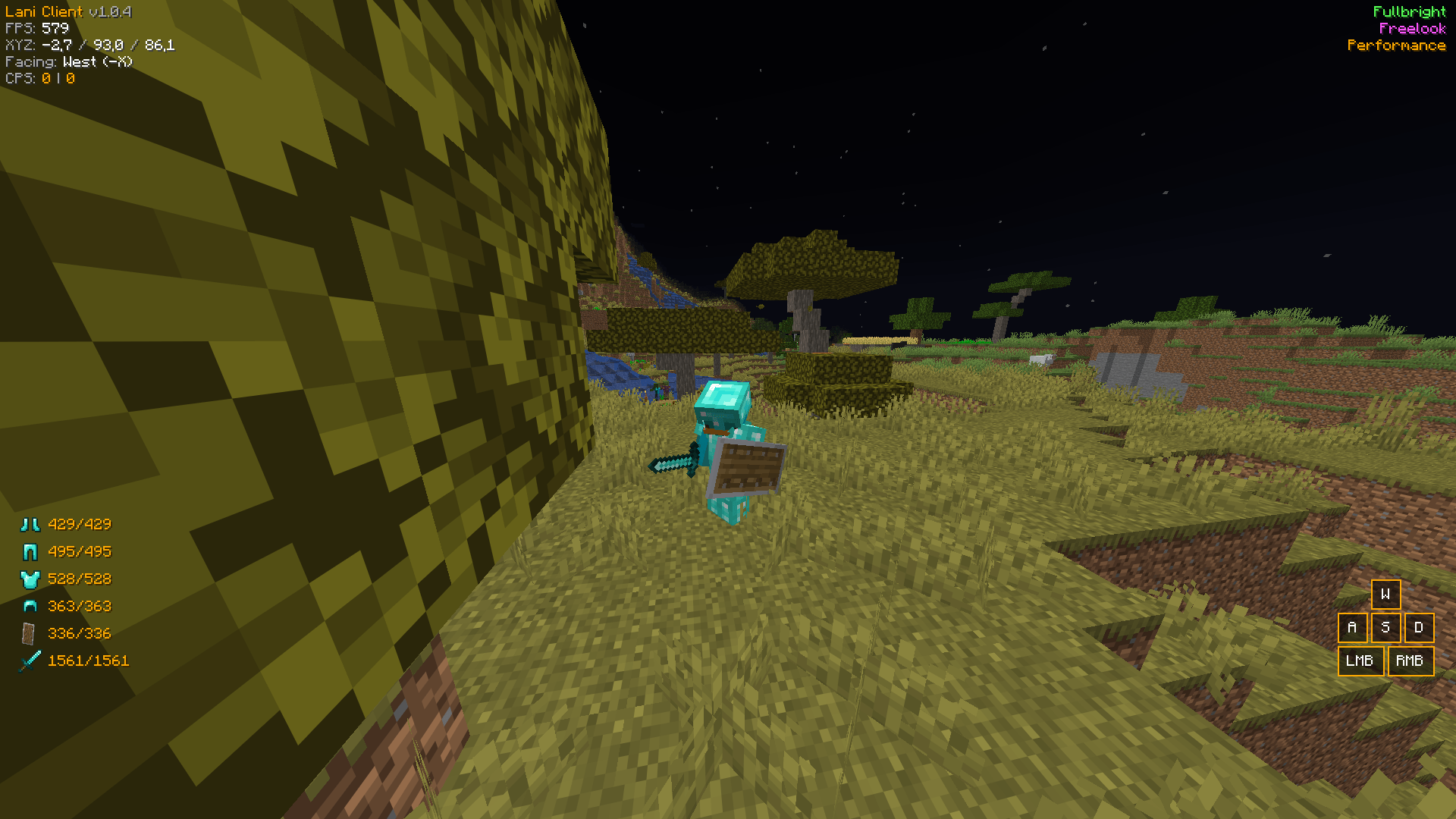 Armor HUD.png Armor HUD.png
-
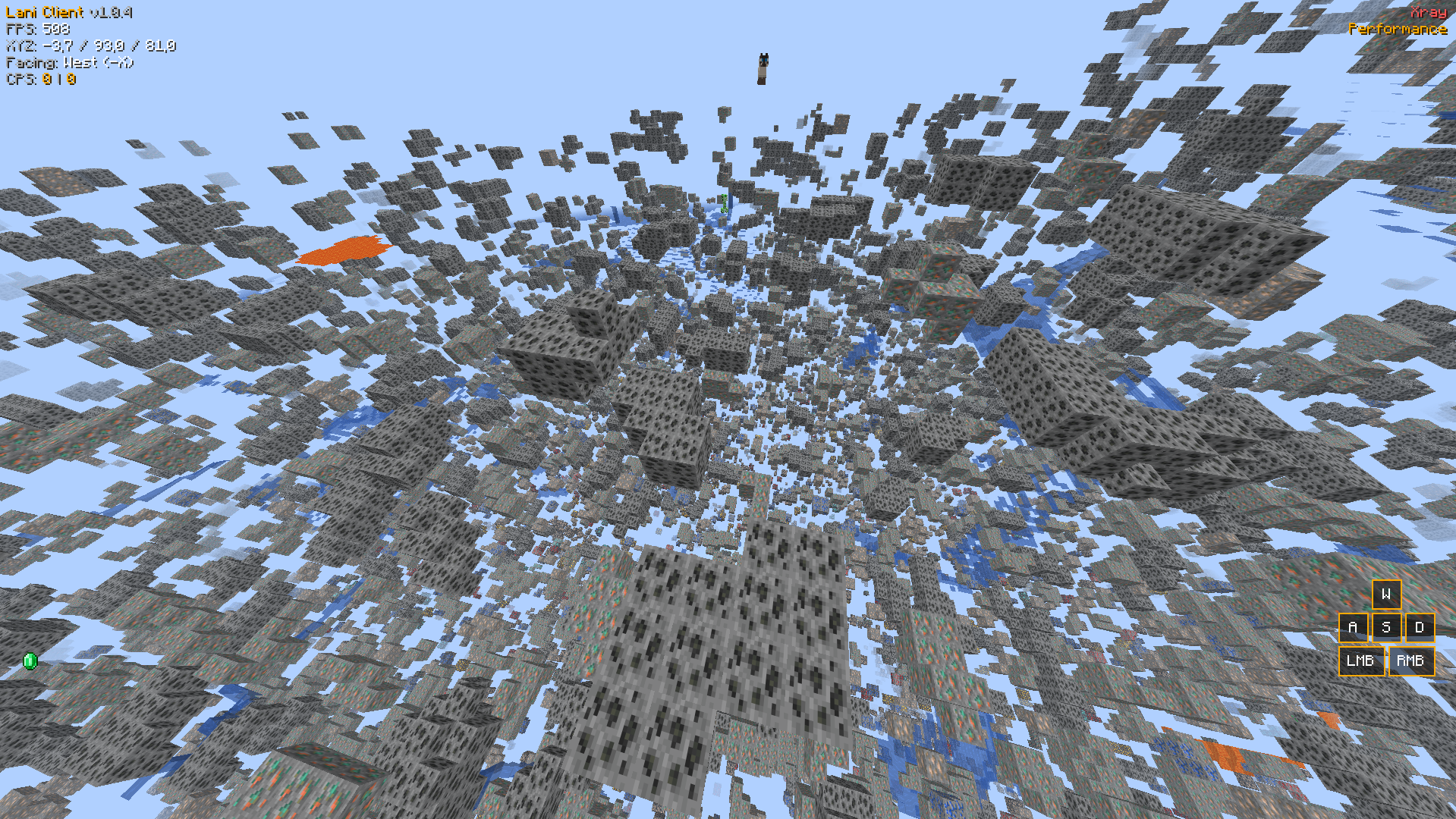 XRay Xray (!DISCLAMER! X-ray doesn't work on servers without opt-in.)
 -
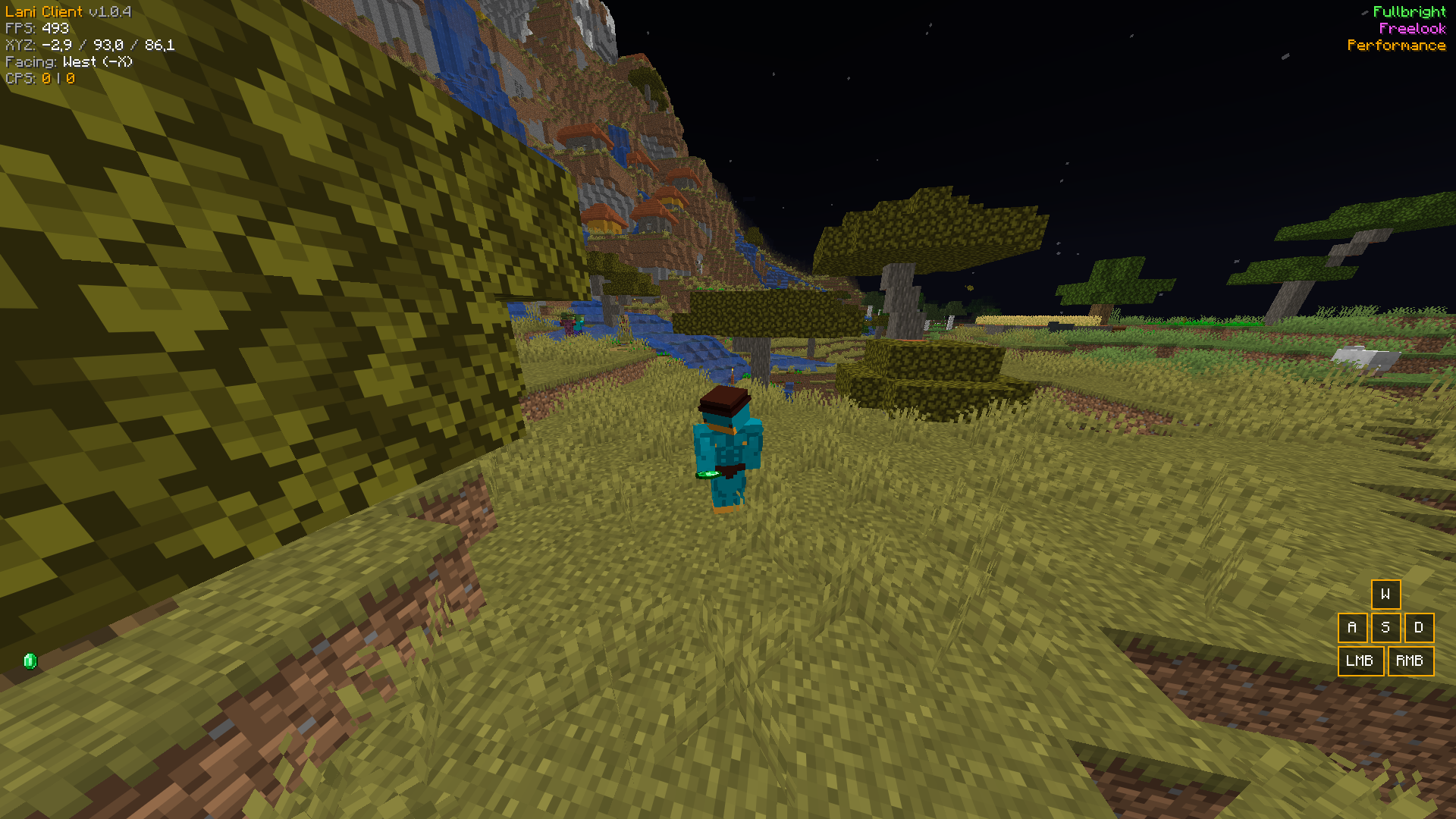 Freelook The Freelook feature (Doesn't work on servers without opt-in aswell)
 -
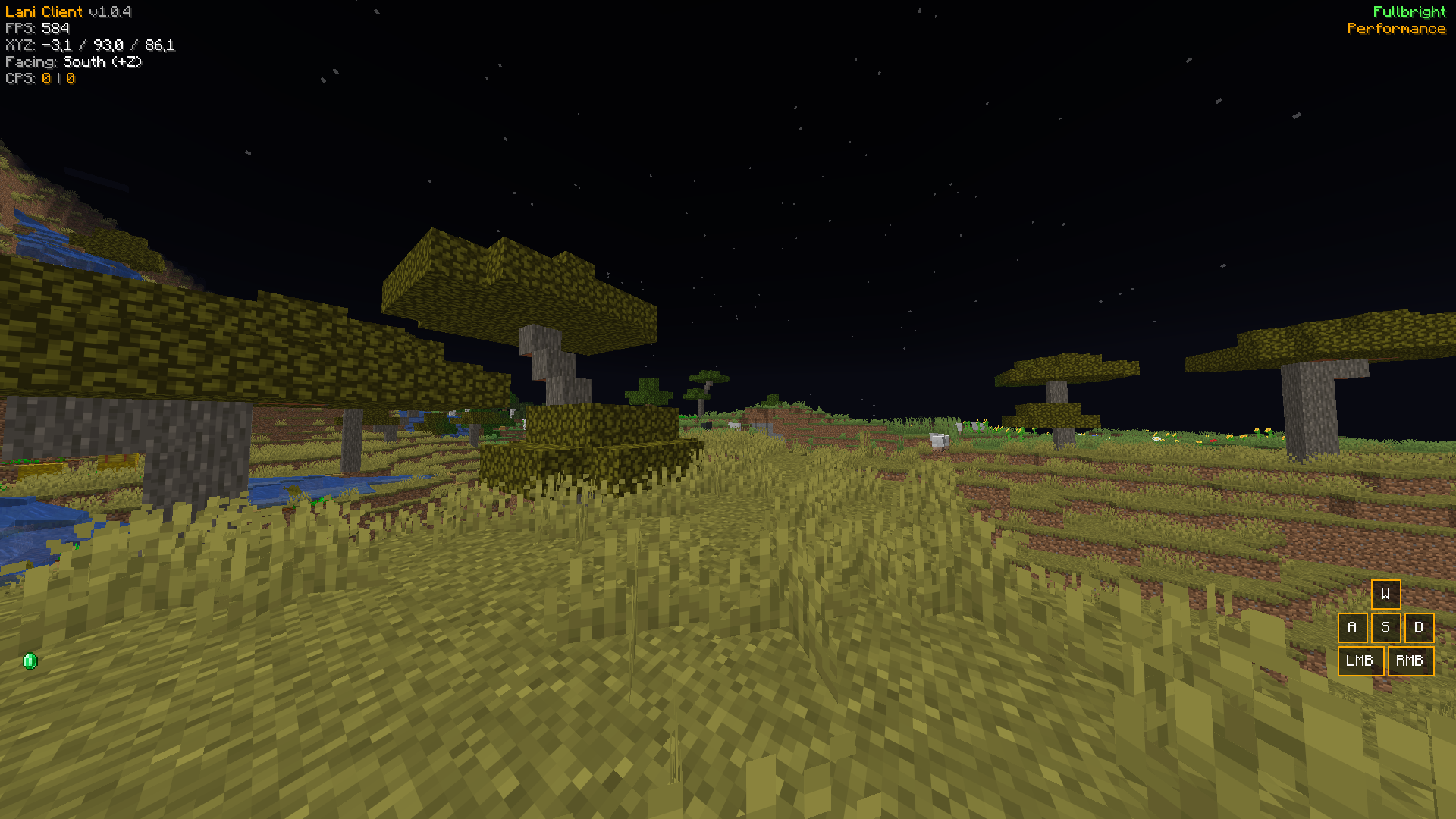 FullBright The Fullbright at night time
 -
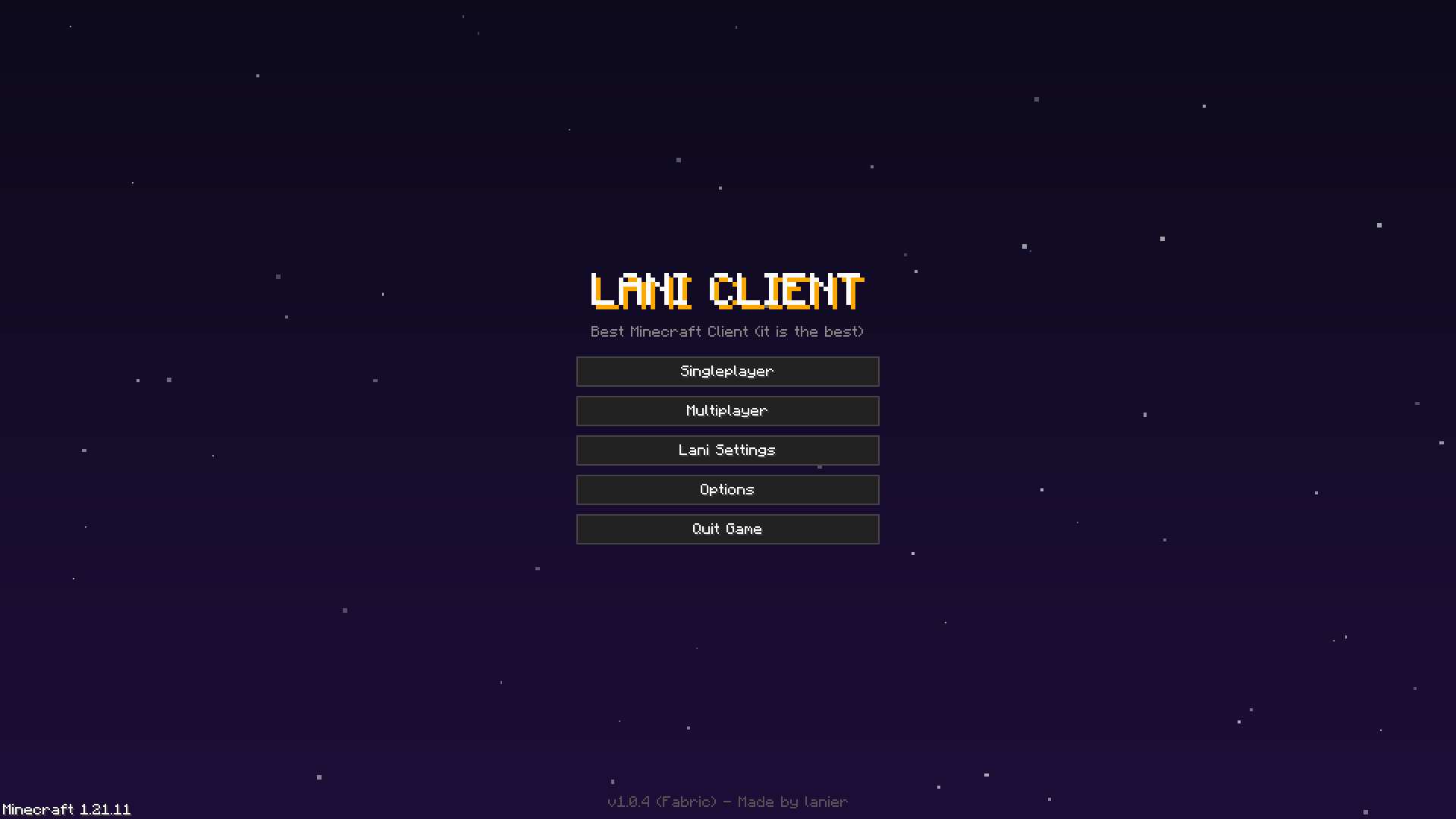 Main Menu The custom main menu of Lani Client
 -
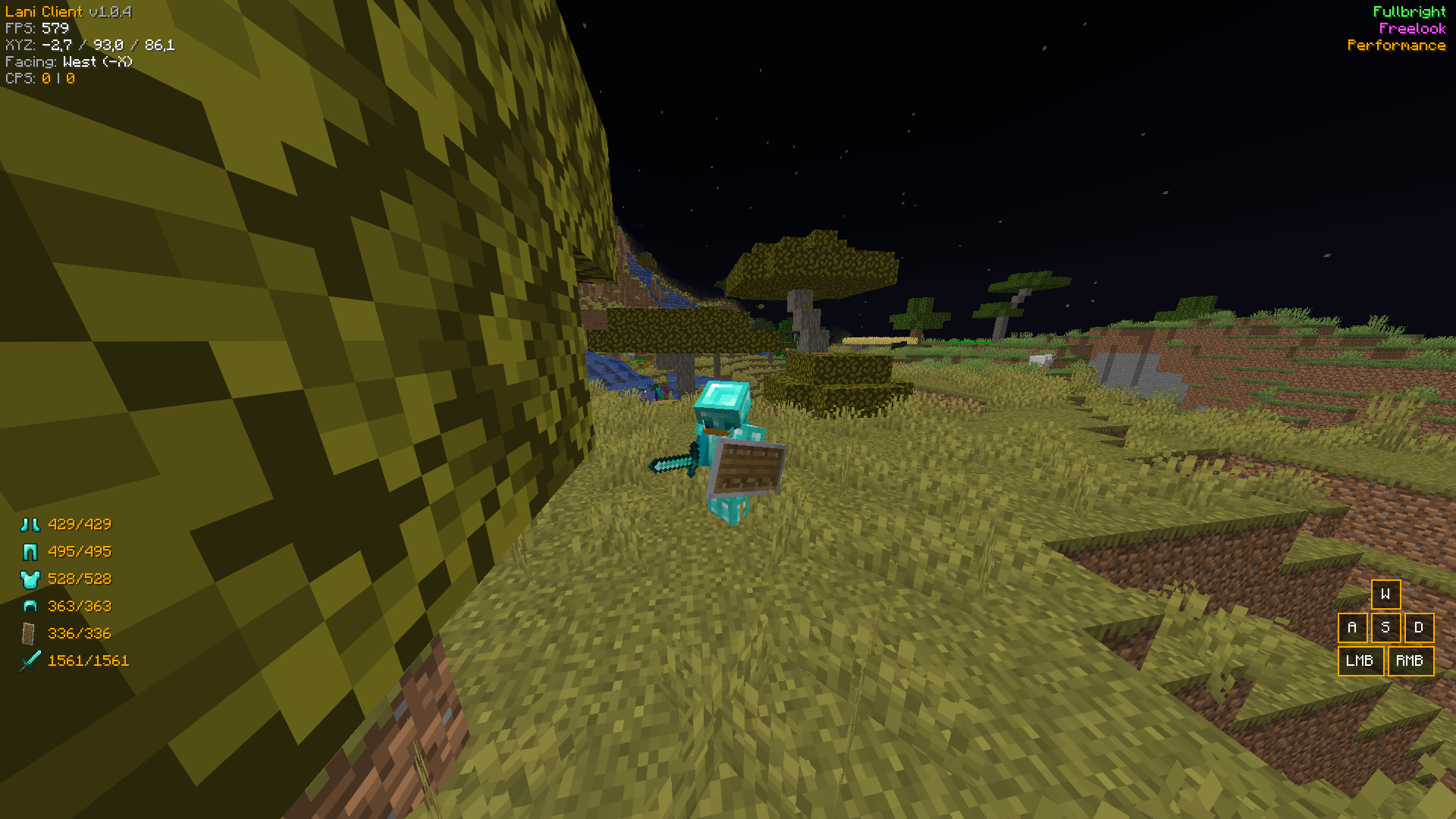 Armor HUD The armor status HUD
Versions
Files
Relations
Project Relations
More like this
Similar Mods
Suggestions use data such as tags, dependencies, dependents, descriptions, titles, and more to rank how much they overlap with this mod.
On ModDex
Community snapshot
By the numbers
Statistics
Want to reach Minecraft players?
We're looking for a server hosting partner to feature here and other parts of the site. Interested? Send us a message!
Get in touchGet it on
Available Platforms
On ModDex
Community snapshot
By the numbers
Statistics
Resources