Community listing page, reviews here may not be monitored by the author.
Led it!


No reviews yet
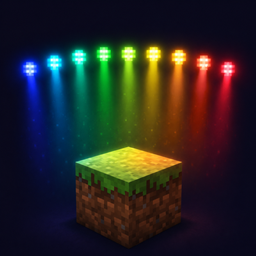
Light up your RBG LED when you are playingh Minecraft!
Community voices
Reviews
No reviews yet. Be the first to review this project!
Get it on
Available Platforms
Compatibility
Supported Environments
Runs entirely on the client. Works on vanilla servers.
About
Project Details
For authors
Embed Badge
If you're the author of this project, you can embed a live badge anywhere that supports HTML or Markdown. It updates automatically whenever ratings change.
Use HTML for any page that supports it, or Markdown for README files and Markdown-based descriptions.
Identifiers
Platform IDs
About
Description
LED It!
English
LEDIt connects your Minecraft world to WLED devices, transforming your room's lighting into an ambient extension of the game. Walk through biomes, take damage, earn achievements — your LED strip follows along.
Features
- Biome-reactive lighting — LEDs shift color based on the biome you're standing in (forest green, desert amber, ocean teal, nether crimson...)
- Smooth biome transitions — Colors blend gradually (configurable duration) when moving between biomes
- Health-based breathing — LED brightness pulses with your health; low HP causes faster breathing and a red hue shift
- Damage flash — Instant bright red flash on hit, fading back over ~1.5 seconds
- Fire effect — Rapid orange flicker while burning
- Cave detection — Deep blue-indigo tones when underground (Y < 50)
- Death effect — Dark crimson while on the death screen
- Achievement celebrations — Per-type effects: green for Tasks, gold for Goals, purple for Challenges
- Ambient light response — LEDs dim at night, in caves, or during thunderstorms
- Time-based frame scheduling — Configurable 1–1000 FPS, independent of game tick rate
- Dual transport — JSON HTTP API (simple) or E1.31/sACN over UDP (high performance)
Setup
- Install the mod and all dependencies
- Launch Minecraft and go to Mods → LEDIt → Config (the gear icon)
- Configure your WLED device:
- WLED Device Address: IP or hostname of your WLED controller
- WLED Port: HTTP port (default 80)
- LED Count: Number of LEDs on your strip
- Target FPS: Updates per second (default 2; with E1.31 you can go much higher)
- Brightness: Master brightness (0–255)
- Transition Time: How long biome color blends take (in ticks)
Using E1.31
E1.31/sACN sends raw DMX data over UDP, avoiding HTTP overhead. For smooth high-FPS updates:
- In the mod config → Transport tab, enable Use E1.31 (sACN)
- Set E1.31 Port (default 5568) and Universe (default 1)
- In WLED web UI → Config → Sync Interfaces:
- Enable Network DMX input
- Type: E1.31 (sACN)
- DMX Mode: Multiple RGB
- Multicast: OFF
- Start Universe: 1
- DMX Start Address: 1
- Save & Reboot
Effect Priority
Effects are layered with the following priority (higher = overrides lower):
Death Screen → Damage Flash → Achievement → Fire → Cave → Biome
Configuration
| Setting | Default | Range | Description |
|---|---|---|---|
| WLED Device Address | 127.0.0.1 | — | IP/hostname of WLED |
| WLED Port | 80 | 1–65535 | HTTP port |
| LED Count | 30 | 1–1000 | LEDs on strip |
| Target FPS | 2 | 1–1000 | Updates per second |
| Brightness | 255 | 0–255 | Master brightness |
| Transition Time | 60 | 0–200 | Biome blend ticks (20 = 1s) |
| Use E1.31 (sACN) | OFF | — | UDP transport toggle |
| E1.31 Port | 5568 | 1–65535 | sACN UDP port |
| E1.31 Universe | 1 | 1–63999 | DMX universe |
中文
LEDIt 将 Minecraft 世界与 WLED 设备连接起来,让你房间的灯带成为游戏的氛围延伸。穿梭群系、受到伤害、获得成就——LED 灯带都会随之变化。
功能
- 群系响应 — LED 根据所在群系变换颜色(森林翠绿、沙漠琥珀、海洋青蓝、下界猩红...)
- 平滑过渡 — 群系切换时颜色渐变过渡(时长可配置)
- 血量呼吸 — LED 亮度随血量脉动;低血量时呼吸加快、色调偏红
- 受伤闪红 — 受到伤害瞬间全红,约 1.5 秒淡出
- 着火特效 — 燃烧时橙红色快速闪烁
- 洞穴检测 — 地下(Y < 50 且不露天)切换深蓝靛色
- 死亡效果 — 死亡界面显示暗红色
- 成就庆祝 — 按类型区分:普通任务绿色、目标金色、挑战紫色
- 环境光响应 — 夜晚、洞穴、雷暴时灯带自动变暗
- 时间驱动帧率 — 1–1000 FPS 可调,独立于游戏 tick
- 双传输模式 — JSON HTTP API(简易)或 E1.31/sACN UDP(高性能)
使用方法
- 安装模组和所有依赖
- 启动游戏,进入 Mods → LEDIt → Config(齿轮图标)
- 配置 WLED 设备:
- WLED 设备地址:WLED 控制器的 IP 或主机名
- WLED 端口:HTTP 端口(默认 80)
- LED 数量:灯带 LED 数量
- 目标 FPS:每秒更新次数(默认 2;配合 E1.31 可设更高)
- 亮度:主亮度(0–255)
- 过渡时间:群系颜色过渡时长(tick 数,20 tick = 1 秒)
E1.31 设置
E1.31/sACN 通过 UDP 直接发送 DMX 数据,无 HTTP 开销,可实现流畅高帧率:
- 模组配置 → Transport 标签 → 开启 Use E1.31 (sACN)
- 设置 E1.31 端口(默认 5568)和 Universe(默认 1)
- WLED 网页界面 → Config → Sync Interfaces:
- 启用 Network DMX input
- Type:E1.31 (sACN)
- DMX Mode:Multiple RGB
- Multicast:关闭
- Start Universe:1
- DMX Start Address:1
- 保存并重启
效果优先级
效果按以下优先级叠加(越高越优先):
死亡界面 → 受伤闪红 → 成就 → 着火 → 洞穴 → 群系
配置参考
| 设置 | 默认值 | 范围 | 说明 |
|---|---|---|---|
| WLED 设备地址 | 127.0.0.1 | — | WLED 的 IP/主机名 |
| WLED 端口 | 80 | 1–65535 | HTTP 端口 |
| LED 数量 | 30 | 1–1000 | 灯带 LED 数 |
| 目标 FPS | 2 | 1–1000 | 每秒更新次数 |
| 亮度 | 255 | 0–255 | 主亮度 |
| 过渡时间 | 60 | 0–200 | 群系过渡 tick 数 (20 = 1秒) |
| 使用 E1.31 | 关 | — | UDP 传输开关 |
| E1.31 端口 | 5568 | 1–65535 | sACN UDP 端口 |
| E1.31 Universe | 1 | 1–63999 | DMX 域编号 |
LED It!
English
LEDIt connects your Minecraft world to WLED devices, transforming your room's lighting into an ambient extension of the game. Walk through biomes, take damage, earn achievements — your LED strip follows along.
Features
- Biome-reactive lighting — LEDs shift color based on the biome you're standing in (forest green, desert amber, ocean teal, nether crimson...)
- Smooth biome transitions — Colors blend gradually (configurable duration) when moving between biomes
- Health-based breathing — LED brightness pulses with your health; low HP causes faster breathing and a red hue shift
- Damage flash — Instant bright red flash on hit, fading back over ~1.5 seconds
- Fire effect — Rapid orange flicker while burning
- Cave detection — Deep blue-indigo tones when underground (Y < 50)
- Death effect — Dark crimson while on the death screen
- Achievement celebrations — Per-type effects: green for Tasks, gold for Goals, purple for Challenges
- Ambient light response — LEDs dim at night, in caves, or during thunderstorms
- Time-based frame scheduling — Configurable 1–1000 FPS, independent of game tick rate
- Dual transport — JSON HTTP API (simple) or E1.31/sACN over UDP (high performance)
Setup
- Install the mod and all dependencies
- Launch Minecraft and go to Mods → LEDIt → Config (the gear icon)
- Configure your WLED device:
- WLED Device Address: IP or hostname of your WLED controller
- WLED Port: HTTP port (default 80)
- LED Count: Number of LEDs on your strip
- Target FPS: Updates per second (default 2; with E1.31 you can go much higher)
- Brightness: Master brightness (0–255)
- Transition Time: How long biome color blends take (in ticks)
Using E1.31
E1.31/sACN sends raw DMX data over UDP, avoiding HTTP overhead. For smooth high-FPS updates:
- In the mod config → Transport tab, enable Use E1.31 (sACN)
- Set E1.31 Port (default 5568) and Universe (default 1)
- In WLED web UI → Config → Sync Interfaces:
- Enable Network DMX input
- Type: E1.31 (sACN)
- DMX Mode: Multiple RGB
- Multicast: OFF
- Start Universe: 1
- DMX Start Address: 1
- Save & Reboot
Effect Priority
Effects are layered with the following priority (higher = overrides lower):
Death Screen → Damage Flash → Achievement → Fire → Cave → Biome
Configuration
| Setting | Default | Range | Description |
|---|---|---|---|
| WLED Device Address | 127.0.0.1 | — | IP/hostname of WLED |
| WLED Port | 80 | 1–65535 | HTTP port |
| LED Count | 30 | 1–1000 | LEDs on strip |
| Target FPS | 2 | 1–1000 | Updates per second |
| Brightness | 255 | 0–255 | Master brightness |
| Transition Time | 60 | 0–200 | Biome blend ticks (20 = 1s) |
| Use E1.31 (sACN) | OFF | — | UDP transport toggle |
| E1.31 Port | 5568 | 1–65535 | sACN UDP port |
| E1.31 Universe | 1 | 1–63999 | DMX universe |
中文
LEDIt 将 Minecraft 世界与 WLED 设备连接起来,让你房间的灯带成为游戏的氛围延伸。穿梭群系、受到伤害、获得成就——LED 灯带都会随之变化。
功能
- 群系响应 — LED 根据所在群系变换颜色(森林翠绿、沙漠琥珀、海洋青蓝、下界猩红...)
- 平滑过渡 — 群系切换时颜色渐变过渡(时长可配置)
- 血量呼吸 — LED 亮度随血量脉动;低血量时呼吸加快、色调偏红
- 受伤闪红 — 受到伤害瞬间全红,约 1.5 秒淡出
- 着火特效 — 燃烧时橙红色快速闪烁
- 洞穴检测 — 地下(Y < 50 且不露天)切换深蓝靛色
- 死亡效果 — 死亡界面显示暗红色
- 成就庆祝 — 按类型区分:普通任务绿色、目标金色、挑战紫色
- 环境光响应 — 夜晚、洞穴、雷暴时灯带自动变暗
- 时间驱动帧率 — 1–1000 FPS 可调,独立于游戏 tick
- 双传输模式 — JSON HTTP API(简易)或 E1.31/sACN UDP(高性能)
使用方法
- 安装模组和所有依赖
- 启动游戏,进入 Mods → LEDIt → Config(齿轮图标)
- 配置 WLED 设备:
- WLED 设备地址:WLED 控制器的 IP 或主机名
- WLED 端口:HTTP 端口(默认 80)
- LED 数量:灯带 LED 数量
- 目标 FPS:每秒更新次数(默认 2;配合 E1.31 可设更高)
- 亮度:主亮度(0–255)
- 过渡时间:群系颜色过渡时长(tick 数,20 tick = 1 秒)
E1.31 设置
E1.31/sACN 通过 UDP 直接发送 DMX 数据,无 HTTP 开销,可实现流畅高帧率:
- 模组配置 → Transport 标签 → 开启 Use E1.31 (sACN)
- 设置 E1.31 端口(默认 5568)和 Universe(默认 1)
- WLED 网页界面 → Config → Sync Interfaces:
- 启用 Network DMX input
- Type:E1.31 (sACN)
- DMX Mode:Multiple RGB
- Multicast:关闭
- Start Universe:1
- DMX Start Address:1
- 保存并重启
效果优先级
效果按以下优先级叠加(越高越优先):
死亡界面 → 受伤闪红 → 成就 → 着火 → 洞穴 → 群系
配置参考
| 设置 | 默认值 | 范围 | 说明 |
|---|---|---|---|
| WLED 设备地址 | 127.0.0.1 | — | WLED 的 IP/主机名 |
| WLED 端口 | 80 | 1–65535 | HTTP 端口 |
| LED 数量 | 30 | 1–1000 | 灯带 LED 数 |
| 目标 FPS | 2 | 1–1000 | 每秒更新次数 |
| 亮度 | 255 | 0–255 | 主亮度 |
| 过渡时间 | 60 | 0–200 | 群系过渡 tick 数 (20 = 1秒) |
| 使用 E1.31 | 关 | — | UDP 传输开关 |
| E1.31 端口 | 5568 | 1–65535 | sACN UDP 端口 |
| E1.31 Universe | 1 | 1–63999 | DMX 域编号 |
Screenshots
Gallery
Versions
Files
Relations
Project Relations
More like this
Similar Mods
Suggestions use data such as tags, dependencies, dependents, descriptions, titles, and more to rank how much they overlap with this mod.
On ModDex
Community snapshot
By the numbers
Statistics
Want to reach Minecraft players?
We're looking for a server hosting partner to feature here and other parts of the site. Interested? Send us a message!
Get in touchGet it on
Available Platforms
On ModDex
Community snapshot
By the numbers