
Community listing page, reviews here may not be monitored by the author.
LED RGB


No reviews yet
Adds colorful new lights for displays!
Community voices
Reviews
No reviews yet. Be the first to review this project!
Get it on
Available Platforms
Compatibility
Supported Environments
Must be installed on both the client and the server.
About
Project Details
For authors
Embed Badge
If you're the author of this project, you can embed a live badge anywhere that supports HTML or Markdown. It updates automatically whenever ratings change.
Use HTML for any page that supports it, or Markdown for README files and Markdown-based descriptions.
Identifiers
Platform IDs
Resources
External Links
About
Description
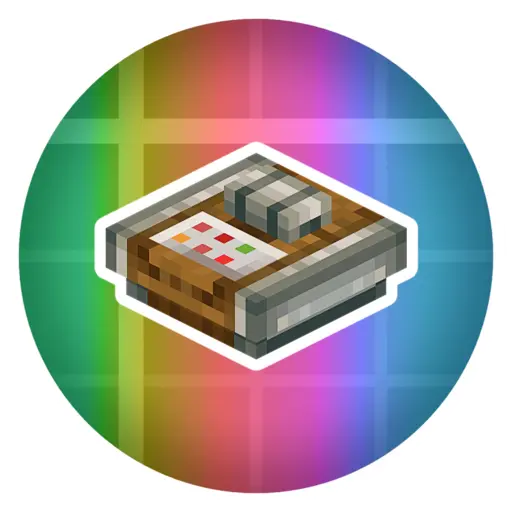
LED RGB
Supported Versions
- NeoForge 1.21.1
- Forge 1.20.1
About
LED RGB adds simple, compact, and configurable colored lighting powered by redstone.
The mod was designed with Create builds in mind, making it easy to create indicators, status lights, displays, and automation feedback systems. However, Create is not required and the mod works perfectly in any vanilla or modded world.
Included Content
- LED Block
- Power Adjuster
- Command Panel
How It Works
LED Block
The LED changes color based on the redstone signal strength it receives.
| Signal Strength | Color |
|---|---|
| 1 | White |
| 2 | Red |
| 3 | Orange |
| 4 | Yellow |
| 5 | Green |
| 6 | Turquoise |
| 7 | Light Blue |
| 8 | Blue |
| 9 | Dark Blue |
| 10 | Lavender |
| 11 | Purple |
| 12 | Pink |
| 13 | Hot Pink |
| 14 | Brown |
| 15 | Black |
Simply provide a redstone signal from 1–15 and the LED will display the corresponding color.
Power Adjuster
The Power Adjuster allows you to lock an LED to a specific color.
- Place a Power Adjuster directly on an LED.
- Right-click the Power Adjuster to select a color.
- Power the LED.
Once configured, the LED will always display the selected color, regardless of the incoming redstone signal strength.
Create colorful indicators, machine status lights, control panels, and decorative lighting with a simple redstone-powered system.
LED RGB
Supported Versions
- NeoForge 1.21.1
- Forge 1.20.1
About
LED RGB adds simple, compact, and configurable colored lighting powered by redstone.
The mod was designed with Create builds in mind, making it easy to create indicators, status lights, displays, and automation feedback systems. However, Create is not required and the mod works perfectly in any vanilla or modded world.
Included Content
- LED Block
- Power Adjuster
- Command Panel
How It Works
LED Block
The LED changes color based on the redstone signal strength it receives.
| Signal Strength | Color |
|---|---|
| 1 | White |
| 2 | Red |
| 3 | Orange |
| 4 | Yellow |
| 5 | Green |
| 6 | Turquoise |
| 7 | Light Blue |
| 8 | Blue |
| 9 | Dark Blue |
| 10 | Lavender |
| 11 | Purple |
| 12 | Pink |
| 13 | Hot Pink |
| 14 | Brown |
| 15 | Black |
Simply provide a redstone signal from 1–15 and the LED will display the corresponding color.
Power Adjuster
The Power Adjuster allows you to lock an LED to a specific color.
- Place a Power Adjuster directly on an LED.
- Right-click the Power Adjuster to select a color.
- Power the LED.
Once configured, the LED will always display the selected color, regardless of the incoming redstone signal strength.
Create colorful indicators, machine status lights, control panels, and decorative lighting with a simple redstone-powered system.
Screenshots
Gallery
Versions
Files
Relations
Project Relations
More like this
Similar Mods
Suggestions use data such as tags, dependencies, dependents, descriptions, titles, and more to rank how much they overlap with this mod.
On ModDex
Community snapshot
By the numbers
Statistics
Want to reach Minecraft players?
We're looking for a server hosting partner to feature here and other parts of the site. Interested? Send us a message!
Get in touchGet it on
Available Platforms
On ModDex
Community snapshot
By the numbers
Statistics
Resources