Community listing page, reviews may not be monitored by the author.
Legacy Connector

No reviews yet
Run unmodified legacy mods from b1.7.3, 1.4.7, 1.5.2, 1.6.4, 1.7.10, 1.12.2, and 1.20.1 directly on NeoForge 1.21.1.

Community voices
Reviews
No reviews yet. Be the first to review this project!
Get it on
Available Platforms
About
Project Details
For authors
Embed Badge
If you're the author of this project, you can embed a live badge anywhere that supports HTML or Markdown. It updates automatically whenever ratings change.
Use HTML for any page that supports it, or Markdown for README files and Markdown-based descriptions.
Identifiers
Platform IDs
Resources
External Links
About
Description

Legacy Connector




Play unmodified 1.7.10, 1.12.2, 1.6.4, 1.5.2, 1.4.7, and 1.20.1 Forge mods on NeoForge 1.21.1.
| Legacy version | Support |
|---|---|
| 1.7.10 | ✅ Supported (beta) |
| 1.12.2 | ✅ Supported (beta) |
| 1.6.4 | ✅ Supported (beta) |
| 1.5.2 | 🧪 Alpha (new in 0.4) |
| 1.4.7 | 🧪 Alpha (new in 0.4) |
| 1.20.1 | 🧪 Alpha (Forge mods remapped in place; on by default) |
Drop 1.7.10, 1.12.2, 1.6.4, 1.5.2, 1.4.7, Forge 1.20.1, or (alpha) Beta 1.7.3 mod jars into your mods folder next to Legacy Connector. They get translated when the game loads and run as normal NeoForge mods. It's the same idea as Sinytra Connector, but for old Forge mods instead of Fabric. Your original jars are never modified.
Built for mods that only exist on these old versions and never got a 1.21.1 port. Beta: on 1.7.10, Thaumcraft 4, Witchery, HBM's Nuclear Tech, OreSpawn, Fisk's Superheroes, Morph, the Reika mods (RotaryCraft, ReactorCraft, ElectriCraft, ChromatiCraft), and Galacticraft with its addons (each planet's own gravity) run with their blocks, items, mobs, recipes, GUIs, world generation, and dimensions, and big packs like GT New Horizons load most of their mods. 1.12.2 support is in beta: Atum 2, The Midnight, Scape and Run: Parasites, and Abyssalcraft load and play with their own models, mobs, GUIs, dimensions and world generation. Back up your worlds before trying a new mod set.
Old mods' content joins the game the way a modern mod's does: their biomes through the pack's biome placement (a TerraBlender region; TerraBlender is bundled, a separately installed one wins), their ores and world generators as normal features, their village buildings as houses in normal villages, and structure loot through loot tables. So it plays along with your other mods, and data packs can tweak it like anything else.
Compatibility list & reports: check whether a mod works, or report how it went for you (1.7.10, 1.12.2 and the older versions in development, plus a Forge 1.20.1 tab).
Installation
- Create a Minecraft 1.21.1 / NeoForge 21.1.x profile (Java 21) and install Legacy Connector.
- Download the 1.7.10 or 1.12.2 versions of the mods you want from their CurseForge pages (Files tab, filter by game version). The CurseForge app won't add old-version mods to a 1.21.1 profile, so add them by hand: in the app, open your profile, click ⋯ → Open Folder, and drop the jars into
mods. Mods that bundle their own Mixin (common in 1.12.2, e.g. Spartan Weaponry) go inmods/1.12.2instead; inmodsitself NeoForge would load them as launcher plugins before they can be translated, and the game would stop. - If a mod needs a library (CodeChickenLib, CoFH Core, etc.), add that library's jar for the same old version too.
- Start the game. The first launch translates each legacy jar, with a progress bar on the loading screen, and caches the result, so later launches are fast.
- Check
logs/legacyconnector-report.txtto see what was translated and anything that couldn't be linked.
Screenshots
All taken in a real game client on NeoForge 1.21.1, with unmodified 1.7.10 mods that have no modern version running next to modern content.
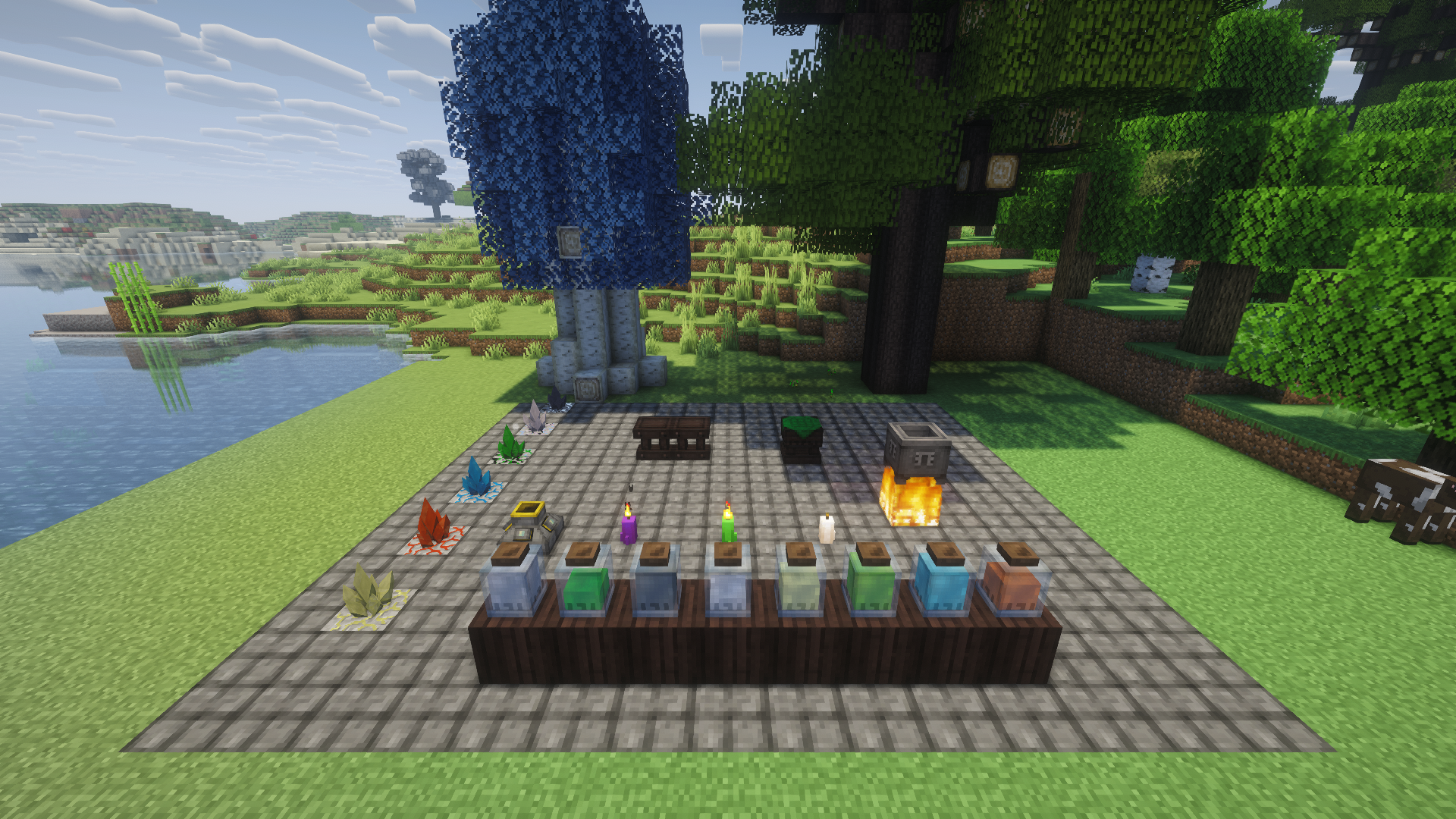
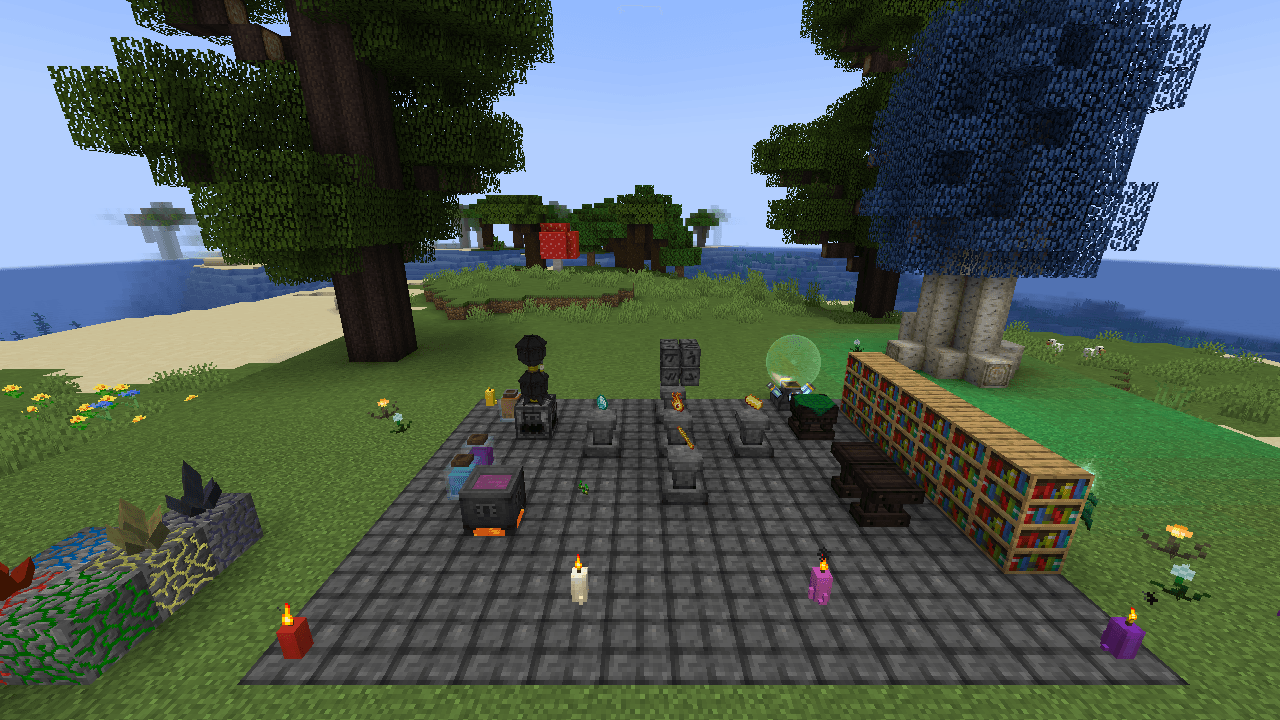
A Thaumcraft 4 workshop: infusion altar, crucible, alembics, essentia jars, research table, an aura node, and magical trees
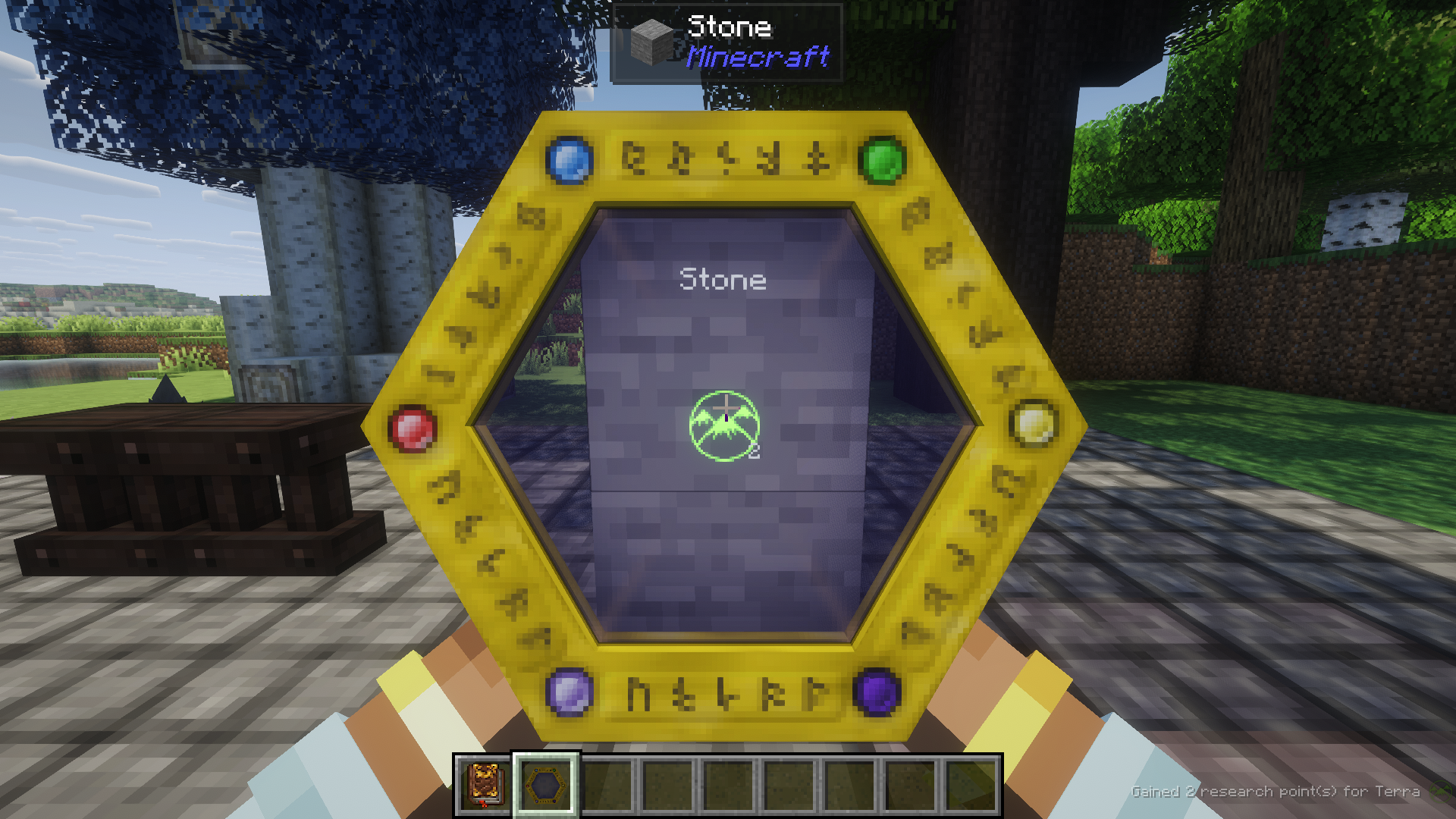
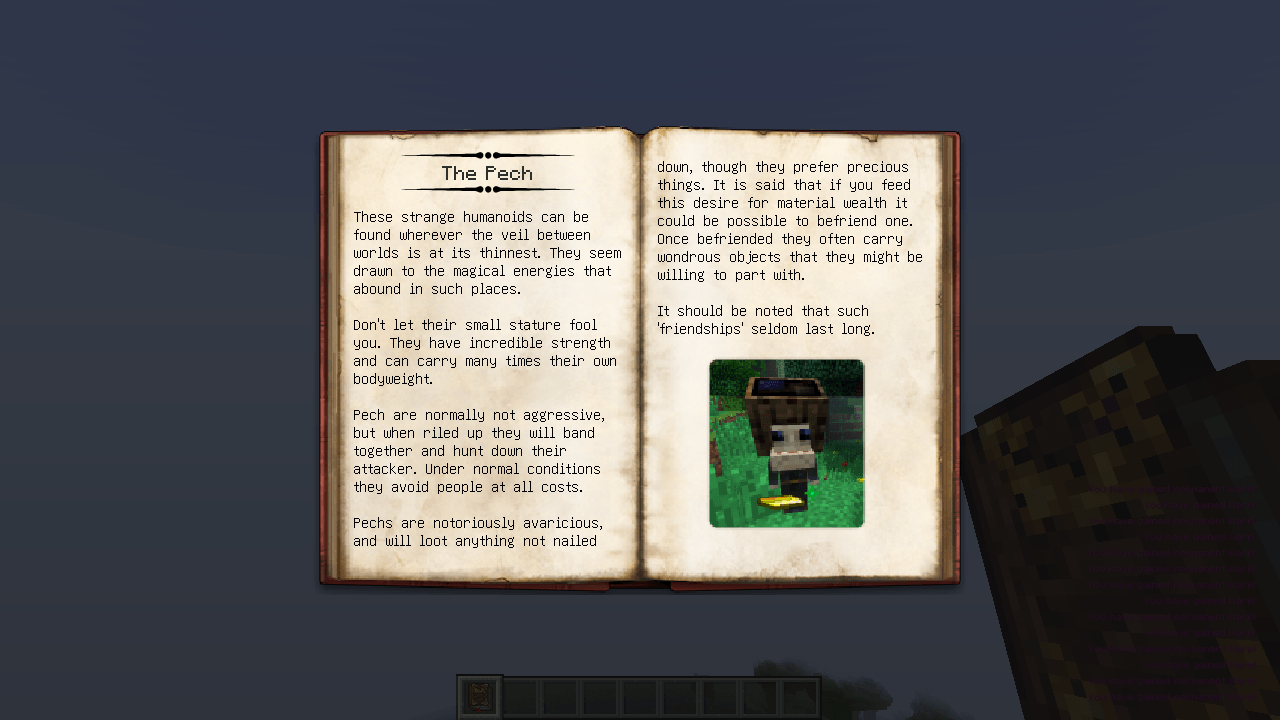
Scanning stone with the Thaumometer, held in both hands (Complementary shaders)
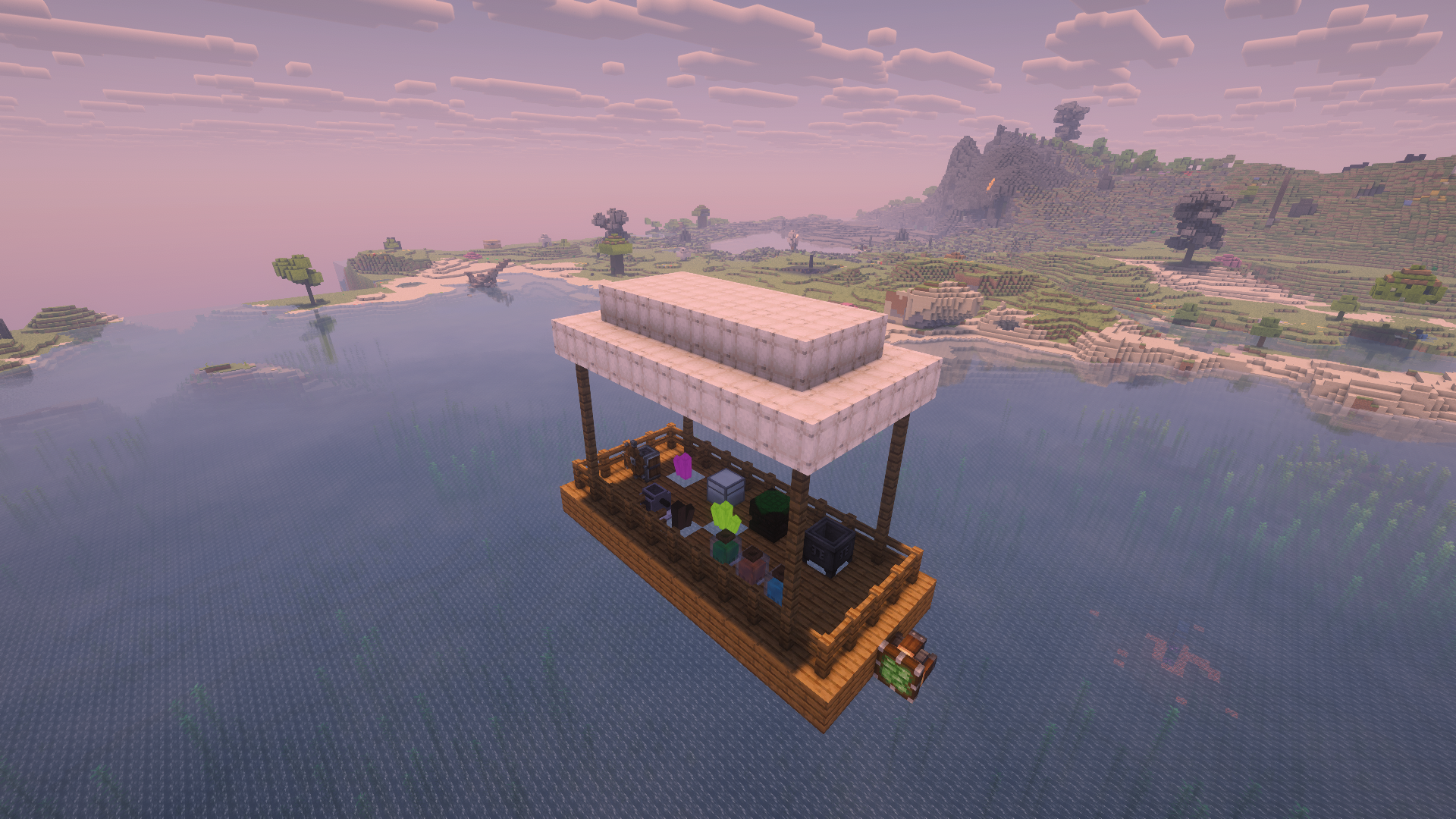
A Create Aeronautics airship (Sable physics) carrying 1.7.10 blocks: Thaumcraft essentia jars, crucible and arcane workbench, an Iron Chest, a RotaryCraft engine, and ChromatiCraft crystals
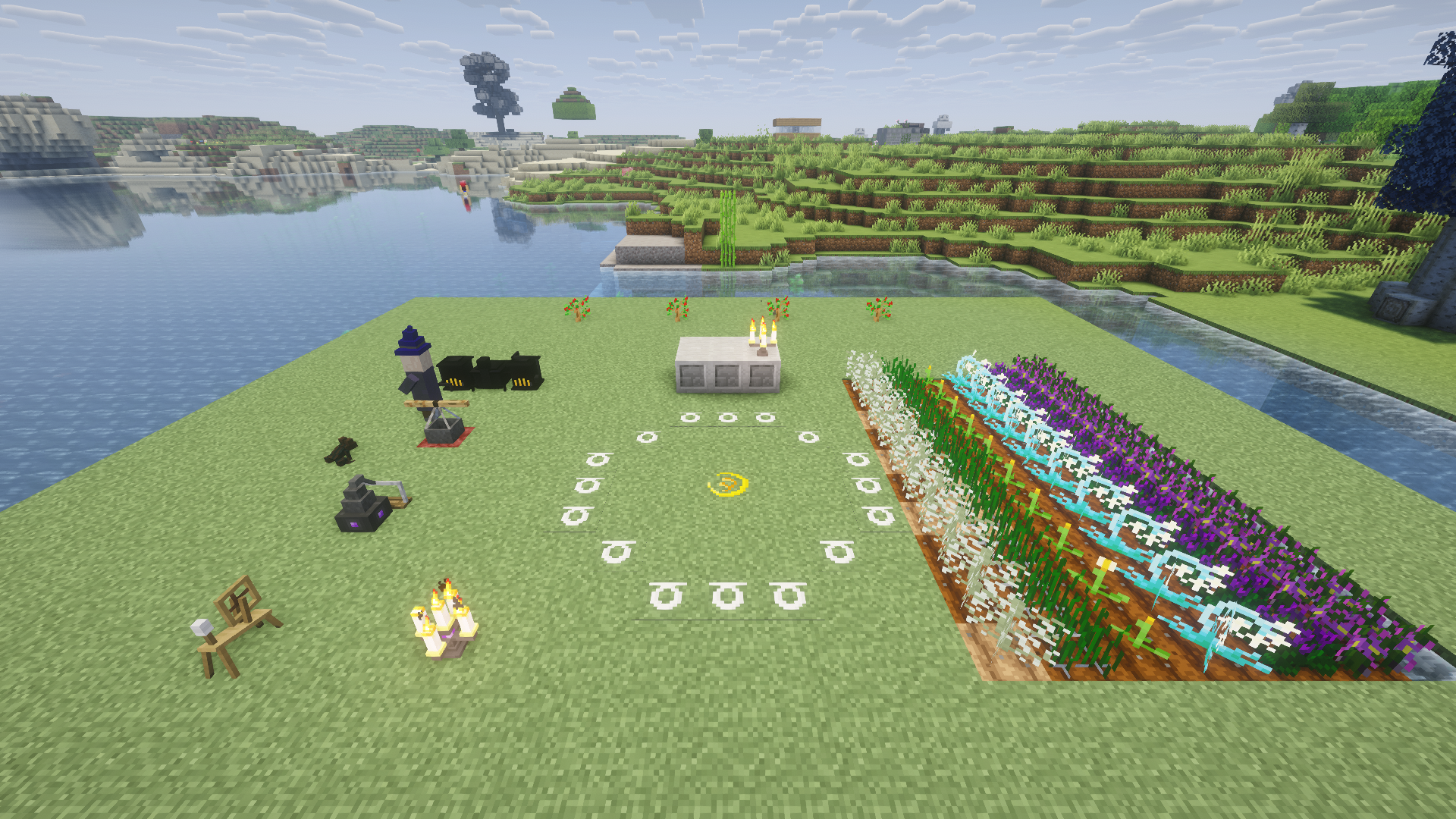
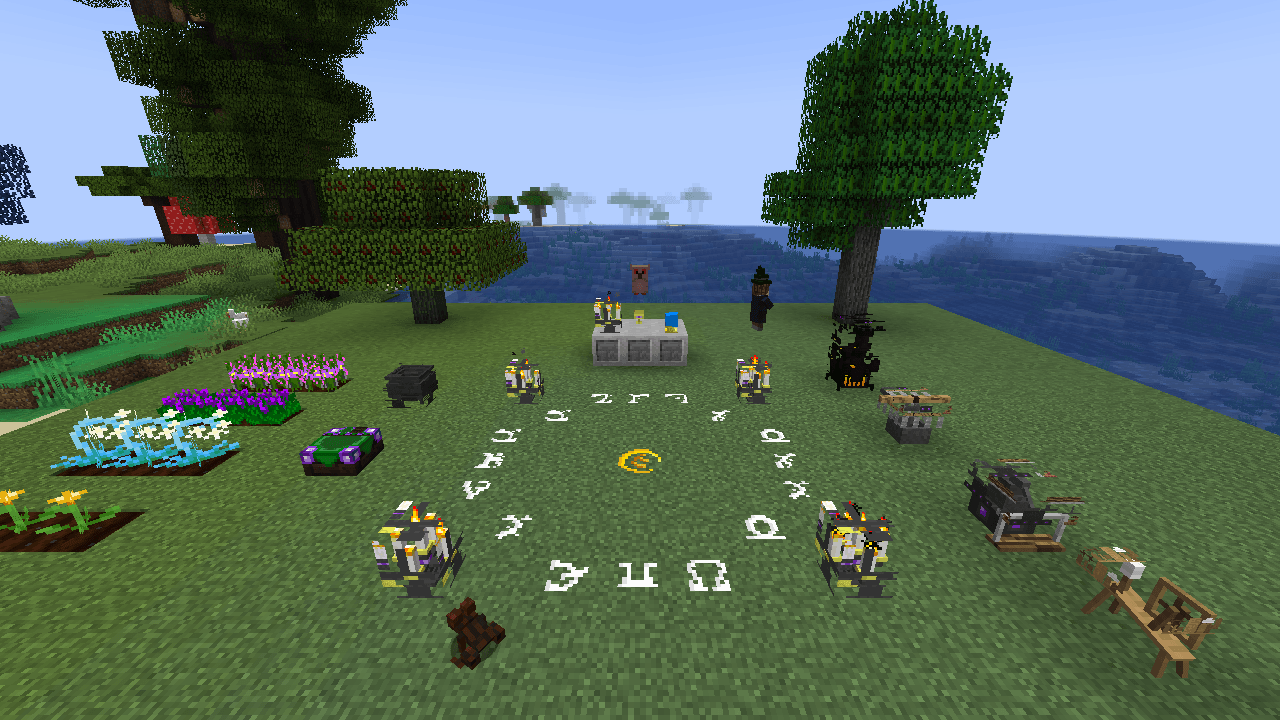
A Witchery ritual site: chalk circle, altar, witch's oven, kettle, distillery, and spinning wheel, crops, and Witchery creatures
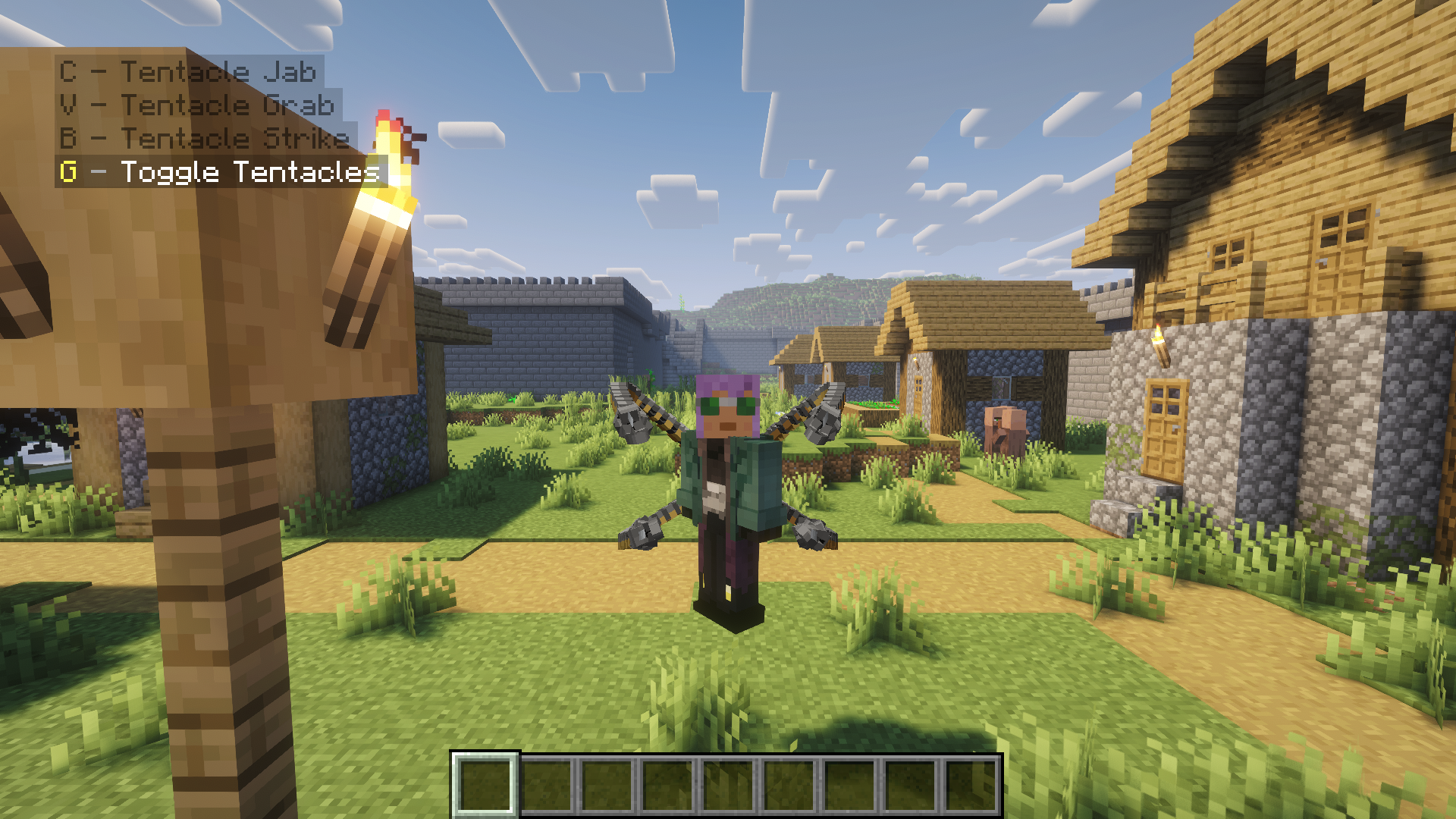
Fisk's Superheroes: Doctor Octopus with his tentacles deployed and the suit's abilities
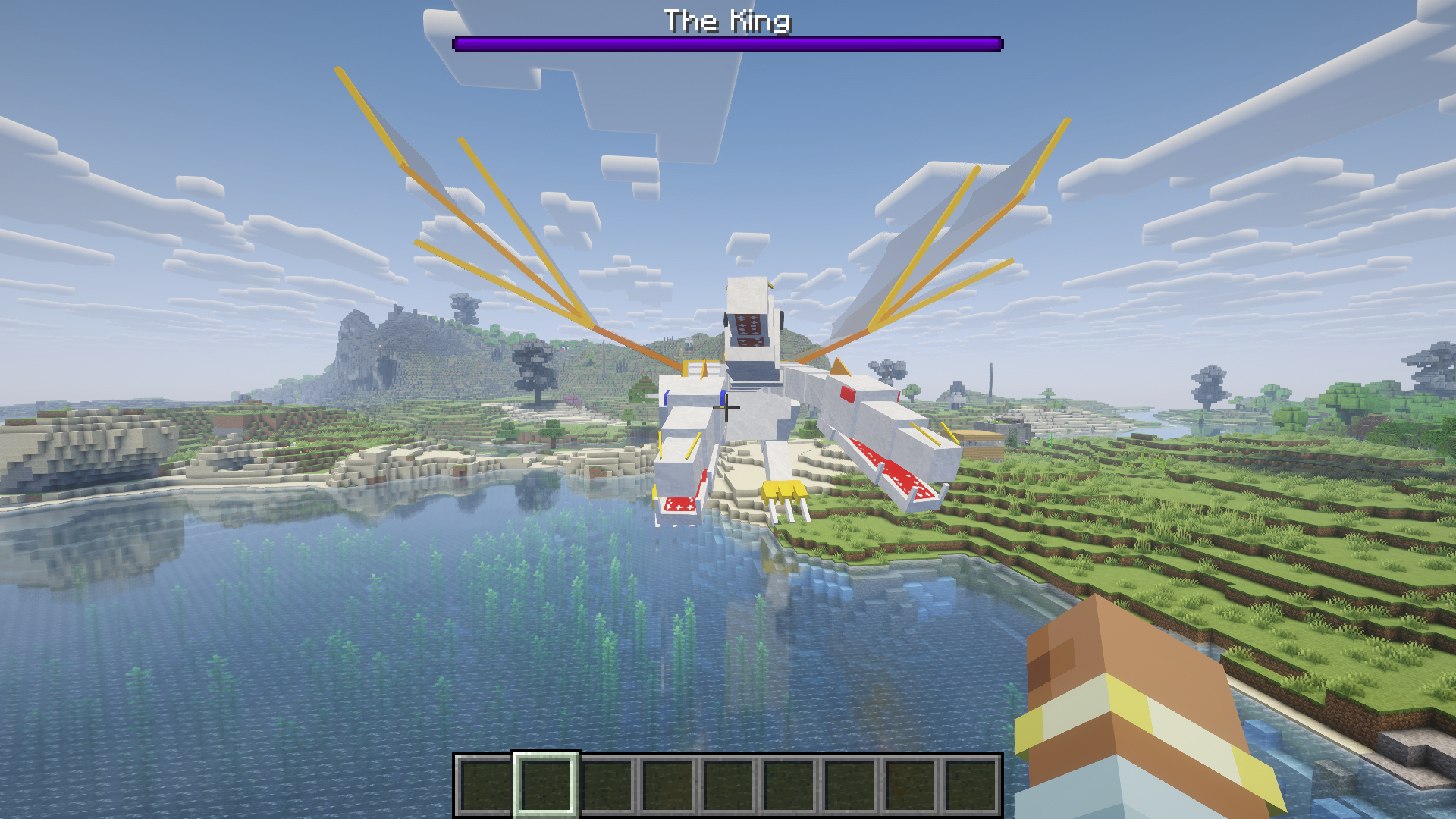
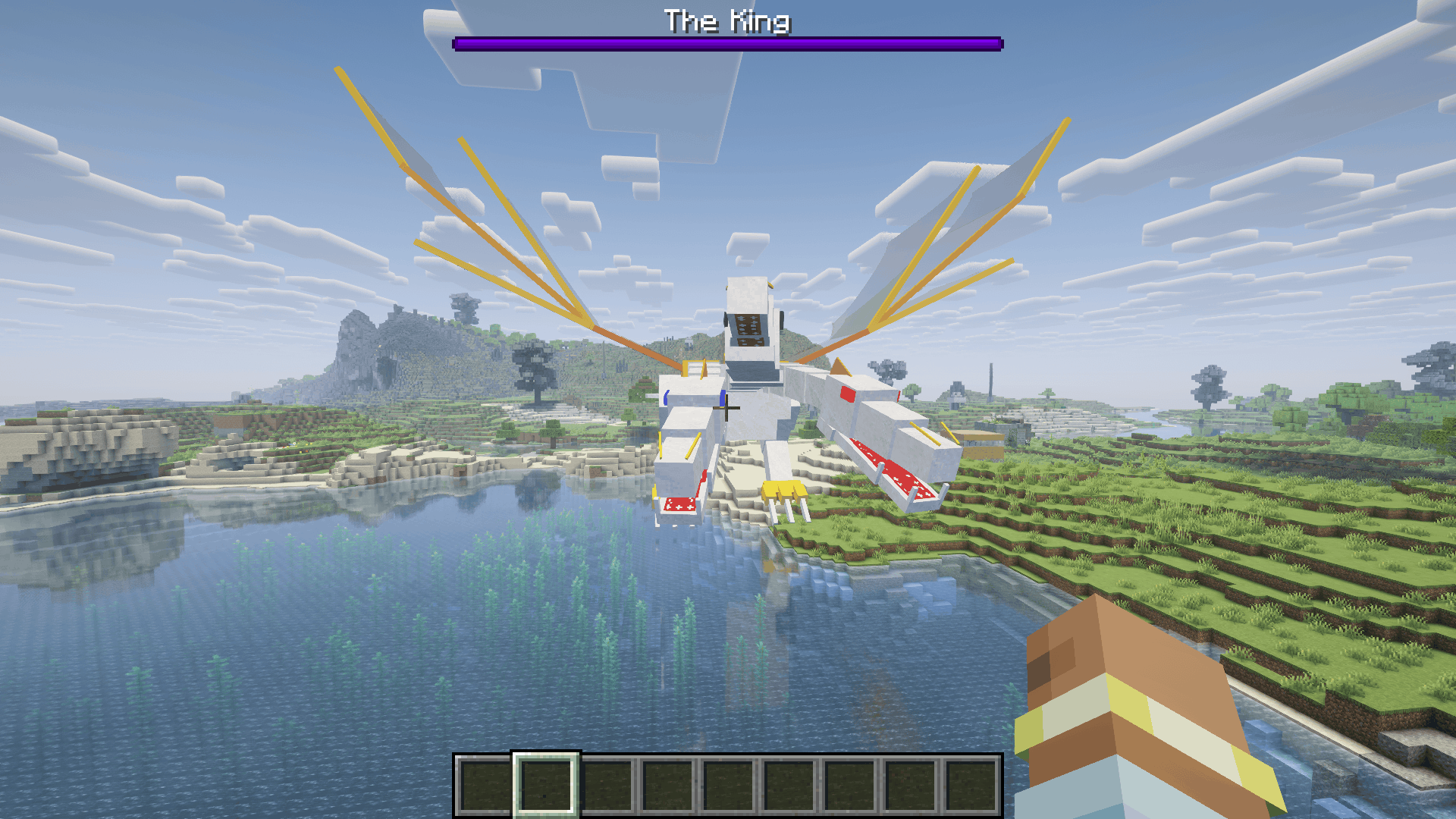
OreSpawn's The King, with a modern boss bar
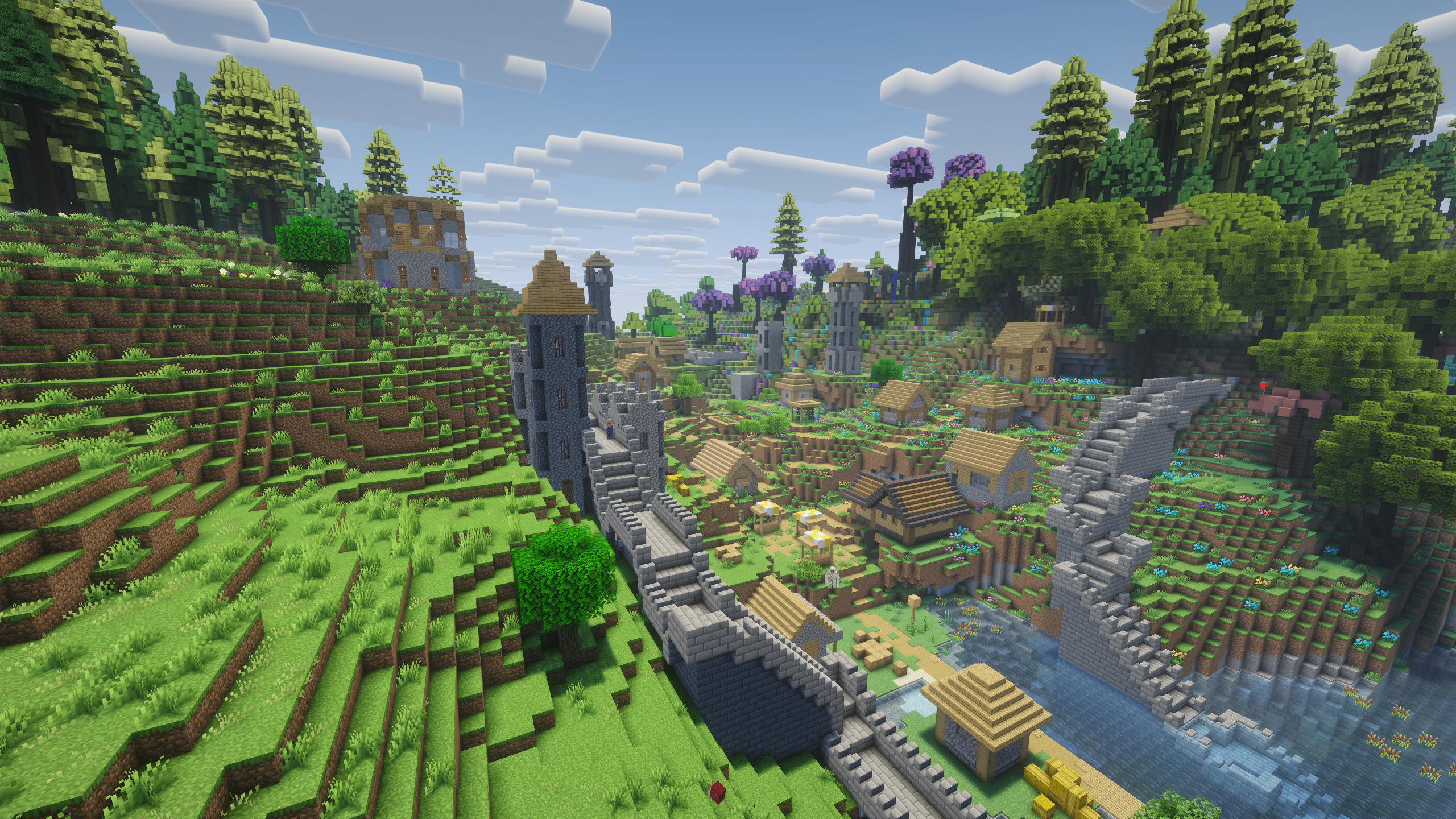
A vanilla village in All the Mods 10 with Witchery's town walls, keep, and watchtowers, and Thaumcraft's wizard tower, built by their legacy village code
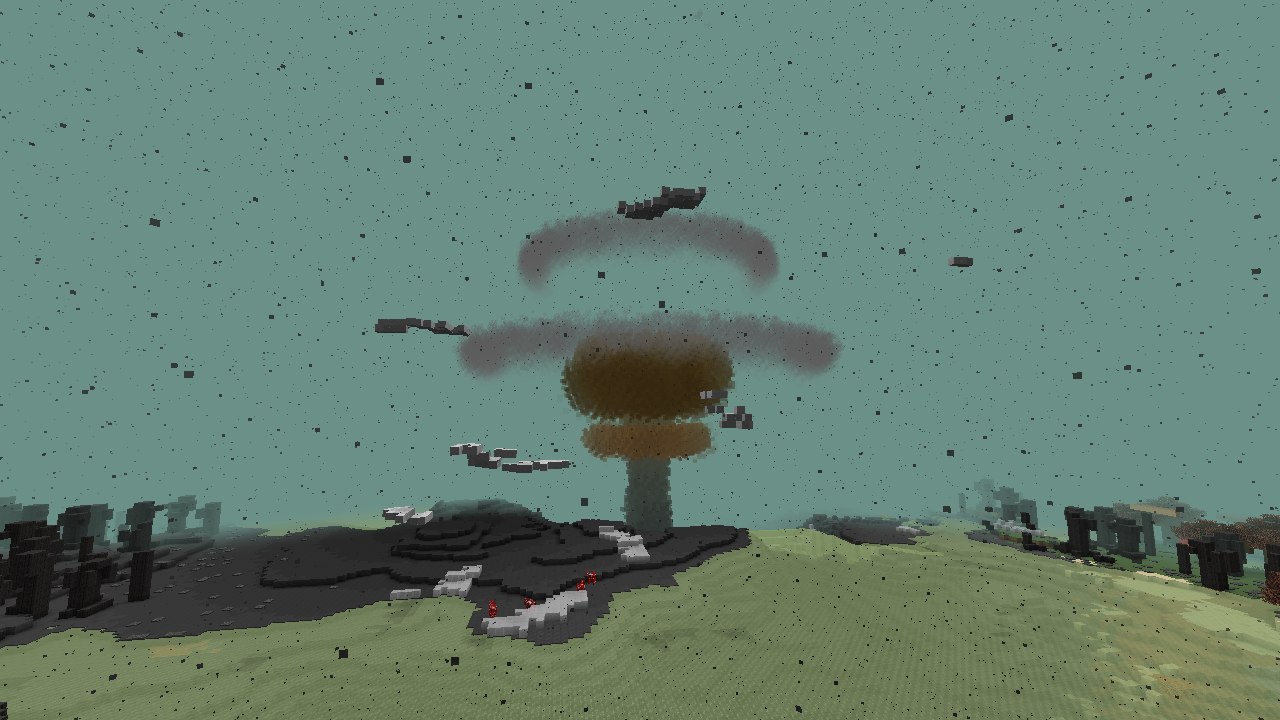
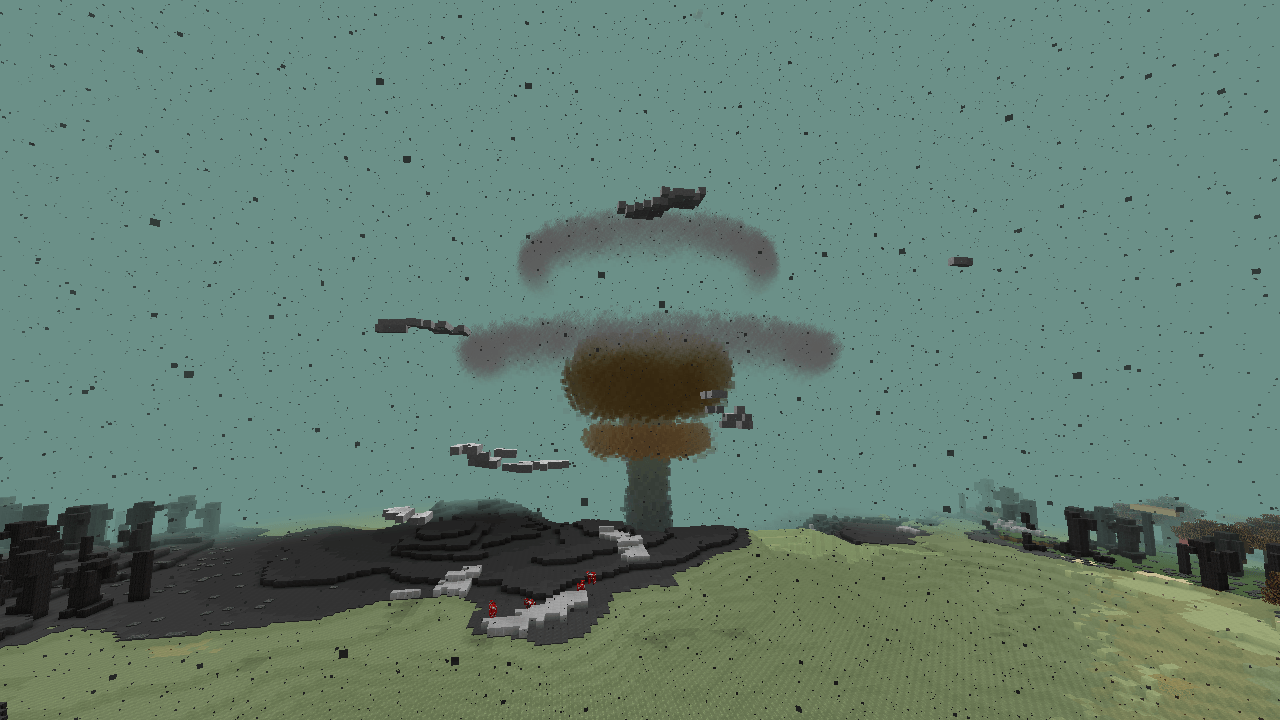
A nuclear explosion from HBM's Nuclear Tech Mod, drawn by its own effect code
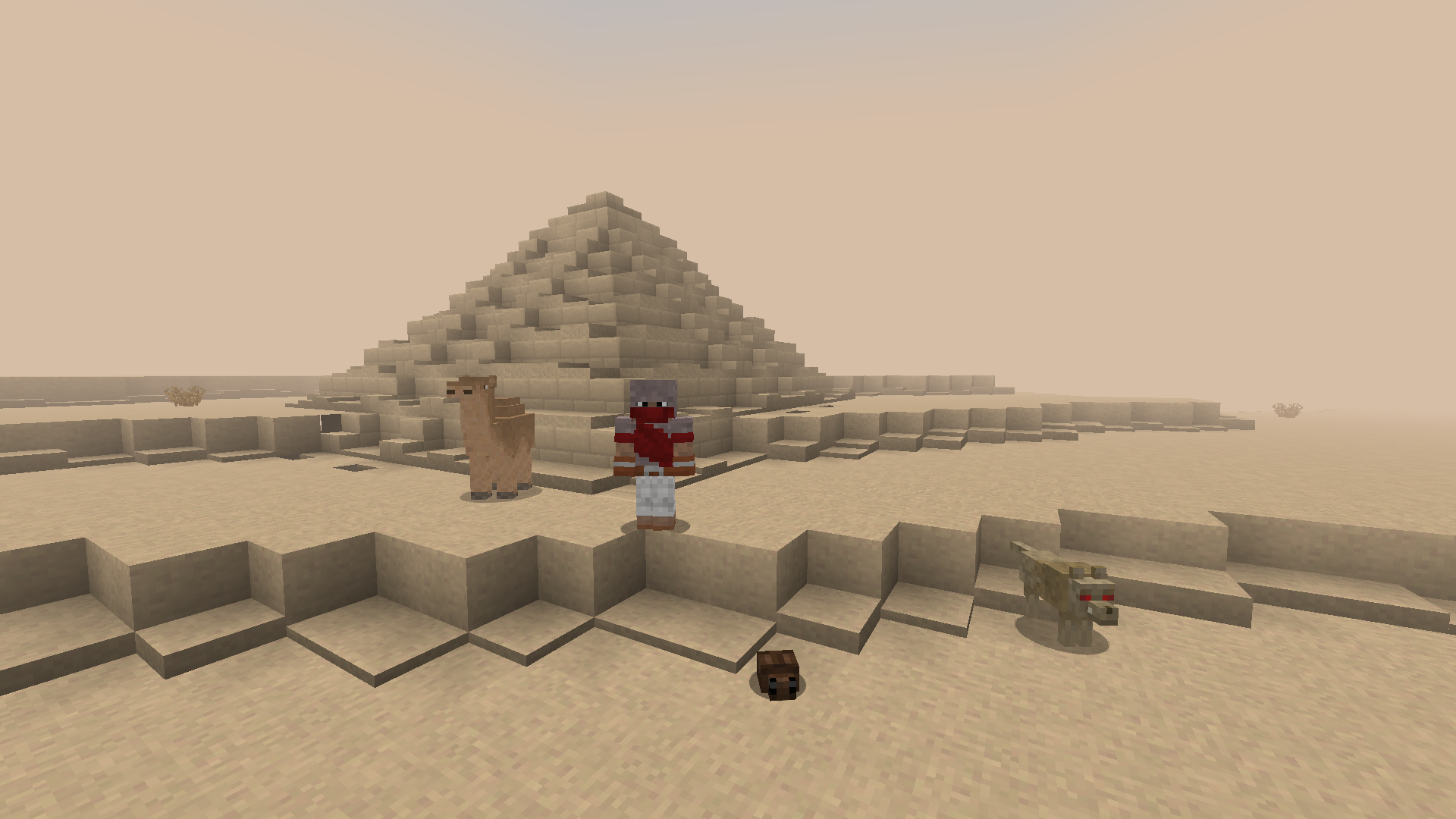
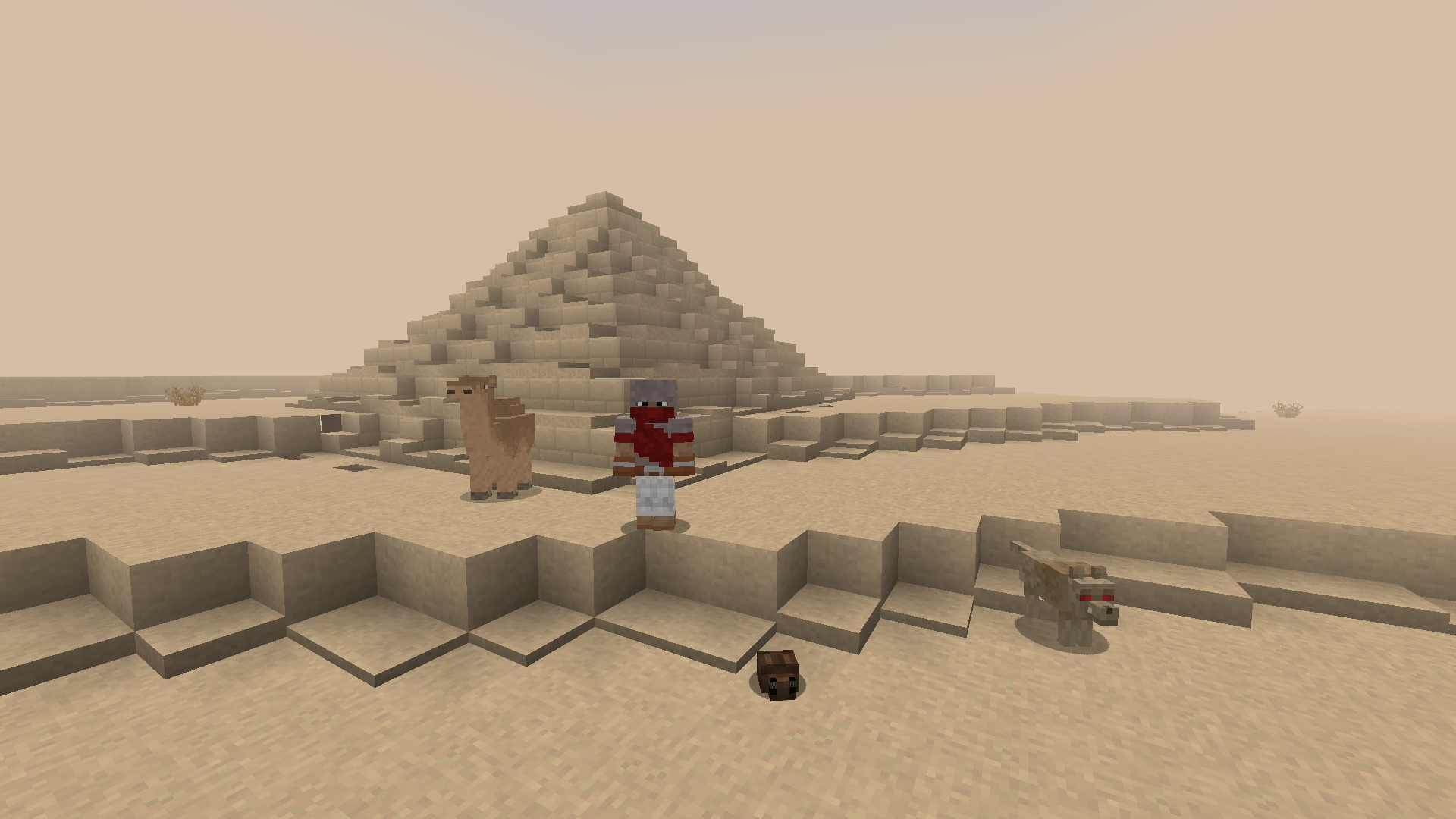
1.12.2: Atum 2, the desert dimension, with its pyramids, sandstorm haze, and creatures
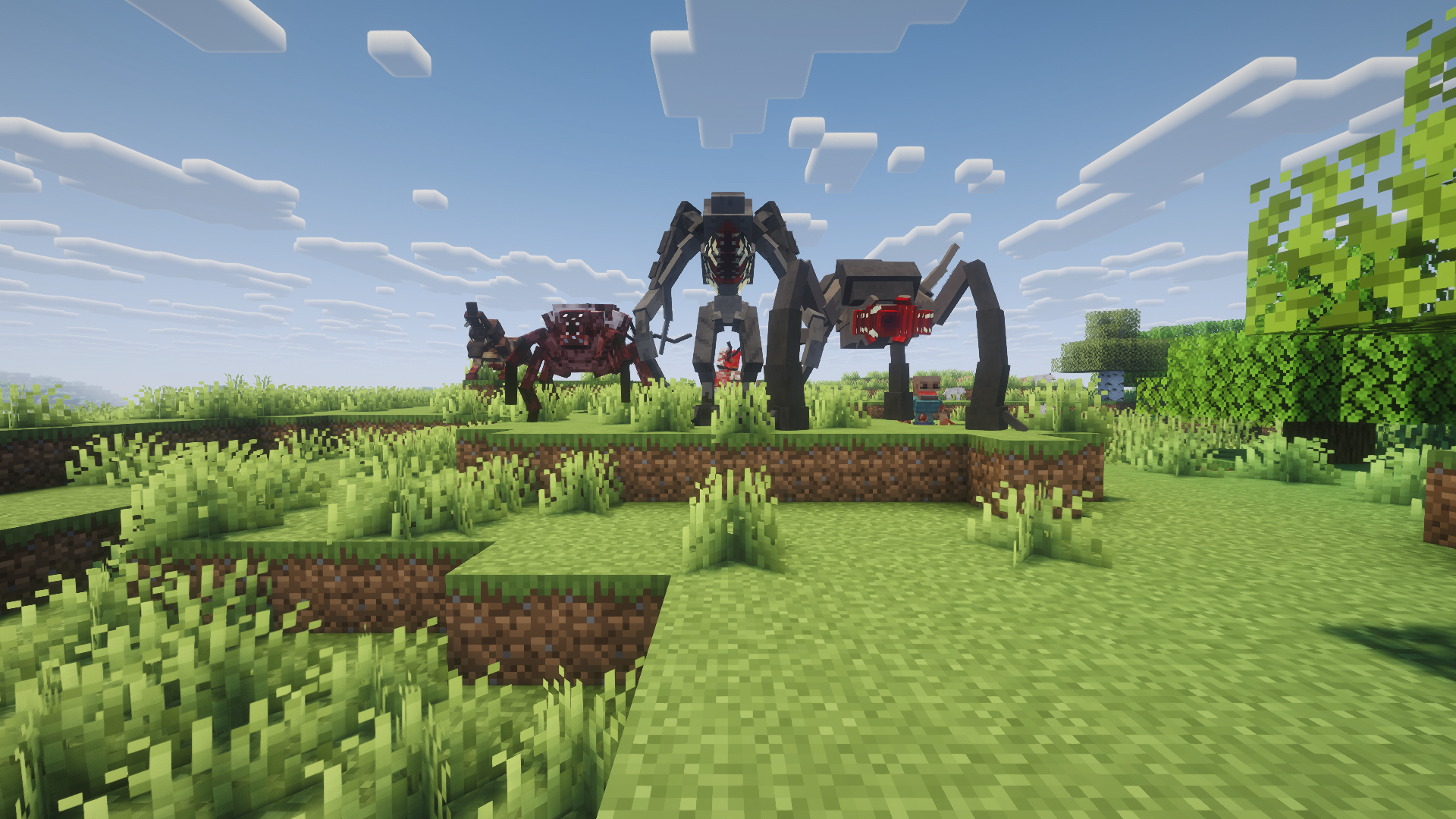
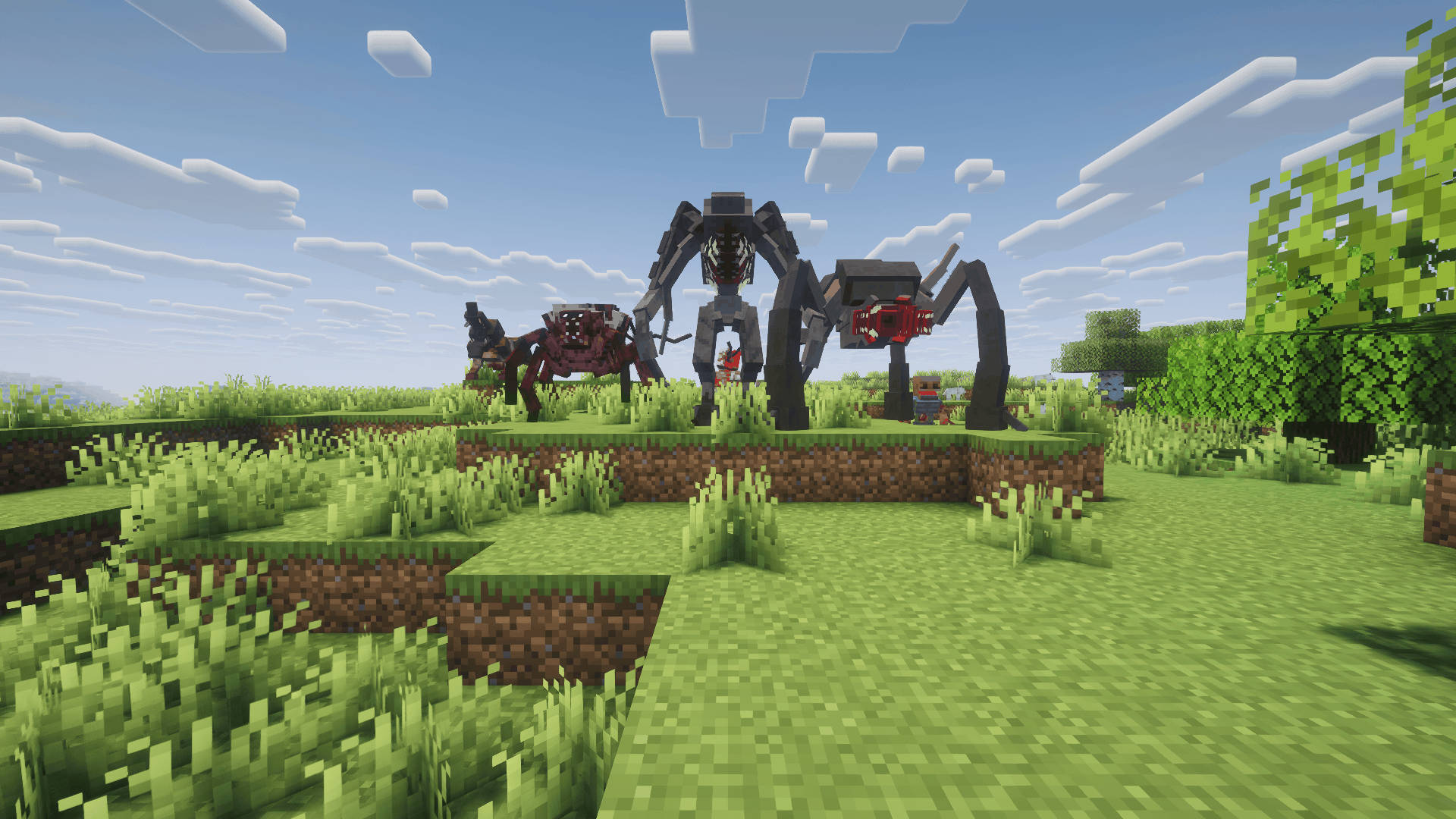
1.12.2: Scape and Run: Parasites, with its own models and renderers:
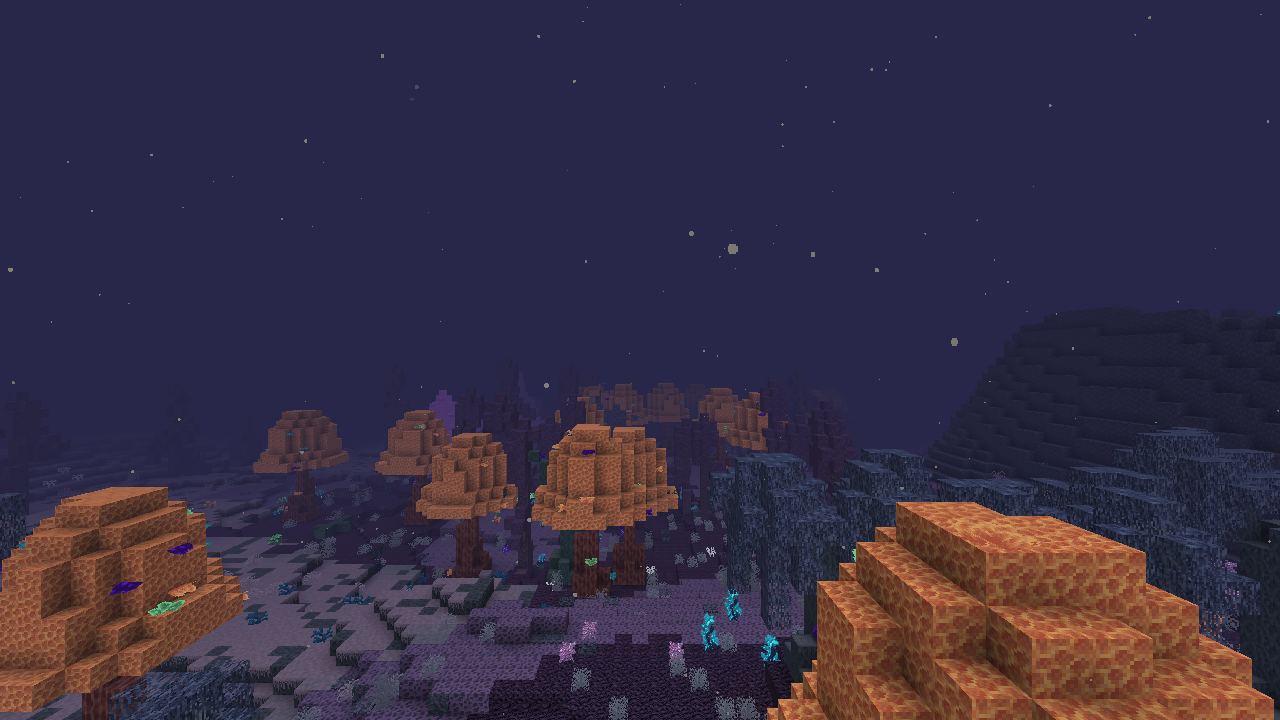
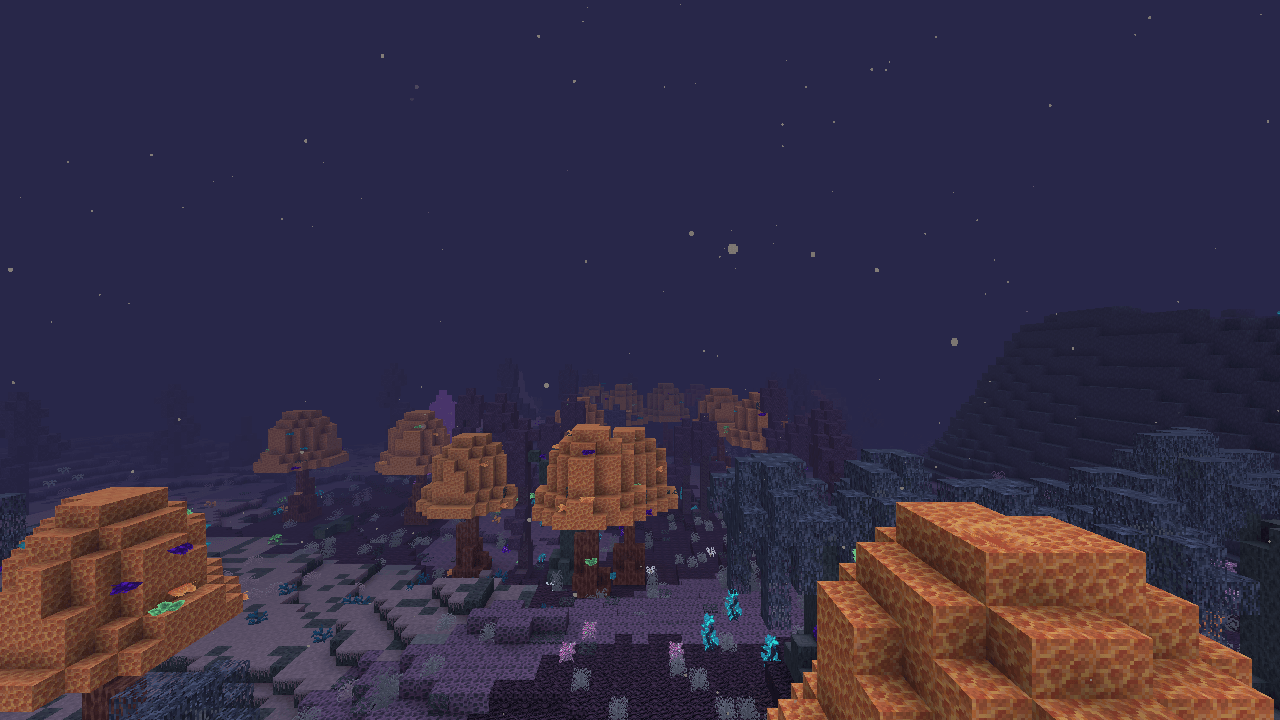
1.12.2: The Midnight, the Deceitful Bog with its own biomes, Bogshrooms, and night sky:
How it works
- Inspect: detects legacy mods and their Minecraft version from
mcmod.info,@Modannotations, and FML references - Translate: remaps old Minecraft/Forge classes and SRG names, and fixes Java 8 → 21 and LWJGL 2 → 3 incompatibilities
- Link: every legacy API call resolves against a hand-written re-implementation of that version's API built on NeoForge. Anything not implemented yet is generated automatically, so mods load instead of crashing with
NoClassDefFoundError - Convert resources: lang files, textures, blockstates and models are converted to 1.21 formats
Mods work because the legacy API they were written against is rebuilt on top of NeoForge, not because of patches for individual mods. Mod-specific fixes are a rare last resort, kept small and isolated.
What's bridged (1.7.10)
- Blocks, items and tile entities: metadata subtypes become real items, and NBT is preserved
- Recipes and smelting: converted to data-pack recipes, including mods' custom recipe types (IC2, AE2, Blood Magic, Witchery). The Ore Dictionary becomes tags
- Loot and fishing: items mods add to dungeon, mineshaft, temple, stronghold and village chests appear in the matching vanilla loot tables, and mods' fishing catches are caught in modern fishing
- Brewing: mod ingredients and mod potions brew in the brewing stand as on 1.7.10, and redstone, glowstone and gunpowder apply to them
- Entities: legacy mobs spawn naturally, tick, use their own AI, fight and save. Their renderers and models draw in game, including custom player rendering. Projectiles fly and hit as on 1.7.10. Legacy bosses get a boss health bar
- GUIs and HUD: mods' own custom GUIs (Thaumcraft, AE2, HBM, RFTools), anvils and HUD overlays. Custom Main Menu can replace the title screen
- Networking, commands, sounds, potions, creative tabs, dispensers and events
- Achievements and statistics: achievements are earned per player and shown as toasts; mod statistics count in the modern statistics screen
- Villagers and villages: modded professions and trades appear on villagers. Mods' village buildings, such as Witchery's shops and towers and AgriCraft's greenhouses, generate inside modern villages along the village streets
- Fluids: flow, render and expose NeoForge fluid capabilities
- World generation: mod biomes become real 1.21 biomes placed by the mod's own biome layers. Mod world types (e.g. Biomes O' Plenty's) appear on the Create World screen. Ore generators, dungeons and structures run normally
- Deepslate ores: legacy ores also generate below y=0 and get an automatic deepslate variant with the same drops and behaviour
- Mod dimensions: run their own terrain, biomes, fog, clouds and sky. Dimensions that mods register while the game runs get their own world too. Per-dimension gravity, fall damage and sound work, so Galacticraft's planets have low gravity and space is silent. Twilight Forest's portal works
- Block and item rendering: includes custom block render handlers, TESRs, item renderers, OBJ and Techne models, and mods' own texture loaders
- Coremods that patch other mods (CoFH, AE2, OpenMods and more)
- Scala mods, plus the libraries 1.7.10 shipped (Scala 2.11, Trove, vecmath)
What's bridged (1.12.2, beta)
- Registries: blocks, items, potions, enchantments, sounds, biomes, entities, recipes, villager professions, and mods' own custom registries
- Blocks and items: block states, items with subtypes, tile entities with client sync, tools, armour and food
- Recipes: shaped, shapeless, ore and furnace recipes become data-pack recipes. The Ore Dictionary becomes tags
- Capabilities: legacy tiles and items are NeoForge item, fluid and energy capabilities by default (RF and Forge Energy, IC2 EU, BuildCraft MJ, Forge fluids, inventories), so hoppers, Create and modern cables work with them; legacy tools count as tools
- Networking, IMC, coremod plugins and the usual annotations (
@ObjectHolder,@SidedProxy,@EventBusSubscriber) - Models: mod blockstates and item models are translated to 1.21 formats (only lightly tested)
@Configclasses are filled from their config files- Commands: the commands mods register when the server starts become modern commands, with their permissions and tab completion
- Not yet: entities and AI, containers and GUIs, in-world fluids, world generation, custom recipe classes and most client rendering
Modern replacements for outdated libraries
| Legacy | Becomes | Notes |
|---|---|---|
| Baubles | Curios | Bauble items go into Curios slots |
| NotEnoughItems | JEI | Legacy recipe handlers become JEI categories and answer recipe/usage lookups |
| Waila | Jade | Legacy tooltip providers show in Jade |
| Patchouli (1.12.2) | Patchouli | Legacy mods' guide books (including the ones they ship as resources) open in the modern Patchouli |
| CoFH RF API (1.7.10 and Redstone Flux 1.12.2) | NeoForge Energy | Always on. 1 RF = 1 FE, so modern cables connect |
If the modern mod isn't installed, the legacy library loads as usual. Each replacement can also be turned off in the config to load the legacy library instead.
Create contraptions and Create Aeronautics ships
Create contraptions and Create Aeronautics/Sable ships can carry legacy blocks (1.7.10 and 1.12.2): tile entity data and inventories move with the block, and blocks that legacy pistons could not move are refused. Tested in game with a mechanical bearing and an Aeronautics airship (1.7.10: Iron Chest, Thaumcraft, RotaryCraft, ChromatiCraft). Limitations: blocks are not rotated when placed back turned, and legacy inventories are not contraption storage.
Performance
Thaumcraft 4 measured against no legacy mods in a real client: about +38 MB of heap after a full GC. Frame rate and tick time vary more between identical runs than between the two setups. Loading Thaumcraft takes about 5.5 s per launch; translating its jar adds about 0.5 s on the first launch only (the result is cached). Details are in the documentation on GitHub.
Changing legacy recipes
Legacy recipes are normal modern recipes with stable ids (<mod>:<kind>/<output item>, e.g. ic2:shaped/macerator), in a pack
below your world data packs. Replace or remove them with a data pack, edit them with KubeJS (event.remove({mod: 'ic2'})), or
keep using MineTweaker 3 scripts (1.7.10): recipes.addShaped, recipes.remove, furnace.addRecipe and furnace.remove
become modern recipes. KubeJS changes also apply in mod crafting tables, autocrafters and furnaces. Removing vanilla recipes from MineTweaker scripts is not supported yet; use a data pack or KubeJS for those.
Configuration
Settings are in config/legacyconnector.properties, which is created with comments on first launch.
| Setting | Default | What it does |
|---|---|---|
oreBackgrounds.enabled |
true |
Replaces the old stone/netherrack/end stone behind legacy ore textures with modern textures |
oreBackgrounds.stone (also .netherrack, .endStone) |
stone |
Texture to use behind ores, e.g. deepslate or tuff, or legacy to keep the old one |
modernizeTextures |
true |
Replaces old vanilla art inside legacy mod textures (copies of old blocks, items and GUIs, old stone/plank/brick backgrounds behind a mod's art) with the modern vanilla textures |
textures.modernLeaves |
true |
Rebuilds mod leaves that recolour the old vanilla leaves in the modern leaf pattern, keeping the mod's colours |
deepLayer.enabled |
true |
Spreads legacy ores down below y=0 without adding any: you get the same amount as the original mod |
deepLayer.excludeGenerators |
empty | Generators that shouldn't run below y=0 |
blocks.flattenSubtypes |
true |
Gives each legacy block subtype with its own item a block of its own, as in the 1.13 flattening, so modern mods see the right subtype |
events.skip |
empty | Legacy event handlers to switch off (full.ClassName#method), for tracking down one that misbehaves |
Current status
1.7.10 (beta): Thaumcraft, Witchery, HBM, OreSpawn, Morph, the Reika mods and others with no modern version work in game. Galacticraft and its addons run with per-planet gravity. In-game tests of the GT New Horizons pack and a 130-jar 1.7.10 mod list, which place every block, use every item and spawn every mob, rate 166 mods as working and 57 as partly working.
1.12.2 (beta): content mods load and play in a real client: blocks and items with their models, mobs with their own renderers and AI (Scape and Run: Parasites' parasites hunt you), GUIs, world generation, loot, natural spawning and Forge events. In a server test of 32 big mods (Applied Energistics 2, Blood Magic, Botania, Biomes O' Plenty, Chisel, EnderIO, Forestry, Immersive Engineering, Mekanism, Thaumcraft, Thermal Expansion, Tinkers' Construct, Twilight Forest and more), every mod but BuildCraft Silicon loaded fully: about 2,060 blocks, 3,480 items and 3,680 recipes. In a larger test of 116 mods, about 5,050 blocks and 10,170 items register, and an automatic self test places and right-clicks every block and uses every item without errors. Performance and bug-fix mods like FoamFix, BetterFPS and VanillaFix are skipped.
See the compatibility site for per-mod results.
Not done yet (1.7.10): per-vertex colour on handler-drawn blocks. Portals other than Twilight Forest's and skies in other mods' dimensions haven't all been verified.
Not supported: coremods and tweakers that patch Minecraft's own classes. They're reported in the log, and the rest of the mod still loads. When a coremod only changes engine behaviour that has a modern equivalent, like Galacticraft's gravity, Legacy Connector recreates that behaviour instead.
Engine and launcher patches (FastCraft, Hodgepodge, NEID and other ID extenders) are skipped on purpose, since they only make sense on the old engine.
FAQ
What does it do? It runs mods that were built for older Minecraft versions (Forge 1.4.7, 1.5.2, 1.6.4, 1.7.10, 1.12.2, and 1.20.1 (alpha)) on NeoForge 1.21.1, next to modern mods. Legacy jars are translated when the game loads; the original file is never modified.
How is it different from Retromod and Retrofit? They are different tools. These summaries come from their own project pages, so check those for the details.
- Retromod also rewrites old mods' bytecode when the game loads. It targets newer Minecraft versions across Fabric, Forge and NeoForge, and its pages recommend it for content, quality-of-life and library mods, not for mods that hook deep into the game (Create, Tinkers, Applied Energistics and similar).
- Retrofit (Astryxx) is an interoperability mod: it lets 1.7.10 and 1.20.1 mods work together (energy systems such as RF and IC2, ore dictionary and tags). It does not load old mods onto a modern game.
- Legacy Connector is for NeoForge 1.21.1 only. For each old version it provides the old game's API itself (the engine, ids, world generation, packets, rendering of the old blocks and items), so mods that use the game's internals can run: Thaumcraft, BuildCraft, Thermal Expansion, RedPower and many more. It bridges outdated libraries to modern equivalents (Baubles to Curios, Waila to Jade, NEI to JEI, RF to NeoForge energy) and exposes legacy containers as NeoForge capabilities.
Where do I put the mods? Each legacy version has its own folder: mods/1.7.10/, mods/1.12.2/, mods/1.6.4/, mods/1.5.2/, mods/1.4.7/, mods/1.20.1/. Legacy jars and zips you drop into mods/ itself are moved there for you on launch (legacy.autoSortMods=false turns that off).
Which versions work, and how well? 1.7.10, 1.12.2, and 1.6.4 are in beta; 1.5.2, 1.4.7, 1.20.1, and Beta 1.7.3 are in alpha. The Status table has the details, and the compatibility site lists results per mod.
Will mod X work? Check the compatibility site. After a launch, logs/legacyconnector-report.txt lists each legacy jar, what was detected, and any references that could not be translated or are only stubbed. Mods that only patch the old engine (performance patches, id extenders) are skipped on purpose, and coremods that patch Minecraft's own classes are not supported.
Does it work on a dedicated server? Yes. Legacy mods run on a dedicated server too; client-only mods are skipped there.
Does it work on Fabric or Forge? No. It is a NeoForge 1.21.1 mod. (Fabric mods on NeoForge are what Sinytra Connector does; Legacy Connector is the equivalent for old Forge versions.)
Why does the game stop with "Module … contains package org.spongepowered…"? A 1.12.2 jar bundles its own Mixin. Put it in mods/1.12.2/ before the first launch.
Something broke. How do I report it? Open a GitHub issue and attach logs/latest.log and logs/legacyconnector-report.txt (and the crash report if there is one). Please say the Legacy Connector version, the mod and its Minecraft version, and what you did. Crash reports of a translated mod belong here, not with the mod's author.
Troubleshooting
After launching, check logs/legacyconnector-report.txt. For each legacy jar, it lists the detected version, the mod IDs, any unresolved references, and which APIs are stubbed. Known issues and workarounds (ID conflicts, mismatched Forestry/Binnie versions, etc.) are on the GitHub page. Please report results on the compatibility site.
The game stops on launch with "Module … contains package org.spongepowered…": a 1.12.2 jar in mods/ bundles its own Mixin (Spartan Weaponry, MixinBooter mods, SuperMartijn642's Core Lib). NeoForge loads such jars as launcher plugins before any mod code (including Legacy Connector) can run, so this cannot be fixed from inside the mod. Move the jar into mods/1.12.2/ (or mods/1.7.10/); Legacy Connector reads those folders and removes the bundled Mixin when it translates the jar.
Commands (operator)
| Command | What it does |
|---|---|
/legacyconnector mods |
List loaded legacy mods |
/legacyconnector list <blocks/items/entities> <mod> |
List a mod's IDs |
/legacyconnector inspect |
Describe the block or entity you're looking at (legacy class, metadata, tile entity, render type) |
/legacyconnector give <item> [meta] [count] |
Give a legacy item with metadata |
/legacyconnector place <block> [meta] |
Place a legacy block with metadata |
/legacyconnector spawn <entity> [count] |
Spawn a legacy mob |
/legacyconnector gui <mod> <id> [pos] |
Open a mod's GUI by its handler ID |
/legacyconnector dim list / dim <id> [pos] |
List or travel to legacy mod dimensions |
/legacyconnector biome <id> |
Jump to a legacy biome |
IDs tab-complete.
Writing addons
Other NeoForge mods can add modern support to legacy mods (every supported version: 1.4.7, 1.5.2, 1.6.4, 1.7.10, 1.12.2, and 1.20.1) through a small public API: lifecycle events, access to legacy classes, modern/legacy stack and tile conversion, and NeoForge capabilities for legacy tile entities. Guide and example addon (modern aspects for Thaumcraft 4): Addon API.
Roadmap
✅ 1.7.10 → ✅ 1.12.2 (beta) → 1.6.4 (beta) → 1.5.2 (alpha) → 1.4.7 (alpha) → 1.20.1 (alpha) → 1.19.2 → 1.18.2 → 1.16.5 → 1.2.5
Also in alpha: Beta 1.7.3 ModLoader / Forge 1.0 mods (mods/b1.7.3/): their blocks, items and recipes load with their own textures, block behaviour, tile entities and GUIs. Fluid buckets, tool/sword durability and arrows with constant custom textures are bridged. Supported living-mob families run their original callbacks and models, with native spawning, sound and GuiAPI settings; general entities and world generation remain unfinished. Tested so far in headless server runs with Mo' Creatures and MoreCreeps (their results are on the compatibility site); no graphical client test yet.
Star history
Modpacks: anyone may include Legacy Connector in a modpack, on any platform, without asking for permission. This covers Legacy Connector only; the legacy mods you put next to it keep their own licenses.
Legal: Legacy Connector is released under the MIT License. It contains no Minecraft, Forge or third-party mod code. You supply your own mod jars; please don't redistribute them.
Modrinth · Source & issue tracker (GitHub) · Compatibility list
Screenshots
Gallery
-
 witchery-ritual.png witchery-ritual.png
-
 thaumonomicon.png thaumonomicon.png
-
 thaumcraft-workshop.png thaumcraft-workshop.png
-
 hbm-nuke.png hbm-nuke.png
-
 atum-creatures.png atum-creatures.png
-
 midnight-bog.png midnight-bog.png
-
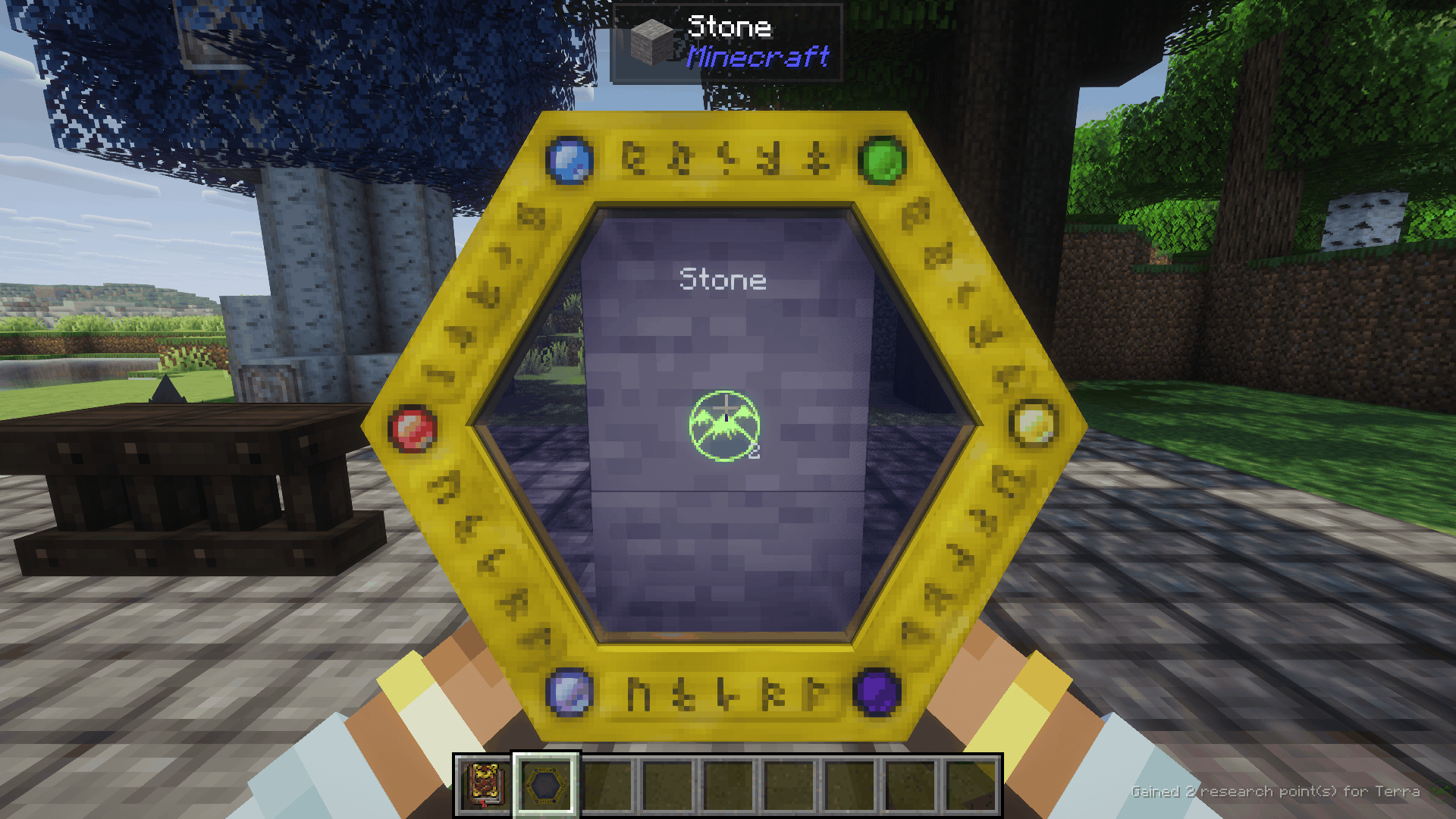 image-attachment_4a286dc8-e475-48ae-9e70-49a56f5296b5.png
-
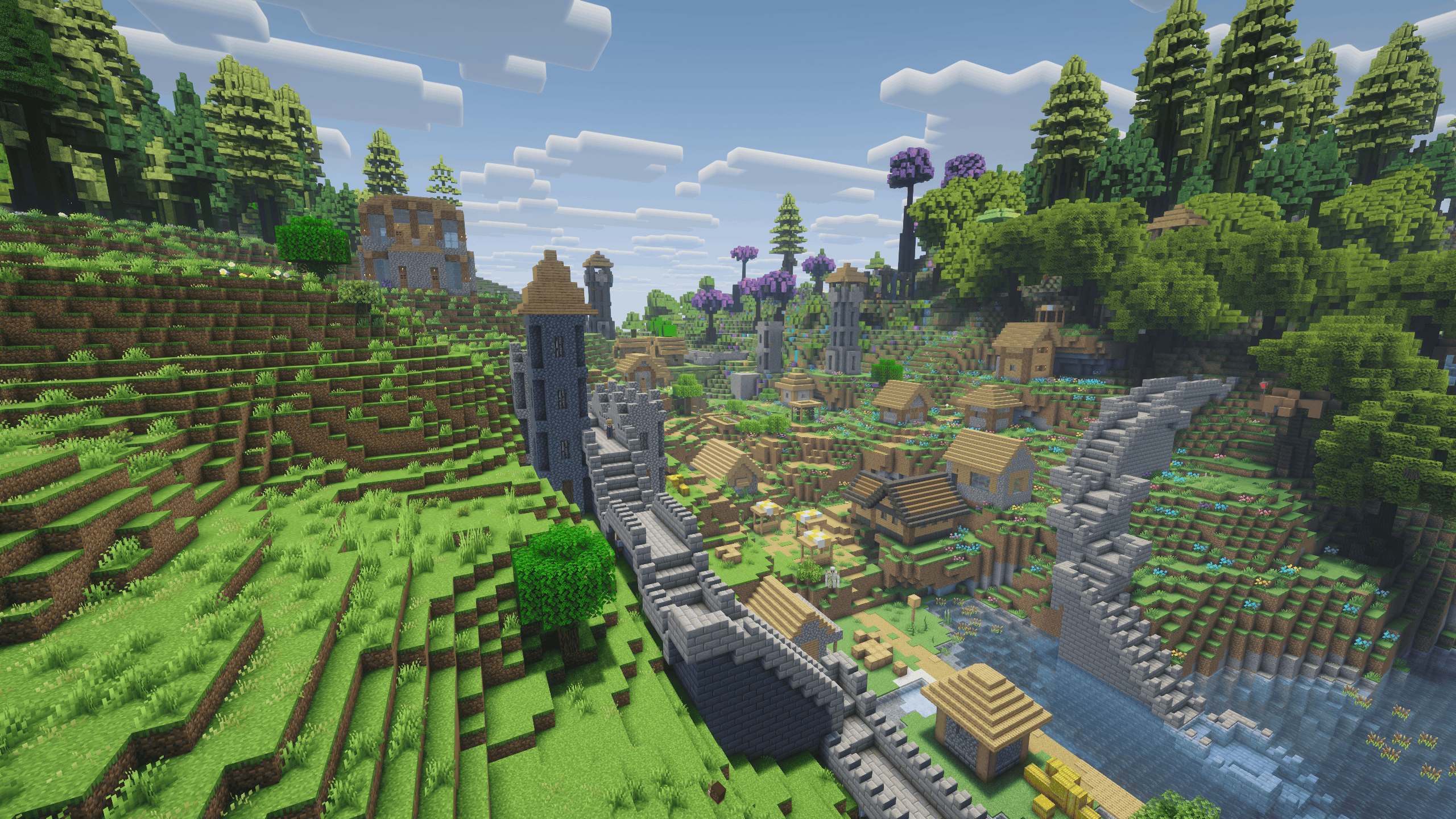 image-attachment_a93d4955-046a-46dc-a3dd-724856ec7880.png
-
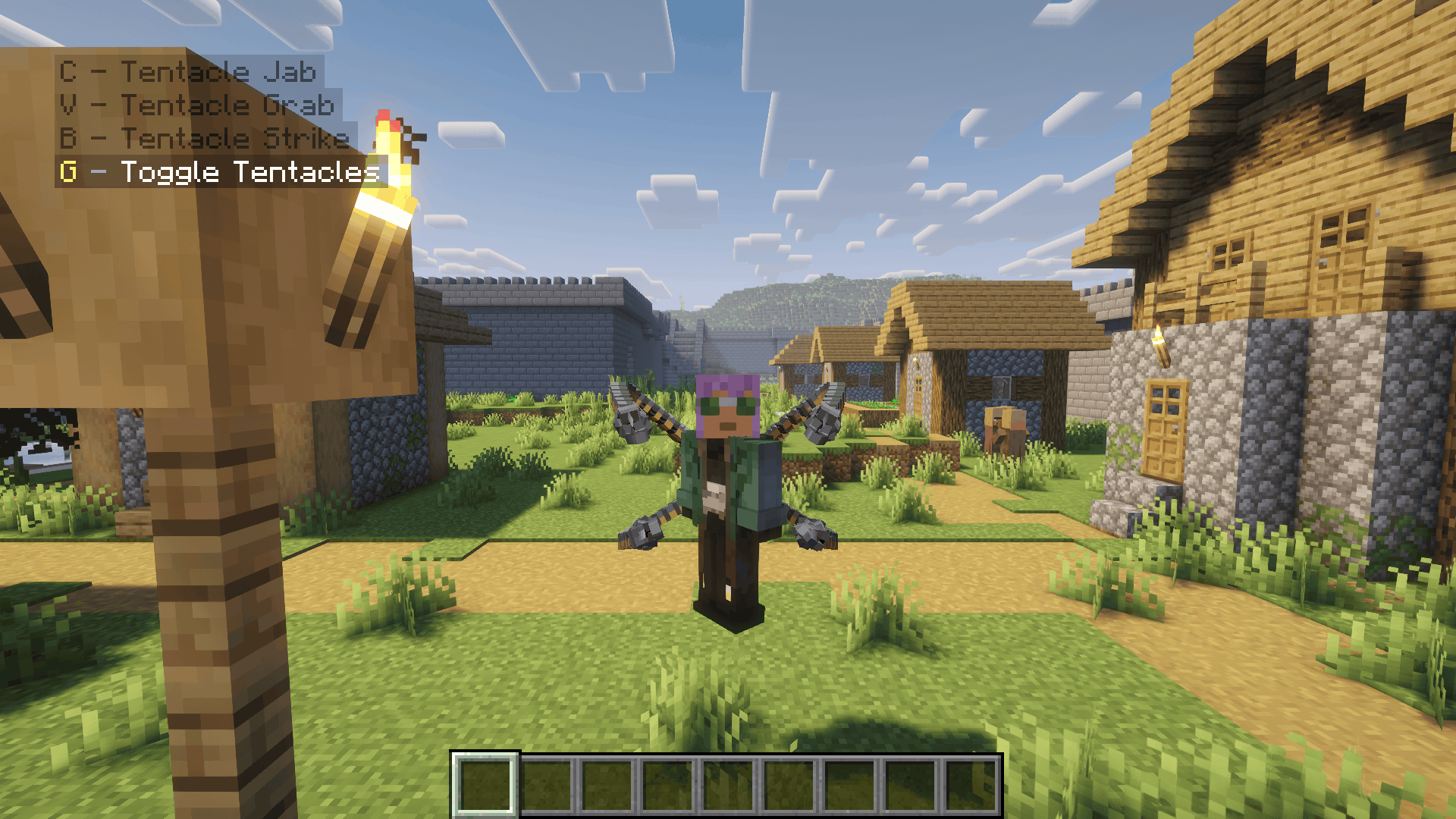 image-attachment_a4189430-302a-4cba-bbef-dbe29db779c9.png
-
 orespawn-king-bossbar(1).png orespawn-king-bossbar(1).png
-
 srparasites-lineup(1).png srparasites-lineup(1).png
Versions
Files
Relations
Project Relations
More like this
Similar Mods
Suggestions use data such as tags, dependencies, dependents, descriptions, titles, and more to rank how much they overlap with this mod.
On ModDex
Community snapshot
By the numbers
Statistics

Get it on
Available Platforms
On ModDex
Community snapshot
By the numbers
Statistics
Resources