
Community listing page, reviews here may not be monitored by the author.
Let Me See See (Your Code)


No reviews yet
This mod allows player export java codes of any block/item/class in game and item rendering image.
Community voices
Reviews
No reviews yet. Be the first to review this project!
Get it on
Available Platforms
Compatibility
Supported Environments
Must be installed on both the client and the server.
About
Project Details
For authors
Embed Badge
If you're the author of this project, you can embed a live badge anywhere that supports HTML or Markdown. It updates automatically whenever ratings change.
Use HTML for any page that supports it, or Markdown for README files and Markdown-based descriptions.
Identifiers
Platform IDs
About
Description
Let Me See See (Your Code)
This mod adds four items to exports java codes of any class and item rendering.
Exported code include mixin or patch or other modified parts.Can not exports inner classes. You can export top level class that contains inner classes.
The mod give out .class file as default. If you set the path of IntellJ IDEA (or other software can open .class file) or java decompiler, this mod can give out .java file and display decompiled java code in game.
Items Introducing
 Scanner
Scanner have no gui, and you an only right click block to use it for now. Scanning item is planning.
Scan a block will detect and export following classes (if exist):
- The Block class;
- The Block Item class;
- The Block Entity class;
- The Block Entity Renderer class;
You can view these classes in Exported Classes Data Base Item or in .minecraft/let_me_see_see/(package of class)/(class name).class.
 Retriever
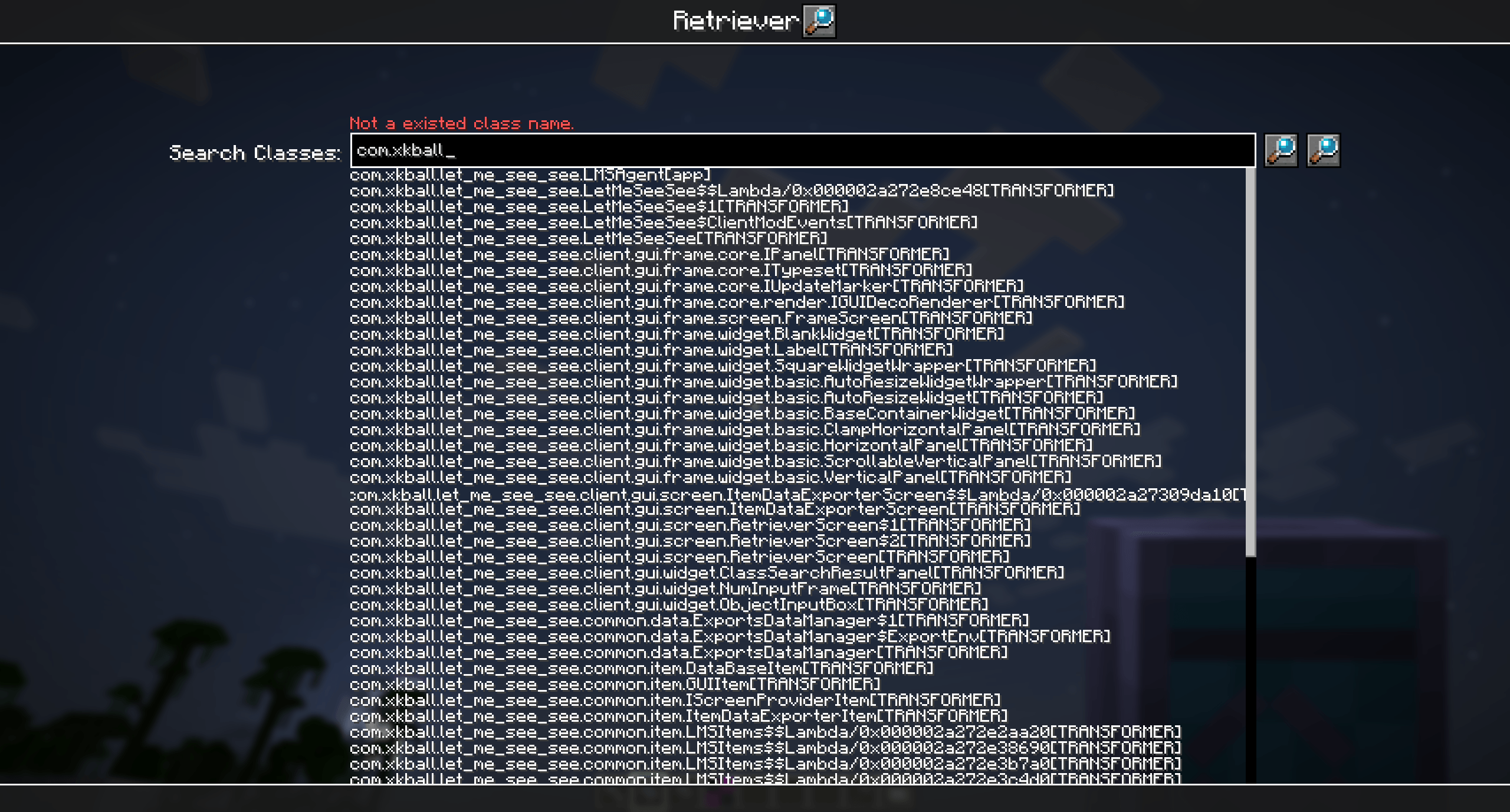
Right click to open a searcher of all loaded classes. Search result contains inner class and lambda or some other generated class, but you can only export top level class.
The search bar ignore word case. Double click any search result to fast complete search bar.
If search bar is filled with the full name of a class(Must Contains class loader name, because different class loader can load homonymous classes), click the first button after search bar can exprot the class.
Click the second button after search bar to re-scan loaded classes.
 Exported Classes Data Base

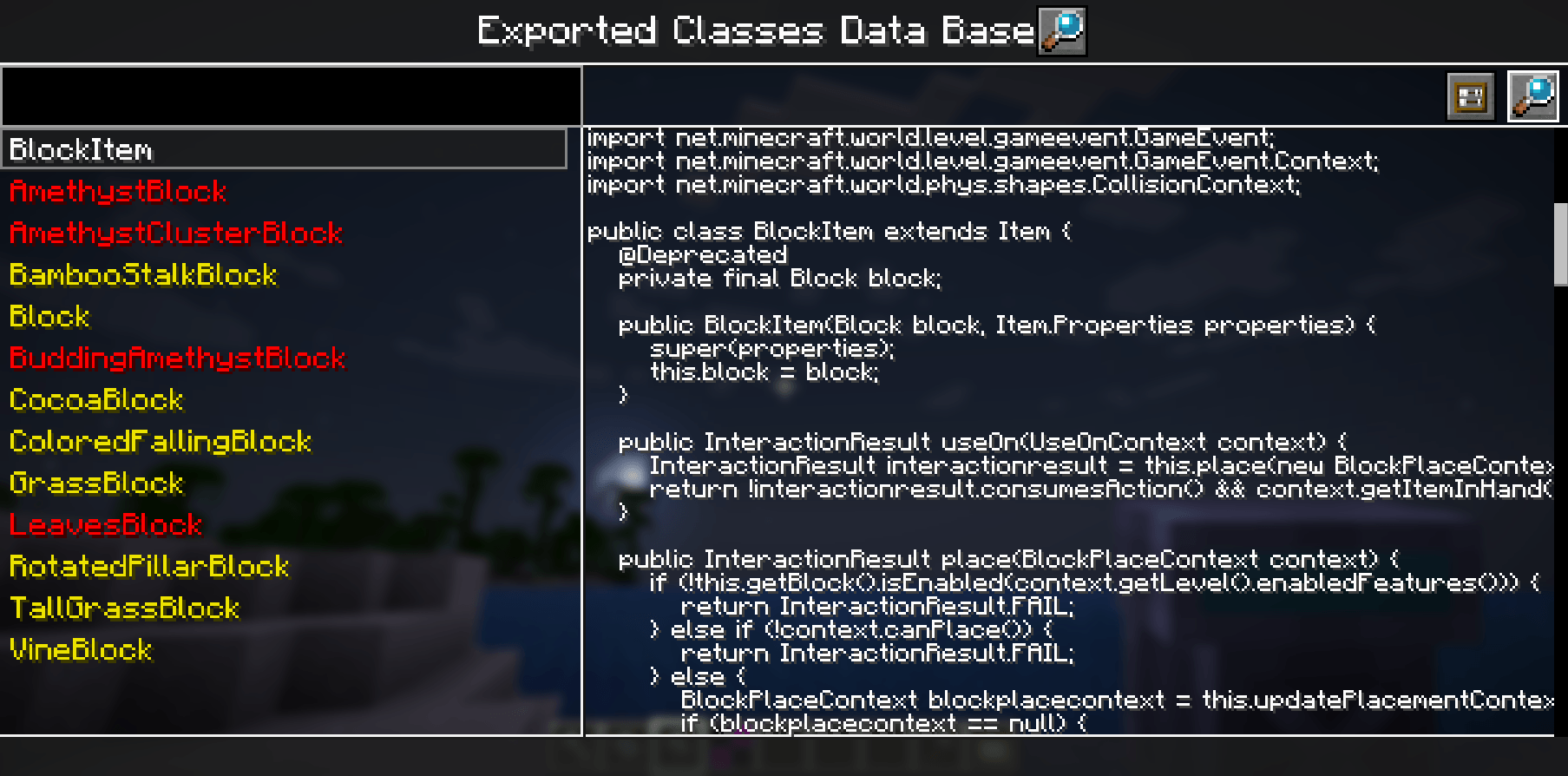
Left panel have a search bar for all exported classes, and listed below are those classes. White class name means it was exported in current game session. Yellow name represent it was exported in past game session. Red name means mod list has changed since export. Relaunch game and change mod list may cause changing of class content.
Upper Right have two buttons for open .class file in IDEA and export class again. Right panel will display decomplied java code after select a class in left side.
Item Data Exporter
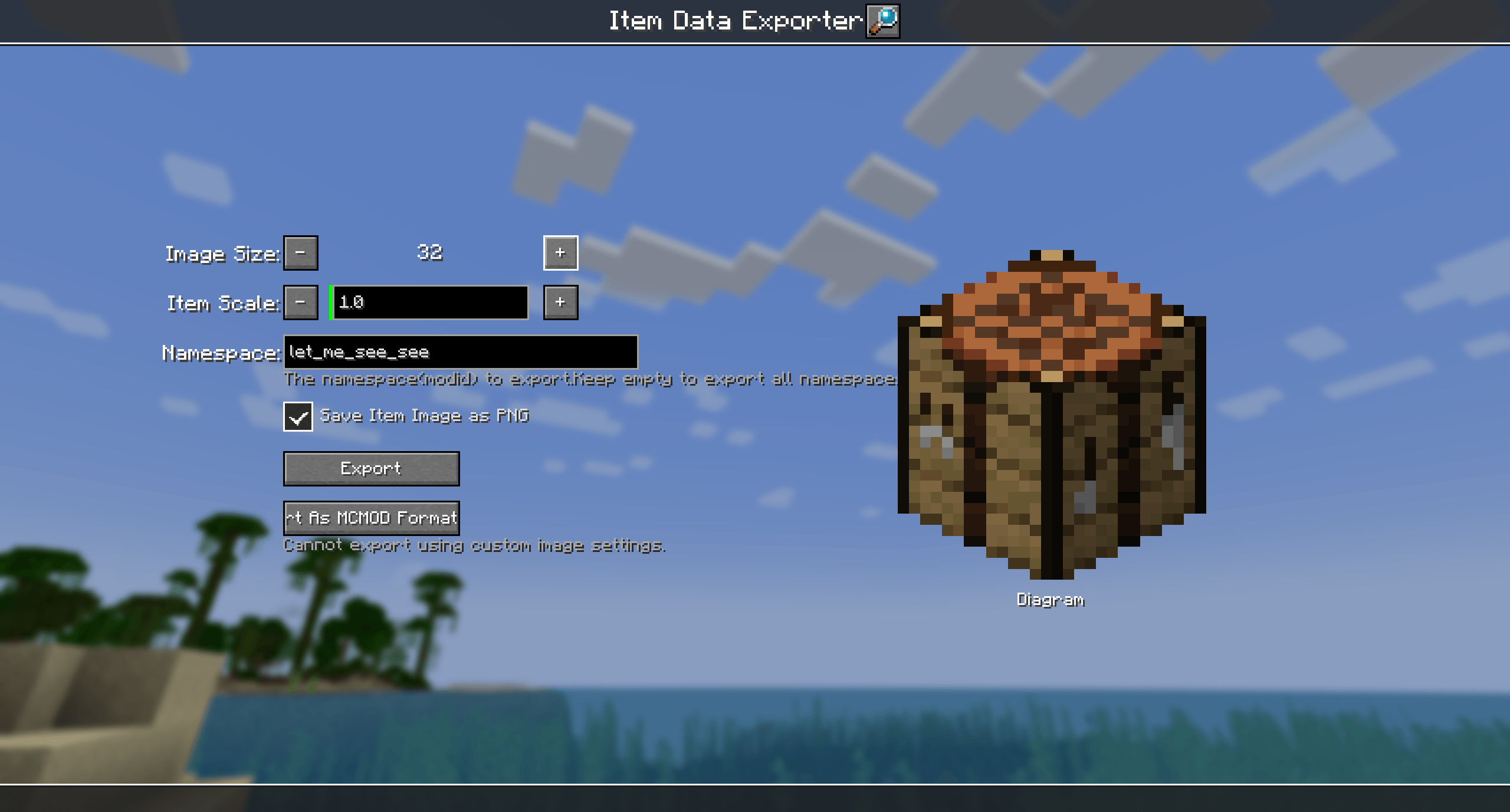
Export some item data and items rendering by render like them in gui.
Exported image files under .minecraft/let_me_see_see/_data/(namespace)/(item name).png
Exported item data files under minecraft/let_me_see_see/(namespace).json
Class Explorer
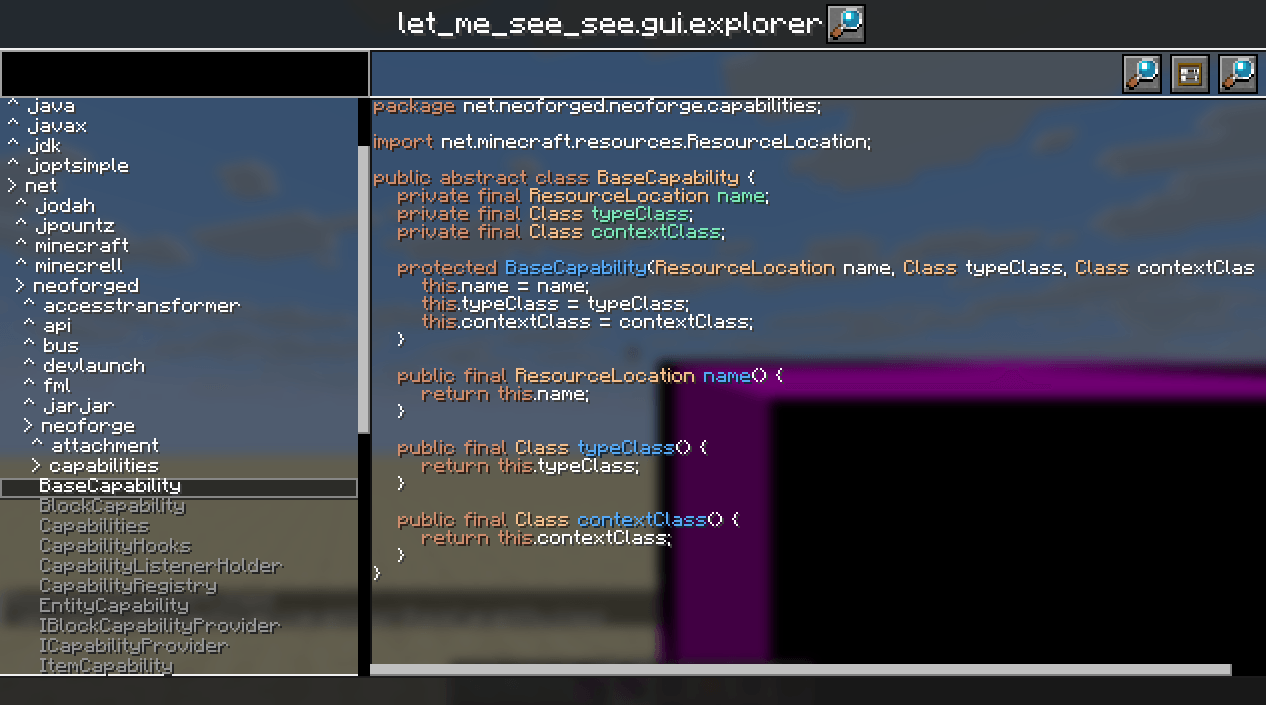
Enhanced Retriever and Exported Classes Data Base. You can find all loaded top level classes. Double-click to decompile it.
Let Me See See (Your Code)
This mod adds four items to exports java codes of any class and item rendering.
Exproted code include mixin or patch or other modified parts.Can not exports inner classes. You can exprot top level class that contains inner classes.
The mod give out .class file as default. If you set the path of IntellJ IDEA (or other software can open .class file) or java decompiler, this mod can give out .java file and display decompiled java code in game.
Items Introducing
Scanner
Scanner have no gui, and you an only right click block to use it for now. Scanning item is planning.
Scan a block will detect and export following classes (if exist):
- The Block class;
- The Block Item class;
- The Block Entity class;
- The Block Entity Renderer class;
You can view these classes in Exproted Classes Data Base Item or in .minecraft/let_me_see_see/(package of class)/(class name).class.
Retriever
Right click to open a searcher of all loaded classes. Search result contains inner class and lambda or some other generated class, but you can only export top level class.
The search bar ignore word case. Double click any search result to fast complete search bar.
If search bar is filled with the full name of a class(Must Contains class loader name, because different class loader can load homonymous classes), click the first button after search bar can exprot the class.
Click the second button after search bar to re-scan loaded classes.
Exported Classes Data Base
Left panel have a search bar for all exported classes, and listed below are those classes. White class name means it was exported in current game session. Yellow name represent it was exported in past game session. Red name means mod list has changed since export. Relaunch game and change mod list may cause changing of class content.
Upper Right have two buttons for open .class file in IDEA and export class again. Right panel will display decomplied java code after select a class in left side.
Item Data Exporter
Export some item data and items rendering by render like them in gui.
Exported image files under .minecraft/let_me_see_see/_data/(namespace)/(item name).png
Exported item data files under minecraft/let_me_see_see/(namespace).json
Class Explorer
Enhanced Retriever and Exported Classes Data Base. You can find all loaded top level classes. Double-click to decompile it.
Screenshots
Gallery
-
2025-08-31_16.50.00.png 2025-08-31_16.50.00.png
-
2025-08-31_16.46.02.png 2025-08-31_16.46.02.png
-
2025-03-25_00.15.49.png 2025-03-25_00.15.49.png
-
2025-03-25_00.13.47.png 2025-03-25_00.13.47.png
-
 2025-03-25_00.12.48.png 2025-03-25_00.12.48.png
 -
scanner.png scanner.png
-
retriever.png retriever.png
-
data_base.png data_base.png
-
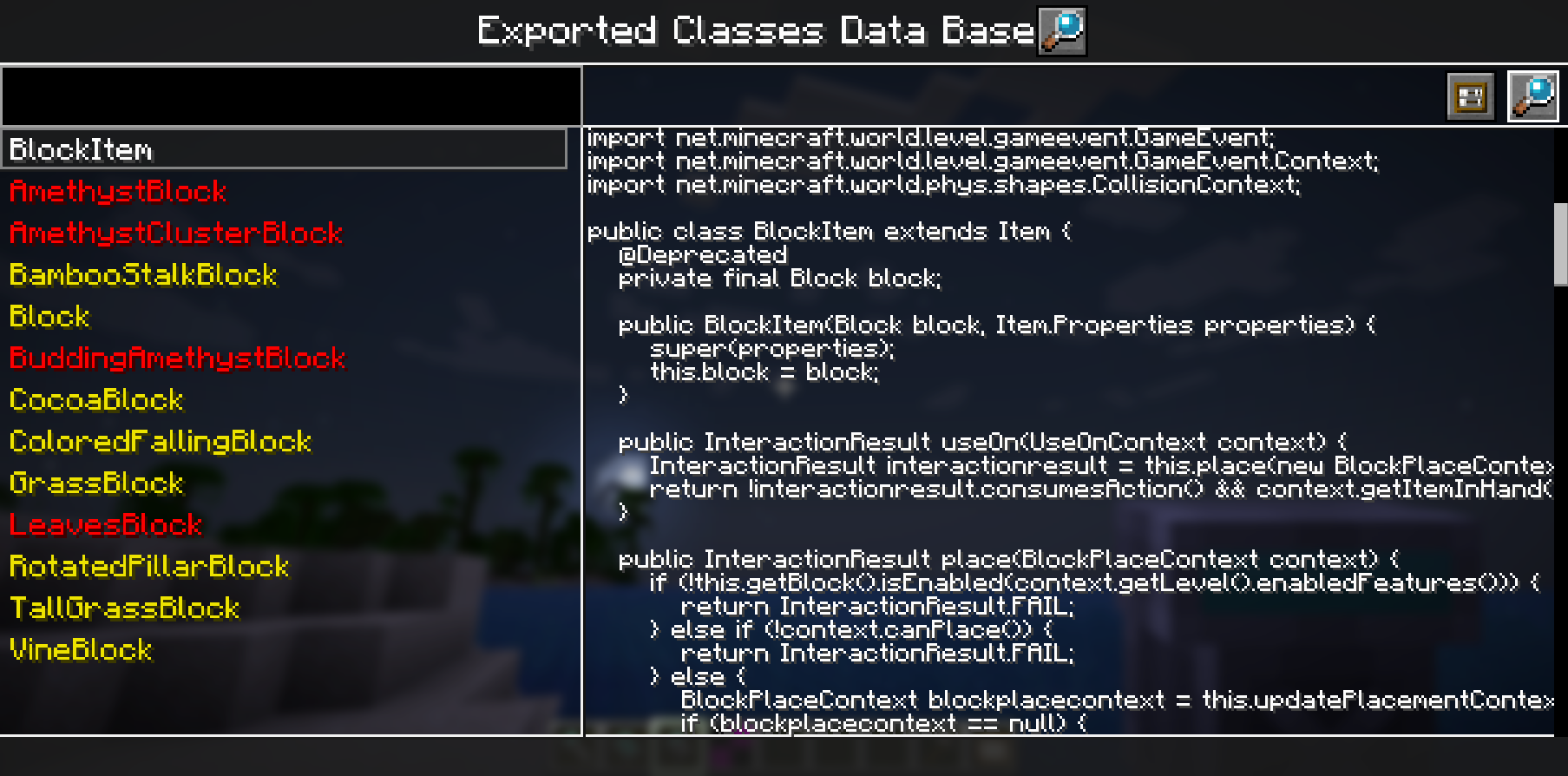 Exported Classes Data Base
 -
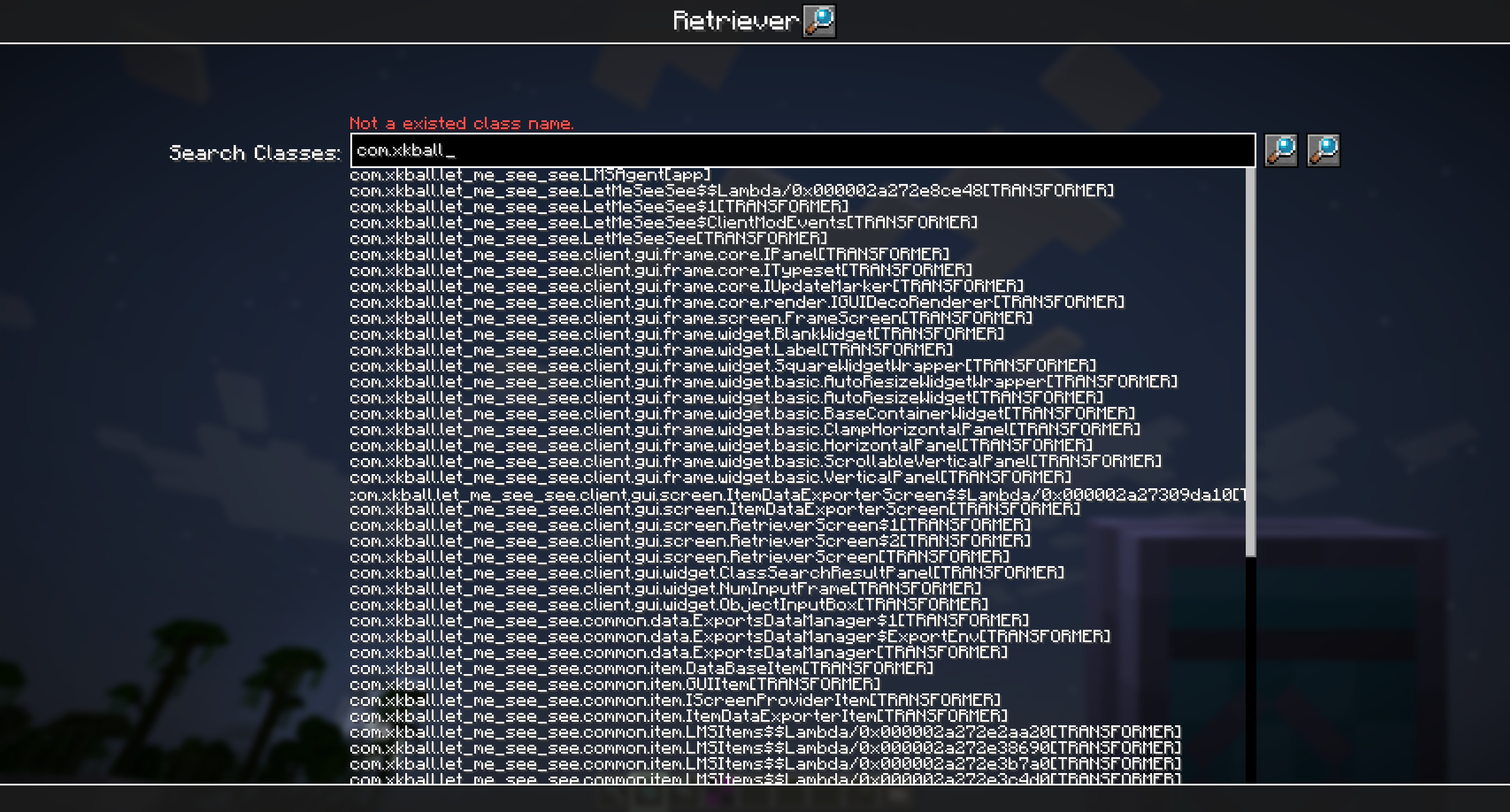 Class Searcher
 -
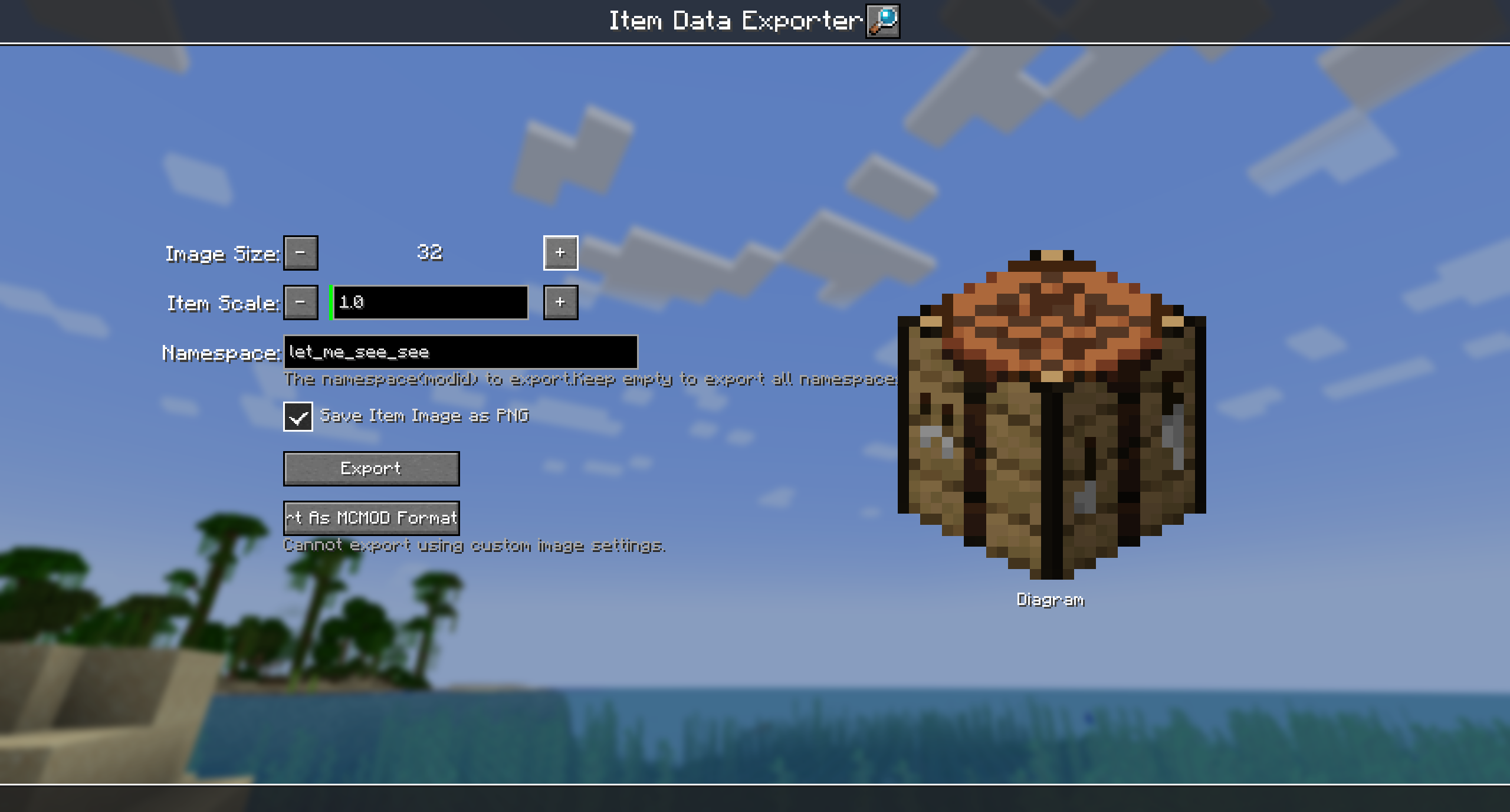 Item Data Exporter
Versions
Files
Relations
Project Relations
More like this
Similar Mods
Suggestions use data such as tags, dependencies, dependents, descriptions, titles, and more to rank how much they overlap with this mod.
On ModDex
Community snapshot
By the numbers
Statistics
Want to reach Minecraft players?
We're looking for a server hosting partner to feature here and other parts of the site. Interested? Send us a message!
Get in touchGet it on
Available Platforms
On ModDex
Community snapshot
By the numbers