
Community listing page, reviews here may not be monitored by the author.
Light Dust


No reviews yet
All light sources will produce a configurable amount of dust. The dust also has physics! Highly customizable via in game config menu.

Community voices
Reviews
No reviews yet. Be the first to review this project!
Get it on
Available Platforms
Compatibility
Supported Environments
Runs entirely on the client. Works on vanilla servers.
About
Project Details
For authors
Embed Badge
If you're the author of this project, you can embed a live badge anywhere that supports HTML or Markdown. It updates automatically whenever ratings change.
Use HTML for any page that supports it, or Markdown for README files and Markdown-based descriptions.
Identifiers
Platform IDs
About
Description
Light Dust
Light Dust is a lightweight client side mod that adds floating dust to your world. Built with interactive physics, dust reacts to light, weather, and the exact biome you are exploring.
As of v1.9.5+ this mod has an in game config menu (no dependencies) which you can find by doing: menu -> mods -> lightdust -> config
Features
- You can see some of them by looking at the config options below! But there really is a lot to list so I suggest looking at in via in game config menu.
Spawning & Performance
spawnMode(Default:FANCY): Choose between FANCY and FAST for spawning dust.fastSpawnChecks(Default:120): Math budget for FAST mode. Random sample count. Lower = Better FPS.fancySpawnChecks(Default:1200): Math budget for FANCY mode. Max blocks mapped by BFS. Restricts radius if too low. Note: If you setfastSpawnChecksto any value >400, I would suggest swapping to fancy.enableMaxYLevel(Default:false): Toggle for the height limit.maxYLevel(Default:60): The height coordinate where dust stops spawning.ambientRadius(Default:10): How far away from the player dust will attempt to spawn.ambientHardCapRadius(Default:12): The absolute maximum distance dust can exist. Particles further than this are deleted instantly.ambientBlockCap(Default:14): The maximum density of dust allowed in a single block.minBlockLight(Default:6): The minimum block light level required for ambient dust to spawn.daytimeLightDiff(Default:5): The minimum difference between Block Light and Sky Light required for dust to spawn during the day.falloffDistance(Default:6): Distance from the player where dust density starts to decrease.falloffMultiplier(Default:0.3): Multiplier applied to the max particle cap beyond the falloff distance.enableOcclusionCulling(Default:true): Uses LOS raytracing to prevent dust from spawning behind solid walls.
Visuals & Environment
useHdParticles(Default:true): Toggle for the HD dust particles or use the legacy version. Note that if you use this you should lower the values for particle size and opacity slightly. (I suggest 0.016 and 0.18 respectively)enableDynamicBlockColors(Default:true): Toggle for the block color inheritance system.ambientDustOpacity(Default:0.18): Base opacity for ambient dust.particleSize(Default:0.016): Adjust the visual size of the ambient dust particles.particleLifetime(Default:200): Control how long (in ticks) dust particles stick around.enableWind: Globally disables all wind and weather based directional pushing.windSpeedClear(Default:0.25): Adjusts global wind drift during clear weather.windSpeedRain(Default:0.35): Adjusts global wind drift during rain.windSpeedThunder(Default:0.5): Adjusts global wind drift during thunder.disableDuringRain(Default:false): Toggles to prevent outdoor dust from spawning or existing during rain.disableDuringThunder(Default:false): Toggles to prevent outdoor dust from spawning or existing during thunder.
Interactions & Actions
enableBlockBreakingDust: Toggles the directional burst of dust particles when a block is destroyed.breakParticleCount(Default:12): Controls the volume of the block-breaking debris.breakParticleSpeed(Default:0.1): Controls the speed of the block-breaking debris.actionDustGravity(Default:2.0): Controls the fall speed of debris hitting surfaces.actionDustBounce(Default:0.2): Controls the bounciness of debris hitting surfaces.breakVacuumRadius(Default:1.2): The radius in blocks that ambient dust is pulled toward a broken block.enableBreakVacuum(Default: true): Toggle for the vacuum effect when a block breaks.breakVacuumForce(Default:10.0): How strong the dust is pulled toward the broken block.enableCaveTremors: Toggles the ceiling dust falling from Warden sonic booms and explosions.caveTremorParticleCount(Default:90): The base density of falling debris during explosions.tremorEpicenterMultiplier(Default:5.0): Controls intensity at the blast center.tremorFalloffExponent(Default:6.0): Controls how quickly intensity fades from the blast center.tremorCeilingBias(Default:0.75): Adjusts the ratio of ceiling-to-floor spawns.tremorFloorKickForce(Default:2.1): Adjusts the upward force for floor dust.tremorWavefrontThickness(Default:6.0): Controls the depth of the expanding shockwave zone.tremorMaxGravity(Default:40.0): Adjusts the weight of debris at the center.tremorMinGravity(Default:1.0): Adjusts the weight of debris at the outer edge.tremorRoofMultiplier(Default:0.4): Multiplier for the gravity applied to dust falling from the ceiling.tremorFloorMultiplier(Default:0.2): Multiplier for the gravity applied to dust kicked up from the floor.enablePlayerInteraction: Toggles whether player movement, weapon swinging, and shielding disturbs ambient dust.playerInteractRadius(Default:4.0): The radius at which player movements physically push dust particles.enableHeavyLandingDust: Toggles the ring of dust kicked up from heavy landings.heavyLandingMaxParticles(Default:96): Controls how many particles spawn when taking fall damage.heavyLandingParticleMultiplier(Default:12): Controls the multiplier for particles spawned when taking fall damage.heavyLandingUpwardSpeed(Default:0.2): Controls the speed of the heavy landing dust ring upward.heavyLandingOutwardSpeed(Default:0.12): Controls the shape of the heavy landing dust ring outward.heavyLandingAmbientPush(Default:1.0): Controls the shockwave force that pushes ambient dust away when you land.heavyLandingAmbientRadius(Default:4.0): Controls the shockwave radius that pushes ambient dust away when you land.enableThermalUpdrafts: Toggles the rising heat physics and updrafts above heat blocks.heatBlocks(Default:DEFAULT_HEAT_BLOCKS): List of blocks that emit heat for thermal updrafts.
Dynamic Lights Compat
enableHandheldLights(Default:false): If true, items held in your hand will act as fake light sources, allowing dust to spawn and coloring the dust.handheldLightItems(Default:DEFAULT_HANDHELD_LIGHTS): List of items/tags and their light properties. Format:'modid:item_name=radius,#HEXCOLOR'or'#modid:tag=radius,#HEXCOLOR'.
Experimental Features (experimental.toml)
enableCaveDrafts(Default:true): Enables air pressure and drafts inside caves.caveDraftStrength(Default:0.85): Multiplier for the speed of wind drafts inside caves.enableEntityDisturbance(Default:true): Allows non-player entities (mobs/projectiles) to kick up and disturb dust. This is hard capped to only track the 6 closest moving entities.entityScanRate(Default:4): How often in ticks the mod scans for nearby entities.entityPushStrength(Default:0.05): How strongly entities push dust when moving through it.enableAdvancedWindMath(Default:true): Enable complex spatial turbulence and sweeping wind physics.enableWindDeflection(Default:true): Allows wind to realistically blow dust down tunnels.enableDustSettling(Default:true): Allows dust particles to visually settle when hitting the ground.
Color & Tinting Settings (colors.toml)
tintStrength(Default:0.75): Adjusts how strongly colored lights tint the dust. (suggest higher values if using Hd dust ex: 0.75).customTints: A list of light-emitting blocks and their hex colors for dust tinting.customBiomeTints: Define base ambient colors for biomes using hex codes.caveBiomeTriggers: Map specific blocks to a hex color for underground environment changes.
Q&A
Q: Does this work with true dark mods?
A: Yes. It should work with them. However, you may need to change the opacity of the dust.
Q: Does this work with Shaders?
A: Yes. However, shaders often change how transparency renders. If the dust looks too invisible, increase ambientDustOpacity in the config (try 0.45 or higher).
Q: Will this cause lag in big modpacks?
A: It is designed specifically to be lightweight. The mod has a ton of optimization options such as the newly added LOS and Hemisphere system aswell as Occlusion Culling to skip particle rendering behind solid walls. If you still drop frames, you can disable enableAdvancedWindMath or lower the particle caps in the configs.
Q: Can I change the color of the dust?
A: Yes! You can change the tint of light sources (customTints), the base color of any biome (customBiomeTints), and trigger colors underground using specific blocks (caveBiomeTriggers) in the colors.toml config.
Q: Does this work with modded biomes and caves?
A: Yep. Just add the modded biome ID or the modded blocks to the respective lists in the config, assign a hex color, and it should work just fine.
Q: How do I disable the Block Break particles?
A: Set breakParticleCount to 0 in the config.
Light Dust
Light Dust is a lightweight client side mod that adds floating dust to your world. Built with interactive physics, dust reacts to light, weather, and the exact biome you are exploring.
As of v1.9.5+ this mod has an in game config menu (no dependencies) which you can find by doing: menu -> mods -> lightdust -> config
Features
- You can see some of them by looking at the config options below! But there really is a lot to list so I suggest looking at in via in game config menu.
Spawning & Performance
spawnMode(Default:FANCY): Choose between FANCY and FAST for spawning dust.fastSpawnChecks(Default:120): Math budget for FAST mode. Random sample count. Lower = Better FPS.fancySpawnChecks(Default:1200): Math budget for FANCY mode. Max blocks mapped by BFS. Restricts radius if too low. Note: If you setfastSpawnChecksto any value >400, I would suggest swapping to fancy.enableMaxYLevel(Default:false): Toggle for the height limit.maxYLevel(Default:60): The height coordinate where dust stops spawning.ambientRadius(Default:10): How far away from the player dust will attempt to spawn.ambientHardCapRadius(Default:12): The absolute maximum distance dust can exist. Particles further than this are deleted instantly.ambientBlockCap(Default:14): The maximum density of dust allowed in a single block.minBlockLight(Default:6): The minimum block light level required for ambient dust to spawn.daytimeLightDiff(Default:5): The minimum difference between Block Light and Sky Light required for dust to spawn during the day.falloffDistance(Default:6): Distance from the player where dust density starts to decrease.falloffMultiplier(Default:0.3): Multiplier applied to the max particle cap beyond the falloff distance.enableOcclusionCulling(Default:true): Uses LOS raytracing to prevent dust from spawning behind solid walls.
Visuals & Environment
useHdParticles(Default:true): Toggle for the HD dust particles or use the legacy version. Note that if you use this you should lower the values for particle size and opacity slightly. (I suggest 0.016 and 0.18 respectively)enableDynamicBlockColors(Default:true): Toggle for the block color inheritance system.ambientDustOpacity(Default:0.18): Base opacity for ambient dust.particleSize(Default:0.016): Adjust the visual size of the ambient dust particles.particleLifetime(Default:200): Control how long (in ticks) dust particles stick around.enableWind: Globally disables all wind and weather based directional pushing.windSpeedClear(Default:0.25): Adjusts global wind drift during clear weather.windSpeedRain(Default:0.35): Adjusts global wind drift during rain.windSpeedThunder(Default:0.5): Adjusts global wind drift during thunder.disableDuringRain(Default:false): Toggles to prevent outdoor dust from spawning or existing during rain.disableDuringThunder(Default:false): Toggles to prevent outdoor dust from spawning or existing during thunder.
Interactions & Actions
enableBlockBreakingDust: Toggles the directional burst of dust particles when a block is destroyed.breakParticleCount(Default:12): Controls the volume of the block-breaking debris.breakParticleSpeed(Default:0.1): Controls the speed of the block-breaking debris.actionDustGravity(Default:2.0): Controls the fall speed of debris hitting surfaces.actionDustBounce(Default:0.2): Controls the bounciness of debris hitting surfaces.breakVacuumRadius(Default:1.2): The radius in blocks that ambient dust is pulled toward a broken block.enableBreakVacuum(Default: true): Toggle for the vacuum effect when a block breaks.breakVacuumForce(Default:10.0): How strong the dust is pulled toward the broken block.enableCaveTremors: Toggles the ceiling dust falling from Warden sonic booms and explosions.caveTremorParticleCount(Default:90): The base density of falling debris during explosions.tremorEpicenterMultiplier(Default:5.0): Controls intensity at the blast center.tremorFalloffExponent(Default:6.0): Controls how quickly intensity fades from the blast center.tremorCeilingBias(Default:0.75): Adjusts the ratio of ceiling-to-floor spawns.tremorFloorKickForce(Default:2.1): Adjusts the upward force for floor dust.tremorWavefrontThickness(Default:6.0): Controls the depth of the expanding shockwave zone.tremorMaxGravity(Default:40.0): Adjusts the weight of debris at the center.tremorMinGravity(Default:1.0): Adjusts the weight of debris at the outer edge.tremorRoofMultiplier(Default:0.4): Multiplier for the gravity applied to dust falling from the ceiling.tremorFloorMultiplier(Default:0.2): Multiplier for the gravity applied to dust kicked up from the floor.enablePlayerInteraction: Toggles whether player movement, weapon swinging, and shielding disturbs ambient dust.playerInteractRadius(Default:4.0): The radius at which player movements physically push dust particles.enableHeavyLandingDust: Toggles the ring of dust kicked up from heavy landings.heavyLandingMaxParticles(Default:96): Controls how many particles spawn when taking fall damage.heavyLandingParticleMultiplier(Default:12): Controls the multiplier for particles spawned when taking fall damage.heavyLandingUpwardSpeed(Default:0.2): Controls the speed of the heavy landing dust ring upward.heavyLandingOutwardSpeed(Default:0.12): Controls the shape of the heavy landing dust ring outward.heavyLandingAmbientPush(Default:1.0): Controls the shockwave force that pushes ambient dust away when you land.heavyLandingAmbientRadius(Default:4.0): Controls the shockwave radius that pushes ambient dust away when you land.enableThermalUpdrafts: Toggles the rising heat physics and updrafts above heat blocks.heatBlocks(Default:DEFAULT_HEAT_BLOCKS): List of blocks that emit heat for thermal updrafts.
Dynamic Lights Compat
enableHandheldLights(Default:false): If true, items held in your hand will act as fake light sources, allowing dust to spawn and coloring the dust.handheldLightItems(Default:DEFAULT_HANDHELD_LIGHTS): List of items/tags and their light properties. Format:'modid:item_name=radius,#HEXCOLOR'or'#modid:tag=radius,#HEXCOLOR'.
Experimental Features (experimental.toml)
enableCaveDrafts(Default:true): Enables air pressure and drafts inside caves.caveDraftStrength(Default:0.85): Multiplier for the speed of wind drafts inside caves.enableEntityDisturbance(Default:true): Allows non-player entities (mobs/projectiles) to kick up and disturb dust. This is hard capped to only track the 6 closest moving entities.entityScanRate(Default:4): How often in ticks the mod scans for nearby entities.entityPushStrength(Default:0.05): How strongly entities push dust when moving through it.enableAdvancedWindMath(Default:true): Enable complex spatial turbulence and sweeping wind physics.enableWindDeflection(Default:true): Allows wind to realistically blow dust down tunnels.enableDustSettling(Default:true): Allows dust particles to visually settle when hitting the ground.
Color & Tinting Settings (colors.toml)
tintStrength(Default:0.75): Adjusts how strongly colored lights tint the dust. (suggest higher values if using Hd dust ex: 0.75).customTints: A list of light-emitting blocks and their hex colors for dust tinting.customBiomeTints: Define base ambient colors for biomes using hex codes.caveBiomeTriggers: Map specific blocks to a hex color for underground environment changes.
Q&A
Q: Does this work with true dark mods?
A: Yes. It should work with them. However, you may need to change the opacity of the dust.
Q: Does this work with Shaders?
A: Yes. However, shaders often change how transparency renders. If the dust looks too invisible, increase ambientDustOpacity in the config (try 0.45 or higher).
Q: Will this cause lag in big modpacks?
A: It is designed specifically to be lightweight. The mod has a ton of optimization options such as the newly added LOS and Hemisphere system aswell as Occlusion Culling to skip particle rendering behind solid walls. If you still drop frames, you can disable enableAdvancedWindMath or lower the particle caps in the configs.
Q: Can I change the color of the dust?
A: Yes! You can change the tint of light sources (customTints), the base color of any biome (customBiomeTints), and trigger colors underground using specific blocks (caveBiomeTriggers) in the colors.toml config.
Q: Does this work with modded biomes and caves?
A: Yep. Just add the modded biome ID or the modded blocks to the respective lists in the config, assign a hex color, and it should work just fine.
Q: How do I disable the Block Break particles?
A: Set breakParticleCount to 0 in the config.
Screenshots
Gallery
-
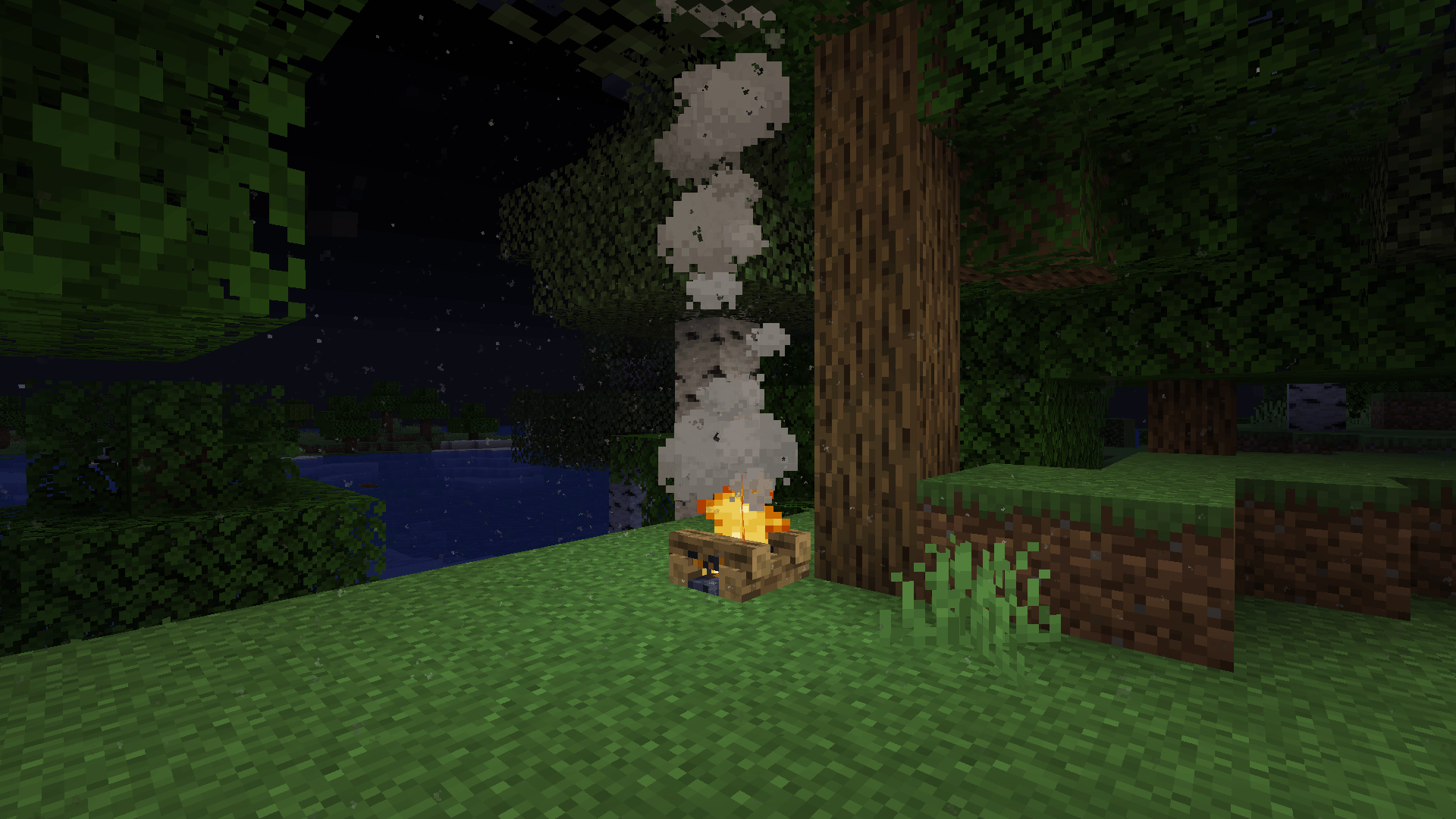 campfire.png Dust created from a campfire at night
 -
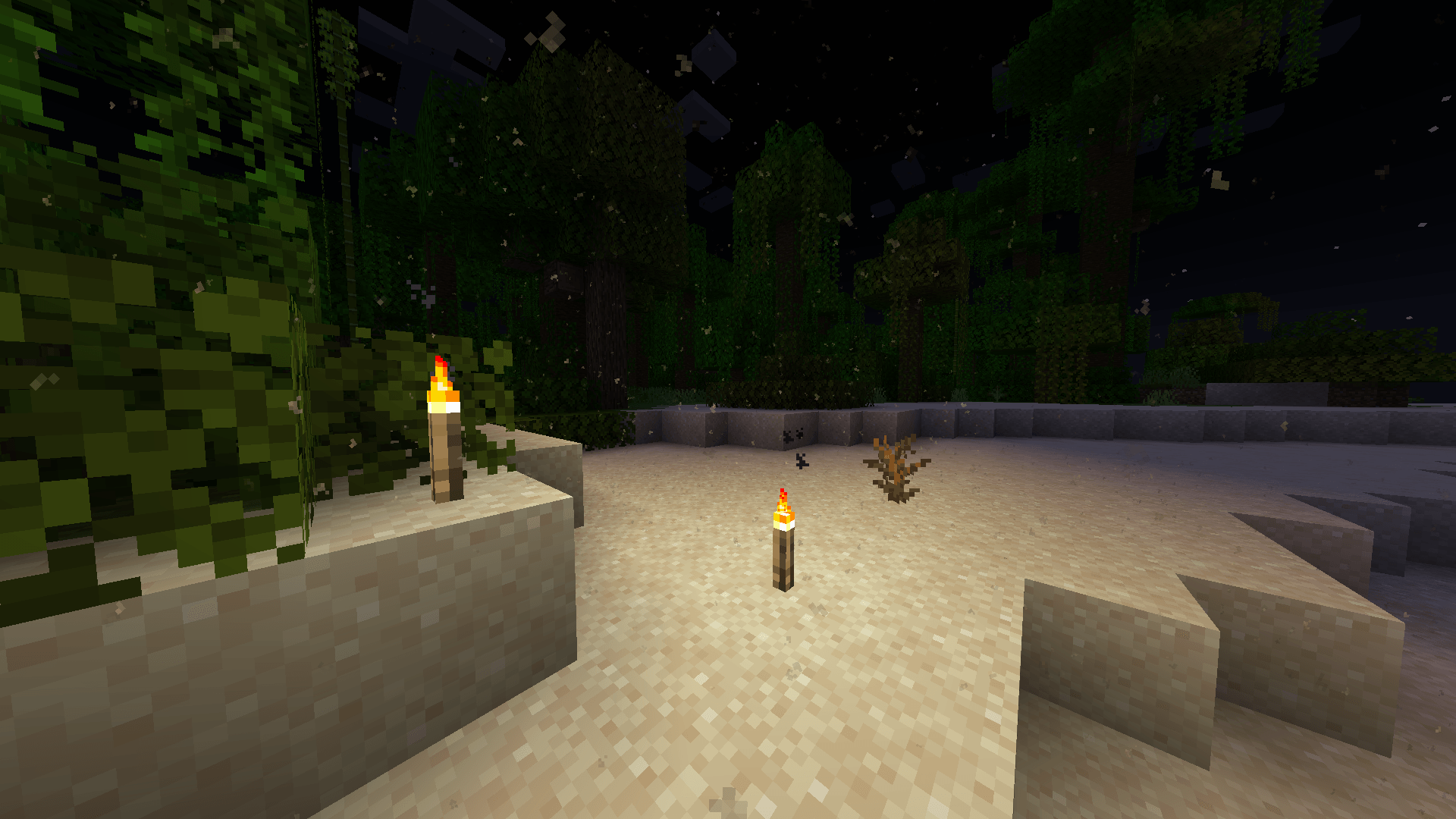
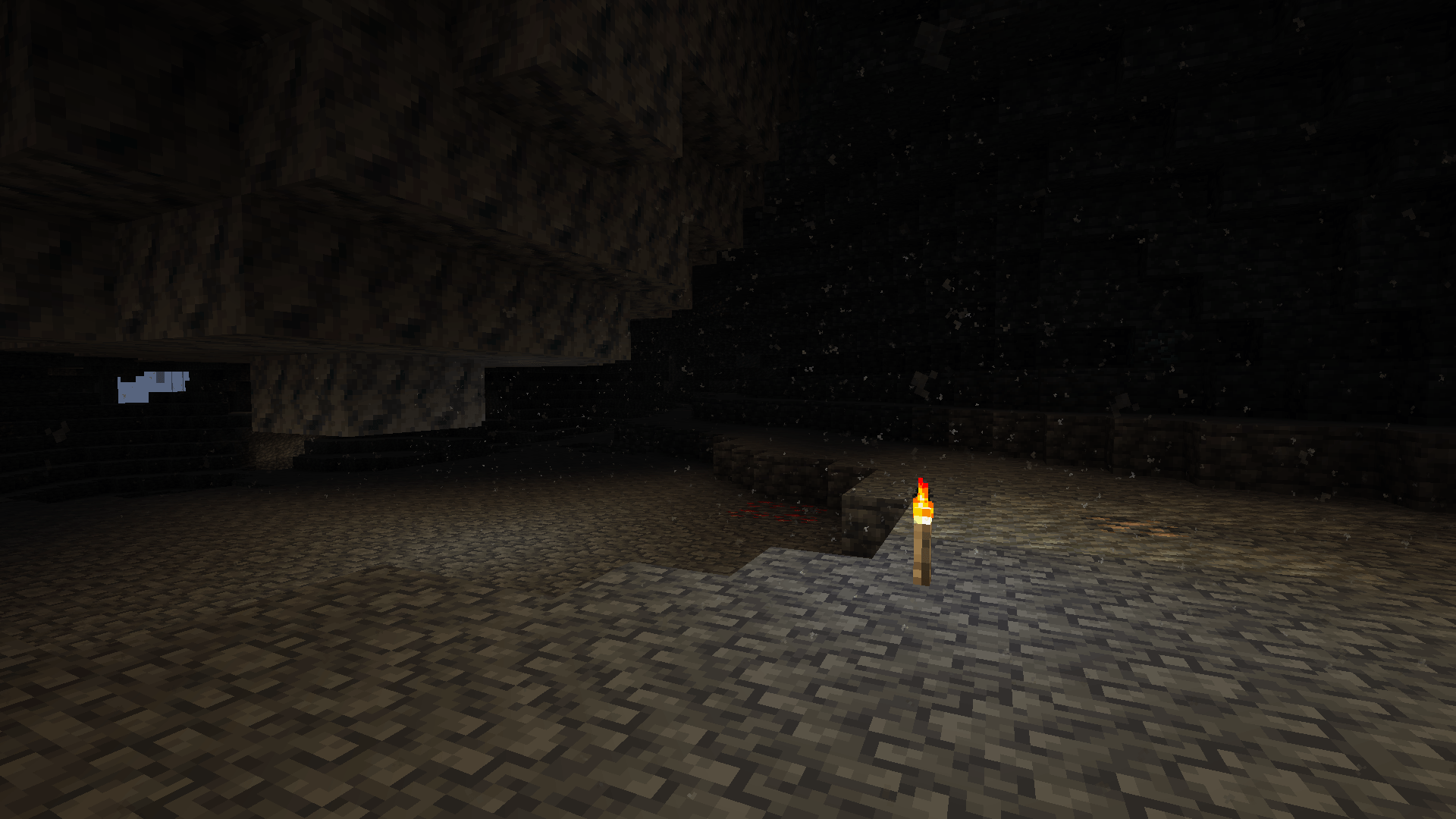 torches.png Dust created from torches in a case
 -
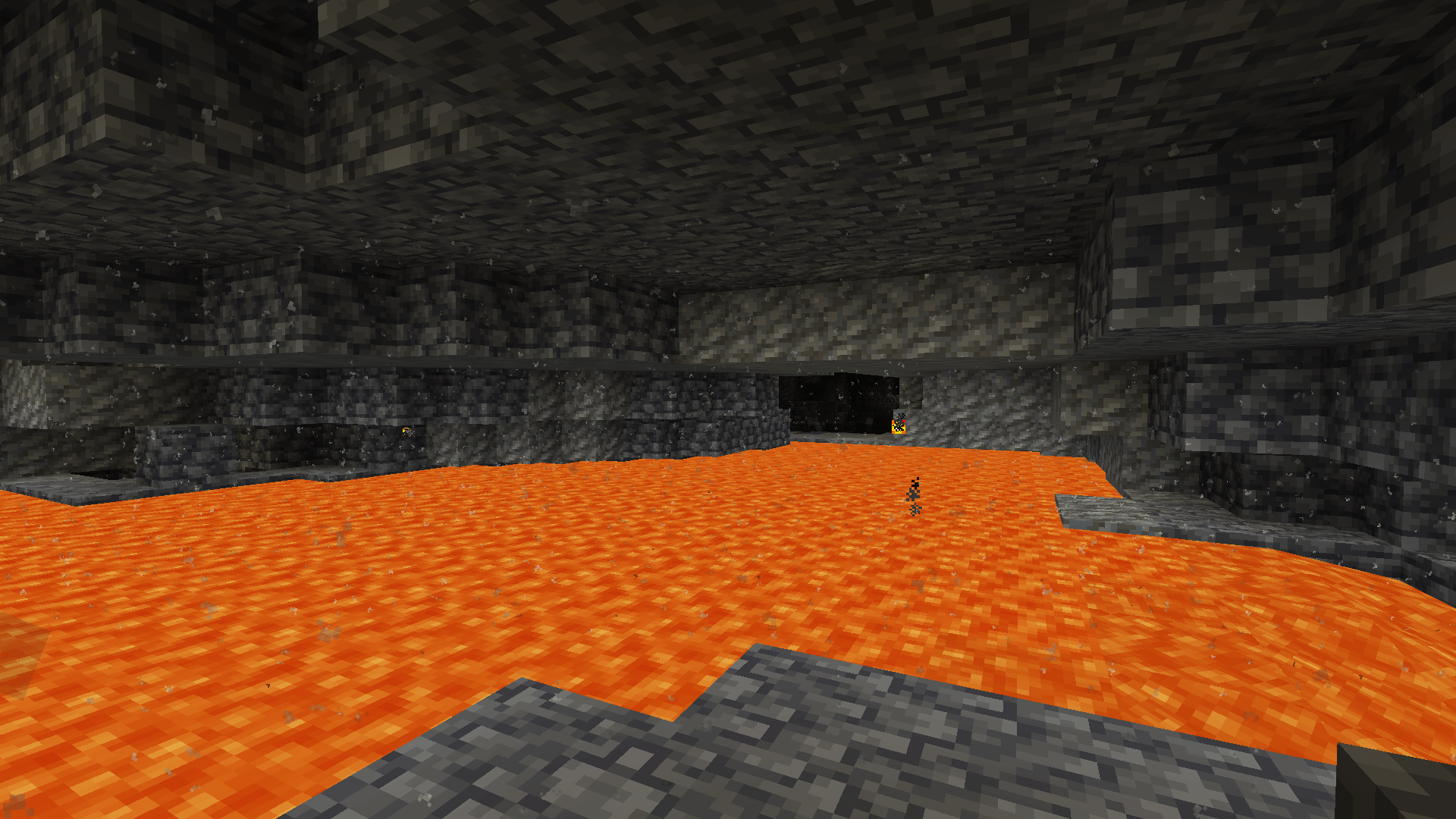 lava.png Dust created from lava pool
 -
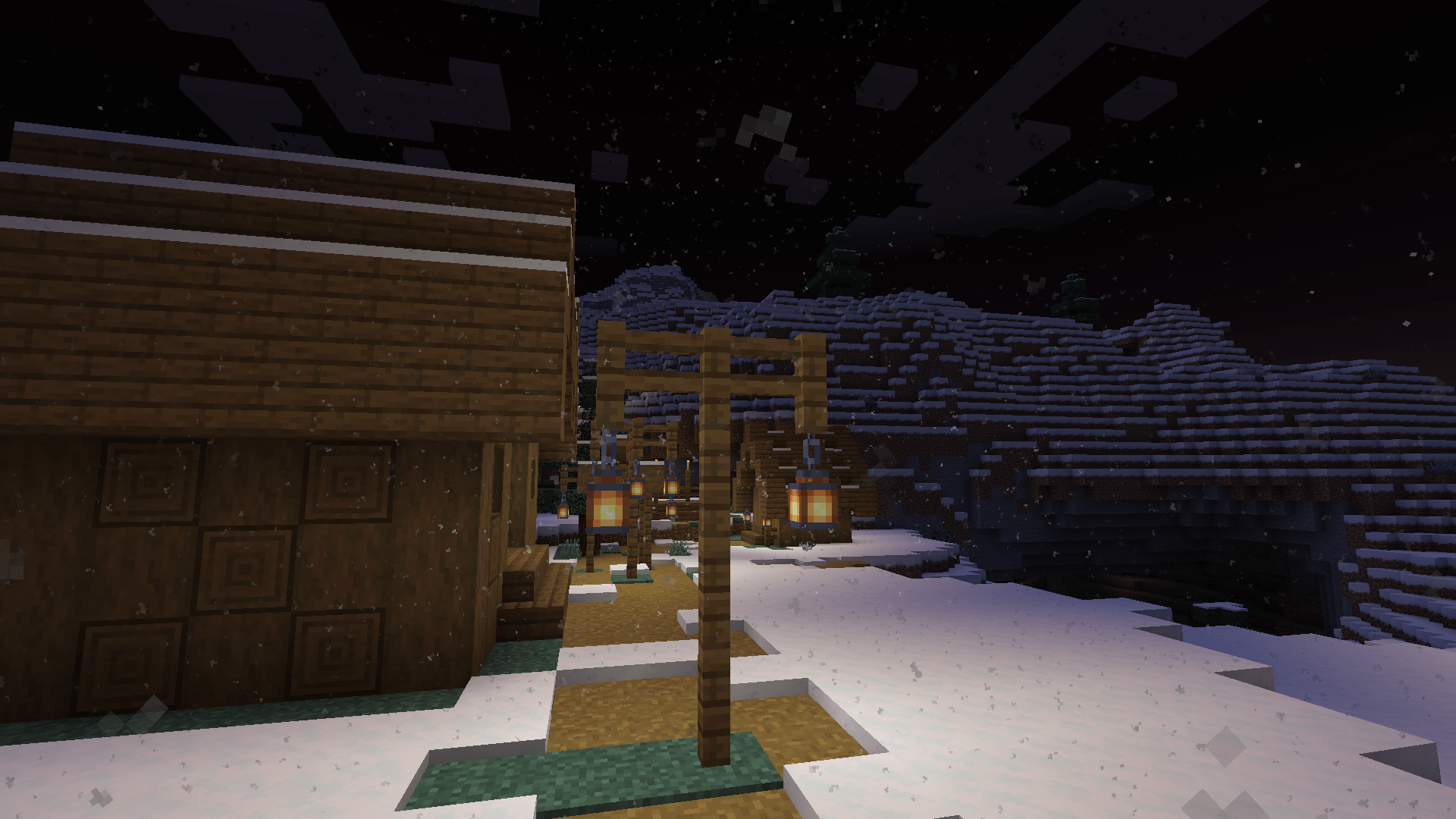 lantern.png Dust created from lanterns at night
 -
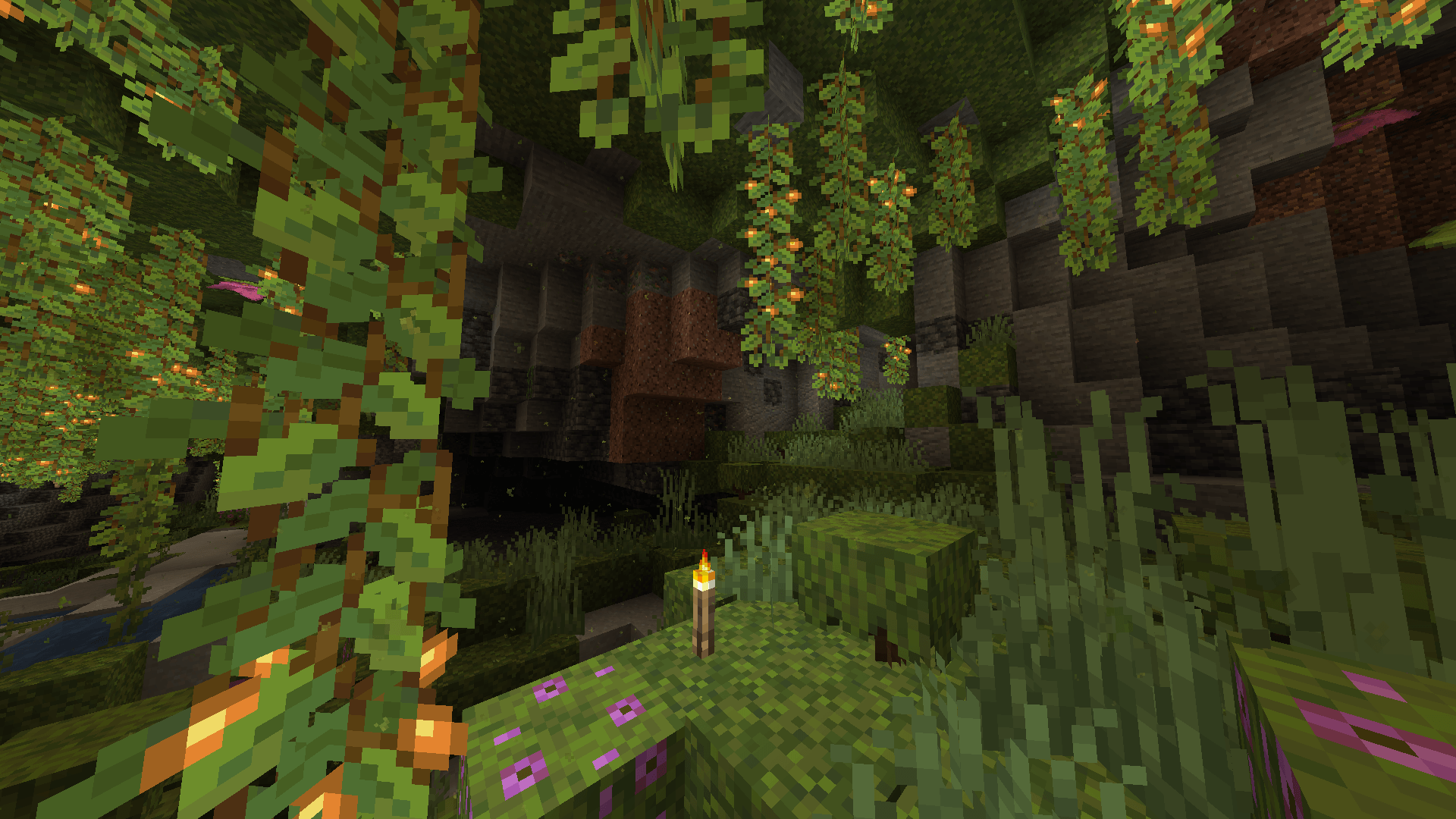 Lush caves dust.png The green sporelike dust that spawns in lush caves.
 -
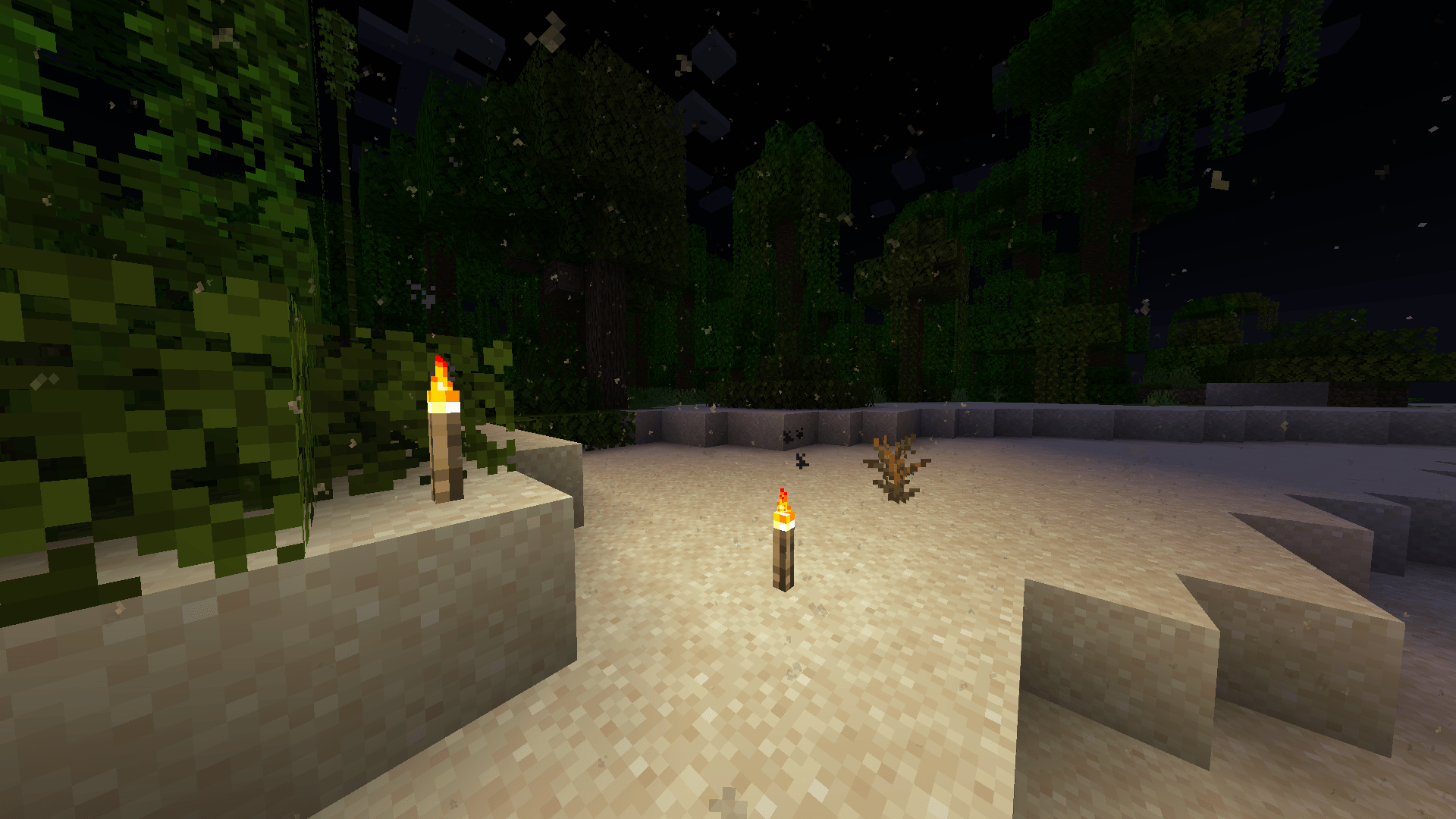 Desert dust.png dust from the sand. It is heavier and therefore less reactive.
 -
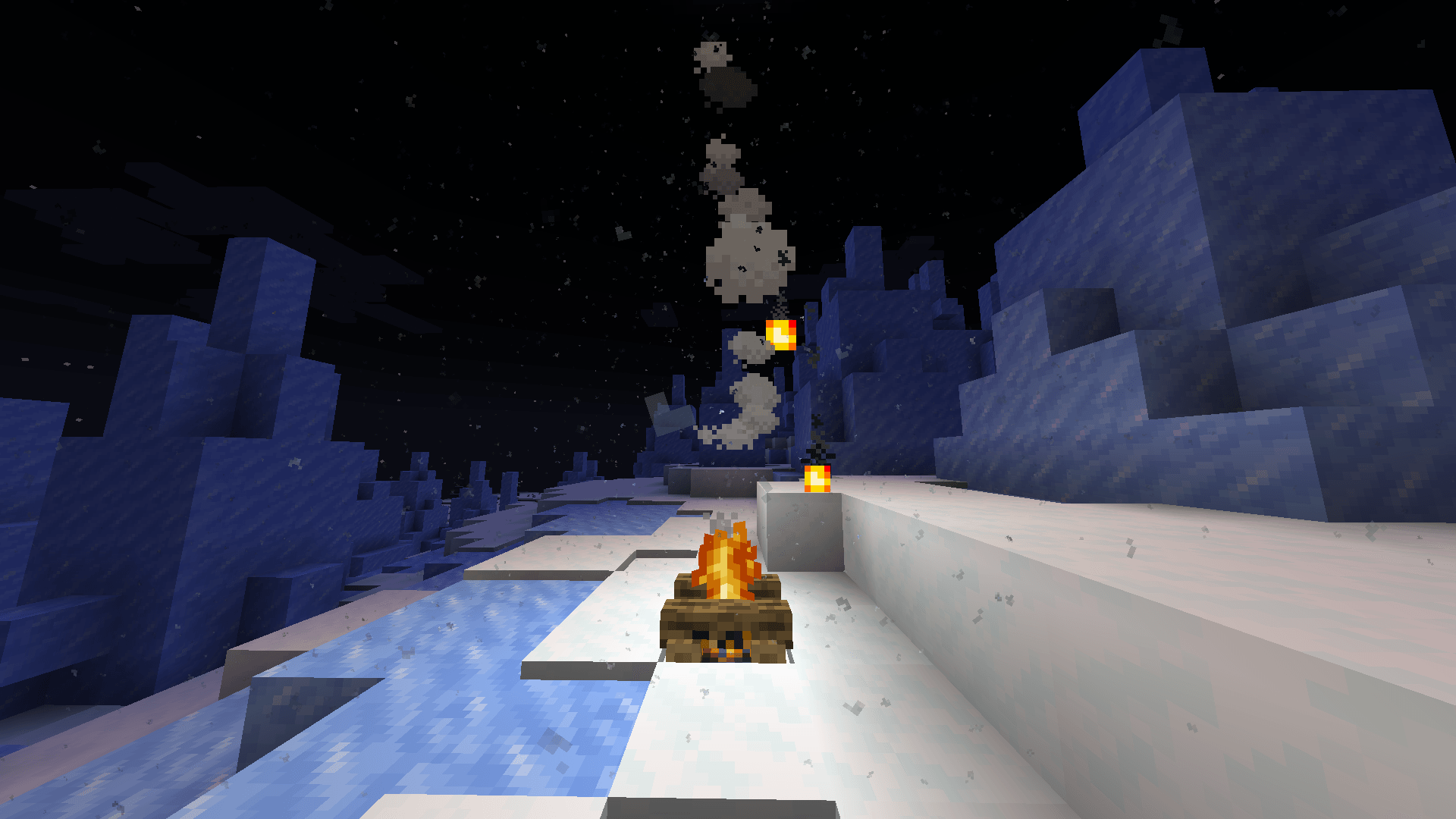 snowy dust.png Snow dust.
 -
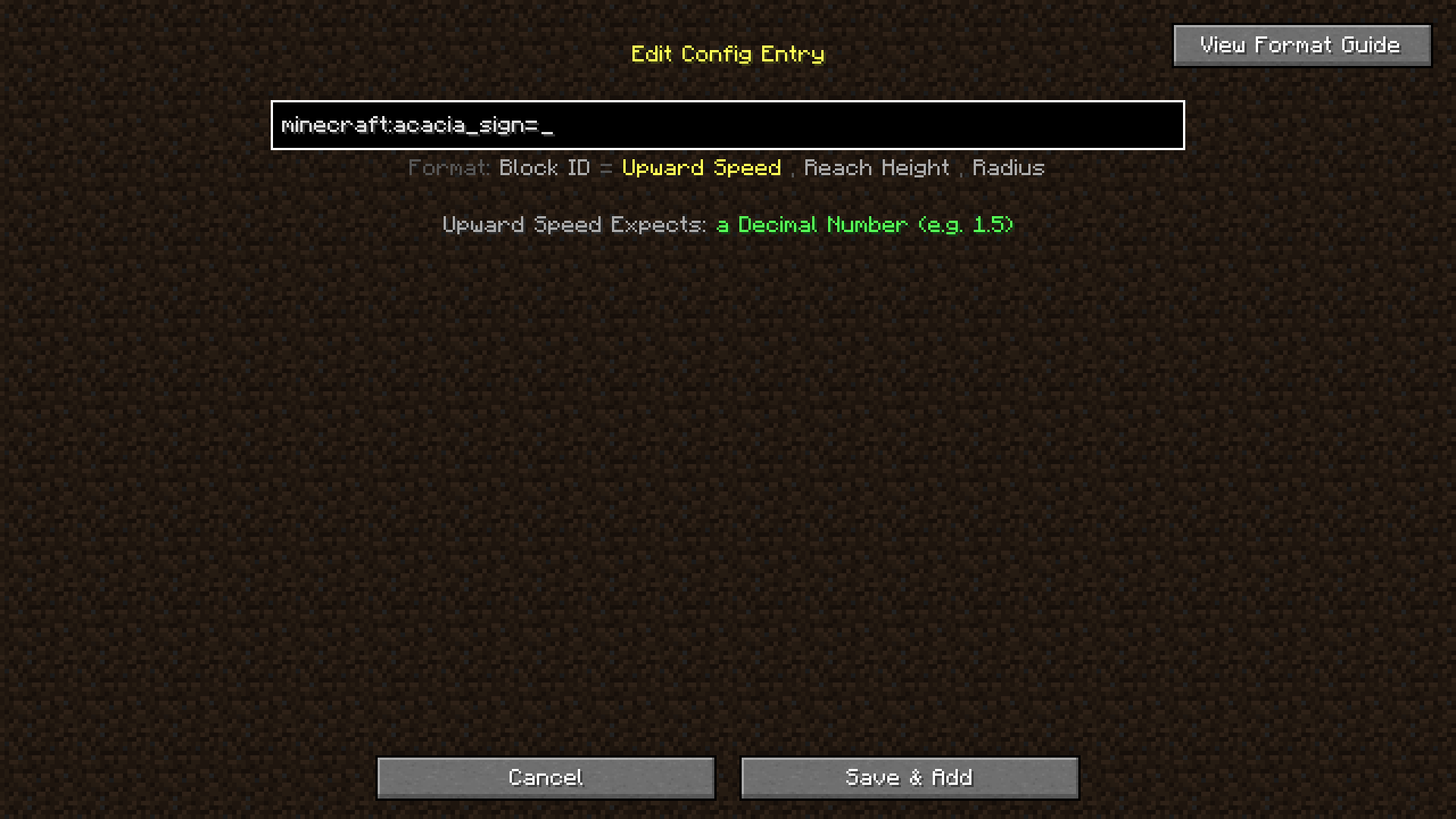 config screen list.png It shows you which variable you need to add, what it expects and what the delimiter (separator between variables) should be
 -
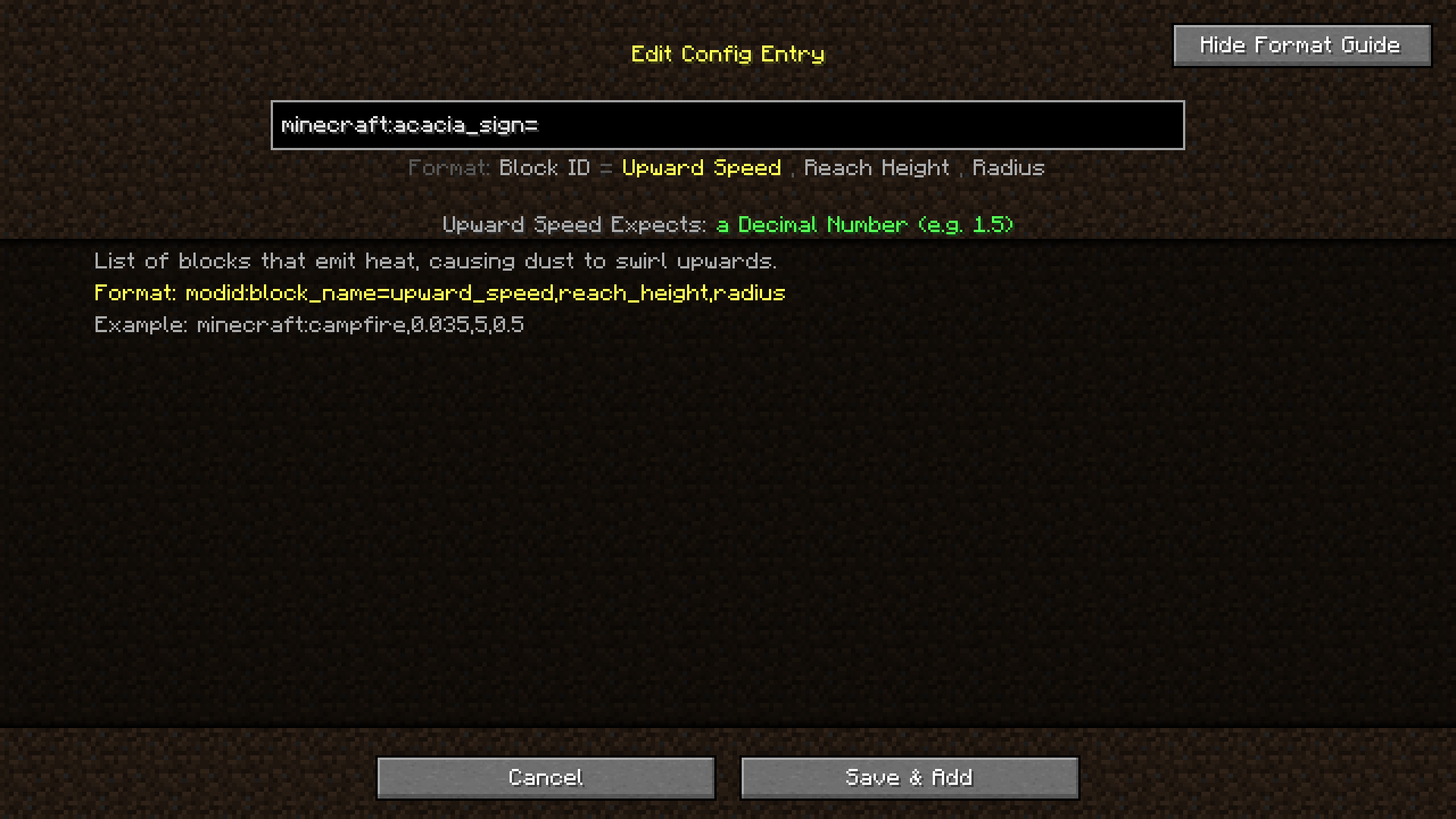 config screen format guide.png Guide that shows when you click the format guide button
 -
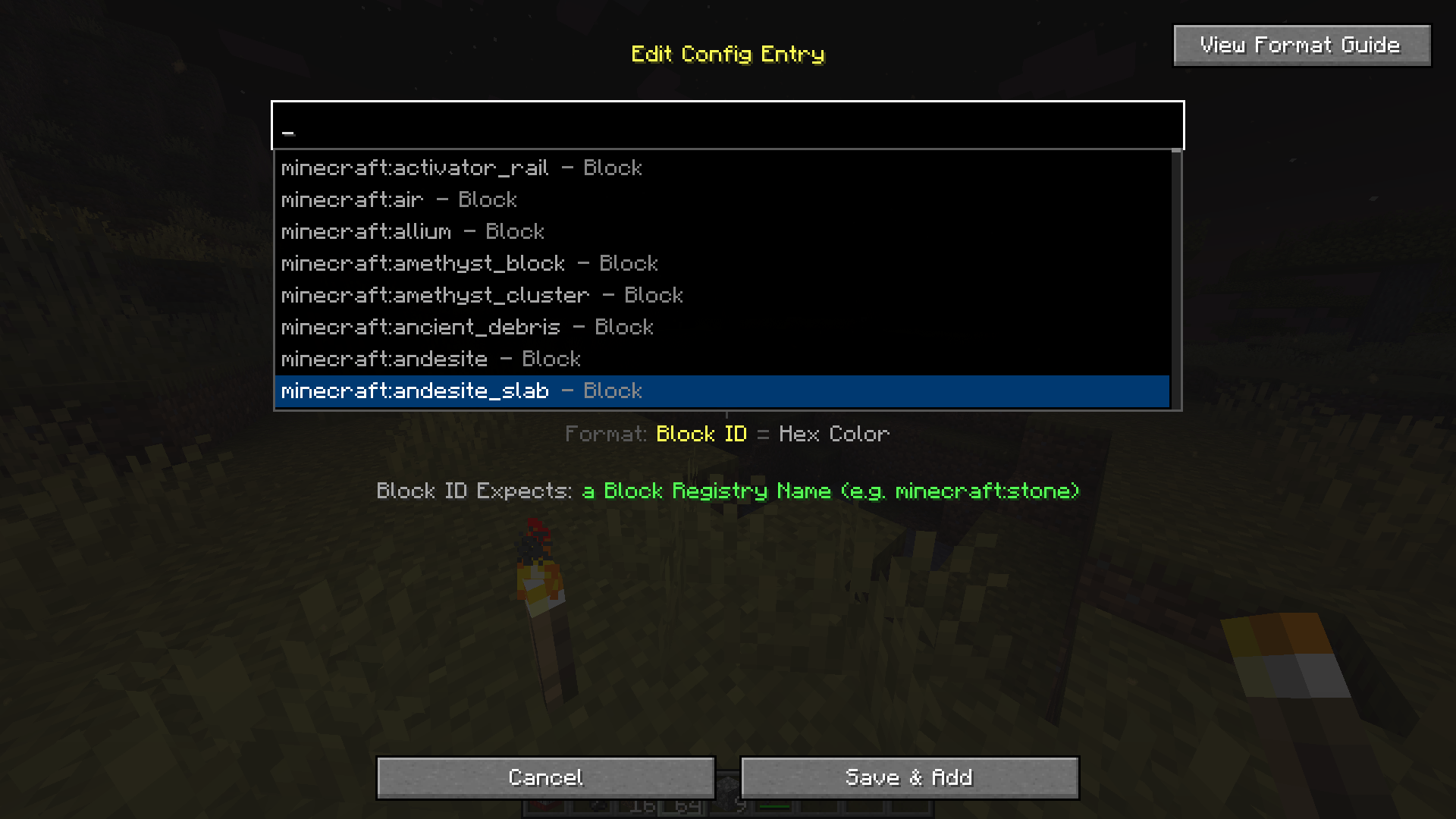 config screen suggestion box.png Modded items work too!
 -
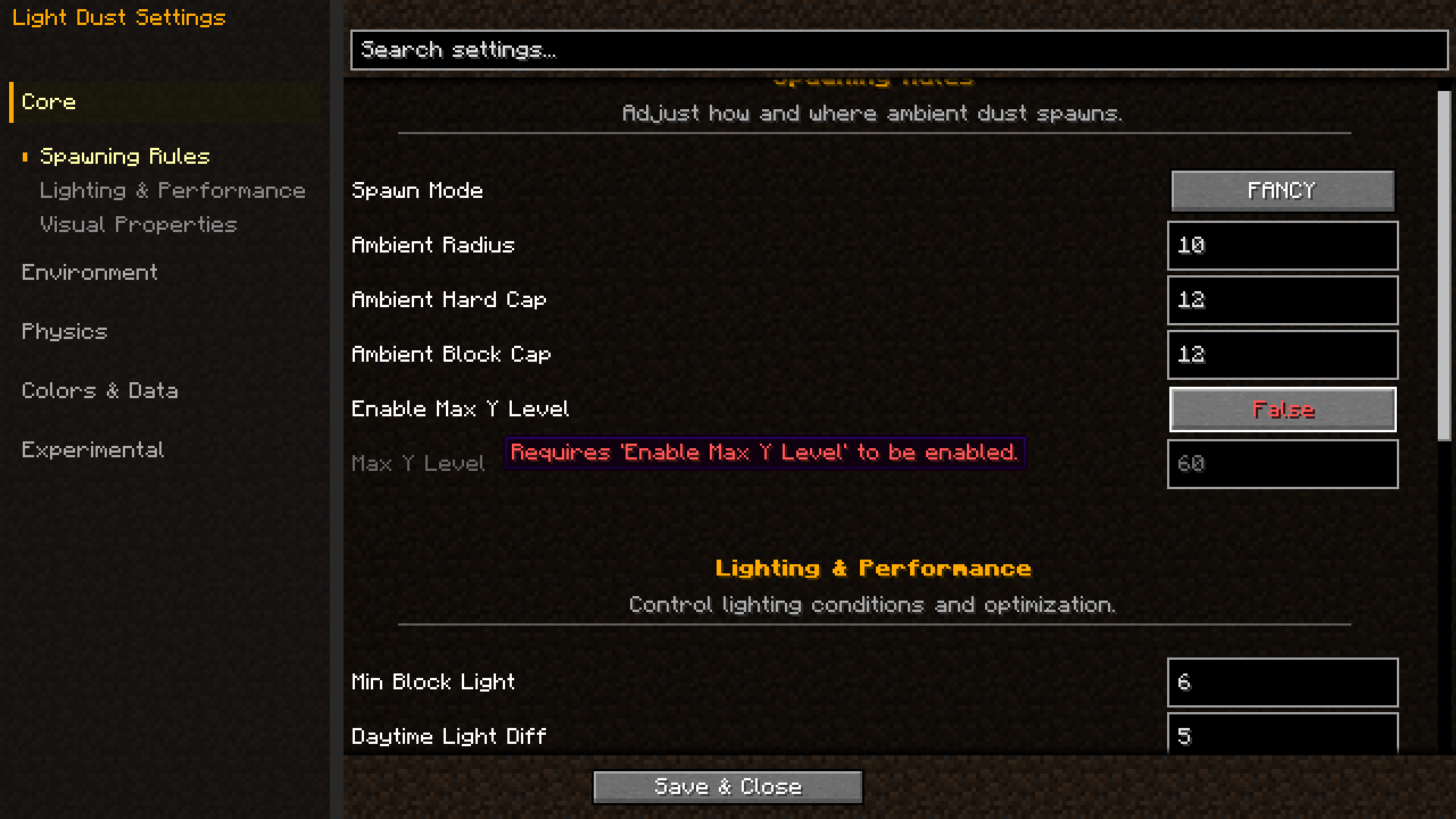 config screen 1.png What the config screen looks like
-
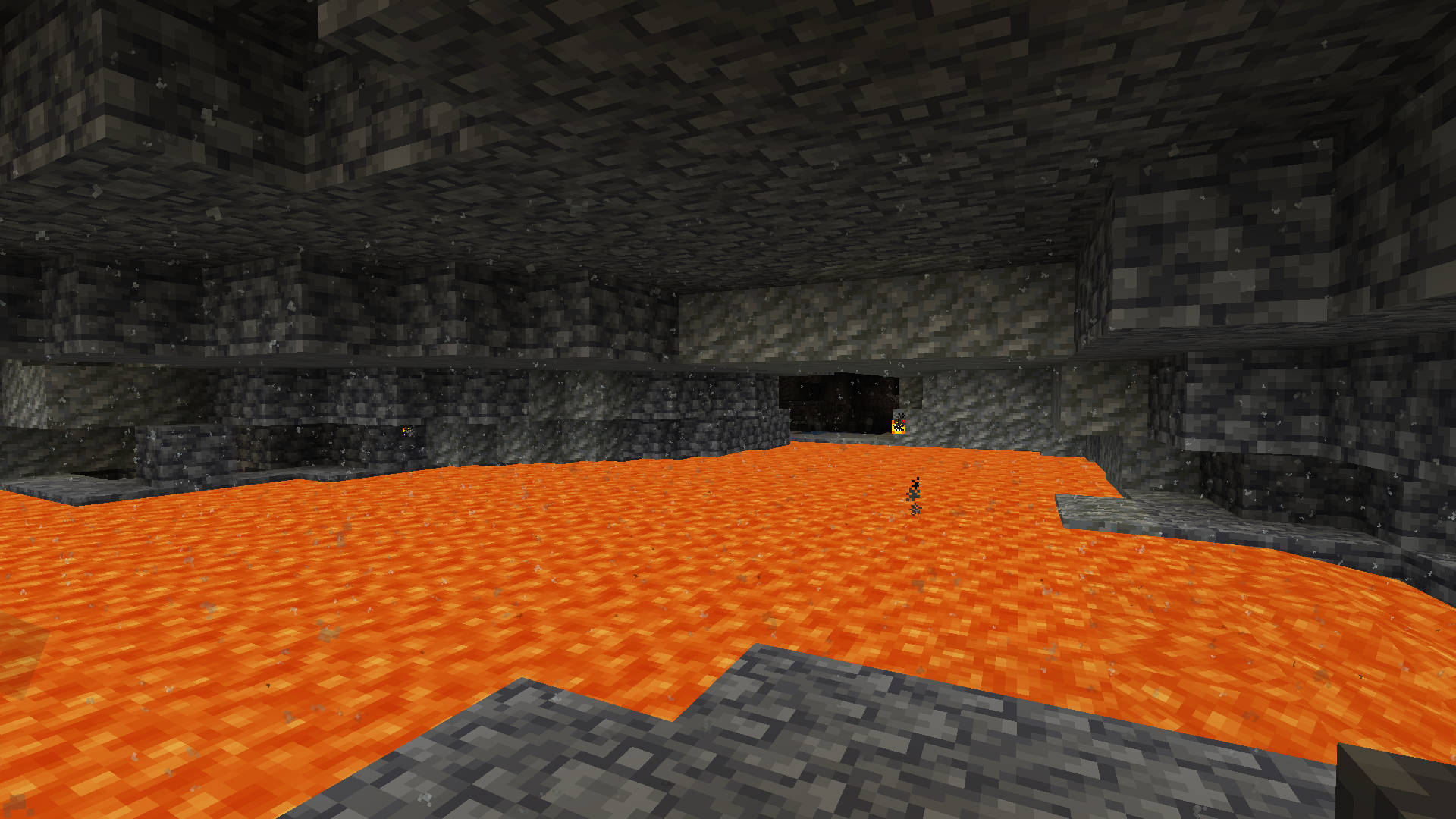 Lava Dust Dust created from light coming from the lava pool
 -
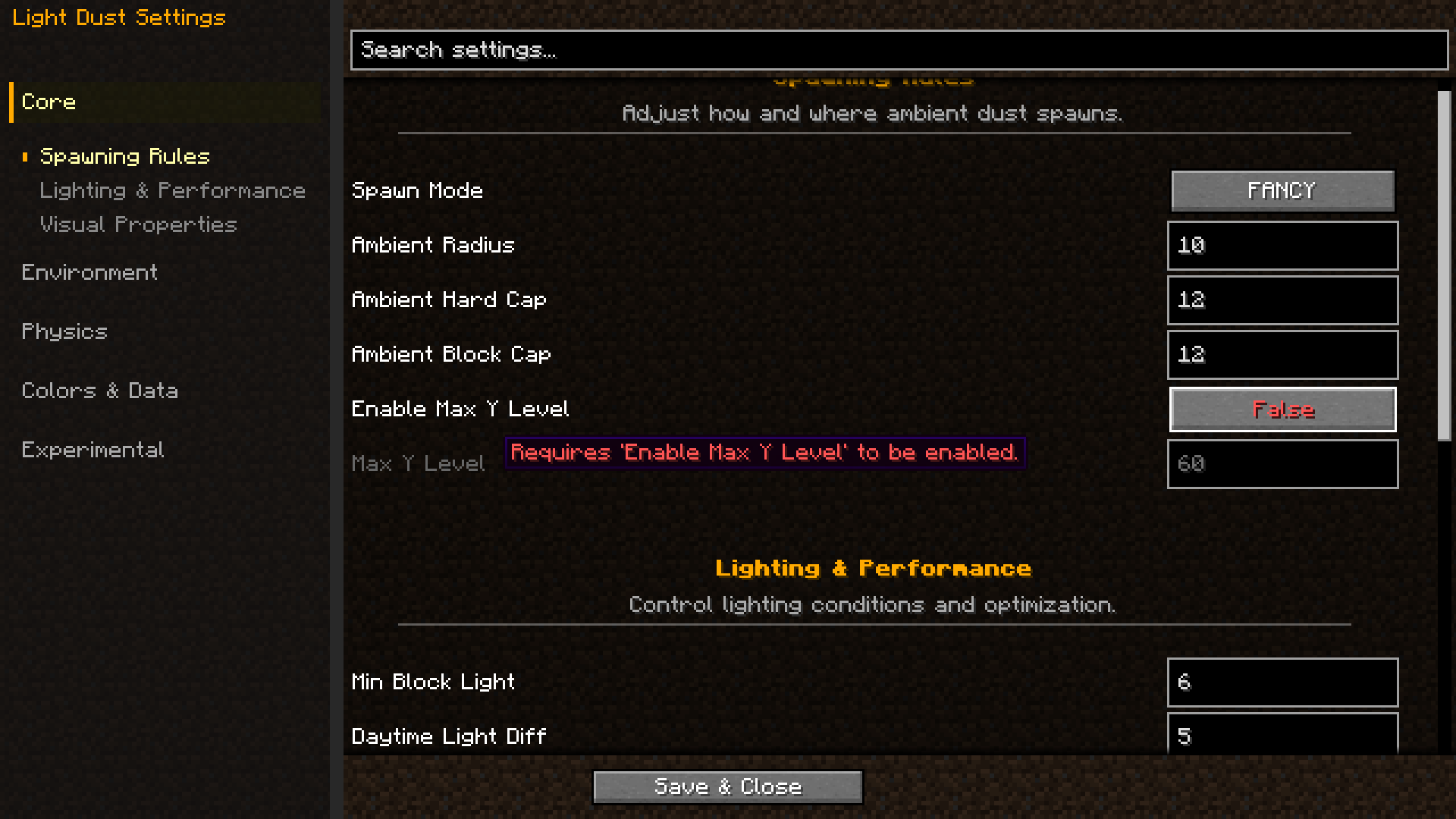 config screen What the config screen looks like
 -
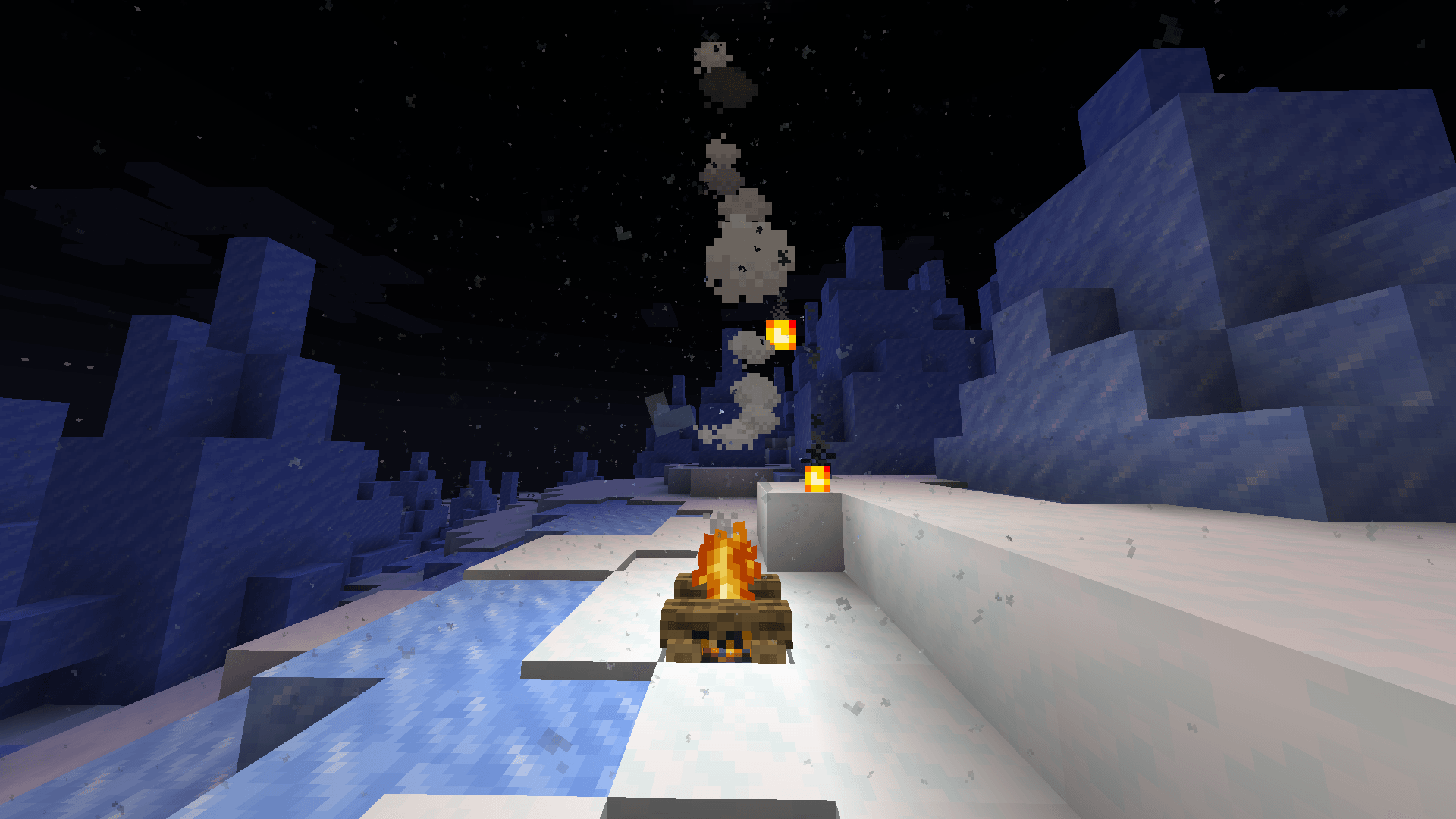 Snowy Dust Snow dust
 -
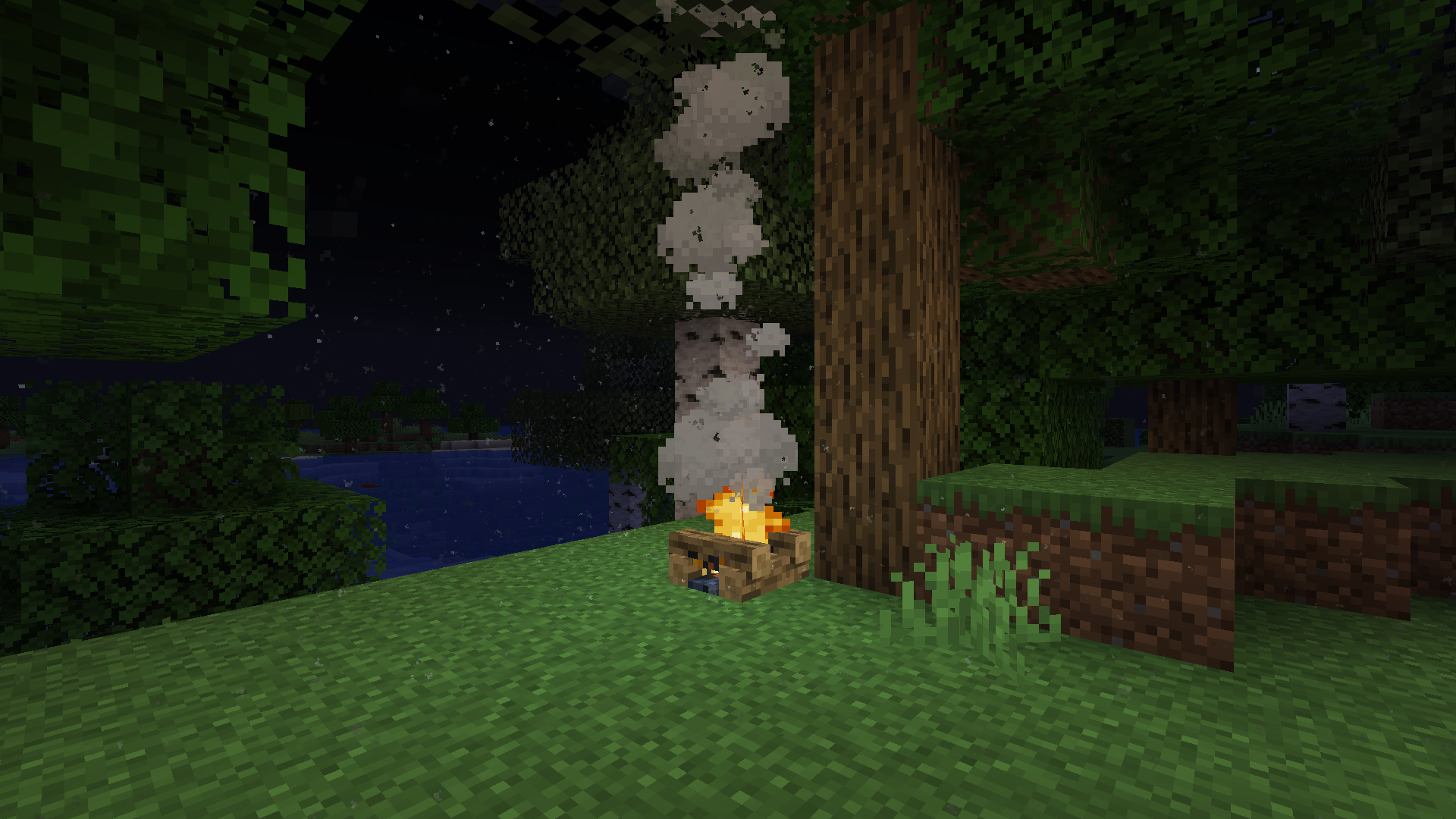 Campfire Dust Dust created from the campfire at night
 -
 Desert Dust Heavier dust that spawns in deserts
 -
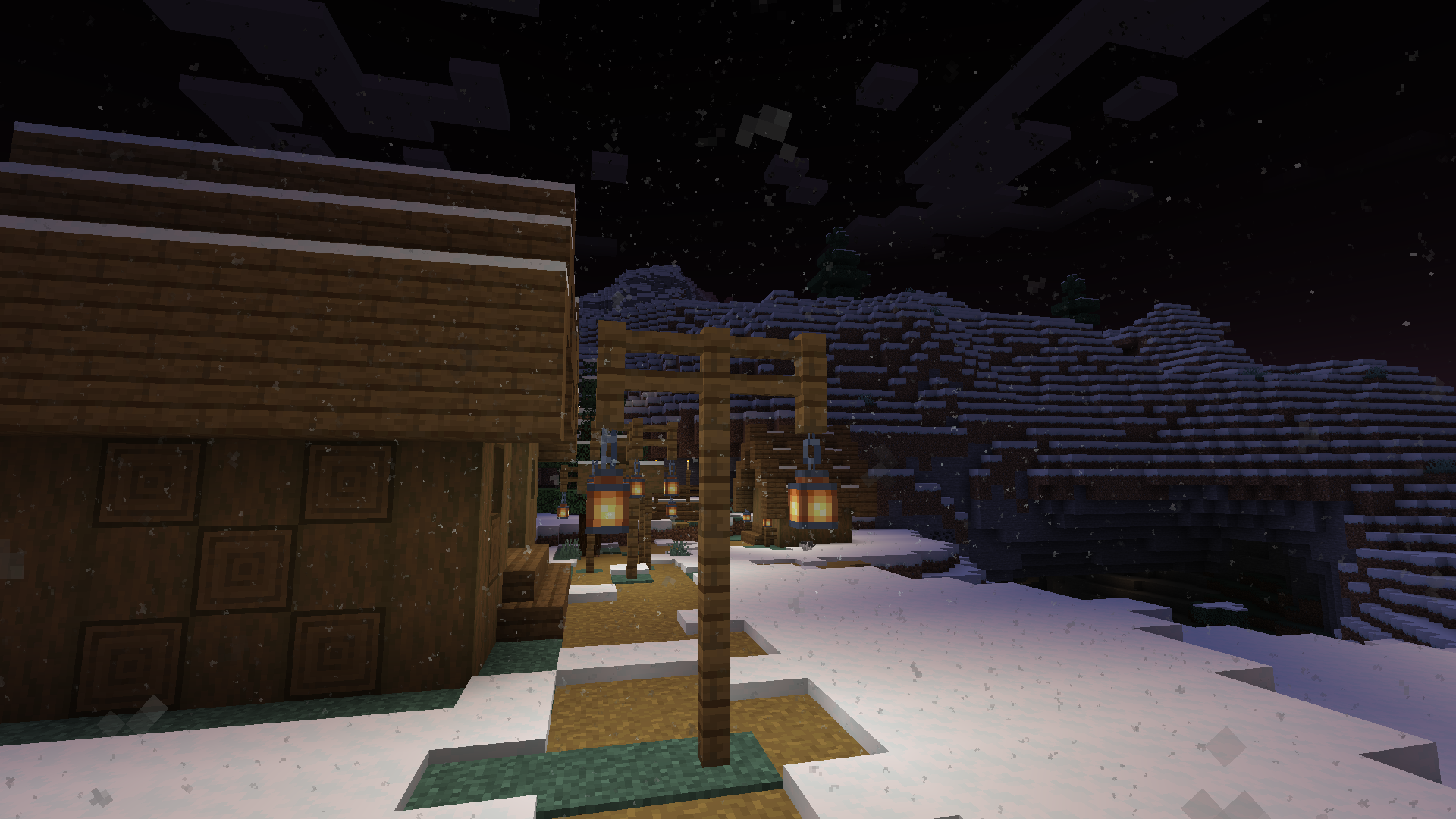 Lantern Dust Dust created from lanterns in the night
 -
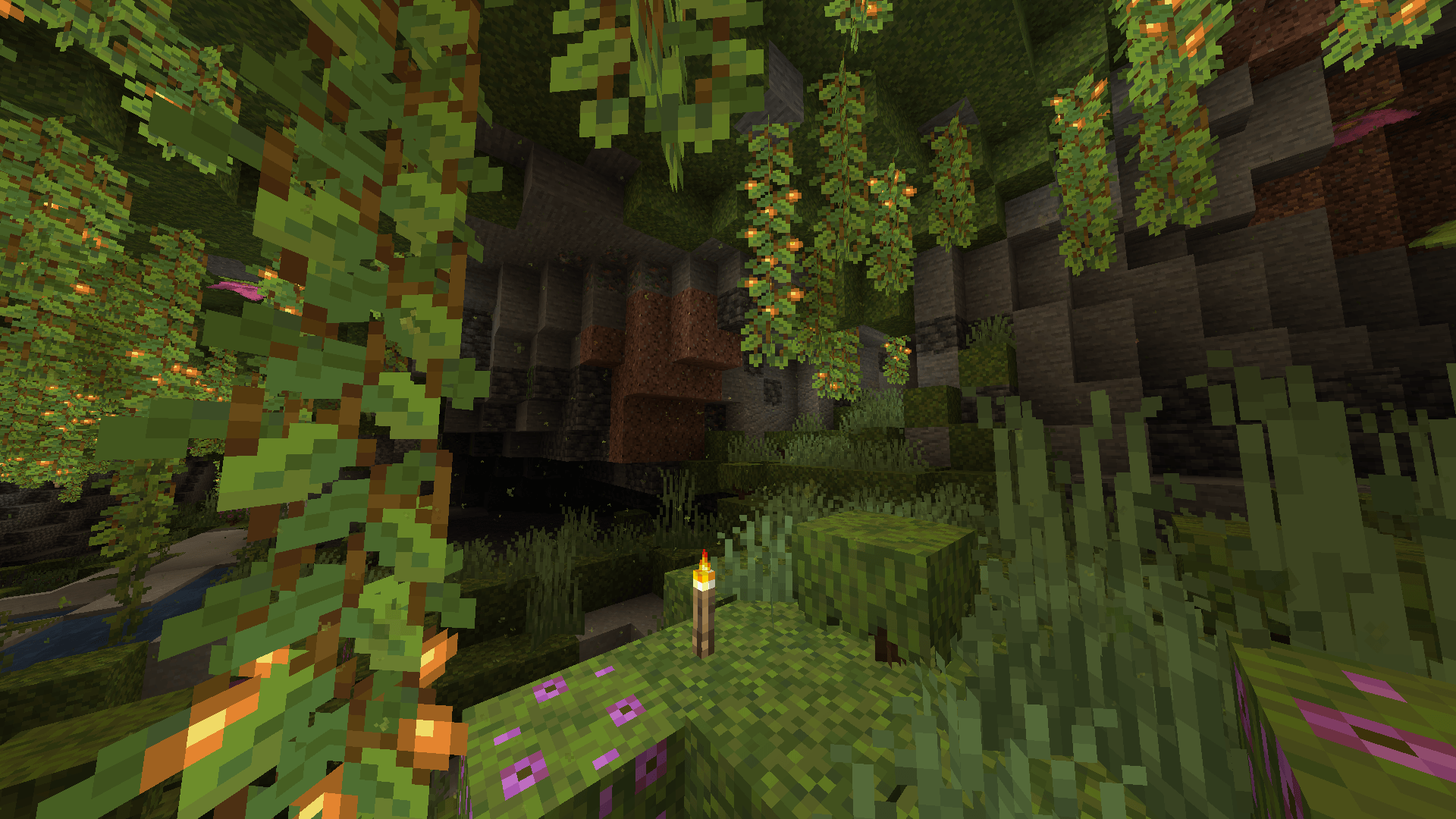 Lush caves dust Sporelike dust in lush caves
 -
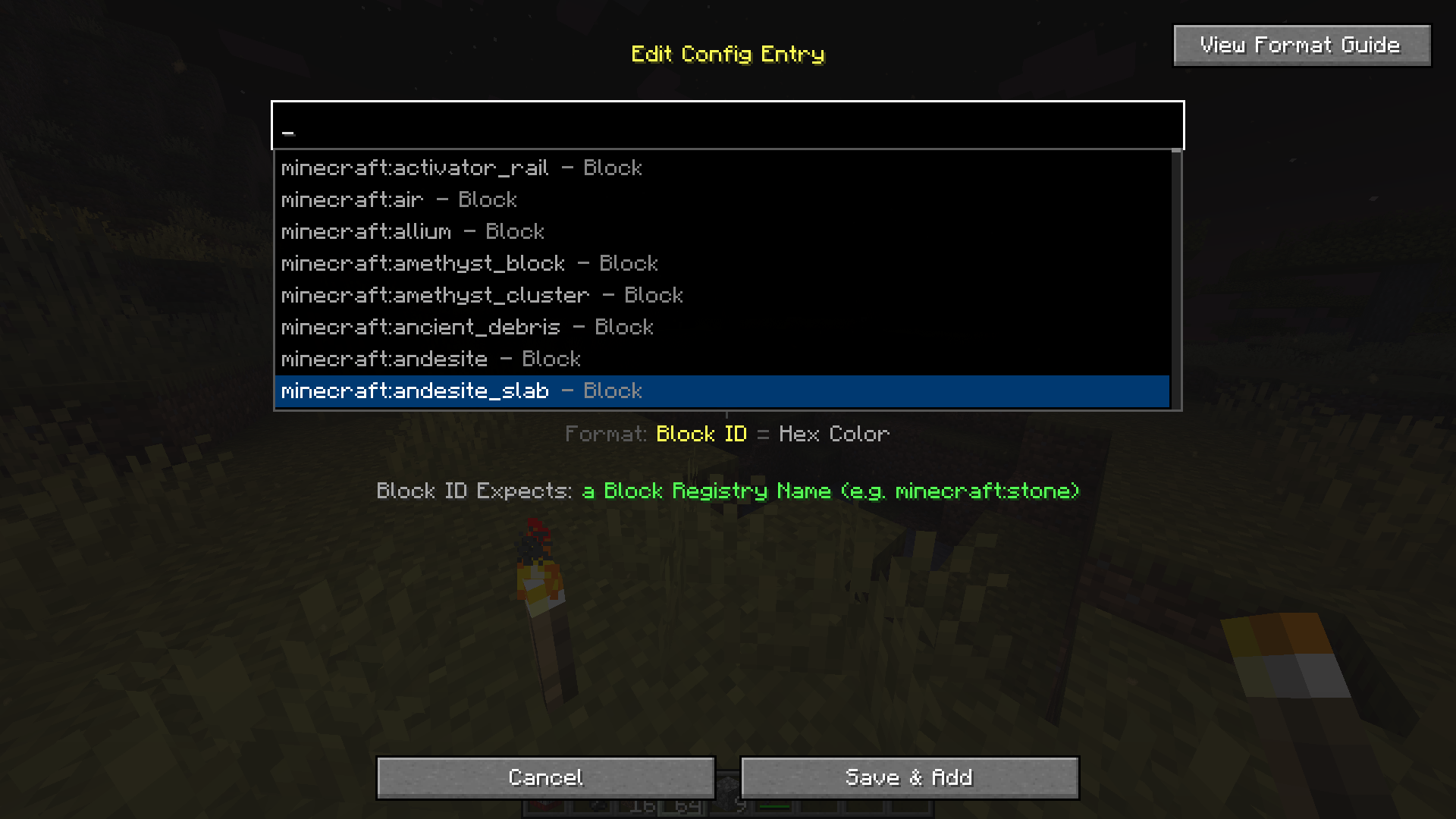 Suggestion Box in game config menu Modded items work too!
 -
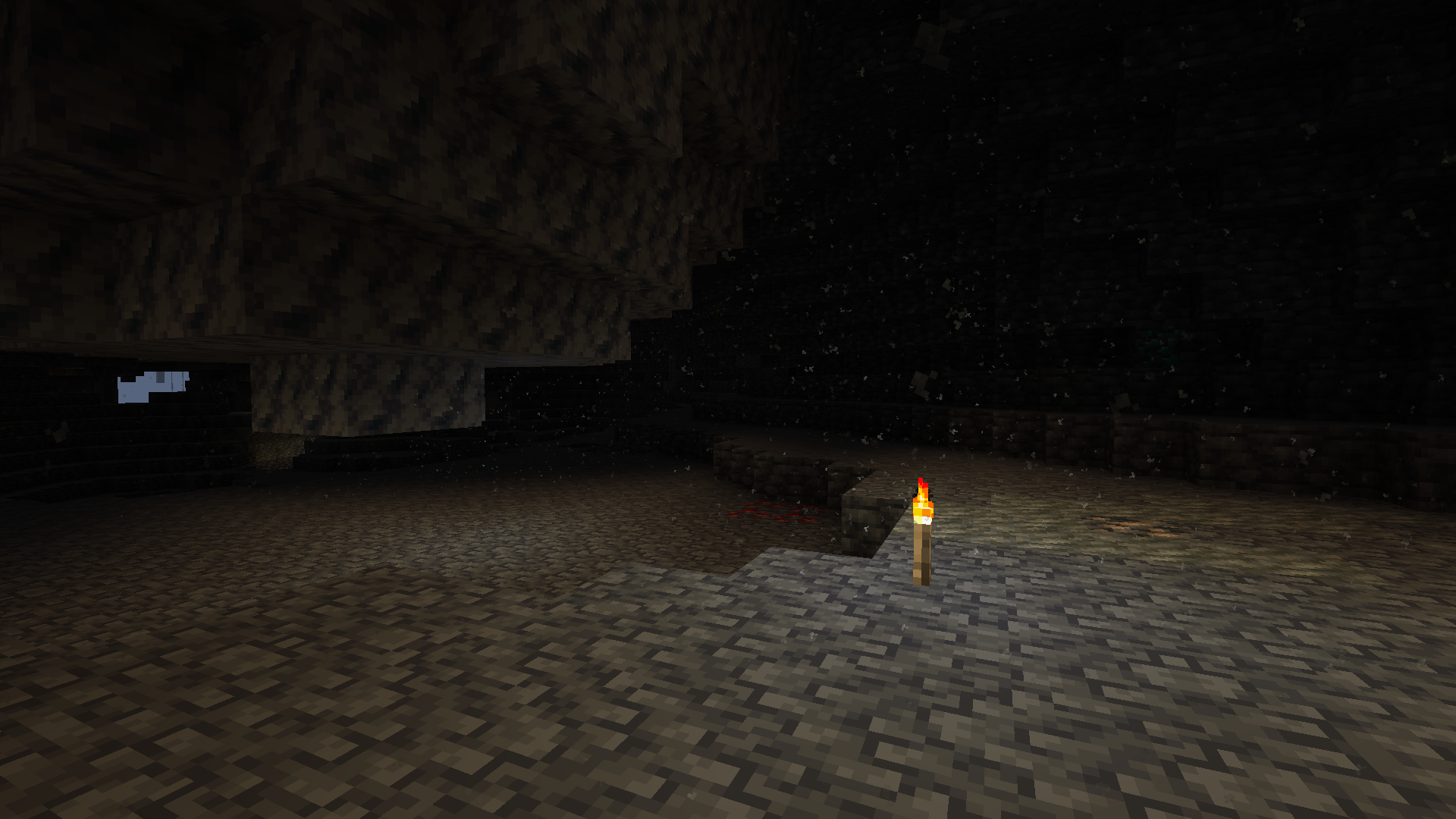 Torch Dust dust created from torches lighting up the dark cave
 -
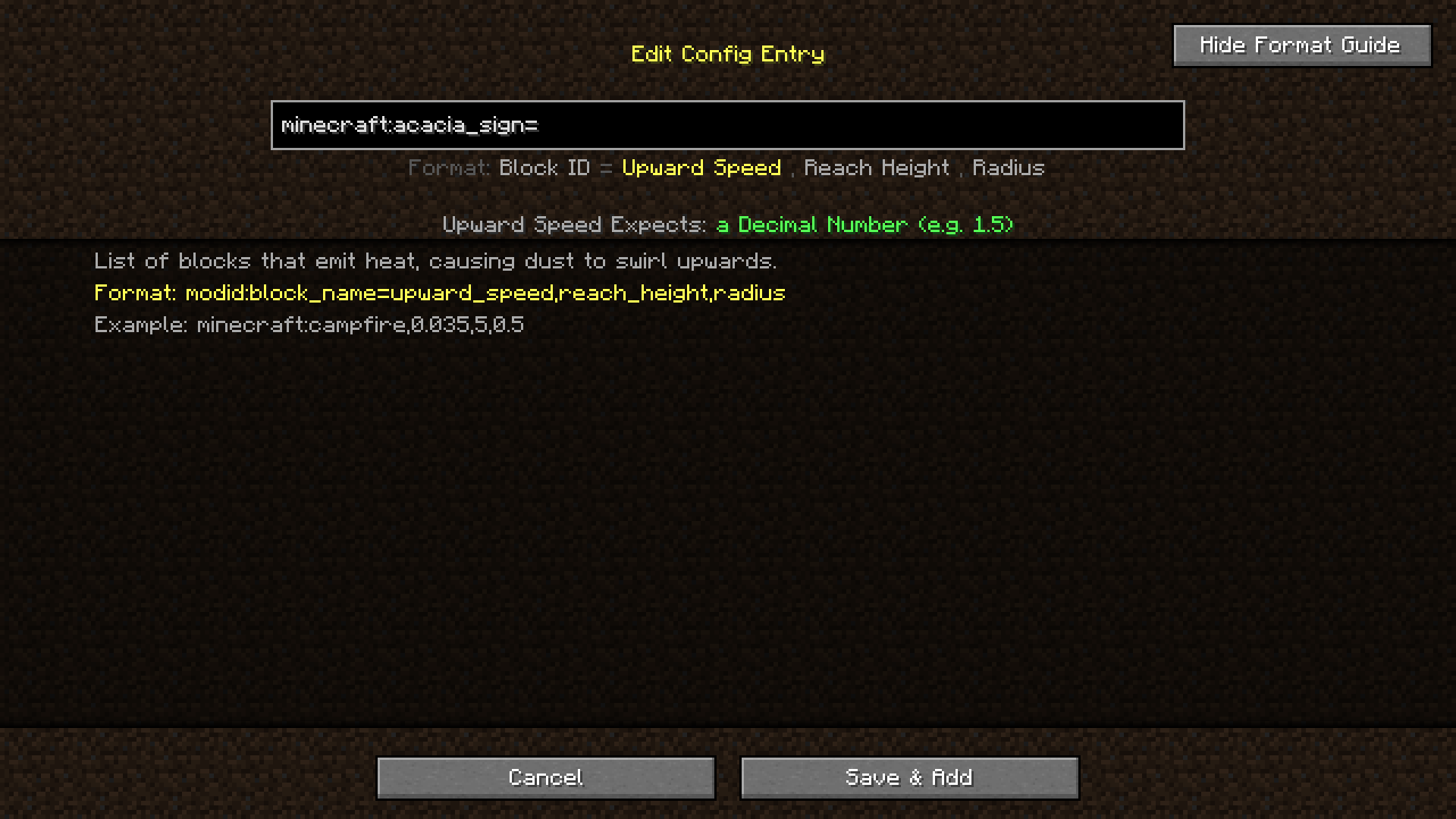 config screen format guide Guide that shows when you click the format guide button
 -
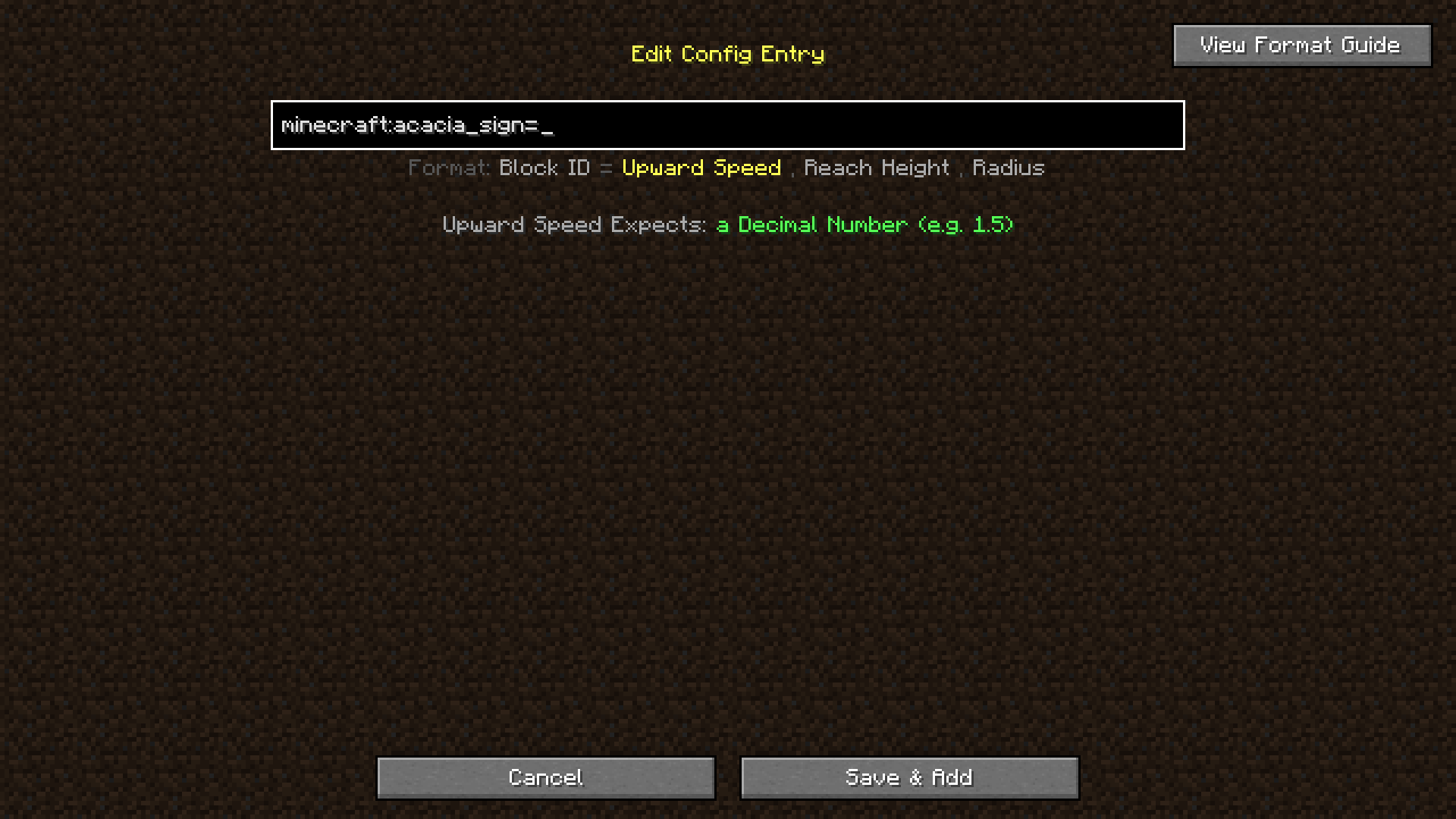 config screen list It shows you which variable you need to add, what it expects and what the delimiter (separator between variables) should be
Versions
Files
Relations
Project Relations
More like this
Similar Mods
Suggestions use data such as tags, dependencies, dependents, descriptions, titles, and more to rank how much they overlap with this mod.
On ModDex
Community snapshot
By the numbers
Statistics
 (opens in a new tab)
Get it on
Available Platforms
On ModDex
Community snapshot
By the numbers