
Community listing page, reviews here may not be monitored by the author.
Light Level Overlay


No reviews yet
Renders light level overlays directly on block surfaces. Instantly identify mob-spawn areas.
Community voices
Reviews
No reviews yet. Be the first to review this project!
Get it on
Available Platforms
Compatibility
Supported Environments
Runs entirely on the client. Works on vanilla servers.
About
Project Details
For authors
Embed Badge
If you're the author of this project, you can embed a live badge anywhere that supports HTML or Markdown. It updates automatically whenever ratings change.
Use HTML for any page that supports it, or Markdown for README files and Markdown-based descriptions.
Identifiers
Platform IDs
Resources
External Links
About
Description
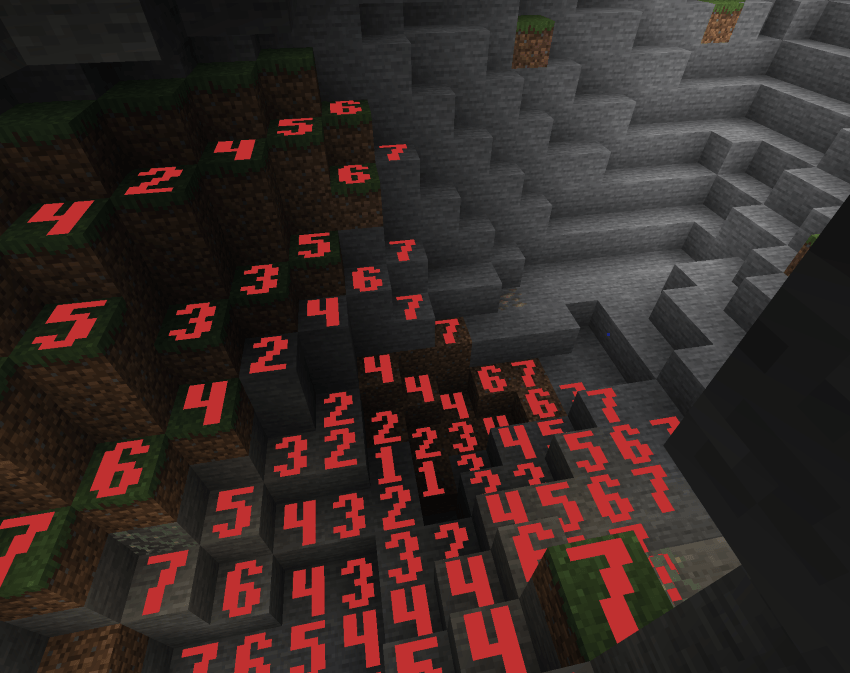
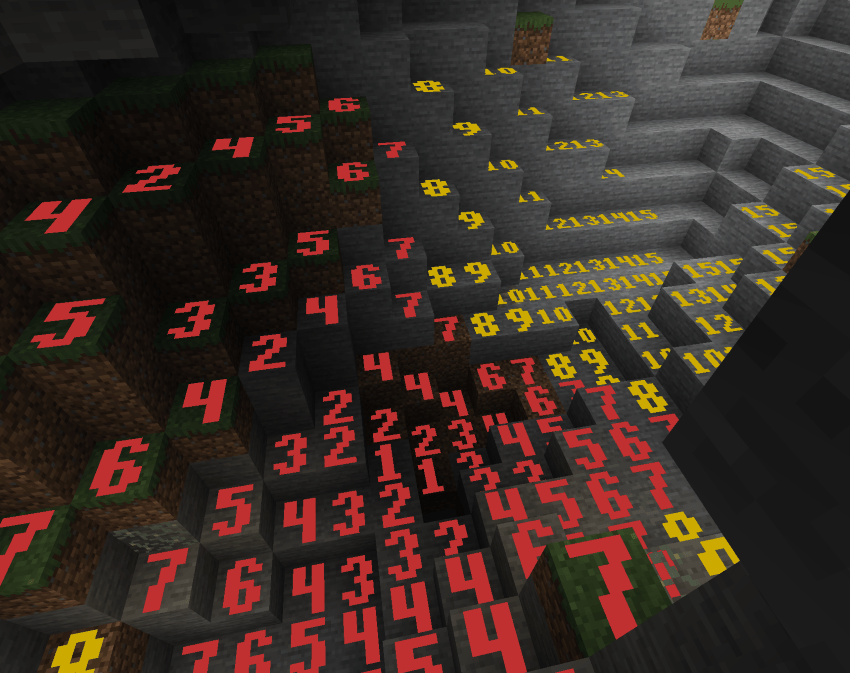
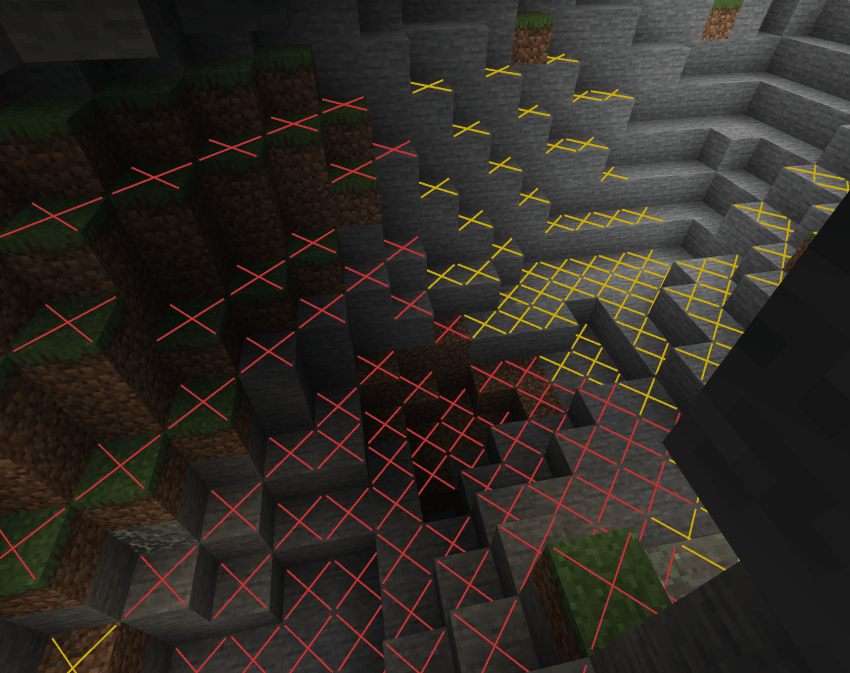
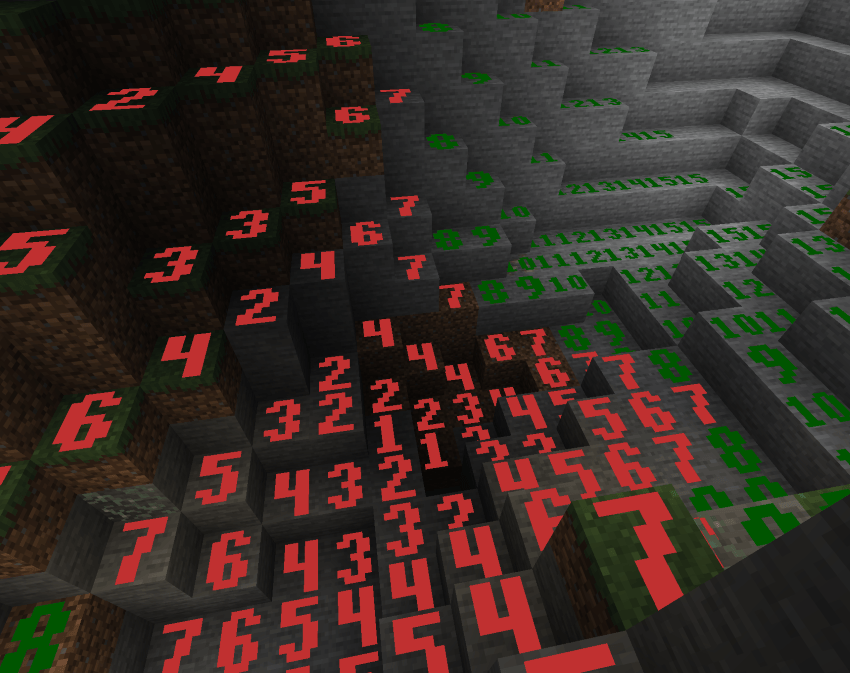
✨ Display Modes (cycle with Shift+F7) ✨
✖ Cross Mode
Red X on dangerous blocks, yellow X on blocks only safe during daytime, nothing on always-safe blocks. Clean and minimal.
🔴 Minimal Mode
Red numbers 0–7 on every block in that range. Quick danger-zone check with no extra noise.
🟢 Standard Mode
Numbers 0–15 on all blocks. Red for 0–7, green for 8–15. Full light level readout colored by value.
🟡 Advanced Mode
Numbers 0–15 on all blocks, but color is based on spawn danger: red for always-dangerous, yellow for daytime-only safe, green for always safe. Distinguishes block light vs sky light sources.
Custom Pixel-Art Numbers
Chunky, hand-crafted 5×7 bitmap digits rendered as colored quads directly on block faces. Bold, readable, and stylish — not blurry vanilla font text.
🎮 Controls 🎮
F7 — Toggle overlay on/off
Shift+F7 — Cycle through the 4 display modes
Settings screen — Accessible from NeoForge mod list for render distance and other options
❓ FAQ ❓
Does this need to be installed on the server?
No — purely client-side. Install on your client and join any server.
How is this different from other light overlay mods?
Custom pixel-art number rendering, 4 distinct modes including danger-aware coloring, time-of-day-accurate sky light, and a render distance slider up to 512 blocks.
Can I include this in my modpack?
Yes.
Where do I report bugs?
Open an issue on the GitHub repository. Please include your loader, MC version, and a latest.log.
✨ Display Modes (cycle with Shift+F7) ✨
✖ Cross Mode
Red X on dangerous blocks, yellow X on blocks only safe during daytime, nothing on always-safe blocks. Clean and minimal.
🔴 Minimal Mode
Red numbers 0–7 on every block in that range. Quick danger-zone check with no extra noise.
🟢 Standard Mode
Numbers 0–15 on all blocks. Red for 0–7, green for 8–15. Full light level readout colored by value.
🟡 Advanced Mode
Numbers 0–15 on all blocks, but color is based on spawn danger: red for always-dangerous, yellow for daytime-only safe, green for always safe. Distinguishes block light vs sky light sources.
Custom Pixel-Art Numbers
Chunky, hand-crafted 5×7 bitmap digits rendered as colored quads directly on block faces. Bold, readable, and stylish — not blurry vanilla font text.
🎮 Controls 🎮
F7 — Toggle overlay on/off
Shift+F7 — Cycle through the 4 display modes
Settings screen — Accessible from NeoForge mod list for render distance and other options
❓ FAQ ❓
Does this need to be installed on the server?
No — purely client-side. Install on your client and join any server.
How is this different from other light overlay mods?
Custom pixel-art number rendering, 4 distinct modes including danger-aware coloring, time-of-day-accurate sky light, and a render distance slider up to 512 blocks.
Can I include this in my modpack?
Yes.
Where do I report bugs?
Open an issue on the GitHub repository. Please include your loader, MC version, and a latest.log.
🤖 AI Disclosure 🤖
Code
AI tools were used to assist in writing portions of this project's source. All code is reviewed, tested, and edited by me before release.
Art & Assets
AI tools were used to assist in creating some of the images and design elements on this page. In-game textures are either vanilla Minecraft assets or made by hand.
Writing
AI tools were used to assist in writing this project description.
Everything published here is reviewed and maintained by me. Bug reports and feedback are always welcome.
Screenshots
Gallery
-
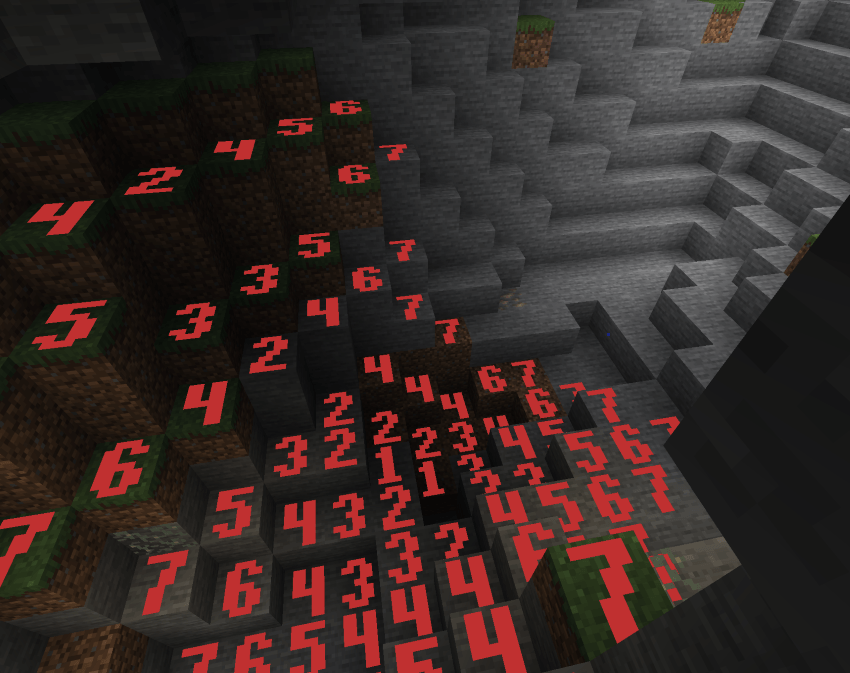 Red Numbers Red Number View
 -
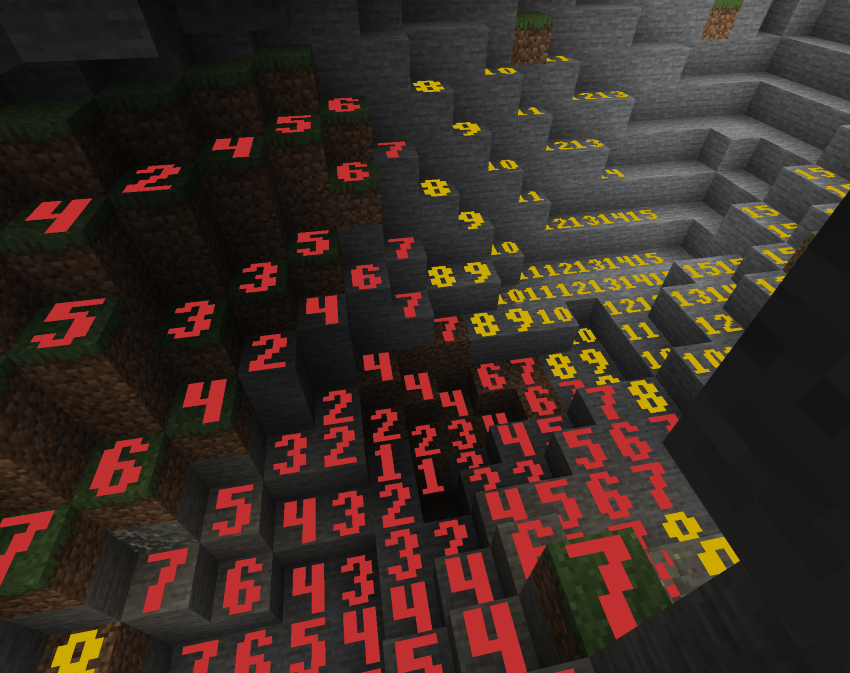 Multicolor Numbers Multicolor Number view
 -
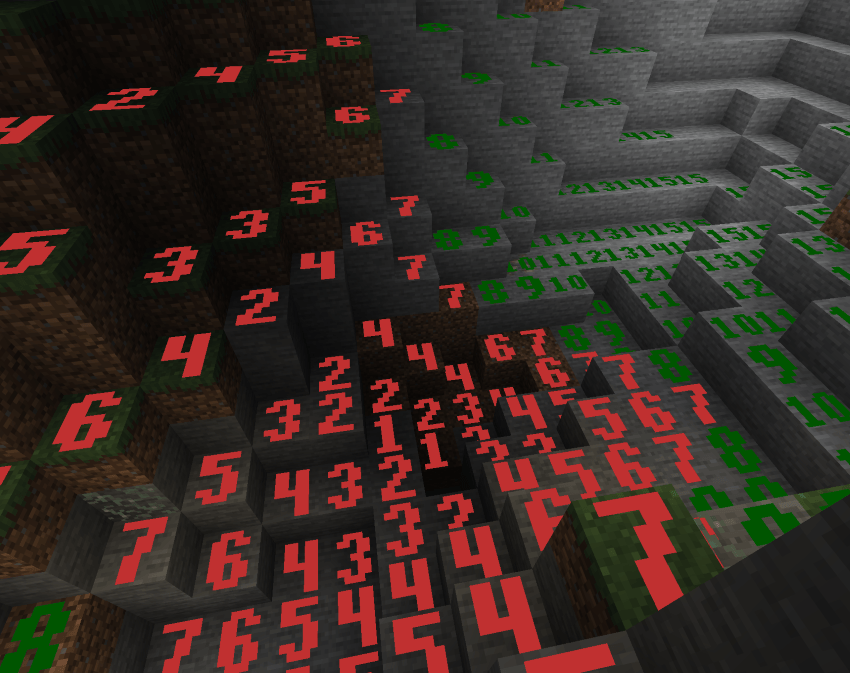 Saftery/Danger Numbers Saftery/Danger Number view
 -
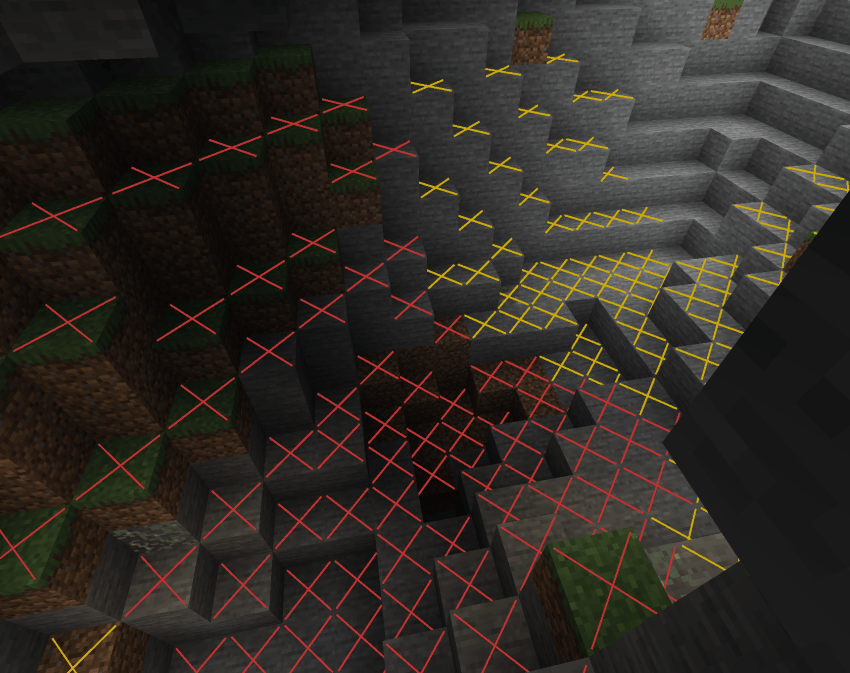 X View X View, no numbers.
Versions
Files
Relations
Project Relations
More like this
Similar Mods
Suggestions use data such as tags, dependencies, dependents, descriptions, titles, and more to rank how much they overlap with this mod.
On ModDex
Community snapshot
By the numbers
Statistics
Want to reach Minecraft players?
We're looking for a server hosting partner to feature here and other parts of the site. Interested? Send us a message!
Get in touchGet it on
Available Platforms
On ModDex
Community snapshot
By the numbers
Statistics
Resources