![Limitless options [NeoForge]](https://media.forgecdn.net/avatars/thumbnails/897/608/256/256/638342861978231266.png)
Community listing page, reviews here may not be monitored by the author.
Limitless options [NeoForge]


No reviews yet
This mod removes the Minecraft bug fix MC-51418.
Community voices
Reviews
No reviews yet. Be the first to review this project!
Get it on
Available Platforms
Compatibility
Supported Environments
Works on the client or the server alone, but does more when on both.
About
Project Details
For authors
Embed Badge
If you're the author of this project, you can embed a live badge anywhere that supports HTML or Markdown. It updates automatically whenever ratings change.
Use HTML for any page that supports it, or Markdown for README files and Markdown-based descriptions.
Identifiers
Platform IDs
About
Description
Limitless Options
This mod removes the limits of Minecraft's options. In older versions of Minecraft, you could exceed the limits of certain settings by editing the options.txt file. This was fixed in newer versions. This mod restores that functionality.
Additional Features
Slider Fixes
There are three types of slider fix modes:
- Clamp Slider: Clamps the slider to the edges of the slider bar.
- Overshoot Slider: Allows the slider to go beyond the bounds of the slider bar while keeping its functionality.
- Clamp and Overshoot Allows you to drag the slider outside of the slider bar while keeping the slider itself within the bar and increasing the value beyond its normal limit.
Render Distance Fix
This feature allows Minecraft to load more than 32 chunks of render distance. Note that this feature is still experimental and may cause issues because it changes how Minecraft loads chunks. This may cause conflicts with other mods.
32 Chunks
125 Chunks
Option Setter Screen
The Option Setter screen allows you to set Minecraft options using text fields. Currently, it supports integers, doubles, and booleans. Support for enums will be added in the future.
Limitless Options
This mod removes the limits of Minecraft's options. In older versions of Minecraft, you could exceed the limits of certain settings by editing the options.txt file. This was fixed in newer versions. This mod restores that functionality.
Additional Features
Slider Fixes
There are three types of slider fix modes:
- Clamp Slider: Clamps the slider to the edges of the slider bar.
- Overshoot Slider: Allows the slider to go beyond the bounds of the slider bar while keeping its functionality.
- Clamp and Overshoot Allows you to drag the slider outside of the slider bar while keeping the slider itself within the bar and increasing the value beyond its normal limit.
Render Distance Fix
This feature allows Minecraft to load more than 32 chunks of render distance. Note that this feature is still experimental and may cause issues because it changes how Minecraft loads chunks. This may cause conflicts with other mods.
32 Chunks
125 Chunks
Option Setter Screen
The Option Setter screen allows you to set Minecraft options using text fields. Currently, it supports integers, doubles, and booleans. Support for enums will be added in the future.
Screenshots
Gallery
-
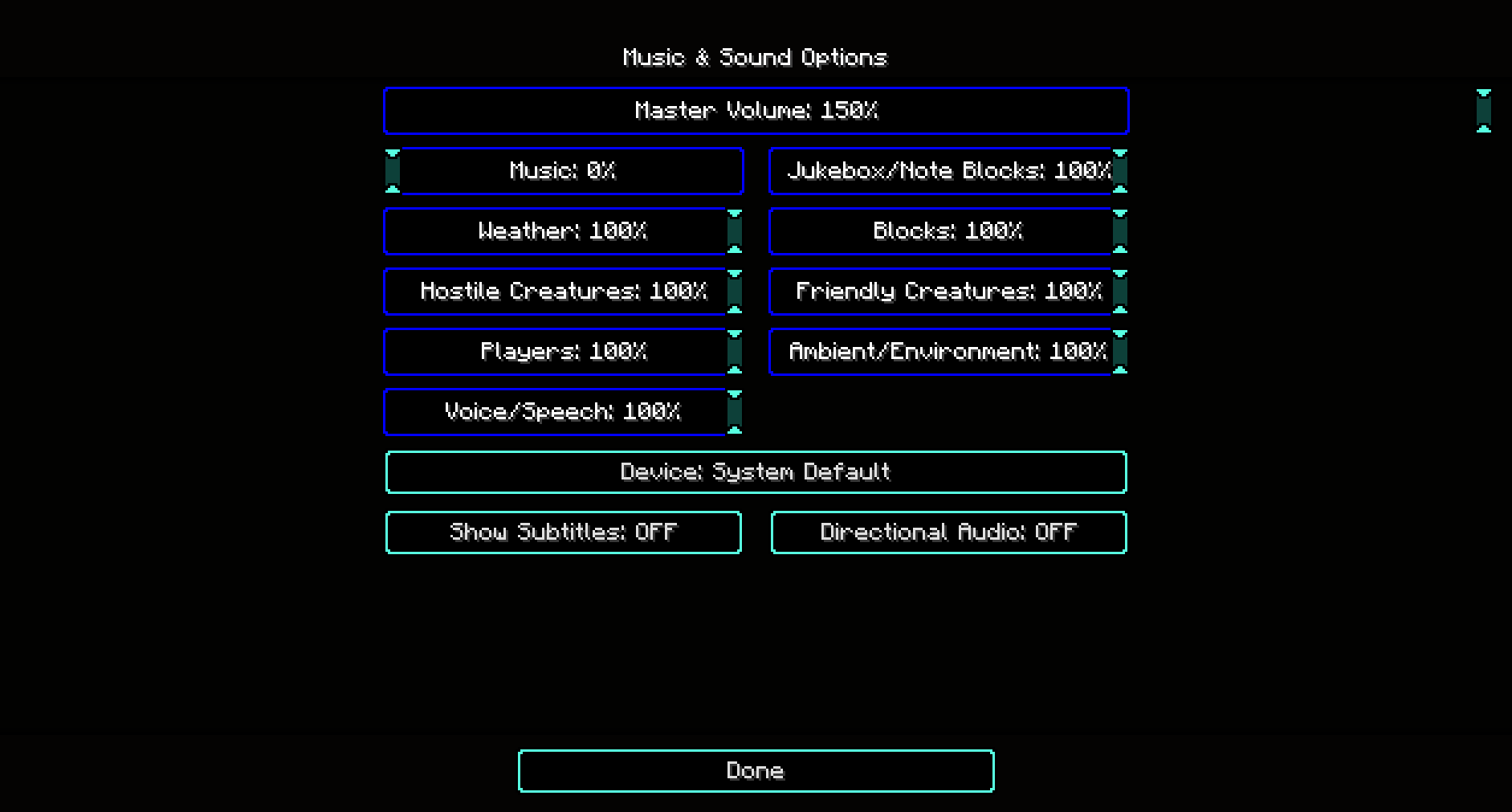 Volume option An example from the Volume option
 -
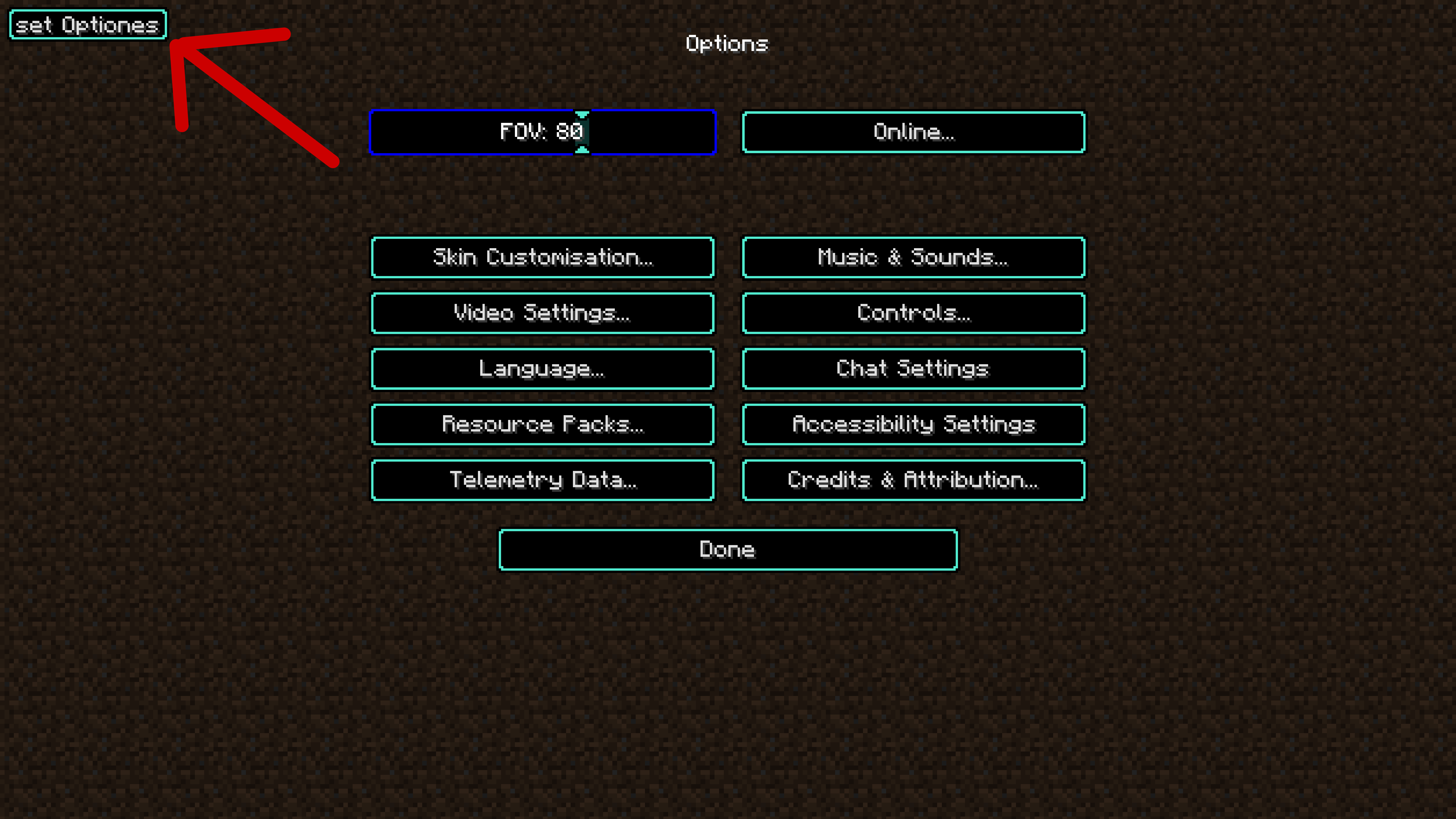 set options button "Set Options" button in the top right corner of the screen.
 -
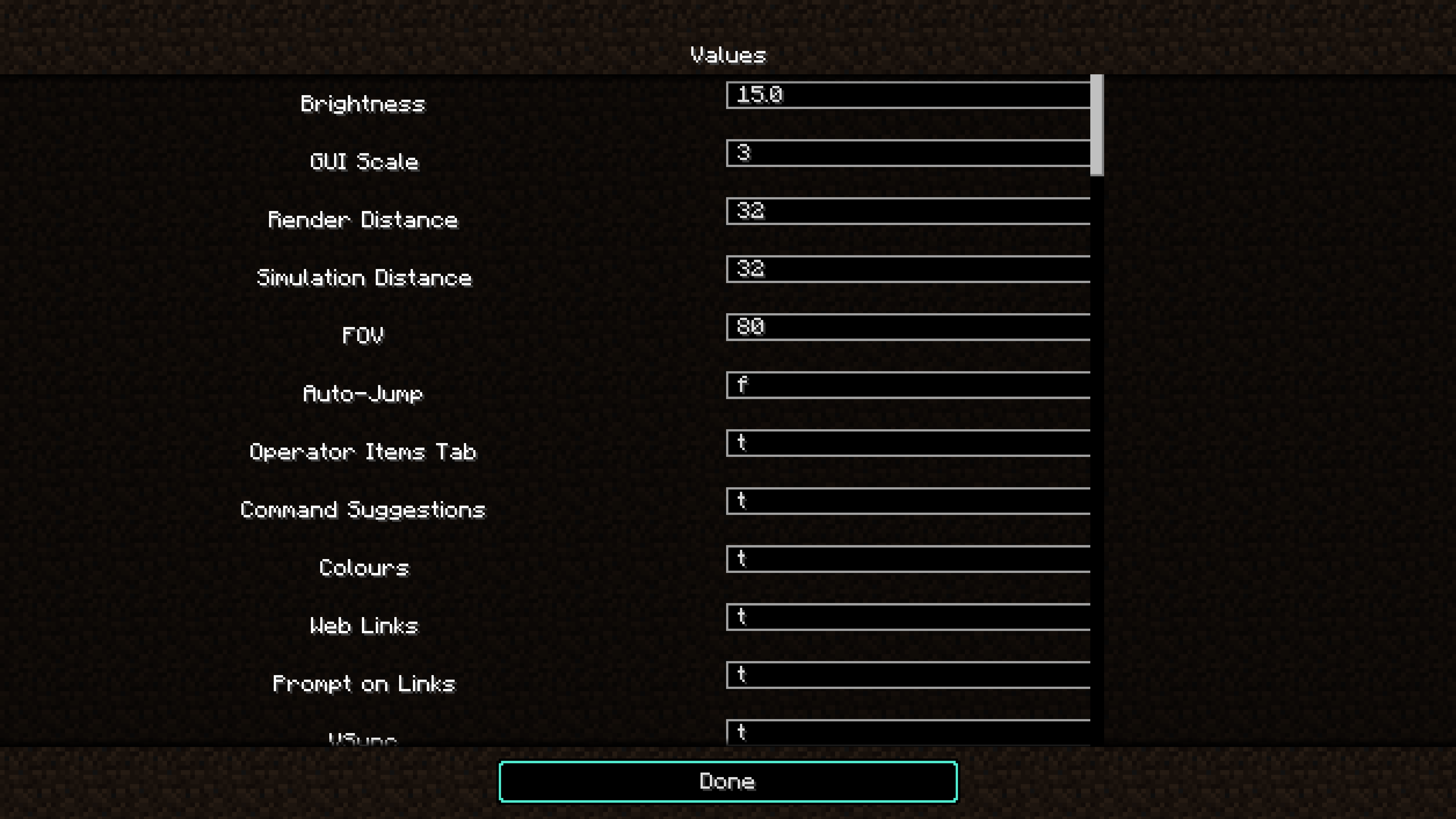 set options screan A menu to set the values for options individually.
-
 Volume option An example from the Volume option
 -
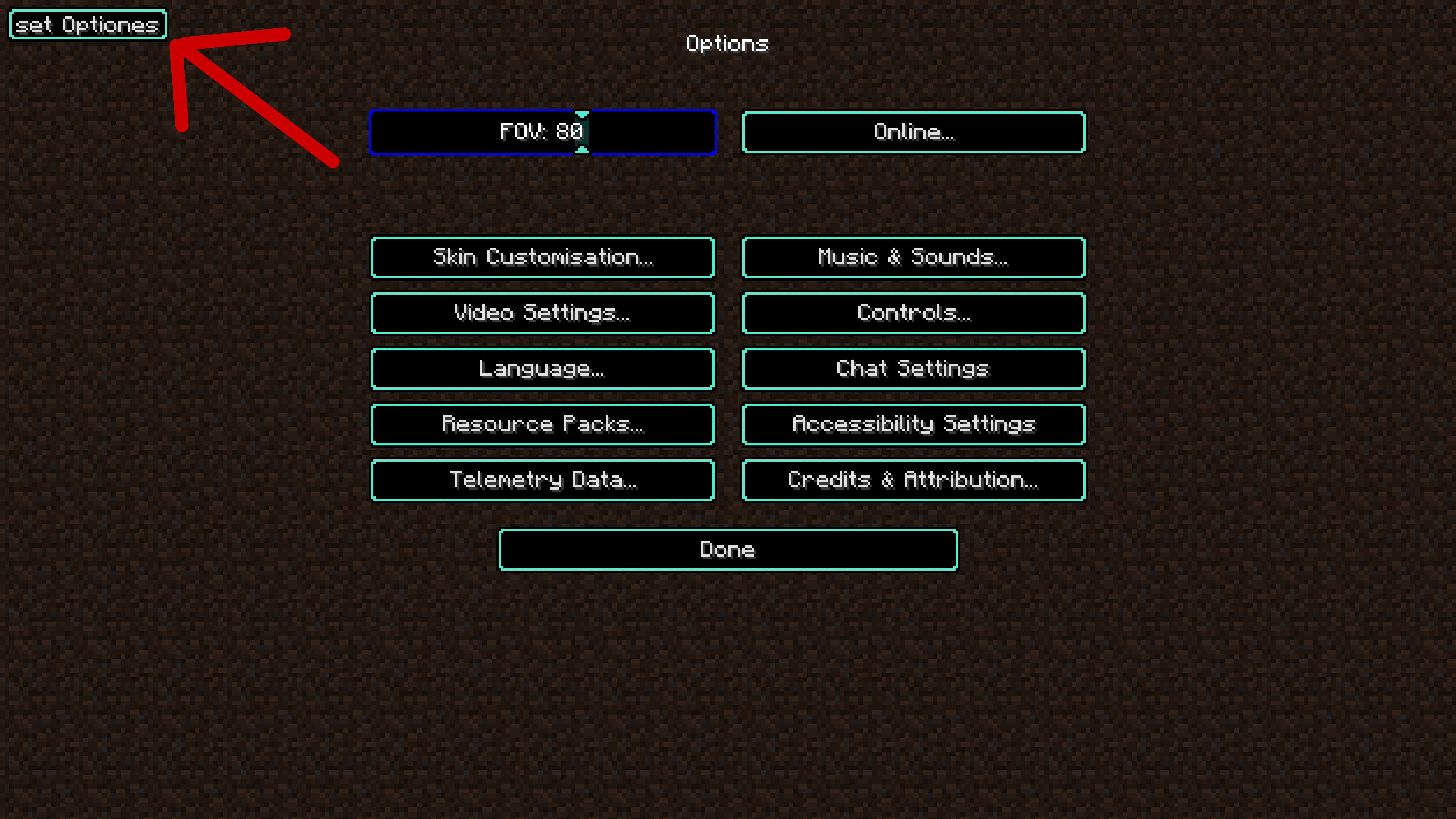 set options button "Set Options" button in the top right corner of the screen.
 -
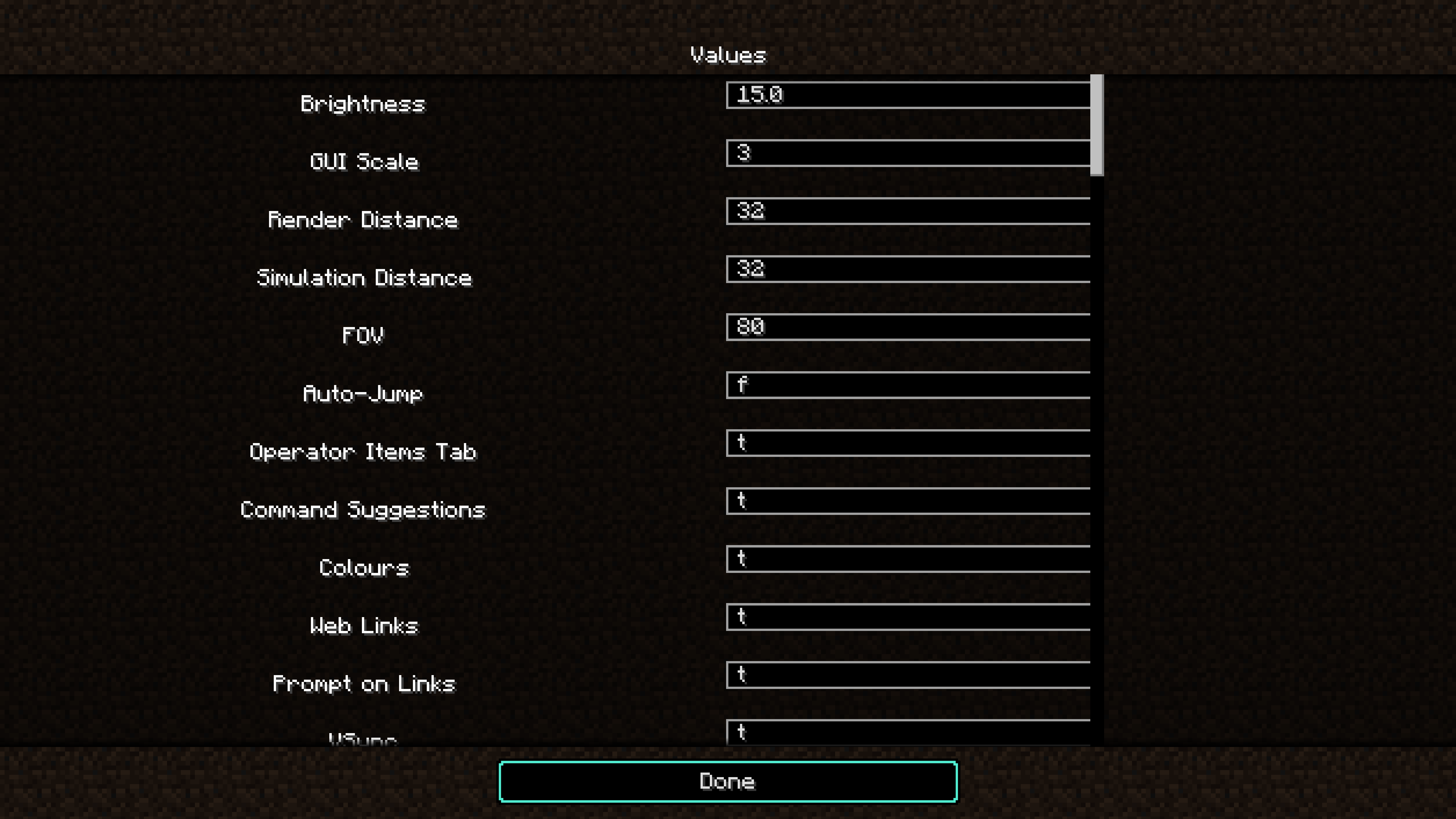 set options screan A menu to set the values for options individually.
Versions
Files
Relations
Project Relations
More like this
Similar Mods
Suggestions use data such as tags, dependencies, dependents, descriptions, titles, and more to rank how much they overlap with this mod.
On ModDex
Community snapshot
By the numbers
Statistics
Want to reach Minecraft players?
We're looking for a server hosting partner to feature here and other parts of the site. Interested? Send us a message!
Get in touchGet it on
Available Platforms
On ModDex
Community snapshot
By the numbers