
Community listing page, reviews may not be monitored by the author.
LinguaCraft Voices

No reviews yet
An optional recommended addon mod for LinguaCraft! (The main mod may not be available as Curseforge has to manually review and approve it for everyone to download)

Community voices
Reviews
No reviews yet. Be the first to review this project!
Get it on
Available Platforms
About
Project Details
For authors
Embed Badge
If you're the author of this project, you can embed a live badge anywhere that supports HTML or Markdown. It updates automatically whenever ratings change.
Use HTML for any page that supports it, or Markdown for README files and Markdown-based descriptions.
Identifiers
Platform IDs
Resources
External Links
About
Description






Hear every word you learn.
About
LinguaCraft Voices is the optional, recommended add-on for LinguaCraft. It gives every word in the mod a real spoken voice, so you learn how it sounds as well as how it's written.
This is an add-on. It does nothing on its own: you need LinguaCraft installed too.
Features
Every word, spoken Every block, item, mob and potion effect is spoken in every language LinguaCraft teaches, including Catalan, Georgian, Kazakh, Korean, Portuguese (Portugal) and Chinese (Traditional), new in 1.1.
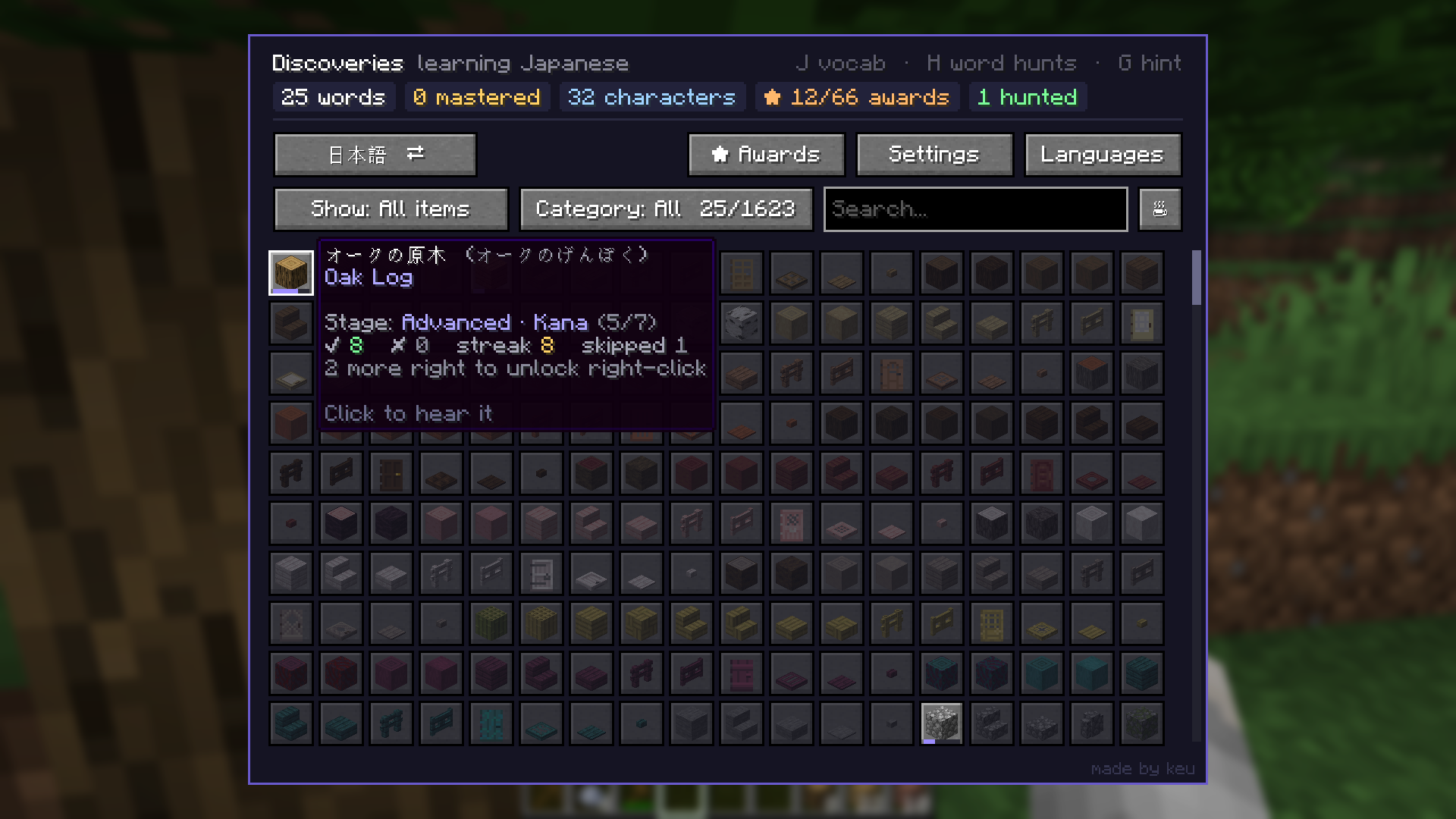
Hear it when you need it Words play when a prompt asks for them. Press Hear it (or R on the side card) to hear the word again during any prompt, or click any word in your Discoveries (J). Set how loud they are with Voice volume in Settings.
Word hunts come alive A word hunt plays the word you're looking for, louder and faster the closer you get. You can change the volume for each distance in Settings.
Counting, too Add LinguaCraft Counting and amounts are spoken as well: 三块圆石, two stacks of apples, два железных меча.
No internet needed All the audio is in the jar. Nothing is streamed or generated while you play.
Installation
With the CurseForge app: install LinguaCraft in a Fabric profile (1.20.1, 1.21.1 or 26.3), then add LinguaCraft Voices to the same profile.
By hand
- Install LinguaCraft and Fabric API first.
- Download the latest
linguacraft-voices-x.x.x.jarfrom the Files tab. - Put it in your
.minecraft/modsfolder, next tolinguacraft-x.x.x+<your version>.jar. - Launch the game. LinguaCraft finds the voices by itself, with no setup needed.
Compatibility
| Minecraft | 1.20.1, 1.21 / 1.21.1 and 26.3. One jar works on all of them. |
| LinguaCraft | 1.2.0 or newer for every language (older versions use the languages they have). |
| Servers | Client only. Nothing to install on a server. |
FAQ
Do I need it? No. LinguaCraft works fine without it: you'll still see every word, you just won't hear it. But hearing the words is a big part of learning them, which is why it's recommended.
A word sounds wrong. What do I do? Open an issue with the language and the word. Fixes go into the next release.
Permissions
The audio in this add-on is licensed under CC BY 4.0. You may change it, remix it and share it, including in your own projects, as long as you credit LinguaCraft Voices by keu and keep the voice credits from NOTICE.txt.
- Modpacks: Yes, add it to your modpack as normal.
- Videos and streams: Go for it, no need to ask.
Support the mod
LinguaCraft and its voices are free and always will be. If they've helped you learn a few words and you'd like to say thanks, you can buy me a coffee on Ko-fi. It's never expected, but always appreciated.
Credits
Made by keu
- Voices made with the open text-to-speech models Kokoro and Piper
- The add-on's
NOTICE.txtlists the voice used for each language and its licence
LinguaCraft Voices by keu. Audio licensed under CC BY 4.0. NOT AN OFFICIAL MINECRAFT PRODUCT. NOT APPROVED BY OR ASSOCIATED WITH MOJANG OR MICROSOFT.
Screenshots
Gallery
Versions
Files
Relations
Project Relations
More like this
Similar Mods
Suggestions use data such as tags, dependencies, dependents, descriptions, titles, and more to rank how much they overlap with this mod.
On ModDex
Community snapshot
By the numbers
Statistics

Get it on
Available Platforms
On ModDex
Community snapshot
By the numbers
Statistics
Resources