
Community listing page, reviews here may not be monitored by the author.
LiquidSource

No reviews yet
Mod for highlights water and lava source blocks with customizable colors and transparency
Community voices
Reviews
No reviews yet. Be the first to review this project!
Get it on
Available Platforms
Compatibility
Supported Environments
Runs entirely on the client. Works on vanilla servers.
About
Project Details
For authors
Embed Badge
If you're the author of this project, you can embed a live badge anywhere that supports HTML or Markdown. It updates automatically whenever ratings change.
Use HTML for any page that supports it, or Markdown for README files and Markdown-based descriptions.
Identifiers
Platform IDs
Resources
External Links
About
Description
LiquidSource
A Minecraft (Fabric) client mod that highlights water and lava source blocks.
Requirements
- Minecraft: 26.1 - 26.2
- Fabric Loader: 0.19.2 or newer
- Fabric API: 0.152.1+26.1.2 or newer
- Mod Menu
- Cloth Config API
Features
- Water & Lava Source Highlighting: Visualizes water and lava source blocks. Offers three rendering modes: Fill, Outline, or Fill + Outline, with configurable colors (via ARGB hex values).
- Liquid Flow Direction Arrows: Renders 3D arrows indicating the flow direction of non-source liquids. Arrow color and scale (10% to 200%) are fully customizable.
- Bucket Pickup Indicator: Shows a convenient green checkmark HUD indicator (
✔) next to your crosshair when you are holding a bucket and targeting a liquid block that can be picked up. - Quick Display Toggle Key: Easily enable or disable the mod's overlay at any time using a customizable hotkey (unassigned by default). Toggling displays a temporary notification above the hotbar.
Screenshots
Water source blocks

Lava source blocks

Configuration
Install Mod Menu, open it from the pause or title screen, find LiquidSource, and click the config button.
The color value is entered as an ARGB hex string:

- The first 2 characters are the transparency (alpha channel).
- The remaining 6 characters are the hex color value.
Screenshots
Gallery
-
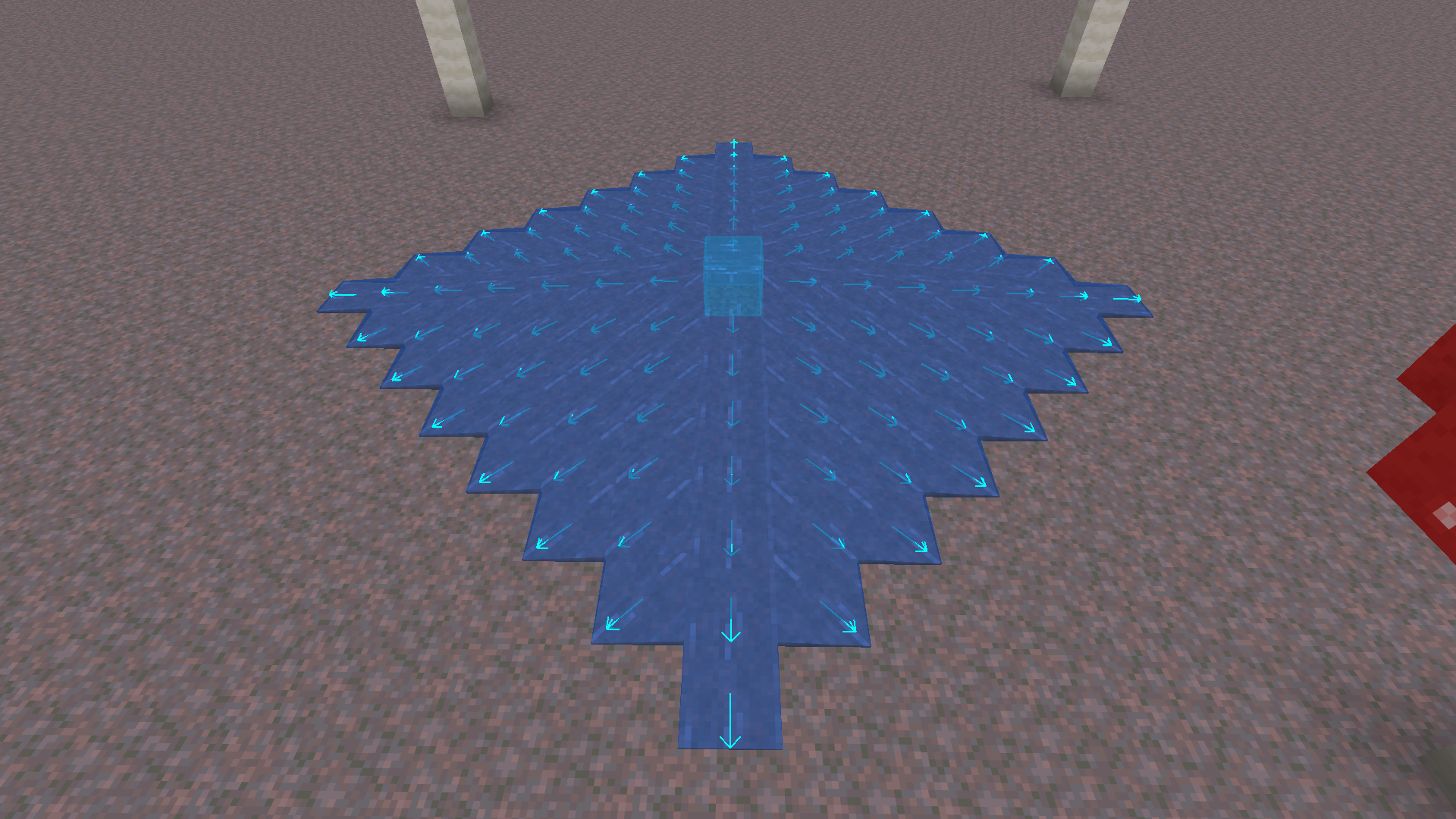 Water preview
 -
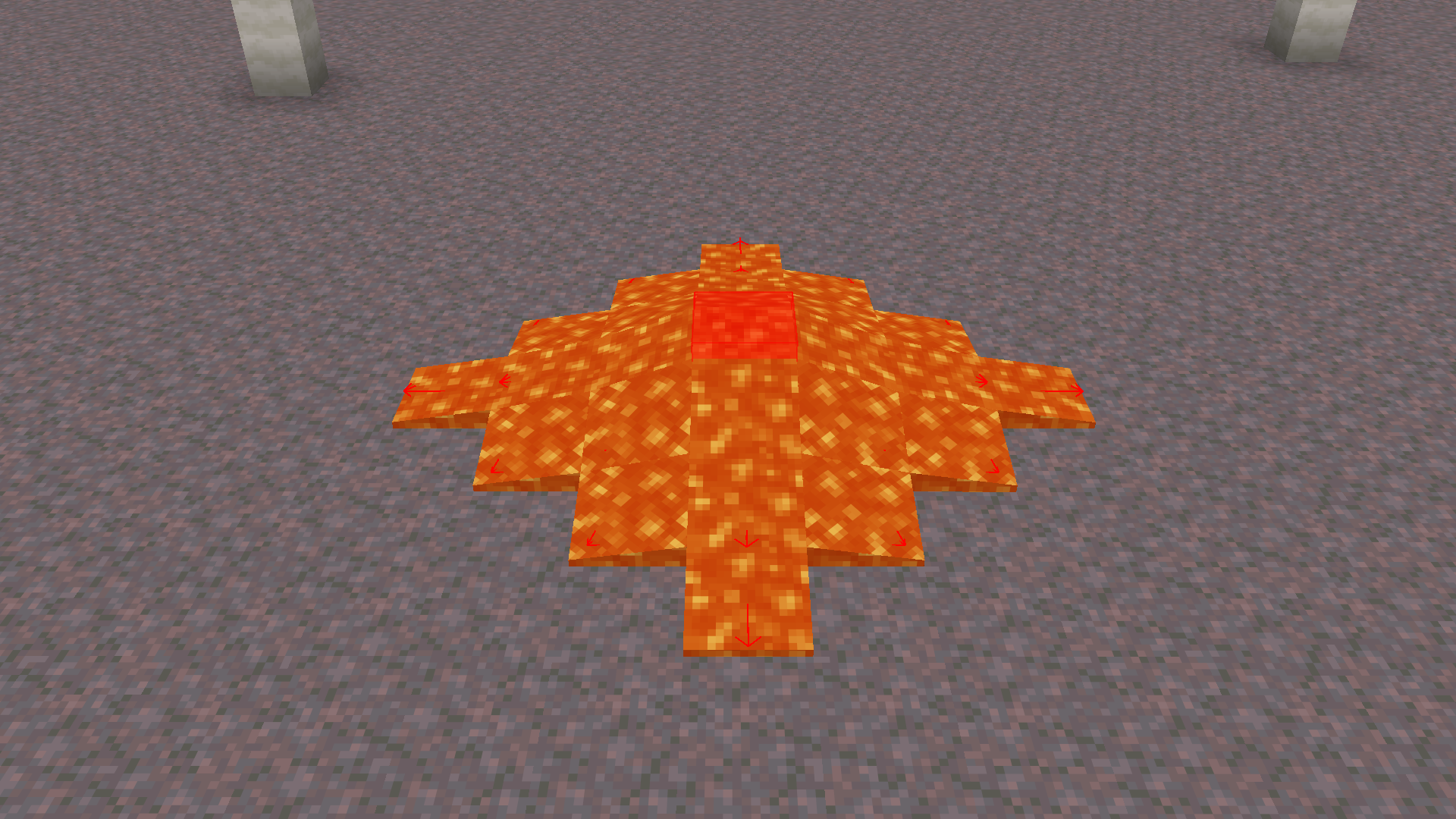 Lava preview
Versions
Files
Relations
Project Relations
More like this
Similar Mods
Suggestions use data such as tags, dependencies, dependents, descriptions, titles, and more to rank how much they overlap with this mod.
On ModDex
Community snapshot
By the numbers
Statistics

Want to reach Minecraft players?
We're looking for a server hosting partner to feature here and other parts of the site. Interested? Send us a message!
Get in touchGet it on
Available Platforms
On ModDex
Community snapshot
By the numbers
Statistics
Resources