Community listing page, reviews may not be monitored by the author.
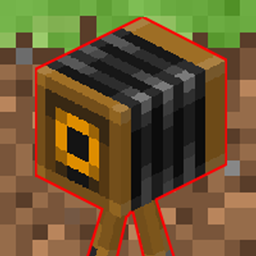
LiveCamera

No reviews yet
Control camera angles from a web panel. Create static or moving cameras, set FOV with smooth zoom in/out, and switch shots remotely. Made for live events, usable for anything.

Community voices
Reviews
No reviews yet. Be the first to review this project!
Get it on
Available Platforms
About
Project Details
For authors
Embed Badge
If you're the author of this project, you can embed a live badge anywhere that supports HTML or Markdown. It updates automatically whenever ratings change.
Use HTML for any page that supports it, or Markdown for README files and Markdown-based descriptions.
Identifiers
Platform IDs
Resources
External Links
About
Description
Livecamera
Livecamera lets you create camera angles in your world and control them remotely from a web panel built into the mod. Pick a shot, switch cameras on the fly, and let them stay still or move on their own.
I originally made this mod for a live event, to cut between camera angles in real time. But nothing about it is specific to that, so feel free to use it however you like: cinematics, trailers, server showcases, build tours, tournaments, streams, or anything else where you need controllable cameras.
Features
Camera angles: save any position and view direction as a named camera.
Static or moving cameras: add several points to a camera and it travels smoothly between them, with adjustable duration and optional looping.
FOV control per camera: set a fixed FOV, or a smooth zoom in and zoom out between two values, with optional looping.
Remote control from a web panel: no commands to remember, open the page from any device on your network (phone, tablet, another PC).
Live switching: choose which camera is on air with one click.
Monitoring: optionally embed your stream or preview in the panel to see what is on air.
Everything is saved: cameras are stored in a config file and restored after a restart.
Secured by a token: only people with the token can use the panel.
How it works
An operator account (a dedicated player) is switched to spectator mode and moved to the selected camera. The operator's screen is your program output: capture it with OBS to stream it, record it, or show it on a screen.
Installation
The mod is required on the server. On the client, it is only needed for the operator account, because the FOV control is applied on the operator's side. Other players do not need to install it.
Setup
1. Install the mod on your server, and on the operator's client.
2. Start the server. The panel address and your access token are printed in the server log, and also stored in config/livecamera.json.
3. Open http://server-ip:8765 or for local host http://localhost:8765 in a browser and enter the token.
4. Choose the operator, move to where you want a camera, enter a name and create it. Use the add point button to build a moving shot.
5. Click the on air button on a camera to switch to it.
To reach the panel from other devices, make sure port 8765 is allowed through your firewall. The port and an optional stream URL (to display your live preview in the panel) can be changed in config/livecamera.json.
Requirements
Minecraft 26.2
Fabric Loader
Fabric API
Java 25
Notes
Only one camera is on air at a time, controlled through one operator account.
FOV is limited to Minecraft's own range (30 to 110).
Keep your token private: anyone who has it can control the cameras.
Feedback
Found a bug or have an idea? Let me know in the comments.
Screenshots
Gallery
Versions
Files
Relations
Project Relations
More like this
Similar Mods
Suggestions use data such as tags, dependencies, dependents, descriptions, titles, and more to rank how much they overlap with this mod.
On ModDex
Community snapshot
By the numbers
Statistics

Get it on
Available Platforms
On ModDex
Community snapshot
By the numbers
Statistics
Resources