Community listing page, reviews may not be monitored by the author.
Loadout TC

No reviews yet
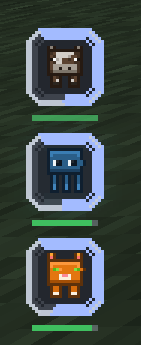
A clean, fully styleable equipment HUD for Fabric. Shows Vanilla, Accessories, Trinkets and Curios slots in one place — with durability, cooldown and ability layers, multiple draggable panels, and an in-game editor. Client-side only.

Community voices
Reviews
No reviews yet. Be the first to review this project!
Get it on
Available Platforms
About
Project Details
For authors
Embed Badge
If you're the author of this project, you can embed a live badge anywhere that supports HTML or Markdown. It updates automatically whenever ratings change.
Use HTML for any page that supports it, or Markdown for README files and Markdown-based descriptions.
Identifiers
Platform IDs
Resources
External Links
About
Description
Adds one fully styleable equipment HUD. It reads Vanilla, Accessories, Trinkets and Curios slots, groups them into panels you can place anywhere on screen, and lets you restyle every part of it from an in-game editor.
Client-side only — nothing to install on the server, works on any vanilla server.
Features
- Panels — several independent HUDs on screen at once, each with its own slots and look. Split a panel, merge two, or let unclaimed slots fall into the default one.
- Slot menu — one tab per installed source, per-slot ticks, five sort orders, manual ordering, and a "move checked to panel" action.
- Style — four independent axes: panel (6 styles), slot (10 shapes), text (5), and layout (vertical, horizontal, grid, circle).
- Size — 0.5x to 3.0x, or
Autoto match the vanilla hotbar. The HUD scales itself down instead of running off screen. - Feedback layers — durability, vanilla cooldown and ability timers, each with its own style, colour, thickness, opacity, pulse and text mode.
- In-game editor — live preview, everything saved to
config/loadouttc.json. - English and Vietnamese translations.
Installation
- Install Fabric Loader and Fabric API for Minecraft 1.21.1 (Java 21).
- Optionally install Accessories, Trinkets or Curios for extra slots.
- Drop the jar into your
.minecraft/modsfolder. - Launch the game and open the editor.
Controls
The default key is H.
- Drag the panel — move it
- Scroll — size
- Shift + scroll — opacity
- Ctrl + scroll — icon size
- Right-click a slot — select it for per-slot effects
FAQ
Does the server need this mod? No. It is client-side only and works on any vanilla or modded server.
Can I put it in a modpack? Yes, no permission needed.
Does it work with Curios on Fabric? Curios 9.5.1 for 1.21.1 is NeoForge-only. Loadout TC contacts it reflectively and only activates when the API is visible, for example through Sinytra Connector. Pure Fabric uses Accessories and Trinkets.
Where do I report a bug? GitHub issues or Discord.
For mod authors
Other mods can register slot sources, custom effects and ability timers through a small API. Slot sources can even self-register via a Fabric entrypoint, so Loadout TC never needs to know about your mod. See the API reference.
Links
Screenshots
Gallery
-
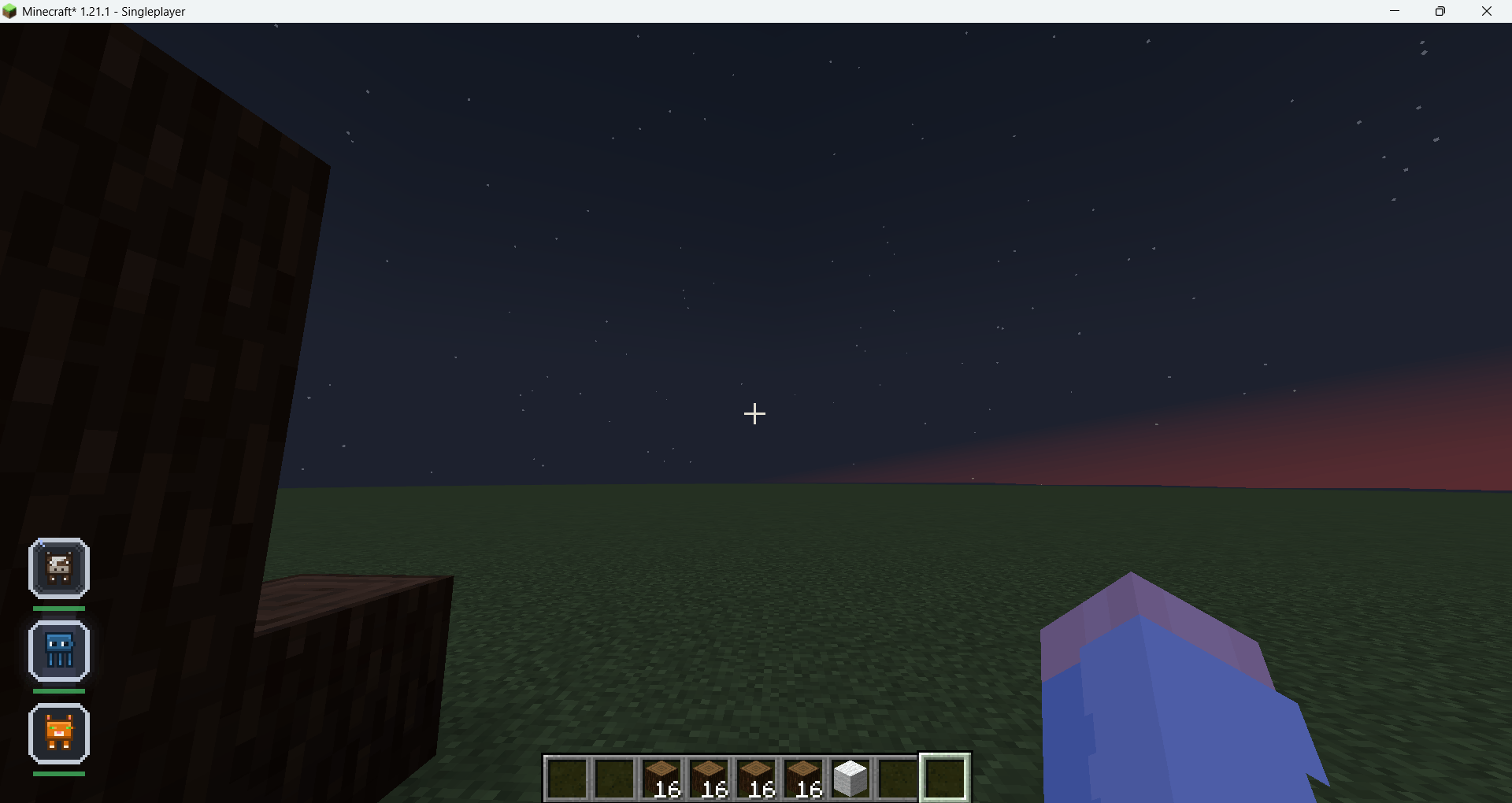 image-attachment_5cdc2470-8a19-44d4-b8fc-3a444c666b09.png
-
 Screenshot 2026-10-29 171109.png Screenshot 2026-10-29 171109.png
-
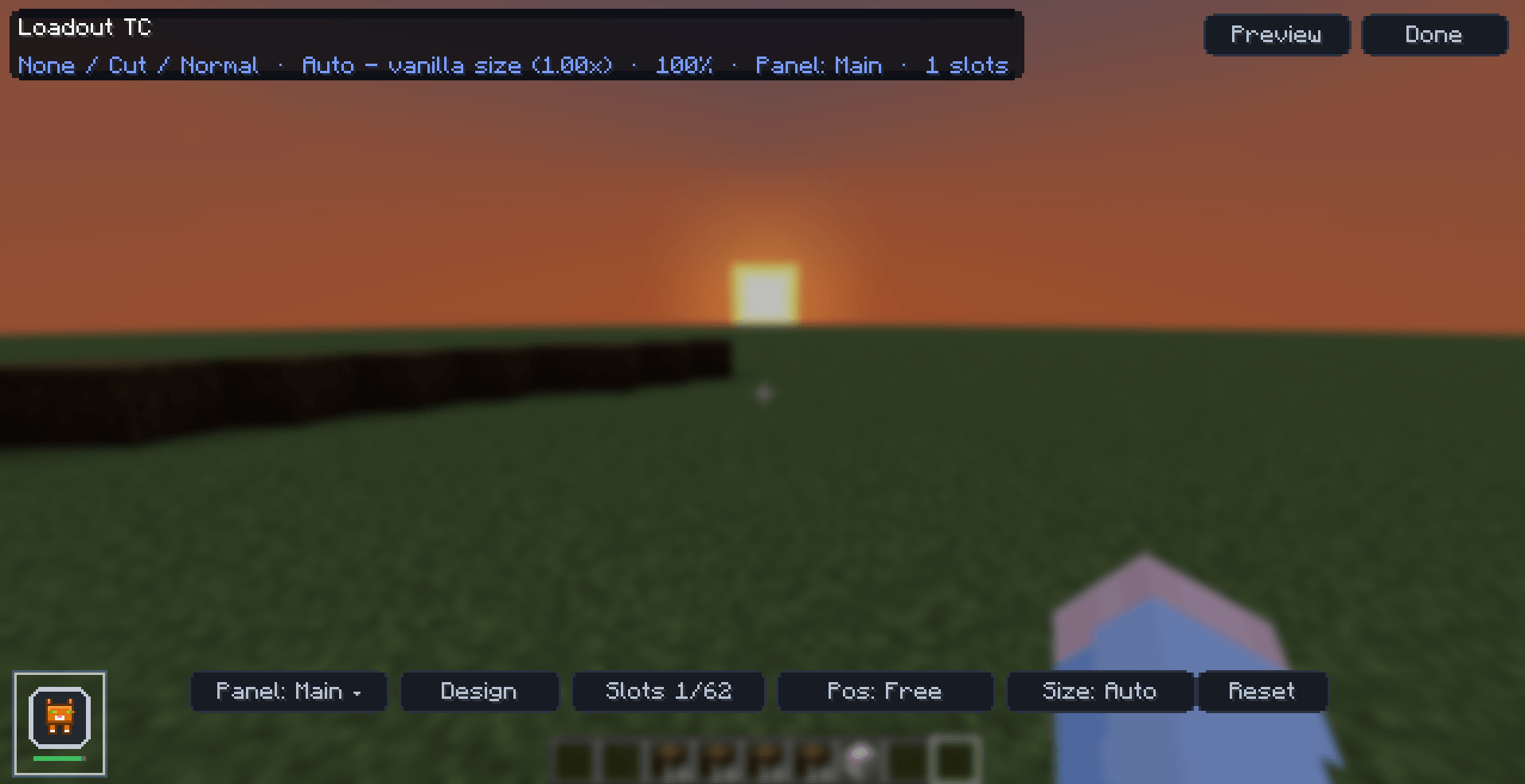 Screenshot 2026-10-29 171036.png Screenshot 2026-10-29 171036.png
-
 Screenshot 2026-10-29 171027.png Screenshot 2026-10-29 171027.png
Versions
Files
Relations
Project Relations
More like this
Similar Mods
Suggestions use data such as tags, dependencies, dependents, descriptions, titles, and more to rank how much they overlap with this mod.
On ModDex
Community snapshot
By the numbers
Statistics

Get it on
Available Platforms
On ModDex
Community snapshot
By the numbers
Statistics
Resources