
Community listing page, reviews here may not be monitored by the author.
Location Copy

No reviews yet
Simple location copy tool
Community voices
Reviews
No reviews yet. Be the first to review this project!
Get it on
Available Platforms
Compatibility
Supported Environments
Runs entirely on the client. Works on vanilla servers.
About
Project Details
For authors
Embed Badge
If you're the author of this project, you can embed a live badge anywhere that supports HTML or Markdown. It updates automatically whenever ratings change.
Use HTML for any page that supports it, or Markdown for README files and Markdown-based descriptions.
Identifiers
Platform IDs
Resources
External Links
About
Description
!!! IMPORTANT !!!
In Minecraft v1.21.6(LocationCopy v1.2.8), the default key for LocationCopy has been changed to 'G' -> 'B' because the new feature 'Quick Actions' uses the default key 'G'.
If you have used LocationCopy before, make sure that the key does not overlap in 'Options -> Controls -> Key Binds'.
Location Copy
This mod makes copying location in Minecraft much more convenient.

Function
Simply press the "B" key(LocationCopy v1.2.8 or higher) to copy your current location and world.
(You can also customize the key to something else in the key bind settings.)
If you install ModMenu as an additional mod, it's convenient because you can easily adjust the settings from the main screen. (Optional)
You can set the mod by pressing the "I" key in the game or using the ModMenu interface. If you want a more precise configuration, you can adjust it in "config\LocationCopy.properties".
(v0.0.3 ~ v1.0.5 are available in "config\locationcopy\config.properties")
How to set up "Advanced" mode (LocationCopy v1.2.0 or higher)
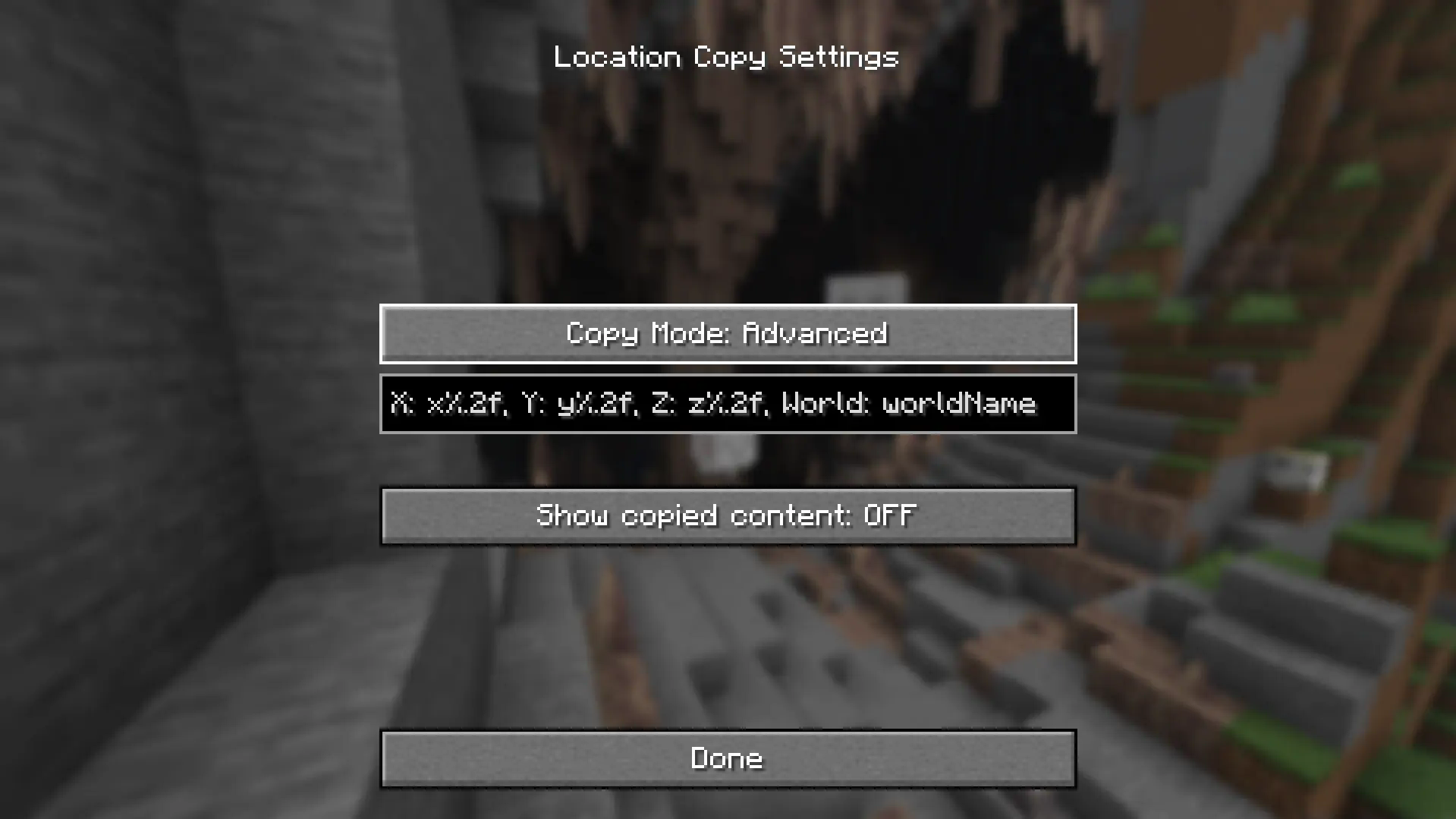
“%.nf” in advanced settings, "n" represents the number of decimal places. It is set to 2 by default and you can adjust this number. If you enter 0, only integer value will appear.
If you want to display only some of the three locations (e.g. Show only x and z locations), remove the location you want to clear (e.g. y%.2f). It will not be displayed.
x-value: x%.2f
y-value: y%.2f
z-value: z%.2f
World Name: worldName
"worldName" represents the world name. If you want to display the world name, use this. If you do not want the world name to be included in the copied field, remove "worldName".
How to set up "Advanced" mode (LocationCopy v1.1.0 - v1.1.3)
“%.nf” in advanced settings, "n" represents the number of decimal places. It is set to 2 by default and you can adjust this number. If you enter 0, only integer value will appear.
"%s" represents the world name. If you want to display the world name, use this. If you do not want the world name to be included in the copied field, remove "%s".
But be careful. If incorrect values are entered in advanced mode, Minecraft may crash when copying the location!
If an incorrect value is assigned, it will be restored to its original state when switching to another mode and then setting it back to advanced mode.
!! IMPORTANT !!
You can avoid errors only by using a version that is compatible with your version of Minecraft.
Issues
If you find translation problems or mod issues, please report them to Issues.
Screenshots
Gallery
-
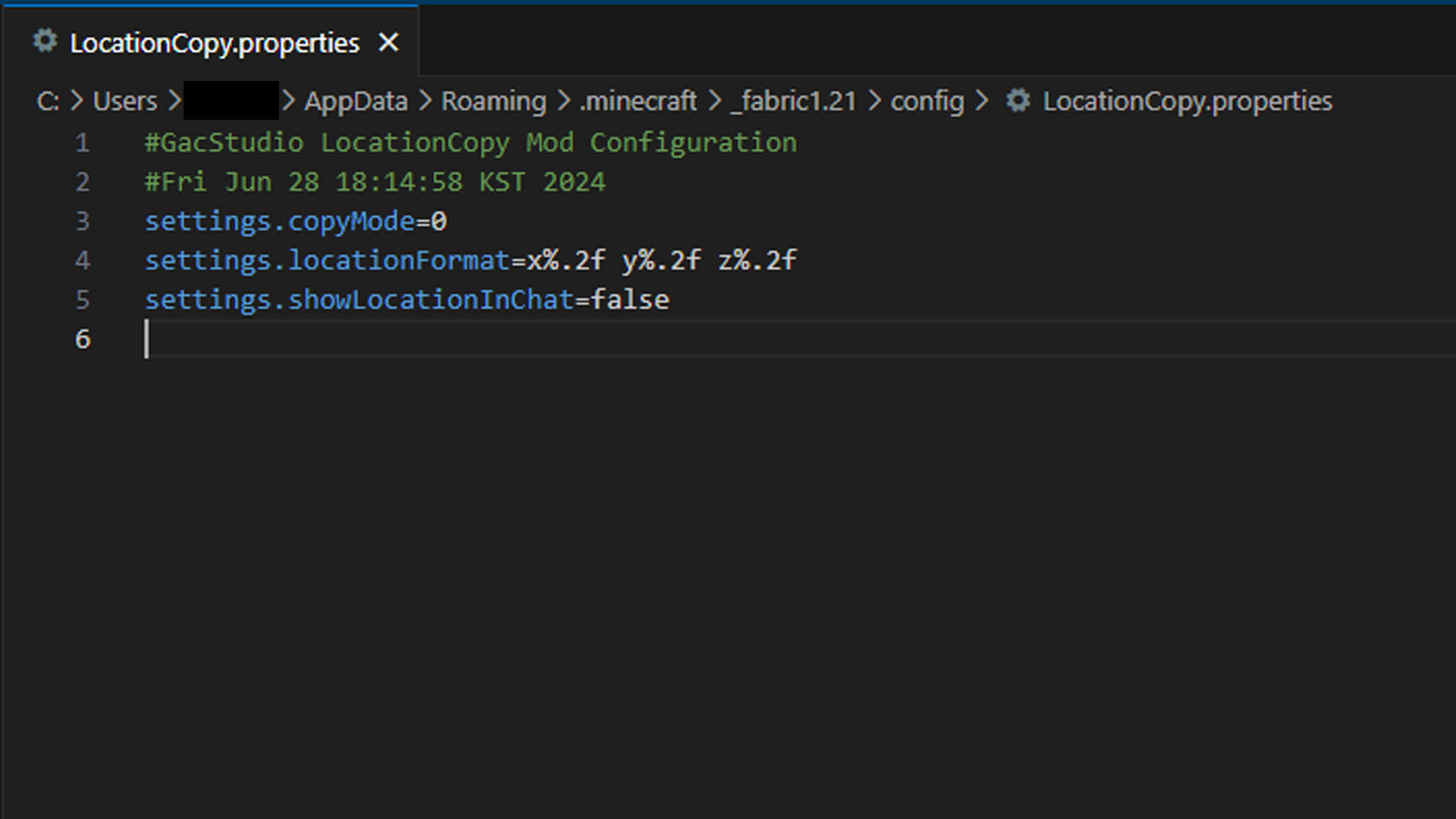 ConfigFile (Ver. 1.2.1)
 -
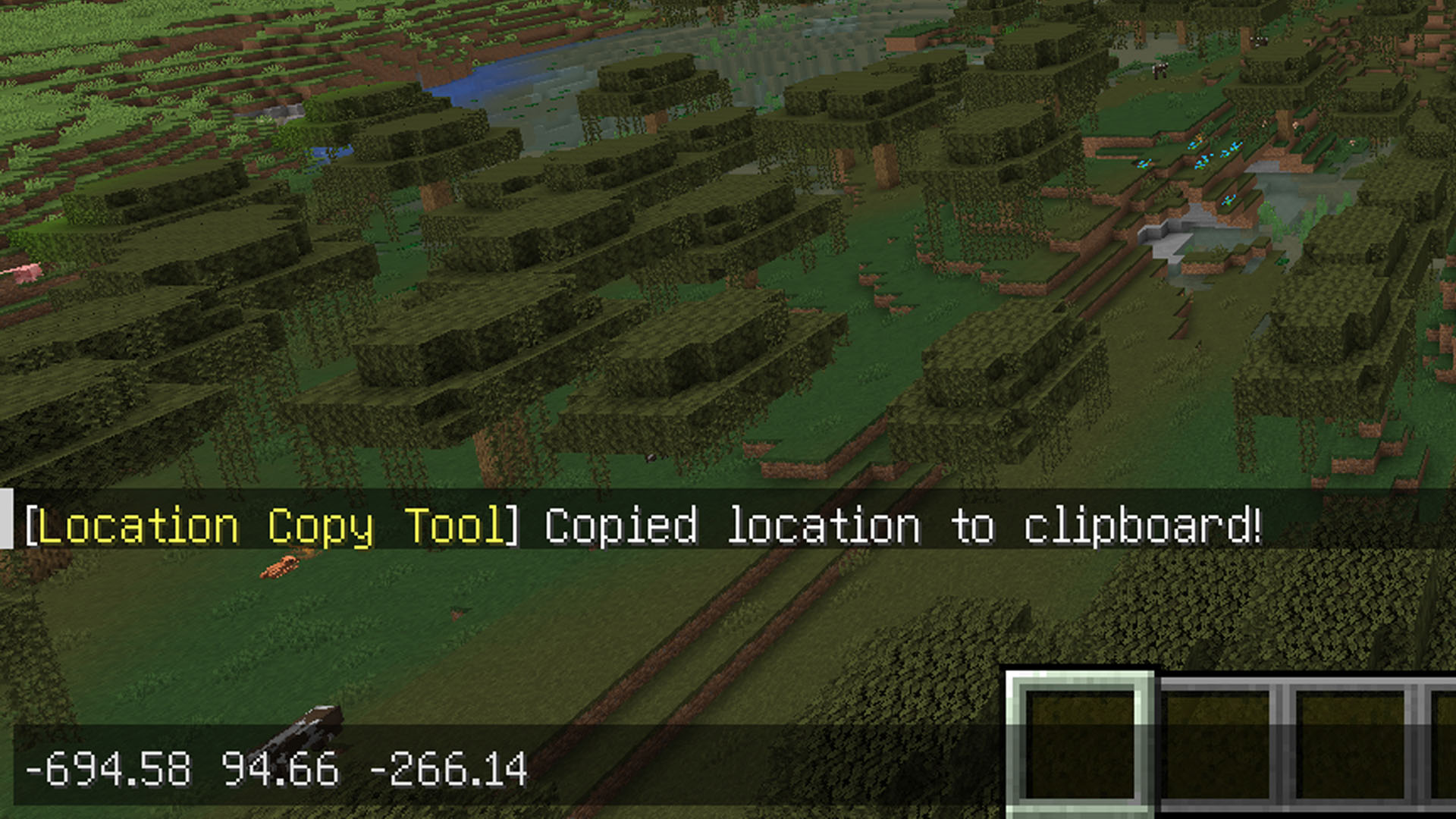 copy example
 -
 copy xyz and worldname
 -
 bgImage
Versions
Files
Relations
Project Relations
More like this
Similar Mods
Suggestions use data such as tags, dependencies, dependents, descriptions, titles, and more to rank how much they overlap with this mod.
On ModDex
Community snapshot
By the numbers
Statistics

Want to reach Minecraft players?
We're looking for a server hosting partner to feature here and other parts of the site. Interested? Send us a message!
Get in touchGet it on
Available Platforms
On ModDex
Community snapshot
By the numbers
Statistics
Resources