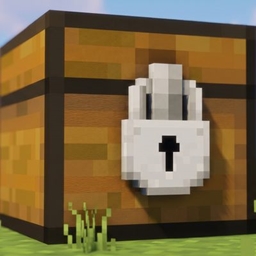
Community listing page, reviews may not be monitored by the author.
Locked Chest

No reviews yet
A Fabric mod for Minecraft 26.2. Lock a chest, barrel, or shulker box to only accept specific items.

Community voices
Reviews
No reviews yet. Be the first to review this project!
Get it on
Available Platforms
About
Project Details
For authors
Embed Badge
If you're the author of this project, you can embed a live badge anywhere that supports HTML or Markdown. It updates automatically whenever ratings change.
Use HTML for any page that supports it, or Markdown for README files and Markdown-based descriptions.
Identifiers
Platform IDs
Resources
External Links
About
Description
# Locked Chest
A Fabric mod for Minecraft 26.2. Lock a chest, barrel, or shulker box to
only accept specific items.
## How it works
Every chest, barrel, and shulker box gets a small button in the top-right
corner of its screen, showing "All" by default. Click it to open a search
list and pick one or more items - the button then shows how many items
are locked in.
Once locked:
- Only the selected item(s) can be placed into that container, whether by
hand or pushed in by a hopper (or hopper minecart, dispenser, etc.)
- Anything already inside, or the locked item(s) themselves, can still be
taken out freely - locking only restricts what goes *in*.
- Click "Unlock (accept all)" in the picker to return it to normal.
Each container remembers its own lock independently and persists it to
disk.
## Requirements
| Requirement | Version |
|----------------|-----------|
| Minecraft | 26.2 |
| Fabric Loader | 0.19.3+ |
| Fabric API | 0.160.0+26.2 |
| Java | 25+ |
## Installation
1. Install [Fabric Loader](https://fabricmc.net/use/) for Minecraft 26.2.
2. Download [Fabric API](https://modrinth.com/mod/fabric-api) matching 26.2.
3. Download the latest release of this mod.
4. Place both `.jar` files in your `mods` folder.
Screenshots
Gallery
Versions
Files
Relations
Project Relations
More like this
Similar Mods
Suggestions use data such as tags, dependencies, dependents, descriptions, titles, and more to rank how much they overlap with this mod.
On ModDex
Community snapshot
By the numbers
Statistics

Get it on
Available Platforms
On ModDex
Community snapshot
By the numbers
Statistics
Resources