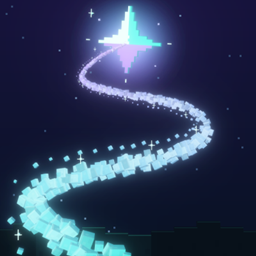
Community listing page, reviews may not be monitored by the author.
Lodestar

No reviews yet
Waypoint navigation: a glowing path, fairy light or compass arrow guides you home, to saved places, through journeys, or back along your breadcrumb trail.

Community voices
Reviews
No reviews yet. Be the first to review this project!
Get it on
Available Platforms
About
Project Details
For authors
Embed Badge
If you're the author of this project, you can embed a live badge anywhere that supports HTML or Markdown. It updates automatically whenever ratings change.
Use HTML for any page that supports it, or Markdown for README files and Markdown-based descriptions.
Identifiers
Platform IDs
Resources
External Links
About
Description
Find your way home, and anywhere else.

Follow a saved place, set your home, or retrace your walk. Lodestar Trail shows you the way with a glowing trail, a fairy light or an arrow, and you choose which.

Open Lodestar from the star beside the centre buttons on the pause menu. Save the spot you are standing in, set your home, and pick where to go. A guide then leads you there.
Lodestar remembers your walks on its own, so you can retrace your steps back to where an outing began. It never moves you and never changes the game. It only shows the way.

Tick the guides you want. Use one, two or all three.
- Trail: a glowing path along the ground to your destination.
- Fairy light: a small light that flies ahead and waits for you.
- Arrow: an arrow at the top of the screen pointing the way, with the distance beside it.

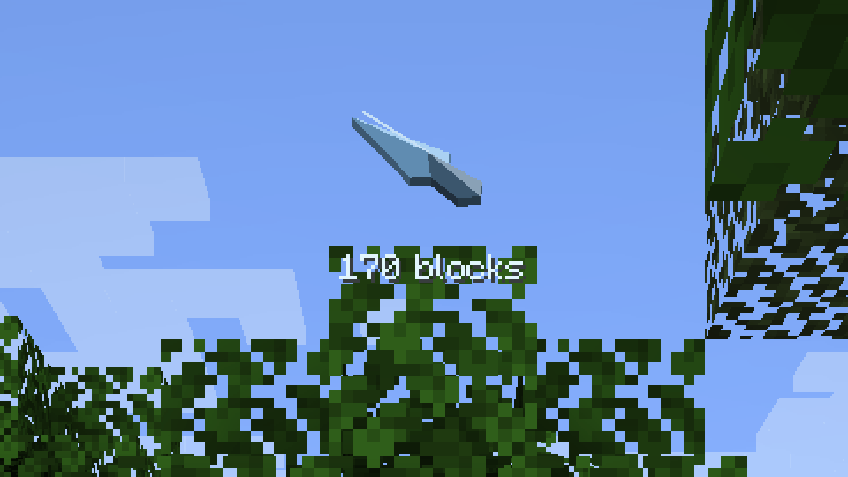

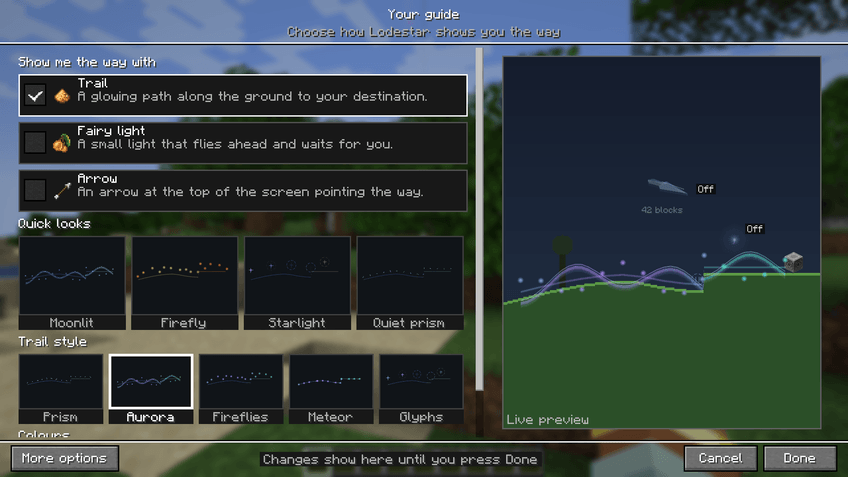
Your guide is where you choose how Lodestar looks. A live preview shows the trail, the fairy light and the arrow together, and it changes the moment you change a setting.
- Quick looks: four ready-made looks (Moonlit, Firefly, Starlight and Quiet prism). They change the trail style, colours, size and glow. Your ticked guides stay as they are.
- Trail style: Prism, Aurora, Fireflies, Meteor or Glyphs.
- Colours: the Aurora, Nebula, Glacier and Ember palettes, Rainbow, or your own two colours from a colour wheel.
- More options: Vibrant, animated colours, size, glow strength, arrow size, an arrival sparkle and chime, a warning where the trail meets an obstacle, reduced motion, and saved looks you can name and reuse.
Every screen shows simple choices first. More options shows the details, and Lodestar remembers your choice. Every control has a tooltip that says what it does. The screens use the game's own menu background, like its Options screen.

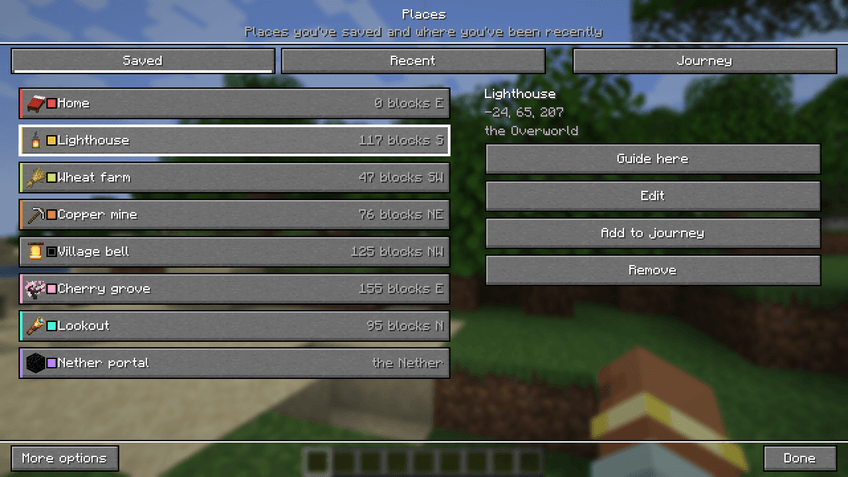
Places holds the spots you save. Each one has a name, an item icon from a picker and, if you like, a colour. Choose Guide here to go there, Edit to change it, or Add to journey to make it a stop.
- Saved lists your places. Recent lists places you were guided to lately and lets you save them.
- Journey is a list of stops that Lodestar guides you to in order. You can reorder stops, skip one, and save the whole journey.
- A saved place can have its own colour, which then replaces your palette while you are guided there.
Go home and Set home here are on the first screen, with Save this place. You can also mark a return point and guide back to it later.

Lodestar records where you walk, in small pieces on your own computer. Retrace my steps guides you back along your latest outing. My outings lists earlier walks, each with a small sketch of its path, and you can retrace any of them.
- Saved journeys keeps the journeys you have saved. You can reverse one, loop it, start it, or copy a share code.
- Import a code shows a preview of a friend's journey before you save or start it.
- You can pause recording under More options without deleting earlier walks.
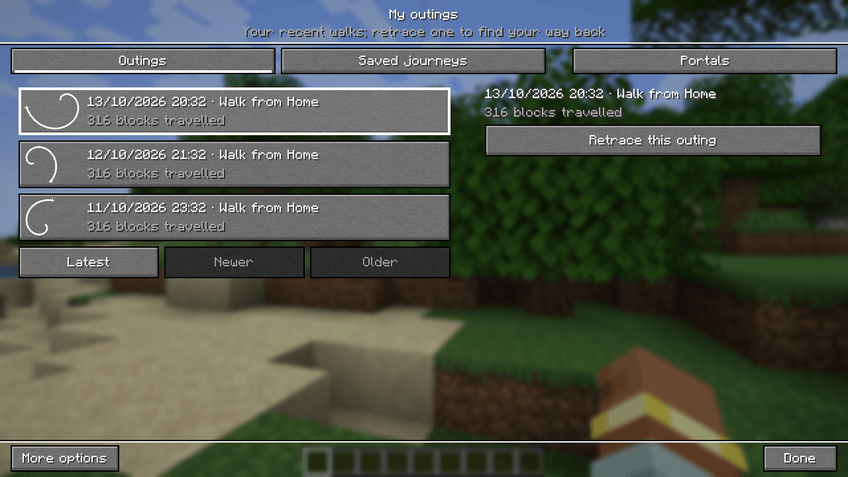

When you travel through a portal, Lodestar remembers the connection. Later, a destination in another dimension guides you to the portal you learned. Under My outings, Portals lists these connections, and Forget removes one.
Lodestar does not find portals you have not used.

Lodestar works without a map mod. With a supported one installed, it adds Guide with Lodestar to the map.
- JourneyMap: a Lodestar star button in the full-screen map toolbar, and Guide with Lodestar in the waypoint and location menus.
- Xaero's Minimap and World Map: a Lodestar star in the World Map toolbar, Guide with Lodestar when you right-click a location or waypoint, and a Guide with Lodestar button in the Minimap waypoint list.
Guiding from a map does not change the original waypoint. If your version of a Xaero mod is not supported, Lodestar says so and its own screens still work. Map support depends on which map mods are made for your loader and game version.

- NeoForge, Fabric and Forge. Each file's tags show its loader and game version.
- Client only. No server install is needed.
- Optional: JourneyMap and Xaero's mods. Each file lists anything else it needs.
Lodestar will not load beside a JourneyMap that is older than the minimum it declares.

- Lodestar is a direction guide. It does not find a route around walls or find entrances.
- It reads only terrain that is loaded, and the trail may leave gaps at cliffs, voids, tall obstacles and unloaded chunks.
- It does not teleport you, and it does not reveal portals you have not used.
- Saved places, journeys and outings are kept on your computer, separately for each world or server.
- Lodestar cannot tell apart several worlds that share one server address.

Does the server need Lodestar? No. Install it on your own game only.
Does it find a way around walls? No. It points the way, and the trail can leave gaps at cliffs and obstacles.
Can it find a portal I have not used? No. It learns a portal when you travel through it.
Where are my places kept? On your computer, separately for each world or server.
Can I share a journey? Yes. Copy its share code from Saved journeys. Your friend uses Import a code and sees a preview first.
Can I use it in a modpack? Yes. Lodestar Trail is licensed under LGPL-3.0-only.

Found a bug? Please report it in the comments.
Screenshots
Gallery
-
 Walking the Aurora trail The trail leads the way as you walk (Vibrant on).
 -
 The fairy leads The fairy light leads while you walk and waits when you stop (Vibrant on).
 -
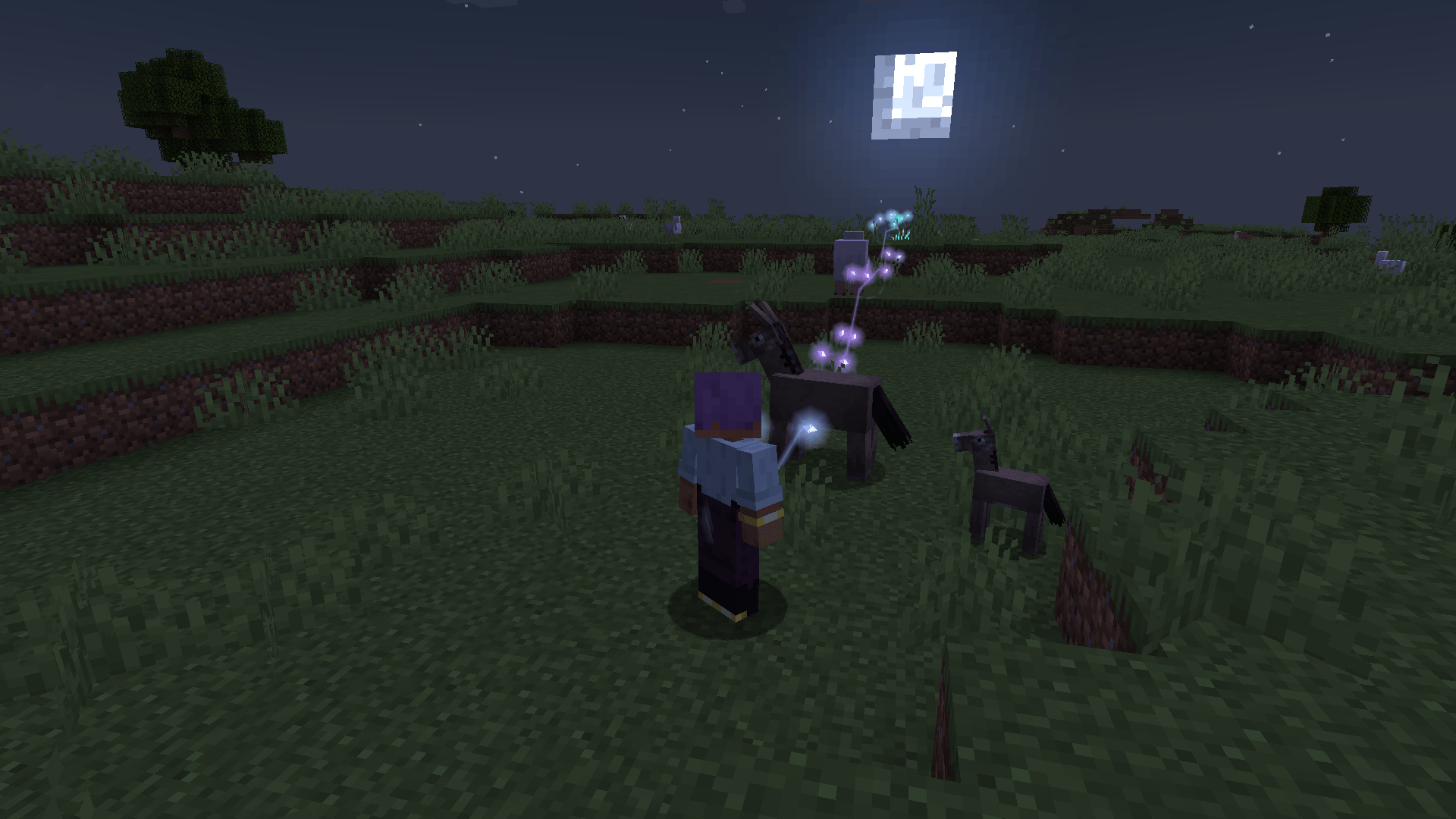 Fireflies at night The Fireflies style drifting ahead after dark (Vibrant on).
 -
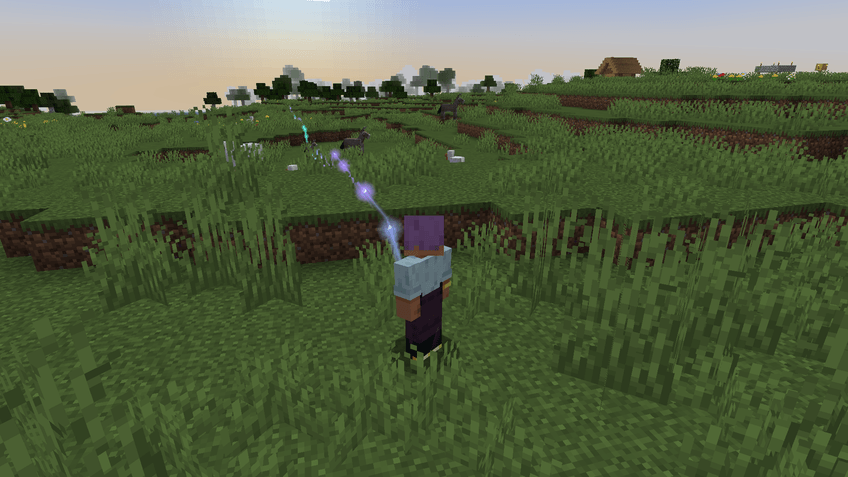 Meteor by day The Meteor style streaking along the way (Vibrant on).
 -
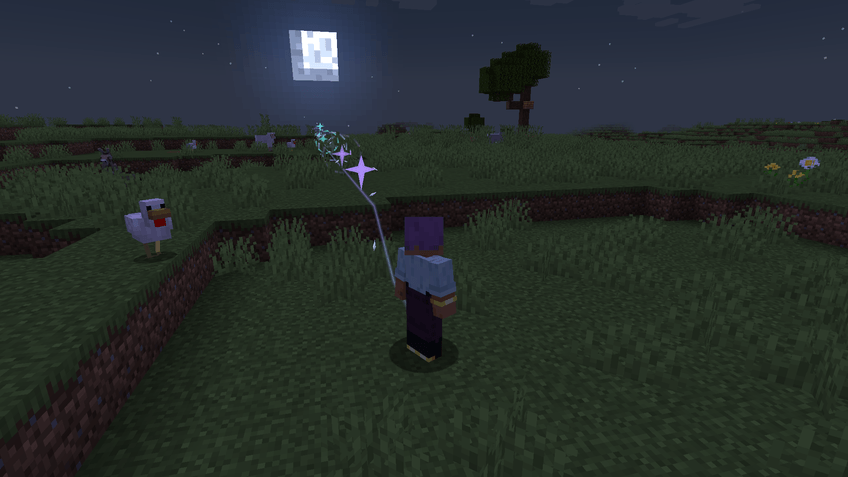 Glyphs at night Glowing glyphs mark the path at night (Vibrant on).
 -
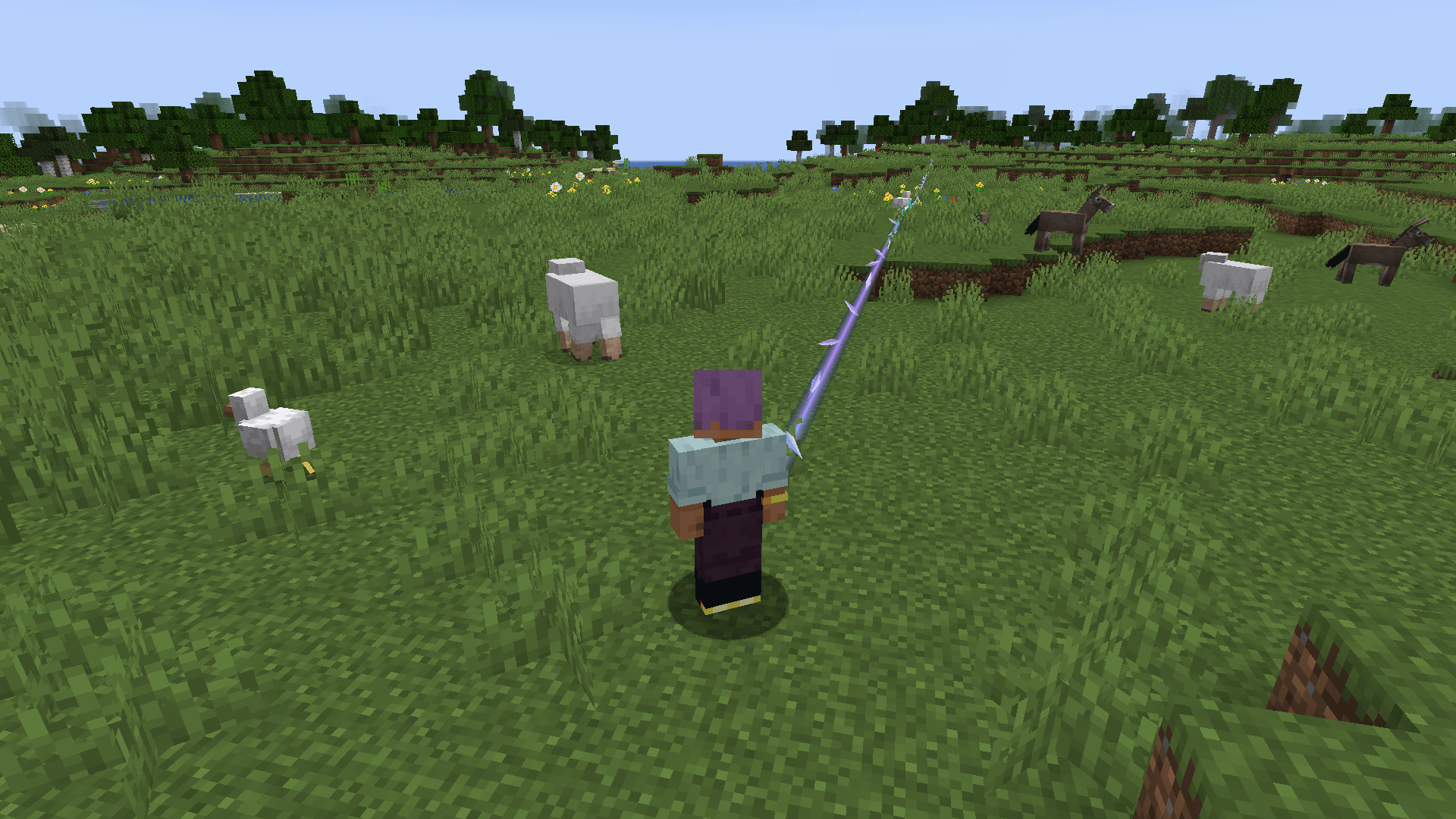 Prism by day Prism, the default style, in daylight (Vibrant on).
 -
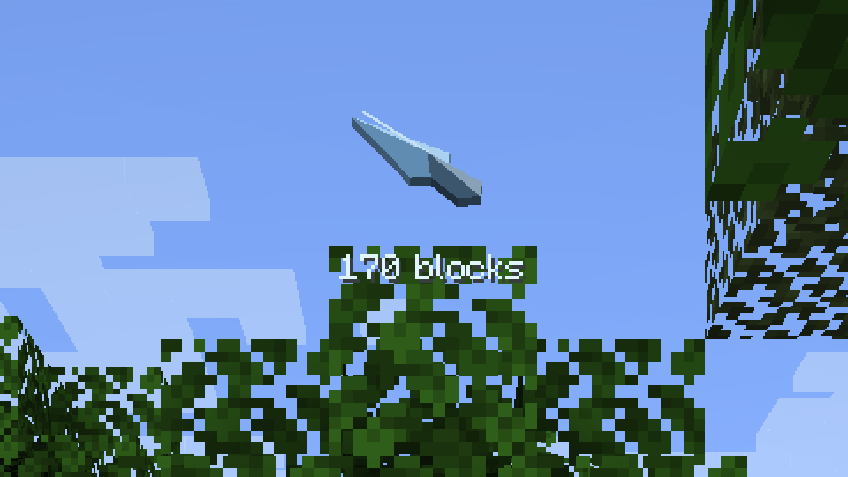 The HUD arrow A small arrow on the HUD points the way and shows the distance.
 -
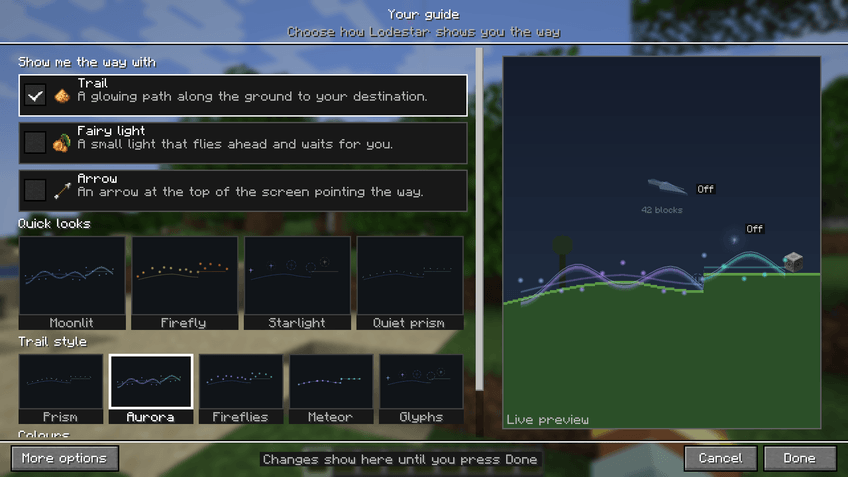 Your guide Tick the guides you want and watch the live preview change.
 -
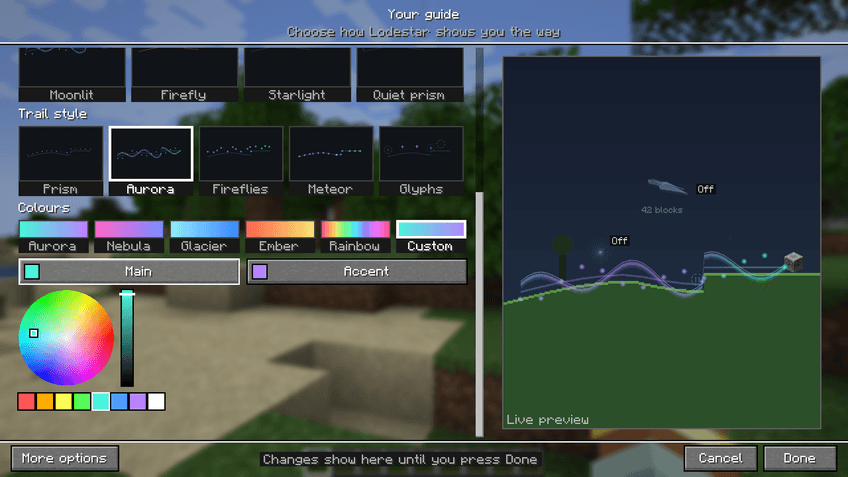 Pick any colour Custom colours use a colour wheel with a brightness bar and swatches.
 -
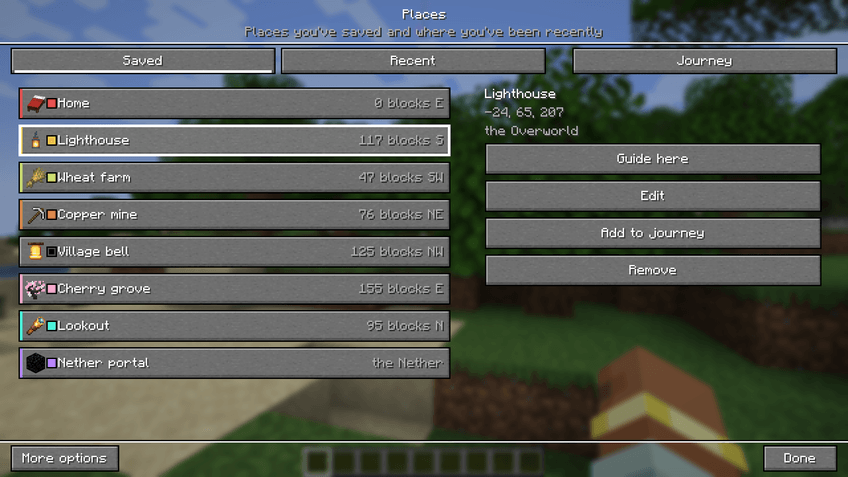 Saved places Save places with an item icon and a colour, then guide to any of them.
 -
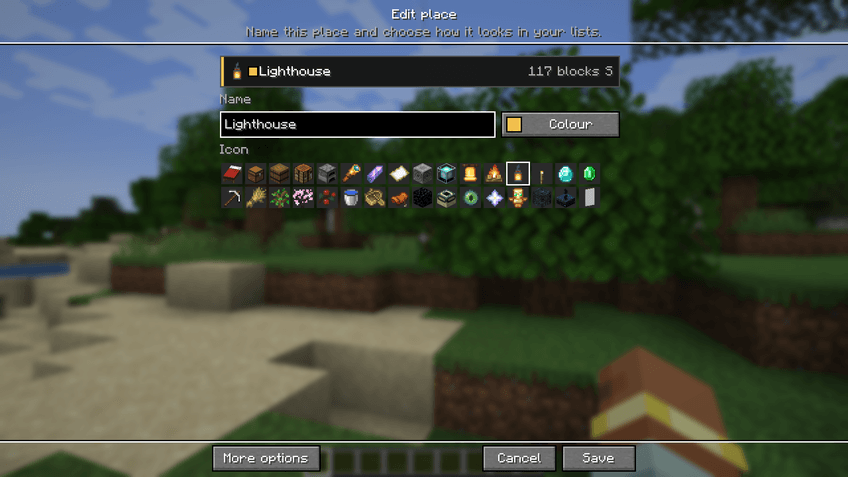 Edit a place Name a place and choose its icon from the grid.
 -
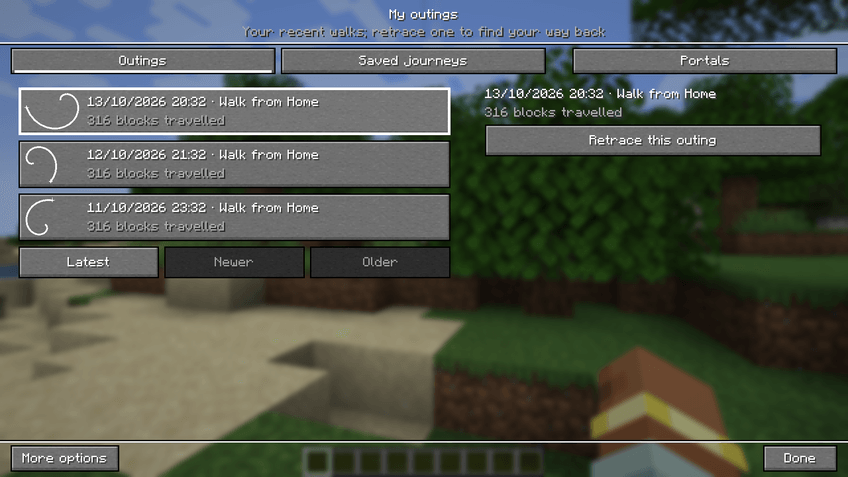 My outings Lodestar remembers where you have been, so you can find your way back.
 -
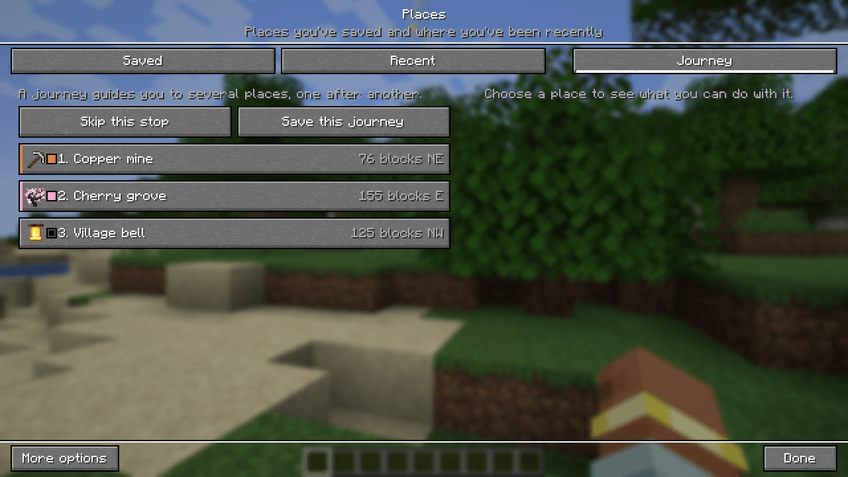 Journeys Line up stops and Lodestar guides you to each in turn.
 -
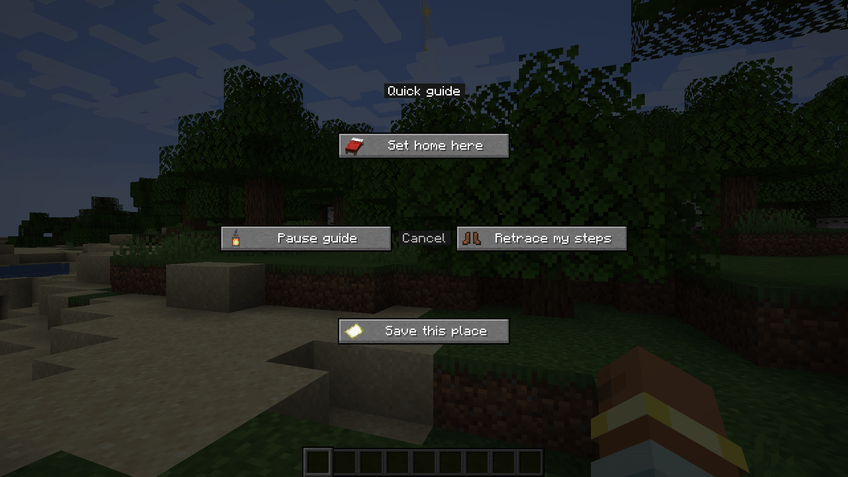 The quick wheel Hold N for a wheel of quick guide actions.
Versions
Files
Relations
Project Relations
More like this
Similar Mods
Suggestions use data such as tags, dependencies, dependents, descriptions, titles, and more to rank how much they overlap with this mod.
On ModDex
Community snapshot
By the numbers
Statistics

Get it on
Available Platforms
On ModDex
Community snapshot
By the numbers
Statistics
Resources