
Community listing page, reviews may not be monitored by the author.
LogUtils

No reviews yet
This Mod enables simple text-based logging for usage on a private server. It also provides a modern web interface.

Community voices
Reviews
No reviews yet. Be the first to review this project!
Get it on
Available Platforms
About
Project Details
For authors
Embed Badge
If you're the author of this project, you can embed a live badge anywhere that supports HTML or Markdown. It updates automatically whenever ratings change.
Use HTML for any page that supports it, or Markdown for README files and Markdown-based descriptions.
Identifiers
Platform IDs
Resources
External Links
About
Description
LogUtils – Simple and Efficient Logging
⚠ Warning: This mod is not intended for use on public servers with potential exploiters.
🔹 Overview
Are you running a modded Minecraft server with friends and need an easy way to log player logins, logouts, chat messages, and commands? LogUtils has you covered!
Designed primarily for server administrators, this mod provides detailed logging while also offering an optional web interface for easier access. If enabled, the web interface runs on a separate port, allowing you and your friends to view logs effortlessly.
📌 Basic Usage
If you just need simple event logging, installation is straightforward:
- Copy LogUtils into your server's
modsdirectory. - Do not install it on the client side.
- Restart your server.
Configuration files will be generated in:
/config/logutils/Modify the settings to fit your needs. The options are intuitive and easy to configure.
By default, logs are stored in:
/logs/static/Log files are only created when needed. For example, commands.log will only appear after a command has been executed.
🚫 Not using the web server? Simply disable it in the config file to avoid unnecessary resource usage.
🌐 Web Server & API
If you want to enable the web interface, you'll need an additional open port.
✅ Setup:
- Request a free port from your server provider.
- Open the config file:
/config/logutils/webserver.toml- Set the port in the configuration.
- Restart the server.
- Access the web interface at:
http://<IP/Domain>:<Port>🔧 API Access
LogUtils also includes a simple API! You can interact with:
http://<IP/Domain>:<Port>/api/📝 Feedback & Feature Requests
Your feedback is invaluable! If you find bugs, have feature suggestions, or need additional API endpoints, let us know. We’d love to improve LogUtils based on your input.
Screenshots
Gallery
-
 Homepage This is what you see when you first open the page. You will see some basic server info and can access the logs via the sidebar to the left
 -
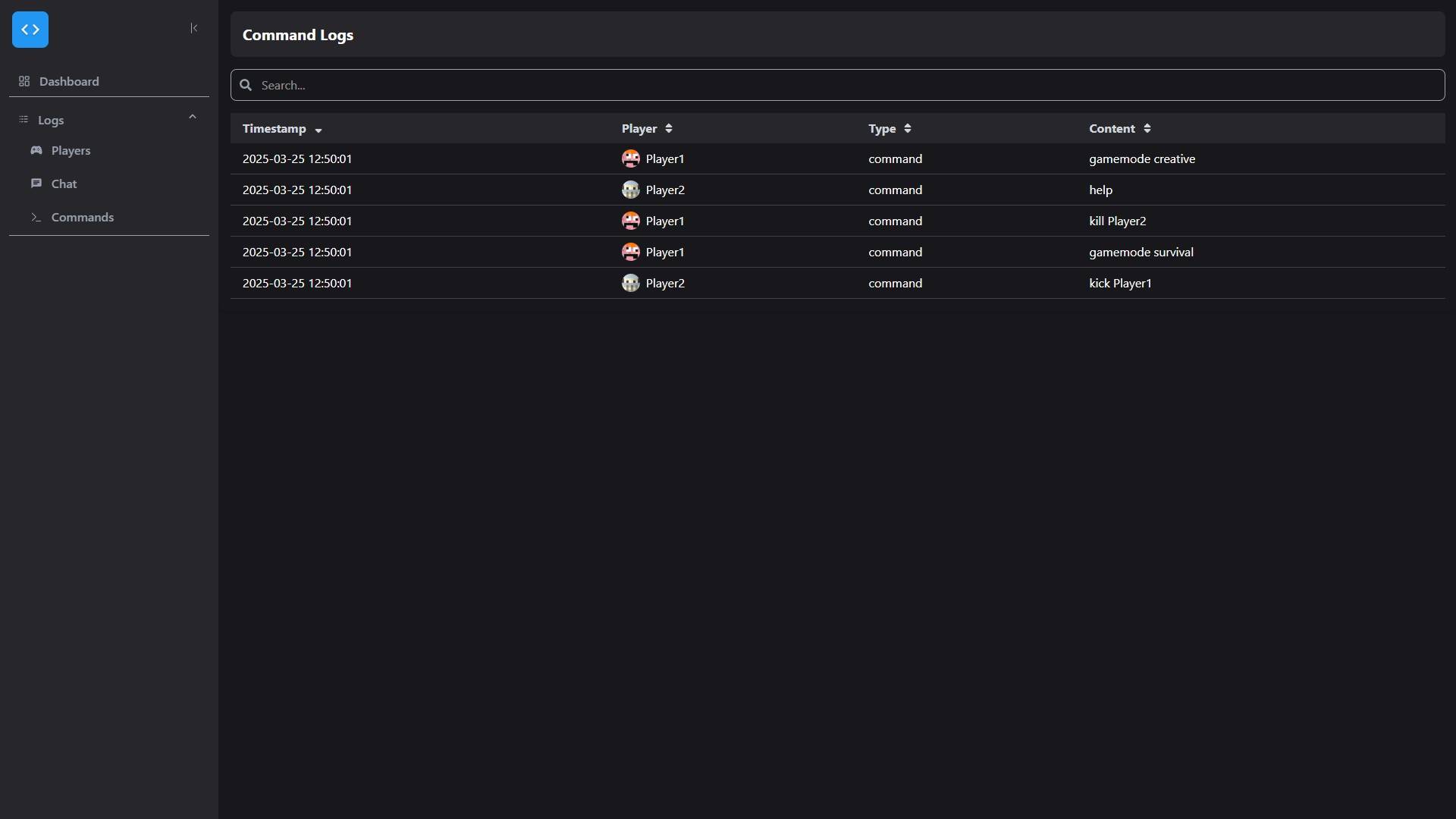 Example command log Example command log page with filtering and sorting
Versions
Files
Relations
Project Relations
More like this
Similar Mods
Suggestions use data such as tags, dependencies, dependents, descriptions, titles, and more to rank how much they overlap with this mod.
On ModDex
Community snapshot
By the numbers
Statistics

Get it on
Available Platforms
On ModDex
Community snapshot
By the numbers
Statistics
Resources