Community listing page, reviews here may not be monitored by the author.
Loomed Cushions


No reviews yet
Decorate Minecraft cushions in the loom using layered vanilla banner patterns. Designs render across every face and can be removed one layer at a time using a water cauldron.
Community voices
Reviews
No reviews yet. Be the first to review this project!
Get it on
Available Platforms
Compatibility
Supported Environments
Must be installed on both the client and the server.
About
Project Details
For authors
Embed Badge
If you're the author of this project, you can embed a live badge anywhere that supports HTML or Markdown. It updates automatically whenever ratings change.
Use HTML for any page that supports it, or Markdown for README files and Markdown-based descriptions.
Identifiers
Platform IDs
Resources
External Links
About
Description
Loomed Cushions
Important: this is not a Minecraft 26.2 mod
CurseForge does not currently provide Minecraft 26.3 Snapshot 5 as a selectable game version. Because of that, the download is listed under 26.2, but the JAR itself is made for Minecraft Java 26.3 Snapshot 5 (
26.3-alpha.5).Do not launch it on 26.2—it will not load. Use the exact snapshot listed below.
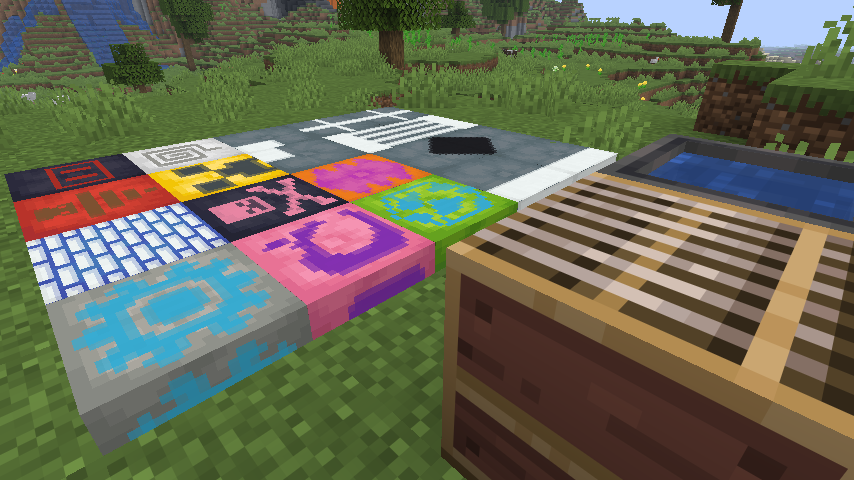
Cushions already have a lot of building potential, but they felt like they were missing one very obvious interaction: if banners can go into a loom, why not cushions?
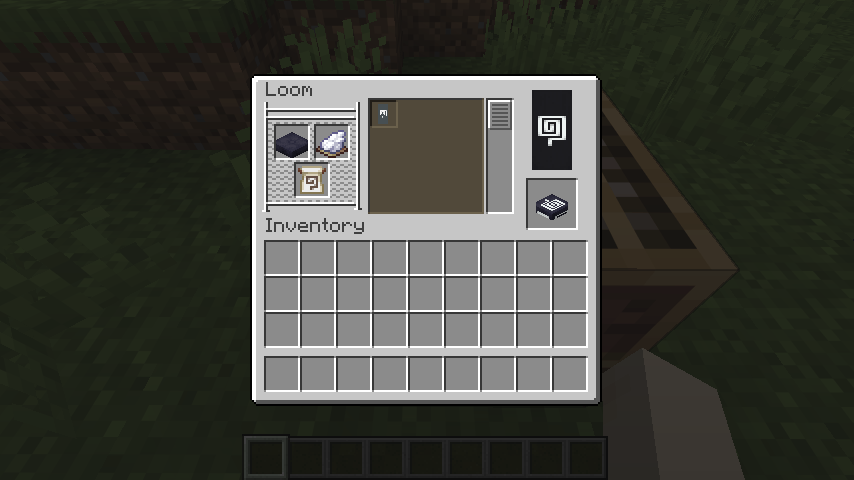
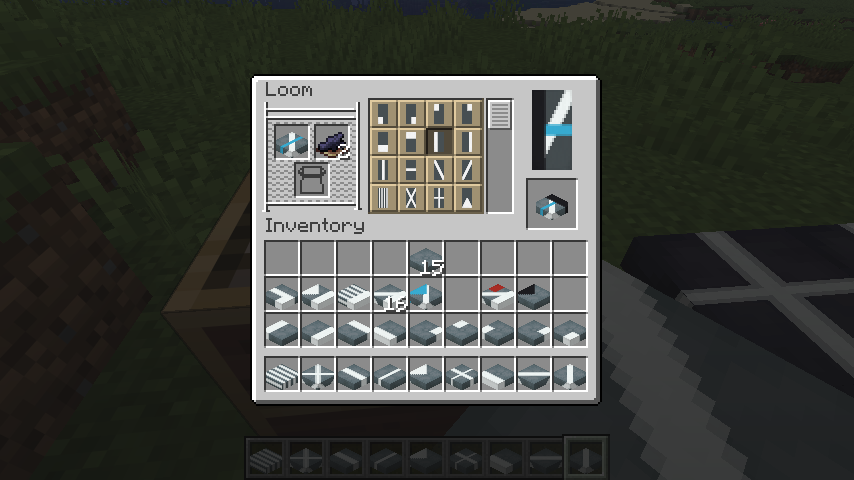
That is the whole idea behind Loomed Cushions. Put a cushion into the vanilla loom, add dye, choose a pattern, and take out a decorated cushion. There are no new crafting stations or complicated systems to learn. The mod simply makes the loom work with all 16 vanilla cushion colors.
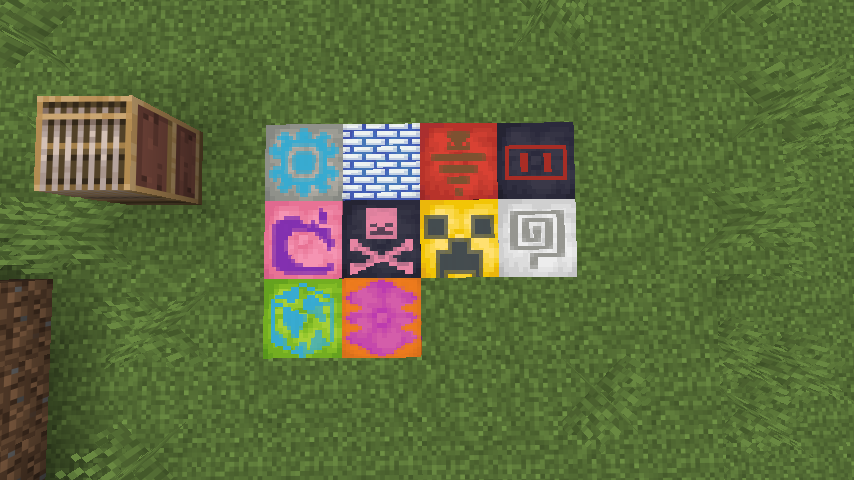
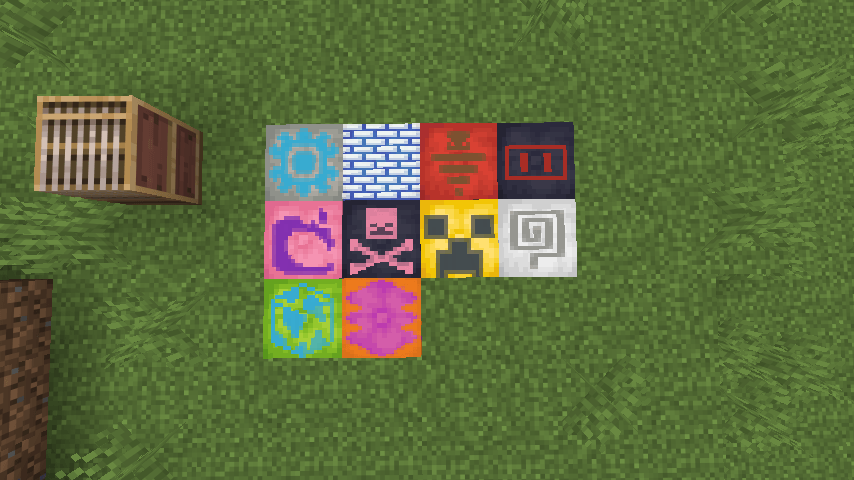
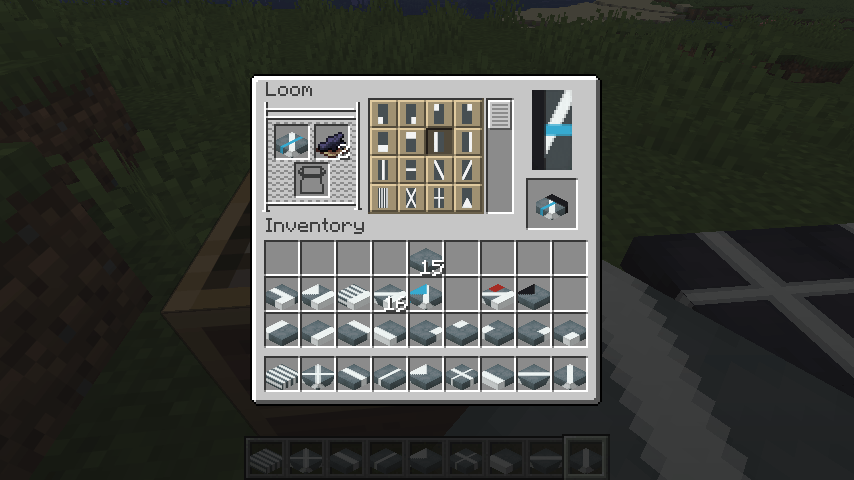
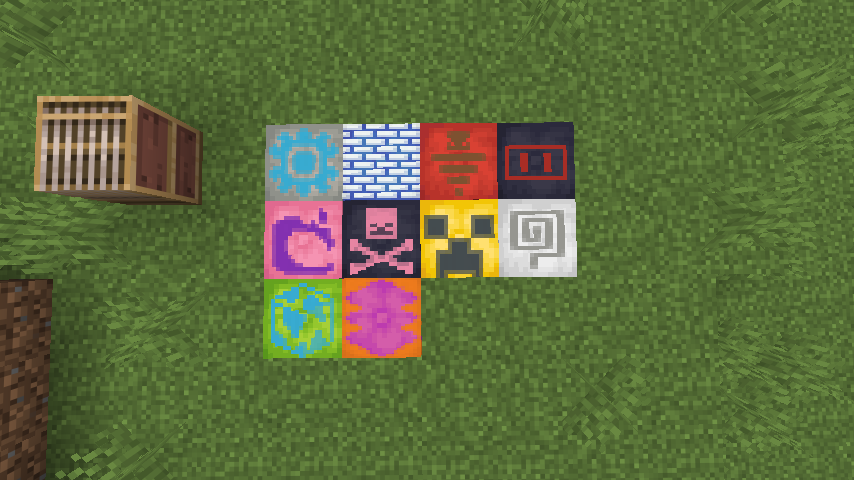
You can use ordinary loom designs as well as banner pattern items, then layer them just as you would on a banner. Creeper faces, skulls, globes, flowers, spirals, bricks, borders, stripes, gradients, and the rest of the vanilla pattern set can all become cushion designs.
Using a cushion in the loom
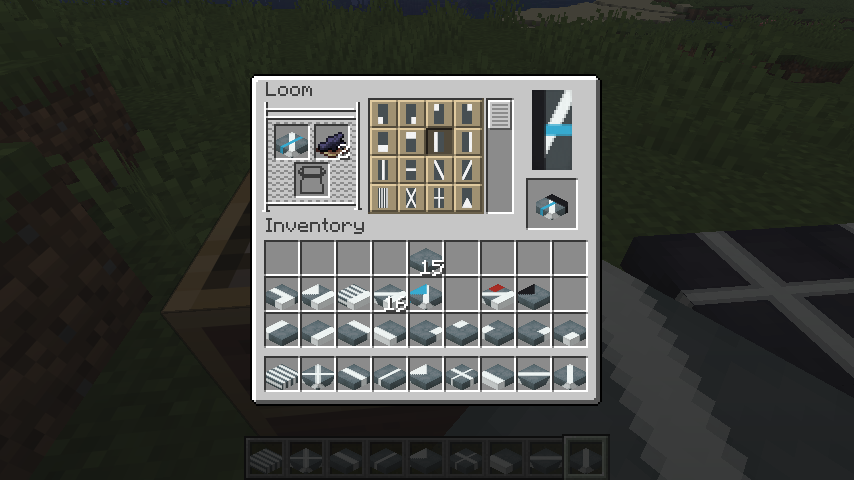
The process is intentionally familiar:
- Put any colored cushion into the loom.
- Add a dye.
- Choose one of the available patterns.
- Add a banner pattern item when the design requires one.
- Take the patterned cushion and put it back into the loom to add another layer.
You can build designs with up to six layers, following the same limit and basic rules as vanilla banners.
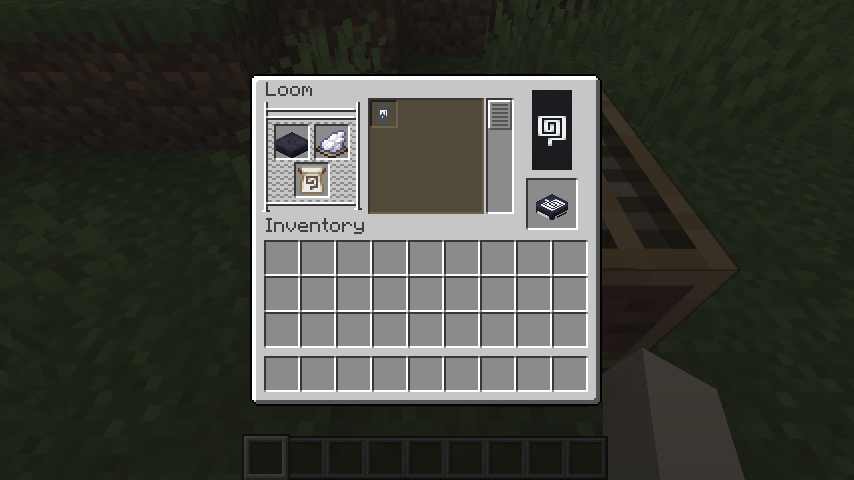
The output preview and inventory icon show the actual result before you take it. Designs also stay attached when a cushion is held, dropped, placed, picked up, broken, saved, loaded, or synchronized in multiplayer.
Banner patterns, rebuilt for a square surface
Banners are tall rectangles. Cushions are squares. Simply squeezing the original banner rendering onto a cushion made symbols look flattened and made borders and stripes stop awkwardly at the edge.
Loomed Cushions adjusts the patterns for the cushion's shape. Symbols such as the Creeper, Skull, Flower, Globe, Flow, Guster, and Snout keep sensible proportions, while geometric designs are fitted to the square surface.
The pattern is not painted only on top, either. It continues over all four sides and onto the underside, so a cushion still looks finished when viewed from an angle or used as part of a larger build.
Build with more than one cushion
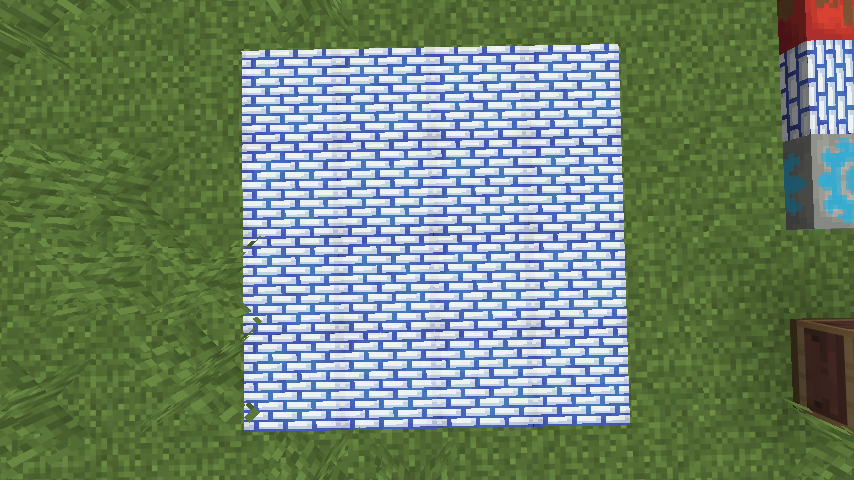
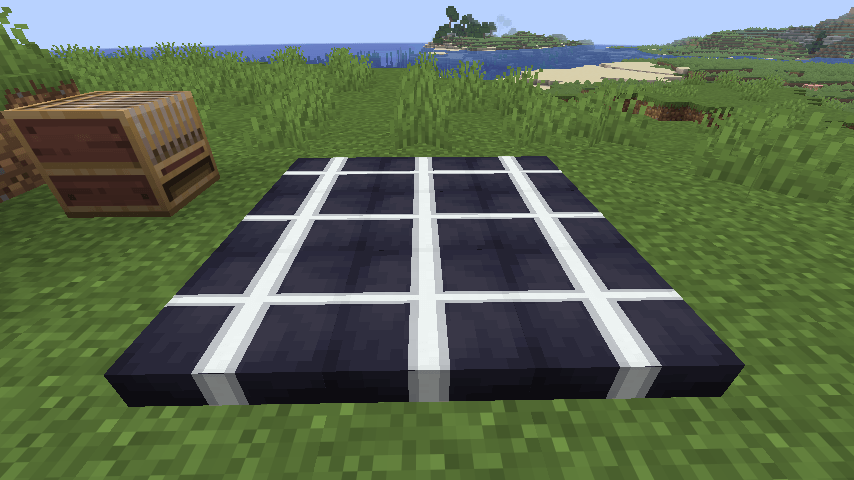
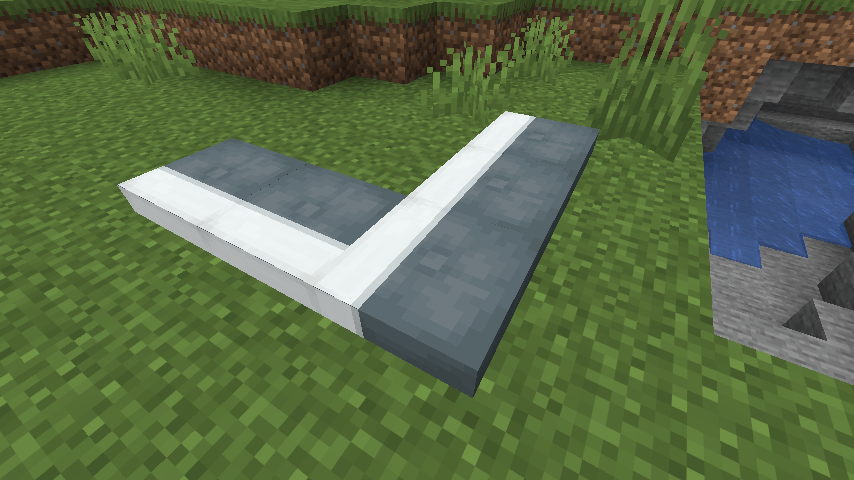
Repeated patterns can line up across neighboring cushions. A group of individually placed cushions can read as one larger textile instead of a collection of unrelated tiles.
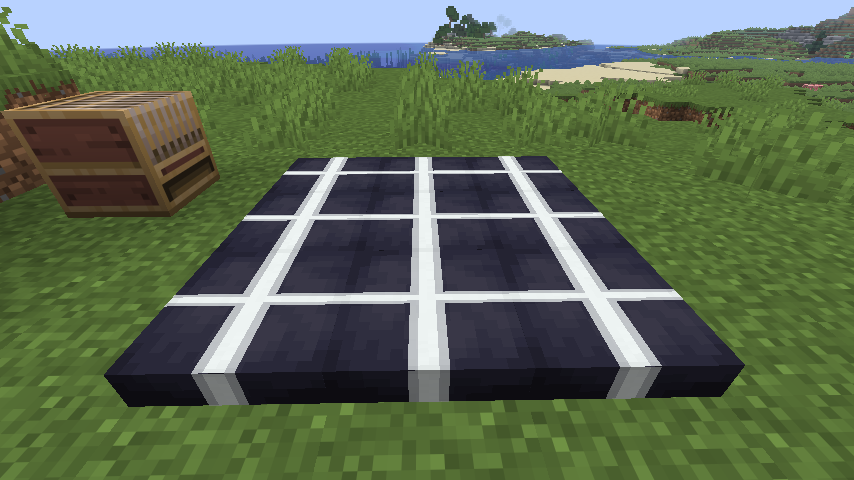
This works especially well for floors, rugs, seating areas, tent interiors, wall decorations, and any build where a single cushion is too small for the design you have in mind.
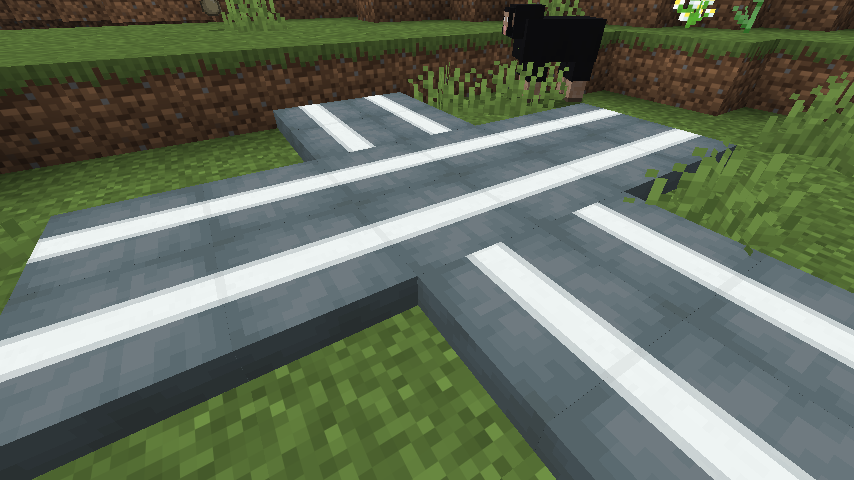
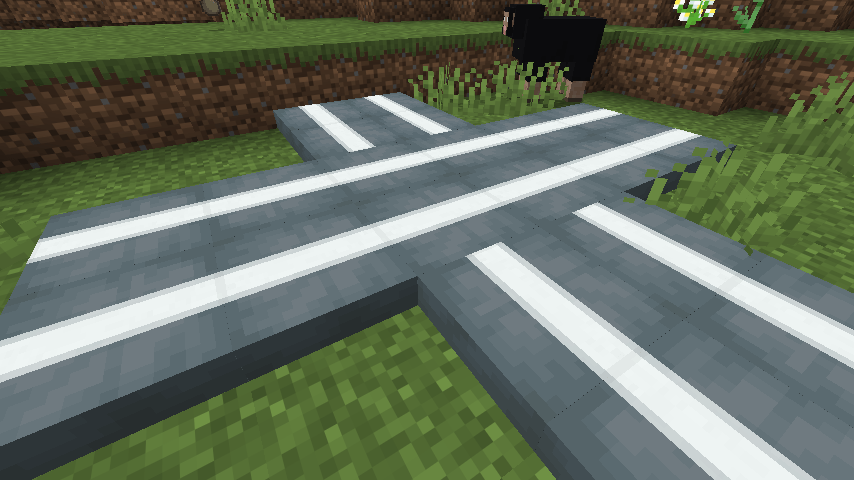
Straight lines can continue through intersections, and the same idea can be used to draw paths, frames, crosses, or larger geometric shapes.
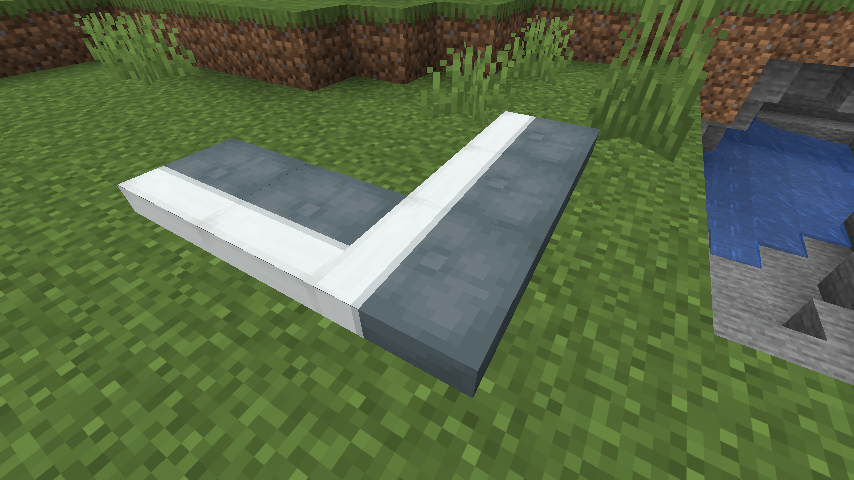
Corners stay clean as well, which makes it possible to turn a pattern through an L-shaped arrangement without the design suddenly looking cut off.
Made a mistake? Wash one layer away
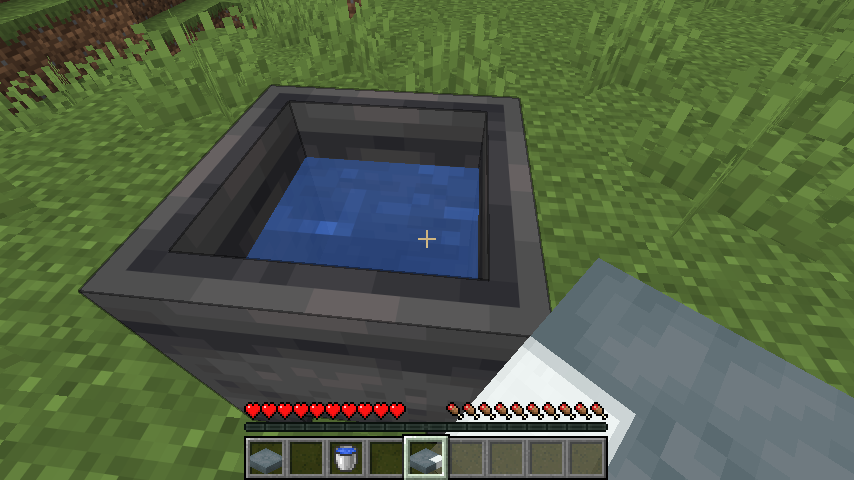
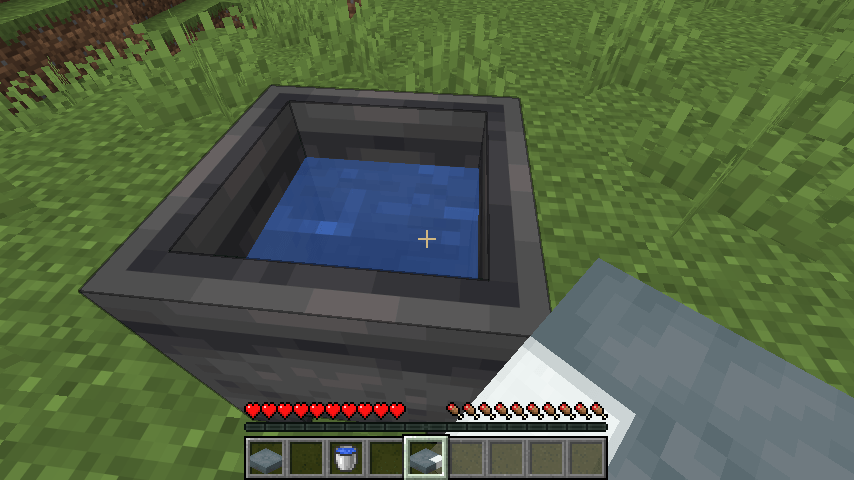
Use a patterned cushion on a water-filled cauldron to remove its most recently applied layer. Each wash removes one layer and consumes one level of water. This makes it possible to undo the last step without throwing away the entire cushion and starting again.
Exact requirements
- Minecraft Java: 26.3 Snapshot 5 (
26.3-snapshot-5/26.3-alpha.5) - Mod loader: Fabric Loader 0.19.3 or newer
- Dependency: Fabric API 0.155.3+26.3 or newer for this snapshot
- Java: 25
For multiplayer, install Loomed Cushions and Fabric API on both the server and every connecting client. The server handles the patterned cushion data and behavior; clients need the mod to render those patterns correctly.
Compatibility notes
Loomed Cushions replaces the item-model definitions of the 16 vanilla cushions so their pattern layers can appear in inventories. A resource pack or another mod that replaces those same cushion definitions may cause visual conflicts.
This is an alpha build for an active Minecraft snapshot. Mojang may still change cushions, rendering, loom behavior, or item data before the stable 26.3 release, so use a test world or keep a backup of any world you care about.
Loomed Cushions

Cushions already have a lot of building potential, but they felt like they were missing one very obvious interaction: if banners can go into a loom, why not cushions?
That is the whole idea behind Loomed Cushions. Put a cushion into the vanilla loom, add dye, choose a pattern, and take out a decorated cushion. There are no new crafting stations or complicated systems to learn. The mod simply makes the loom work with all 16 vanilla cushion colors.

You can use ordinary loom designs as well as banner pattern items, then layer them just as you would on a banner. Creeper faces, skulls, globes, flowers, spirals, bricks, borders, stripes, gradients, and the rest of the vanilla pattern set can all become cushion designs.
Using a cushion in the loom

The process is intentionally familiar:
- Put any colored cushion into the loom.
- Add a dye.
- Choose one of the available patterns.
- Add a banner pattern item when the design requires one.
- Take the patterned cushion and put it back into the loom to add another layer.
You can build designs with up to six layers, following the same limit and basic rules as vanilla banners.

The output preview and inventory icon show the actual result before you take it. Designs also stay attached when a cushion is held, dropped, placed, picked up, broken, saved, loaded, or synchronized in multiplayer.
Banner patterns, rebuilt for a square surface
Banners are tall rectangles. Cushions are squares. Simply squeezing the original banner rendering onto a cushion made symbols look flattened and made borders and stripes stop awkwardly at the edge.
Loomed Cushions adjusts the patterns for the cushion's shape. Symbols such as the Creeper, Skull, Flower, Globe, Flow, Guster, and Snout keep sensible proportions, while geometric designs are fitted to the square surface.
The pattern is not painted only on top, either. It continues over all four sides and onto the underside, so a cushion still looks finished when viewed from an angle or used as part of a larger build.
Build with more than one cushion

Repeated patterns can line up across neighboring cushions. A group of individually placed cushions can read as one larger textile instead of a collection of unrelated tiles.

This works especially well for floors, rugs, seating areas, tent interiors, wall decorations, and any build where a single cushion is too small for the design you have in mind.

Straight lines can continue through intersections, and the same idea can be used to draw paths, frames, crosses, or larger geometric shapes.

Corners stay clean as well, which makes it possible to turn a pattern through an L-shaped arrangement without the design suddenly looking cut off.
Made a mistake? Wash one layer away

Use a patterned cushion on a water-filled cauldron to remove its most recently applied layer. Each wash removes one layer and consumes one level of water. This makes it possible to undo the last step without throwing away the entire cushion and starting again.
Exact requirements
- Minecraft Java: 26.3 Snapshot 5 (
26.3-snapshot-5/26.3-alpha.5) - Mod loader: Fabric Loader 0.19.3 or newer
- Dependency: Fabric API 0.155.3+26.3 or newer for this snapshot
- Java: 25
For multiplayer, install Loomed Cushions and Fabric API on both the server and every connecting client. The server handles the patterned cushion data and behavior; clients need the mod to render those patterns correctly.
Compatibility notes
Loomed Cushions replaces the item-model definitions of the 16 vanilla cushions so their pattern layers can appear in inventories. A resource pack or another mod that replaces those same cushion definitions may cause visual conflicts.
This is an alpha build for an active Minecraft snapshot. Mojang may still change cushions, rendering, loom behavior, or item data before the stable 26.3 release, so use a test world or keep a backup of any world you care about.
Screenshots
Gallery
-
 2026-07-24_22.50.44.png 2026-07-24_22.50.44.png
 -
 2026-07-24_22.51.46.png 2026-07-24_22.51.46.png
 -
 2026-07-24_22.53.02.png 2026-07-24_22.53.02.png
 -
 2026-07-24_22.54.09.png 2026-07-24_22.54.09.png
 -
 2026-07-24_23.04.25.png 2026-07-24_23.04.25.png
 -
 2026-07-24_22.55.45.png 2026-07-24_22.55.45.png
 -
 2026-07-24_22.57.41.png 2026-07-24_22.57.41.png
 -
 2026-07-24_23.05.35.png 2026-07-24_23.05.35.png
-
 Full Loom Pattern Selection Apply the familiar collection of banner patterns to cushions and preview the result directly in the loom.
 -
 A Palette of Possibilities A colorful showcase of cushions decorated with different dyes, patterns, and layered designs.
 -
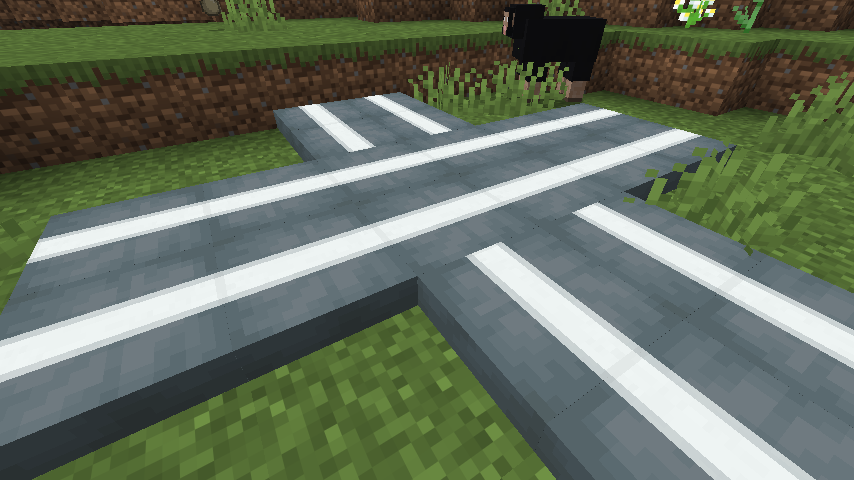 Continuous Lines Across Cushions A close-up showing patterns aligning across cushion edges, intersections, and connected arrangements.
 -
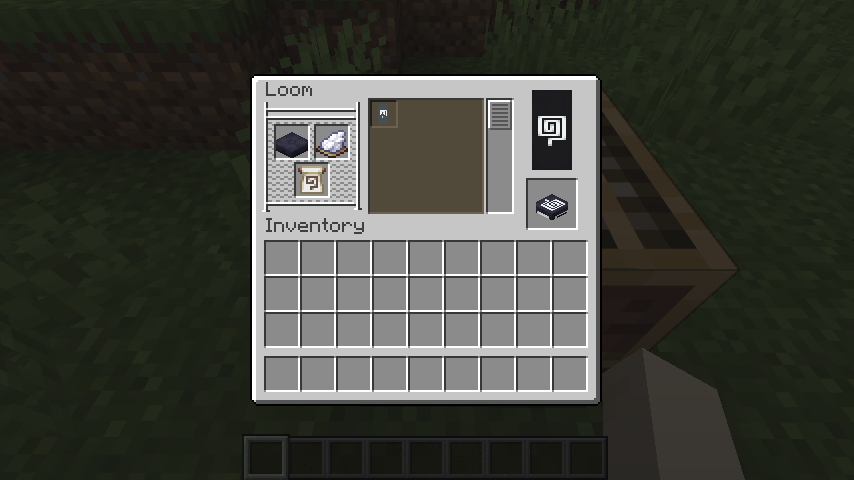 Cushions in the Loom Combine a cushion, dye, and banner-pattern item using the familiar loom interface.
 -
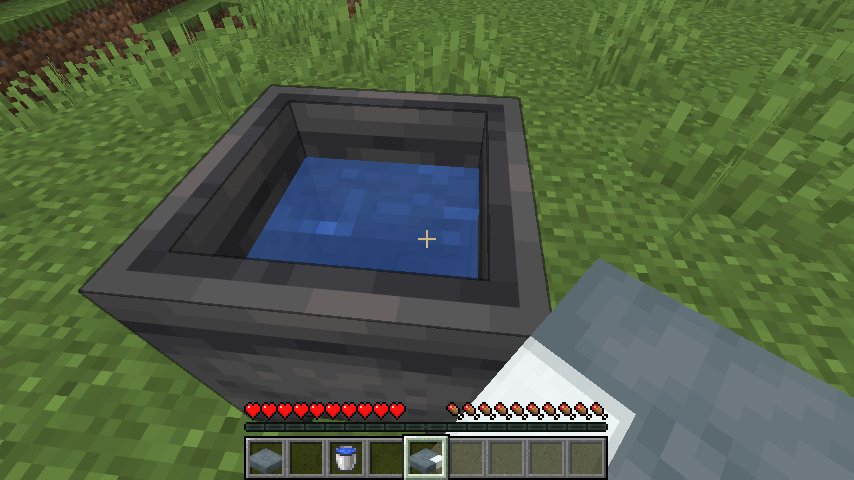 Wash Patterns in a Cauldron Use a water-filled cauldron to remove the latest pattern layer from a decorated cushion.
 -
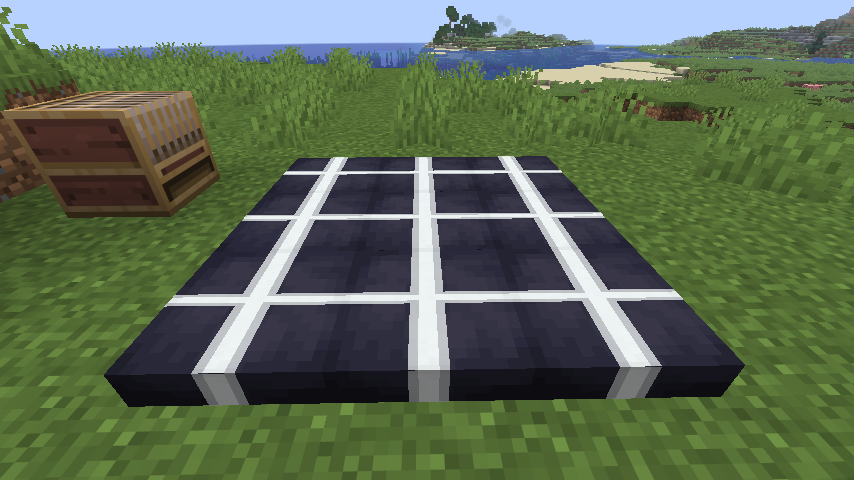 Connected Cushion Layouts Patterned cushions can be arranged together to create larger decorative floor designs.
 -
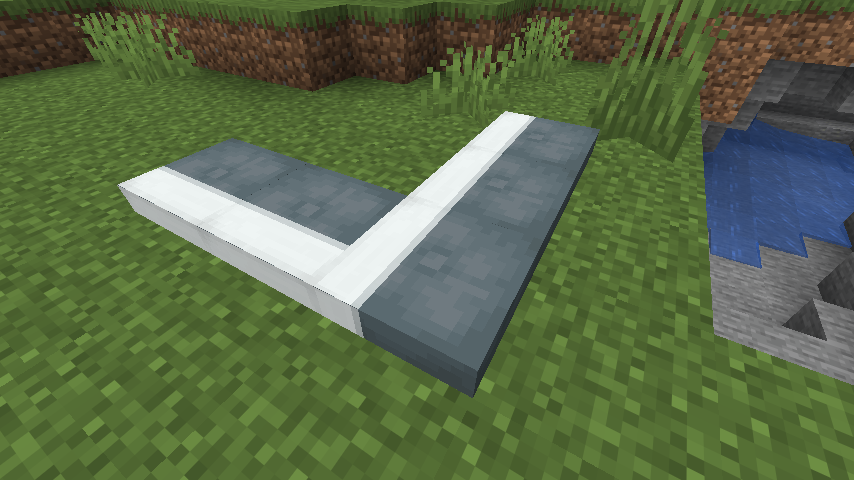 Finished From Every Angle Cushion patterns wrap around the edges and remain visually consistent when cushions meet.
 -
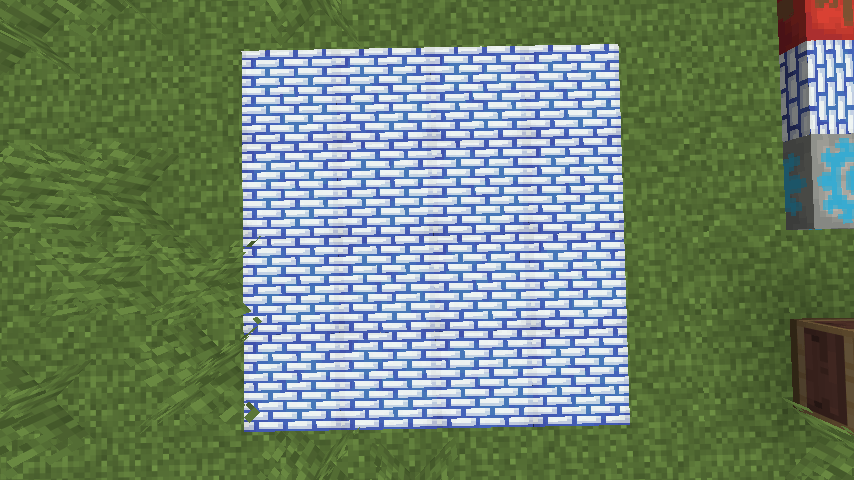
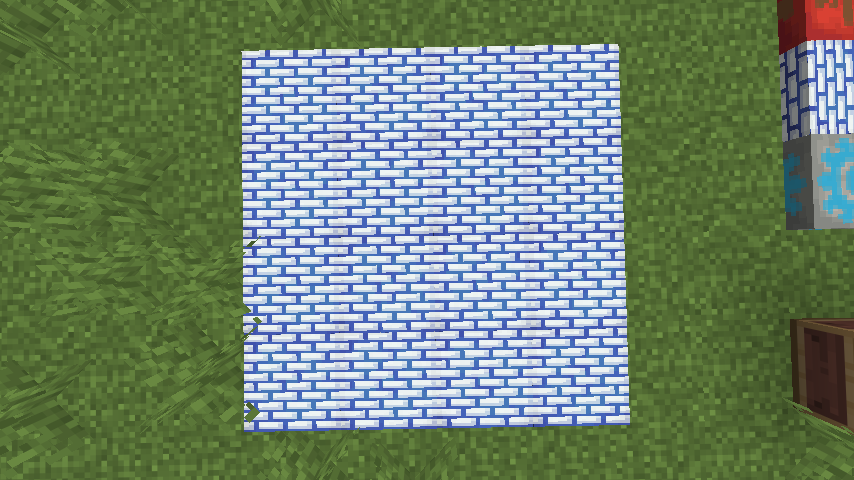 Seamless Brickwork The brick pattern flows continuously across multiple cushions placed together.
Versions
Files
Relations
Project Relations
More like this
Similar Mods
Suggestions use data such as tags, dependencies, dependents, descriptions, titles, and more to rank how much they overlap with this mod.
On ModDex
Community snapshot
By the numbers
Statistics
Want to reach Minecraft players?
We're looking for a server hosting partner to feature here and other parts of the site. Interested? Send us a message!
Get in touchGet it on
Available Platforms
On ModDex
Community snapshot
By the numbers
Statistics
Resources