
Community listing page, reviews here may not be monitored by the author.


Community voices
Reviews
No reviews yet. Be the first to review this project!
Get it on
Available Platforms
Compatibility
Supported Environments
Must be installed on both the client and the server.
About
Project Details
For authors
Embed Badge
If you're the author of this project, you can embed a live badge anywhere that supports HTML or Markdown. It updates automatically whenever ratings change.
Use HTML for any page that supports it, or Markdown for README files and Markdown-based descriptions.
Identifiers
Platform IDs
About
Description

Loot Table Wand

New operator tool: Loot Table Wand
- Interact with container blocks like chests, barrels and shulker boxes
- Append, remove, copy and inspect container loot tables
- Browse all loaded loot tables (vanilla, mods, datapacks)
- View any loot table in one of two modes:
- Raw entry data (rolls, bonus rolls, weight, quality, count)
- Calculated data (chance to obtain, average count obtained, tries to get)
- Loot item preview in your inventory
Use cases
- Simplify structure building (no more /data commands for loot)
- Learn more about loot tables (vanilla or other mods)
Select loot tables
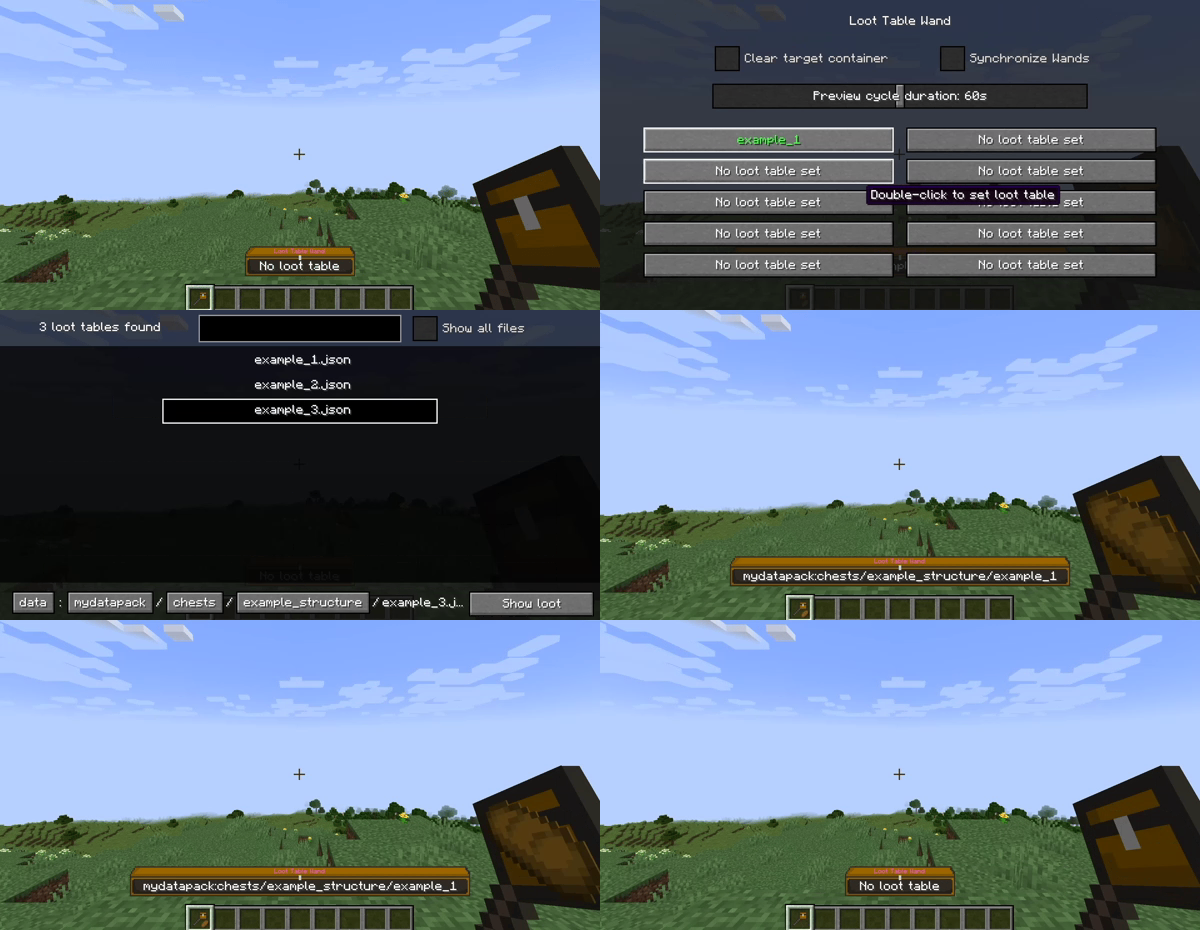
- Double-click to select loot tables
- Store up to 10 loot tables per wand (90 in hotbar, 270 in inventory)
- Use the stored loot tables to:
Modify loot tables
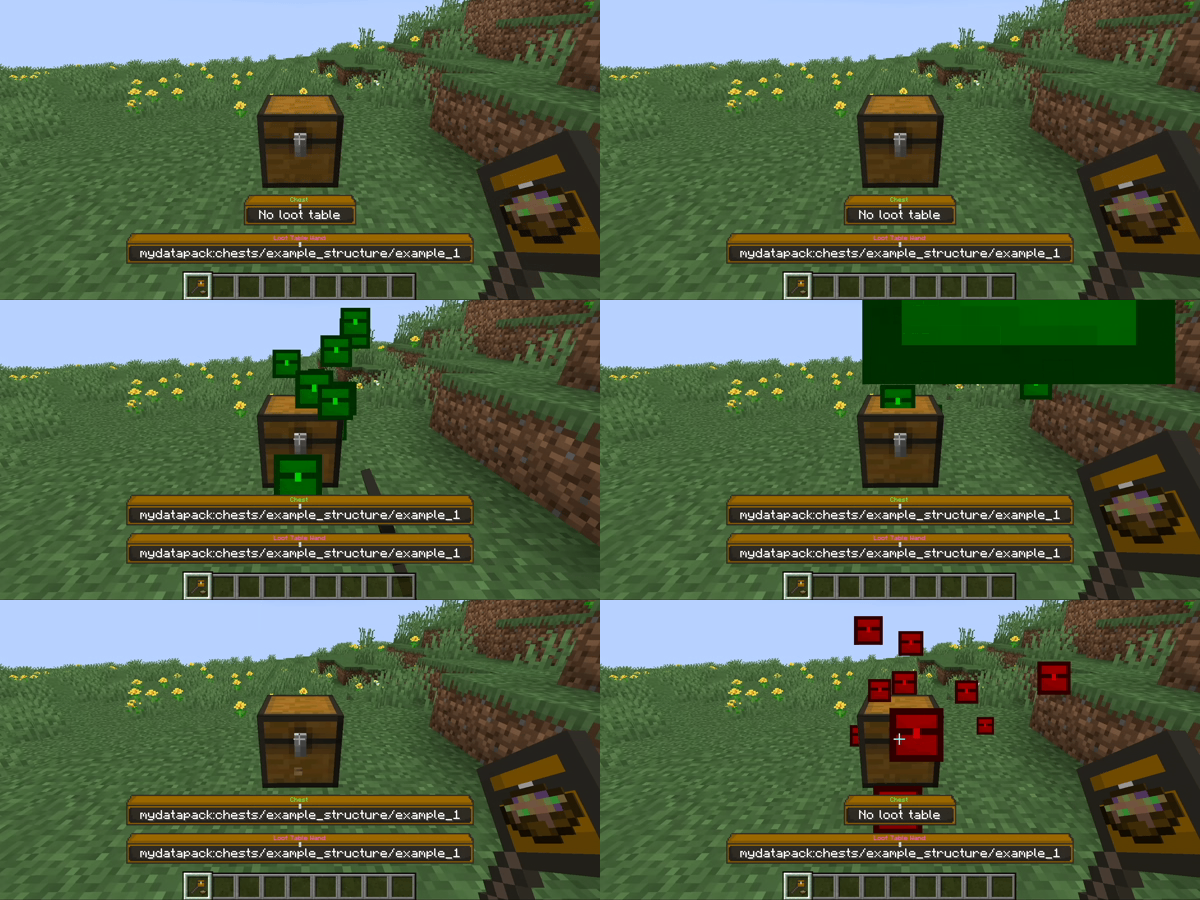
- Right-click: Append loot table
- Left-click: Remove loot table
- Hold shift to open/destroy the container instead
Copy loot tables
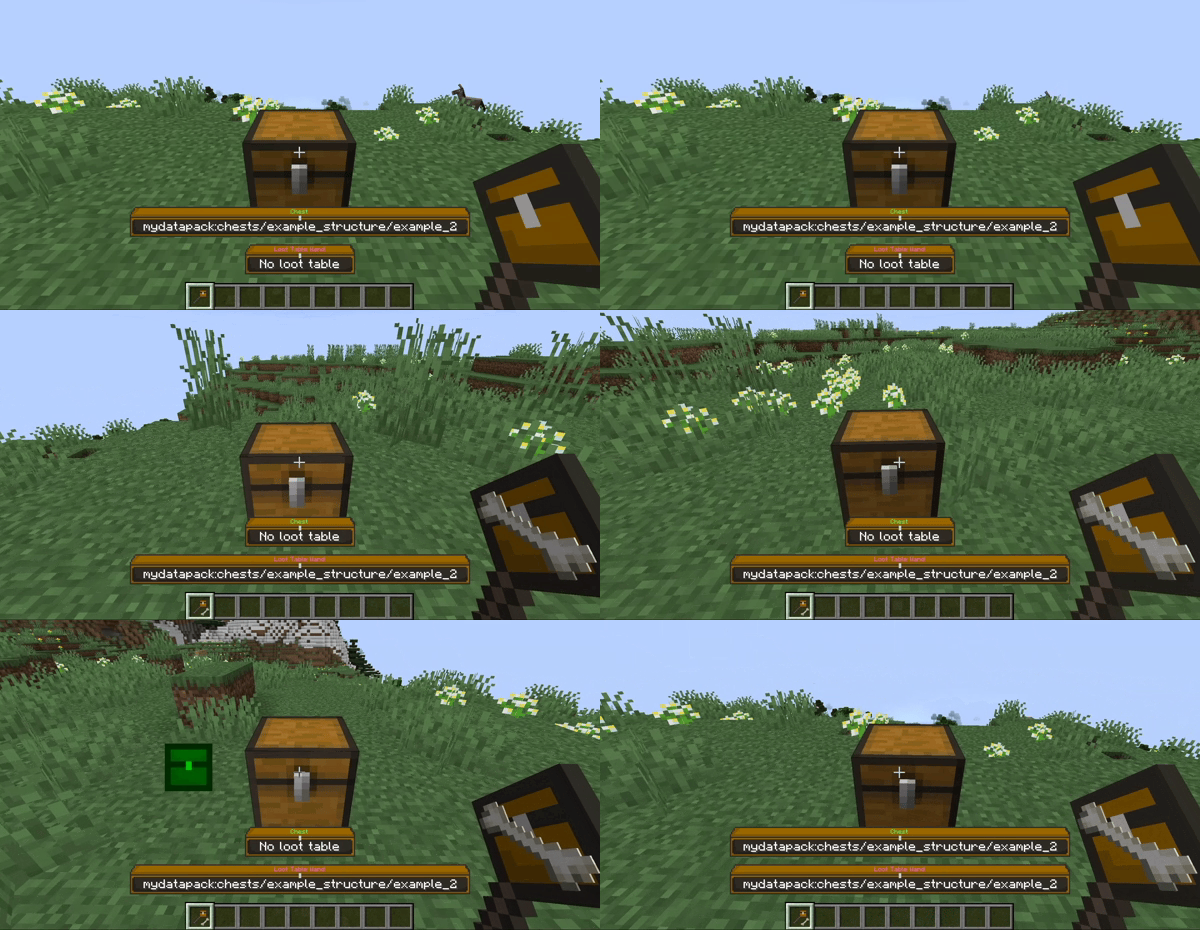
- Middle-click: Copy container loot table
- Hold shift to pick the container instead
- You can append the copied loot table to other containers
Browse loot tables
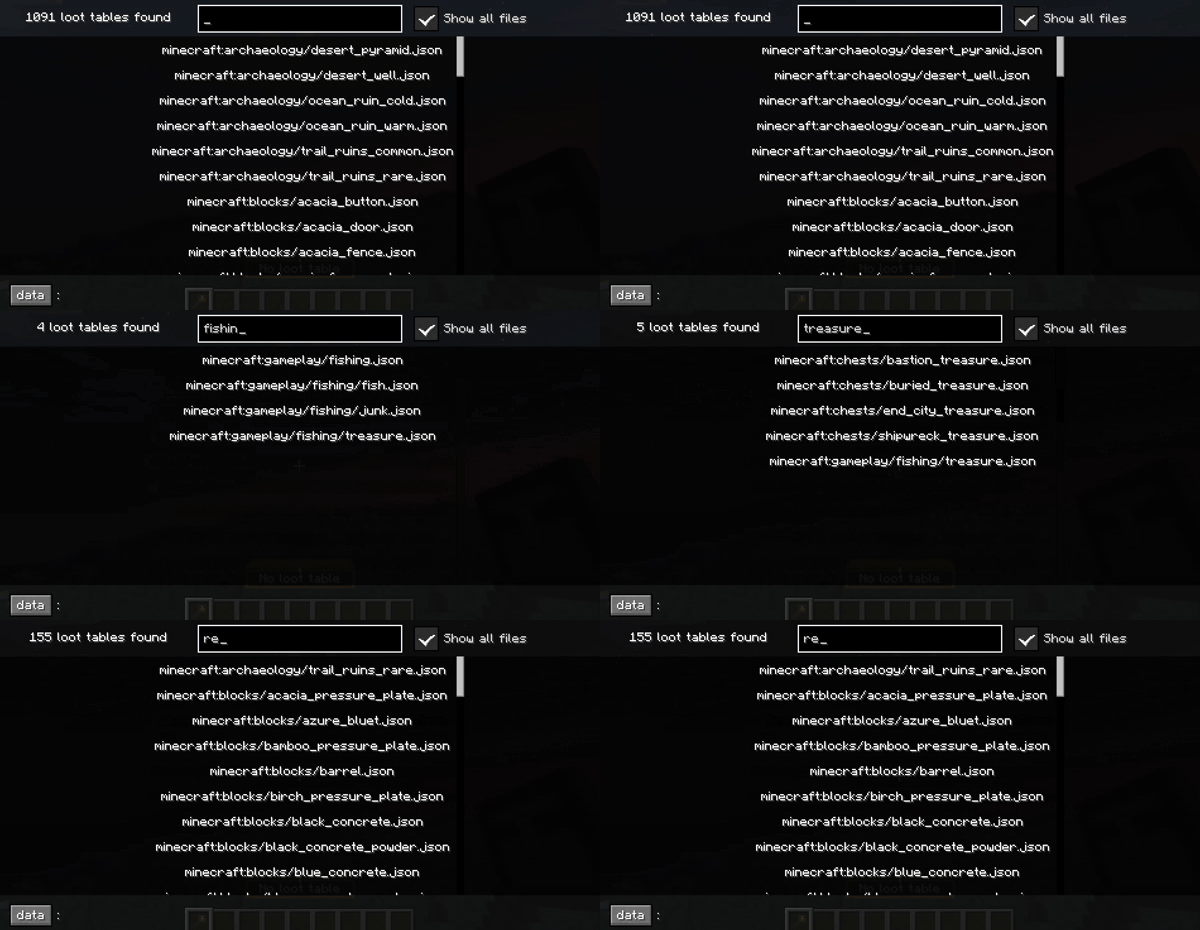
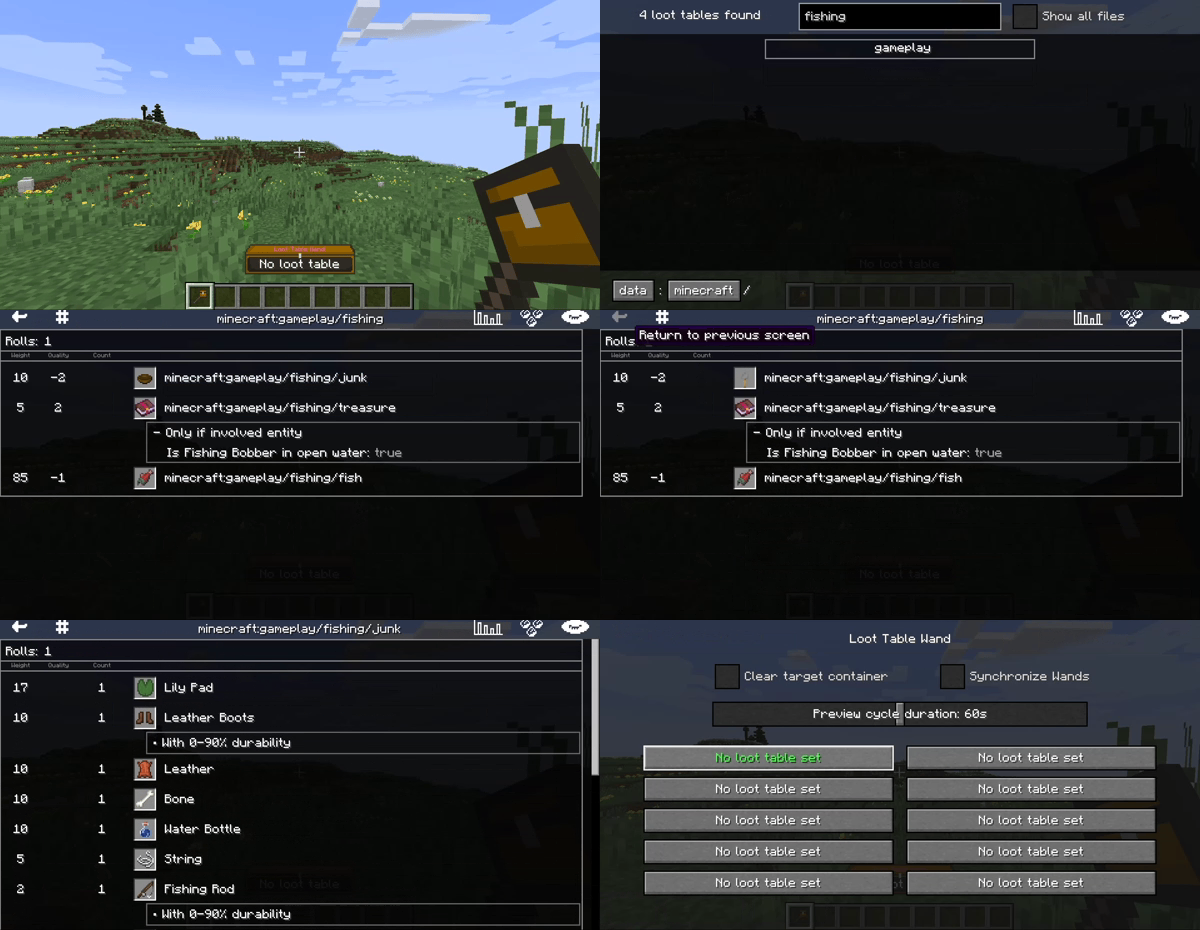
- See all loaded loot tables in the browser
- Toggle between folders and all files at once
- Store or inspect loot tables from the browser
Inspect loot tables
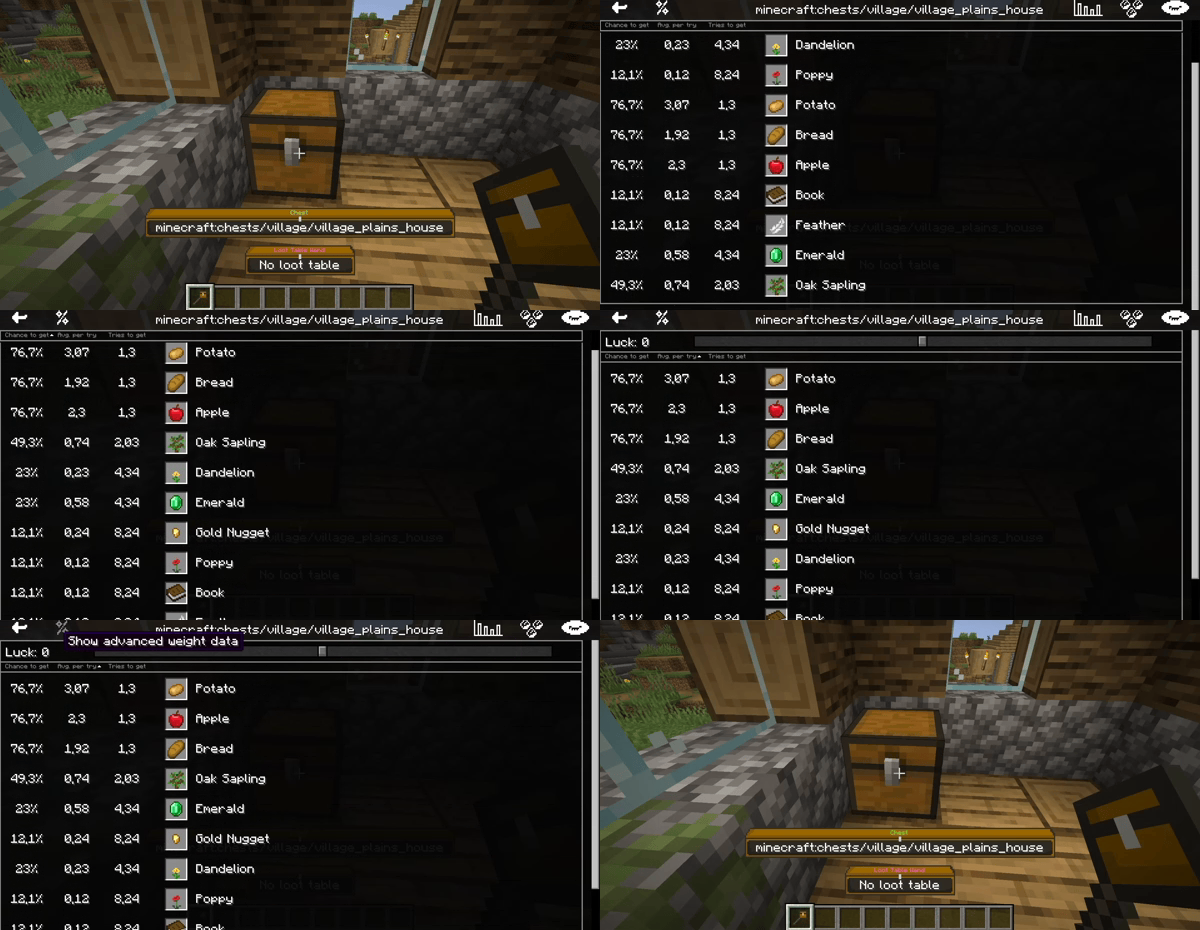
- K: Inspect container loot table
- View the loot tables as visualized tables
- Switch between two visualization modes
Loot Table Wand
New operator tool: Loot Table Wand
- Interact with container blocks like chests, barrels and shulker boxes
- Append, remove, copy and inspect container loot tables
- Browse all loaded loot tables (vanilla, mods, datapacks)
- View any loot table in one of two modes:
- Raw entry data (rolls, bonus rolls, weight, quality, count)
- Calculated data (chance to obtain, average count obtained, tries to get)
- Loot item preview in your inventory
Use cases
- Simplify structure building (no more /data commands for loot)
- Learn more about loot tables (vanilla or other mods)
Select loot tables
- Double-click to select loot tables
- Store up to 10 loot tables per wand (90 in hotbar, 270 in inventory)
- Use the stored loot tables to:
Modify loot tables
- Right-click: Append loot table
- Left-click: Remove loot table
- Hold shift to open/destroy the container instead
Copy loot tables
- Middle-click: Copy container loot table
- Hold shift to pick the container instead
- You can append the copied loot table to other containers
Browse loot tables
- See all loaded loot tables in the browser
- Toggle between folders and all files at once
- Store or inspect loot tables from the browser
Inspect loot tables
- K: Inspect container loot table
- View the loot tables as visualized tables
- Switch between two visualization modes
Screenshots
Gallery
-
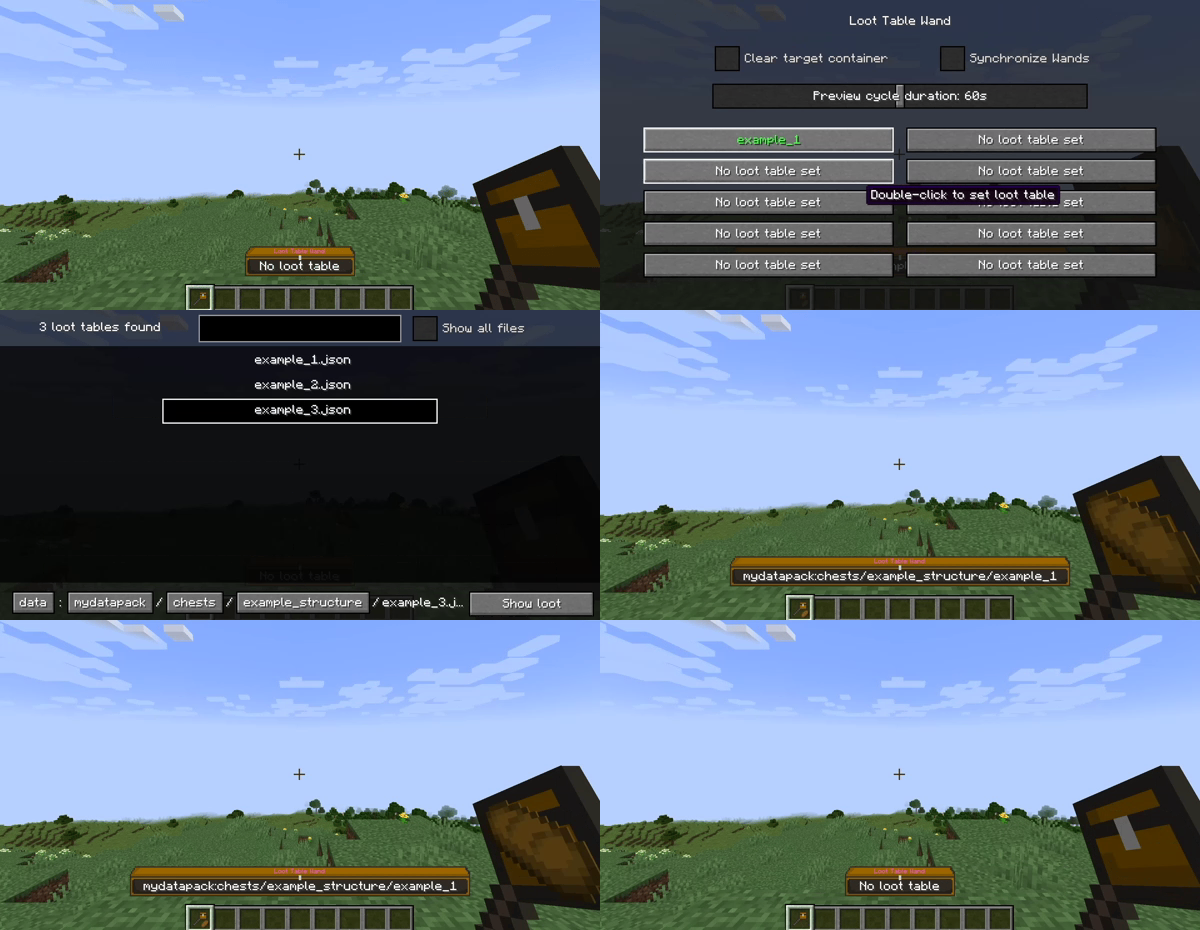 Select loot tables Double-click to select loot tables Store up to 10 loot tables per wand (90 in hotbar, 270 in inventory) Use the stored loot tables to:
 -
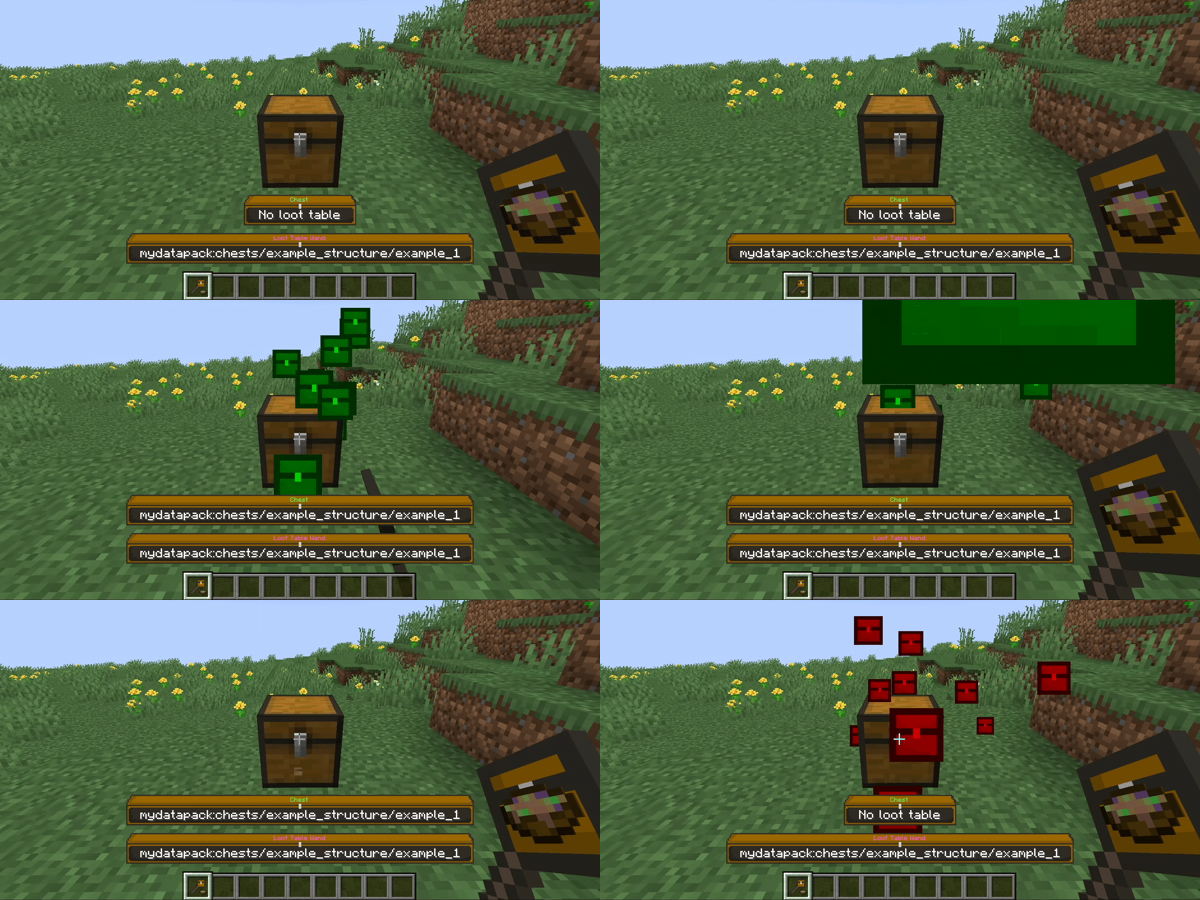 Modify loot tables Right-click: Append loot table Left-click: Remove loot table Hold shift to open/destroy the container instead
 -
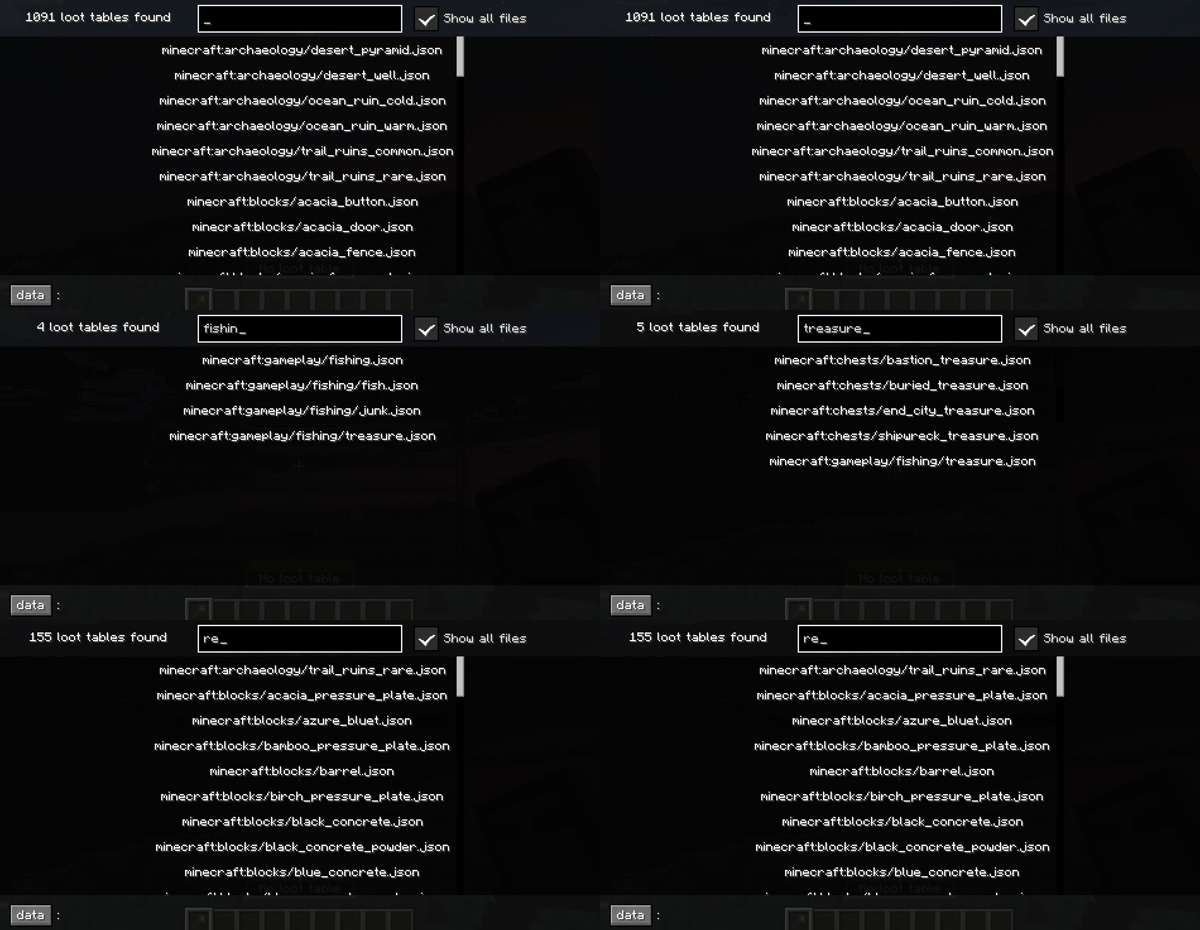 Browse loot tables See all loaded loot tables in the browser Toggle between folders and all files at once Store or inspect loot tables from the browser
-
 Loot Table Wand Useful tool for in-game loot table management
 -
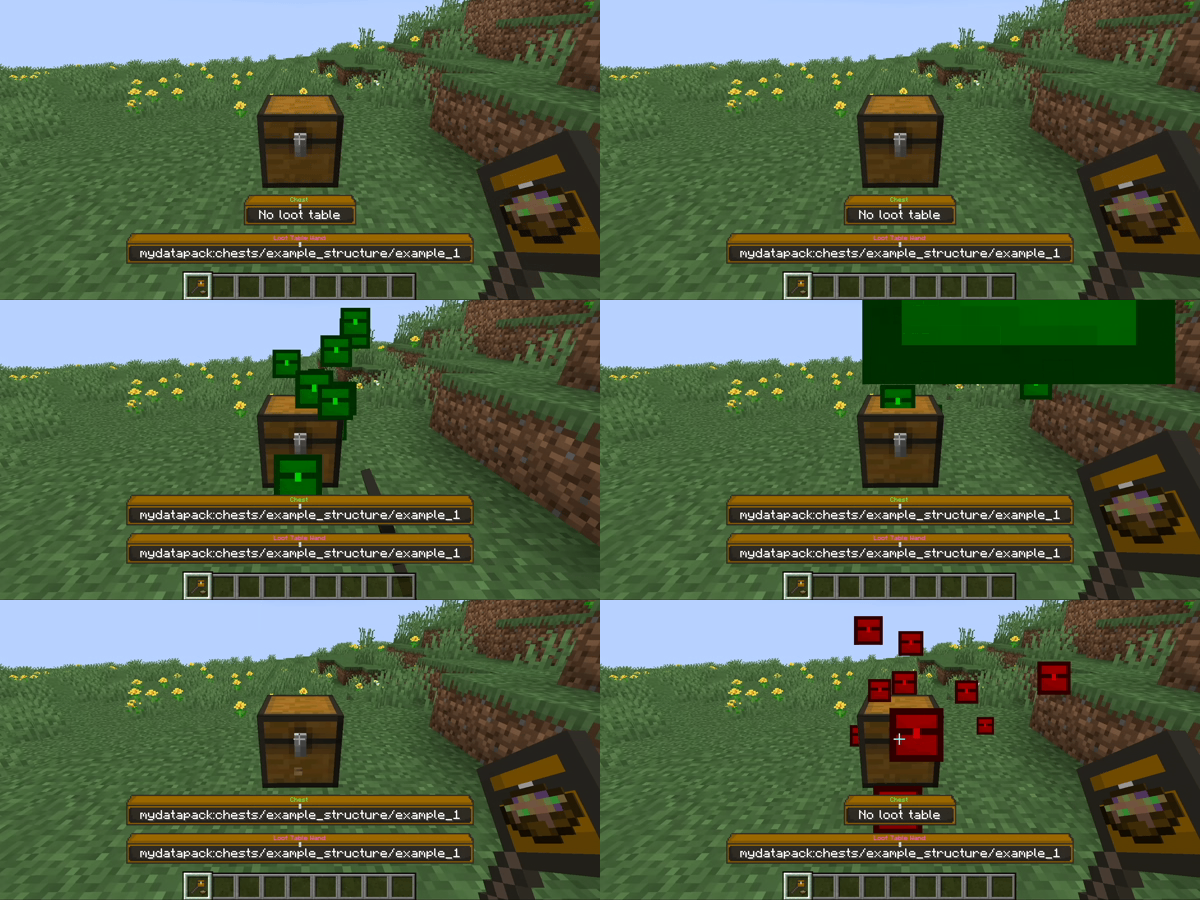 Modify loot tables Right-click: Append loot table Left-click: Remove loot table Hold shift to open/destroy the container instead
 -
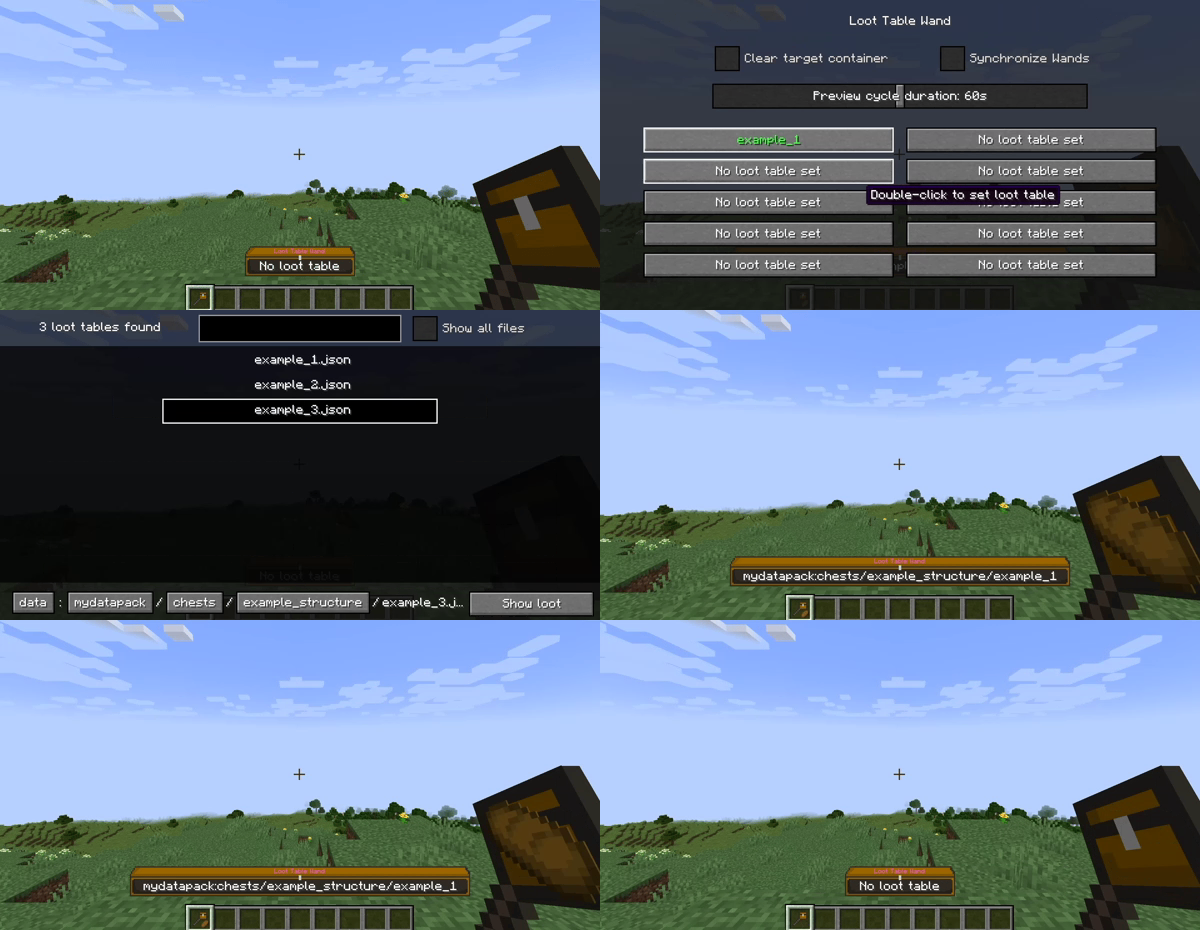 Select loot tables Double-click to select loot tables Store up to 10 loot tables per wand (90 in hotbar, 270 in inventory)
 -
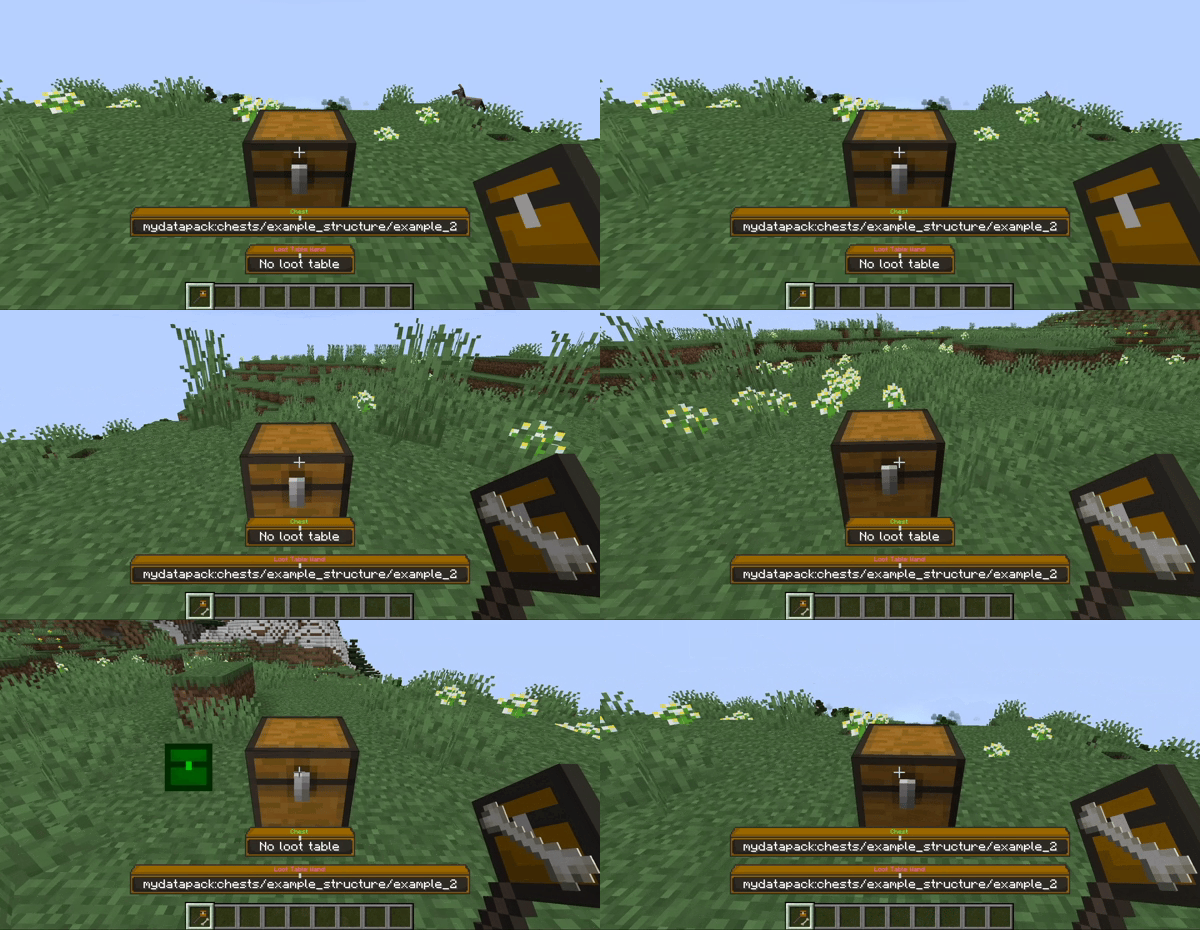 Copy loot tables Middle-click: Copy container loot table Hold shift to pick the container instead You can append the copied loot table to other containers
 -
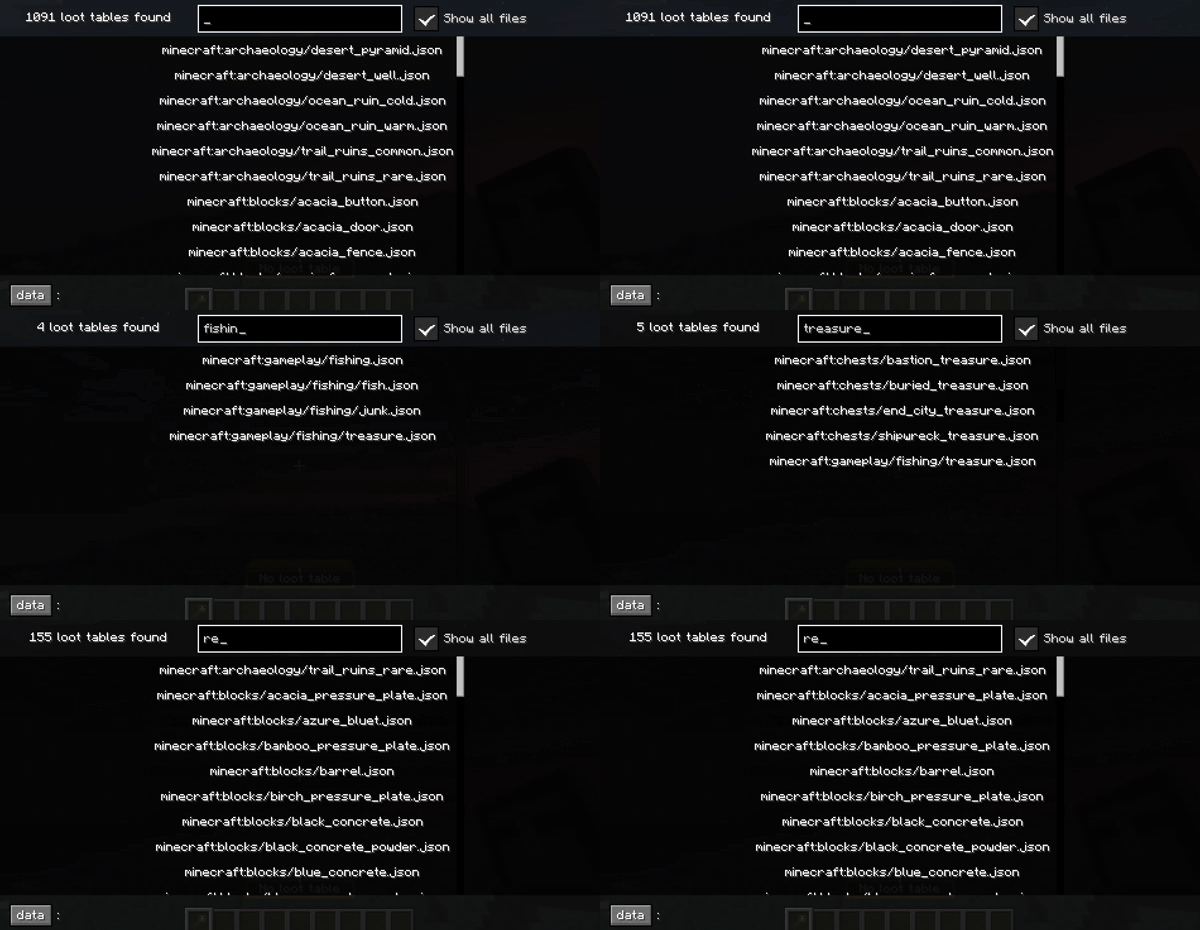 Browse loot tables See all loaded loot tables in the browser Toggle between folders and all files at once Store or inspect loot tables from the browser
 -
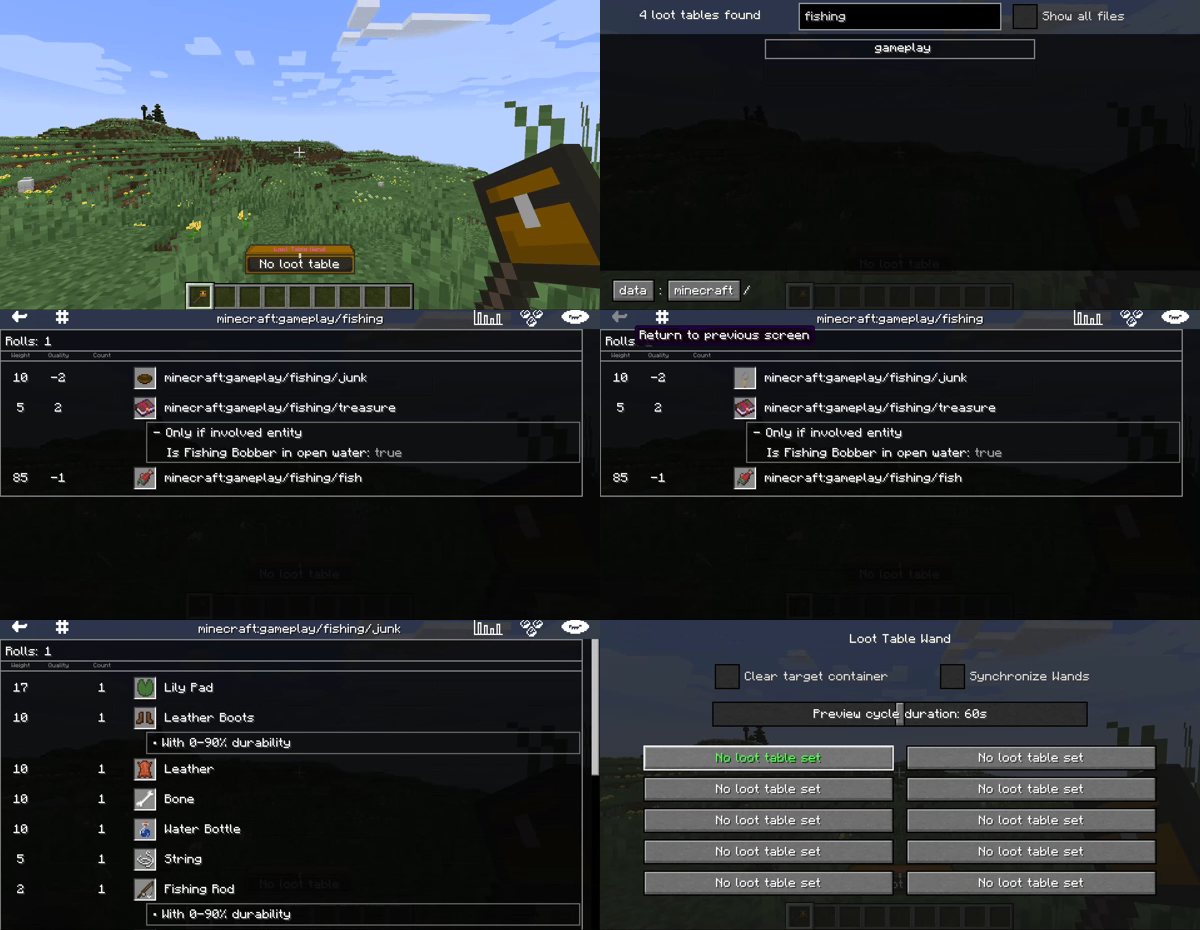 Browse loot tables See all loaded loot tables in the browser Toggle between folders and all files at once Store or inspect loot tables from the browser
 -
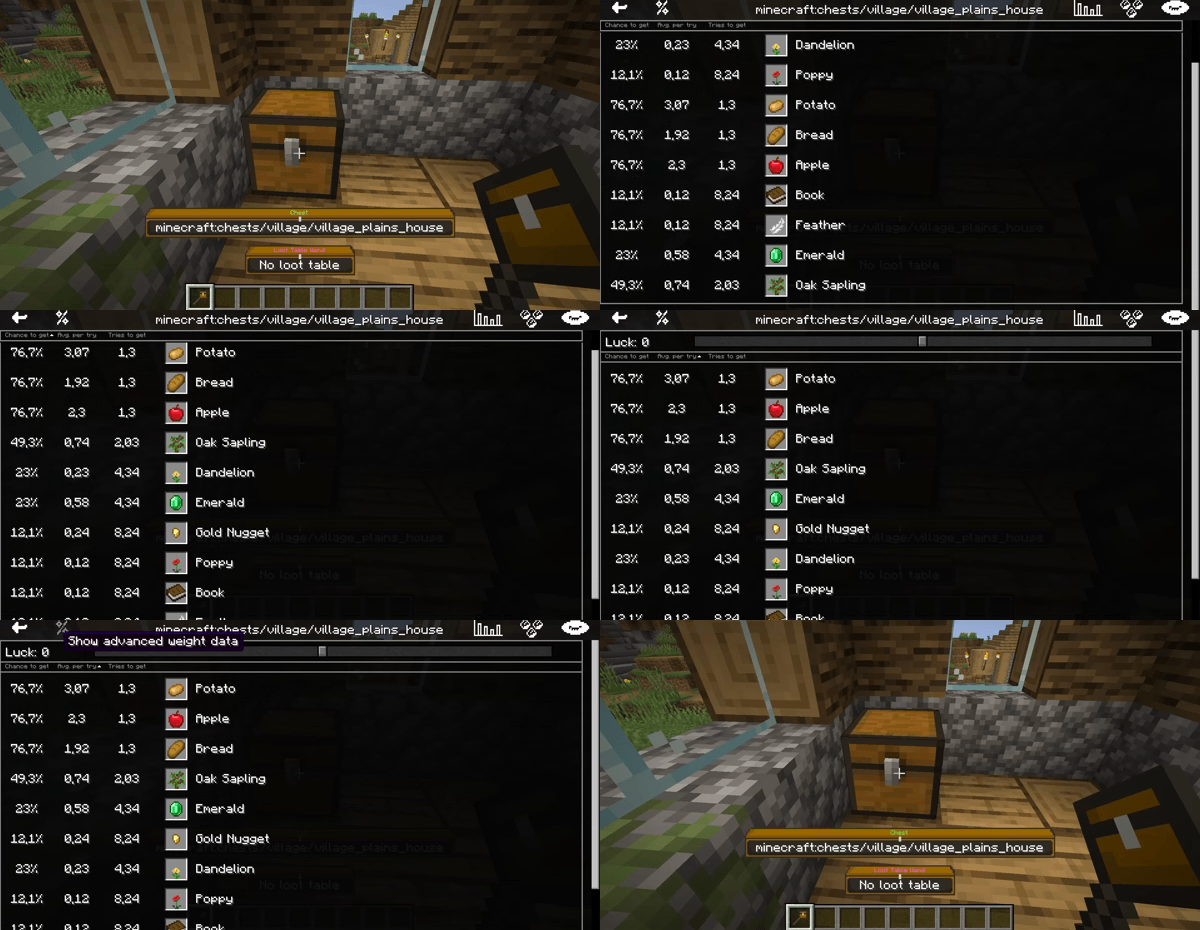 Inspect loot tables K: Inspect container loot table View the loot tables as visualized tables Switch between two visualization modes
Versions
Files
Relations
Project Relations
More like this
Similar Mods
Suggestions use data such as tags, dependencies, dependents, descriptions, titles, and more to rank how much they overlap with this mod.
On ModDex
Community snapshot
By the numbers
Statistics
Want to reach Minecraft players?
We're looking for a server hosting partner to feature here and other parts of the site. Interested? Send us a message!
Get in touchGet it on
Available Platforms
On ModDex
Community snapshot
By the numbers