Community listing page, reviews may not be monitored by the author.
LootHighlighter


No reviews yet
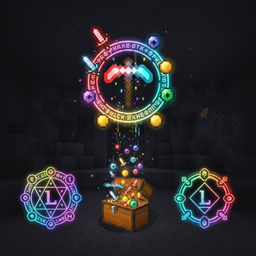
A lightweight client-side mod that adds a colorful glow to dropped items for better visibility and loot identification.

Community voices
Reviews
No reviews yet. Be the first to review this project!
Get it on
Available Platforms
Compatibility
Supported Environments
Runs entirely on the client. Works on vanilla servers.
About
Project Details
For authors
Embed Badge
If you're the author of this project, you can embed a live badge anywhere that supports HTML or Markdown. It updates automatically whenever ratings change.
Use HTML for any page that supports it, or Markdown for README files and Markdown-based descriptions.
Identifiers
Platform IDs
Resources
External Links
About
Description
🔦 LootHighlighter
LootHighlighter is a lightweight, client-side utility mod for Fabric 1.21.4 that adds a vibrant glowing outline to dropped items. Never lose your valuable loot in dark caves, deep oceans, or after a chaotic battle again!.
🎨 Color-Coded Identification
Each item category has its own unique color, allowing you to identify loot from a distance:
-
🔴 Red: All Tools, Swords, and Shears.
-
🔵 Blue: All Armor pieces.
-
🟡 Yellow: Totems of Undying and Golden Apples.
-
🟣 Purple: Obsidian and Crying Obsidian.
-
🟢 Green: Ender Pearls.
-
⚪ White: Cobwebs.
⚙️ Technical Features
-
Client-Side Only: You can use this on any server without needing it installed server-side.
-
Zero Performance Impact: Highly optimized using Mixins to ensure your FPS stays high.
-
Vanilla Friendly: Uses standard Minecraft rarity colors for items not listed above.
🛠 Requirements
-
Fabric Loader.
-
Fabric API (Required Dependency).
LootHighlighter - Visual Loot Identification LootHighlighter is a lightweight, client-side mod that adds a colored glow to items dropped on the ground, making them much easier to see in dark caves, water, or after intense combat.
💡 Main Features Dynamic Outlines: Items on the ground emit a glow that helps you spot them from a distance.
Color Coding: Categorized colors allow you to identify what type of loot is on the ground before even picking it up.
No Lag: Built with optimized Mixins for zero impact on your game performance.
Server-Friendly: Since it's client-side, you can use it on any server without any issues!.
🎨 Color Guide 🔴 Red: All Swords and Tools (Pickaxes, Axes, Shovels, Shears).
🔵 Blue: All pieces of Armor.
🟡 Yellow: Rare consumables like Totems of Undying and Golden Apples.
🟣 Bright Purple: Obsidian and Crying Obsidian blocks.
🟢 Green: Ender Pearls.
⚪ White: Cobwebs.
✨ Default: Other items use their standard Minecraft rarity colors (e.g., Epic items glow Purple).
⚙️ Requirements Minecraft: 1.21.4.
Loader: Fabric.
Dependency: Fabric API.
Screenshots
Gallery
Versions
Files
Relations
Project Relations
More like this
Similar Mods
Suggestions use data such as tags, dependencies, dependents, descriptions, titles, and more to rank how much they overlap with this mod.
On ModDex
Community snapshot
By the numbers
Statistics

Get it on
Available Platforms
On ModDex
Community snapshot
By the numbers
Statistics
Resources